
idea:spring initializr无web勾选,maven方式搭建springboot项目。jdk7创建springboot项目的版本不兼容问题。
一、idea 使用spring initializr不选择web搭建springboot项目
1.file => new => project
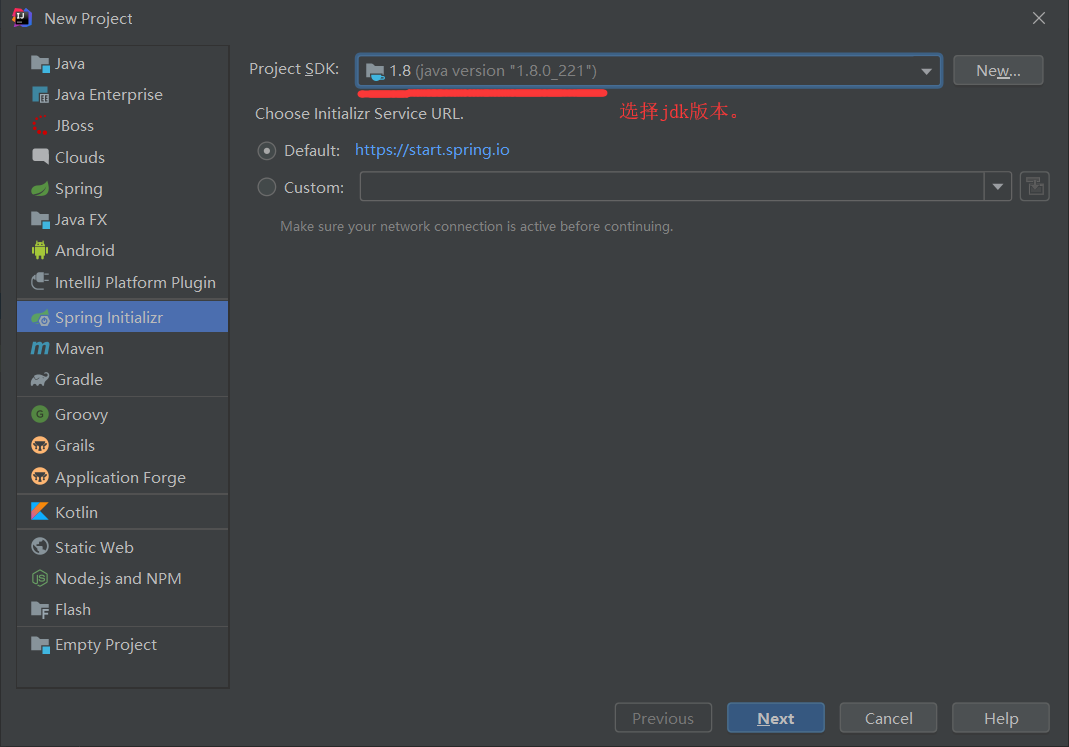
2.直接next到finish结束。
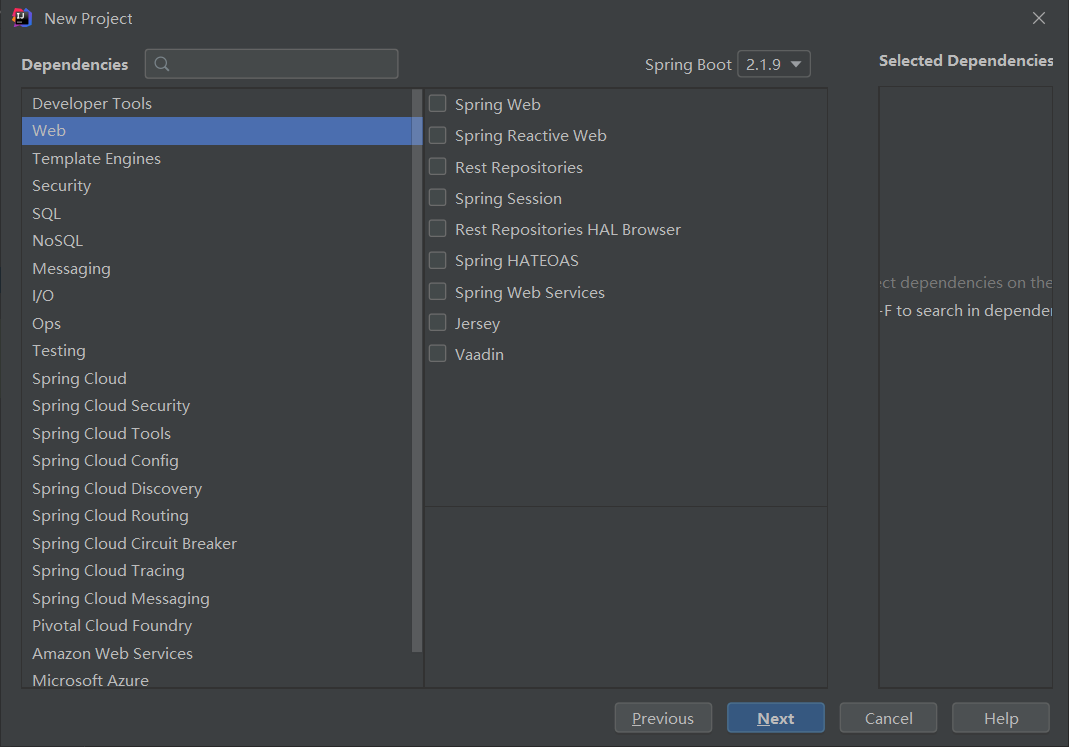
3.完成后创建controller用例测试
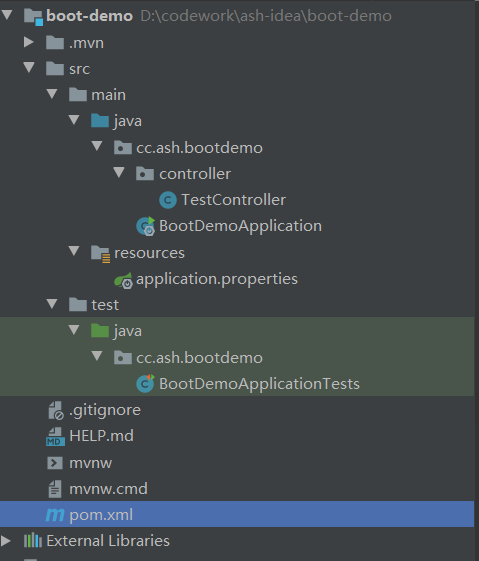
4.pom文件
<?xml version="1.0" encoding="UTF-8"?>

<project xmlns="http://maven.apache.org/POM/4.0.0" xmlns:xsi="http://www.w3.org/2001/XMLSchema-instance"

         xsi:schemaLocation="http://maven.apache.org/POM/4.0.0 https://maven.apache.org/xsd/maven-4.0.0.xsd">

    <modelVersion>4.0.0</modelVersion>

    <parent>

        <groupId>org.springframework.boot</groupId>

        <artifactId>spring-boot-starter-parent</artifactId>

        <version>2.1.9.RELEASE</version>

        <relativePath/> <!-- lookup parent from repository -->

    </parent>

    <groupId>cc.ash</groupId>

    <artifactId>boot-demo</artifactId>

    <version>0.0.1-SNAPSHOT</version>

    <name>boot-demo</name>

    <description>Demo project for Spring Boot</description>

    <properties>

        <java.version>1.8</java.version>

    </properties>

    <dependencies>

        <dependency>

            <groupId>org.springframework.boot</groupId>

            <artifactId>spring-boot-starter</artifactId>

        </dependency>

        <dependency>

            <groupId>org.springframework.boot</groupId>

            <artifactId>spring-boot-starter-test</artifactId>

            <scope>test</scope>

        </dependency>

        <!--  手动添加web依赖,@restController @requestMapping注解等      -->

        <dependency>

            <groupId>org.springframework.boot</groupId>

            <artifactId>spring-boot-starter-web</artifactId>

        </dependency>

    </dependencies>

    <build>

        <plugins>

            <plugin>

                <groupId>org.springframework.boot</groupId>

                <artifactId>spring-boot-maven-plugin</artifactId>

            </plugin>

        </plugins>

    </build>

</project>
5.application.properties
#端口号修改。默认8080

server.port=
6.springboot入口启动类
package cc.ash.bootdemo;

import org.springframework.boot.SpringApplication;

import org.springframework.boot.autoconfigure.SpringBootApplication;

import org.springframework.context.annotation.Configuration;

import org.springframework.stereotype.Controller;

import org.springframework.web.bind.annotation.RequestMapping;

import org.springframework.web.bind.annotation.ResponseBody;

@SpringBootApplication

@Controller

public class BootDemoApplication {

    @RequestMapping("/boot")

    @ResponseBody

    public String bootTest() {

        return "hello springboot";

    }

    public static void main(String[] args) {

        SpringApplication.run(BootDemoApplication.class, args);

    }

}
7.新建包下controller测试类
package cc.ash.bootdemo.controller;

import org.springframework.stereotype.Controller;

import org.springframework.web.bind.annotation.RequestMapping;

import org.springframework.web.bind.annotation.RestController;

@RestController

public class TestController {

    @RequestMapping(name="springboot test", value = "/test")

    public String test() {

        return "booted";

    }

}
8.运行结果
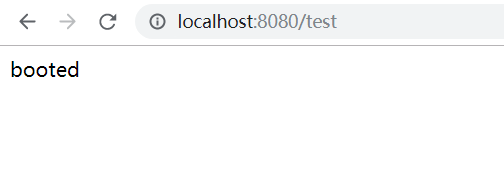
新建包下controller测试类:访问页面
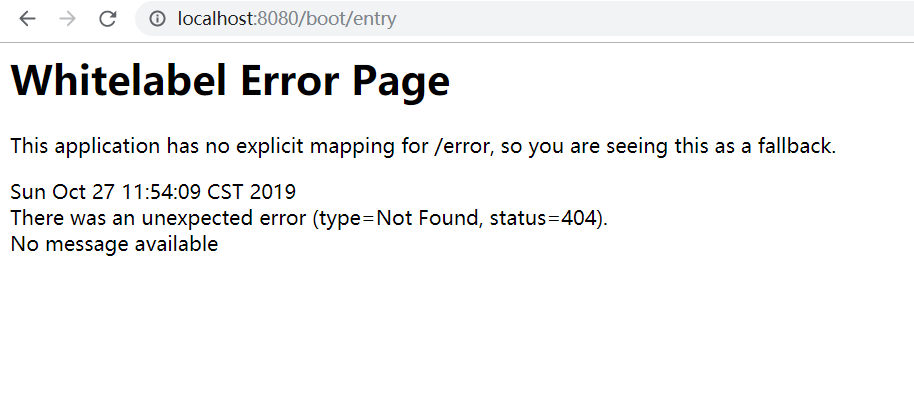
springboot启动类中访问404。改requestMapping、rerun,做了很多操作到怀疑人生。重启idea,世界终于正常了。
能正常访问的结果如下

二、maven搭建springboot项目
1.jdk7的情况下
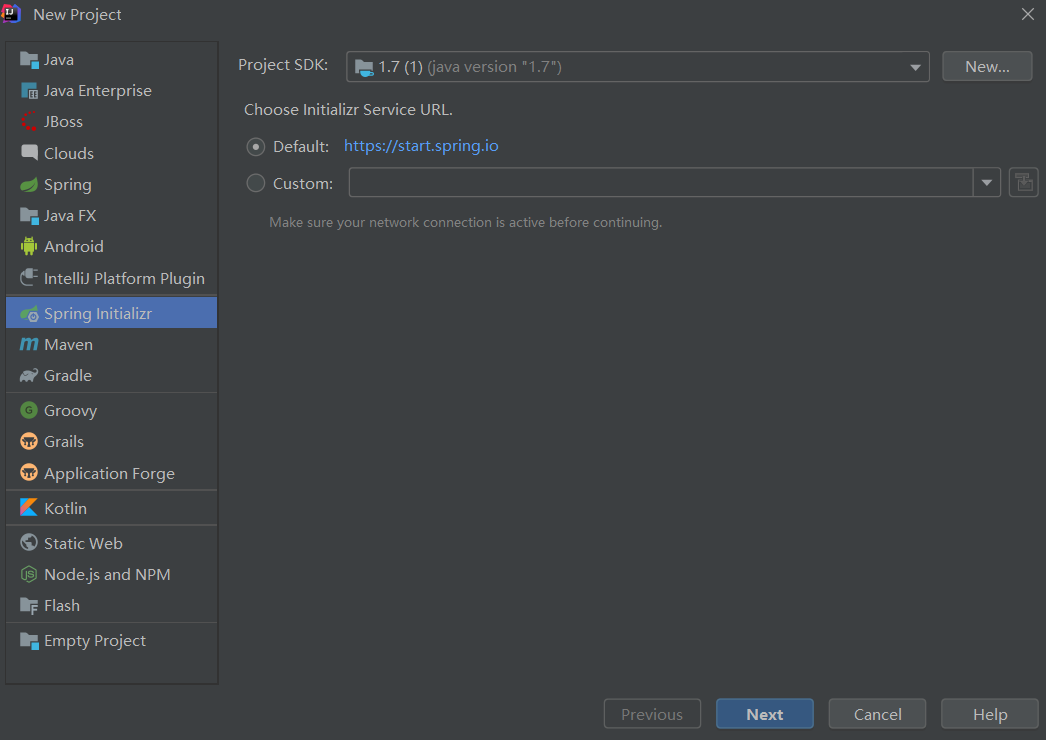

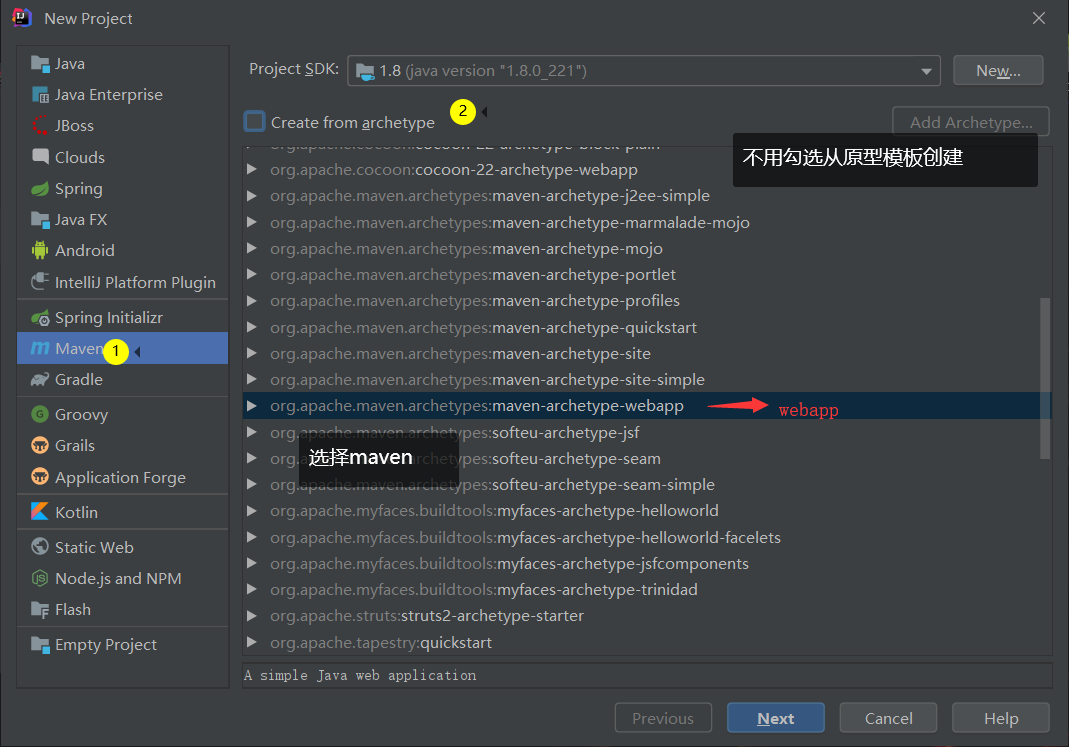
2.maven搭建

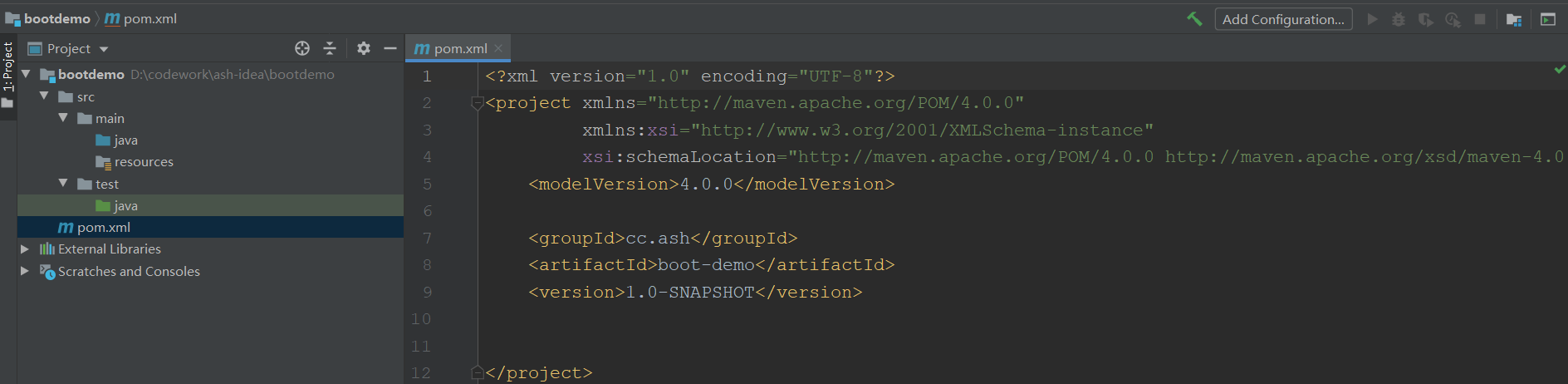
创建完成后的项目结构和pom文件。一个字就是干净
3.手动添加pom依赖
<?xml version="1.0" encoding="UTF-8"?>
<project xmlns="http://maven.apache.org/POM/4.0.0"
         xmlns:xsi="http://www.w3.org/2001/XMLSchema-instance"
         xsi:schemaLocation="http://maven.apache.org/POM/4.0.0 http://maven.apache.org/xsd/maven-4.0.0.xsd">
    <modelVersion>4.0.0</modelVersion>

    <parent>
        <groupId>org.springframework.boot</groupId>
        <artifactId>spring-boot-starter-parent</artifactId>
        <version>2.1.7.RELEASE</version>
        <relativePath/> <!-- lookup parent from repository -->
    </parent>

    <groupId>cc.ash</groupId>
    <artifactId>boot-demo</artifactId>
    <version>1.0-SNAPSHOT</version>

    <properties>
        <java.version>1.8</java.version>
    </properties>

    <!--  =================jdk1.7与springboot版本不兼容=======================  -->
    <!--<properties>
        <java.version>1.7</java.version>
        <project.build.sourceEncoding>UTF-8</project.build.sourceEncoding>
        <start-class>com.myproject.Application</start-class>
    </properties>-->

    <dependencies>
        <dependency>
            <groupId>org.springframework.boot</groupId>
            <artifactId>spring-boot-starter</artifactId>
        </dependency>

        <dependency>
            <groupId>org.springframework.boot</groupId>
            <artifactId>spring-boot-starter-test</artifactId>
            <scope>test</scope>
        </dependency>

        <!--  手动添加web依赖,@restController @requestMapping注解等      -->
        <dependency>
            <groupId>org.springframework.boot</groupId>
            <artifactId>spring-boot-starter-web</artifactId>
        </dependency>
    </dependencies>

    <build>
        <plugins>
            <plugin>
                <groupId>org.springframework.boot</groupId>
                <artifactId>spring-boot-maven-plugin</artifactId>
            </plugin>
        </plugins>
    </build>
</project>
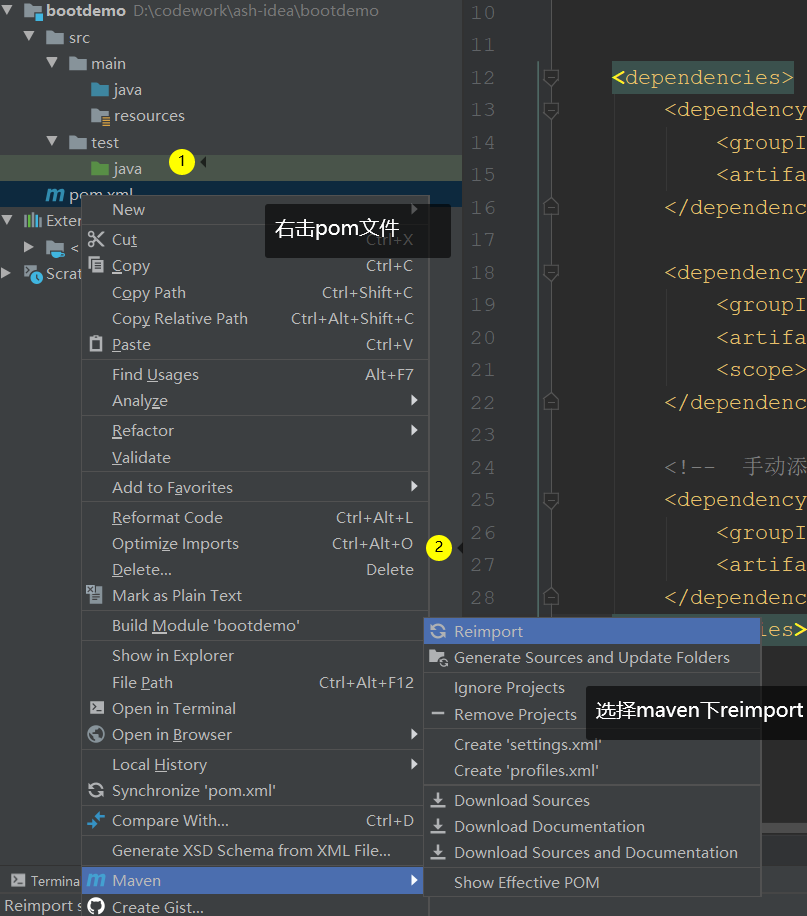
maven导入依赖(未选择自动导入的情况下)。
4.编写测试用例代码
1).测试controller:
TestController
package cc.ash.controller;

import org.springframework.web.bind.annotation.RequestMapping;

import org.springframework.web.bind.annotation.ResponseBody;

import org.springframework.web.bind.annotation.RestController;

@RestController

public class TestController {

    @RequestMapping(name="maven手动创建springboot",value={"/manual", "mvnManual"})

    @ResponseBody

    public String test() {

        return "maven manual";

    }

}
2.启动入口:
DemoApplication
package cc.ash;

import org.springframework.boot.SpringApplication;

import org.springframework.boot.autoconfigure.SpringBootApplication;

@SpringBootApplication

public class DemoApplication {

    public static void main(String[] args) {

        SpringApplication.run(DemoApplication.class, args);

    }

}
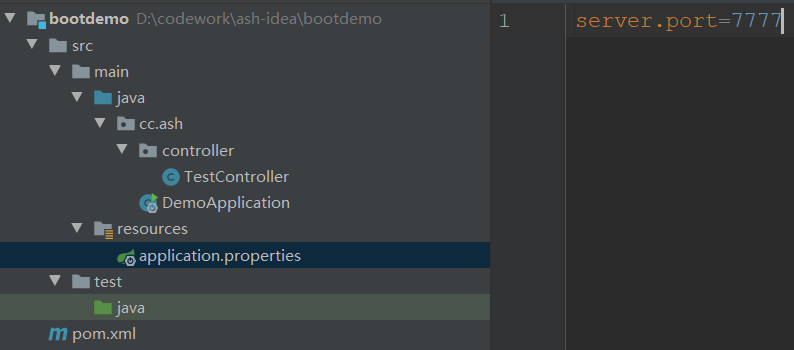
3.完成后代码结构
5.访问测试


6.jdk1.7错误留存
不兼容问题
https://blog.csdn.net/wj197927/article/details/79557017
https://www.jianshu.com/p/95d8a0cf0244

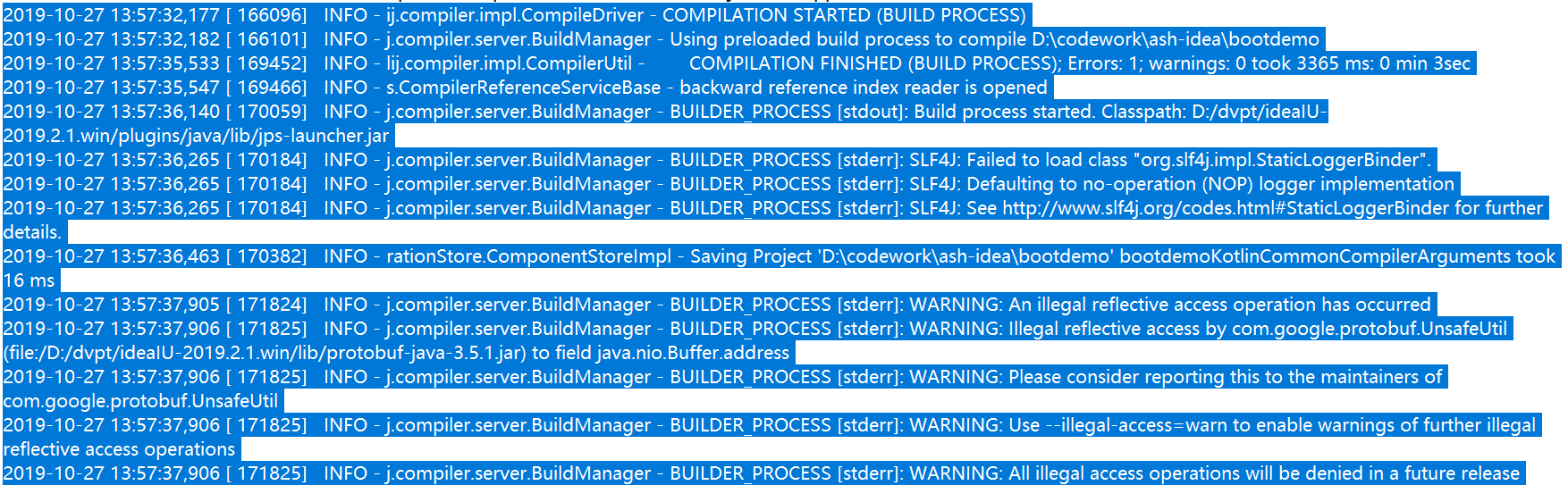
idea日志记录(非控制台日志,控制台日志如上)
7.springboot项目结构导致controller访问404的问题
自建的所有需要扫描注解的类,必须与启动类的包平级或者在其之下。如启动类在包【aa.bb】,其他需要扫描的类必须在【aa.bb】中或【aa.bb】之下的包里。
参考链接:
详细说明的:https://www.cnblogs.com/remember-me/p/10091126.html
直接上解决方法的:https://blog.csdn.net/dong__CSDN/article/details/85342180
idea:spring initializr无web勾选,maven方式搭建springboot项目。jdk7创建springboot项目的版本不兼容问题。的更多相关文章
- 【Web】Eclipse + Maven + Struts搭建服务器
一.环境 系统:Windows7 IDE:Eclipse-Kepler Service Release 2 使用插件:Maven(请预先在电脑上安装Maven) 二.搭建 在Eclipse中新建一个M ...
- Spring Boot的web开发&静态资源配置方式
Web开发的自动配置类:org.springframework.boot.autoconfigure.web.WebMvcAutoConfiguration 1.1. 自动配置的ViewResolve ...
- idea拉取git项目并创建为maven项目(新创建github项目)
0 环境 系统环境:win10 编辑器:idea 1 正文 1 clone项目 跟着提示yes 下一步 2 在根节点添加pom.xml(maven) <?xml version="1. ...
- 在线官网Spring Initializr 或 IntelliJ IDEA 快速搭建springboot项目
Spring Boot是由Pivotal团队提供的全新框架,设计目的是用来简化新Spring应用的初始搭建以及开发过程.它主要推崇的是'消灭配置’,实现零配置. 那么,如何快速新建一个一个spring ...
- 二:动手实操SpringBoot-使用Spring Initializr创建项目
使用 Spring Initializr 初始化 Spring Boot 项目 Spring Initializr 从本质上说就是一个Web应用程序,它能为你构建Spring Boot项目结构. 虽然 ...
- MyEclipse创建SSH项目(Java web由maven管理)
JavaEE后台开发,MyEclipse创建SSH项目,MyEclipse创建Java web 由maven管理的SSH项目. Demo工程源码github地址 1.创建SSH项目 1.创建web工程 ...
- IDEA用maven创建springMVC项目和配置
工具准备:IDEA2016.3 Java jdk 1.8 1.DEA创建项目 新建一个maven project,并且选择webapp原型. 然后点击next 这里的GroupId和Artifac ...
- IDEA用maven创建springMVC项目和配置(XML配置和Java配置)
1.DEA创建项目 新建一个maven project,并且选择webapp原型. 然后点击next 这里的GroupId和ArtifactID随意填写,但是ArtifactID最好和你的项目一名一样 ...
- Maven搭建SpringMVC+MyBatis+Json项目(多模块项目)
一.开发环境 Eclipse:eclipse-jee-luna-SR1a-win32; JDK:jdk-8u121-windows-i586.exe; MySql:MySQL Server 5.5; ...
随机推荐
- NJCTF (easycrack)
安装app查看.一个输入框,输入随便输入显示Try again. 放入JEB反编译. 关于输入框监听是第一次见,具体可以看看这个博客https://www.jianshu.com/p/f976c677 ...
- 如何上传整个项目或者是文件夹到github
原文地址:https://www.cnblogs.com/cairsha/p/11430436.html 在做github个人主页的时候,使用github的readme写起来很麻烦,而且也不好加入 ...
- Python程序猿面试杂谈
不同的互联网公司面试环节不尽相同,总体而言,一般有技术面(1-3轮).leader面(组长/总监/CTO/CEO...).hr面,面试轮数视公司规模和公司实际具体情况而定.下文将就面试的不同环节阐述下 ...
- 【VS开发】static、extern分析总结
引用请注明出处:http://blog.csdn.net/int64ago/article/details/7396325 对于写了很多小程序的人,可能static和extern都用的很少,因为sta ...
- 好用的 Chrome 插件
这些好用的 Chrome 插件,提升你的工作效率 本文首发于我的公众号 Linux云计算网络(id: cloud_dev),专注于干货分享,号内有 10T 书籍和视频资源,后台回复「1024」即可 ...
- elk 概念整理 集群状态 - yellow - 面试的问题 -- 官方配置文档 水平扩容以及数据保障
1. primary shard -- raid0 2.replicas shard -- raid1 3.index -- 图书馆的借书指引 4.MySQL vs elasticsearch # ...
- MySQL数据类型 约束
一.数据库CDGS. 库 增 create database 库名; 删 drop 库名; 改 alter database 库名称 修改的属性名称; 查 show databases;#查看 ...
- 牛客小白月赛12-C(欧拉筛解积性方程)
题目链接:https://ac.nowcoder.com/acm/contest/392/C 题意:给定n,求: 思路:令res[i]=iN (%MOD),因为xn是一个积性函数,即(x*y)n=x ...
- win32 API 笔记1
//==================HOOK钩子========================= 可以用来HOOK掉系统对某些函数的的调用 //==================终止系统进程= ...
- axios模块封装和分类列表实现
这个作用 主要还是为了让代码更加的,清晰. 不要全部都放到 created(){} 这个方法下面.把这些代码全部抽离出去. 这里就只是去调用方法.1. src 目录下,新建文件夹--- rest ...