
spring-framework源码编译及导入
环境说明:
时间:2017-09-26
OS name: "mac os x", version: "10.12.4", arch: "x86_64", family: "mac"
Git version:git version 2.11.0 (Apple Git-81)
Maven: Apache Maven 3.3.9
Java version: 1.8.0_121
1. 下载spring-framework源代码
访问spring-framework的Git地址:
https://github.com/spring-projects/spring-framework
源码下载URL:
https://github.com/spring-projects/spring-framework.git
git@github.com:spring-projects/spring-framework.git
2. 编译源码
2.1 下载Gradle工具及相关依赖
进入spring-framework下载目录,执行./gradlew
2.2 查看可编译的编译任务
按照指示,可以先查看编译任务有哪些,执行./gradlew tasks
 > Task :tasks

 ------------------------------------------------------------

 All tasks runnable from root project - Spring Framework

 ------------------------------------------------------------

 Build tasks

 -----------

 assemble - Assembles the outputs of this project.

 build - Assembles and tests this project.

 buildDependents - Assembles and tests this project and all projects that depend on it.

 buildNeeded - Assembles and tests this project and all projects it depends on.

 classes - Assembles main classes.

 clean - Deletes the build directory.

 jar - Assembles a jar archive containing the main classes.

 testClasses - Assembles test classes.

 Build scan tasks

 ----------------

 buildScanPublishPrevious - Publishes the data captured by the last build to the build scan server.

 Build Setup tasks

 -----------------

 init - Initializes a new Gradle build.

 Distribution tasks

 ------------------

 depsZip - Builds -dist-with-deps archive, containing everything in the -dist archive plus all runtime dependencies.

 distZip - Builds -dist archive, containing all jars and docs, suitable for community download page.

 docsZip - Builds -docs archive containing api and reference for deployment at http://docs.spring.io/spring-framework/docs.

 schemaZip - Builds -schema archive containing all XSDs for deployment at http://springframework.org/schema.

 Documentation tasks

 -------------------

 api - Generates aggregated Javadoc API documentation.

 asciidoctor - Converts AsciiDoc files and copies the output files and related resources to the build directory.

 dokka - Generates dokka documentation for Kotlin

 groovydoc - Generates Groovydoc API documentation for the main source code.

 javadoc - Generates Javadoc API documentation for the main source code.

 jdiff - Generates a JDiff report

 Help tasks

 ----------

 buildEnvironment - Displays all buildscript dependencies declared in root project 'spring'.

 components - Displays the components produced by root project 'spring'. [incubating]

 dependencies - Displays all dependencies declared in root project 'spring'.

 dependencyInsight - Displays the insight into a specific dependency in root project 'spring'.

 dependencyManagement - Displays the dependency management declared in root project 'spring'.

 dependentComponents - Displays the dependent components of components in root project 'spring'. [incubating]

 help - Displays a help message.

 model - Displays the configuration model of root project 'spring'. [incubating]

 projects - Displays the sub-projects of root project 'spring'.

 properties - Displays the properties of root project 'spring'.

 tasks - Displays the tasks runnable from root project 'spring' (some of the displayed tasks may belong to subprojects).

 IDE tasks

 ---------

 cleanEclipse - Cleans all Eclipse files.

 cleanIdea - Cleans IDEA project files (IML, IPR)

 eclipse - Generates all Eclipse files.

 idea - Generates IDEA project files (IML, IPR, IWS)

 Verification tasks

 ------------------

 check - Runs all checks.

 test - Runs the unit tests.

 Rules

 -----

 Pattern: clean<TaskName>: Cleans the output files of a task.

 Pattern: build<ConfigurationName>: Assembles the artifacts of a configuration.

 Pattern: upload<ConfigurationName>: Assembles and uploads the artifacts belonging to a configuration.

 To see all tasks and more detail, run gradlew tasks --all

 To see more detail about a task, run gradlew help --task <task>

 BUILD SUCCESSFUL in 4s

 1 actionable task: 1 executed
2.3 执行spring的编译任务
上面罗列了很多任务,选择执行build任务,命令如下:./gradlew build
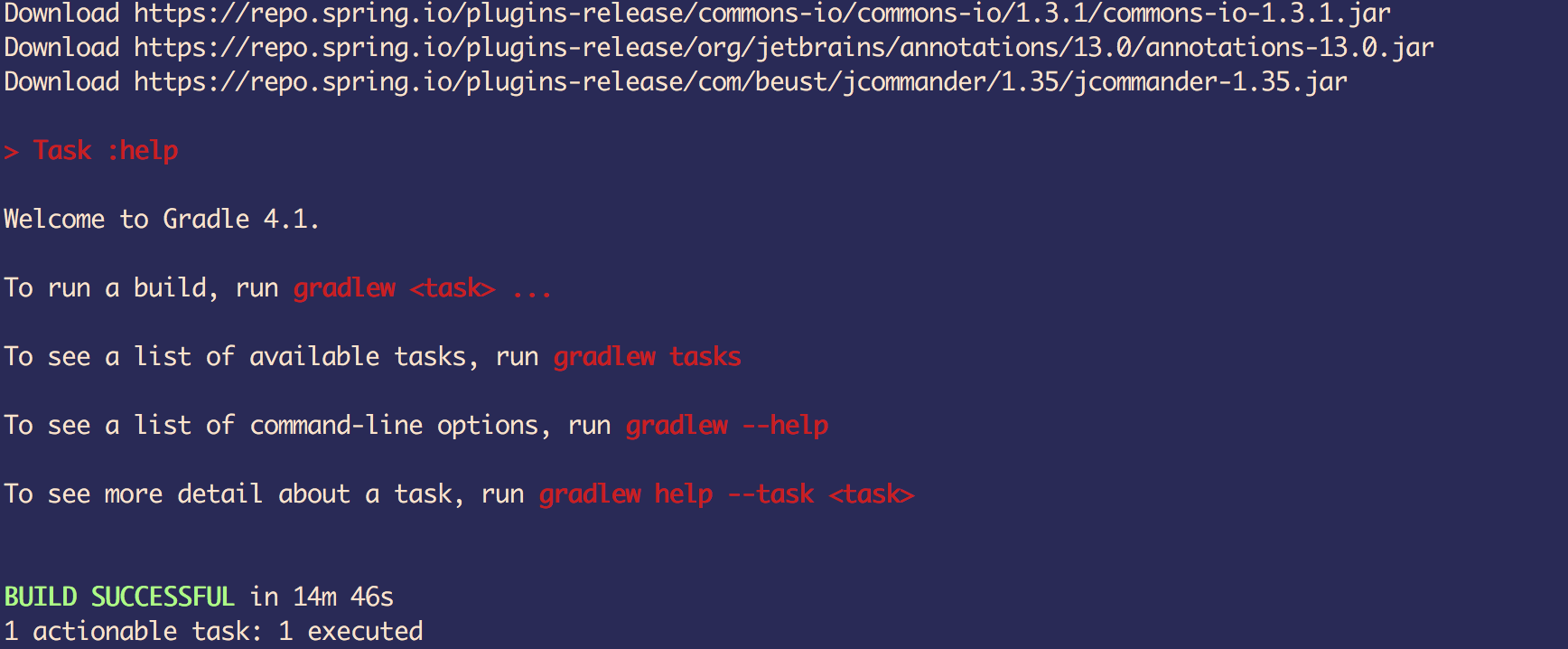
这步会编译整个工程,预计时间为一个多小时,保持网络通畅,就可以去干其他事情了
我这次编译花了53min,编译完成的截图:

2.4 执行导入eclipse的脚本
因为idea可以兼容eclipse的工程,故可以直接执行导入eclipse工程的初始化脚本,当然了,目前也只有eclipse的可用脚本
导入idea只有一个说明文档:import-into-idea.md
准备执行初始化,找到“import-into-eclipse” 的可执行脚本,Windows下是.bat,类Unix系统都是.sh
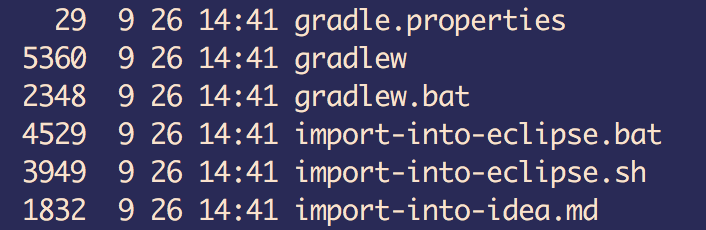
确认本地已经安装了Eclipse开发工具,因为执行这个脚本前需要安装Eclipse,安装完成后
执行命令:./import-into-eclipse.sh
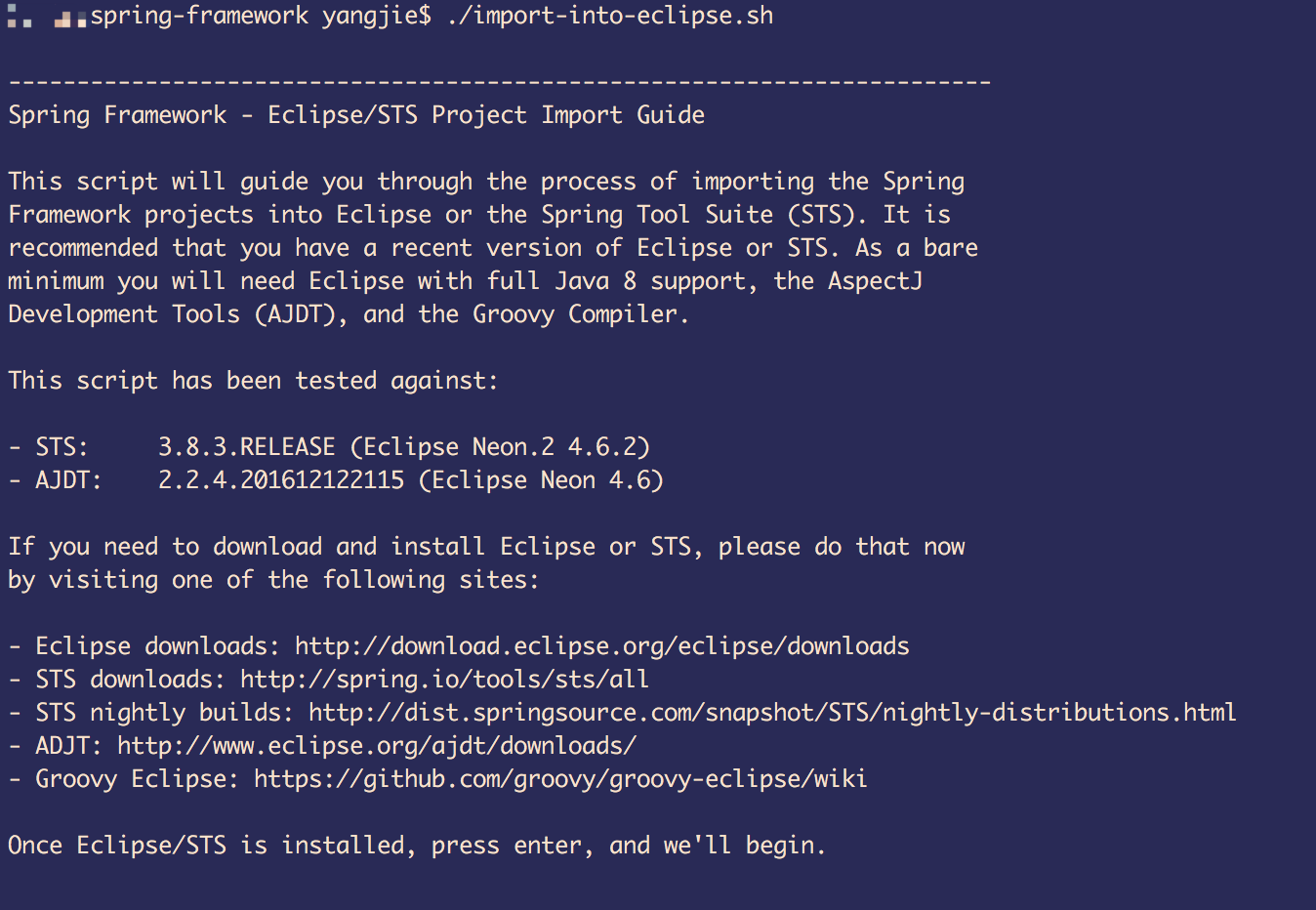
已经安装了Eclipse,点击Enter键继续,开始第一步编译工具,生成各自工程的metadata文件
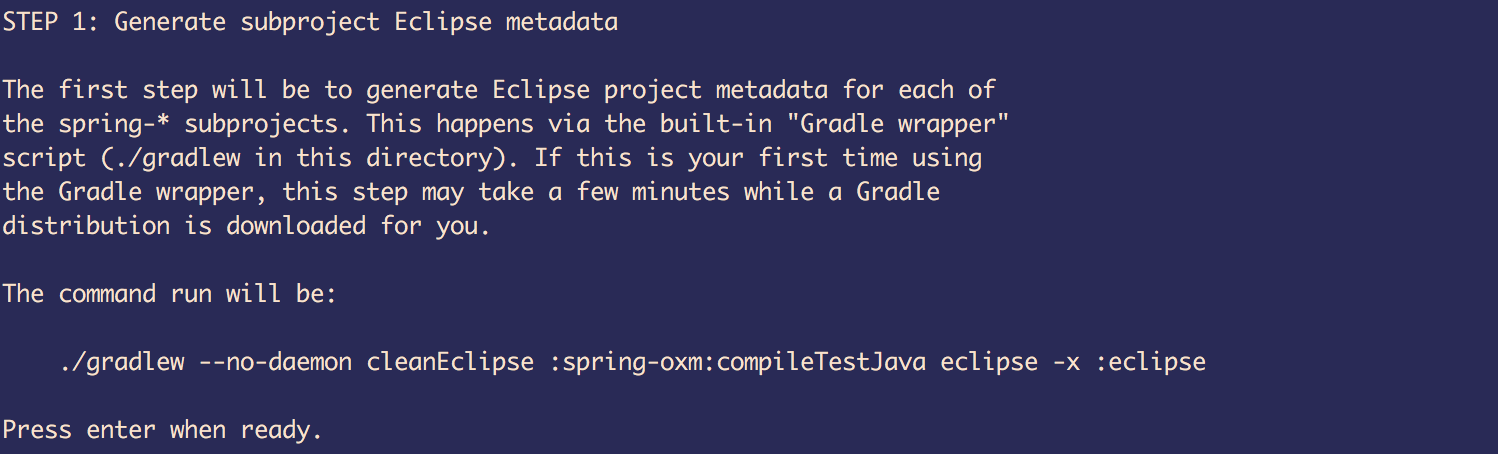
这步花费时间较长,我本地花费了14min

完成后,点击Enter继续,开始第二步工作,导入工程到Eclipse中
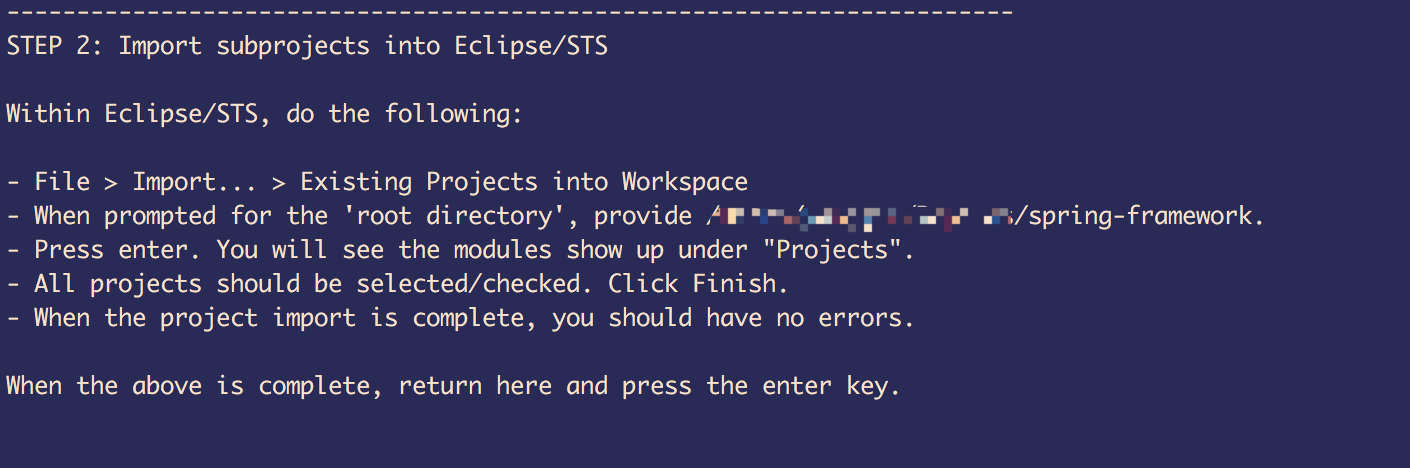
导入完成后,点击Enter继续,开始第三步工作,生成根目录下的metadata
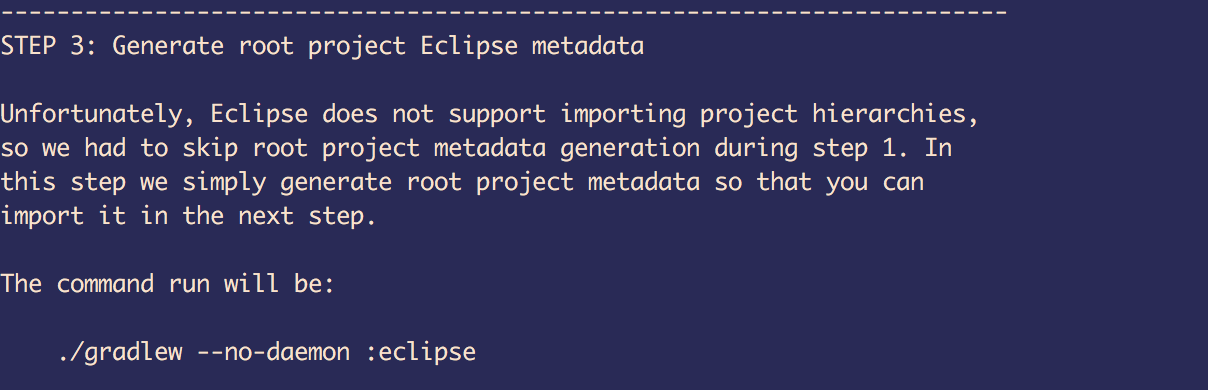
点击Enter继续,开始第四步工作,重新导入工程到Eclipse中
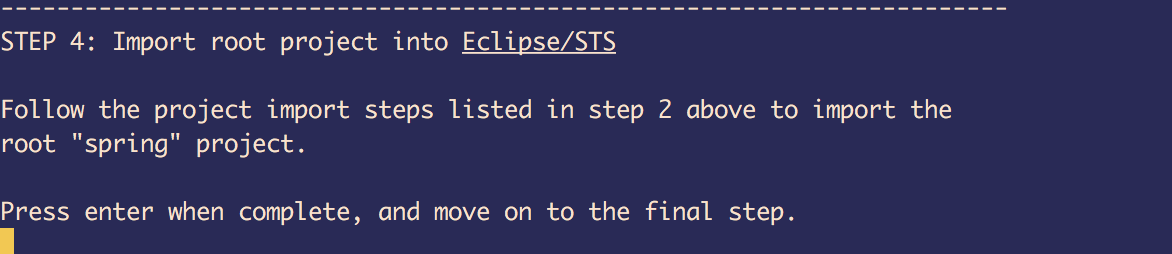
至此编译完成并初始化Eclipse工程完成,第五步增加Git支持和分享
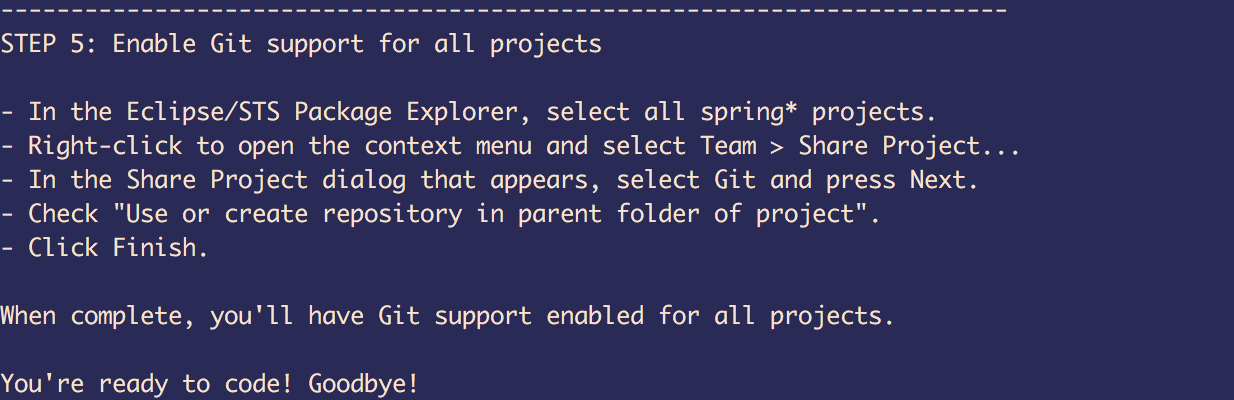
大功告成,Goodbye!
spring-framework源码编译及导入的更多相关文章
- Spring Framework 源码编译导入
预先准备环境 Window 10 JDK环境 List item Gradle 以及其环境变量配置 spring-framework源码(https://gitee.com/mirrors/Sprin ...
- Idea搭建spring framework源码环境
spring的源码目前放在github上,https://github.com/spring-projects/spring-framework 一.安装Git 二.安装Gradle gradle为解 ...
- Hadoop,HBase,Zookeeper源码编译并导入eclipse
基本理念:尽可能的参考官方英文文档 Hadoop: http://wiki.apache.org/hadoop/FrontPage HBase: http://hbase.apache.org/b ...
- Tomcat8源码编译及导入Eclipse中研究
最近因为需求需要修改Tomcat中的某些功能,无奈只能研究那部分源码然后稍作修改. 目前Tomcat最新版是8.0,下载了源码包,编译并导入Eclipse中研究比较方便. 1. Tomcat8源码编译 ...
- Hadoop2.5.2源码编译及导入Eclipse
前言:由于官网提供的64位hadoop是没有编译的,所以当我们用到64位的hadoop时,需要在自己的64位linux系统上编译hadoop源码.另外,要想在eclipse里查看hadoop源码,修改 ...
- spring framework 源码
spring framework 各版本源码下载地址 现在spring的源码下载地址真是不好找,这次终于找到了.记录一下,以帮助需要的朋友. https://github.com/spring-pro ...
- spring框架源码编译
程序猿小菜一枚,最近从github上面下载下来一份spring各个项目的源码一份,但是弄了很长时间,因为网速和(fanqiang)的速度,希望大家不要再为这种无谓的时间花费时间,简单来说github上 ...
- Tomcat9源码编译及导入Eclipse(转)
1.下载tomcat源码.建议下载最新版本tomcat9. svn地址:http://svn.apache.org/repos/asf/tomcat/tc9.0.x/branches/gsoc-jas ...
- spring framework源码之SpringFactoriesLoader
SpringFactoriesLoader 查询META-INF/spring.factories的properties配置中指定class对应的所有实现类. public abstract clas ...
随机推荐
- Java核心-多线程-并发控制器-CyclicBarrier同步屏障
1.基本概念 中文译本同步屏障,同样来自jdk并发工具包中一个并发控制器,它的使用和CountDownLatch有点相似,能够完成某些相同并发场景,但是它们却不相同. 2.抽象模型 主要用来实现多个线 ...
- html字体加大标签与写法介绍
在html中字体加大的标签为<big>,一般用于重要文字,醒目文字,让用户容易看到! 字体加大: <big>写上你想写的字</big> 效果:未加大 加大 效果中 ...
- 面试题_lambda函数调用
res多少? def func(): return [lambda x: i * x for i in range(4)] res = [m(2) for m in func()] # print(r ...
- mybatis与数据库访问相关的配置以及设计
mybatis与数据库访问相关的配置以及设计 mybatis不管如何NB,总是要与数据库进行打交道.通过提问的方式,逐步深入 我们常用的MyBatis配置中哪些是与数据库相关? 数据源配置: < ...
- HTML+CSS 对于英文单词强制换行但不截断单词的解决办法
如何处理长的单词和链接(强制换行,连接符,省略号等) 我们在前端开发中经常会遇到一些很长的文本串从它的容器中溢出,例如: 通过这样一段css可以有效解决这种问题: .dont-break-out { ...
- spark2.1源码分析3:spark-rpc如何实现将netty的Channel隐藏在inbox中
class TransportServer bootstrap.childHandler(new ChannelInitializer<SocketChannel>() { @Overri ...
- 最大化等比例测试演化Demo-传统方法
demo-1: <!doctype html> <html> <head> <meta charset="utf-8"> <t ...
- 02 jmeter性能测试系列_JForum测试论坛的环境搭建
软件测试高端专家培训 QQ 讨论群498721021 网站http://www.szwpinfo.com 1.进入jforum的官方网站,地址http://jforum.net/,下载 2.放入到to ...
- Python threading(多线程)
threading模块在较低级别thread模块之上构建更高级别的线程接口. 一.threading模块定义了以下函数和对象: threading.active_count() 等同于threadin ...
- leetCode53. 最大子序和
示例: 输入: [-2,1,-3,4,-1,2,1,-5,4], 输出: 6 解释: 连续子数组 [4,-1,2,1] 的和最大,为 6. 进阶: /** * @param {number[]} nu ...