
用Python爬取小说《一念永恒》
我们首先选定从笔趣看网站爬取这本小说。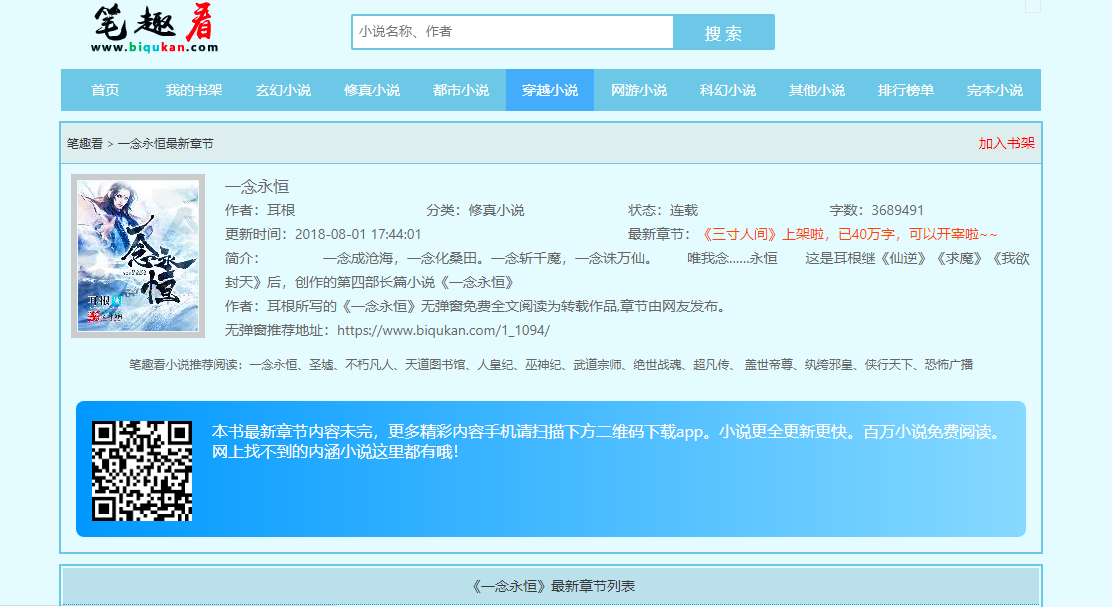
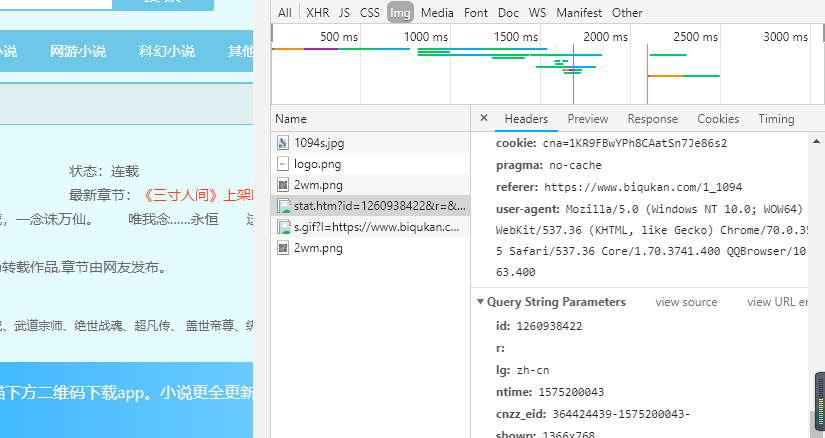
然后开始分析网页构造,这些与以前的分析过程大同小异,就不再多叙述了,只需要找到几个关键的标签和user-agent基本上就可以了。
那么下面,我们直接来看代码。
from urllib import request

from bs4 import BeautifulSoup

import re

import sys

if __name__ == "__main__":

    #创建txt文件

    file = open('一念永恒.txt', 'w', encoding='utf-8')

    #一念永恒小说目录地址

    target_url = 'http://www.biqukan.com/1_1094/'

    head = {}

    head['User-Agent'] = 'Mozilla/5.0 (Linux; Android 4.1.1; Nexus 7 Build/JRO03D) AppleWebKit/535.19 (KHTML, like Gecko) Chrome/18.0.1025.166  Safari/535.19'

    target_req = request.Request(url = target_url, headers = head)

    target_response = request.urlopen(target_req)

    target_html = target_response.read().decode('gbk','ignore')

    listmain_soup = BeautifulSoup(target_html)

    #找出div标签中class为listmain的所有子标签

    chapters = listmain_soup.find_all('div',class_ = 'listmain')

    download_soup = BeautifulSoup(str(chapters))

    #计算章节个数

    numbers = (len(download_soup.dl.contents) - 1) / 2 - 8

    index = 1

    begin_flag = False

    for child in download_soup.dl.children:

        if child != '\n':

            #找到《一念永恒》正文卷

            if child.string == u"《一念永恒》正文卷":

                begin_flag = True

            #爬取链接并下载链接内容

            if begin_flag == True and child.a != None:

                download_url = "http://www.biqukan.com" + child.a.get('href')

                download_req = request.Request(url = download_url, headers = head)

                download_response = request.urlopen(download_req)

                download_html = download_response.read().decode('gbk','ignore')

                download_name = child.string

                soup_texts = BeautifulSoup(download_html)

                texts = soup_texts.find_all(id = 'content', class_ = 'showtxt')

                soup_text = BeautifulSoup(str(texts))

                write_flag = True

                file.write(download_name + '\n\n')

                #将爬取内容写入文件

                for each in soup_text.div.text.replace('\xa0',''):

                    if each == 'h':

                        write_flag = False

                    if write_flag == True and each != ' ':

                        file.write(each)

                    if write_flag == True and each == '\r':

                        file.write('\n')

                    print('正在写入第{0}小节'.format(index))

                    index+=1

                file.write('\n\n')

                #打印爬取进度

                sys.stdout.write("已下载:%.3f%%" % float(index/numbers) + '\r')

                sys.stdout.flush()

                index += 1

    file.close()
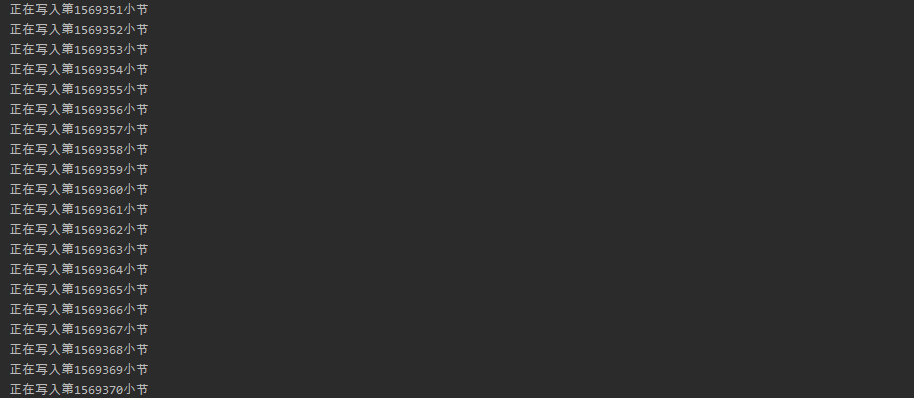
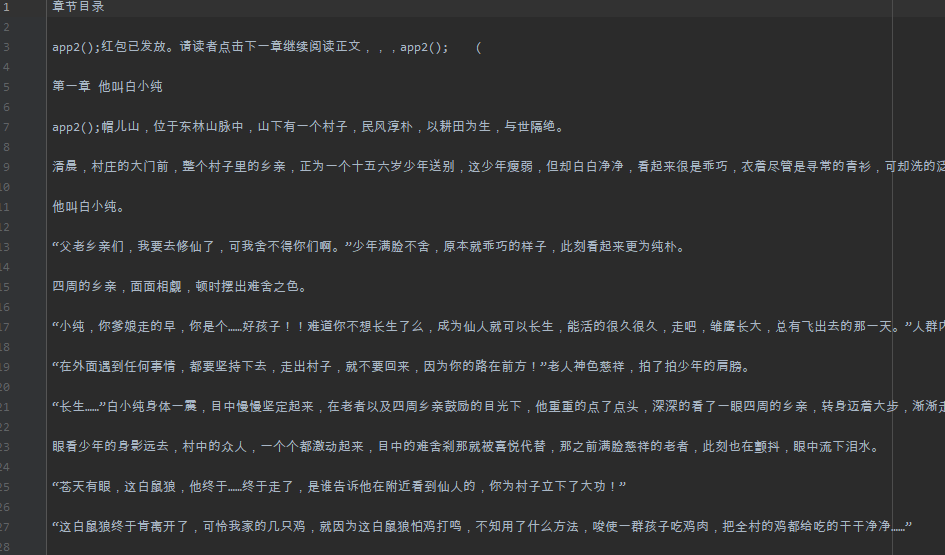
这个代码可能还存在着一些小问题,但是并不影响我们爬取小说,下面来看看我们的运行结果。
用Python爬取小说《一念永恒》的更多相关文章
- python爬取小说详解(一)
整理思路: 首先观察我们要爬取的页面信息.如下: 自此我们获得信息有如下: ♦1.小说名称链接小说内容的一个url,url的形式是:http://www.365haoshu.com/Book/Cha ...
- 详细记录了python爬取小说《元尊》的整个过程,看了你必会~
学了好几天的渗透测试基础理论,周末了让自己放松一下,最近听说天蚕土豆有一本新小说,叫做<元尊>,学生时代的我可是十分喜欢读天蚕土豆的小说,<斗破苍穹>相信很多小伙伴都看过吧.今 ...
- 用python爬取小说章节内容
在学爬虫之前, 最好有一些html基础, 才能更好的分析网页. 主要是五步: 1. 获取链接 2. 正则匹配 3. 获取内容 4. 处理内容 5. 写入文件 代码如下: #导入相关model fro ...
- python爬取小说
运行结果: 代码: import requests from bs4 import BeautifulSoup from selenium import webdriver import os cla ...
- python之爬取小说
继上一篇爬取小说一念之间的第一章,这里将进一步展示如何爬取整篇小说 # -*- coding: utf- -*- import urllib.request import bs4 import re ...
- python入门学习之Python爬取最新笔趣阁小说
Python爬取新笔趣阁小说,并保存到TXT文件中 我写的这篇文章,是利用Python爬取小说编写的程序,这是我学习Python爬虫当中自己独立写的第一个程序,中途也遇到了一些困难,但是最后 ...
- Python3爬取小说并保存到文件
问题 python课上,老师给同学们布置了一个问题,因为这节课上学的是正则表达式,所以要求利用python爬取小说网的任意小说并保存到文件. 我选的网站的URL是'https://www.biquka ...
- Python实战项目网络爬虫 之 爬取小说吧小说正文
本次实战项目适合,有一定Python语法知识的小白学员.本人也是根据一些网上的资料,自己摸索编写的内容.有不明白的童鞋,欢迎提问. 目的:爬取百度小说吧中的原创小说<猎奇师>部分小说内容 ...
- python爬虫——爬取小说 | 探索白子画和花千骨的爱恨情仇(转载)
转载出处:药少敏 ,感谢原作者清晰的讲解思路! 下述代码是我通过自己互联网搜索和拜读完此篇文章之后写出的具有同样效果的爬虫代码: from bs4 import BeautifulSoup imp ...
随机推荐
- redis-cli 使用密码登录
#./redis-cli 输入auth +空格+ 刚才设置的密码 成功
- Java基础 return 退出main方法的示例
JDK :OpenJDK-11 OS :CentOS 7.6.1810 IDE :Eclipse 2019‑03 typesetting :Markdown code ...
- k8s之磁盘挂载持久化
- RestSharp - Ignore SSL errors
项目启动时,添加下面代码: 项目启动时,添加 public App() { ServicePointManager.ServerCertificateValidationCallback += (se ...
- 【DataBase】Hsqldb与项目集成
Hsqldb与项目集成 进行模式下集成 可以集成进行(In-Process)模式下的hsqldb,由于数据存储在文件中,即使程序退出,数据也不会被销毁 采用jdbc集成的方式 package com. ...
- Laya和白鹭的高亮文字 (textFlow)
版本2.1.1.1 游戏中用的高亮文字,例如下图 "使用 2钻石 可获得金币",2钻石是不同颜色高亮的. 白鹭的高亮文字有文本样式 txt.textFlow = <Array ...
- 使用origin画SCI论文图
使用origin画SCI论文图 觉得有用的话,欢迎一起讨论相互学习~Follow Me start 使用的是OriginPro这款软件,这款软件的特点是 一个字 好 . 新建工作簿并导入数据 可以使用 ...
- Docker容器(一)——Docker的介绍与部署
(1).Docker概述 Docker是一个开源的应用容器引擎,让开发者可以打包他们的应用以及依赖包到一个可移植的镜像中,然后发布到任何流行的Linux或Windows机器上,也可以实现虚拟化.容器是 ...
- Swift4.0复习泛型
1.泛型的基本使用: /// 定义了一个泛型结构体MyStruct, /// 其泛型形参为T struct MyStruct<T> { /// 用泛型T定义存储式成员属性t var t ...
- Newtonsoft.Json 方法使用()
JSON.NET1.3.0,旧版本的json.net,使用Newtonsoft.Json.JavaScriptConvert.DeserializeObject类进行转换 如果是新版本的json.ne ...