
PHP-RPM 安装指南(亲测有用)
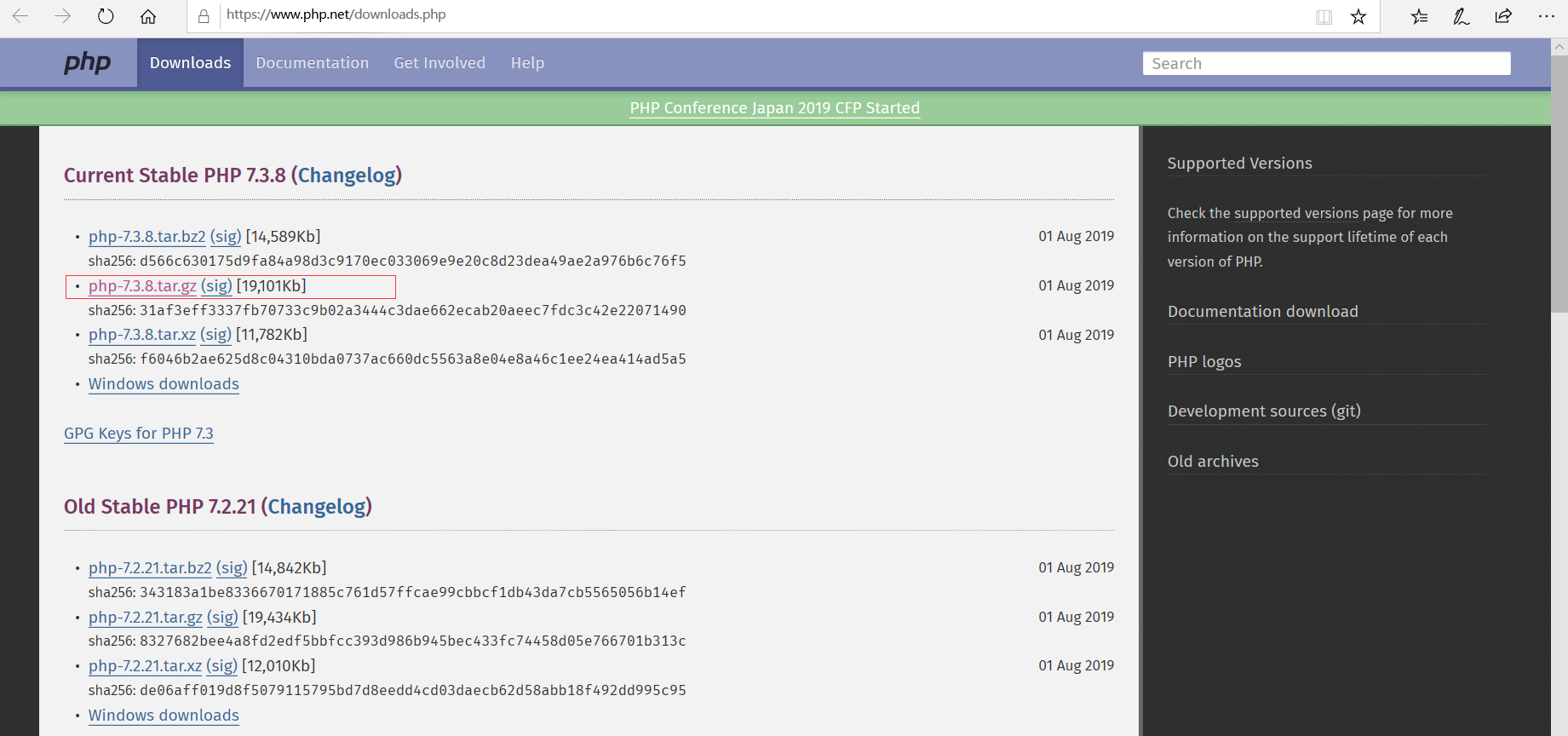
下载php
wget https://www.php.net/distributions/php-7.3.8.tar.gz
解压安装
 tar -xvf php-7.3.8.tar.gz

  ./configure --prefix=/usr/local/php --with-config-file-path=/etc --enable-inline-optimization --disable-debug --disable-rpath --enable-shared --enable-opcache --enable-fpm --with-fpm-user=www --with-fpm-group=www --with-mysql=mysqlnd --with-mysqli=mysqlnd --with-pdo-mysql=mysqlnd --with-gettext --enable-mbstring --with-iconv --with-mcrypt --with-mhash --with-openssl --enable-bcmath --enable-soap --with-libxml-dir --enable-pcntl --enable-shmop --enable-sysvmsg --enable-sysvsem --enable-sysvshm --enable-sockets --with-curl --with-zlib --enable-zip --with-bz2 --with-readline --without-sqlite3 --without-pdo-sqlite --with-pear

解决办法:
yum install libxml2-devel
查看是否成功
find / -name "xml2-config"
然后无限进行解压后的安装步骤,找错误,直到解决所有毛病的说,可能我遇到的,你没有遇到,也说不定,下面的错误解决方案只值得借鉴。。。(适不适合 那就不晓得了)

解决办法 重新装下 curl
yum -y install curl-devel

解决办法
yum -y install libzip-devel

yum -y remove libzip-devel
然后在官网下载并且编译安装
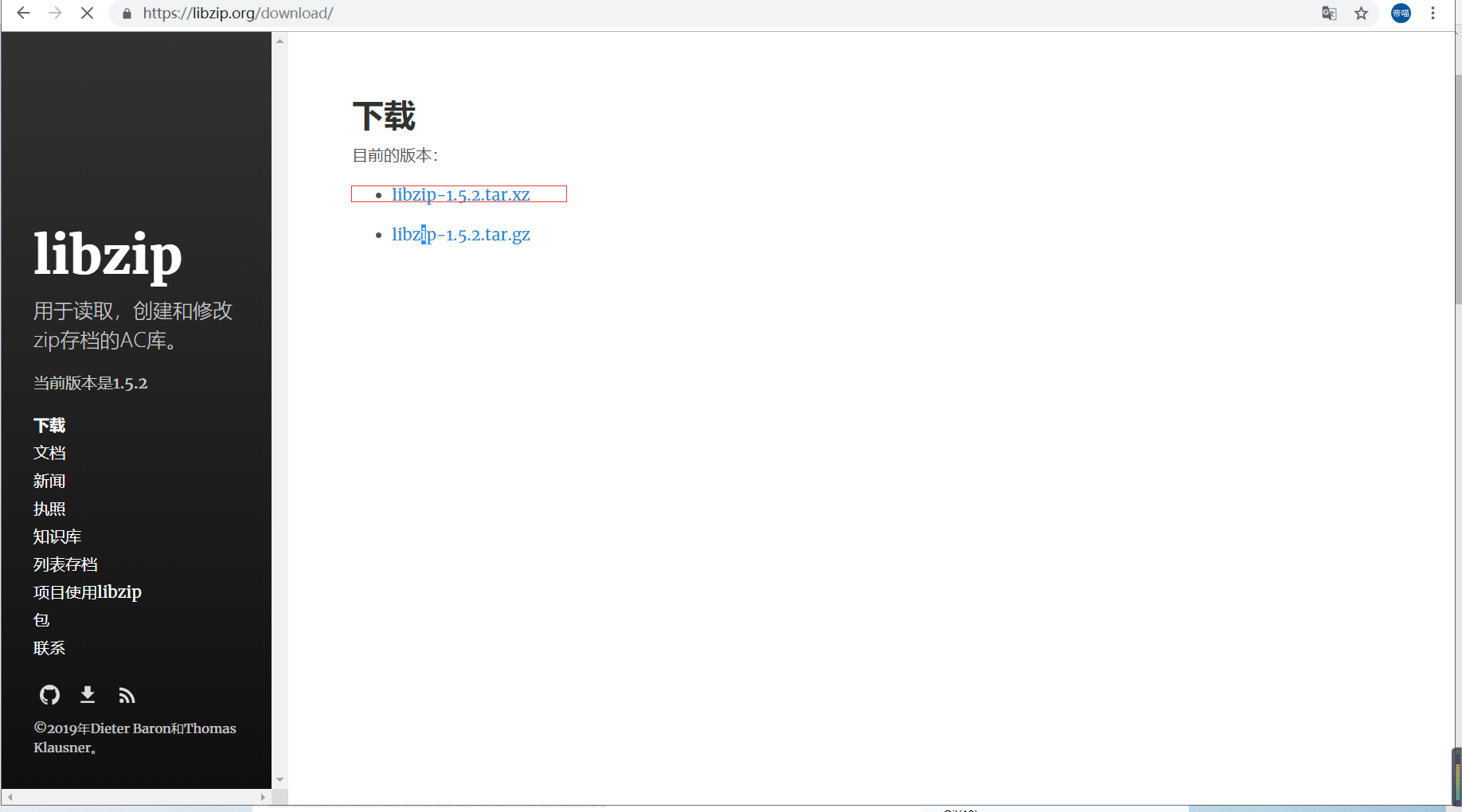
(由于1.5以及以上的安装方式和版本下的不同,所以这里还需要安装个东西)
yum -y install cmake
然后切回 local目录(版本可能更新了)
wget https://libzip.org/download/libzip-1.5.2.tar.xz
解压安装
 tar xvf libzip-1.5.2.tar.xz

 cd libzip-1.5.2

 mkdir build

 cd build

 cmake ..

cd /usr/local
首先先,移除 cmake
yum remove cmake
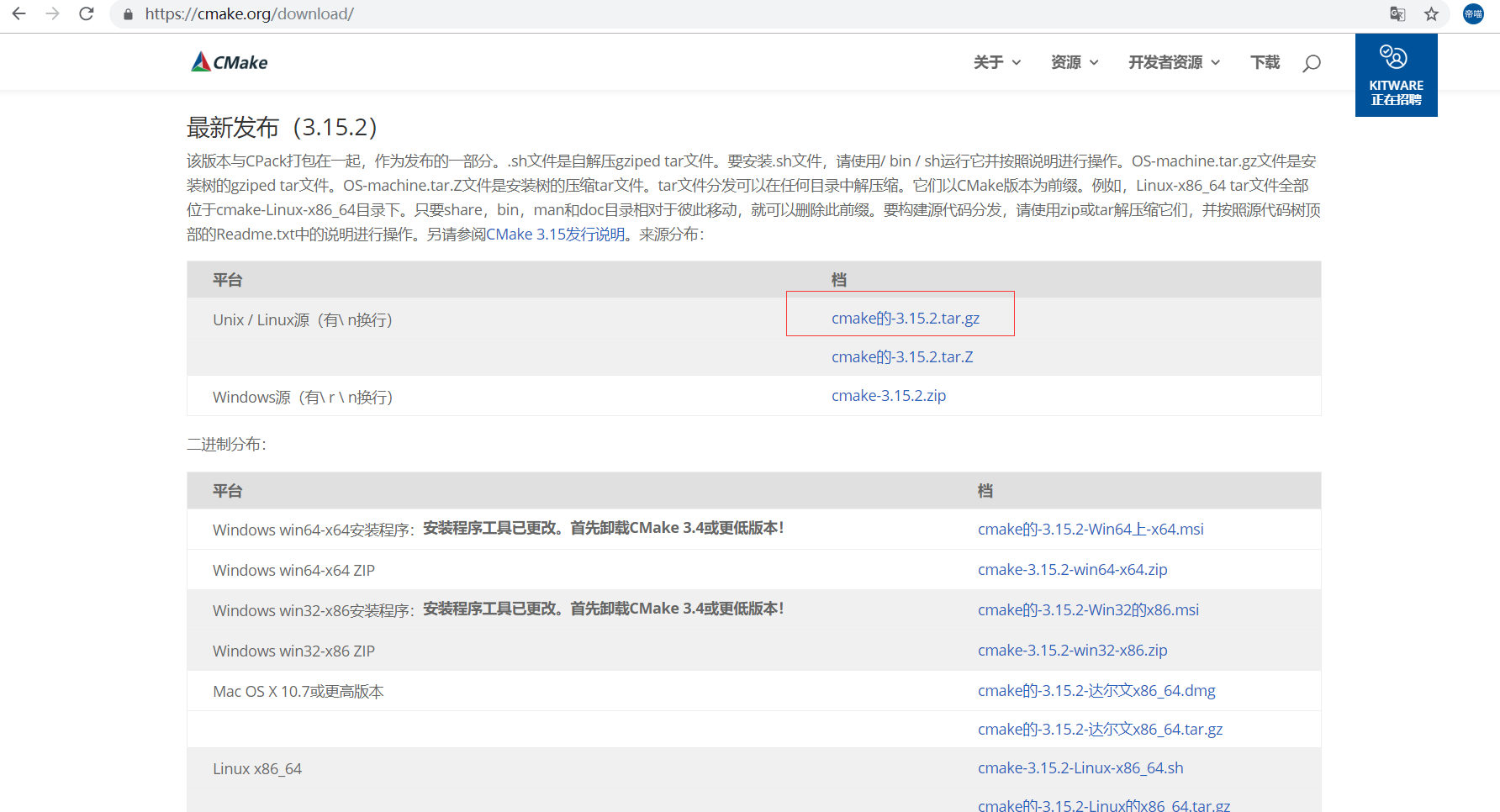
wget https://github.com/Kitware/CMake/releases/download/v3.15.2/cmake-3.15.2.tar.gz
解压
tar -xvf cmake-3.15.2.tar.gz
进入cmake3.15.2文件夹,安装
 cd cmake-3.15.2

 ./configure

 make

 make install
安装成功后,
export CMAKE_HOME=/usr/local/cmake-3.15.2

export PATH=$PATH:$CMAKE_HOME/bin
保存并退出,执行命令让cmake环境文件生效
source /etc/profile
(django) [root@h1 cmake-3.15.2]# cmake --version

cmake version 3.15.2
再进行 libzip的安装
 cd /usr/local/libzip-1.5.2

 cd build

 cmake ..

 make && make install
安装完成
cd /usr/local/php-7.3.8

 ./configure --prefix=/usr/local/php --with-config-file-path=/etc --enable-inline-optimization --disable-debug --disable-rpath --enable-shared --enable-opcache --enable-fpm --with-fpm-user=www --with-fpm-group=www --with-mysql=mysqlnd --with-mysqli=mysqlnd --with-pdo-mysql=mysqlnd --with-gettext --enable-mbstring --with-iconv --with-mcrypt --with-mhash --with-openssl --enable-bcmath --enable-soap --with-libxml-dir --enable-pcntl --enable-shmop --enable-sysvmsg --enable-sysvsem --enable-sysvshm --enable-sockets --with-curl --with-zlib --enable-zip --with-bz2 --with-readline --without-sqlite3 --without-pdo-sqlite --with-pear

又可能出现问题(一个个接近呗)
 vim /etc/ld.so.conf

 #添加如下几行

 /usr/local/lib64

 /usr/local/lib

 /usr/lib

 /usr/lib64

 #保存退出

 :wq

 ldconfig -v # 使之生效

./configure --help 查看configure的正确语法,重新编译php支持mysql,改用--with-pdo-mysql
./configure --prefix=/usr/local/php --with-config-file-path=/usr/local/php/etc --enable-fpm --with-fpm-user=www --with-fpm-group=www --enable-mysqlnd --with-mysqli=mysqlnd --with-pdo-mysql=mysqlnd --enable-mysqlnd-compression-support --with-iconv-dir --with-freetype-dir --with-jpeg-dir --with-png-dir --with-zlib --with-libxml-dir --enable-xml --disable-rpath --enable-bcmath --enable-shmop --enable-sysvsem --enable-inline-optimization --with-curl --enable-mbregex --enable-mbstring --enable-intl --with-mcrypt --with-libmbfl --enable-ftp --with-gd --enable-gd-jis-conv --enable-gd-native-ttf --with-openssl --with-mhash --enable-pcntl --enable-sockets --with-xmlrpc --enable-zip --enable-soap --with-gettext --disable-fileinfo --enable-opcache --with-pear --enable-maintainer-zts --with-ldap=shared --without-gdbm

 rpm -qa | grep libjpeg

 yum -y install libjpeg-devel

 yum list installed | grep libjpeg

 再次编译即可

yum install -y libicu-devel

 yum list openldap

 yum list openldap-devel
安装 :
 yum install openldap

 yum install openldap-devel
configure: error: Cannot find ldap libraries in /usr/lib
解决方法
cp -frp /usr/lib64/libldap* /usr/lib/

./configure --enable-fpm --prefix=/alidata/server/php7.3 --with-config-file-path=/alidata/server/php7.3/etc --with-curl --with-gd --with-gettext --with-iconv-dir --with-kerberos --with-libdir=lib64 --with-libxml-dir --with-mysqli --with-openssl --with-pcre-regex --with-pdo-mysql --with-pdo-sqlite --with-pear --with-png-dir --with-jpeg-dir --with-xmlrpc --with-xsl --enable-zip --with-zlib-dir=DIR --with-pcre-dir --with-libzip=DIR --with-openssl --enable-fpm --enable-bcmath --enable-libxml --enable-inline-optimization --enable-mbregex --enable-mbstring --enable-opcache --enable-pcntl --enable-shmop --enable-soap --enable-sockets --enable-sysvsem --enable-xml --enable-zip

yum -y install libxslt libxslt-devel
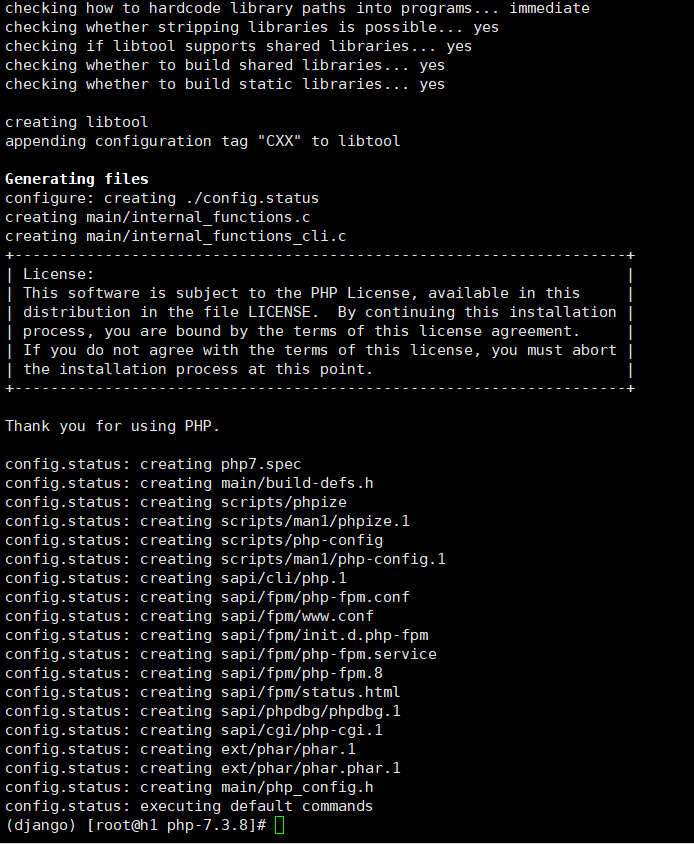
make
make install
vim /etc/profile
在末尾加入
 PATH=$PATH:/alidata/server/php7.3/bin/

 export PATH
. /etc/profile 或 source /etc/profile
查看环境变量
echo $PATH
(django) [root@h1 php-7.3.8]# php -v

PHP 7.3.8 (cli) (built: Aug  9 2019 21:27:07) ( NTS )

Copyright (c) 1997-2018 The PHP Group

Zend Engine v3.3.8, Copyright (c) 1998-2018 Zend Technologies

(django) [root@h1 php-7.3.8]#
配置启动 php-fpm
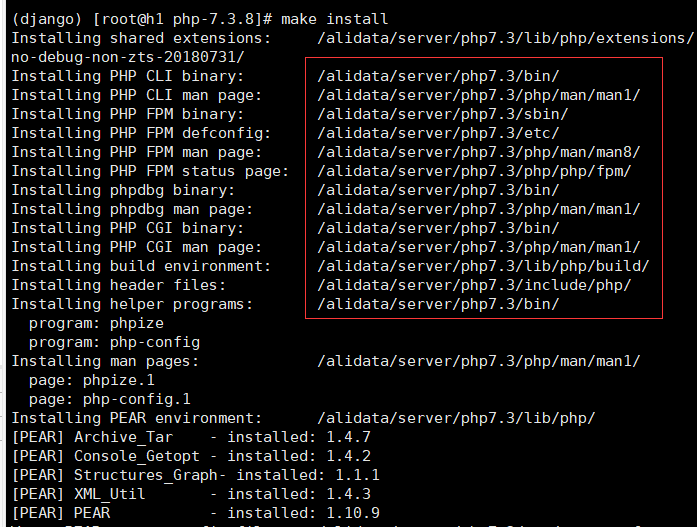
 Installing shared extensions:     /alidata/server/php7.3/lib/php/extensions/no-debug-non-zts-20180731/

 Installing PHP CLI binary:        /alidata/server/php7.3/bin/

 Installing PHP CLI man page:      /alidata/server/php7.3/php/man/man1/

 Installing PHP FPM binary:        /alidata/server/php7.3/sbin/

 Installing PHP FPM defconfig:     /alidata/server/php7.3/etc/

 Installing PHP FPM man page:      /alidata/server/php7.3/php/man/man8/

 Installing PHP FPM status page:   /alidata/server/php7.3/php/php/fpm/

 Installing phpdbg binary:         /alidata/server/php7.3/bin/

 Installing phpdbg man page:       /alidata/server/php7.3/php/man/man1/

 Installing PHP CGI binary:        /alidata/server/php7.3/bin/

 Installing PHP CGI man page:      /alidata/server/php7.3/php/man/man1/

 Installing build environment:     /alidata/server/php7.3/lib/php/build/

 Installing header files:          /alidata/server/php7.3/include/php/

 Installing helper programs:       /alidata/server/php7.3/bin/

   program: phpize

   program: php-config

 Installing man pages:             /alidata/server/php7.3/php/man/man1/

   page: phpize.1

   page: php-config.1
由上图的安装信息可知,php-fpm在
cd /alidata/server/php7.3/etc
然后
cp php-fpm.conf.default php-fpm.conf
启动 php-fpm
/alidata/server/php7.3/sbin/php-fpm

(django) [root@h1 etc]# cd /alidata/server/php7.3/etc/php-fpm.d/

(django) [root@h1 php-fpm.d]# cp www.conf.default www.conf

(django) [root@h1 php-fpm.d]# /alidata/server/php7.3/sbin/php-fpm -t
[09-Aug-2019 21:45:42] NOTICE: configuration file /alidata/server/php7.3/etc/php-fpm.conf test is successful
于是 成功启动

PHP-RPM 安装指南(亲测有用)的更多相关文章
- 将caj文件转化为pdf文件进行全文下载脚本(ubuntu下亲测有用)
最近ubuntu下caj阅读器,突然崩掉了,而偏偏要准备开题,在网上搜索原因未果,准备放弃时候,突然在网上看到一个脚本,说是很好用,可以在指定页面将caj文件转化为pdf文件,亲测有用,这里直接给出脚 ...
- jps不是内部或外部命令, 亲测有用
https://blog.csdn.net/qq_41558341/article/details/105676741 亲测有用, 别的链接找了一大堆,无用
- 运行JSP时出现The requested resource (/proj3/MyJsp.jsp) is not available.(亲测有用)
网上回答一波一波,坑爹也是一波一波,自己尝试了好多方法,大家都知道路径有错但是都不知道自己路径错在哪里,所以那些回答等于废话一堆,无意用里面写好index.jsp测试发现了这个问题.少说废话直接上图测 ...
- wamp的安装--亲测有用
一.修改默认密码进入之后 use mysql;1.update user set password=PASSWORD('自己的数据库密码') where user='root';2.flush pri ...
- Mysql5.7登录错误1045和1130的解决方法,亲测有用,希望能帮助到你们。
Mysql (针对Mysql5.7版本,其他版本可能略有不同) 错误:1045 解决方法: 以管理员身份运行cmd(win8系统:win+x 键 ,再按 A键 ),进入Mysql安装目录下的bin目录 ...
- office2010使用mathtype时,出现未找到MathPage.WLL解决方案--亲测有用
安装mathtype时,出现如下错误: 解决方案: 参考此网址中的内容:http://www.mathtype.cn/wenti/word-jianrong.html 首先需要找到在Word加载的两个 ...
- struts2.5.2 通配符问题_亲测有用
学了一段时间struts2,跟着教程做,但发现struts2的版本不同,很多东西的使用是有差异的.例如之前遇到的创建sessionFactory的方式就跟之前版本有着明显的差异.今天又遇到一个问题,那 ...
- html中的table导出Excel (亲测有用(●'◡'●))
演示地址: http://www.jq22.com/yanshi3312 具体代码: <!DOCTYPE html> <html lang="zh-CN"> ...
- eclipse修改中文注释的字体(亲测有用!)
Window –> Preferences –> General –> Appearance –> Colors and Fonts –> Basic –> Tex ...
随机推荐
- 网络协议 15 - P2P 协议
大家说起种子,应该都知道是用来下载资源的.那么资源下载都有哪些方式?种子下载又有什么优势呢? 下载电影的两种方式 第一种是通过 HTTP 进行下载.这种方式,有过经历的人应该体会到,当下载文件 ...
- Kafka学习(一)
官网 kafka.apache.org 集群部署 消息中间键 --> 分布式流式平台 Kafka Streaming Flume: 1个进程包含三个角色 source channle sink ...
- Mysql—添加用户并授权
查询所有用户 -- 方式1 mysql> select host, user, password from mysql.user; -- 5.7版本之前的 mysql> select ho ...
- Centos7配置桥接网络
- 《数据挖掘导论》实验课——实验二、数据处理之Matplotlib
实验二.数据处理之Matplotlib 一.实验目的 1. 了解matplotlib库的基本功能 2. 掌握matplotlib库的使用方法 二.实验工具: 1. Anaconda 2. Numpy, ...
- X短期项目总结
刚退出了一个项目,简称为X项目.这个项目中,还是遇到了不少问题,也解决了部分问题,还是挺有收获的,所以总结一下. 虽然标题说是短期项目总结,但其实这个项目并不短, 持续了约3年时间. 所谓的短,只是我 ...
- element-ui 中dialog居中
.el-dialog{ display: flex; flex-direction: column; margin:0 !important; ...
- NLP中的数据增强
相关方法合集见:https://github.com/quincyliang/nlp-data-augmentation 较为简单的数据增强的方法见论文:https://arxiv.org/pdf/1 ...
- Python程序中的线程操作-concurrent模块
目录 一.Python标准模块--concurrent.futures 二.介绍 三.基本方法 四.ProcessPoolExecutor 五.ThreadPoolExecutor 六.map的用法 ...
- 向技术领先的华为说No,就是对国家的通信前景说No!
历史已经证明了,任何一项可以加速人员.物资.能源.金钱.信息迁移的技术,都会让社会原有的生产力成倍地增长.中国在互联网.移动互联网保持令整个世界震惊的飞速发展,以BAT为首的诸多商业帝国建立,还有人们 ...