
WPF中的ListBox怎么添加删除按钮并删除所在行
直接上代码:
第一步:创建测试类
    public class BeautifulGirl

    {

        public string Name { get; set; }

    }
第二步:创建viewmodel和数据源
    public class MainWindowVm

    {

        public ObservableCollection<BeautifulGirl> Girls { get; set; }

        public MainWindowVm()

        {

            Girls = new ObservableCollection<BeautifulGirl>

            {

                new BeautifulGirl

                {

                    Name ="刘亦菲",

                },

                new BeautifulGirl

                {

                    Name ="高圆圆",

                },

                new BeautifulGirl

                {

                    Name ="凤姐",

                }

            };

        }

    }
第三步:绑定数据和界面显示
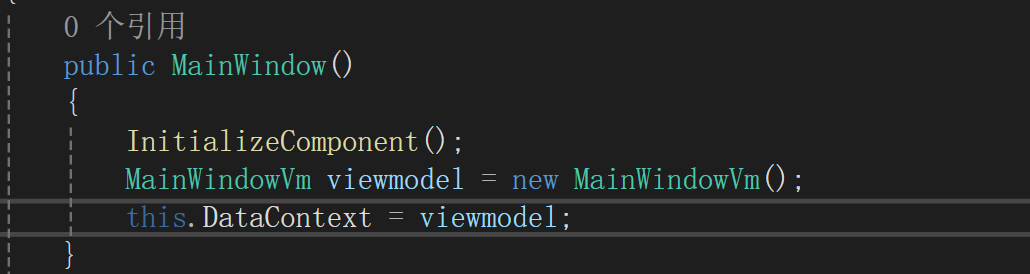
<ListBox ItemsSource="{Binding Girls}">

    <ListBox.ItemTemplate>

        <DataTemplate DataType="{x:Type local:BeautifulGirl}">

            <StackPanel Orientation="Horizontal">

                <TextBlock Text="{Binding Name}"/>

            </StackPanel>

        </DataTemplate>

    </ListBox.ItemTemplate>

</ListBox>
运行起来就会得到下面的结果:
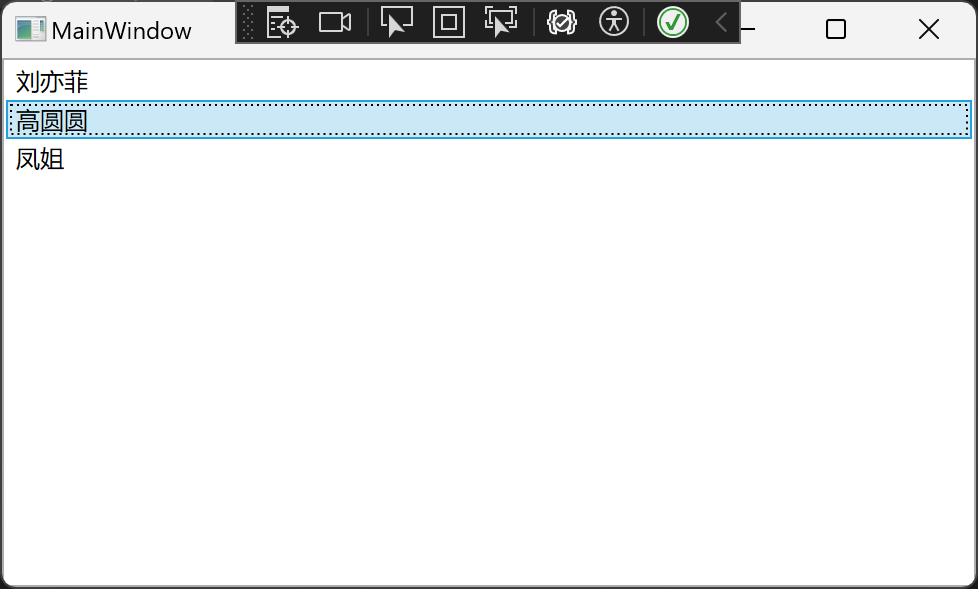
现在你想把里面的凤姐给删了,或者你要是喜欢凤姐,想任意删一个,怎么办
        <ListBox ItemsSource="{Binding Girls}">

            <ListBox.ItemTemplate>

                <DataTemplate DataType="{x:Type local:BeautifulGirl}">

                    <StackPanel Orientation="Horizontal">

                        <TextBlock Text="{Binding Name}"/>

                        <Button Content="X" Margin="10,0,0,0" Width="100"/>

                    </StackPanel>

                </DataTemplate>

            </ListBox.ItemTemplate>

        </ListBox>
那就在我们的listbox里面给每一条后面都加一个删除按钮
第四步:写删除逻辑,一般都用command和viewmodel来互动,所以我们先创建一个command
public class CommandBase : ICommand

{

    public event EventHandler CanExecuteChanged;

    public Action<object> AcExecute { get; set; }

    public Func<object, bool> FcCanExecute { get; set; }

    public CommandBase(Action<object> execute, Func<object, bool> canExecute)

    {

        this.AcExecute = execute;

        this.FcCanExecute = canExecute;

    }

    public CommandBase(Action<object> execute)

    {

        this.AcExecute = execute;

        this.FcCanExecute = (o) =>

        {

            return true;

        };

    }

    public bool CanExecute(object parameter)

    {

        if (FcCanExecute != null)

        {

            return FcCanExecute(parameter);

        }

        return false;

    }

    public void Execute(object parameter)

    {

        AcExecute(parameter);

    }

}
怎么使用这个command
public class MainWindowVm

{

    public ObservableCollection<BeautifulGirl> Girls { get; set; }

    public CommandBase DelCommand { get; set; }

    public MainWindowVm()

    {

        Girls = new ObservableCollection<BeautifulGirl>

        {

            new BeautifulGirl

            {

                Name ="刘亦菲",

            },

            new BeautifulGirl

            {

                Name ="高圆圆",

            },

            new BeautifulGirl

            {

                Name ="凤姐",

            }

        };

        DelCommand = new CommandBase(DelAction);

    }

    private void DelAction(object parameter)

    {

        var girl = parameter as BeautifulGirl;

        if (girl != null)

        {

            Girls.Remove(girl);

        }

    }

}
在viewmodel里面创建一个command,和command对应的方法
前端绑定一下
<ListBox ItemsSource="{Binding Girls}">

    <ListBox.ItemTemplate>

        <DataTemplate DataType="{x:Type local:BeautifulGirl}">

            <StackPanel Orientation="Horizontal">

                <TextBlock Text="{Binding Name}"/>

                <Button Content="X" Margin="10,0,0,0" Width="100"

                        Command="{Binding RelativeSource={RelativeSource AncestorType=Window}, Path=DataContext.DelCommand}"

                        CommandParameter="{Binding RelativeSource={RelativeSource Mode=Self}, Path=DataContext}"/>

            </StackPanel>

        </DataTemplate>

    </ListBox.ItemTemplate>

</ListBox>
注意看里面的红色部分代码
最后运行一下
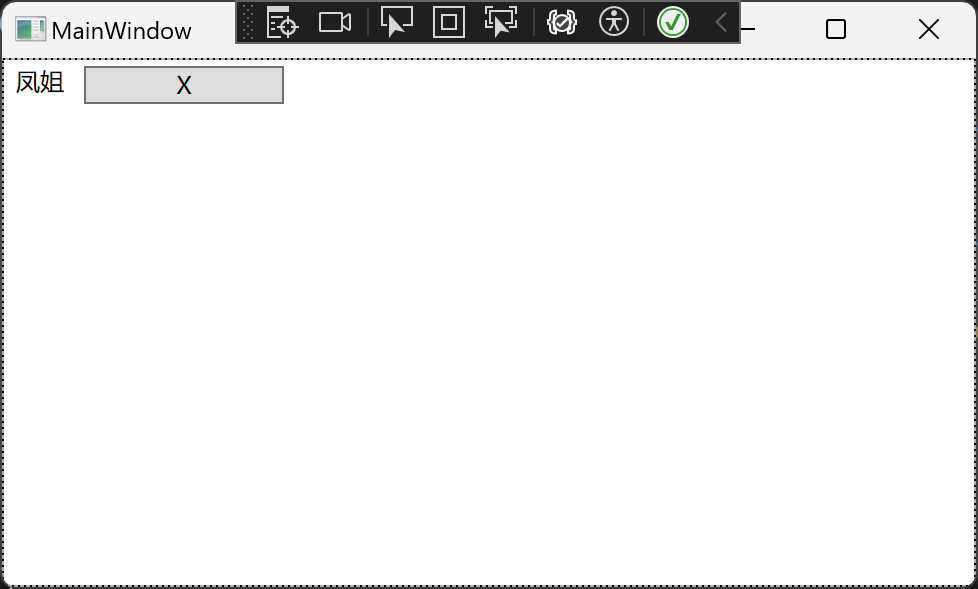
删除多余的两个,只留下喜欢的
(本博客只是玩梗,没有人身攻击的意思)
项目github地址:bearhanQ/WPFFramework: Share some experience (github.com)
QQ技术交流群:332035933;
WPF中的ListBox怎么添加删除按钮并删除所在行的更多相关文章
- WPF中的ListBox实现按块显示元素的方法
本文实例讲述了WPF中的ListBox实现按块显示元素的方法.分享给大家供大家参考,具体如下: 注意:需要设置ListBox的属性 ScrollViewer.HorizontalScrollBarVi ...
- WPF中修改ListBox项的样式病修改选中项的背景颜色
最终效果: 1 <ListBox Name="cmb"> 2 <!--修改颜色--> 3 <ListBox.Resources> 4 <! ...
- WPF绑定的ListBox获取ListBoxItem及GoToState应用
现公司项目中需要制作一个扇形菜单,菜单项是用ListBox重写Style实现的,其数据是绑定的.菜单的每一项都有Normal,MouseOver和Selected三种状态,这三种状态当然可以通过鼠标移 ...
- WPF 显示文件列表中使用 ListBox 变到ListView 最后使用DataGrid
WPF 显示文件列表中使用 ListBox 变到ListView 最后使用DataGrid 故事背景: 需要检索某目录下文件,并列出来,提供选择和其他功能. 第一版需求: 列出文件供选择即可,代码如下 ...
- WPF中ListBox的项ListBoxItem被选中的时候Background变化
使用WPF 中ListBox,点击ListBoxItem的时候,自定义它的背景色,曾经在网上找了一些方法, 不是很理想,后来在StackOverflow上找到了,贴出代码和效果图: 效果图:
- WPF中ListBox /ListView如何改变选中条背景颜色
适用ListBox /ListView WPF中LISTVIEW如何改变选中条背景颜色 https://www.cnblogs.com/sjqq/p/7828119.html
- WPF中ListBox的绑定
WPF中列表式控件派生自ItemsControl类,继承了ItemsSource属性.ItemsSource属性可以接收一个IEnumerable接口派生类的实例作为自己的值(所有可被迭代遍历的集合都 ...
- 转:WPF中ListBox的创建和多种绑定用法
先从最容易的开始演示ListBox控件的创建. Adding ListBox Items下面的代码是向ListBox控件中添加多项ListBoxItem集合.XAML代码如下:<ListBox ...
- WPF中ListBox滚动时的缓动效果
原文:WPF中ListBox滚动时的缓动效果 上周工作中遇到的问题: 常规的ListBox在滚动时总是一格格的移动,感觉上很生硬. 所以想要实现类似Flash中的那种缓动的效果,使ListBox滚动时 ...
- MVVM模式和在WPF中的实现(二)数据绑定
MVVM模式解析和在WPF中的实现(二) 数据绑定 系列目录: MVVM模式解析和在WPF中的实现(一)MVVM模式简介 MVVM模式解析和在WPF中的实现(二)数据绑定 MVVM模式解析和在WPF中 ...
随机推荐
- java面试一日一题:mysql的索引下推了解吗
问题:请问你了解索引下推吗 分析:该问题主要考察对mysql优化方面的理解 回答要点: 主要从以下几点去考虑, 1.mysql中索引的概念? 2.索引下推的理解及意义? 在面试过程中问到mysql,必 ...
- 矩阵的奇异值分解(SVD)及其应用
奇异值分解(Singular Value Decomposition, SVD)是矩阵的一种分解方法,与特征值分解不同,它可以应用于长方矩阵中,并将其分解成三个特殊矩阵的乘积.此外SVD分解还具有许多 ...
- RBAC权限模型概述
RBAC即role-based access control,基于角色的访问控制 通过角色来管理用户对系统资源的访问权限.RBAC是一种权限管理模型,核心思想是分离用户与具体权限,通过角色作为中介来实 ...
- k8s(3) 集群运行
Master下面执行 mkdir -p $HOME/.kube 执行的脚本,需要读取的配置文件 cp -i /etc/kubernetes/admin.conf $HOME/.kube/config ...
- SEO自动外链蜘蛛池工具促进百度快速收录怎么样 跟大家详谈一下
此工具集成市面上所有自动外链网站的资源链接,经过合并.去重.筛选.验证 总结出最终的外链资源 ,软件实时更新 本软件将您繁杂的外链推广转为自动化进行,并且加入站群的支持,您只需要将你的站群域名粘贴到软 ...
- 对比python学julia(第二章)--(第一节)隔沟算样—枚举策略
1.1. 问题描述 在明代数学家程大位的<算法统宗>著作中记载了这样一道数学题: 甲乙隔沟放牧,二人暗里参详. 甲云得乙九个羊,多你一倍之上. 乙说得甲九只,两家之数相当. 两边闲坐恼心 ...
- 【Layui】06 面板 Panel
文档地址: https://www.layui.com/doc/element/panel.html 演示案例: <div class="layui-collapse"> ...
- AI机器人——人形机器人、双足机器人、四足机器人 —— 组成构建有哪些?
参考: https://www.youtube.com/watch?v=dLELvoFt_iA
- 部署MatterMost-开源团队协作平台
前言 之前的文章有提到部署 MatterMost 的事. 本文来记录一下. 关于 MatterMost MatterMost 有点像 Slack 这种协作工具,而且和 GitLab 的集成还不错,正好 ...
- JavaScript 事件循环竟还能这样玩!
JavaScript 是一种单线程的编程语言,这意味着它一次只能执行一个任务.为了能够处理异步操作,JavaScript 使用了一种称为事件循环(Event Loop)的机制. 本文将深入探讨事件循环 ...