
Inno Setup Dependency Installer 安装包 运行环境安装
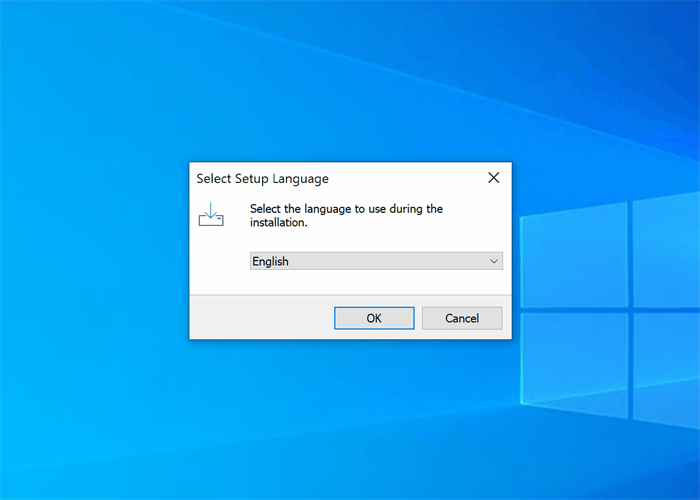
Introduction
Inno Setup Dependency Installer can download and install any dependency such as .NET, Visual C++ or SQL Server during your application's installation. In addition, it is easy to add your own dependencies as well.
Installation and Usage
- Download and install Inno Setup 6.2+.
- Download the script from here or from the Github repository.
- Open the extracted ExampleSetup.iss file.
- Comment out dependency function calls inside
InitializeSetupfunction to disable installing them:- Pascal
Dependency_AddVC2013;   // installed in example setup

//Dependency_AddVC2013; // commented out and not installed in example setup
- Modify other sections like
[Setup] [Files] [Icons]as necessary. - Build the setup using Inno Setup compiler.
Integration
You can also just include CodeDependencies.iss file into your setup and call the desired Dependency_Add functions (some may need defining their exe file path before the include):
#define public Dependency_Path_NetCoreCheck "dependencies\"

#include "CodeDependencies.iss"

[Setup]

; ...

[Code]

function InitializeSetup: Boolean;

begin

  // add the dependencies you need

  Dependency_AddDotNet70;

  // ...

  Result := True;

end;
Details
You have two ways to distribute the dependency installers. By default, most dependencies will be downloaded from the official website. Another way is to pack the dependency into a single executable setup like so:
Include the dependency setup file by defining the source:
PascalSource: "dxwebsetup.exe"; Flags: dontcopy noencryption
Call
ExtractTemporaryFile()before the correspondingDependency_Addfunction:PascalExtractTemporaryFile('dxwebsetup.exe');
The dependencies are installed based on the system architecture. If you want to install 32-bit dependencies on a 64-bit system, you can force 32-bit mode like so:
Dependency_ForceX86 := True;  // force 32-bit install of next dependencies

Dependency_AddVC2013;

Dependency_ForceX86 := False; // disable forced 32-bit install again
If you only deploy 32-bit binaries and dependencies, you can also instead just not define ArchitecturesInstallIn64BitMode in [Setup].
Dependencies
- .NET
- .NET Framework 3.5 Service Pack 1
- .NET Framework 4.0
- .NET Framework 4.5.2
- .NET Framework 4.6.2
- .NET Framework 4.7.2
- .NET Framework 4.8.1
- .NET Core 3.1 (Runtime, ASP.NET, Desktop)
- .NET 5.0 (Runtime, ASP.NET, Desktop)
- .NET 6.0 (Runtime, ASP.NET, Desktop)
- .NET 7.0 (Runtime, ASP.NET, Desktop)
- C++
- Visual C++ 2005 Service Pack 1 Redistributable
- Visual C++ 2008 Service Pack 1 Redistributable
- Visual C++ 2010 Service Pack 1 Redistributable
- Visual C++ 2012 Update 4 Redistributable
- Visual C++ 2013 Update 5 Redistributable
- Visual C++ 2015-2022 Redistributable
- SQL
- SQL Server 2008 R2 Service Pack 2 Express
- SQL Server 2012 Service Pack 4 Express
- SQL Server 2014 Service Pack 3 Express
- SQL Server 2016 Service Pack 3 Express
- SQL Server 2017 Express
- SQL Server 2019 Express
- SQL Server 2022 Express
- Access
- Access Database Engine 2010
- Access Database Engine 2016
- DirectX End-User Runtime
- WebView2 Runtime

Inno Setup Dependency Installer 安装包 运行环境安装的更多相关文章
- 使用Inno Setup 制作软件安装包详细教程(与开发语言无关)
前言:关于如何制作一个软件安装包的教程,与编程语言无关.以下,请看详情~ 1.下载Inno Setup,下载地址:https://jrsoftware.org/isinfo.php 2.下载最新版本即 ...
- Inno setup 开源的安装包打包软件
Inno Setup是一个开源的安装包打包软件,下载地址是:http://www.jrsoftware.org/isdl.php 使用引导界面创建一个安装包打包 配置参考官方文档:http://www ...
- 如何给 Inno Setup 生成的安装包添加版本信息
使用 Inno 已有的函数 GetFileVersion 获取 EXE 文件的版本 #define ApplicationName 'Application Name' #define Applica ...
- Python大礼包-安装视频+pycharm编译器|Mac版本+64位+32位版本pycharm安装包+python安装|内附网盘链接带提取码
pycharm安装包+环境安装打包带走,附带视频教程与pdf教程. (下载链接在本文最下方) 多的不说,直接上图: Python大礼包-安装视频+pycharm编译器详细文件: 点击此处进入下载地址 ...
- JDK8安装包的下载安装方式以及环境变量的配置
前面我们介绍了 <Java是什么?>.<OracleJDK是什么?OracleJDK的版本怎么选择?>.<OpenJDK是什么?>以及<OracleJDK 与 ...
- visual studio 2017 installer 安装包制作过程出现的问题---此安装程序需要.NET Framework 版本 3.5,请安装该版本,然后重新运行此安装程序,可以从Web获得.NET Framework 。要立即做此事吗?
图一 visual studio 2017 installer 打包完成以后进行安装时,提示信息 “安装此安装程序需要.NET Framework 版本 3.5,请安装该版本,然后重新运行此安装程序, ...
- visual studio 2017 installer 安装包的安装必备组件设置
visual studio installer 2017 安装包的安装必备组件设置,默认设置只有net frmwork 4.6.1,如下图 这个时候如果打包安装,那么打出来的包一定需要先安装4.6. ...
- Tsung运行环境安装(转)
转自:http://www.cnblogs.com/tsbc/p/4272974.html#_Toc372013359 tsung Tsung运行环境安装 检查安装一下依赖包,以免在安装的时候报错.( ...
- Java JDK 运行环境安装
1 Windows系统 1.1 安装包准备 安装包本文档讲解为64位系统,如果是32位系统需要下载32位系统安装包 1.1.1 下载方式 打开jdk官方下载地址,该文档提供jdk版本为1.8 http ...
- Spark详解(03) - Spark3.0.0运行环境安装
Spark详解(03) - Spark3.0.0运行环境安装 Spark运行模式 Spark常见部署模式: Local模式:在本地部署单个Spark服务 所谓的Local模式,就是不需要其他任何节点资 ...
随机推荐
- sql 语句系列(删库跑路系列)[八百章之第七章]
前言 最开心的章节,没有之一. 删除违反参照完整性的记录 EMP 是员工表,DEPT 是部门表 DEPTNO是部门编号 delete from EMP where not exists ( selec ...
- lattice的ip不显示,如何解决
最近ip服务器可能会遇到问题,建议客户把更新检查关掉.我们有对应的IP下载链接. diamond在 https://www.latticesemi.com/ispupdate/ipexpr ...
- 手机配置IPV6
据可靠消息说今年7月份前大部分系统都得支持ipv6,之前也没当回事,突然说要全切,还得验证ipv6的支持情况. 网上找了一堆,发现都过时了,或者行不通,琢磨了一下把华为android的搞定了(流量模式 ...
- java 后台获取文件上传的真实扩展名
package common.util; import java.io.File; import org.apache.commons.io.FileUtils; import org.apache. ...
- 力扣283(java)-移动零(简单)
题目: 给定一个数组 nums,编写一个函数将所有 0 移动到数组的末尾,同时保持非零元素的相对顺序. 请注意 ,必须在不复制数组的情况下原地对数组进行操作. 示例 1: 输入: nums = [0, ...
- DTCC 2020 | 阿里云赵殿奎:PolarDB的Oracle平滑迁移之路
简介: Oracle兼容性是业务客户从Oracle生态迁移到PolarDB生态的第一步也是至关重要的一步,PolarDB通过不断沉淀支持大量实际业务的真实Oracle兼容性功能,确保客户业务可以真正做 ...
- 应对 Job 场景,Serverless 如何帮助企业便捷上云
简介:函数计算作为事件驱动的全托管计算服务,其执行模式天生就与这类 Job 场景非常契合,对上述痛点进行了全方面的支持,助力"任务"的无服务器上云. 作者:冯一博 任务(Jobs) ...
- 时序数据库永远的难关 — 时间线膨胀(高基数 Cardinality)问题的解决方案
简介: 本文主要讨论 influxdb 在遇到写入的数据出现高基数 Cardinality 问题时,一些可行的解决方案. 作者 | 徐建伟 (竹影) 前序 随着移动端发展走向饱和,现在整个 IT 行 ...
- 基于Python语言的数据可视化工具
在数据分析中常用的图表可以使用使用 python语言的 matplotlib 和 seaborn 库选择要显示的可视化对象. 一.Matplotlib Matplotlib 是一个 Python 的 ...
- Ollama是什么,为什么这么好用
Ollama 是一个开源框架,专为在本地机器上便捷部署和运行大型语言模型(LLM)而设计. 以下是其主要特点和功能概述: 1. 简化部署:Ollama 目标在于简化在 Docker 容器中部署大型语言 ...