
IdentityServer4与API单项目整合(net core 3.X)
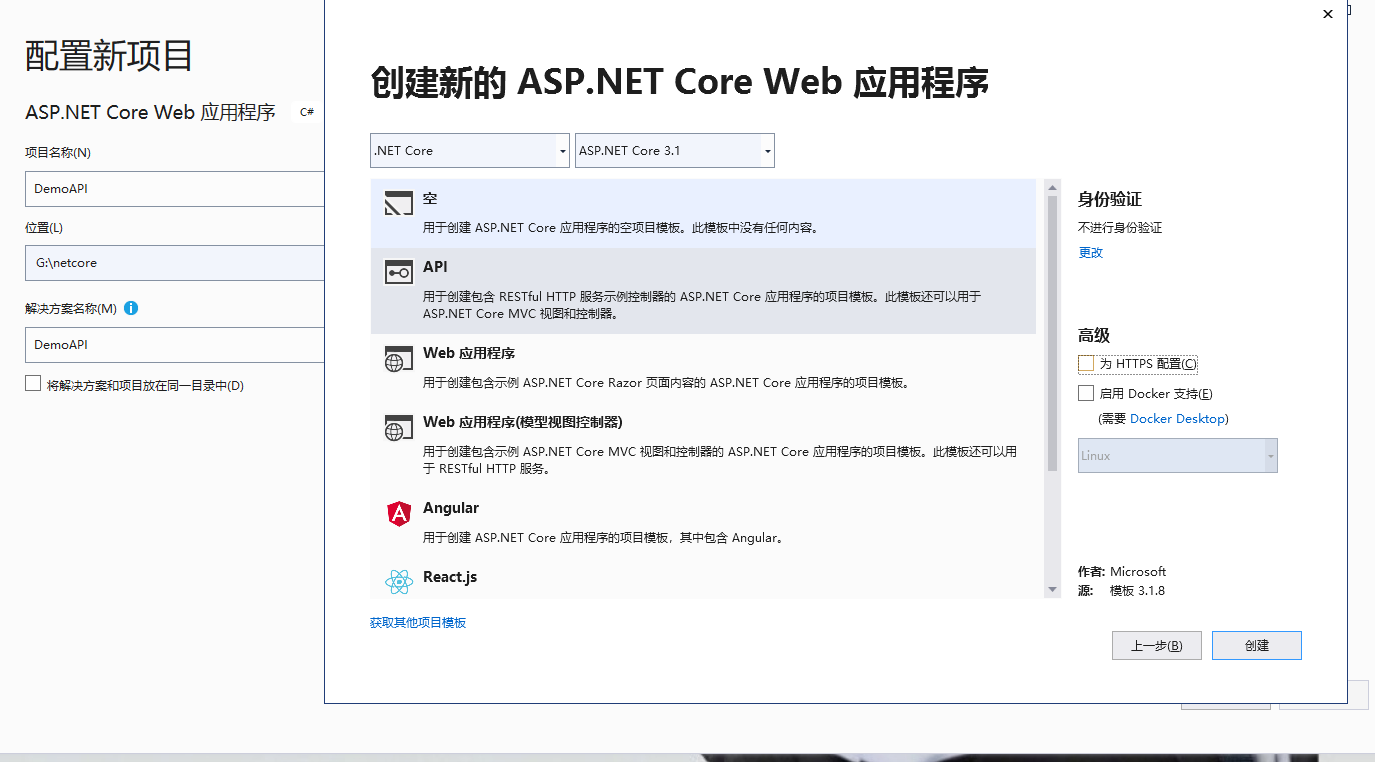
一、创建一个空的api项目
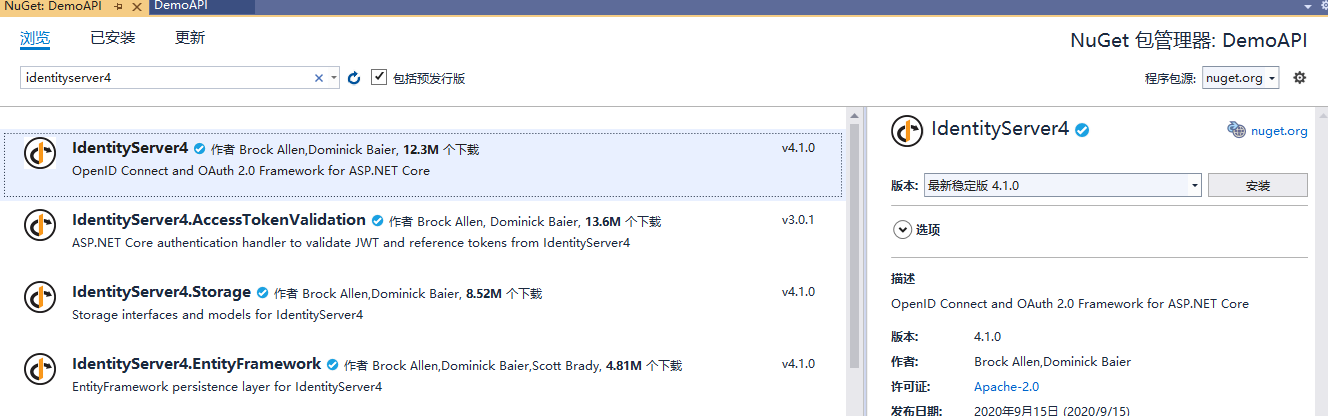
添加identityserver4的nuget包
配置config文件
public static IEnumerable<IdentityResource> GetIdentityResources()

        {

            return new IdentityResource[]

            {

                new IdentityResources.OpenId(),

                new IdentityResources.Profile(),

            };

        }

        /// <summary>

        /// API信息

        /// </summary>

        /// <returns></returns>

        public static IEnumerable<ApiResource> GetApis()

        {

            return new[]

            {

                new ApiResource(IdentityServerConstants.LocalApi.ScopeName),

                new ApiResource("manageApi", "Demo API with Swagger")

            };

        }

        /// <summary>

        /// 客服端信息

        /// </summary>

        /// <returns></returns>

        public static IEnumerable<Client> GetClients()

        {

            return new[]

            {

                new Client

                {

                    ClientId = "clientId",//客服端名称

                    ClientName = "Swagger UI for demo_api",//描述

                    AllowedGrantTypes = GrantTypes.ResourceOwnerPassword ,//指定允许的授权类型(AuthorizationCode,Implicit,Hybrid,ResourceOwner,ClientCredentials的合法组合)。

                    AllowAccessTokensViaBrowser = true,//是否通过浏览器为此客户端传输访问令牌

                    AccessTokenLifetime = 3600*24,

                    AuthorizationCodeLifetime=3600*24,

                    ClientSecrets ={new Secret("secret".Sha256())},

                    //RedirectUris =

                    //{

                    //    "http://localhost:59152/oauth2-redirect.html"

                    //},

                    AllowedCorsOrigins = new string[]{ "http://localhost:9012", "http://101.133.234.110:21004",  "http://115.159.83.179:21004" },

                    AllowedScopes = { "manageApi", IdentityServerConstants.LocalApi.ScopeName }//指定客户端请求的api作用域。 如果为空,则客户端无法访问

                }

            };

        }
在Startup.cs中注入IdentityServer服务并使用中间件
 //配置身份服务器与内存中的存储,密钥,客户端和资源

            services.AddIdentityServer()

                   .AddDeveloperSigningCredential()

                   .AddInMemoryApiResources(config.GetApis())//添加api资源

                   .AddInMemoryClients(config.GetClients())//添加客户端

                   .AddInMemoryIdentityResources(config.GetIdentityResources())//添加对OpenID Connect的支持

                     //使用自定义验证

                    .AddResourceOwnerValidator<CustomResourceOwnerPasswordValidator>()

                    .AddProfileService<ProfileService>();
//启用IdentityServer

            app.UseIdentityServer();
接下来,我们去实现CustomResourceOwnerPasswordValidator这个类
创建一个CustomResourceOwnerPasswordValidator类,继承IResourceOwnerPasswordValidator
 public class CustomResourceOwnerPasswordValidator : IResourceOwnerPasswordValidator

    {

        public Task ValidateAsync(ResourceOwnerPasswordValidationContext context)

        {

            throw new NotImplementedException();

        }

    }
接下来,我们就是些验证了
我们创建一个服务,去获取数据库里面的用户,验证是否有当前登录的用户
这里我们创建了一个userservice来验证我们的输入用户是否存在
  public class UserService : IUserService

    {

        public async Task<TestPhoneUser> ValidateCredentials(string nameorphone, string password)

        {

            var dto= TestUser.FirstOrDefault(c => c.Phone == nameorphone && password == c.PassWord);

            if (dto != null)

                return dto;

            else

                return null;

        }

        public class TestPhoneUser

        {

            /// <summary>

            /// 唯一标识

            /// </summary>

            public int Id { get; set; }

            /// <summary>

            /// 手机号

            /// </summary>

            public string Phone { get; set; }

            /// <summary>

            /// 密码

            /// </summary>

            public string PassWord { get; set; }

        }

        public List<TestPhoneUser> TestUser = new List<TestPhoneUser>

        {

            new TestPhoneUser

            {

                Id=1,

                Phone="12345678911",

                PassWord="123qwe"

            },new TestPhoneUser

            {

                Id=2,

                Phone="123",

                PassWord="123qwe"

            }

        };

    }
现在,我们去完善CustomResourceOwnerPasswordValidator
public class CustomResourceOwnerPasswordValidator : IResourceOwnerPasswordValidator

    {

        private readonly IUserService _userService;

        public CustomResourceOwnerPasswordValidator(IUserService userService)

        {

            _userService = userService;

        }

        public async Task ValidateAsync(ResourceOwnerPasswordValidationContext context)

        {

            var dto = await _userService.ValidateCredentials(context.UserName, context.Password);

            if (dto!=null)

            {

                context.Result = new GrantValidationResult(

                   dto.Id.ToString(),

                   "pwd",

                   DateTime.Now);

            }

            else

            {

                //验证失败

                context.Result = new GrantValidationResult(TokenRequestErrors.InvalidGrant, "用户名密码错误");

            }

        }

    }
再要配置profile
 public class ProfileService:IProfileService

    {

        public Task GetProfileDataAsync(ProfileDataRequestContext context)

        {

            context.IssuedClaims = context.Subject.Claims.ToList();

            return Task.CompletedTask;

        }

        public Task IsActiveAsync(IsActiveContext context)

        {

            context.IsActive = true;

            return Task.CompletedTask;

        }

    }
注入刚刚添加的服务
 services.AddScoped<IUserService, UserService>();

 services.AddScoped<IProfileService, ProfileService>();
在Startup.cs中加入identityServer验证
 //用户校验

            services.AddLocalApiAuthentication();

            services.AddAuthorization(options =>

            {

                options.AddPolicy(IdentityServerConstants.LocalApi.PolicyName, policy =>

                {

                    policy.AddAuthenticationSchemes(IdentityServerConstants.LocalApi.AuthenticationScheme);

                    policy.RequireAuthenticatedUser();

                });

            });
app.UseAuthentication();
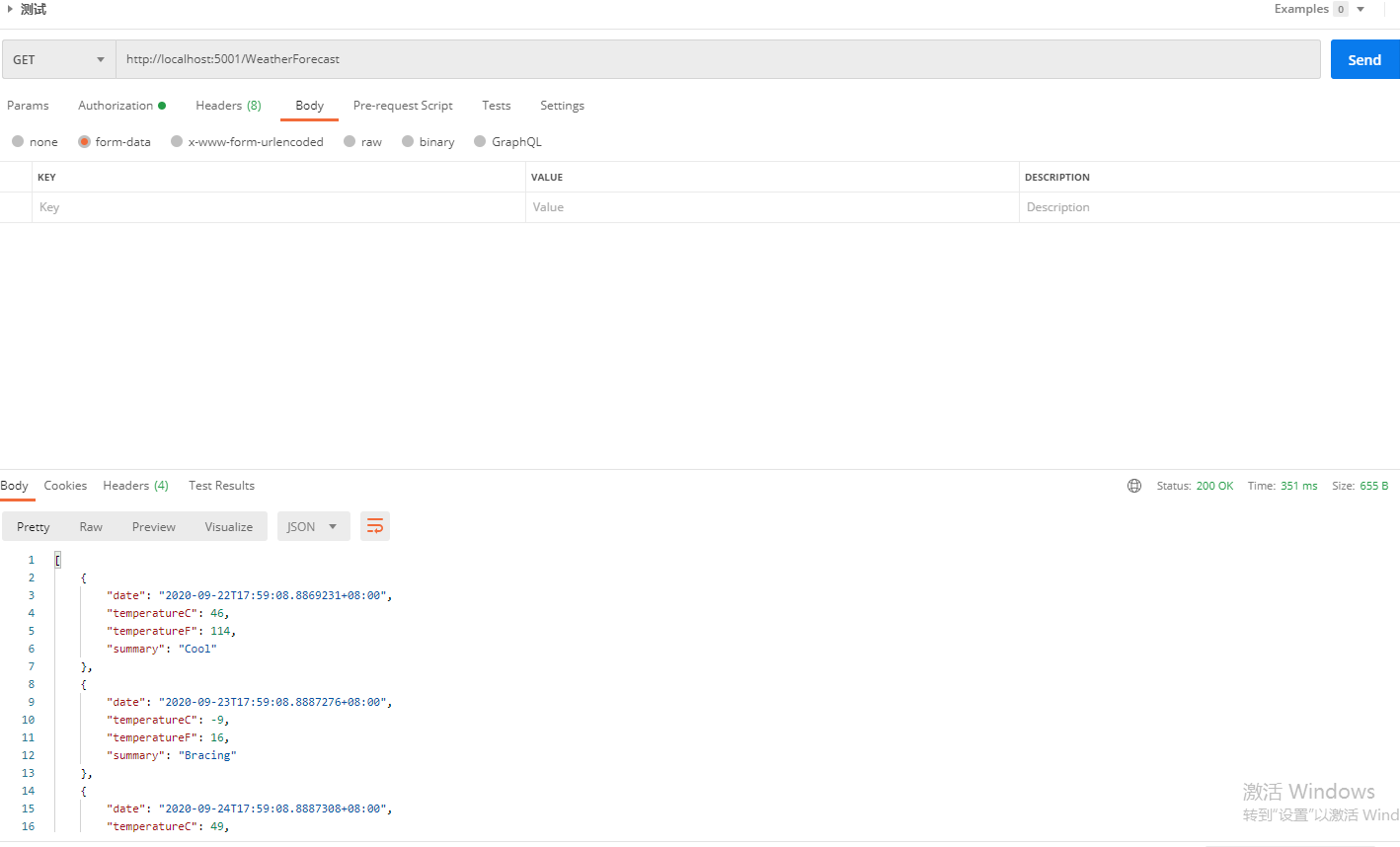
postman测试
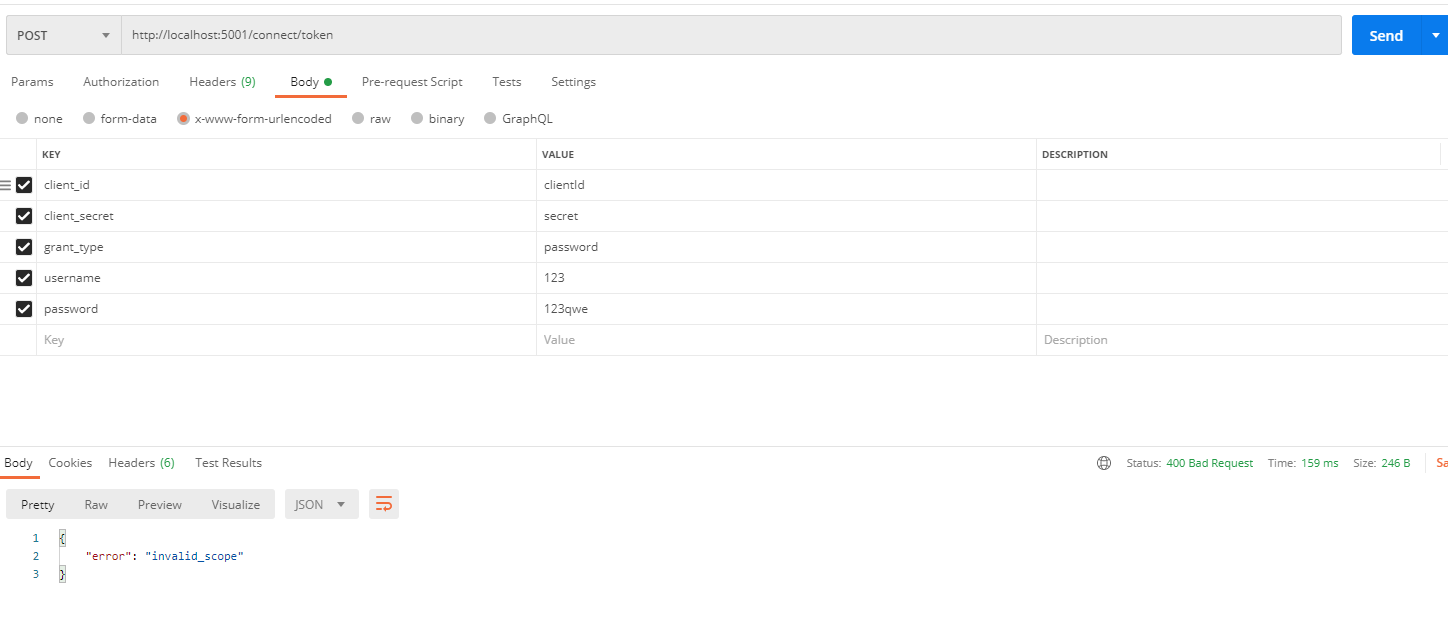
反复验证了很多遍,都没有问题(因为我之前core2.x的时候就是这样写的)
最后去identityserver官网,找到了问题所在
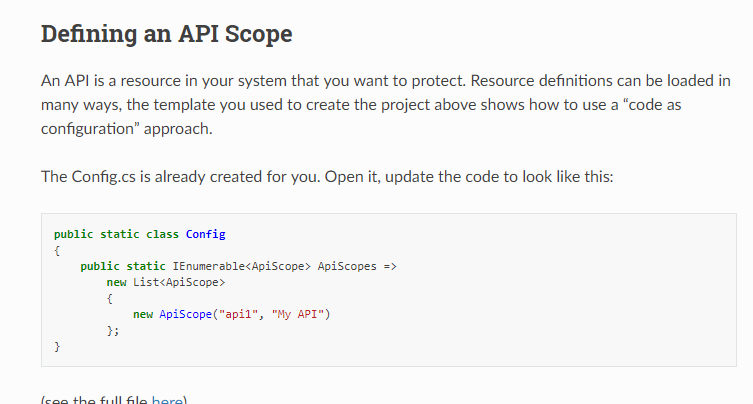
现在的资源都换成了apiscope
然后,我把ApiResource都换成了ApiScope然后再运行

ok,完美!!!(这个坑,坑了我一下午)
最后再给api添加验证就行了
[Authorize(LocalApi.PolicyName)]
访问api
访问成功
IdentityServer4与API单项目整合(net core 3.X)的更多相关文章
- IdentityServer4实战 - 与API单项目整合
一.前言 我们在实际使用 IdentityServer4 的时候,可能会在使用 IdentityServer4 项目添加一些API,比如 找回密码.用户注册.修改用户资料等,这些API与Identit ...
- ssm单项目整合
目录 前言 创建maven项目 添加依赖 配置文件 总览 jdbc配置 mybatis配置 dao层配置 service层配置 事务配置 controller配置 web.xml 使用 前言 spri ...
- Swagger与SpringMVC项目整合
Swagger与SpringMVC项目整合 来源:http://www.2cto.com/kf/201502/376959.html 为了方便的管理项目中API接口,在网上找了好多关于API接口管理的 ...
- 企业项目实战 .Net Core + Vue/Angular 分库分表日志系统 | 简单的分库分表设计
前言 项目涉及到了一些设计模式,如果你看的不是很明白,没有关系坚持下来,写完之后去思考去品,你就会有一种突拨开云雾的感觉,所以请不要在半途感觉自己看不懂选择放弃,如果我哪里写的详细,或者需要修正请联系 ...
- 企业项目实战 .Net Core + Vue/Angular 分库分表日志系统二 | 简单的分库分表设计
教程预览 01 | 前言 02 | 简单的分库分表设计 03 | 控制反转搭配简单业务 04 | 强化设计方案 05 | 完善业务自动创建数据库 06 | 最终篇-通过AOP自动连接数据库-完成日志业 ...
- SSM项目整合基本步骤
SSM项目整合 1.基本概念 1.1.Spring Spring 是一个开源框架, Spring 是于 2003 年兴起的一个轻量级的 Java 开发框架,由 Rod Johnson 在其著作 ...
- 基于aws api gateway的asp.net core验证
本文是介绍aws 作为api gateway,用asp.net core用web应用,.net core作为aws lambda function. api gateway和asp.net core的 ...
- Discuz3.2与Java 项目整合单点登陆
JAVA WEB项目与Discuz 论坛整合的详细步骤完全版目前未有看到,最近遇到有人在问,想到这个整个不是一时半会也解释不清楚.便把整个整合过程以及后续碰到的问题解决方案写下,以供参考. 原理 Di ...
- SSM 框架 ---项目整合
一.SSM框架理解 Spring(业务层) Spring就像是整个项目中装配bean的大工厂,在配置文件中可以指定使用特定的参数去调用实体类的构造方法来实例化对象. Spring的核心思想是IoC(控 ...
随机推荐
- CSP-J2019 NOIP普及组初赛真题(阅读程序部分)
阅读程序(程序输入不超过数组或字符串定义的范围:判断题正确填√,错误填×:除特殊说明外,判断题1.5分,选择题3分,共计40分) #include <cstdio> #include &l ...
- JavaScript的数据类型判断学习理解和数据处理
<!DOCTYPE html> <html lang="en"> <head> <meta charset="UTF-8&quo ...
- 七夕节表白3d相册制作(html5+css3)
七夕节表白3d相册制作 涉及知识点 定位 阴影 3d转换 动画 主要思路: 通过定位将所有照片叠在一起,在设置默认的样式以及照片的布局,最后通过设置盒子以及照片的旋转动画来达到效果. 代码如下: &l ...
- Excel—LEFT、RIGHT、MID函数提取不同位置的字段
概述 函数方法不只是适用下述场景,主要目的是在不同业务场景中个人解决问题的思维方法: 下图中数据都为测试数据,不具备真实性! 场景一 数据库Task表中存储的实际任务id太长,但PC/移动端看到展示的 ...
- edge 修改链接打开方式
我目前的edge版本是 Version 84.0.522.63 (Official build) (64-bit) 每次点击链接, 都是默认在原页面打开新标签, 不符合过往习惯. 修改方式 打开控制面 ...
- Java中一个普通的循环为何从10开始到99连续相乘会得到0?
这是一块非常简单的Java代码片段: public class HelloWorld{ public static void main(String []args){ int product = 1; ...
- h5c3
HTML5 第一天 一.什么是 HTML5 HTML5 的概念与定义 定义:HTML5 定义了 HTML 标准的最新版本,是对 HTML 的第五次重大修改,号称下一代的 HTML 两个概念: 是一个新 ...
- 认证授权:学习OIDC
前言 上一篇文章介绍了OAuth2.0协议的相关内容,知道OAuth2.0是一个授权协议,无法提供完善的身份认证功能.那么什么来解决身份认证功能呢?——OIDC是一个不错的解决方案.接下来进一步来了解 ...
- mac 下配置连接Linux服务器方法,上传下载文件操作
1.先按照文档在本地生成SSHkey 2.mac输入 sudo -i 进入超级管理员#模式下,然后 创建用户 #useradd XXXadmin #passwd XXXadmin XXXadmin用户 ...
- bootstrap的时间控件使用(双日历)
这段时间看了下bootstrap的时间控件,发现使用起来还是很简单的,趁着有时间的时候整理了一下,方便自己以后忘记的时候查阅... 废话不多说先上效果图 接下来是代码实现 第一步当然是导入css.js ...