
基于aws api gateway的asp.net core验证
本文是介绍aws 作为api gateway,用asp.net core用web应用,.net core作为aws lambda function。
api gateway和asp.net core的用处不废话,直接上操作步骤。
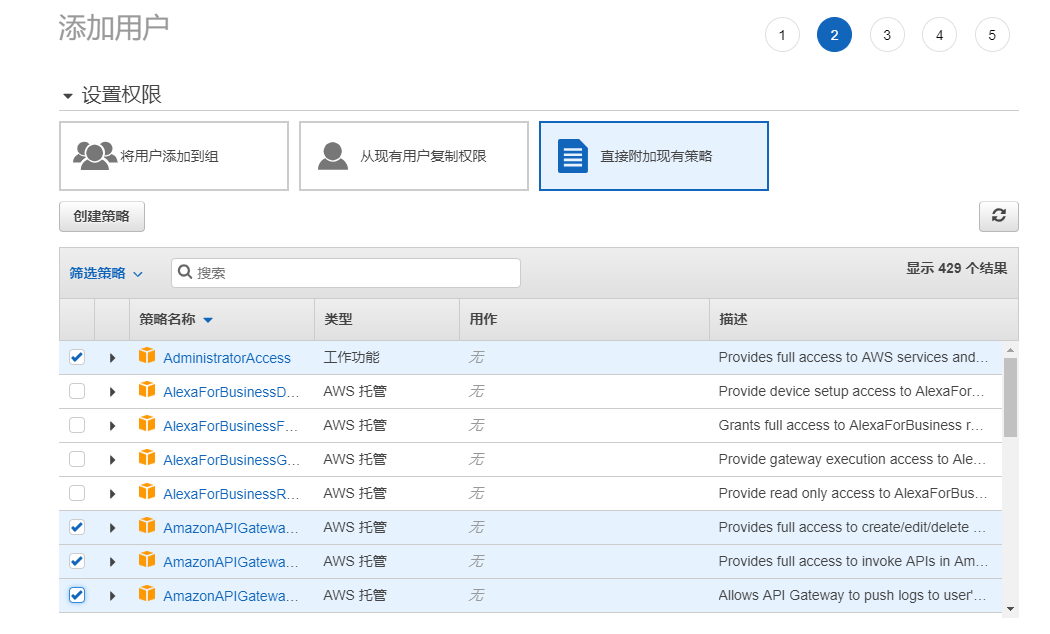
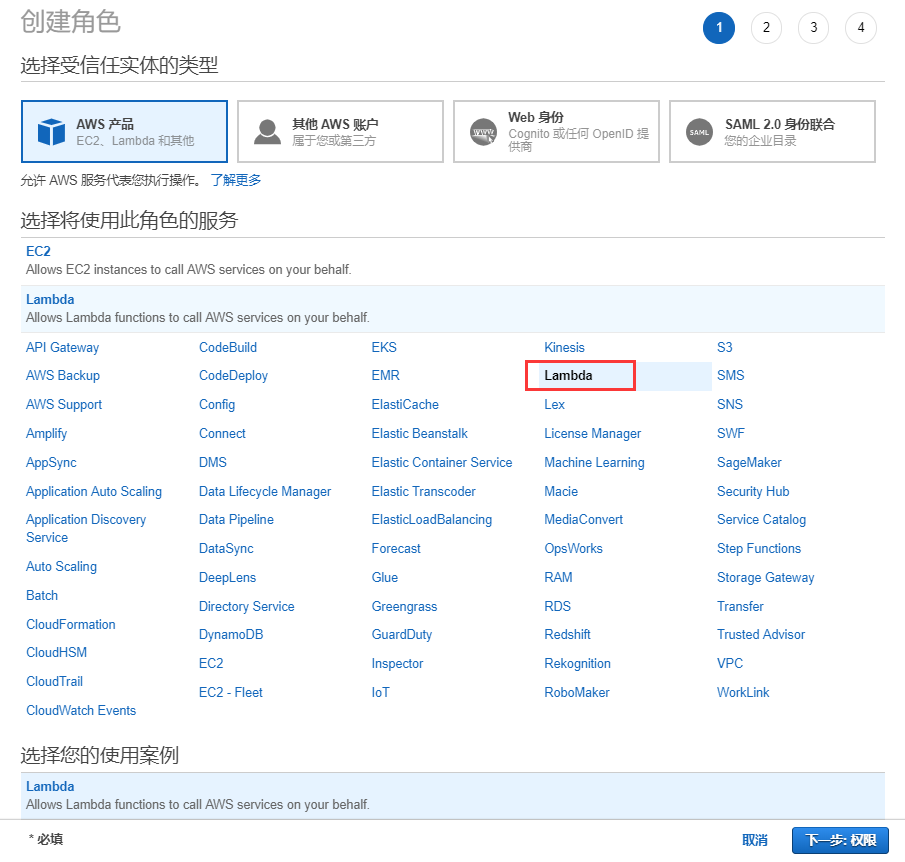
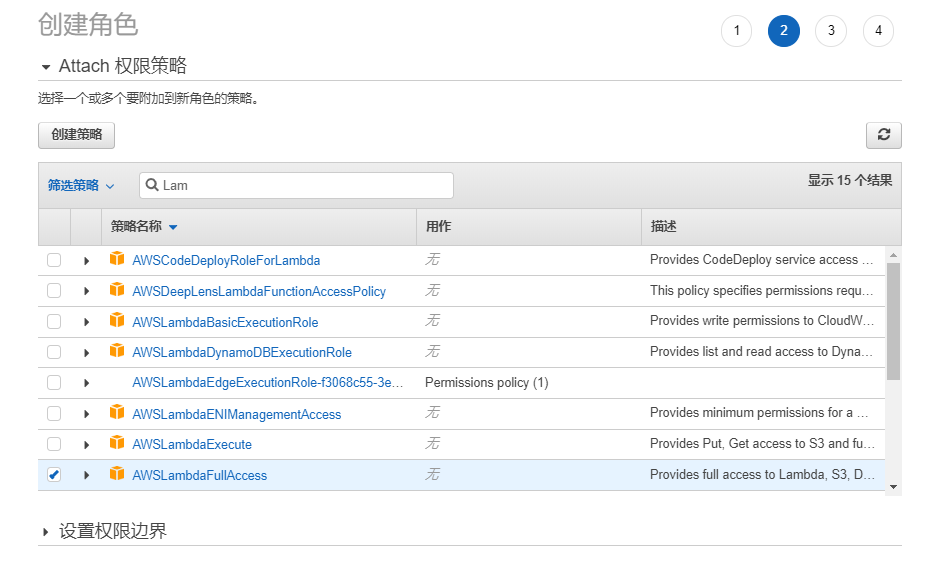
首先在asw的凭据管理中添加操作的用户和角色,步骤如下:
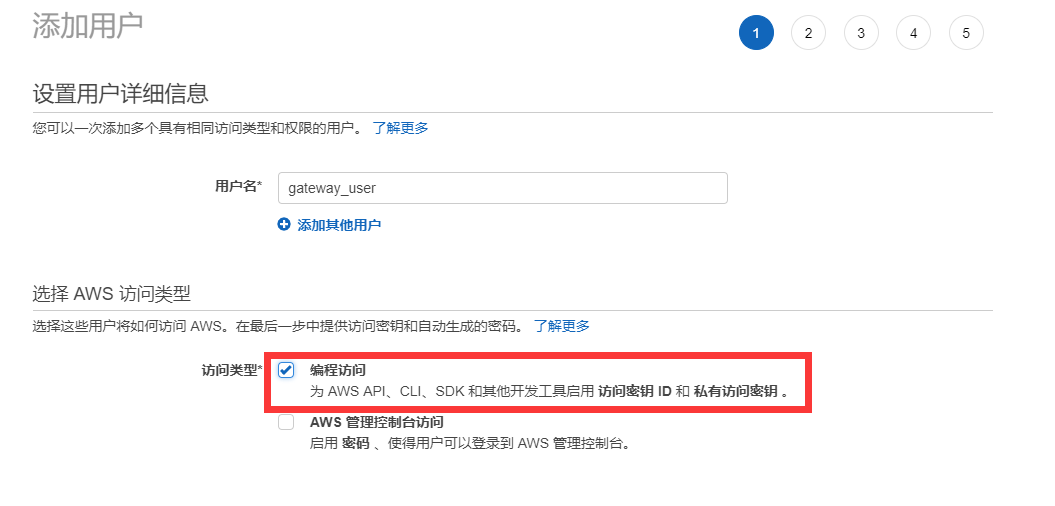
注意选择的策略名称
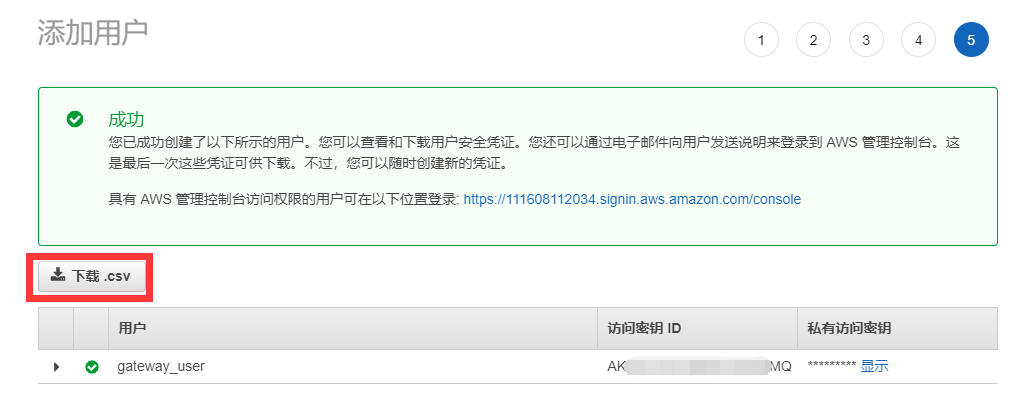
下载csv备用
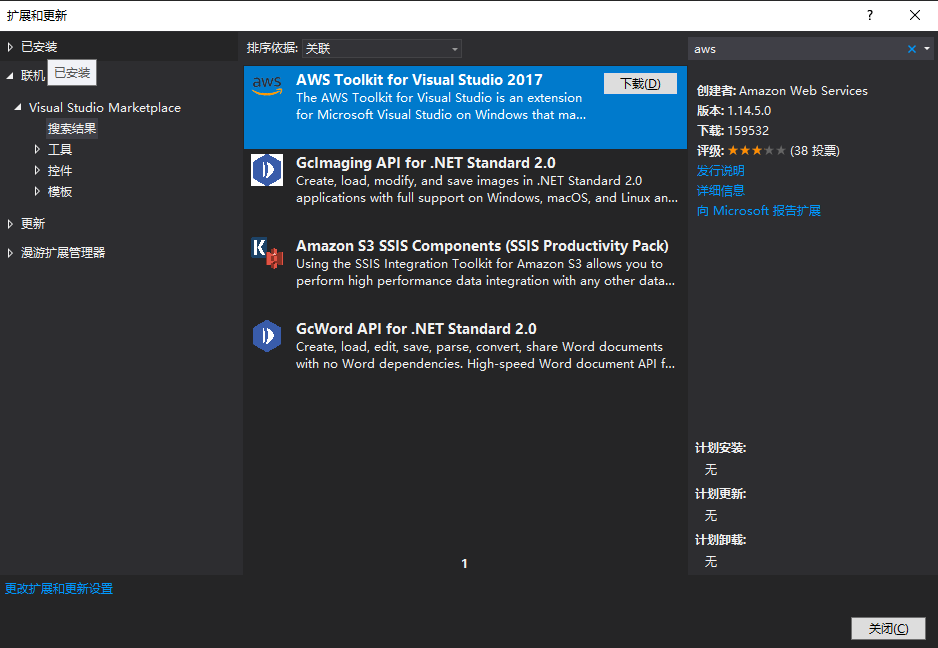
安装aws的visual studio插件
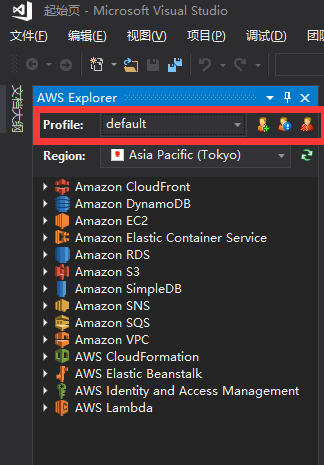
加载备用csv文件

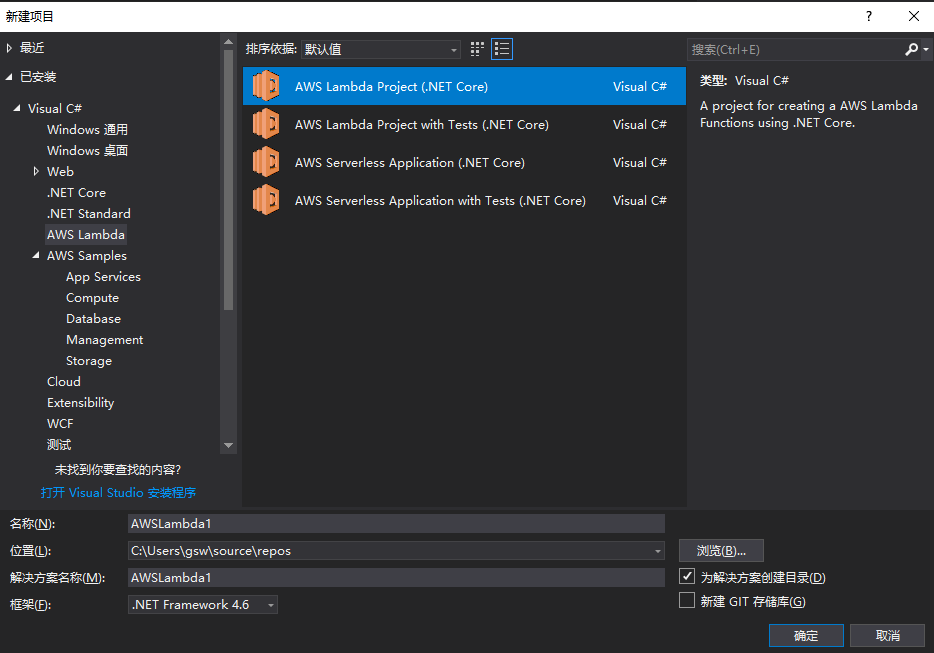
创建asw lambda funcation项目
代码如下:
 using System;

 using Amazon.Lambda.APIGatewayEvents;

 using Amazon.Lambda.Core;

 using Microsoft.IdentityModel.Tokens;

 using System.Collections.Generic;

 using System.IdentityModel.Tokens.Jwt;

 using System.Linq;

 using System.Security.Claims;

 using System.Text;

 [assembly: LambdaSerializer(typeof(Amazon.Lambda.Serialization.Json.JsonSerializer))]

 namespace API01AWSLambda

 {

     public class Function

     {

         /// <summary>

         ///验证Token的Lambda函数

         /// </summary>

         /// <param name="apigAuthRequest">请求</param>

         /// <param name="context">上下文</param>

         /// <returns></returns>

         public APIGatewayCustomAuthorizerResponse FunctionHandler(APIGatewayCustomAuthorizerRequest apigAuthRequest, ILambdaContext context)

         {

             LambdaLogger.Log($"AWS Lambda函数验证Token开始");

             var TokenValidationParameters = new TokenValidationParameters

             {

                 ValidateIssuer = true,

                 ValidateIssuerSigningKey = true,

                 ValidIssuer = SecurityConstants.Issuer,

                 ValidateAudience = true,

                 ValidAudience = SecurityConstants.Audience,

                 ValidateLifetime = true,

                 IssuerSigningKey = new SymmetricSecurityKey(Encoding.ASCII.GetBytes(SecurityConstants.SecurityKey)),

                 ClockSkew = TimeSpan.Zero,

             };

             var authorized = false;

             //删除Bearer再来验证

             var token = apigAuthRequest.AuthorizationToken?.Replace("Bearer ", "");

             if (!string.IsNullOrWhiteSpace(token))

             {

                 try

                 {

                     SecurityToken validatedToken;

                     var handler = new JwtSecurityTokenHandler();

                     var user = handler.ValidateToken(token, TokenValidationParameters, out validatedToken);

                     var claim = user.Claims.FirstOrDefault(c => c.Type == ClaimTypes.Name);

                     if (claim != null)

                     {

                         authorized = claim.Value == SecurityConstants.ClaimName;

                     }

                 }

                 catch (Exception ex)

                 {

                     LambdaLogger.Log($"Error occurred validating token: {ex.Message}");

                 }

             }

             var policy = new APIGatewayCustomAuthorizerPolicy

             {

                 Version = "2012-10-17",

                 Statement = new List<APIGatewayCustomAuthorizerPolicy.IAMPolicyStatement>(),

             };

             policy.Statement.Add(new APIGatewayCustomAuthorizerPolicy.IAMPolicyStatement

             {

                 Action = new HashSet<string>(new string[] { "execute-api:Invoke" }),

                 Effect = authorized ? "Allow" : "Deny",

                 Resource = new HashSet<string>(new string[] { apigAuthRequest.MethodArn })

             });

             var contextOutput = new APIGatewayCustomAuthorizerContextOutput();

             contextOutput["User"] = authorized ? SecurityConstants.ClaimName : "User";

             contextOutput["Path"] = apigAuthRequest.MethodArn;

             LambdaLogger.Log($"AWS Lambda函数验证Token结束");

             return new APIGatewayCustomAuthorizerResponse

             {

                 PrincipalID = authorized ? SecurityConstants.ClaimName : "User",

                 Context = contextOutput,

                 PolicyDocument = policy,

             };

         }

     }

     /// <summary>

     /// 测试用,正式环境可以放在云配置中

     /// </summary>

     public class SecurityConstants

     {

         public const string Issuer = "gsw";

         public const string SecurityKey = "ABCDEFGHIJKLMNOPQRSTUVWXYZ1234567890";

         public const string Audience = "everone";

         public const string Password = "";

         public const string ClaimName = "gsw";

     }

 }
发布asw lambda funcation

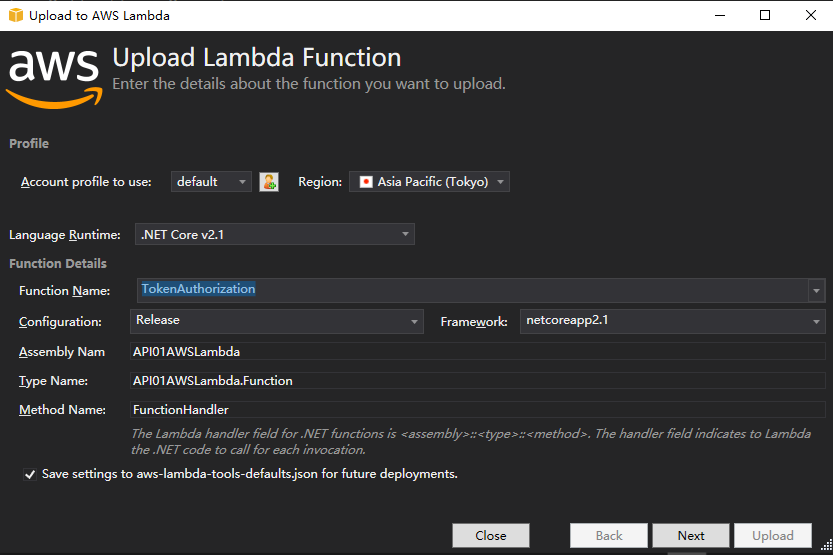
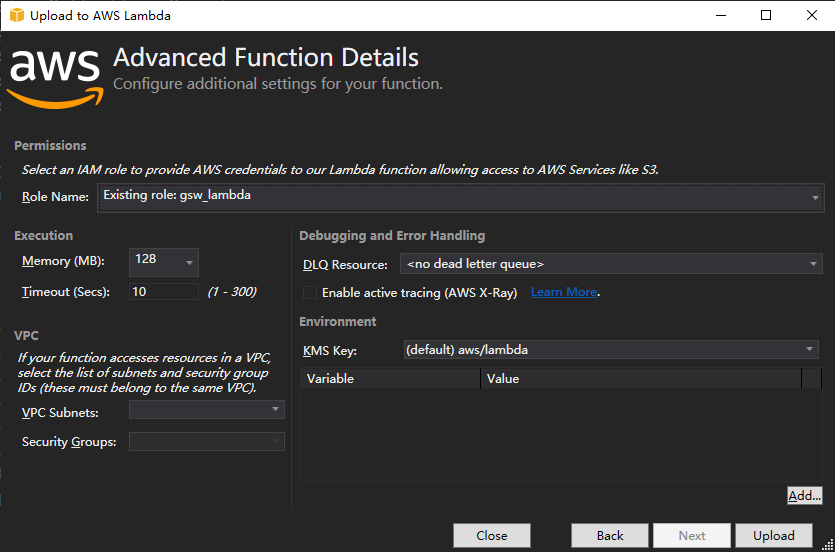
选择创建的asw角色

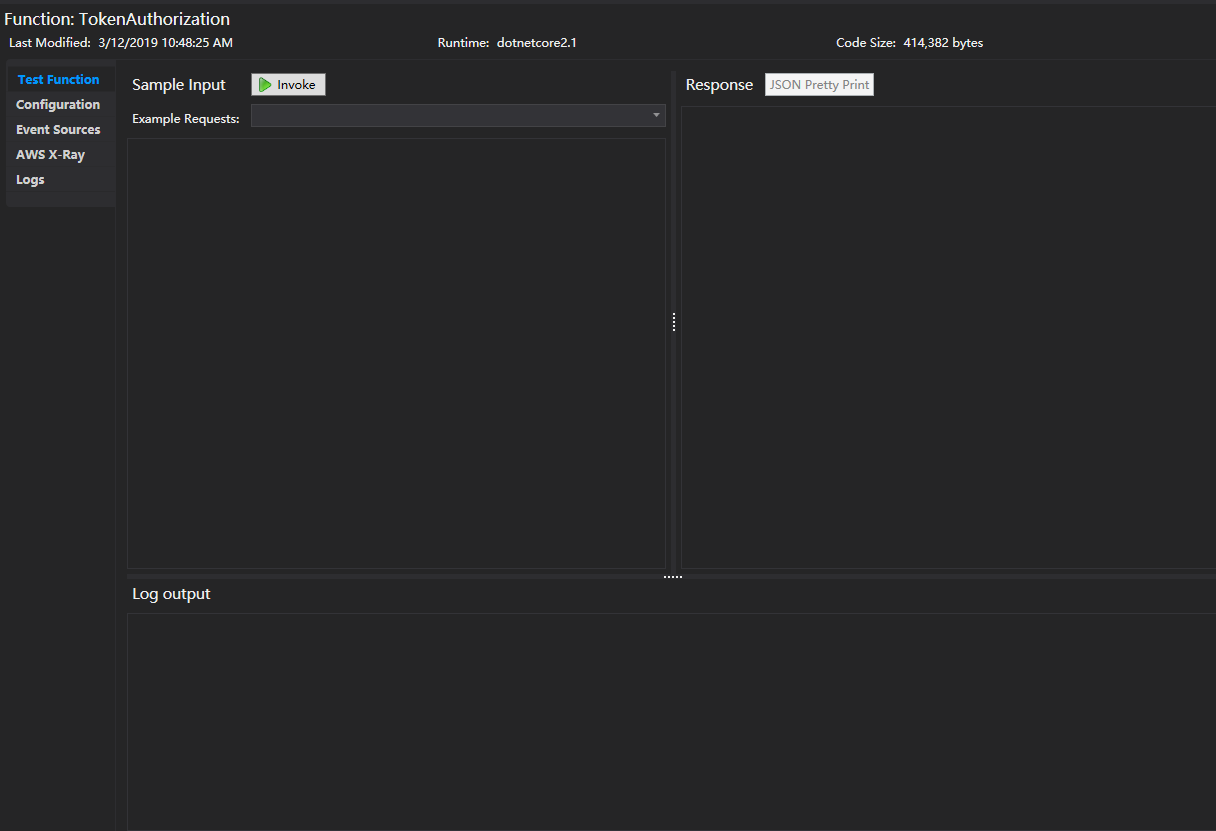
在管理平台上查看上传的lambda funcation
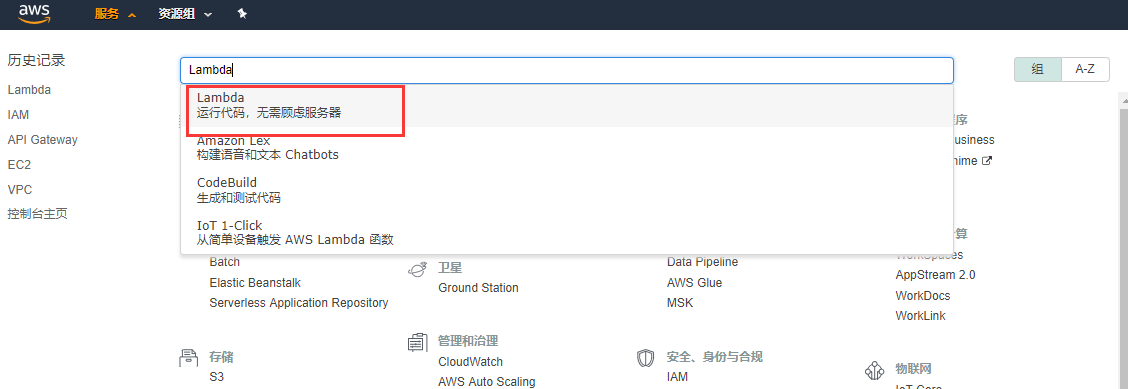

api gatewayr后台被访问的web api应用有两个:api01,api02,他们最终发布到aws api gateway能访问到的地方,我的api01是:http://helpyou.cloudapp.net:4567/abc,pai02是:http://helpyou.cloudapp.net:4568/abc,源码见https://github.com/axzxs2001/Asp.NetCoreExperiment/tree/master/Asp.NetCoreExperiment/AWS,AuthenticationService项目是用来产生Token的,关于这部门参看我之前的博文。
创建asw api gateway
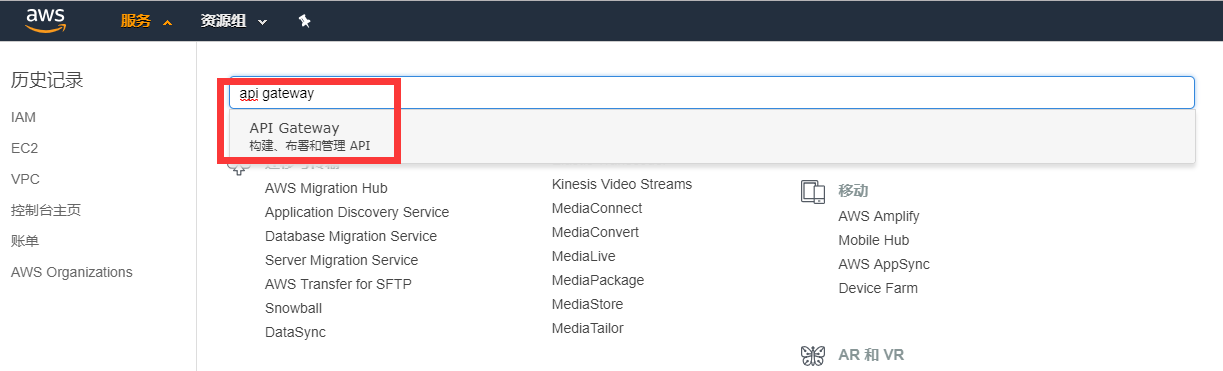

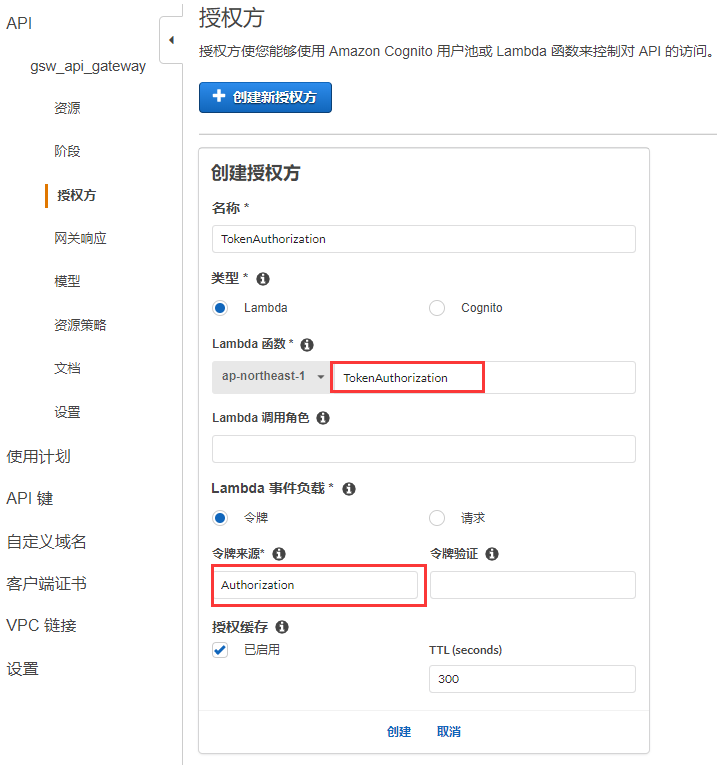
创建授权
关联api01项目和api02项目的资源文件
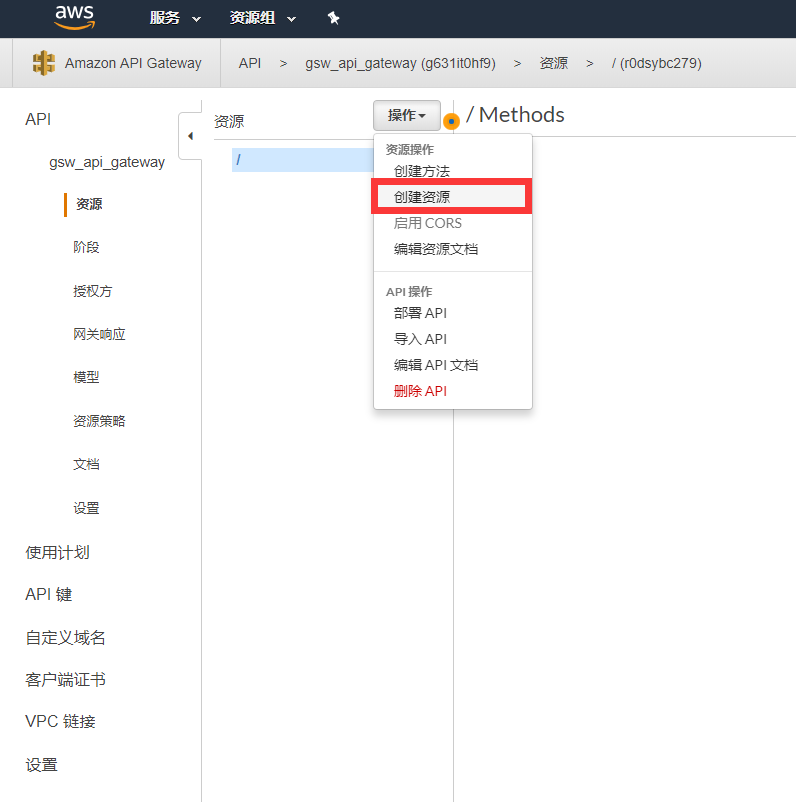
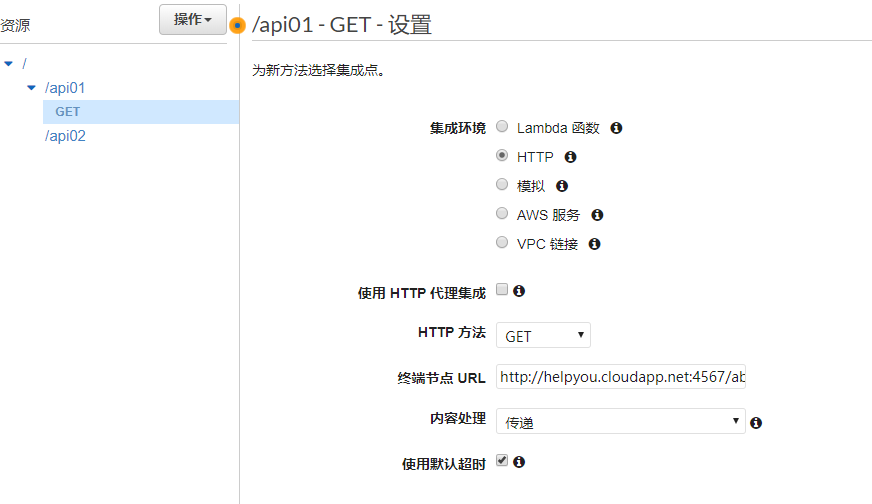
给资源添加访问方法,并关联api01的url
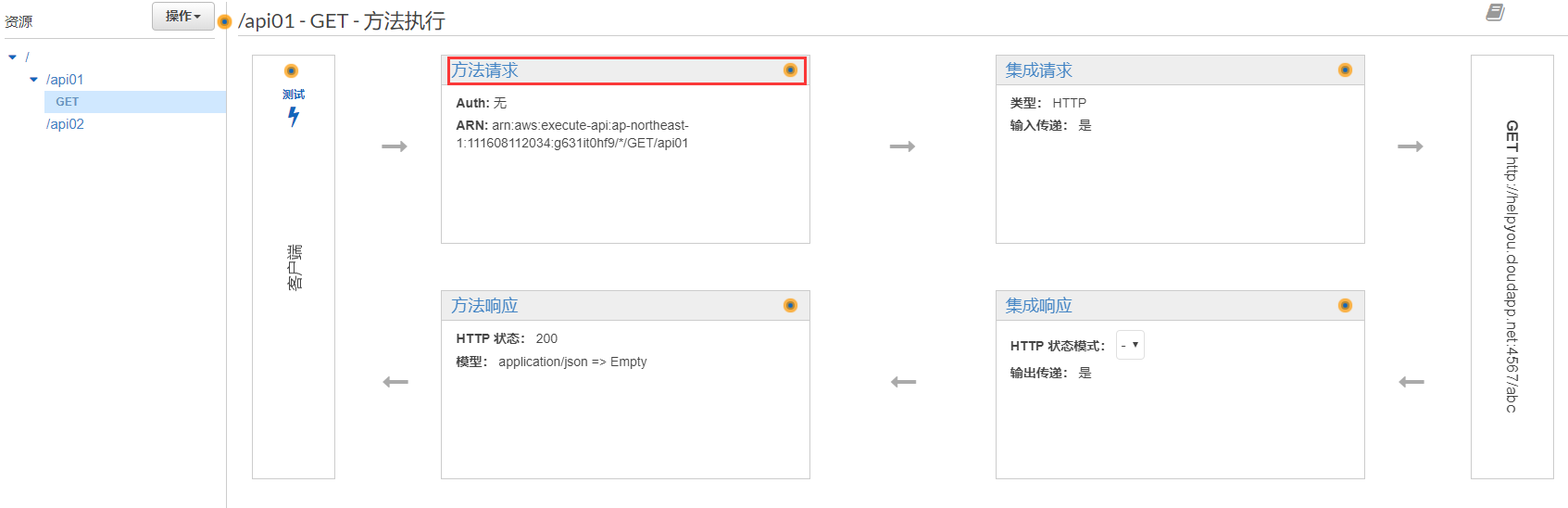
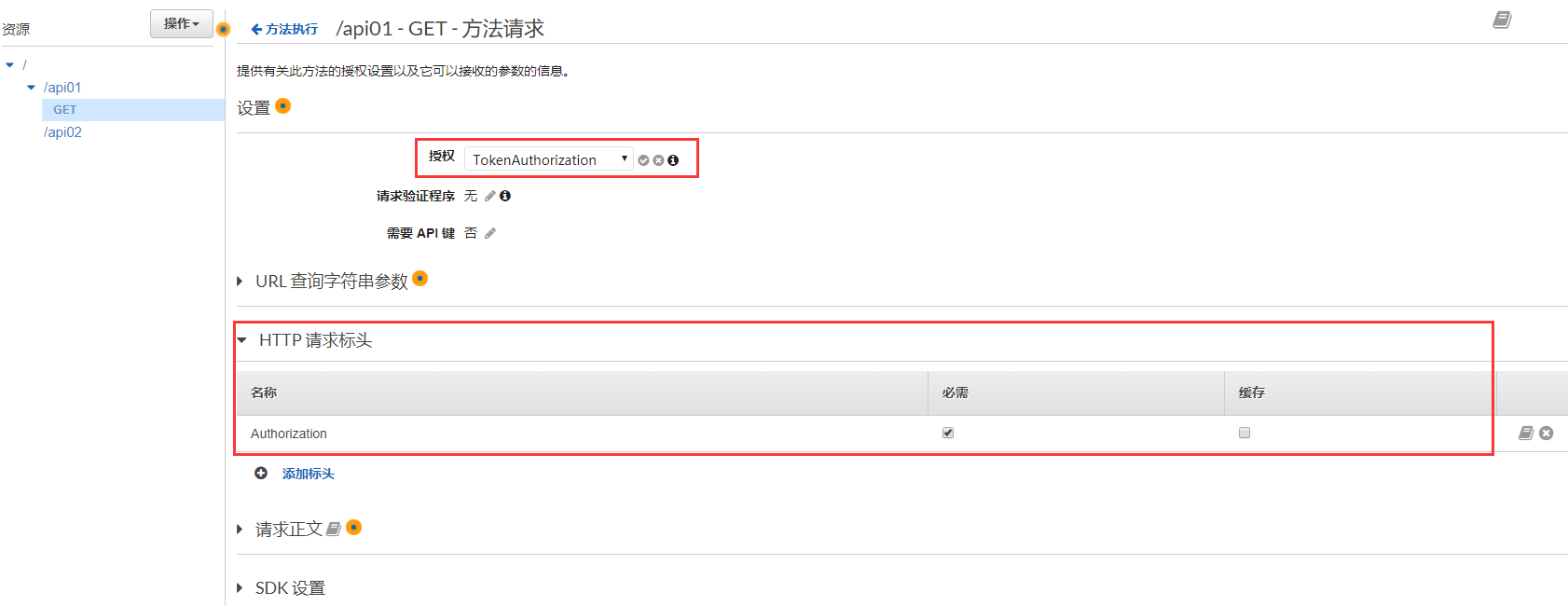
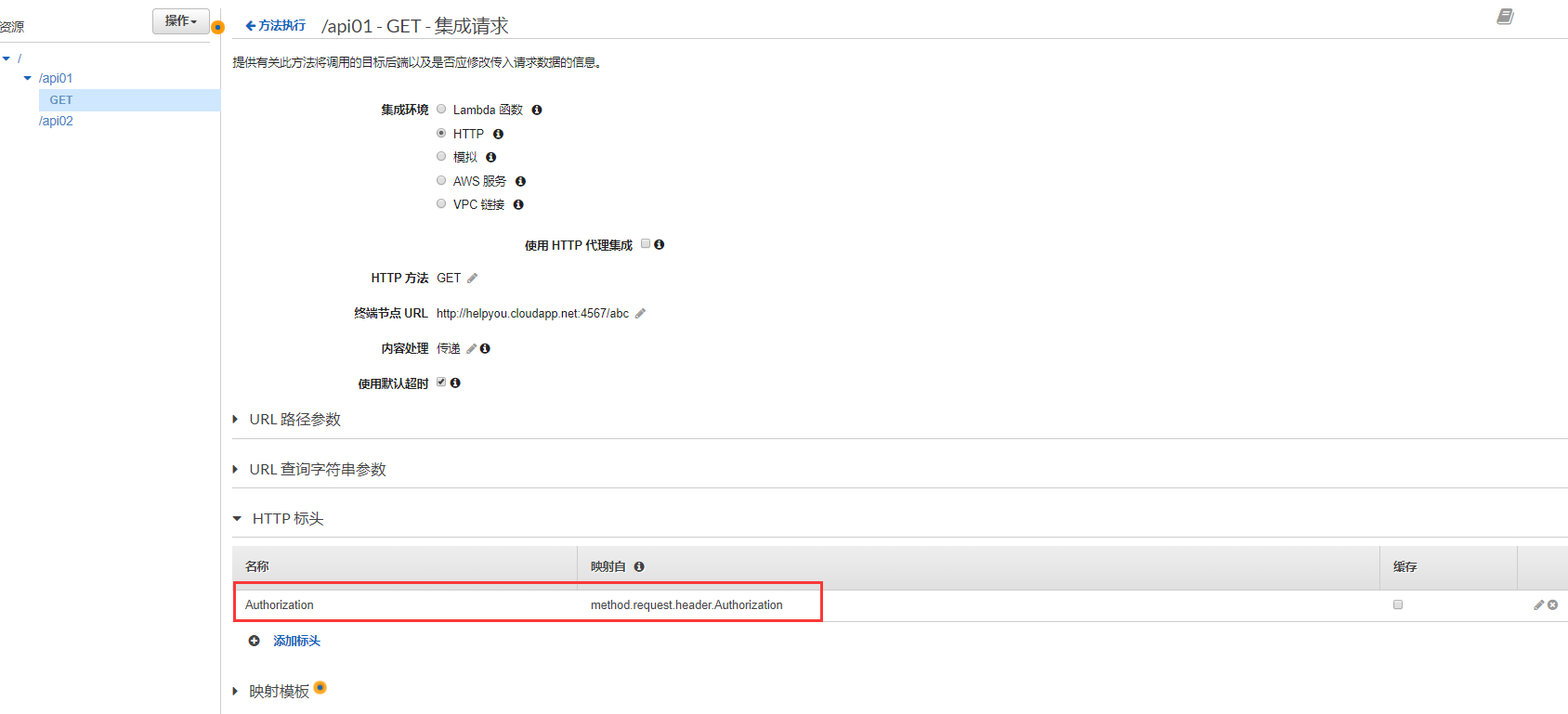
添加Token的键Authorzation
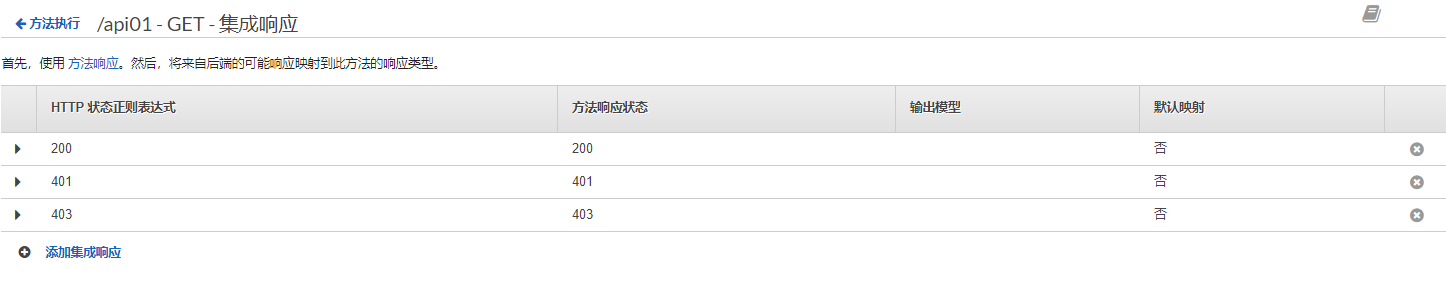
添加返回状态码

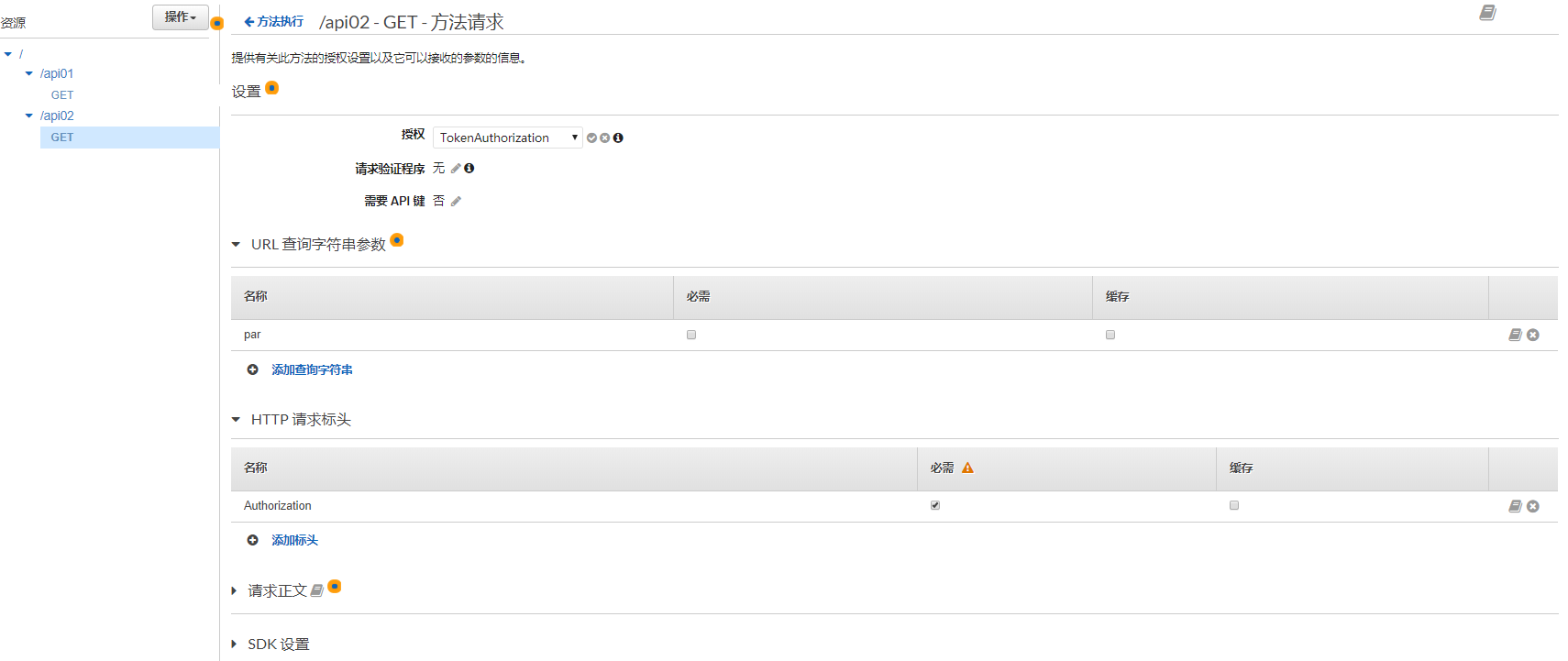
添加api02的查询参数和header
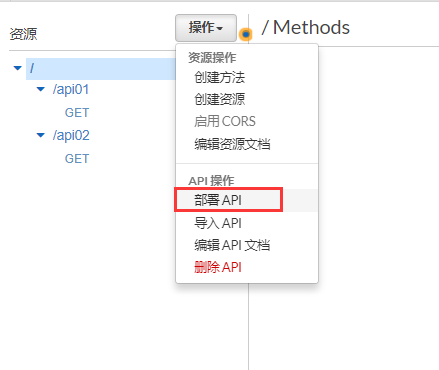
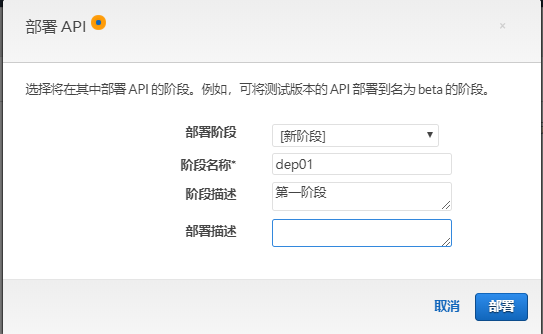
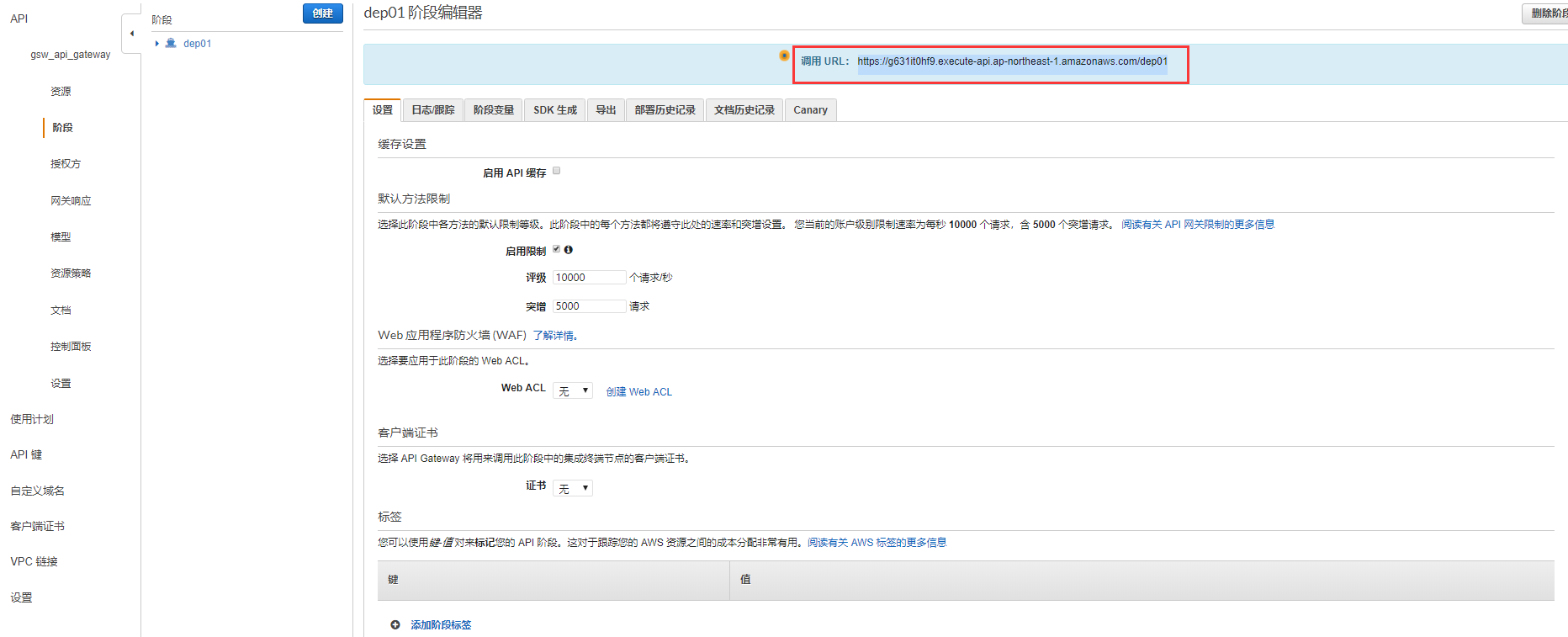
部署API(如果资源和方法变更后,一定要重新部署API)
复制调用URL(api gateway是有限流的作用的)
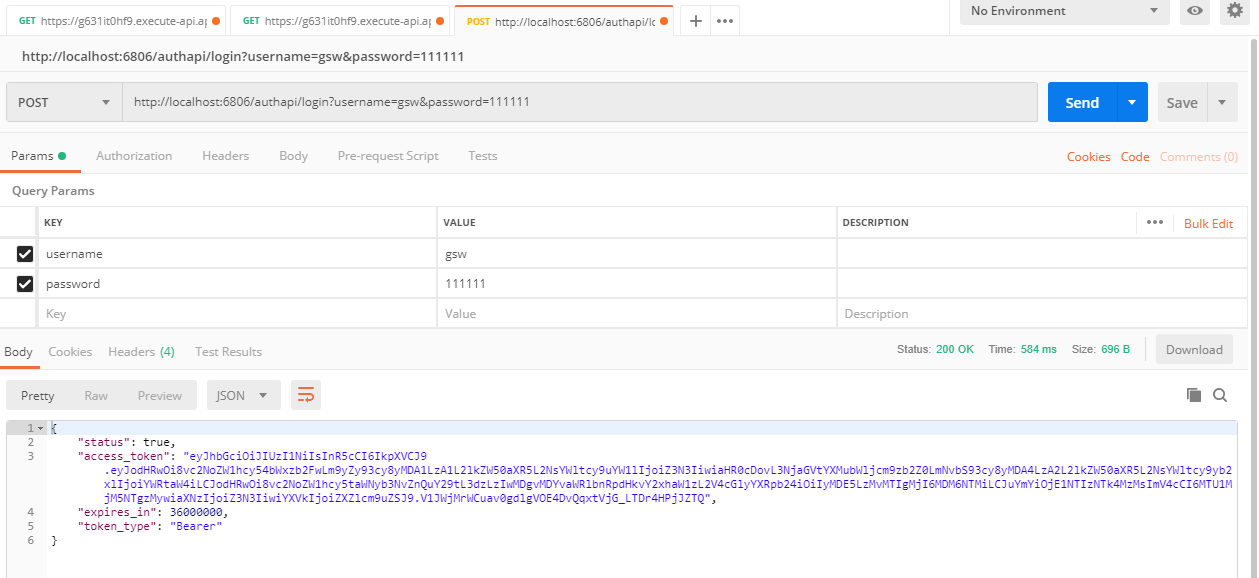
本地启动AuthenticationService,用户名gsw,密码111111,这个用户的角色是能访问api01,和api01的
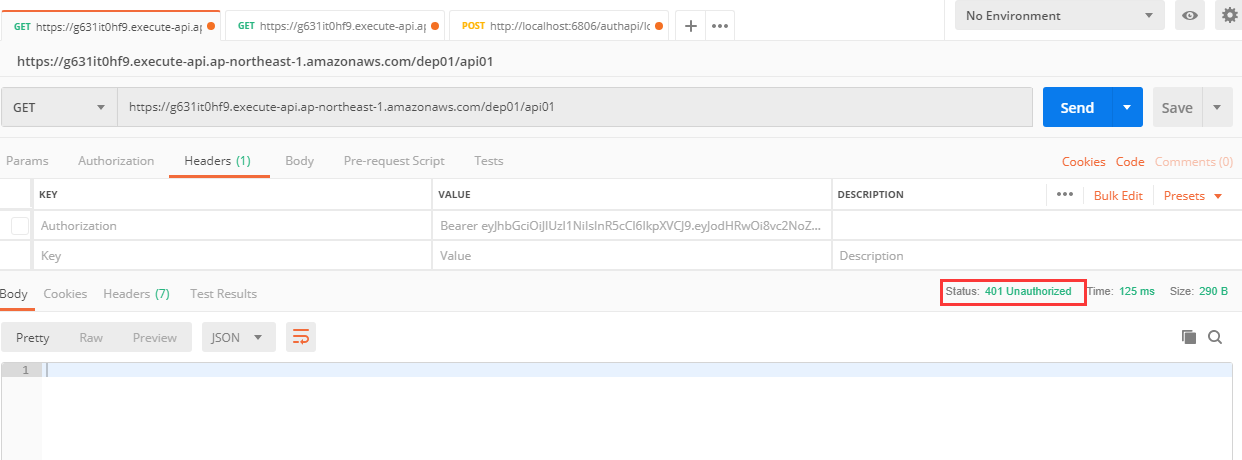
测试访问无token的api01,完整地址是部署的url加上资源名字,结果是401返回码
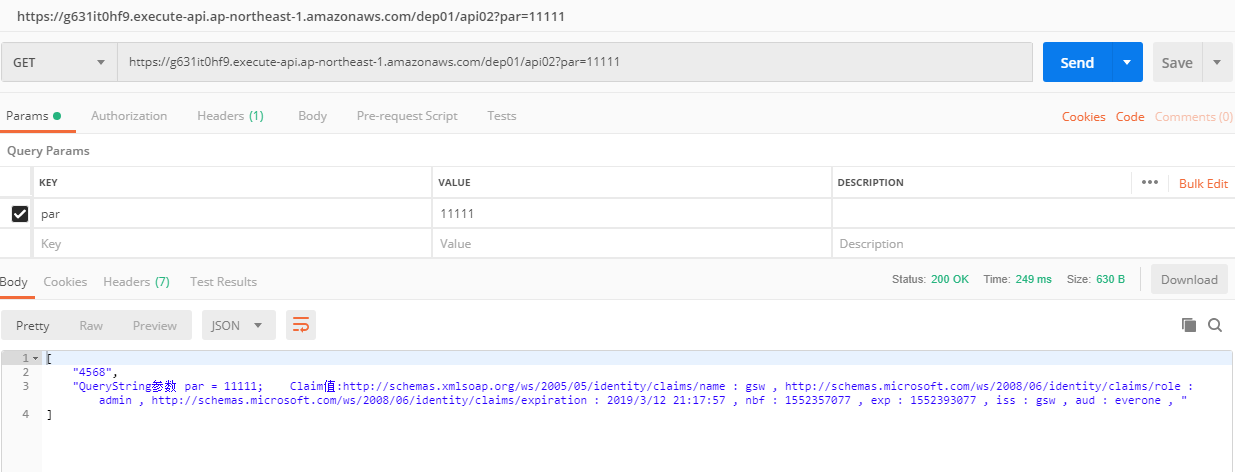
访问正确token的api02,结果正确返回
更多asw api gateway功能请参考官方文档。
基于aws api gateway的asp.net core验证的更多相关文章
- AWS API Gateway Swagger定义
导出Swagger接口定义文件 在AWS API Gateway界面上,可以导出swagger接口定义文件. 而后利用Node js swagger-ui 依赖,生成swagger接口地址 Cloud ...
- Aws api gateway Domain name
Set Up a Custom Domain Name for an API Gateway API The following procedure describes how to set up a ...
- 理解ASP.NET Core验证模型(Claim, ClaimsIdentity, ClaimsPrincipal)不得不读的英文博文
这篇英文博文是 Andrew Lock 写的 Introduction to Authentication with ASP.NET Core . 以下是简单的阅读笔记: -------------- ...
- 【转】理解ASP.NET Core验证模型(Claim, ClaimsIdentity, ClaimsPrincipal)不得不读的英文博文
这篇英文博文是 Andrew Lock 写的 Introduction to Authentication with ASP.NET Core . 以下是简单的阅读笔记: -------------- ...
- Asp.net core验证类ModelStateDictionary的bug
在使用.net core 3.1 时发现明明没有验证请求类属性,甚至已经加了默认值 但是验证类时依然会报错 经过网上百度等搜索,尝试使用可空类型赋值默认值 果然验证类没有报错 不清楚是微软的bug还是 ...
- 理解ASP.NET Core验证模型 Claim, ClaimsIdentity, ClaimsPrincipal
Claim, ClaimsIdentity, ClaimsPrincipal: Claim:姓名:xxx,领证日期:xxx ClaimsIdentity:身份证/驾照 ClaimsPrincipal: ...
- ASP.NET Core 6 Minimal API的模拟实现
Minimal API仅仅是在基于IHost/IHostBuilder的服务承载系统上作了小小的封装而已,它利用WebApplication和WebApplicationBuilder这两个类型提供了 ...
- 支持多个版本的ASP.NET Core Web API
基本配置及说明 版本控制有助于及时推出功能,而不会破坏现有系统. 它还可以帮助为选定的客户提供额外的功能. API版本可以通过不同的方式完成,例如在URL中添加版本或通过自定义标头和通过Accept- ...
- ASP.NET Core的身份认证框架IdentityServer4(7)- 使用客户端证书控制API访问
前言 今天(2017-9-8,写于9.8,今天才发布)一口气连续把最后几篇IdentityServer4相关理论全部翻译完了,终于可以进入写代码的过程了,比较累.目前官方的文档和Demo以及一些相关组 ...
随机推荐
- Linux下Tomcat开启查看GC信息
本文收录在Linux运维企业架构实战系列 一.开启GC日志 1.在Tomcat 的安装路径下,找到bin/catalina.sh 加上下面的配置,具体参数,自己配置: [root@centos7 to ...
- IO通信模型(一)同步阻塞模式BIO(Blocking IO)
几个概念 阻塞IO 和非阻塞IO 这两个概念是程序级别的.主要描述的是程序请求操作系统IO操作后,如果IO资源没有准备好,那么程序该如何处理的问题:前者等待:后者继续执行(但是使用线程一直轮询,直到有 ...
- 【.NET Core项目实战-统一认证平台】第十章 授权篇-客户端授权
[.NET Core项目实战-统一认证平台]开篇及目录索引 上篇文章介绍了如何使用Dapper持久化IdentityServer4(以下简称ids4)的信息,并实现了sqlserver和mysql两种 ...
- NLP入门(七)中文预处理之繁简体转换及获取拼音
在日常的中文NLP中,经常会涉及到中文的繁简体转换以及拼音的标注等问题,本文将介绍这两个方面的实现. 首先是中文的繁简体转换,不需要使用额外的Python模块,至需要以下两个Python代码文 ...
- 第58章 Profile Service - Identity Server 4 中文文档(v1.0.0)
IdentityServer通常在创建令牌或处理对userinfo或内省端点的请求时需要有关用户的身份信息.默认情况下,IdentityServer仅具有身份验证cookie中的声明,以便为此身份数据 ...
- 第53章 结束会话端点(End Session Endpoint) - Identity Server 4 中文文档(v1.0.0)
结束会话端点可用于触发单点注销(请参阅规范). 要使用结束会话端点,客户端应用程序会将用户的浏览器重定向到结束会话URL.用户在会话期间通过浏览器登录的所有应用程序都可以参与注销. 注意 终端会话端点 ...
- JAVA程序员学PHP
工作之余,趁着五一假期学习下PHP,都说PHP是世界上最美的语言,而且现在应用的有这么广泛,在短期时间内在编程的市场上打得火热,好奇心趋势我去学习一下,下面便是我学习PHP记录下来的过程,和大家分享一 ...
- Mysql基本操作指令集锦
一.MySQL服务的启动.停止与卸载 在 Windows 命令提示符下运行: 启动: net start MySQL 停止: net stop MySQL 卸载: sc delete MySQL 二. ...
- C#获得指定目录床架时间、更新时间和最后访问时间等信息的代码
将做工程过程常用的内容片段备份一次,下面的内容内容是关于C#获得指定目录床架时间.更新时间和最后访问时间等信息的内容,希望能对小伙伴们也有用. using System;using System.IO ...
- 前后端分离djangorestframework—— 在线视频平台接入第三方加密防盗录视频
加密视频 在以后的开发项目中,很可能有做在线视频的,而在线视频就有个问题,因为在线播放,就很有可能视频数据被抓包,如果这个在线视频平台有付费视频的话,这样就会有人做点倒卖视频的生意了,针对这个问题,目 ...