
Flutter 1.22版本新增的Button

Flutter 1.22版本新增了3个按钮,TextButton、OutlinedButton、ElevatedButton,虽然以前的Button没有被废弃,但还是建议使用新的Button。
为什么会新增 Button?因为想要将以前的按钮调整为统一的外观比较麻烦,因此以前经常使用自定义的按钮,而新增的按钮解决了此类问题,可以非常方便的设置整体外观。
| 1.22版本前的按钮 | 主题 | 1.22版本后的按钮 | 主题 |
|---|---|---|---|
| FlatButton | ButtonTheme | TextButton | TextButtonTheme |
| OutlineButton | ButtonTheme | OutlinedButton | OutlinedButtonTheme |
| RaisedButton | ButtonTheme | ElevatedButton | ElevatedButtonTheme |
样式对比:
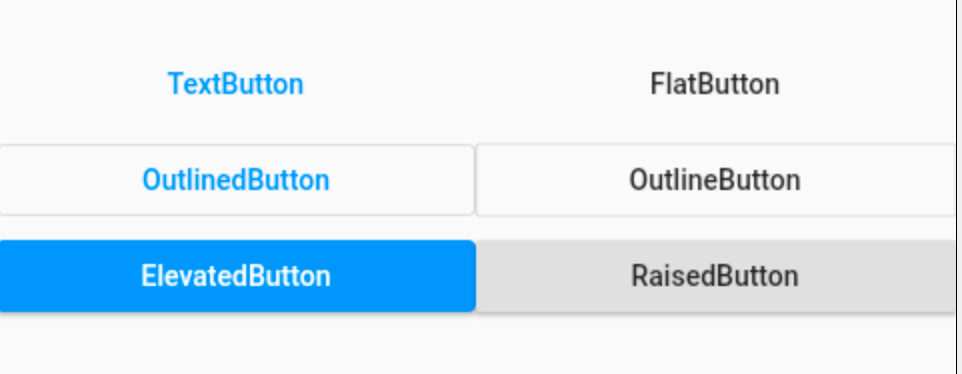
外观上并没有很大的不同,但TextButton、OutlinedButton、ElevatedButton 将外观属性集合为一个 ButtonStyle,非常方便统一控制。
TextButton、OutlinedButton、ElevatedButton 这3个按钮的用法和属性完全相同,下面以 TextButton 为例。
简单使用:
TextButton(

  child: Text('TextButton'),

)
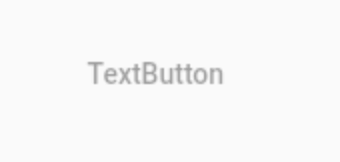
当 onPressed 不设置或者设置为 null 时,按钮为不可用状态。
TextButton(

  child: Text('TextButton'),

  onPressed: (){},

)
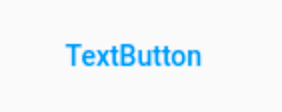
onPressed 为点击回调,onLongPress 为长按回调。
下面是最重要的属性 ButtonStyle,一切外观都是通过这个属性进行控制,属性如下:
const ButtonStyle({

  this.textStyle, //字体

  this.backgroundColor, //背景色

  this.foregroundColor, //前景色

  this.overlayColor, // 高亮色,按钮处于focused, hovered, or pressed时的颜色

  this.shadowColor, // 阴影颜色

  this.elevation, // 阴影值

  this.padding, // padding

  this.minimumSize, //最小尺寸

  this.side, //边框

  this.shape, //形状

  this.mouseCursor, //鼠标指针的光标进入或悬停在此按钮的[InkWell]上时。

  this.visualDensity, // 按钮布局的紧凑程度

  this.tapTargetSize, // 响应触摸的区域

  this.animationDuration, //[shape]和[elevation]的动画更改的持续时间。

  this.enableFeedback, // 检测到的手势是否应提供声音和/或触觉反馈。例如,在Android上,点击会产生咔哒声,启用反馈后,长按会产生短暂的振动。通常,组件默认值为true。

});
这些属性的用法也和以前的不一样,比如 textStyle 并不是直接设置 TextStyle,下面设置字体:
TextButton(

  child: Text('TextButton'),

  onPressed: () {},

  style: ButtonStyle(

    textStyle: MaterialStateProperty.all(TextStyle(fontSize: 20)),

  ),

)
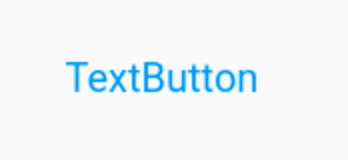
注意:字体颜色的设置不通过textStyle 设置,而是通过 foregroundColor:
TextButton(

  child: Text('TextButton'),

  onPressed: () {},

  style: ButtonStyle(

    foregroundColor: MaterialStateProperty.all(Colors.red),

  ),

)
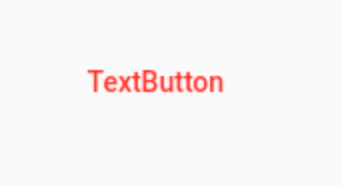
根据按钮的状态改变字体颜色:
TextButton(

                    child: Text('TextButton'),

                    onPressed: () {},

                    style: ButtonStyle(

                      foregroundColor:

                          MaterialStateProperty.resolveWith((states) {

                        return states.contains(MaterialState.pressed)

                            ? Colors.blue

                            : Colors.red;

                      }),

                    ),

                  )
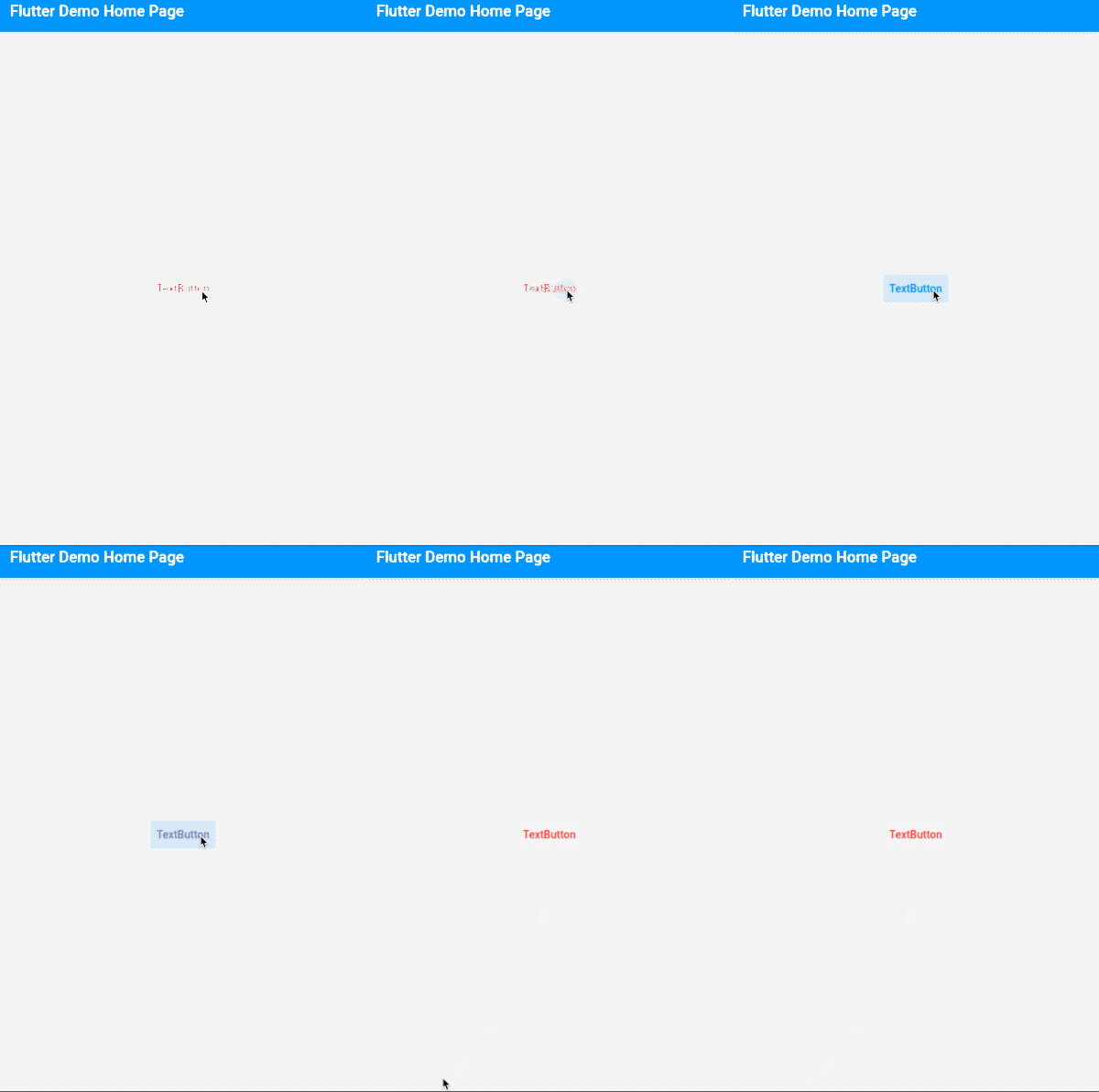
其他属性用法和上面类似,不在一一介绍。
进行全局控制:
MaterialApp(

  title: 'Flutter Demo',

  theme: ThemeData(

    textButtonTheme: TextButtonThemeData(

      style: ButtonStyle()

    ),

    elevatedButtonTheme: ElevatedButtonThemeData(

        style: ButtonStyle()

    ),

    outlinedButtonTheme: OutlinedButtonThemeData(

        style: ButtonStyle()

    )

  ),

  home: MyHomePage(title: 'Flutter Demo Home Page'),

)
ButtonStyle 内的属性配置和单个按钮的用法是一致的。
通过上面的介绍,建议使用 TextButton、OutlinedButton、ElevatedButton 替换 FlatButton、OutlineButton、RaisedButton。
交流
老孟Flutter博客(330个控件用法+实战入门系列文章):http://laomengit.com
欢迎加入Flutter交流群(微信:laomengit)、关注公众号【老孟Flutter】:
 |
 |
Flutter 1.22版本新增的Button的更多相关文章
- Flutter 1.22 正式发布
支持iOS 14和Android 11,新的i18n和l10n支持,可用于生产的Google Maps和WebView插件,新的App Size工具等等! 作者:Chris Sells 原文:http ...
- 你知道吗,Flutter内置了10多种Button控件
注意:无特殊说明,Flutter版本及Dart版本如下: Flutter版本: 1.12.13+hotfix.5 Dart版本: 2.7.0 Flutter内置了10多种Button(按钮)类控件供我 ...
- RDIFramework.NET ━ .NET快速信息化系统开发框架 V2.8 版本━新增企业通(内部简易聊天工具)
RDIFramework.NET ━ .NET快速信息化系统开发框架 V2.8 版本 新增企业通(内部简易聊天工具) RDIFramework.NET,基于.NET的快速信息化系统开发.整合框架,给用 ...
- RDIFramework.NET ━ .NET快速信息化系统开发框架 V2.8 版本━新增岗位管理-WinForm部分
RDIFramework.NET ━ .NET快速信息化系统开发框架 V2.8 版本 新增岗位管理-WinForm部分 岗位(职位)管理模块主要是针对组织机构的岗位(职位)进行管理,包括:增加.修改. ...
- .NET快速信息化系统开发框架 V3.2->Web版本新增“文件管理中心”集上传、下载、文件共享等一身,非常实用的功能
文件中心是3.2版本开始新增的一个非常实用功能,可以归档自己平时所需要的文件,也可以把文件分享给别人,更像一个知识中心.文件中心主界面如下图所示,左侧“我的网盘”展示了用户对文件的分类,只能自己看到, ...
- RDIFramework.NET ━ .NET快速信息化系统开发框架 V3.2->WinForm版本新增新的角色授权管理界面效率更高、更规范
角色授权管理模块主要是对角色的相应权限进行集中设置.在角色权限管理模块中,管理员可以添加或移除指定角色所包含的用户.可以分配或授予指定角色的模块(菜单)的访问权限.可以收回或分配指定角色的操作(功能) ...
- RDIFramework.NET ━ .NET快速信息化系统开发框架 V3.2->Web版本新增新的角色授权管理界面效率更高、更规范
角色授权管理模块主要是对角色的相应权限进行集中设置.在角色权限管理模块中,管理员可以添加或移除指定角色所包含的用户.可以分配或授予指定角色的模块(菜单)的访问权限.可以收回或分配指定角色的操作(功能) ...
- MySQL5.7.22版本的安装和调试
1:安装前的准备工作 需要的软件: boost_1_59_0.tar.gz,cmake-3.6.1.tar.gz,mysql-5.7.22.tar.gz 开始安装MySQL 2.1 检查cmake [ ...
- Mysql5.7.22版本,插入中文乱码的问题
首先,mysql5.7.22版本的免安装版本的,需要自己配置信息,而且容易出现问题,这里还是建议下载安装版本.msi,按照安装教程进行安装:安装成功后会在数据存储的data文件下找到参数配置文件my. ...
随机推荐
- TIMESTAMP with implicit DEFAULT value is deprecated
出错版本 mysql 5.7 why? (警告)不包含隐式默认值的时间戳 way? 在 /etc/my.conf中 mysqld 模块中添加 explicit_defaults_for_timesta ...
- 使用SSM框架实现Sql数据导出成Excel表
SSM框架实现SQL数据导出Excel 思路 首先在前端页面中添加一个导出功能的button,然后与后端controller进行交互. 接着在相应的controller中编写导出功能方法. 方法体: ...
- Matlab中imagesc用法
来源:https://ww2.mathworks.cn/help/matlab/ref/imagesc.html?searchHighlight=imagesc&s_tid=doc_srcht ...
- Winsock 编程详解
转载请注明出处!本文地址:https://www.cnblogs.com/teternity/p/WinSock.html Winsock 编程 目录 通用函数讲解 WSAStartup WSACle ...
- Windows 10 系统 - business editions 和 consumer editions 的区别
我们在使用微软操作系统(Windows 10)的时候,因为系统版本太多导致我们不知道如何选择.对于 Windows 10 系统,应该下载安装 business 还是 consumer 版本这个问题,这 ...
- 《New Horizon College English》 (Third Edition) -长篇阅读(Skmming and Scanning)
<New Horizon College English>(Third Edition) <新视野大学英语>(第三版) 长篇阅读(Skmming and Scanning) 总 ...
- 每日一题 LeetCode 42.接雨水 【双指针】
题目链接 https://leetcode-cn.com/problems/trapping-rain-water/ 题目说明 题解 主要方法:双指针 + 正反遍历 解释说明: 正向遍历:先确定池子左 ...
- Candy (candy)
Description Due to its great contribution to the maintenance of world peace, Dzx was given an unlimi ...
- [论文阅读]阿里DIN深度兴趣网络之总体解读
[论文阅读]阿里DIN深度兴趣网络之总体解读 目录 [论文阅读]阿里DIN深度兴趣网络之总体解读 0x00 摘要 0x01 论文概要 1.1 概括 1.2 文章信息 1.3 核心观点 1.4 名词解释 ...
- go读取excel表格数据
go读取excel表格数据 使用工具 github.com/Luxurioust/excelize 百度到的都是使用这个 实际上已经改名了 github.com/360EntSecGroup-Skyl ...