
android-个性化进度条
1.案例效果图

2.准备素材

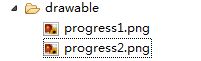
progress1.png(78*78) progress2.png(78*78)

3.原理
採用一张图片作为ProgressBar的背景图片(一般採用颜色比較浅的)。
还有一张是滚动栏的图片(一般採用颜色比較深的图片)。进度在滚动是:滚动图片逐步显示。背景图片逐步隐藏,达到上面的效果。
4.灵感来自Android控件提供的源代码
4.1 默认带进度的滚动栏。例如以下图
    <ProgressBar

    android:id="@+id/progressBar2"

   style="@android:style/Widget.ProgressBar.Horizontal"

    android:layout_width="268dp"

    android:layout_height="wrap_content"

    android:progress="45" />
注意:关键是style属性在起作用
4.2 找到样式定义的位置
鼠标放在style属性值上。按下Ctrl键,出现超链接。点击超链接跳转到样式的定义位置
样式定义的内容例如以下
重点研究:
android:progressDrawable:滚动栏的样式
@android:drawable/progress_horizontal:样式定义的文件
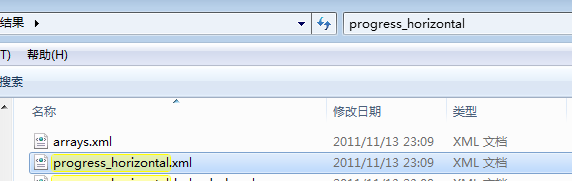
在android-sdk-windows\platforms\android-14\data\res目下搜索progress_horizontal.xml文件。搜索结果例如以下:
打开progress_horizontal.xml文件。内容例如以下
<layer-listxmlns:android="http://schemas.android.com/apk/res/android">

   <itemandroid:id="@android:id/background">

       <shape>

           <cornersandroid:radius="5dip"/>

           <gradient

                   android:startColor="#ff9d9e9d"

                   android:centerColor="#ff5a5d5a"

                   android:centerY="0.75"

                   android:endColor="#ff747674"

                   android:angle="270"

           />

       </shape>

   </item>

   <itemandroid:id="@android:id/secondaryProgress">

       <clip>

           <shape>

               <cornersandroid:radius="5dip"/>

               <gradient

                       android:startColor="#80ffd300"

                       android:centerColor="#80ffb600"

                       android:centerY="0.75"

                       android:endColor="#a0ffcb00"

                       android:angle="270"

               />

           </shape>

       </clip>

   </item>

   <itemandroid:id="@android:id/progress">

       <clip>

           <shape>

               <cornersandroid:radius="5dip"/>

               <gradient

                       android:startColor="#ffffd300"

                       android:centerColor="#ffffb600"

                       android:centerY="0.75"

                       android:endColor="#ffffcb00"

                       android:angle="270"

               />

           </shape>

       </clip>

   </item>

</layer-list>
释义:
<item android:id="@android:id/background">:定义滚动栏的背景样式
<item android:id="@android:id/secondaryProgress">:第二滚动栏的样式
<item android:id="@android:id/progress">:滚动栏的样式
思考:假设我想做垂直滚动栏。怎么办了?
关键在clip元素的属性上做改动
<clip
android:clipOrientation="vertical" 定义滚动的方向 vertical为垂直方向
android:drawable="@drawable/progress1" 定义滚动的图片
android:gravity="bottom" > 定义滚动的開始位置
</clip>



5.定义样式文件progress_vertical.xml
progress_vertical.xml文件代码例如以下
<?xmlversion="1.0"encoding="utf-8"?>

<layer-listxmlns:android="http://schemas.android.com/apk/res/android">

   <itemandroid:id="@android:id/progress">

       <clip

           android:clipOrientation="vertical"

           android:drawable="@drawable/progress1"

           android:gravity="bottom">

       </clip>

   </item>

</layer-list>
6.应用自己定义的样式
   <Button

       android:id="@+id/btStart"

       android:layout_width="fill_parent"

       android:layout_height="wrap_content"

       android:layout_marginTop="150dp"

       android:text="開始"/>

   <ProgressBar

       android:id="@+id/pbPic"

       style="@android:style/Widget.ProgressBar.Horizontal"

       android:layout_width="50dp"

       android:layout_height="68dp"

       android:background="@drawable/progress2"

       android:max="100"

       android:progress="0"

       android:progressDrawable="@drawable/progress_vertical"/><!-- 在此属性上应用 -->

   <TextView

       android:id="@+id/txtProgress"

       android:layout_width="wrap_content"

       android:layout_height="wrap_content"/><span style="font-family: Arial, Helvetica, sans-serif; background-color: rgb(255, 255, 255);"> </span>
7.点击button模拟滚动的效果
publicclass ProgressActivity extends Activity {

     ProgressBar pb =null;

     TextView txtProgress;

     Handler handler =new Handler();

     @Override

     publicvoid onCreate(BundlesavedInstanceState) {

          super.onCreate(savedInstanceState);

          setContentView(R.layout.main);

          System.out.println("主题=" + getTheme() + "");

          pb = (ProgressBar) findViewById(R.id.pbPic);
<pre code_snippet_id="609749" snippet_file_name="blog_20150301_5_812240" name="code" class="java"><span style="white-space:pre"> </span> //buttonButton btnStart = (Button) findViewById(R.id.btStart);
<pre code_snippet_id="609749" snippet_file_name="blog_20150301_5_812240" name="code" class="java"> <span style="white-space:pre"> </span> //显示运行进度txtProgress = (TextView) findViewById(R.id.txtProgress);
<pre code_snippet_id="609749" snippet_file_name="blog_20150301_5_812240" name="code" class="java"><span style="white-space:pre"> </span> //button点击事件btnStart.setOnClickListener(new OnClickListener() { publicvoid onClick(Viewv) {
<pre code_snippet_id="609749" snippet_file_name="blog_20150301_5_812240" name="code" class="java"><span style="white-space:pre"> </span> //创建并启动线程,使用线程运行模拟的任务new Thread(new Runnable() { publicvoid run() { for (inti = 0; i < 100;i++) {//循环100遍 try { handler.post(new Runnable() { //更新界面的数据 publicvoid run() { pb.incrementProgressBy(1);//添加进度
<pre code_snippet_id="609749" snippet_file_name="blog_20150301_5_812240" name="code" class="java"><span style="white-space:pre"> </span> //显示完毕的进度txtProgress.setText(pb.getProgress() + "%"); } }); Thread.sleep(100); } catch (InterruptedExceptione) { } } } }).start(); } }); }}
android-个性化进度条的更多相关文章
- Android 设置进度条背景
Android 设置进度条背景 直接上代码 <ProgressBar android:id="@+id/progressBar" android:layout_width=& ...
- android 自定义进度条颜色
android 自定义进度条颜色 先看图 基于产品经理各种自定义需求,经过查阅了解,下面是自己对Android自定义进度条的学习过程! 这个没法了只能看源码了,还好下载了源码, sources\b ...
- Android之进度条2
我之前有写过一篇“Android之进度条1”,那个是条形的进度条(显示数字进度),这次实现圆形进度条. 点击查看Android之进度条1:http://www.cnblogs.com/caidupin ...
- android的进度条使用
android的进度条 1.实现的效果 2.布局代码 先写一个my_browser.xml文件 存放WebView <?xml version="1.0" encoding= ...
- android多线程进度条
多线程实现更新android进度条. 实例教程,详细信息我已经注释 android多线程进度条 01package com.shougao.hello; 02 03import android ...
- 最简单的android自定义进度条样式
一.自定义圆形进度条样式 1.在安卓项目drawable目录下新建一个xml文件如下:<?xml version="1.0" encoding="utf-8&quo ...
- Android多种进度条使用详解
在这里,总结一下loading进度条的使用简单总结一下. 一.说起进度条,必须说说条形进度条,经常都会使用到嘛,特别是下载文件进度等等,还有像腾讯QQ安装进度条一样,有个进度总给人良好的用户体验. 先 ...
- android ProgressBar 进度条的进度两端是圆角的方法
转自 http://www.jianshu.com/p/6e7ea842d5ce 另外工作原理可以参考http://blog.csdn.net/lan603168/article/details/44 ...
- Android -- ProgressBar(进度条的使用)
我们在开发程序是经常会需要软件全屏显示.自定义标题(使用按钮等控件)和其他的需求,今天这一讲就是如何控制Android应用程序的窗体显示. requestWindowFeature可以设置的值有:(具 ...
- android之进度条组件ProgressBar
首先是main.xml文件 代码如下: <LinearLayout xmlns:android="http://schemas.android.com/apk/res/android& ...
随机推荐
- CSS3的过渡效果(transition)与动画(animation)
1.Transition Transition是一种直观上的效果,让DOM元素的某个属性在固定时间内从一旧值到一新值.目前Firefox.Opera.Safari和Chrome都支持transitio ...
- windows8.1 App中webView 使用定位
windows8.1的webview的网页中没有办法直接定位 要想定位比较费劲 查了好久才发现一个可行的办法 那就是通过后台代码获取位置信息 然后调用页面中已有的获取位置信息的JS方法 把位置信 ...
- Linux下定时备份数据库
linux下使用crontab定时备份MYSQL数据库的方法只需按照下面3步做,一切都在你的掌控之下: 第一步:在服务器上配置备份目录代码: mkdir /var/lib/mysqlbackup cd ...
- mysql中显示方式的切换
1. mysql中如果使用\G,则':'不用写.如果\G后面跟':'则会报"error:no query specified"错误.请知晓. 2. mysql在登陆时,mysql ...
- 使用Raphael 画图(二) 扩展的图形 (javascript)
看这文章前,建议先看第一编文章<使用Raphael 画图(一) 基本图形 (javascript)>. 在Raphael基础上扩展的图形: 要运行该例子要引入附件的2个js包.(g.rap ...
- 解决m2eclipse之Unable to update index for central |
maven 不能更新,真烦人,转载他人的 maven是个好东西,eclipse上的maven插件m2eclipse也非常方便,但是最近这个东西经常无法连接到maven index的更新网站,然后ecl ...
- 深入浅出C语言中的堆和栈
在谈堆栈的时候,我在这有必要把计算机的内存结构给大家简单的介绍下(高手们可以直接飘过) 一. 内存结构 每个程序一启动都有一个大小为4GB的内存,这个内存叫虚拟内存,是概念上的,真正能用到的,只是 ...
- Qt tip 网络请求 QNetworkRequest QJason 处理 JSON
http://blog.csdn.net/linbounconstraint/article/details/52399415 http://download.csdn.net/detail/linb ...
- Java super与this用法解析
1. 子类的构造函数如果要引用super的话,必须把super放在函数的首位. class Base { Base() { System.out.println("Base" ...
- Git skills in reseting files
How to uncommit files that were committed long time a ago?Note: Since all changes in the current wor ...