
星星闪烁+多边形移动 canvas
<!DOCTYPE html>

<html>

    <head>

        <meta charset="UTF-8">

        <title></title>

        <style type="text/css">

            #canvas {

                position: fixed;

                z-index: -1;

                top: 0;

                height: 100%;

                width: 100%;

                background: radial-gradient(#374566, #010203);

            }

        </style>

    </head>

    <body>

        <canvas id="canvas"></canvas>

        <script type="text/javascript">

            // CANVAS

            var canvas = document.getElementById("canvas");

            var ctx = canvas.getContext("2d");

            var cw = canvas.width = window.innerWidth,

                cx = cw / 2;

            var ch = canvas.height = window.innerHeight,

                cy = ch / 2;

            var requestId = null;

            var colors = ["#93DFB8", "#FFC8BA", "#E3AAD6", "#B5D8EB", "#FFBDD8"];

            function Particle() {

                this.x = Math.random() * cw;

                this.y = Math.random() * ch;

                this.r = 15 + ~~(Math.random() * 20); //radius of the circumcircle

                this.minR = 2 + ~~(Math.random() * 2) ;

                this.maxR = 6 + ~~(Math.random() * 2) ;

                this.l = 3 + ~~(Math.random() * 2); //polygon sides

                this.a = 2 * Math.PI / this.l;      // angle between polygon vertices

                this.rot = Math.random() * Math.PI; // polygon rotation

                this.speed = .05 + Math.random() / 2;

                this.rotSpeed = 0.005 + Math.random() * .005;

                this.color = colors[~~(Math.random() * colors.length)];

            }

            Particle.prototype.update = function() {

                if(this.y < -this.r) {

                    this.y = ch + this.r;

                    this.x = Math.random() * cw;

                }

                this.y -= this.speed;

            }

            Particle.prototype.draw = function() {

                ctx.save();      //多边形

                ctx.translate(this.x, this.y);

                ctx.rotate(this.rot);

                ctx.beginPath();

                for(var i = 0; i < this.l; i++) {

                    var x = this.r * Math.cos(this.a * i);

                    var y = this.r * Math.sin(this.a * i);

                    ctx.lineTo(x, y);

                }

                ctx.closePath();

                ctx.lineWidth = 4;

                ctx.strokeStyle = this.color;

                ctx.stroke();

                ctx.restore();

                ctx.save();       //星星

                ctx.beginPath();

                ctx.translate(this.x / 1.1, this.y / 2);

                ctx.rotate(this.rot);

                ctx.globalAlpha = light;

                for(var i = 0; i < 5; i ++){

                    var x = 5;

                    var y = 5;

                    ctx.lineTo( Math.cos( (18 + i*72 )/180 * Math.PI) * this.maxR + x,

                                -Math.sin( (18 + i*72 )/180 * Math.PI) * this.maxR + y)

                    ctx.lineTo( Math.cos( (54 + i*72 )/180 * Math.PI) * this.minR + x,

                                -Math.sin( (54 + i*72 )/180 * Math.PI) * this.minR + y)

                }

                ctx.closePath();

                ctx.lineWidth = 1;

                ctx.fillStyle = "#fbd94e";

                ctx.strokeStyle = "#fbd94e";

                ctx.lineJoin = "round";

                ctx.fill();

                ctx.stroke();

                ctx.restore();

            }

            var particles = [];

            for(var i = 0; i < 20; i++) {

                var p = new Particle();

                particles.push(p)

            }

            function Draw() {

                requestId = window.requestAnimationFrame(Draw);

                //ctx.globalAlpha=0.65;

                ctx.clearRect(0, 0, cw, ch);

                particles.map((p) => {

                    p.rot += p.rotSpeed;

                    p.update();

                    p.draw();

                })

            }

            function Init() {

                if(requestId) {

                    window.cancelAnimationFrame(requestId);

                    requestId = null;

                }

                cw = canvas.width = window.innerWidth, cx = cw / 2;

                ch = canvas.height = window.innerHeight, cy = ch / 2;

                //particles.map((p) => p.update());

                Draw();

            };

            setTimeout(function() {

                Init();

                window.addEventListener('resize', Init, false);

            }, 15);

            var light = 1;    //透明度

            setInterval(function(){

                if(light == 1){

                    light = .5;

                }else{

                    light = 1;

                }

            },350)

        </script>

    </body>

</html>
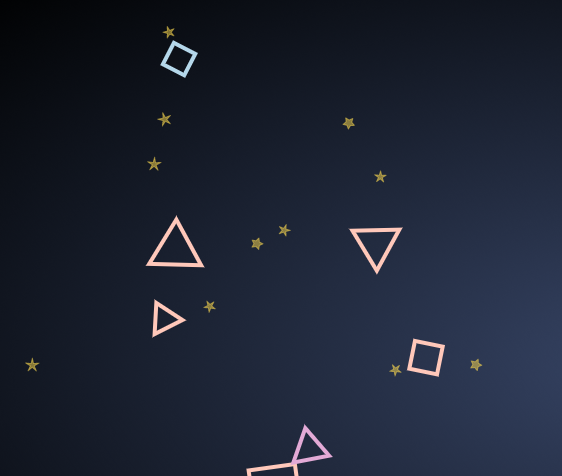
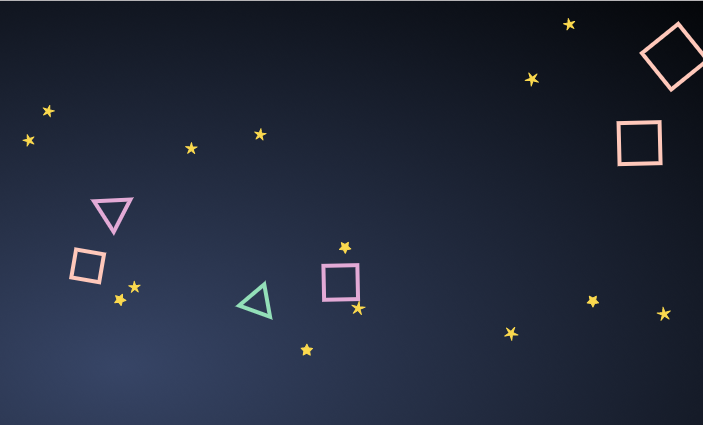
星星闪烁+多边形移动 canvas的更多相关文章
- 怎么实现类似星星闪烁的效果(box-shadow)
有时候设计希望我们能够在页面实现类似星星闪烁的效果,如图: 我的解决办法是用box-shadow: html <div class="star04 active-blink" ...
- 原生js实现星星闪烁的效果
星星闪烁的原理其实很简单: html代码: <body style="background:#000"> <div id="stars_box" ...
- JS框架_(JQuery.js)夜晚天空满天星星闪烁动画
百度云盘 传送门 密码:xftr 满天星星闪烁动画效果: (可用星空动画来作为页面背景,白色文字改为文章或者其他的O(∩_∩)O) <!doctype html> <html> ...
- canvas 星星闪烁的效果
代码实例: <!DOCTYPE html> <html lang="en"> <head> <meta charset="UTF ...
- Silverlight之我见——制作星星闪烁动画
圣诞节来了,无聊,做点东西纪念一下. 原理很简单,生成1000个圆,从随机数来布置它们的位置,通过动画来处理它们的透明度,动画时长也是随机生成. 1.创建图形数组并设置背景透明,渐变笔触,大小等,而后 ...
- html5实例-闪烁的星星
一.绘制五角星 1.1页面结构 <!DOCTYPE html> <html> <head> <meta charset="UTF-8"&g ...
- 如何用PowerPoint制作闪烁的星星
在PPT中,PPT动画说是幻灯片PPT中的精华是当之无愧的!ppt文件有了动画,犹如插上翅膀的鸟,让PPT的色彩衍生出了更多的特色.只要你的ppt动画效果制作的对,你的幻灯片将明显与众不同,观众也更容 ...
- 我用canvas带你看一场流星雨
前言 最近总是梦见一些小时候的故事,印象最深刻的就是夏天坐在屋顶上,看着满天的繁星,一颗,两颗,三颗...不由自主地开始了数星星的过程.不经意间,一颗流星划过夜间,虽然只是转瞬即逝,但它似乎比夜空中的 ...
- 星星dom
<!DOCTYPE html><html><head><meta charset="UTF-8"><title>星星&l ...
随机推荐
- 2019充值新骗局手游折扣App靠谱程度一览表
随着互联网的快速发展,游戏产业也迎来了盛开的春天.特别是进入网络游戏时代后,来自世界各地的朋友,甚至来自地球村的朋友一起玩游戏.在这个阶段,游戏制作者还专注于设计副本,活动,皮肤和充值.无论你是否关心 ...
- String,StringBuilder,tringBuffer
这三个类之间的区别主要是在两个方面,即运行速度和线程安全这两方面. 运行速度,或者说是执行速度,在这方面运行速度快慢为:StringBuilder > StringBuffer > Str ...
- list set map区别及适用场景
list与Set.Map区别及适用场景 1.List,Set都是继承自Collection接口,Map则不是 2.List特点:元素有放入顺序,元素可重复 ,Set特点:元素无放入顺序,元素不可重 ...
- Django中的FBV与CBV
一. FBV FBV(function based views) 基于函数的视图, 即一个url对应一个视图函数. 1.1 FBV代码示例 urls.py from django.contrib im ...
- Java发送邮件 —— SpringBoot集成Java Mail
用途:此文仅供,自己今后的小程序通过邮件,批量通知用户. 简单记录了一些发送基本邮件的操作. 项目(SpringBoot版本为2.1.2.RELEASE): 核心依赖(其他相关依赖,在其使用的地方具体 ...
- react+es6+webpack环境搭建以及项目入门
前言:拖了这么久,小菜鸟终于开始正式应用react,和es6来开发项目了.之前超喜欢同学的一个博客风格,这里贴一下地址:https://iwenku.net/,PC端是他很久之前做的,最近他重新做了一 ...
- 大数据Hadoop——初识Hadoop
Hadoop简介 官方网站: http://hadoop.apache.org/ 中文网站: http://hadoop.apache.org/docs/r1.0.4/cn/ Hadoop设计来源 ...
- Git Learning2 GitHub upload
1.在自己的github上创建一个仓库 2.git remote add [name] [link] 使用git来增加一个link的别名 3.git push [linkname] [分支名] 4.g ...
- setTimeout异步
同步任务和异步任务 同步和异步操作的区别就是是否阻碍后续代码的执行. 同步任务是那些没有被引擎挂起.在主线程上排队执行的任务.只有前一个任务执行完毕,才能执行后一个任务. 异步任务是那些被引擎放在一边 ...
- hsy单词
题意:略 在ac自动机上,一个节点出现的次数等于能通过fail到它的节点的次数之和.而叶节点就等于它被爬过的次数. #include <iostream> #include <cst ...