
JS框架_(JQuery.js)夜晚天空满天星星闪烁动画
百度云盘 传送门 密码:xftr
满天星星闪烁动画效果:
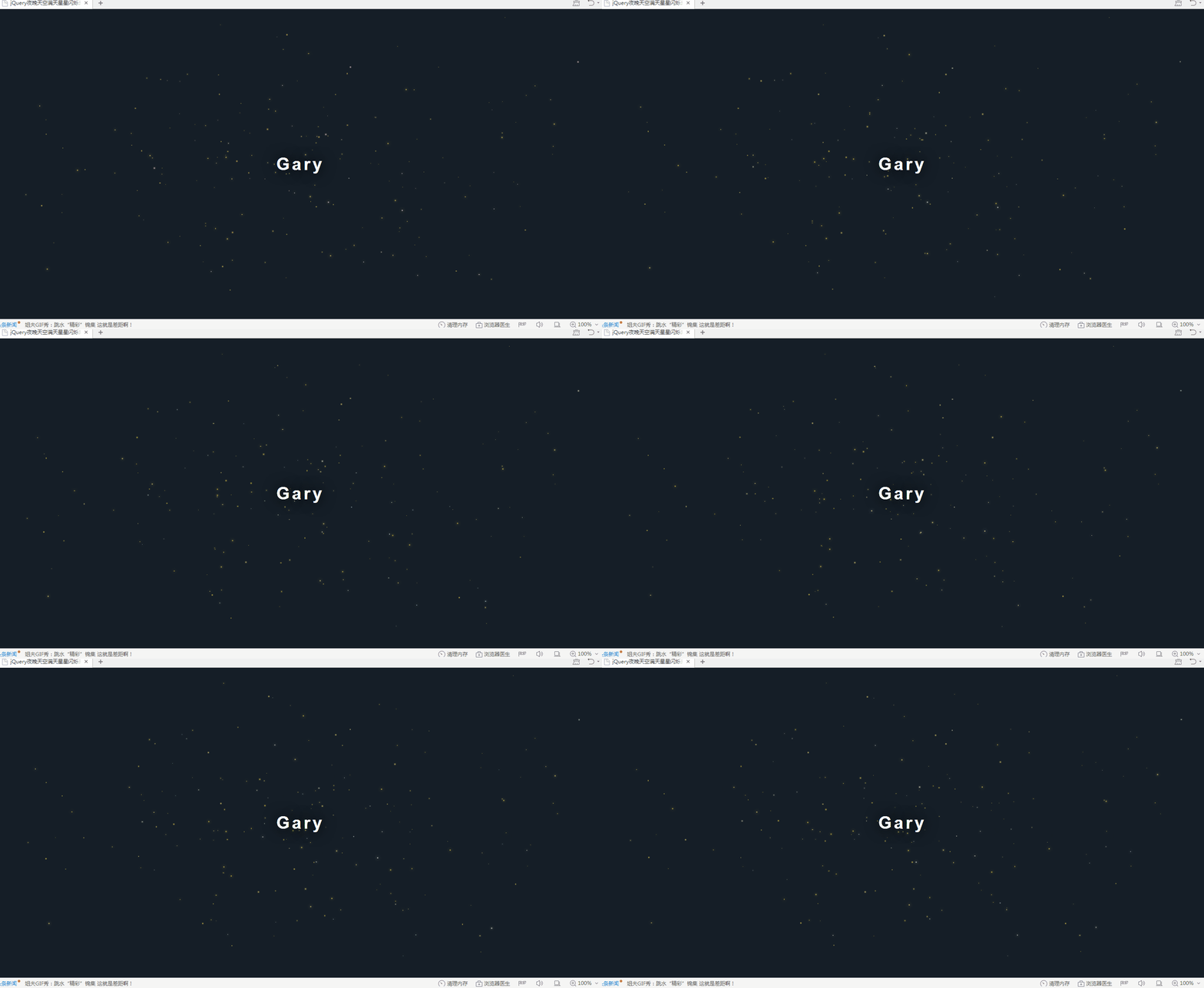
(可用星空动画来作为页面背景,白色文字改为文章或者其他的O(∩_∩)O)
<!doctype html>

<html>

<head>

<meta charset="utf-8">

<title>jQuery夜晚天空满天星星闪烁动画</title>

<script src="js/jquery.min.js"></script>

<style>

* {

  box-sizing: border-box;

  padding: 0;

  margin: 0;

}

body {

  background: #22313f;

}

#starsBox {

  position: fixed;

  top: 0;

  left: 0;

  right: 0;

  bottom: 0;

  background: rgba(0, 0, 0, 0.75);

  opacity: .5;

}

#starsBox span {

  display: inline-block;

  width: auto;

  position: absolute;

  border-radius: 100%;

  transition: 100s linear;

}

p {

  position: fixed;

  top: 50%;

  left: 0;

  right: 0;

  text-align: center;

  transform: translateY(-50%);

  font-size: 40px;

  font-weight: 900;

  color: white;

  text-shadow: 0 0 50px black;

  text-transform: capitalize;

  font-family: 'Roboto','Helvetica','Arial',sans-serif;

  letter-spacing: 5px;

}

p > span {

  display: block;

  font-size: 12px;

  color: #bdc3c7;

  margin-top: 30px;

  font-weight: 100;

  text-shadow: 0 0 50px black;

  letter-spacing: 3px;

}

p > span > a {

  font-weight: 700;

  text-decoration: none;

  color: #d64541;

  padding-bottom: 2px;

  border-bottom: 0px solid #d64541;

  transition: 0.5s;

}

p > span > a:hover {

  padding-bottom: 5px;

  border-bottom: 2px solid #d64541;

}

</style>

</head>

<body>

<div id="starsBox"></div>

<p>Gary</p>

<script type="text/javascript">

var cols = ['#f5d76e','#f7ca18','#f4d03f','#ececec','#ecf0f1','#a2ded0'];

var stars = 250;

for (var i = 0; i <= stars; i++) {

    var size = Math.random()*3;

  var color = cols[parseInt(Math.random()*4)];

    $('#starsBox').prepend('<span style=" width: ' + size + 'px; height: ' + size + 'px; top: ' + Math.random()*100 + '%; left: ' + Math.random()*100 + '%; background: ' + color + '; box-shadow: 0 0 '+ Math.random()*10 +'px' + color + ';"></span>') ;

};

setTimeout(function(){

    $('#starsBox span').each(function(){

         $(this).css('top', Math.random()*100 + '%').css('left', Math.random()*100 + '%');

  });

}, 1);

setInterval(function(){

    $('#starsBox span').each(function(){

         $(this).css('top', Math.random()*100 + '%').css('left', Math.random()*100 + '%');

  });

}, 100000);

</script>

</body>

</html>
index.html
text-transform属性,可以轻易地实现英文字母大小写转换
capitalize; 单词首个字母大写
uppercase; 全部大写
lowercase; 全部小写
实现过程
Math.random()是令系统随机选取大于等于0.0且小于1.0的伪随机double值
<script type="text/javascript">

var cols = ['#f5d76e','#f7ca18','#f4d03f','#ececec','#ecf0f1','#a2ded0'];

var stars = 250;

for (var i = 0; i <= stars; i++) {

    var size = Math.random()*3;

  var color = cols[parseInt(Math.random()*4)];

    $('#starsBox').prepend('<span style=" width: ' + size + 'px; height: ' + size + 'px; top: ' + Math.random()*100 + '%; left: ' + Math.random()*100 + '%; background: ' + color + '; box-shadow: 0 0 '+ Math.random()*10 +'px' + color + ';"></span>') ;

};

setTimeout(function(){

    $('#starsBox span').each(function(){

         $(this).css('top', Math.random()*100 + '%').css('left', Math.random()*100 + '%');

  });

}, 1);

setInterval(function(){

    $('#starsBox span').each(function(){

         $(this).css('top', Math.random()*100 + '%').css('left', Math.random()*100 + '%');

  });

}, 100000);

</script>
关键代码
定义size为随机数,用于生成随机颜色和闪烁点随机距离
  var size = Math.random()*3;

  var color = cols[parseInt(Math.random()*4)];
设置星星闪烁、大小和颜色
    $('#starsBox').prepend('<span style=" width: ' + size + 'px; height: ' + size + 'px; top: ' + Math.random()*100 + '%; left: ' + Math.random()*100 + '%; background: ' + color + '; box-shadow: 0 0 '+ Math.random()*10 +'px' + color + ';"></span>') ;

};
到达随机时间后星星闪烁和移动发生变化
setTimeout(function(){

    $('#starsBox span').each(function(){

         $(this).css('top', Math.random()*100 + '%').css('left', Math.random()*100 + '%');

  });

}, 1);
设置每个星星之间的随机间隔
setInterval(function(){

    $('#starsBox span').each(function(){

         $(this).css('top', Math.random()*100 + '%').css('left', Math.random()*100 + '%');

  });

}, 100000);
JS框架_(JQuery.js)夜晚天空满天星星闪烁动画的更多相关文章
- JS框架_(JQuery.js)绚丽的3D星空动画
百度云盘: 传送门 密码:8ft8 绚丽的3D星空动画效果(纯CSS) (3D星空动画可以用作网页背景,Gary为文本文字) <!doctype html> <html lang=& ...
- JS框架_(JQuery.js)圆形多选菜单选项
百度云盘 传送门 密码:zb1c 圆形多选菜单选项效果: <!DOCTYPE html> <html lang="en" > <head> &l ...
- JS框架_(JQuery.js)Tooltip弹出式按钮插件
百度云盘 传送门 密码:7eh5 弹出式按钮效果 <!DOCTYPE html> <html > <head> <meta charset="UTF ...
- JS框架_(JQuery.js)文章全屏动画切换
百度云盘 传送门 密码:anap 文章全屏动画切换效果 <!doctype html> <html lang="zh"> <head> < ...
- JS框架_(JQuery.js)动画效果鼠标跟随
百度云盘 传送门 密码 :4n9u 火狐浏览器上纯CSS_动画效果鼠标跟随效果: (作者:lily_lcj 传送门) <!DOCTYPE html PUBLIC "-//W3C//DT ...
- JS框架_(JQuery.js)点赞按钮动画
百度云盘 传送门 密码: 0ihy 点赞按钮动画效果: (点击一次随机生成一颗小爱心,作为点赞动画~) <!doctype html> <html lang="en&quo ...
- JS框架_(JQuery.js)图片相册掀开切换效果
百度云盘 传送门 密码:y0dk 图片掀开切换效果: <!DOCTYPE html PUBLIC "-//W3C//DTD XHTML 1.0 Transitional//EN&quo ...
- JS框架_(JQuery.js)上传进度条
百度云盘 传送门 密码: 1pou 纯CSS上传进度条效果: <!DOCTYPE html PUBLIC "-//W3C//DTD XHTML 1.0 Transitional//EN ...
- JS框架_(JQuery.js)模拟刮奖
百度云盘:传送门 密码:6p5q 纯CSS模拟刮奖效果 <!DOCTYPE html> <html lang="en"> <head> < ...
随机推荐
- Docker学习1
命名空间(Namesaoces):Linux内核提供的一种对进程资源隔离的机制,例如网络.进程.挂载点等资源. 控制组(CGroups):Linux内核提供的一种限制进程资源的机制:例如CPU.内存等 ...
- TCP三次握手与四次挥手详解(最全面)
目录 TCP的三次握手与四次挥手 TCP报文段的首部格式 TCP的工作原理 TCP 的流量控制 TCP的拥塞控制 拥塞控制与流量控制的关系 拥塞控制所起的作用 慢开始和拥塞避免 慢开始算法的原理 三次 ...
- deepin 15.10.1 GTX1060 NVIDIA 驱动安装,双屏显示问题记录
有一段时间没有用Linux了.由于买了个4k的戴尔显示屏,在deepin系统上无法用,从昨晚到现在,总于解决了我的问题! 问题1:无法直接在深度的显卡驱动管理器哪里直接切换,网上看到很多人都有这个问题 ...
- Oracle sqlplus prelim 参数介绍
SQL>conn / as sysdba ORA-00020: maximum number of processes (xxxx) exceeded 报错解决方法 解决 ORA-00020 错 ...
- sql server len函数
len函数 --返回字符表达式中的字符数 --如果字符串中包含前导空格和尾随空格,则函数将它们包含在内 --LEN对相同的单字节和双字节字符串返回相同的值 --示例:select LEN('no'), ...
- sql--index 索引
CREATE INDEX 语句用于在表中创建索引. 在不读取整个表的情况下,索引使数据库应用程序可以更快地查找数据. 索引 您可以在表中创建索引,以便更加快速高效地查询数据. 用户无法看到索引,它们只 ...
- js 条件方法、数组方法
经常写代码写的很多很累赘,看看下面例子,争取以后代码简洁简化.个人也觉得简洁分明的代码很重要. 本文来自另一篇博客:https://www.cnblogs.com/ljx20180807/p/1084 ...
- 多线程编程-- part 5.2 JUC锁之Condition条件
1.Condition介绍 Condition的作用是对锁进行更精确的控制.Condition中的await()方法相当于Object的wait()方法,Condition中的signal()方法相当 ...
- 网络初级篇之OSPF(二)实验
一.实验目的: 下面关于OSPF的实验,仔细看配置过程,以增加对OSPF的理解. 二.实现目标: 使用OSPF实现所有主机之间的通信 三.配置过程: 1.AR1的配置过程: ...
- 00常见的Linux系统版本
linux系统内核与linux发行套件系统并不相同: linux系统内核指的是一个由Linus Torvalds负责维护,提供硬件抽象层.硬盘及文件系统控制及多任务功能的系统核心程序. linux发行 ...