
SpringMVC09 Converter变流器、数据回显、异常测试
1.配置web.xml文件
<!DOCTYPE web-app PUBLIC

        "-//Sun Microsystems, Inc.//DTD Web Application 2.3//EN"

        "http://java.sun.com/dtd/web-app_2_3.dtd" >

<web-app>

    <display-name>Archetype Created Web Application</display-name>

    <filter>

        <filter-name>CharacterEncodingFilter</filter-name>

        <filter-class>org.springframework.web.filter.CharacterEncodingFilter</filter-class>

        <init-param>

            <param-name>encoding</param-name>

            <param-value>utf-8</param-value>

        </init-param>

        <init-param>

            <param-name>forceEncoding</param-name>

            <param-value>true</param-value>

        </init-param>

    </filter>

    <filter-mapping>

        <filter-name>CharacterEncodingFilter</filter-name>

        <url-pattern>/*</url-pattern>

    </filter-mapping>

    <servlet>

        <servlet-name>springmvc</servlet-name>

        <servlet-class>org.springframework.web.servlet.DispatcherServlet</servlet-class>

        <init-param>

            <param-name>contextConfigLocation</param-name>

            <param-value>classpath:spring-mvc.xml</param-value>

        </init-param>

        <load-on-startup>1</load-on-startup>

    </servlet>

    <servlet-mapping>

        <servlet-name>springmvc</servlet-name>

        <url-pattern>/</url-pattern>

    </servlet-mapping>

</web-app>
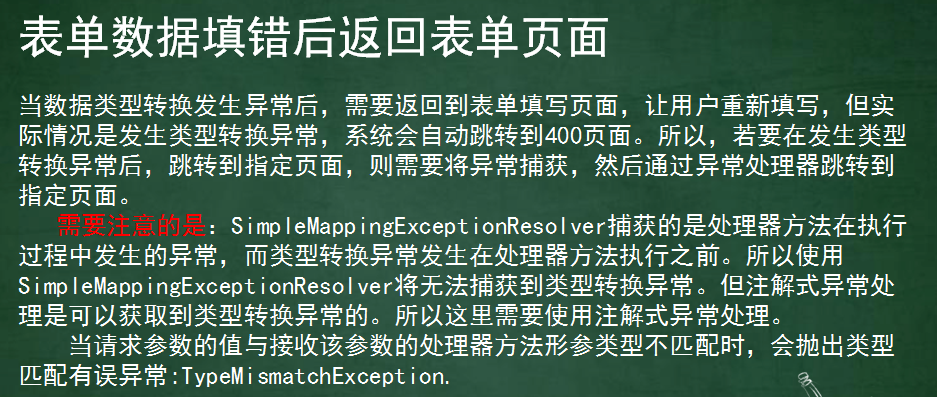
2.自定义日期变流器
import org.springframework.beans.TypeMismatchException;

import org.springframework.core.convert.converter.Converter;

import java.text.DateFormat;

import java.text.ParseException;

import java.text.SimpleDateFormat;

import java.util.Date;

import java.util.regex.Pattern;
//converter<String,Date> Converter<S,T> S:Source  T:Target;

public class MyDateConverter implements Converter<String, Date> {

    public DateFormat getDateFormat(String str) {

        DateFormat sdf = null;

        //str 2017/08/20 str 2017-08-20 str 2017年08月20日

        //模式匹配 正则 元字符 (用来匹配用的 或者 限定用的)

        if (Pattern.matches("^\\d{4}-\\d{2}-\\d{2}$", str)) {

            sdf = new SimpleDateFormat("yyyy-MM-dd");

        } else if (Pattern.matches("^\\d{4}/\\d{2}/\\d{2}$", str)) {

            sdf = new SimpleDateFormat("yyyy/MM/dd");

        } else if (Pattern.matches("^\\d{4}年\\d{2}月\\d{2}日$", str)) {

            //这里是中文字符,所以要在web.xml里配置filter来一定编码格式UTF-8

            sdf = new SimpleDateFormat("yyyy年MM月dd日");

        } else {

            throw new TypeMismatchException("", Date.class);    //异常抛出

        }

        return sdf;

    }

    public Date convert(String str) {

        //特定格式的字符串,转成日期

        DateFormat sdf = getDateFormat(str);

        try {

            Date date = sdf.parse(str);

            return date;

        } catch (ParseException e) {

            e.printStackTrace();

        }

        return null;

    }

}
3.日期格式处理器
import org.springframework.beans.TypeMismatchException;

import org.springframework.stereotype.Controller;

import org.springframework.web.bind.annotation.ExceptionHandler;

import org.springframework.web.bind.annotation.RequestMapping;

import org.springframework.web.servlet.ModelAndView;

import java.util.Date;

@Controller

public class FirstController {

    @ExceptionHandler(TypeMismatchException.class)

    public ModelAndView resovleException(Exception ex) {

        System.out.println("111111111111111111");

        ModelAndView mv = new ModelAndView();

        if (ex instanceof TypeMismatchException) {

            mv.setViewName("/typeconverter.jsp");

        }

        //携带异常日志到页面

        mv.addObject("datamsg", ex.getMessage());

        return mv;

    }

    @RequestMapping("/first")

    //类型转化工作一定是在真正的handler方法执行前执行的

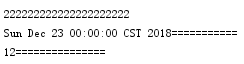
    public String doFirst(Date birthday, int age) throws Exception {

        System.out.println("222222222222222222222");

        System.out.println(birthday + "===========");

        System.out.println(age + "===============");

        return "/index.jsp";

    }

}
4.映射器
<?xml version="1.0" encoding="UTF-8"?>

<beans xmlns="http://www.springframework.org/schema/beans"

       xmlns:xsi="http://www.w3.org/2001/XMLSchema-instance"

       xmlns:context="http://www.springframework.org/schema/context"

       xmlns:mvc="http://www.springframework.org/schema/mvc"

       xsi:schemaLocation="http://www.springframework.org/schema/beans

       http://www.springframework.org/schema/beans/spring-beans.xsd

       http://www.springframework.org/schema/context

       http://www.springframework.org/schema/context/spring-context.xsd

       http://www.springframework.org/schema/mvc

       http://www.springframework.org/schema/mvc/spring-mvc.xsd">

    <context:component-scan base-package="cn.happy"/>

    <!--注册转换器-->

    <bean id="dateConverter" class="cn.happy.converter.MyDateConverter"/>

    <!--注册服务工厂-->

    <bean id="serviceFactory" class="org.springframework.context.support.ConversionServiceFactoryBean">

        <property name="converters" ref="dateConverter"/>

    </bean>

    <!--注册驱动去关联     注册服务工厂-->

    <mvc:annotation-driven conversion-service="serviceFactory"/>

</beans>
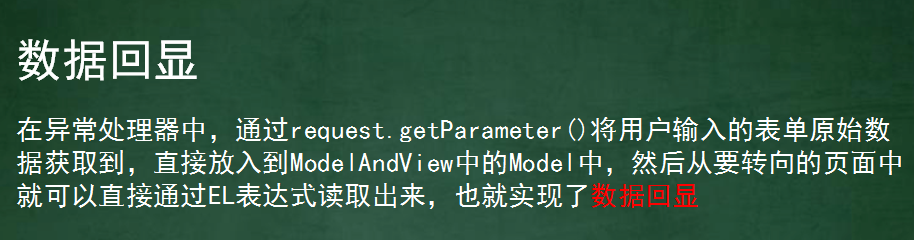
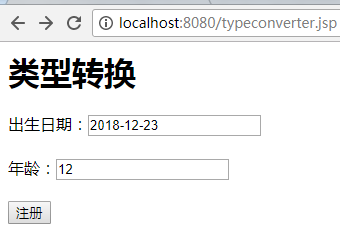
5.1:注册页面
<%@ page contentType="text/html;charset=UTF-8" language="java" isELIgnored="false" %>

<html>

<head>

    <title>Title</title>

</head>

<body>

<h1>类型转换</h1>

<form action="${pageContext.request.contextPath}/first" method="post">

    出生日期:<input name="birthday" value="${mydate}"/><span>${datamsg}</span><br/><br/>

    年龄:<input name="age" value="${age}"/><br/><br/>

    <input type="submit" value="注册"/>

</form>

</body>

</html>
5.2:成功页面
<html>

<body>

<h2>Hello World!</h2>

</body>

</html>
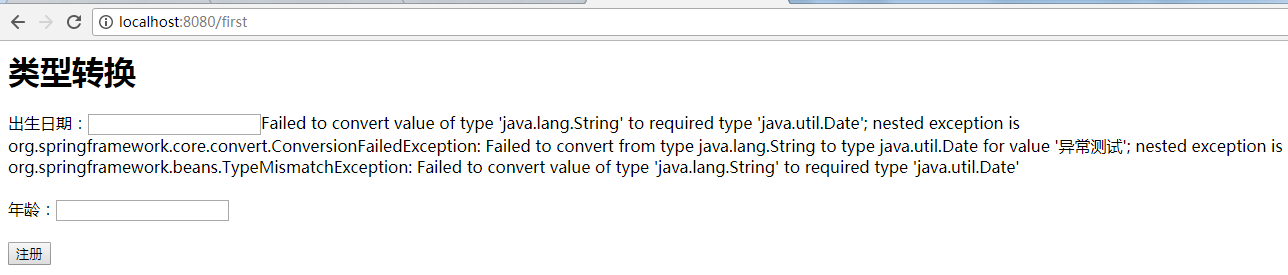
测试结果1:
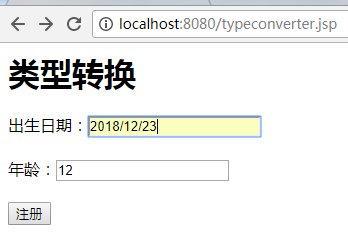
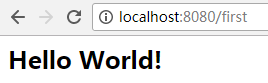
测试结果2:
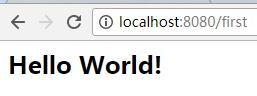
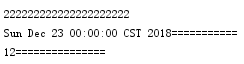
测试结果3:
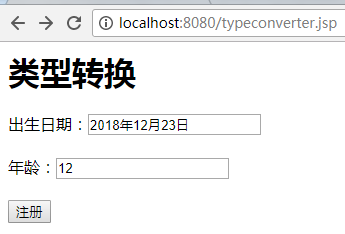
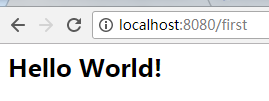
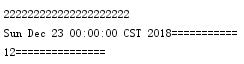
测试结果4:
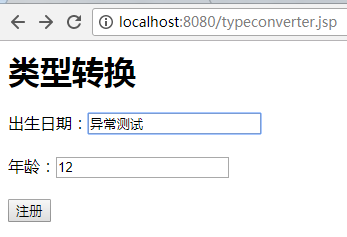

SpringMVC09 Converter变流器、数据回显、异常测试的更多相关文章
- SpringMVC由浅入深day02_5数据回显_6异常处理器
5 数据回显 5.1 什么数据回显 表单提交失败需要再回到表单页面重新填写,原来提交的数据需要重新在页面上显示. 5.2 pojo数据回显方法 1.springmvc默认对pojo数据进行回显. po ...
- 表单很多数据项录入的时候,提交controller发生异常,数据回显。
1.添加的情况(Model传递Form Data) request.getSession().setAttribute("car", car); //抛出异常的时候,数据回显. 2 ...
- SpringMVC【参数绑定、数据回显、文件上传】
前言 本文主要讲解的知识点如下: 参数绑定 数据回显 文件上传 参数绑定 我们在Controller使用方法参数接收值,就是把web端的值给接收到Controller中处理,这个过程就叫做参数绑定.. ...
- SpringMVC学习(四)———— 数据回显与自定义异常处理器
一.数据回显技术 Springmvc默认支持对pojo类型的数据回显,默认不支持简单类型的数据回显 1.1.什么是数据回显? 在信息校验时,如果发生校验错误,那么把校验的数据信息,依然停留在当前页面, ...
- springmvc(五) 数据回显与自定义异常处理器
这章讲解一下springmvc的数据回显和自定义异常处理器的使用,两个都很简单 --WH 一.数据回显技术 Springmvc默认支持对pojo类型的数据回显,默认不支持简单类型的数据回显 1.1.什 ...
- SpringMVC第五篇【方法返回值、数据回显、idea下配置虚拟目录、文件上传】
Controller方法返回值 Controller方法的返回值其实就几种类型,我们来总结一下-. void String ModelAndView redirect重定向 forward转发 数据回 ...
- Struts2【UI标签、数据回显、资源国际化】
Struts2UI标签 Sturts2为了简化我们的开发,也为我们提供了UI标签...也就是显示页面的标签..... 但是呢,Struts2是服务端的框架,因此使用页面的标签是需要在服务器端解析然后再 ...
- 一脸懵逼学习Struts数据校验以及数据回显,模型驱动,防止表单重复提交的应用。
1:Struts2表单数据校验: (1)前台校验,也称之为客户端校验,主要是通过Javascript编程的方式进行数据的验证. (2)后台校验,也称之为服务器校验,这里指的是使用Struts2通过xm ...
- HTML、jsp页面中radio,checkbox,select数据回显功能,默认被选中问题
最近常常遇到各种复选框.单选框.下拉框的默认被选中的问题,开始也是绞尽脑汁的想办法,今天写一篇学习总结的博文来写一下学习总结. 单选框(radio)默认被选中: 一.jstl技术进行回显 <in ...
- Struts数据回显和模型驱动
prams拦截器,可以把请求数据自动填充的action的属性中 举例1: JSP <input type=text name=userName /> <input type=text ...
随机推荐
- WCF服务用户名密码访问
有2种方式, 第一直接在程序中指定用户名密码,配置调用 private void BtnSearch_Click(object sender, EventArgs e) { try { var cli ...
- linux日常管理-top动态查看负载
动态查看负载命令,具体哪个程序,哪个进程造成的系统负载. top 回车查看 3秒更新一次 第一行和uptime和w第一行显示的一样. CPU使用率,us sy 内存相关,Mem 一共多少,使用了多少, ...
- 【总结整理】javascript进阶学习(慕课网)
数组 数组是一个值的集合,每个值都有一个索引号,从0开始,每个索引都有一个相应的值,根据需要添加更多数值. 二维数组 二维数组 一维数组,我们看成一组盒子,每个盒子只能放一个内容. 一维数组的表示: ...
- [原创]Devexpress XtraReports 系列索引
该系列已经完结...以后如果有高级功能,会再开一个新的系列,该系列是比较基础的报表应用..谢谢大家一直的支持. [原创]Devexpress XtraReports 系列 1 创建静态报表 Demo地 ...
- 24、sam- 详解
http://note.youdao.com/share/?id=312fa04209cb87f7674de9a9544f329a&type=note#/ https://davetang.o ...
- Luogu 2839 [国家集训队]middle
感觉这题挺好的. 首先对于中位数最大有一个很经典的处理方法就是二分,每次二分一个数组中的下标$mid$,然后我们把$mid$代回到原来的数组中检查,如果一个数$a_{i} \geq mid$,那么就把 ...
- c/c++进制转换练习
1 下列数最大的是( ).括号内为数字,括号外为进制.(360集团) (10010101)2 (227)8------>10010111 (96)16------>10010110 (14 ...
- 16.CTF综合靶机渗透(九)
Boot2root challenges aim to create a safe environment where you can perform real-world penetration t ...
- vue 绑定属性(index)
<el-menu-item v-for="item in links" :key="item.id" v-bind:index="item.id ...
- 常见的web漏洞及其防范
原文地址:http://blog.csdn.net/u013777676/article/details/52124298 一.SQL注入漏洞 SQL注入攻击(SQL Injection),简称注入攻 ...