
vue 项目 npm install 报错解决
node-sass 安装报错解决办法
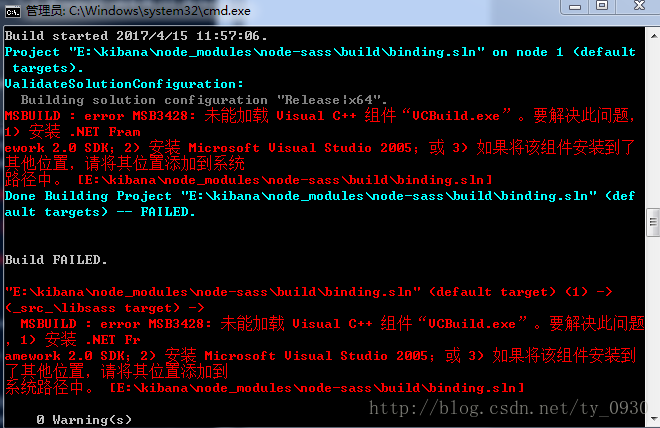
E:\kibana>npm install node-sass

> node-sass@3.8.0 install E:\kibana\node_modules\node-sass

> node scripts/install.js

Cannot download "https://github.com/sass/node-sass/releases/download/v3.8.0/win3

2-x64-48_binding.node":

tunneling socket could not be established, cause=socket hang up

Hint: If github.com is not accessible in your location

      try setting a proxy via HTTP_PROXY, e.g.

      export HTTP_PROXY=http://example.com:1234

or configure npm proxy via

      npm config set proxy http://example.com:8080

> node-sass@3.8.0 postinstall E:\kibana\node_modules\node-sass

> node scripts/build.js

Building: D:\Program Files\nodejs\node.exe E:\kibana\node_modules\node-gyp\bin\n

ode-gyp.js rebuild --verbose --libsass_ext= --libsass_cflags= --libsass_ldflags=

 --libsass_library=

gyp info it worked if it ends with ok

gyp verb cli [ 'D:\\Program Files\\nodejs\\node.exe',

gyp verb cli   'E:\\kibana\\node_modules\\node-gyp\\bin\\node-gyp.js',

gyp verb cli   'rebuild',

gyp verb cli   '--verbose',

gyp verb cli   '--libsass_ext=',

gyp verb cli   '--libsass_cflags=',

gyp verb cli   '--libsass_ldflags=',

gyp verb cli   '--libsass_library=' ]

gyp info using node-gyp@3.6.0

gyp info using node@6.2.0 | win32 | x64

gyp verb command rebuild []

gyp verb command clean []

gyp verb clean removing "build" directory

gyp verb command configure []

gyp verb check python checking for Python executable "python2" in the PATH

gyp verb `which` failed Error: not found: python2

gyp verb `which` failed     at getNotFoundError (E:\kibana\node_modules\which\wh

ich.js:13:12)

gyp verb `which` failed     at F (E:\kibana\node_modules\which\which.js:68:19)

gyp verb `which` failed     at E (E:\kibana\node_modules\which\which.js:80:29)

gyp verb `which` failed     at E:\kibana\node_modules\which\which.js:89:16

gyp verb `which` failed     at E:\kibana\node_modules\isexe\index.js:42:5

gyp verb `which` failed     at E:\kibana\node_modules\isexe\windows.js:36:5

gyp verb `which` failed     at FSReqWrap.oncomplete (fs.js:117:15)

gyp verb `which` failed  python2 { Error: not found: python2

gyp verb `which` failed     at getNotFoundError (E:\kibana\node_modules\which\wh

ich.js:13:12)

gyp verb `which` failed     at F (E:\kibana\node_modules\which\which.js:68:19)

gyp verb `which` failed     at E (E:\kibana\node_modules\which\which.js:80:29)

gyp verb `which` failed     at E:\kibana\node_modules\which\which.js:89:16

gyp verb `which` failed     at E:\kibana\node_modules\isexe\index.js:42:5

gyp verb `which` failed     at E:\kibana\node_modules\isexe\windows.js:36:5

gyp verb `which` failed     at FSReqWrap.oncomplete (fs.js:117:15) code: 'ENOENT

' }

gyp verb check python checking for Python executable "python" in the PATH

gyp verb `which` succeeded python C:\Python27\python.EXE

gyp verb check python version `C:\Python27\python.EXE -c "import platform; print

(platform.python_version());"` returned: "2.7.12\r\n"

gyp verb get node dir no --target version specified, falling back to host node v

ersion: 6.2.0

gyp verb command install [ '6.2.0' ]

gyp verb install input version string "6.2.0"

gyp verb install installing version: 6.2.0

gyp verb install --ensure was passed, so won't reinstall if already installed

gyp verb install version is already installed, need to check "installVersion"

gyp verb got "installVersion" 9

gyp verb needs "installVersion" 9

gyp verb install version is good

gyp verb get node dir target node version installed: 6.2.0

gyp verb build dir attempting to create "build" dir: E:\kibana\node_modules\node

-sass\build

gyp verb build dir "build" dir needed to be created? E:\kibana\node_modules\node

-sass\build

gyp verb Not using VS2017: Could not use PowerShell to find VS2017

gyp verb build/config.gypi creating config file

gyp verb build/config.gypi writing out config file: E:\kibana\node_modules\node-

sass\build\config.gypi

gyp verb config.gypi checking for gypi file: E:\kibana\node_modules\node-sass\co

nfig.gypi

gyp verb common.gypi checking for gypi file: E:\kibana\node_modules\node-sass\co

mmon.gypi

gyp verb gyp gyp format was not specified; forcing "msvs"

gyp info spawn C:\Python27\python.EXE

gyp info spawn args [ 'E:\\kibana\\node_modules\\node-gyp\\gyp\\gyp_main.py',

gyp info spawn args   'binding.gyp',

gyp info spawn args   '-f',

gyp info spawn args   'msvs',

gyp info spawn args   '-G',

gyp info spawn args   'msvs_version=auto',

gyp info spawn args   '-I',

gyp info spawn args   'E:\\kibana\\node_modules\\node-sass\\build\\config.gypi',

gyp info spawn args   '-I',

gyp info spawn args   'E:\\kibana\\node_modules\\node-gyp\\addon.gypi',

gyp info spawn args   '-I',

gyp info spawn args   'C:\\Users\\15061857\\.node-gyp\\6.2.0\\include\\node\\com

mon.gypi',

gyp info spawn args   '-Dlibrary=shared_library',

gyp info spawn args   '-Dvisibility=default',

gyp info spawn args   '-Dnode_root_dir=C:\\Users\\15061857\\.node-gyp\\6.2.0',

gyp info spawn args   '-Dnode_gyp_dir=E:\\kibana\\node_modules\\node-gyp',

gyp info spawn args   '-Dnode_lib_file=node.lib',

gyp info spawn args   '-Dmodule_root_dir=E:\\kibana\\node_modules\\node-sass',

gyp info spawn args   '-Dnode_engine=v8',

gyp info spawn args   '--depth=.',

gyp info spawn args   '--no-parallel',

gyp info spawn args   '--generator-output',

gyp info spawn args   'E:\\kibana\\node_modules\\node-sass\\build',

gyp info spawn args   '-Goutput_dir=.' ]

gyp verb command build []

gyp verb build type Release

gyp verb architecture x64

gyp verb node dev dir C:\Users\15061857\.node-gyp\6.2.0

gyp verb found first Solution file build/binding.sln

gyp verb could not find "msbuild.exe" in PATH - finding location in registry

gyp verb "Release" dir needed to be created? null

gyp verb copying "node.lib" for x64 C:\Users\15061857\.node-gyp\6.2.0\Release\no

de.lib

gyp info spawn C:\Windows\Microsoft.NET\Framework\v4.0.30319\msbuild.exe

gyp info spawn args [ 'build/binding.sln',

gyp info spawn args   '/nologo',

gyp info spawn args   '/p:Configuration=Release;Platform=x64' ]

Build started 2017/4/15 11:57:06.

Project "E:\kibana\node_modules\node-sass\build\binding.sln" on node 1 (default

 targets).

ValidateSolutionConfiguration:

  Building solution configuration "Release|x64".

MSBUILD : error MSB3428: 未能加载 Visual C++ 组件“VCBuild.exe”。要解决此问题,

1) 安装 .NET Fram

ework 2.0 SDK;2) 安装 Microsoft Visual Studio 2005;或 3) 如果将该组件安装到了

其他位置,请将其位置添加到系统

路径中。 [E:\kibana\node_modules\node-sass\build\binding.sln]

Done Building Project "E:\kibana\node_modules\node-sass\build\binding.sln" (def

ault targets) -- FAILED.

Build FAILED.

"E:\kibana\node_modules\node-sass\build\binding.sln" (default target) (1) ->

(_src_\libsass target) ->

  MSBUILD : error MSB3428: 未能加载 Visual C++ 组件“VCBuild.exe”。要解决此问题

,1) 安装 .NET Fr

amework 2.0 SDK;2) 安装 Microsoft Visual Studio 2005;或 3) 如果将该组件安装到

了其他位置,请将其位置添加到

系统路径中。 [E:\kibana\node_modules\node-sass\build\binding.sln]

    0 Warning(s)

    1 Error(s)

Time Elapsed 00:00:00.23

gyp ERR! build error

gyp ERR! stack Error: `C:\Windows\Microsoft.NET\Framework\v4.0.30319\msbuild.exe

` failed with exit code: 1

gyp ERR! stack     at ChildProcess.onExit (E:\kibana\node_modules\node-gyp\lib\b

uild.js:285:23)

gyp ERR! stack     at emitTwo (events.js:106:13)

gyp ERR! stack     at ChildProcess.emit (events.js:191:7)

gyp ERR! stack     at Process.ChildProcess._handle.onexit (internal/child_proces

s.js:204:12)

gyp ERR! System Windows_NT 6.1.7601

gyp ERR! command "D:\\Program Files\\nodejs\\node.exe" "E:\\kibana\\node_modules

\\node-gyp\\bin\\node-gyp.js" "rebuild" "--verbose" "--libsass_ext=" "--libsass_

cflags=" "--libsass_ldflags=" "--libsass_library="

gyp ERR! cwd E:\kibana\node_modules\node-sass

gyp ERR! node -v v6.2.0

gyp ERR! node-gyp -v v3.6.0

gyp ERR! not ok

Build failed

npm WARN optional SKIPPING OPTIONAL DEPENDENCY: fsevents@^1.0.0 (node_modules\ba

bel-cli\node_modules\chokidar\node_modules\fsevents):

npm WARN notsup SKIPPING OPTIONAL DEPENDENCY: Unsupported platform for fsevents@

1.1.1: wanted {"os":"darwin","arch":"any"} (current: {"os":"win32","arch":"x64"}

)

npm WARN optional SKIPPING OPTIONAL DEPENDENCY: fsevents@^1.0.0 (node_modules\ch

okidar\node_modules\fsevents):

npm WARN notsup SKIPPING OPTIONAL DEPENDENCY: Unsupported platform for fsevents@

1.1.1: wanted {"os":"darwin","arch":"any"} (current: {"os":"win32","arch":"x64"}

)

npm WARN optional SKIPPING OPTIONAL DEPENDENCY: fsevents@^1.0.0 (node_modules\wa

tchpack\node_modules\chokidar\node_modules\fsevents):

npm WARN notsup SKIPPING OPTIONAL DEPENDENCY: Unsupported platform for fsevents@

1.1.1: wanted {"os":"darwin","arch":"any"} (current: {"os":"win32","arch":"x64"}

)

npm WARN grunt-angular-translate@0.3.0 requires a peer of grunt@~0.4.0 but none

was installed.

npm ERR! code ELIFECYCLE

npm ERR! errno 1

npm ERR! node-sass@3.8.0 postinstall: `node scripts/build.js`

npm ERR! Exit status 1

npm ERR!

npm ERR! Failed at the node-sass@3.8.0 postinstall script 'node scripts/build.js

'.

npm ERR! Make sure you have the latest version of node.js and npm installed.

npm ERR! If you do, this is most likely a problem with the node-sass package,

npm ERR! not with npm itself.

npm ERR! Tell the author that this fails on your system:

npm ERR!     node scripts/build.js

npm ERR! You can get information on how to open an issue for this project with:

npm ERR!     npm bugs node-sass

npm ERR! Or if that isn't available, you can get their info via:

npm ERR!     npm owner ls node-sass

npm ERR! There is likely additional logging output above.

npm ERR! A complete log of this run can be found in:

npm ERR!     C:\Users\15061857\AppData\Roaming\npm-cache\_logs\2017-04-15T03_57_

07_545Z-debug.log

解决办法:

主要是windows平台缺少编译环境,

1、先运行: npm install -g node-gyp

2、然后运行:运行 npm install –global –production windows-build-tools  cmd 管理员运行以下命令
npm install –global –production windows-build-tools
npm install  -global -production windows-build-tools
可以自动安装跨平台的编译器:gym
vue 项目 npm install 报错解决的更多相关文章
- VSCode 启动 Vue 项目 npm install 报错
1. 报错后,查看了版本. 查看node版本:node -v 查看npm版本:npm -v 查看Augular版本:ng --version 2. 感觉 Augular CLI版本太低,使用以下方 ...
- npm install 报错解决办法
npm install 报错解决办法 原因是因为node_modules可能有意外改动,导致依赖库不完整,删除项目下的node_modules,在你的项目目录下,重新执行npm install,这会重 ...
- vue中npm install 报错之一
报错原因: 这是因为文件phantomjs-2.1.1-windows.zip过大,网络不好,容易下载失败 PhantomJS not found on PATH 解决方案一: 选择用cnpm ins ...
- centos7 laravel 项目 npm install报错
npm install 初始化项目依赖的前端资源 报错 ERR xxx .. socket,symbol link is not supported ... 如果报错了 重新npm install ...
- 新建 Vue项目 使用iView报错解决
错误如下: error in ./src/index.less Module build failed: // https://github.com/ant-design/ant-motion/iss ...
- 在运行vue项目时,执行npm install报错小记
在运行vue项目时,执行npm install 报错,导致后续的执行报各种错误,根据报错,尝试了网上的各种办法,最后发现时网络问题下载失败导致,解决办法: 安装cnpm==>npm instal ...
- npm install 报错 error Unexpected end of JSON input while parsing near '...sShrinkwrap":false,"d' 解决办法
npm install 报错 : error Unexpected end of JSON input while parsing near '...sShrinkwrap":false,& ...
- npm install 报错:node-pre-gyp ERR! 问题解决
npm install报错问题解决 问题: E:\CodeSpace\GitlabTest\desktop>npm install > lifeccp-desktop@1.1.9 post ...
- 执行npm install报错:npm ERR! code EINTEGRITY
命令行执行npm install报错如下: D:\frontend\viewsdev>npm install npm ERR! code EINTEGRITY npm ERR! sha512-8 ...
随机推荐
- 一个文件查看你选择 Run as Android applications 都干了啥
<?xml version="1.0" encoding="UTF-8"?> <project name="PushFastDemo ...
- JavaScript-2.4 改进的Hello程序,使用div,---ShinePans
<html> <head> <meta http-equiv="content-type" content="text/html;chars ...
- ImageBox Control with Zoom/Pan Capability
Download source files - 10.8 Kb Download demo project - 6.81 Kb Introduction This control extends th ...
- android launcher2开发之 有抽屉改成无抽屉
在launcher.java中在createShortcut方法中 屏蔽全部应用button 修改之前 View createShortcut(int layoutResId, ViewGroup ...
- codeforces 183B - Zoo
/* 题意:给出n,m. n表示给出的n个横坐标为1-n,y为0的坐标m表示以下有m个坐标,在横坐标上的点 向各个角度看,在可以看到最多的点在同一条直线上的点的做多值为横坐标这一点的值,最后各个 横坐 ...
- C++语言基础(15)-友元函数和友元类
一个类中可以有 public.protected.private 三种属性的成员,通过对象可以访问 public 成员,只有本类中的函数可以访问本类的 private 成员.现在,我们来介绍一种例外情 ...
- JavaScript之变量、作用域和内存问题
js中的变量可能包含2种数据类型,基础数据类型和引用数据类型. 一般而言,基本数据类型是数据段,引用数据类型是对象. 保存方式的不同: 基本类型可以直接操作保存在变量中的值:而引用类型真实的值是保存在 ...
- YDKJS读书笔记
程序的本质就是语句的集合,只不过按照顺序进行排列了而已. 语句包含表达式,表达式包含代码,程序由语句组成. interpreter,解释器:compiler,编译器:他们的职责就是将对人友好的语句翻译 ...
- C++加密解密库之选择
项目中有这样一个需求,客户端登陆服务器时,为保证信息安全,需要对用户的密码进行加密传输,在服务器端接受到之后进行相应的解密. 一.加密算法分类 对称加密算法.不对称加密算法.不可逆加密算法 1.对称加 ...
- spring 第一篇(1-2):管理你的beans
在基于spring的应用中,你的应用对象存活在spring container(容器中).容器创建,将它们装配到一起.还有配置和管理它们完整的生命周期(从生到死) 下一章节,你会看到如何配置Sprin ...