
centos7下安装elasticSearch错误总结(单节点模式)
1、首先确定你安装了jdk,版本需要1.8以上
2、上传elasticsearchjar包,只需配置一个文件即可
修改配置文件config/elasticsearch.yml
network.host: 192.168.100.211
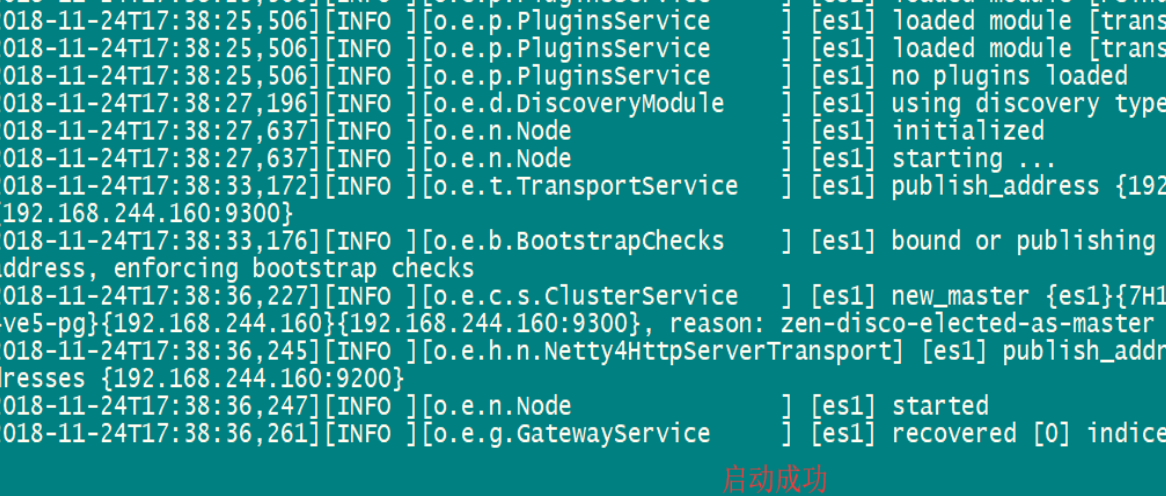
3、启动测试
进入到elasticsearch主目录执行 bin/elasticsearch
4、报错
os::commit_memory(0x000000008a660000, 1973026816, 0) failed; error='Cannot allocate memory' (errno=12)
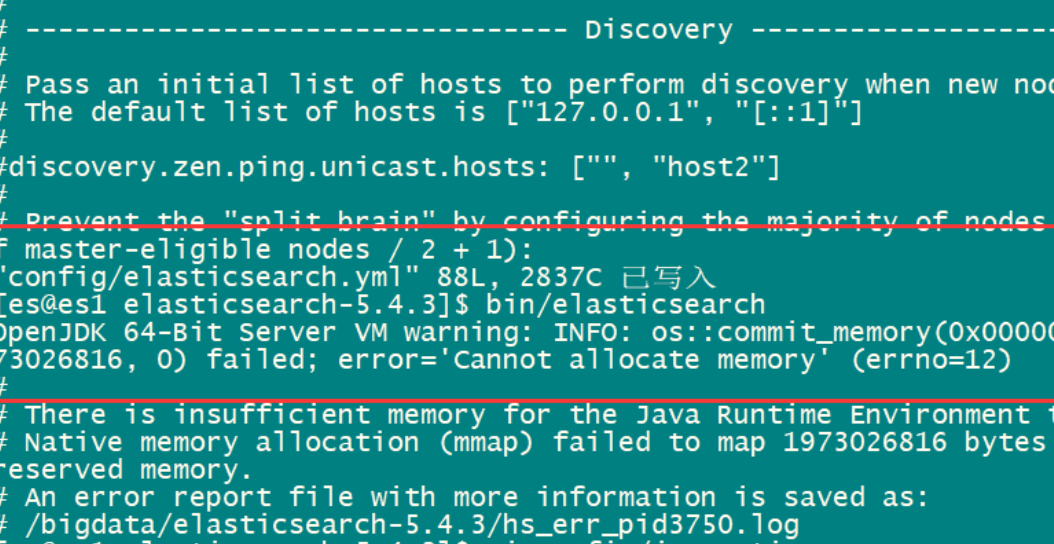
原因:由于elasticsearch5.0以上默认分配jvm空间大小为2g,修改jvm空间分配
解决方案:

5、配好之后再次启动 bin/elasticsearch 报如下错

#出现错误
[1]: max file descriptors [4096] for elasticsearch process is too low, increase to at least [65536]
[2]: max virtual memory areas vm.max_map_count [65530] is too low, increase to at least [262144]
解决办法 设置如下2个参数
#用户最大可创建文件数太小
sudo vi /etc/security/limits.conf
* soft nofile 65536
* hard nofile 65536
#最大虚拟内存太小
sudo vi /etc/sysctl.conf
vm.max_map_count=262144
6、重启linux
shutdown -r now
7、如果不是root运行也会报错
Caused by: java.lang.RuntimeException: can not run elasticsearch as root
at org.elasticsearch.bootstrap.Bootstrap.initializeNatives(Bootstrap.java:100) ~[elasticsearch-5.1.1.jar:5.1.1]
at org.elasticsearch.bootstrap.Bootstrap.setup(Bootstrap.java:176) ~[elasticsearch-5.1.1.jar:5.1.1]
at org.elasticsearch.bootstrap.Bootstrap.init(Bootstrap.java:306) ~[elasticsearch-5.1.1.jar:5.1.1]
at org.elasticsearch.bootstrap.Elasticsearch.init(Elasticsearch.java:121) ~[elasticsearch-5.1.1.jar:5.1.1]
解决:新建一个用户
adduser xxx
password xxx
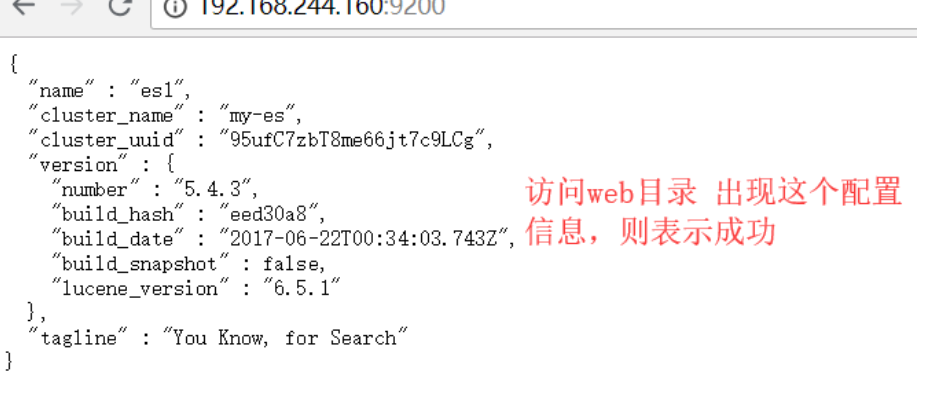
切换用户 用普通用户访问 结果OK
centos7下安装elasticSearch错误总结(单节点模式)的更多相关文章
- Centos7下安装Elasticsearch 5.6.6
环境 因为elasticsearch是用java编写的,所以需要先安装JDK ES 5,安装需要 JDK 8 以上ES 6.5,安装需要 JDK 11 以上ES 7.2.1,内置了 JDK 12 安装 ...
- 记录Linux下安装elasticSearch时遇到的一些错误
记录Linux下安装elasticSearch时遇到的一些错误 http://blog.sina.com.cn/s/blog_c90ce4e001032f7w.html (2016-11-02 22: ...
- centos7下安装zookeeper&zookeeper集群的搭建
一.centos7下安装zookeeper 1.zookeeper 下载地址 https://mirrors.tuna.tsinghua.edu.cn/apache/zookeeper/ 2.安装步骤 ...
- FastDFS 分布式文件系统的安装与使用(单节点)
FastDFS 分布式文件系统的安装与使用(单节点) 跟踪服务器:192.168.4.121 (edu-dfs-tracker-01) 存储服务器:192.168.4.125 (edu-dfs-sto ...
- 170519、FastDFS分布式文件系统的安装与使用(单节点)
基于 于 D Do ubbo 的分布 式系统架构 视频 教程 高 级篇S FastDFS 分布 式 文件系统的安装与使用 (单 节点)跟踪 服务器 : 192.168.4.12 21 1 (edu- ...
- Centos7 下安装以及使用mssql
Centos7下安装以及使用Mssql,在这下面玩,主要是发现linux环境下的mysql非常的小,小到只有169M,这在windows上面,动撤几个G的安装文件,会让你直接打消使用MSSQL的勇气, ...
- Dubbo入门到精通学习笔记(八):ActiveMQ的安装与使用(单节点)、Redis的安装与使用(单节点)、FastDFS分布式文件系统的安装与使用(单节点)
文章目录 ActiveMQ的安装与使用(单节点) 安装(单节点) 使用 目录结构 edu-common-parent edu-demo-mqproducer edu-demo-mqconsumer 测 ...
- linux下安装Elasticsearch(单机版和集群版)
一.linux下安装Elasticsearch(单机) 1.软件下载 下载地址:https://www.elastic.co/cn/downloads/past-releases/elasticsea ...
- CentOS7下安装SVN服务端
CentOS7下安装SVN服务 1. yum命令即可方便的完成安装# sudo yum install subversion 测试安装是否成功:# svnserve --version 更改svn的默 ...
随机推荐
- Django运行SQL语句
1.Manager.raw(raw_query, params=None, translations=None) >>> for p in Person.objects.raw('S ...
- Ubuntu下Qt(Retex)无法输入中文
这个问题从我第一次在Ubuntu上使用Qt便困扰着我,奈何之前一直没认真去解决掉这个问题.今天作死想想,这个不可能解决不掉的.因为那么多人用Ubuntu,而且又那么多人用Qt的产品,比如Retext. ...
- iTunes备份路径,iTunes默认备份路径,iTunes修改备份路径
1:当前iTunes版本: 2:帮助给出的答复: 3:修改的操作界面: 实际文件夹路径:
- 数据库-identifying 与non-identifying realtionship 区别
MySQL Workbench 或者是 E-RWin等进行数据库建模时,通常会对数据表进行关联操作,即设置表与表之间的关系 1:1 1:n m:n,而它们具有 identifying realtion ...
- 云盘+Git GUI实现云盘文件版本号控制
以下介绍操作细节 1.先下载Git GUI 下载地址:http://msysgit.github.io/ 再下载百度云网盘 下载地址:http://pan.baidu.com 接下来就是安 ...
- HDU 5527 贪心
Too Rich Time Limit: 6000/3000 MS (Java/Others) Memory Limit: 262144/262144 K (Java/Others)Total ...
- 【[POI2000]病毒】
\(Ac\)自动机好题了 这个题要求我们一直无法匹配到结束标记,所以我们直接在\(trie\)图上找到一个环,这个环可以被根节点到达,之后还没有结束标记 发现自己不会\(dfs\)找环,于是直接莽上\ ...
- CF25E Test
嘟嘟嘟 因为只有三个字符串,所以就有一个比较暴力的做法:枚举这三个串所有排列,然后对于每一个排列,减去这三个串两两的公共部分的长度,更新答案. 求公共部分自然想到kmp:比如s[1]接在s[0]后面, ...
- Android学习笔记_54_自定义 Widget (Toast)
1.Toast控件: 通过查看源代码,发现Toast里面实现的原理是通过服务Context.LAYOUT_INFLATER_SERVICE获取一个LayoutInflater布局管理器,从而获取一个V ...
- 标准对象——RegExp
字符串是编程时涉及到的最多的一种数据结构,对字符串进行操作的需求无处不在.比如判断一个字符串是否是合法的Email地址,虽然可以编程提取@前后的子串,再分别判断是否是单词和域名,但这样麻烦且代码难以复 ...