
WPF加载等待动画
原文:WPF加载等待动画
原文地址:https://www.codeproject.com/Articles/57984/WPF-Loading-Wait-Adorner
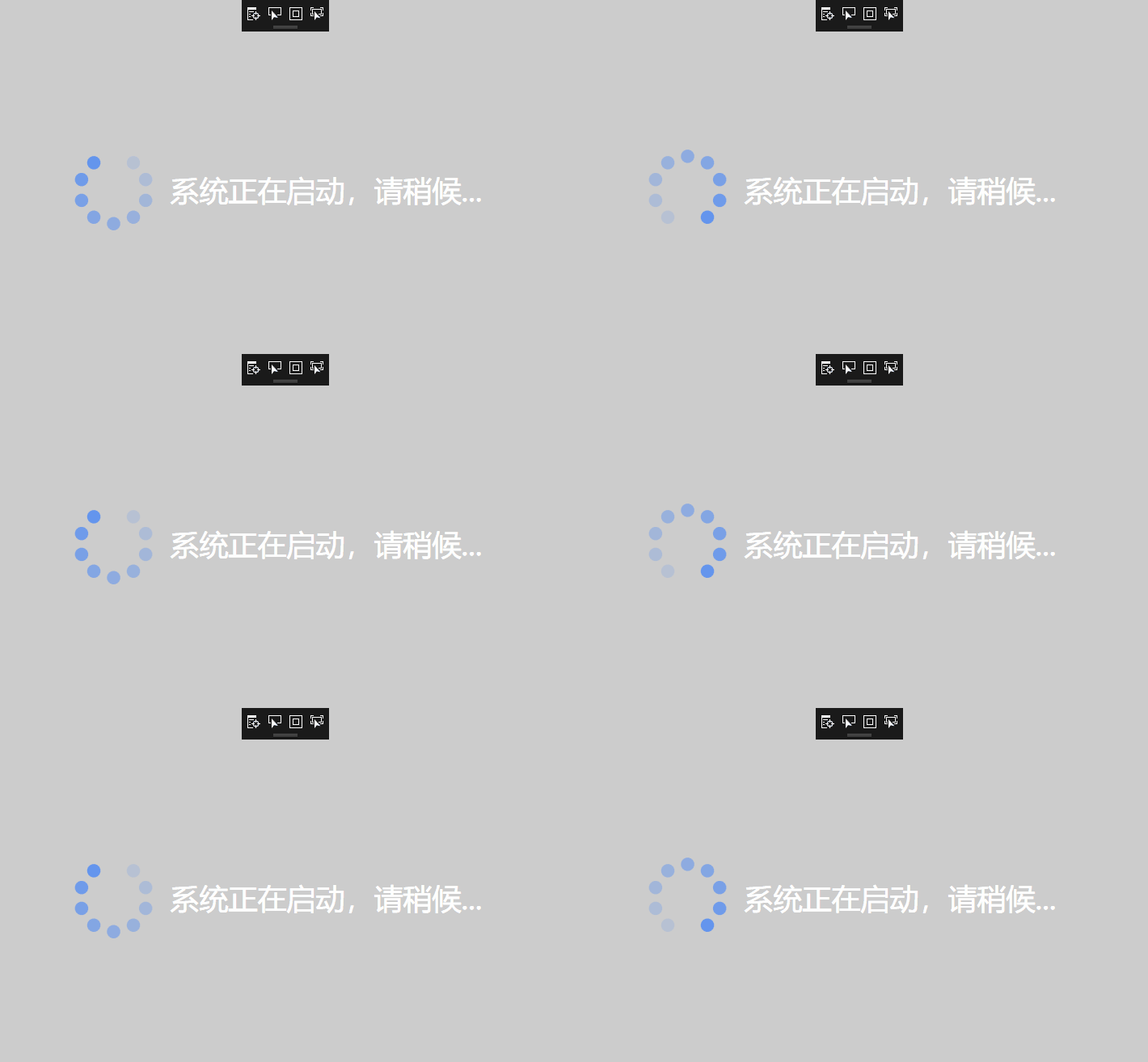
界面遮罩
    <UserControl.Background>

        <SolidColorBrush Color="Black" Opacity=".20" />

    </UserControl.Background>
等待动画全局颜色
 <UserControl.Resources>

        <SolidColorBrush Color="CornflowerBlue" x:Key="CirclesColor" />

    </UserControl.Resources>
等待动画中的小圆
 <Ellipse x:Name="C0" Width="20" Height="20"

                         Canvas.Left="0"

                         Canvas.Top="0" Stretch="Fill"

                         Fill="{StaticResource CirclesColor}" Opacity="1.0"/>
<UserControl x:Class="ControlSamples.LoadingWait"
xmlns="http://schemas.microsoft.com/winfx/2006/xaml/presentation"
xmlns:x="http://schemas.microsoft.com/winfx/2006/xaml"
xmlns:mc="http://schemas.openxmlformats.org/markup-compatibility/2006"
xmlns:d="http://schemas.microsoft.com/expression/blend/2008"
xmlns:local="clr-namespace:ControlSamples"
IsVisibleChanged="HandleVisibleChanged"
mc:Ignorable="d" >
<UserControl.Background>
<SolidColorBrush Color="Black" Opacity=".20" />
</UserControl.Background>
<UserControl.Resources>
<SolidColorBrush Color="CornflowerBlue" x:Key="CirclesColor" />
</UserControl.Resources>
<StackPanel Orientation="Horizontal" HorizontalAlignment="Center">
<Viewbox Width="100" Height="100"
HorizontalAlignment="Center"
VerticalAlignment="Center">
<Grid x:Name="LayoutRoot"
Background="Transparent"
ToolTip="..."
HorizontalAlignment="Center"
VerticalAlignment="Center">
<Canvas RenderTransformOrigin="0.5,0.5"
HorizontalAlignment="Center"
VerticalAlignment="Center" Width="120"
Height="120" Loaded="HandleLoaded"
Unloaded="HandleUnloaded" >
<Ellipse x:Name="C0" Width="20" Height="20"
Canvas.Left="0"
Canvas.Top="0" Stretch="Fill"
Fill="{StaticResource CirclesColor}" Opacity="1.0"/>
<Ellipse x:Name="C1" Width="20" Height="20"
Canvas.Left="0"
Canvas.Top="0" Stretch="Fill"
Fill="{StaticResource CirclesColor}" Opacity="0.9"/>
<Ellipse x:Name="C2" Width="20" Height="20"
Canvas.Left="0"
Canvas.Top="0" Stretch="Fill"
Fill="{StaticResource CirclesColor}" Opacity="0.8"/>
<Ellipse x:Name="C3" Width="20" Height="20"
Canvas.Left="0"
Canvas.Top="0" Stretch="Fill"
Fill="{StaticResource CirclesColor}" Opacity="0.7"/>
<Ellipse x:Name="C4" Width="20" Height="20"
Canvas.Left="0"
Canvas.Top="0" Stretch="Fill"
Fill="{StaticResource CirclesColor}" Opacity="0.6"/>
<Ellipse x:Name="C5" Width="20" Height="20"
Canvas.Left="0"
Canvas.Top="0" Stretch="Fill"
Fill="{StaticResource CirclesColor}" Opacity="0.5"/>
<Ellipse x:Name="C6" Width="20" Height="20"
Canvas.Left="0"
Canvas.Top="0" Stretch="Fill"
Fill="{StaticResource CirclesColor}" Opacity="0.4"/>
<Ellipse x:Name="C7" Width="20" Height="20"
Canvas.Left="0"
Canvas.Top="0" Stretch="Fill"
Fill="{StaticResource CirclesColor}" Opacity="0.3"/>
<Ellipse x:Name="C8" Width="20" Height="20"
Canvas.Left="0"
Canvas.Top="0" Stretch="Fill"
Fill="{StaticResource CirclesColor}" Opacity="0.2"/>
<Canvas.RenderTransform>
<RotateTransform x:Name="SpinnerRotate"
Angle="0" />
</Canvas.RenderTransform>
</Canvas>
</Grid>
</Viewbox>
<TextBlock x:Name="TextControl" FontSize="24" Text="" HorizontalAlignment="Center" VerticalAlignment="Center" TextWrapping="Wrap" Margin="20"></TextBlock>
</StackPanel>
</UserControl>
后台业务代码,添加了几项属性、动画控制、小圆的位置设置
    /// <summary>

    /// LoadingWait.xaml 的交互逻辑

    /// </summary>

    public partial class LoadingWait : UserControl

    {

        #region Data

        private readonly DispatcherTimer animationTimer;

        public int TextSize

        {

            get { return (int)GetValue(TextSizeProperty); }

            set { SetValue(TextSizeProperty, value); }

        }

        // Using a DependencyProperty as the backing store for TextSize.  This enables animation, styling, binding, etc...

        public static readonly DependencyProperty TextSizeProperty =

            DependencyProperty.Register("TextSize", typeof(int), typeof(LoadingWait), new PropertyMetadata(

                defaultValue: 24,

                propertyChangedCallback: new PropertyChangedCallback(

                    (sender, e) => {

                        var loading = sender as LoadingWait;

                        if(loading != null) {

                            loading.TextControl.FontSize = (int)e.NewValue;

                        }

                    })

                ));

        public Color TextColor

        {

            get { return (Color)GetValue(TextColorProperty); }

            set { SetValue(TextColorProperty, value); }

        }

        // Using a DependencyProperty as the backing store for TextColor.  This enables animation, styling, binding, etc...

        public static readonly DependencyProperty TextColorProperty =

            DependencyProperty.Register("TextColor", typeof(Color), typeof(LoadingWait), new PropertyMetadata(

                defaultValue: Colors.Black,

                propertyChangedCallback: new PropertyChangedCallback(

                    (sender, e) => {

                        var loading = sender as LoadingWait;

                        if(loading != null) {

                            loading.TextControl.Foreground = new SolidColorBrush((Color)ColorConverter.ConvertFromString(e.NewValue.ToString()));

                        }

                    }),

                coerceValueCallback: new CoerceValueCallback((sender, e) => {

                    LoadingWait loading = (LoadingWait)sender;

                    try {

                        return (Color)ColorConverter.ConvertFromString(e.ToString());

                    }

                    catch(Exception ex) {

                        return Colors.Black;

                    }

                })

                ));

        public string Text

        {

            get { return (string)GetValue(TextProperty); }

            set { SetValue(TextProperty, value); }

        }

        // Using a DependencyProperty as the backing store for Text.  This enables animation, styling, binding, etc...

        public static readonly DependencyProperty TextProperty =

            DependencyProperty.Register("Text", typeof(string), typeof(LoadingWait), new PropertyMetadata(

                defaultValue: string.Empty,

                propertyChangedCallback: new PropertyChangedCallback(

                    (sender, e) => {

                        var loading = sender as LoadingWait;

                        if(loading != null) {

                            loading.TextControl.Text = e.NewValue.ToString();

                        }

                    })

                ));

        public string Tip

        {

            get { return (string)GetValue(TipProperty); }

            set { SetValue(TipProperty, value); }

        }

        // Using a DependencyProperty as the backing store for Tip.  This enables animation, styling, binding, etc...

        public static readonly DependencyProperty TipProperty =

            DependencyProperty.Register("Tip", typeof(string), typeof(LoadingWait), new PropertyMetadata(

                defaultValue: string.Empty,

                propertyChangedCallback: new PropertyChangedCallback(

                    (sender, e) => {

                        var loading = sender as LoadingWait;

                        if(loading != null) {

                            loading.LayoutRoot.ToolTip = e.NewValue;

                        }

                    })

                ));

        #endregion

        #region Constructor

        public LoadingWait() {

            InitializeComponent();

            animationTimer = new DispatcherTimer(

                DispatcherPriority.ContextIdle, Dispatcher);

            animationTimer.Interval = new TimeSpan(0, 0, 0, 0, 75);

        }

        #endregion

        #region Private Methods

        private void Start() {

            Mouse.OverrideCursor = Cursors.Wait;

            animationTimer.Tick += HandleAnimationTick;

            animationTimer.Start();

        }

        private void Stop() {

            animationTimer.Stop();

            Mouse.OverrideCursor = Cursors.Arrow;

            animationTimer.Tick -= HandleAnimationTick;

        }

        private void HandleAnimationTick(object sender, EventArgs e) {

            SpinnerRotate.Angle = (SpinnerRotate.Angle + 36) % 360;

        }

        private void HandleLoaded(object sender, RoutedEventArgs e) {

            const double offset = Math.PI;

            const double step = Math.PI * 2 / 10.0;

            SetPosition(C0, offset, 0.0, step);

            SetPosition(C1, offset, 1.0, step);

            SetPosition(C2, offset, 2.0, step);

            SetPosition(C3, offset, 3.0, step);

            SetPosition(C4, offset, 4.0, step);

            SetPosition(C5, offset, 5.0, step);

            SetPosition(C6, offset, 6.0, step);

            SetPosition(C7, offset, 7.0, step);

            SetPosition(C8, offset, 8.0, step);

        }

        //设置动画中小圆的位置

        private void SetPosition(Ellipse ellipse, double offset,

            double posOffSet, double step) {

            ellipse.SetValue(Canvas.LeftProperty, 50.0

                + Math.Sin(offset + posOffSet * step) * 50.0);

            ellipse.SetValue(Canvas.TopProperty, 50

                + Math.Cos(offset + posOffSet * step) * 50.0);

        }

        private void HandleUnloaded(object sender, RoutedEventArgs e) {

            Stop();

        }

        //显示控件就启动动画,隐藏(不显示)就停止动画

        private void HandleVisibleChanged(object sender,

            DependencyPropertyChangedEventArgs e) {

            bool isVisible = (bool)e.NewValue;

            if(isVisible)

                Start();

            else

                Stop();

        }

        #endregion

    }
WPF加载等待动画的更多相关文章
- WPF 加载等待动画
原文:WPF 加载等待动画 版权声明:本文为博主原创文章,未经博主允许不得转载. https://blog.csdn.net/qq_29844879/article/details/80216587 ...
- [Swift通天遁地]一、超级工具-(11)使用EZLoadingActivity制作Loading加载等待动画
★★★★★★★★★★★★★★★★★★★★★★★★★★★★★★★★★★★★★★★★➤微信公众号:山青咏芝(shanqingyongzhi)➤博客园地址:山青咏芝(https://www.cnblogs. ...
- vue实现首屏加载等待动画 避免首次加载白屏尴尬
0 直接上效果图 1背景,用户体验良好一直是个重要的问题. 2怎么加到自己项目里面? 复制css html代码到自己的index.html即可 代码链接 源码地址 Vue学习前端群493671066, ...
- IOS开发UI篇之──自定义加载等待框(MBProgressHUD)
本文转载至 http://blog.csdn.net/xunyn/article/details/8064984 原文地址http://www.189works.com/article-89289 ...
- 【Ionic】---$ionicLoading ion-spinner SVG旋转加载的动画图标
ionic 加载动作 $ionicLoading $ionicLoading 是 ionic 默认的一个加载交互效果.里面的内容也是可以在模板里面修改. 用法 angular.module('Load ...
- 页面预加载loading动画,再载入内容
默认情况下如果网站请求速度慢,所以会有一段时间的空白页面等等,用户体验效果不好,见到很多的页面都有预加载的效果,加载之前先加载一个动画,后台进程继续加载页面内容,当页面内容加载完之后再退出动画显示内容 ...
- HTML5+javascript实现图片加载进度动画效果
在网上找资料的时候,看到网上有图片加载进度的效果,手痒就自己也写了一个. 图片加载完后,隐藏loading效果. 想看加载效果,请ctrel+F5强制刷新或者清理缓存. 效果预览: 0% // ...
- 纯css3 加载loading动画特效
最近项目中要实现当页面还没有加载完给用户提示正在加载的loading,本来是想做个图片提示的,但是图片如果放大电脑的分辨率就会感觉到很虚,体验效果很不好.于是就采用css3+js实现这个loading ...
- C#窗体的加载等待(BackgroundWorker控件)实现
窗体拉一个Button按钮和一个加载等待显示的label, label默认隐藏,点击按钮时显示这个label,加载完再隐藏 1.工具箱拉BackgroundWorker控件到窗体 2.backgrou ...
随机推荐
- Windows 程序启动性能优化(先载入EXE,后载入DLL,只取有限的代码载入内存,将CPU的IP指向程序的入口点)
一.重定位链接时重定位:目标文件一般由多个节组成,编译器在编译每个目标文件时一般都是从0地址开始生成代码.当多个代码节合成一个代码段时,需要根据其在最终代码段中的位置做出调整.同时,链接器需要对已经解 ...
- keepalived小结
keepalived 启动流程: 启动三个进程(主进程.healthcheck 进程.vrrp进程)之后,先进入backup状态,运行一次vrrp_script成功后发现没有主,这时候会进入maste ...
- PatentTips - Integrated circuit well bias circuitry
1. Field of the Invention This invention relates in general to an integrated circuit and more specif ...
- Apache DataFu: LinkedIn开源的Pig UDF库
介绍 Apache DataFu分两部分,本文介绍的是其Pig UDF的部分.代码在Github上开源(除了代码外.也有一些slides介绍链接). DataFu里面是一些Pig的UDF.主要包含这些 ...
- java nio 缓冲区(一)
本文来自于我的个人博客:java nio 缓冲区(一) 我们以Buffer类開始对java.nio包的浏览历程.这些类是java.nio的构造基础. 这个系列中,我们将尾随<java NIO ...
- Cordova-Android-Android target:not installed
原文:Cordova-Android-Android target:not installed 运行cordova requirements检查是否具备使用 Cordova 开发/运行 Android ...
- Android菜鸟的成长笔记(23)——获取网络和SIM卡信息
TelephonyManager是一个管理手机通话状态.电话网络信息的服务类,该类提供了大量的getXxx()方法来获取电话网络的相关信息.这些信息包括设备编号.软件版本.网络运营商代号.网络运营商名 ...
- Arcgis api for javascript学习笔记(4.5版本)-三维地图并叠加天地图标注
1.三维地图实现 在官网的demo中就有三维地图的实现,如下图所示 <!DOCTYPE html> <html> <head> <meta charset=& ...
- 用js获取实时的获取当前的年月日,时分秒,以及星期
<html xmlns="http://www.w3.org/1999/xhtml"> <head> <meta http-equiv="C ...
- less循环写css工具类
//margin-right=================.mr(100); .mr(@n, @i: 1) when (@i =< @n) { .mr-@{i} { margin-right ...