
SpringBoot系列——启用https
前言
有时候我们需要使用https安全协议,本文记录在SpringBoot项目启用https
生成证书
自签名证书
使用java jdk自带的生成SSL证书的工具keytool生成自己的证书
1、打开cmd
2、输入命令生成证书
keytool -genkeypair -alias tomcat_https -keypass 123456 -keyalg RSA -keysize 1024 -validity 365 -keystore d:/tomcat_https.keystore -storepass 123456
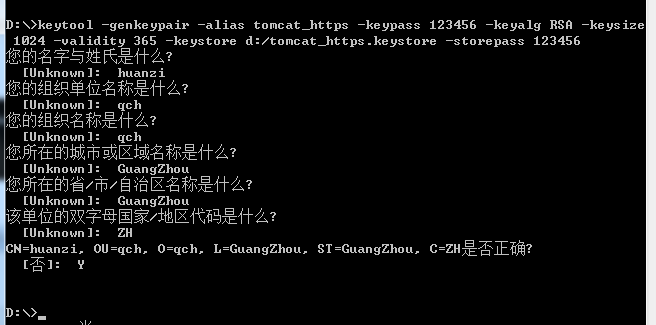

-alias 别名
-keypass 指定生成密钥的密码
-keyalg 指定密钥使用的加密算法(如 RSA)
-keysize 密钥大小
-validity 过期时间,单位天
-keystore 指定存储密钥的密钥库的生成路径、名称
-storepass 指定访问密钥库的密码
域名型证书
腾讯云域名型证书申请流程
https://cloud.tencent.com/document/product/400/6814
2020-01-10更新:今天使用内网穿透工具分给我们的二级域名去腾讯云申请证书,并记录一下
1、登录腾讯云 -> 证书管理 -> 申请免费证书
2、按照表单要求正确填写内容(填写的域名不需要www开头)
3、使用“文件验证”的方式进行域名验证 (https://cloud.tencent.com/document/product/400/4142)
首先看文档说明:

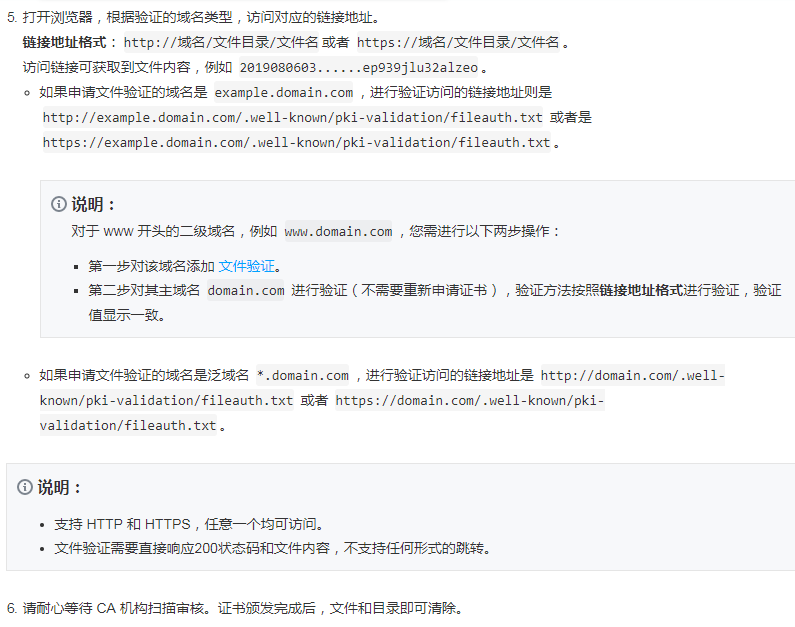
在springBoot项目中的static文件夹新建,然后把文件内容复制进去
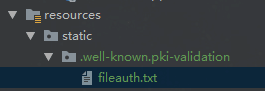
启动项目,访问 http://XXXX/.well-known/pki-validation/fileauth.txt,返回文件内容
等待 CA 机构扫描审核、颁发证书 
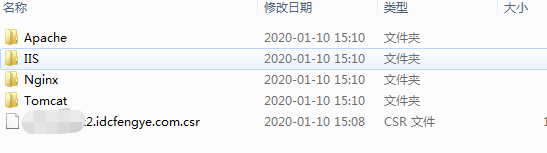
另外,内网穿透隧道协议类型要改成https,本地端口改成443,其他的不用变
效果
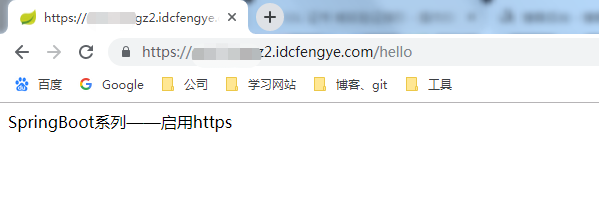
项目配置
导入证书
把生成的tomcat_https.keystore放在resources里(任意安全目录都可以)

配置文件
#https默认端口:443,http默认端口:80

server.port=

server.http-port=

#开启https,配置跟证书一一对应

server.ssl.enabled=true

#指定证书

server.ssl.key-store=classpath:tomcat_https.keystore

server.ssl.key-store-type=JKS

#别名

server.ssl.key-alias=tomcat_https

#密码

server.ssl.key-password=

server.ssl.key-store-password=

spring.application.name=springboot-https
测试与效果
新增测试controller
package cn.huanzi.qch.springboothttps.controller;

import org.springframework.web.bind.annotation.GetMapping;

import org.springframework.web.bind.annotation.RestController;

@RestController

public class HttpsController {

    @GetMapping("/hello")

    public String hello() {

        return "SpringBoot系列——启用https";

    }

}
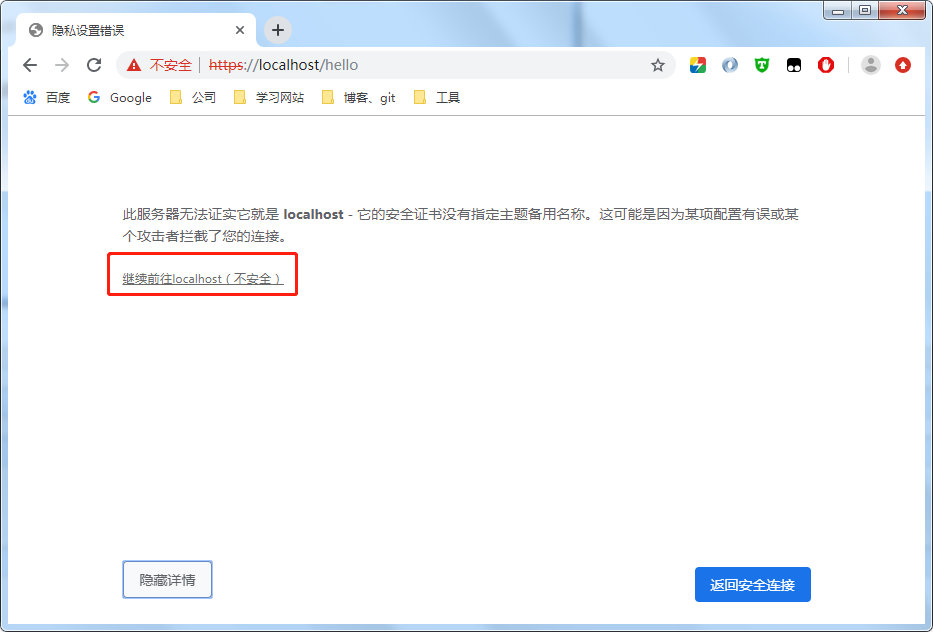
由于是自签名证书,浏览器不认可

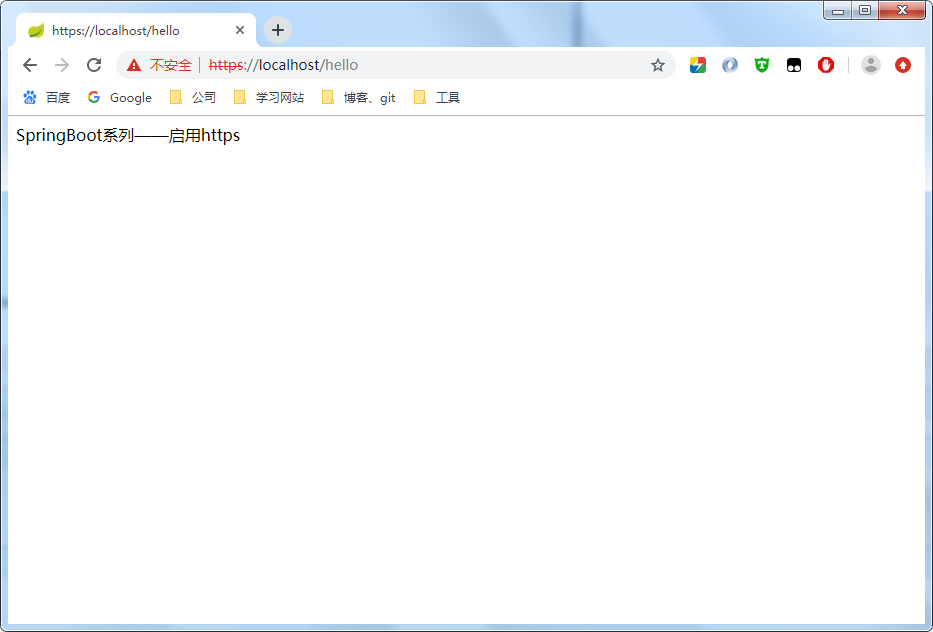
选择“高级”,选择继续访问即可
成功访问
客户端信任证书
每次打开浏览器都阻止访问,很烦,因此需要导出.car文件证书,给客户端安装
keytool -keystore d:/tomcat_https.keystore -export -alias tomcat_https -file d:/server.cer


双击安装,选择导入到受信任的跟证书颁发机构
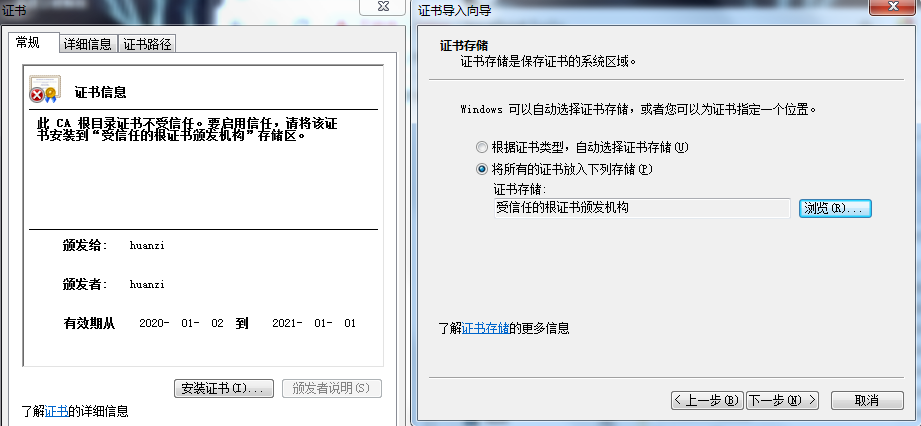
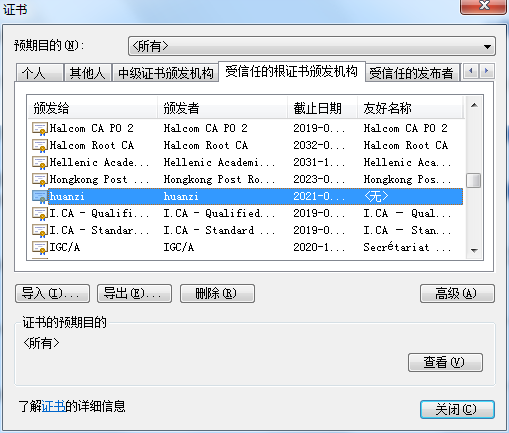
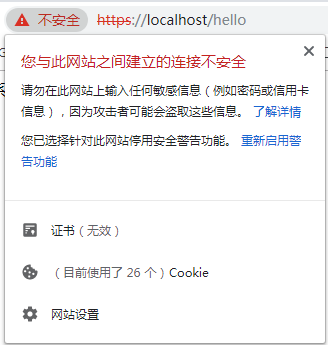
这样访问就不会再阻止了,但还是显示证书无效
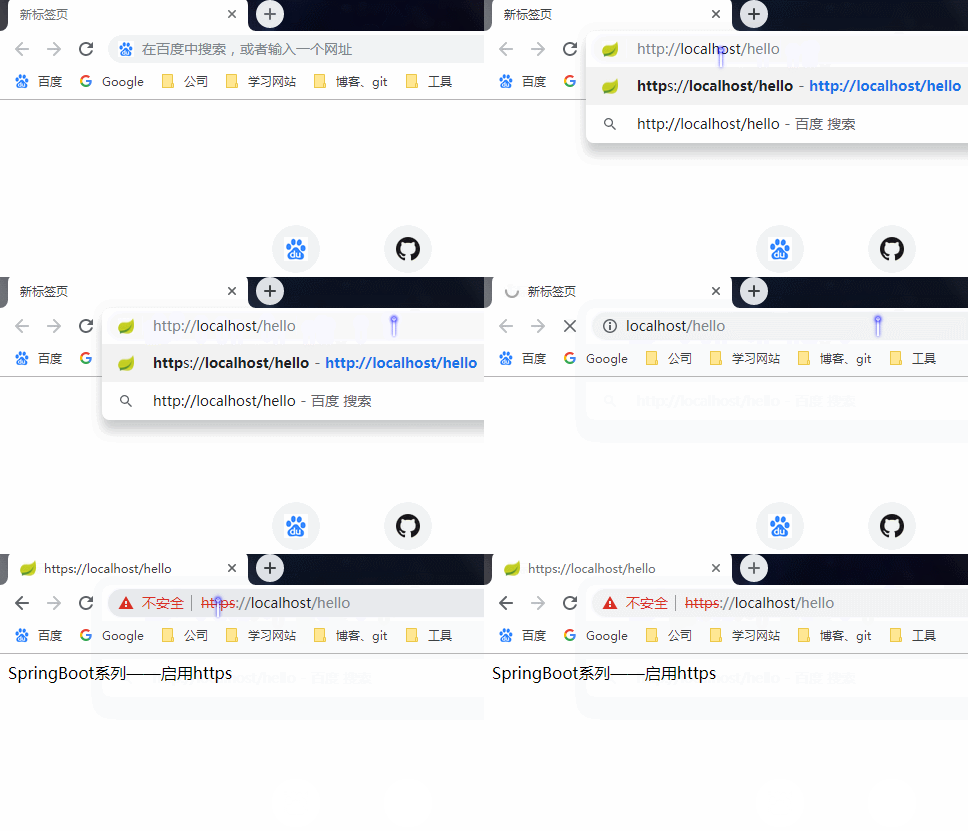
http强制跳转https
注入TomcatServletWebServerFactory,监听http重定向到https
package cn.huanzi.qch.springboothttps.config;

import org.apache.catalina.Context;

import org.apache.catalina.connector.Connector;

import org.apache.tomcat.util.descriptor.web.SecurityCollection;

import org.apache.tomcat.util.descriptor.web.SecurityConstraint;

import org.springframework.beans.factory.annotation.Value;

import org.springframework.boot.web.embedded.tomcat.TomcatServletWebServerFactory;

import org.springframework.context.annotation.Bean;

import org.springframework.context.annotation.Configuration;

/**

 * http强制跳转https

 */

@Configuration

public class Http2Https {

    @Value("${server.port}")

    private int sslPort;//https的端口

    @Value("${server.http-port}")

    private int httpPort;//http的端口

    @Bean

    public TomcatServletWebServerFactory servletContainerFactory() {

        TomcatServletWebServerFactory tomcat = new TomcatServletWebServerFactory() {

            @Override

            protected void postProcessContext(Context context) {

                //设置安全性约束

                SecurityConstraint securityConstraint = new SecurityConstraint();

                securityConstraint.setUserConstraint("CONFIDENTIAL");

                //设置约束条件

                SecurityCollection collection = new SecurityCollection();

                //拦截所有请求

                collection.addPattern("/*");

                securityConstraint.addCollection(collection);

                context.addConstraint(securityConstraint);

            }

        };

        Connector connector = new Connector("org.apache.coyote.http11.Http11NioProtocol");

        //设置将分配给通过此连接器接收到的请求的方案

        connector.setScheme("http");

        //true: http使用http, https使用https;

        //false: http重定向到https;

        connector.setSecure(false);

        //设置监听请求的端口号,这个端口不能其他已经在使用的端口重复,否则会报错

        connector.setPort(httpPort);

        //重定向端口号(非SSL到SSL)

        connector.setRedirectPort(sslPort);

        tomcat.addAdditionalTomcatConnectors(connector);

        return tomcat;

    }

}
效果
后记
部分代码参考:https://www.cnblogs.com/niumoo/p/11717657.html
代码开源
代码已经开源、托管到我的GitHub、码云:
GitHub:https://github.com/huanzi-qch/springBoot
码云:https://gitee.com/huanzi-qch/springBoot
SpringBoot系列——启用https的更多相关文章
- SpringBoot系列: SpringBoot Web项目中使用Shiro
注意点有:1. 不要启用 spring-boot-devtools, 如果启用 devtools 后, 不管是热启动还是手工重启, devtools总是试图重新恢复之前的session数据, 很有可能 ...
- SpringBoot系列教程起步
本篇学习目标 Spring Boot是什么? 构建Spring Boot应用程序 三分钟开发SpringBoot应用程序 本章源码下载 Spring Boot是什么? spring Boot是由Piv ...
- SpringBoot系列之日志框架使用教程
目录 1.SpringBoot日志级别 1).日志级别简介 2).默认日志级别 3).配置日志级别 4).日志分组设置 2.SpringBoot日志格式设置 1).默认格式原理简介 2).默认日志格式 ...
- SpringBoot系列——admin服务监控
前言 springboot项目部署起来后,如何实时监控项目的运行状况呢?本文记录使用springboot-admin对服务进行监控. springboot-admin介绍:https://codece ...
- SpringBoot系列——动态定时任务
前言 定时器是我们项目中经常会用到的,SpringBoot使用@Scheduled注解可以快速启用一个简单的定时器(详情请看我们之前的博客<SpringBoot系列--定时器>),然而这种 ...
- SpringBoot系列——利用系统环境变量与配置文件的分支选择实现“智能部署”
前言 通过之前的博客:SpringBoot系列——jar包与war包的部署,我们已经知道了如果实现项目的简单部署,但项目部署的时候最烦的是什么?修改成发布环境对应的配置!数据库连接地址.Eureka注 ...
- SpringBoot系列——Spring-Data-JPA(究极进化版) 自动生成单表基础增、删、改、查接口
前言 我们在之前的实现了springboot与data-jpa的增.删.改.查简单使用(请戳:SpringBoot系列——Spring-Data-JPA),并实现了升级版(请戳:SpringBoot系 ...
- SpringBoot系列——Spring-Data-JPA
前言 jpa是ORM映射框架,更多详情,请戳:apring-data-jpa官网:http://spring.io/projects/spring-data-jpa,以及一篇优秀的博客:https:/ ...
- SpringBoot系列——Spring-Data-JPA(升级版)
前言 在上篇博客中:SpringBoot系列——Spring-Data-JPA:https://www.cnblogs.com/huanzi-qch/p/9970545.html,我们实现了单表的基础 ...
随机推荐
- Myeclipse 方法中文注释看不到
参考以下几种解决方式: 1 改变整个文件类型的编码格式 1) eclipse->window->preferences->General->Content Types 2) 找 ...
- 国内唯一,阿里云入选全球区块链云服务报告,领先AWS、Google
摘要: 作为此次Gartner报告中唯一上榜的中国科技公司,阿里云获得六个评判维度的最高分,排名第二 近日,知名调研机构Gartner发布了全球领先公共云厂商区块链服务能力报告,作为唯一上榜的中国科技 ...
- Laravel Class config does not exist in
修改了Laravel里面的.env文件之后报这个错误,找半天,找到罪魁祸首了,错误信息: Fatal error: Uncaught ReflectionException: Class config ...
- @hdu - 6594@ Double Tree
目录 @description@ @solution@ @accepted code@ @details@ @description@ 给定两棵 N 个点的树,以及树上每条边的权值 w(u, v),每 ...
- css white-space属性
css white-space属性 规定段落中的文本不进行换行
- hdu 4347 The Closest M Points(KD树)
Problem - 4347 一道KNN的题.直接用kd树加上一个暴力更新就撸过去了.写的时候有一个错误就是搜索一边子树的时候返回有当前层数会被改变了,然后就直接判断搜索另一边子树,搞到wa了半天. ...
- Redis正确使用的十个技巧
http://www.jb51.net/article/73376.htm Redis 在当前的技术社区里是非常热门的.从来自 Antirez 一个小小的个人项目到成为内存数据存储行业的标准,Redi ...
- 2006年NOIP普及组复赛题解
题目涉及算法: 明明的随机数:简单模拟: 开心的金明:01背包: Jam的计数法:模拟: 数列:二进制. 明明的随机数 题目链接:https://www.luogu.org/problem/P1059 ...
- springmvc 多文件/文件夹上传 下载
注入依赖 <properties> <project.build.sourceEncoding>UTF-8</project.build.sourceEncoding&g ...
- IDEA sql自动补全/sql自动提示/sql列名提示
一.启用idea的database插件 File->Settings->Plugins 搜索Database Tools and SQL 选择Enable 启用或者勾选 二.新建Datab ...