
Vue(六)插槽(2.6.0+)
插槽在vue2.6.0开始有了新的更新
具名插槽(数据来自父组件)
子组件(定义插槽)这里版本前后没什么变化
<template>

    <div>

        <header>

            <slot name="header"></slot>

        </header>

        <main>

            <slot></slot>

        </main>

        <footer>

            <slot name="footer"></slot>

        </footer>

    </div>

</template>

<script>

    export default {

        name: "BaseLayout"

    }

</script>
父组件(使用)这里版本后废弃了slot="header"这样的写法,在vue3.0后直接移除。取而代之的是v-slot:插槽名称的写法,默认插槽(没有名字,默认为default),缩写为#header
<template>

    <base-layout>

        <template v-slot:header>

            <h1>Header</h1>

        </template>

        <template v-slot:default>

            <p>Main</p>

        </template>

        <template v-slot:footer>

            <p>Footer</p>

        </template>

    </base-layout>

</template>

<script>

    import BaseLayout from "../components/BaseLayout";

    export default {

        components: {BaseLayout}

    }

</script>
使用缩写#的代码
<template>

    <base-layout>

        <template #header>

            <h1>Header</h1>

        </template>

        <template #default>

            <p>Main</p>

        </template>

        <template #footer>

            <p>Footer</p>

        </template>

    </base-layout>

</template>

<script>

    import BaseLayout from "../components/BaseLayout";

    export default {

        components: {BaseLayout}

    }

</script>
页面
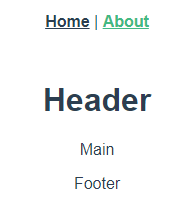
作用域插槽(数据来自子组件)【2.6.0起,v-slot取代了slot和slot-scope】
子组件(定义了数据并且将数据绑定到特定属性[user]上)
<template>

    <div>

        <header>

            <slot name="header"></slot>

        </header>

        <main>

            <!--绑定在 <slot> 元素上的特性被称为插槽 prop-->

            <slot :user="userData">

                {{userData.lastName}}

            </slot>

        </main>

        <footer>

            <slot name="footer"></slot>

        </footer>

    </div>

</template>

<script>

    export default {

        name: "BaseLayout",

        data: () => ({

            userData: {

                firstName: 'AAA',

                lastName: 'Miss'

            }

        })

    }

</script>
父组件(给 v-slot 带一个值来定义我们提供的插槽 prop 的名字[slotProps])这里废弃了slot="default" slot-scope="slotProps"的写法,直接v-slot:default="slotProps"或者#default="slotProps"
<template>

    <base-layout>

        <template #header>

            <h1>Header</h1>

        </template>

        <!--slotProps可以使任意名字-->

        <template #default="slotProps">

            <strong style="color: crimson">{{slotProps.user.firstName}}</strong>

        </template>

        <template #footer>

            <p>Footer</p>

        </template>

    </base-layout>

</template>

<script>

    import BaseLayout from "../components/BaseLayout";

    export default {

        components: {BaseLayout}

    }

</script>
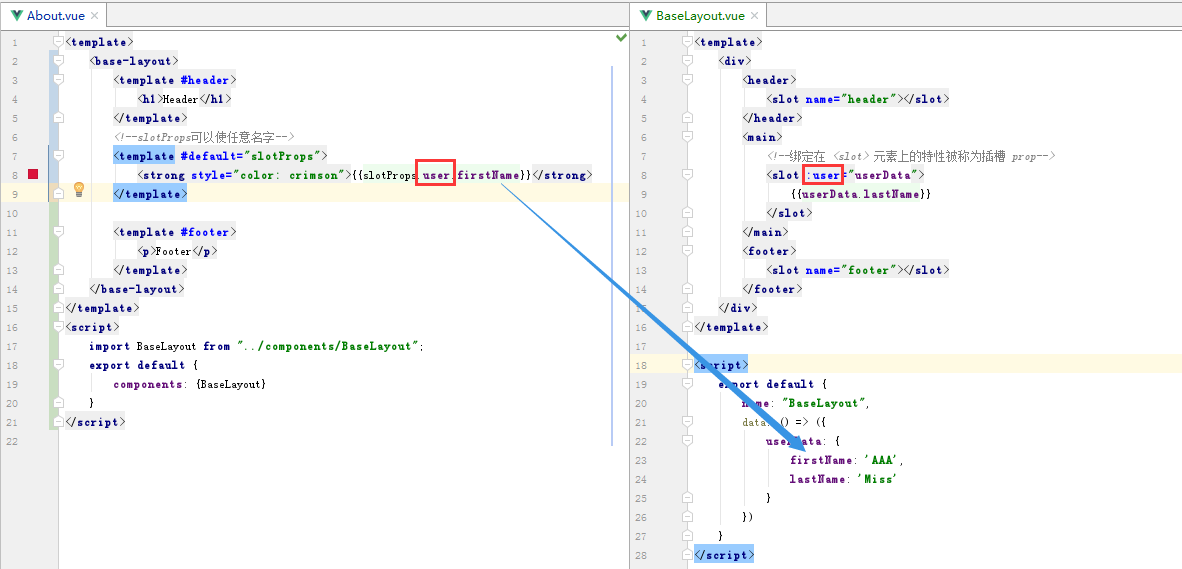
数据关系:
页面:
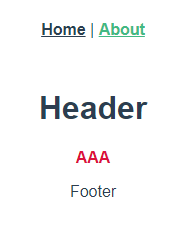
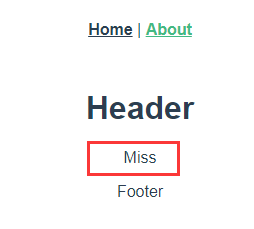
以上代码的意思是,本来这里的后备内容是显示lastName的,我们可以在父组件那里做手脚,让后备内容显示的是firstName。但是无论怎么做,数据都是来自子组件。
将父组件的指定的后备内容注释掉即可显示原生的内容,如下:
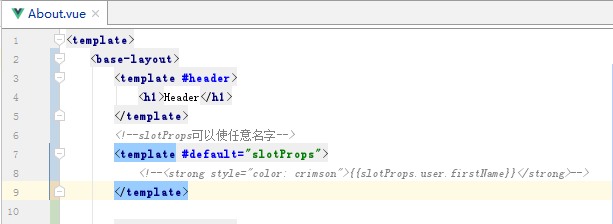
页面:
另外一个例子(写一个表格组件,灵感来源于Vuetify框架,没读过它的内部实现,但是一眼能看出使用了插槽,根据我的理解写出下面的例子)
定义:MyTable.vue
<template>

    <table>

        <slot name="headers">

            <tr>

                <th v-for="h in headers" :key="h">{{h}}</th>

            </tr>

        </slot>

        <!--这里的插槽prop绑定了当前的数据   :items="i"  -->

        <slot name="items" v-for="i in items" :items="i">

            <tr :key="i[itemKey]" :title="i[itemKey]">

                <td v-for="j in i" :key="j">{{j}}</td>

            </tr>

        </slot>

    </table>

</template>

<script>

    export default {

        name: "MyTable",

        // 自定义属性

        props: ["headers","items","itemKey"],

    }

</script>

<style scoped>

    table{

        width: 200px;

        margin: 25px auto;

        border-collapse: collapse;

        border: 1px solid #ddd;

    }

    table tr,table td{

        border-collapse: collapse;

        border: 1px solid #ddd;

        padding: 8px 10px;

    }

</style>
使用:
<template>

    <div class="about">

        <!-- ********************作用域插槽的应用******************** -->

        <!--直接使用-->

        <my-table :headers="headersData" :items="itemsData" item-key="id"></my-table>

        <!--父组件利用插槽自定义-->

        <my-table :headers="headersData" :items="itemsData" item-key="id">

            <!--有了作用域插槽,可以由父组件来改变子组件的展示效果-->

            <!--在父级作用域中,我们可以给 v-slot 带一个【值】来定义我们提供的插槽 prop 的名字-->

            <!--【值】也就是那个 props,可以为任意名字-->

            <template v-slot:items="props">

                <tr>

                    <td style="color: darkcyan">{{props.items.id}}</td>

                    <td style="color: darkcyan">{{props.items.name}}</td>

                    <td style="color: darkcyan">{{props.items.age}}</td>

                </tr>

            </template>

        </my-table>

        <!-- ********************作用域插槽的应用******************** -->

    </div>

</template>

<script>

    import MyTable from "../components/MyTable";

    export default {

        name: 'about',

        components: {MyTable},

        data: () => ({

            headersData: ["ID", "Name", "Age"],

            itemsData: [

                {id: 1, name: 'A', age: 10},

                {id: 2, name: 'B', age: 20},

                {id: 3, name: 'C', age: 12},

                {id: 4, name: 'D', age: 15}

            ]

        })

    }

</script>

<style scoped>

</style>
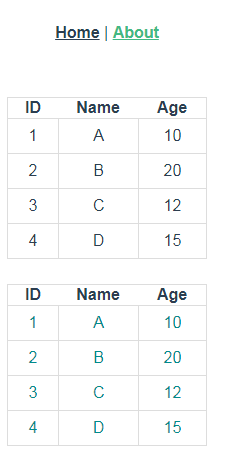
页面:(前者直接使用,后者利用作用于插槽改变了颜色)
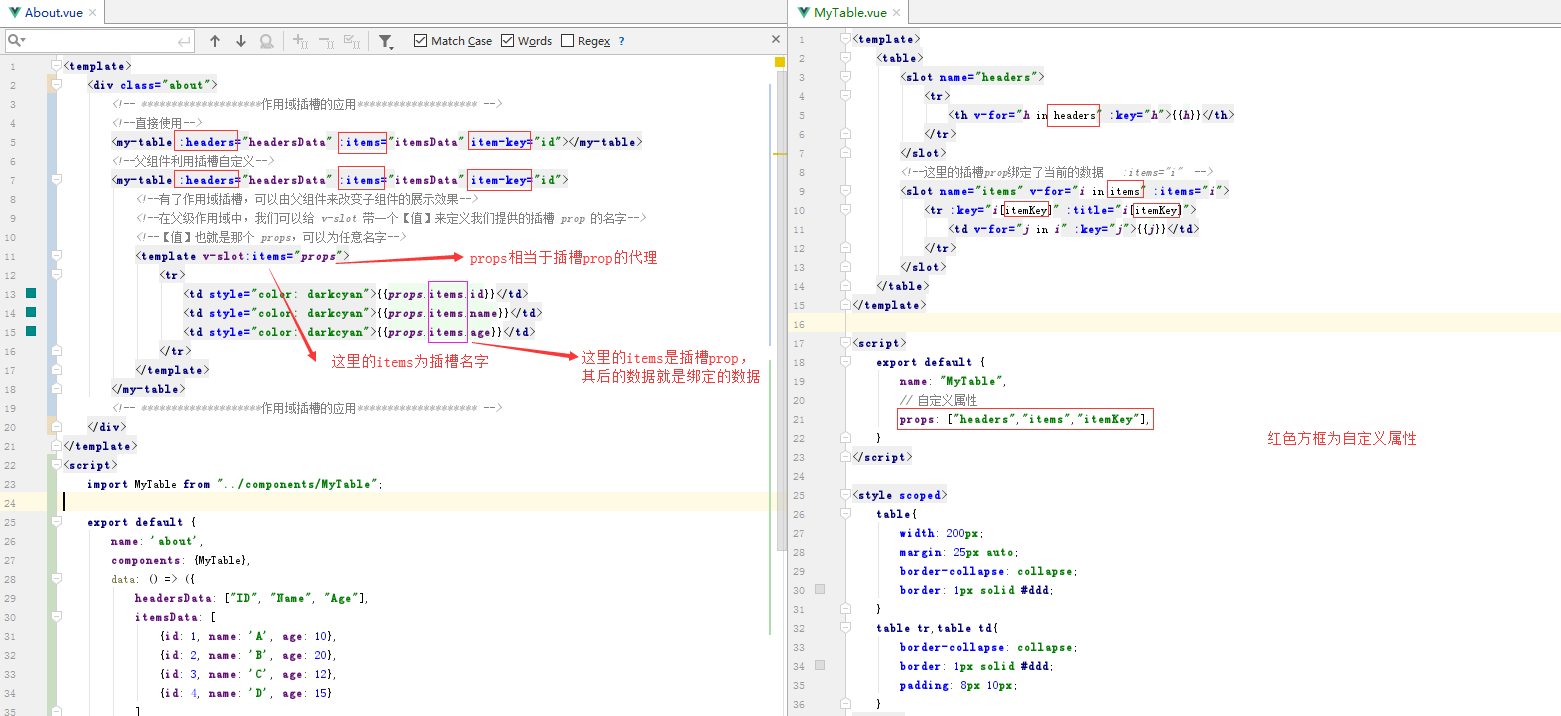
变量关系
其它
对于默认插槽,我们可以变成更加简洁的写法:
<template v-slot:default="slotProps">

    <strong style="color: crimson">{{slotProps.user.firstName}}</strong>

</template>
变成(不带参数的 v-slot 被假定对应默认插槽)
<template v-slot="slotProps">

    <strong style="color: crimson">{{slotProps.user.firstName}}</strong>

</template>
对于缩写 #,有限制条件,那就是只能有参数名的情况下才能使用,即:#header=“”。而不带的话会报错,即:#=“”
Vue(六)插槽(2.6.0+)的更多相关文章
- vue.js插槽
具体讲解的url https://github.com/cunzaizhuyi/vue-slot-demo //例子 用jsfiddle.net去运行就好 <!DOCTYPE html> ...
- 基于Vue + Vuex + Vue-router + Webpack 2.0打造微信界面
一.项目简介 基于Vue + Vuex + Vue-router + Webpack 2.0打造微信界面,实现了微信聊天.搜索.点赞.通讯录(快速导航).个人中心.模拟对话.朋友圈.设置等功能. 二. ...
- vue slot 插槽详解
插槽含义:就是引入子组件后,在插入子组件元素中添加信息或者标签,使得子组件的指定位置插入信息或者标签 插槽有三种:默认插槽.具名插槽.作用域插槽,由于vue2.6.0后对插槽进行修改,但是兼容2.6. ...
- 通过UI库深入了解Vue的插槽的使用技巧
Vue官网对于插槽的介绍比较简略,插槽本身也比较"烧脑",很容易看晕,我就一直没看懂,直到 使用了element-plus的组件的插槽. 其实我们可以换一个角度来理解插槽,就会豁然 ...
- vue父子组件(1.0)
1.父子组件 在上一篇随笔中展示了vue的组件,当我们继续在组件中写组件,形成组件嵌套的时候,就是我们所说的父子组件了. <!DOCTYPE html> <html lang=&qu ...
- Vue中插槽指令
08.29自我总结 Vue中插槽指令 意义 就是在组件里留着差值方便后续组件内容新增 而且由于插件是写在父级中数据可以直接父级中传输而不需要传子再传父有些情况会减少写代码量 示例 <div id ...
- [Vue warn]: Duplicate keys detected: '0'. This may cause an update error.
1.[Vue warn]: Duplicate keys detected: '0'. This may cause an update error. 第一眼看到这个错误一脸懵逼,项目使用很久了,代码 ...
- vue 全局插槽 全局插座
场景: slot 能够让父组件内容插入到子组件中,但是子孙组件不能够使用slot直接插入内容.在弹窗的时候,全屏弹窗需要直接在组件最上层显示,如果父组件级别不够,弹出就可能不是全屏的. 知识点: 1: ...
- 细说Vue作用域插槽,匹配应用场景。
最近在官方文档中看到,vue新增了一种插槽机制,叫做作用域插槽.要求的版本是2.1.0+. 首先来说一下:顾名思义,所谓作用域插槽,主要就在作用域,需要注意的是(以下几点看不懂不要紧,配合下面的例子, ...
- [Vue]组件——插槽:slot(匿名插槽,具名插槽)与slot-scope(作用域插槽)
1.单个插槽 | 匿名插槽 1.1<navigation-link> 子组件定义为: <a v-bind:href="url" class="nav-l ...
随机推荐
- strtok在keil中使用小笔记及字符串转换为多个浮点数的方法
在pc上面使用这个字符串函数,是没有问题的,但是我在keil中结合rtos来处理字符串的时候,比如char *s = "1.01313;17.2609;17.4875";那么就只能 ...
- Codeforces Round #605 (Div. 3) C. Yet Another Broken Keyboard
链接: https://codeforces.com/contest/1272/problem/C 题意: Recently, Norge found a string s=s1s2-sn consi ...
- LeetCode 801. Minimum Swaps To Make Sequences Increasing
原题链接在这里:https://leetcode.com/problems/minimum-swaps-to-make-sequences-increasing/ 题目: We have two in ...
- php 正则表达示中的原子
原子 原子是正则表达示里面的最小单位,原子说白了就是需要匹配的内容.一个成立的正则表达示当中必须最少要有一个原子.大理石平台精度等级 所有可见不可见的字符就是原子 说明:我们见到的空格.回车.换行.0 ...
- hibernate的持久化类、主键生成策略
一.hibernate的持久化类 1.什么是持久化类: 持久化:将数据存储到关系型数据库. 持久化类:与数据库中的数据表建立了某种关系的java类.(持久化类=javabean+映射配置文件) 2.持 ...
- JS变量和变量交换的三种方法
一.what 变量就是用来存储数据的容器 二.how 通过var 关键字定义一个变量 var n1; //定义变量 变量的赋值:通过赋值运算符“=” 给变量赋值. var n2=123; //定义变量 ...
- JavaScript的入门篇
快速认识JavaScript 熟悉JavaScript基本语法 窗口交互方法 通过DOM进行网页元素的操作 学会如何编写JS代码 运用JavaScript去操作HTML元素和CSS样式 <!DO ...
- C博客作业03——函数
0.展示PTA总分 截图展示: 1.本章学习总结 1.1学习内容总结 (a)函数的定义 1)函数是一个完成特定工作的独立程序模块,包括库函数和自定义函数两种,scanf(),printf()等为库函数 ...
- /usr/bin/xauth: file /home/user/.Xauthority does not exist
错误信息如下: /usr/bin/xauth: file /home/user/.Xauthority does not exist 错误原因:是因为添加用户时没有授权对应的目录,仅仅执行了usera ...
- Windows下多个JDK版本的切换方法
问题 因我之前在window中无法命令行输入,后来发现是电脑中存在多个JDK,导致设置混乱. 于是,我继续深入研究了当电脑存在多个JDK的情况下,如何设置想要的JDK版本. 步骤 1.更改环境变量 进 ...