
SpringBoot——定时任务+WebSocket(问题)
开发环境:win7 + idea2018 + jdk 1.8 + springboot 2.x
记一次出现问题,我在项目中先集成了websocket环境,并且测试通过,之后想要模拟实时推送的效果,虽然可以直接使用线程类进行模拟,但是想到最近看到了定时任务,就像试一试,没有想到,这不试不知道啊,这里有个坑,主要原因还是由于个人的基础太浅薄,英文水平太辣鸡。
WebSocket环境搭建可以参考我之前的记录(https://www.cnblogs.com/threadj/p/10552904.html),在这里只记录本次出现问题
首先是搭建定时任务环境:
1、创建定时任务,如下使用@Scheduled注解并指定其时间周期,该方法为一个定时任务,使用@Component将定时任务类加入Spring管理
未验证:都说定时任务只能放在一个单独的类里面,就比如说不可以在@Controller中直接用@Scheduled注解标注一个定时任务,这个暂时我还没有进行验证
package com.zyzj.site_civilization.task;

import com.fasterxml.jackson.core.JsonProcessingException;

import com.fasterxml.jackson.databind.ObjectMapper;

import com.zyzj.site_civilization.net.websocket.WebSocketHandler;

import com.zyzj.site_civilization.net.websocket.WebSocketPool;

import com.zyzj.site_civilization.service.EquipmentService;

import com.zyzj.site_civilization.util.CommonUtil;

import lombok.extern.slf4j.Slf4j;

import org.springframework.beans.factory.InitializingBean;

import org.springframework.beans.factory.annotation.Autowired;

import org.springframework.scheduling.annotation.Scheduled;

import org.springframework.stereotype.Component;

import javax.websocket.Session;

import java.sql.Timestamp;

import java.util.Date;

import java.util.List;

import java.util.Map;

@Slf4j

@Component

public class DataSupportTask implements InitializingBean {

    @Autowired

    private EquipmentService equipmentService;

    private Map<String, Session> map;

    private ObjectMapper mapper = new ObjectMapper();

    private List<Equipment> equipmentList;

    public EquipmentDataHistory init(){

        //初始化数据

        类 data = new 类();//嘿嘿

        return data;

    }

    //定时任务执行体,5秒执行一次,fixedRate具体意义不说了,因为我忘了

    @Scheduled(fixedRate = 5000)

    public void dataSupport(){

        map = WebSocketPool.getSession();

        if (map.size() > 0){

            try {

                WebSocketHandler.sendMessageAll(mapper.writeValueAsString(init()));

            } catch (JsonProcessingException e) {

                e.printStackTrace();

            }

        }else {

            log.info("当前无在线用户");

        }

    }

    @Override

    public void afterPropertiesSet() throws Exception {

        //这个方法会在IOC对当前类进行实例化时,当所有的依赖注入完成后调用此方法

        //我不知道怎么表达对不对

        //我这里因为我在init方法中需要使用到这个数据,所以在这里初始化初始化

        equipmentList = equipmentService.queryEntityListAll();

    }

}
2、在启动类加上@EnableScheduling注解,到此定时任务类完成创建
package com.zyzj.site_civilization;

import org.springframework.boot.SpringApplication;

import org.springframework.boot.autoconfigure.SpringBootApplication;

import org.springframework.scheduling.annotation.EnableScheduling;

@SpringBootApplication

@EnableScheduling

public class TestApplication {

    public static void main(String[] args) {

        SpringApplication.run(TestApplication.class, args);

    }

}
官方文档参考:https://spring.io/guides/gs/scheduling-tasks/
然而,在我启动程序的时候出事了,我可是看着官方例子写的好不好,
出错信息如下:
Error starting ApplicationContext. To display the conditions report re-run your application with 'debug' enabled.

2019-03-30 17:28:17.789 ERROR 17644 --- [           main] o.s.boot.SpringApplication               : Application run failed

org.springframework.beans.factory.BeanNotOfRequiredTypeException: Bean named 'defaultSockJsTaskScheduler' is expected to be of type 'org.springframework.scheduling.TaskScheduler' but was actually of type 'org.springframework.beans.factory.support.NullBean'

    at org.springframework.beans.factory.support.AbstractBeanFactory.doGetBean(AbstractBeanFactory.java:392) ~[spring-beans-5.1.5.RELEASE.jar:5.1.5.RELEASE]

    at org.springframework.beans.factory.support.AbstractBeanFactory.getBean(AbstractBeanFactory.java:224) ~[spring-beans-5.1.5.RELEASE.jar:5.1.5.RELEASE]

    at org.springframework.beans.factory.support.DefaultListableBeanFactory.resolveNamedBean(DefaultListableBeanFactory.java:1115) ~[spring-beans-5.1.5.RELEASE.jar:5.1.5.RELEASE]

    at org.springframework.beans.factory.support.DefaultListableBeanFactory.resolveNamedBean(DefaultListableBeanFactory.java:1082) ~[spring-beans-5.1.5.RELEASE.jar:5.1.5.RELEASE]

    at org.springframework.scheduling.annotation.ScheduledAnnotationBeanPostProcessor.resolveSchedulerBean(ScheduledAnnotationBeanPostProcessor.java:313) ~[spring-context-5.1.5.RELEASE.jar:5.1.5.RELEASE]

    at org.springframework.scheduling.annotation.ScheduledAnnotationBeanPostProcessor.finishRegistration(ScheduledAnnotationBeanPostProcessor.java:254) ~[spring-context-5.1.5.RELEASE.jar:5.1.5.RELEASE]

    at org.springframework.scheduling.annotation.ScheduledAnnotationBeanPostProcessor.onApplicationEvent(ScheduledAnnotationBeanPostProcessor.java:231) ~[spring-context-5.1.5.RELEASE.jar:5.1.5.RELEASE]

    at org.springframework.scheduling.annotation.ScheduledAnnotationBeanPostProcessor.onApplicationEvent(ScheduledAnnotationBeanPostProcessor.java:103) ~[spring-context-5.1.5.RELEASE.jar:5.1.5.RELEASE]

    at org.springframework.context.event.SimpleApplicationEventMulticaster.doInvokeListener(SimpleApplicationEventMulticaster.java:172) ~[spring-context-5.1.5.RELEASE.jar:5.1.5.RELEASE]

    at org.springframework.context.event.SimpleApplicationEventMulticaster.invokeListener(SimpleApplicationEventMulticaster.java:165) ~[spring-context-5.1.5.RELEASE.jar:5.1.5.RELEASE]

    at org.springframework.context.event.SimpleApplicationEventMulticaster.multicastEvent(SimpleApplicationEventMulticaster.java:139) ~[spring-context-5.1.5.RELEASE.jar:5.1.5.RELEASE]

    at org.springframework.context.support.AbstractApplicationContext.publishEvent(AbstractApplicationContext.java:402) ~[spring-context-5.1.5.RELEASE.jar:5.1.5.RELEASE]

    at org.springframework.context.support.AbstractApplicationContext.publishEvent(AbstractApplicationContext.java:359) ~[spring-context-5.1.5.RELEASE.jar:5.1.5.RELEASE]

    at org.springframework.context.support.AbstractApplicationContext.finishRefresh(AbstractApplicationContext.java:896) ~[spring-context-5.1.5.RELEASE.jar:5.1.5.RELEASE]

    at org.springframework.boot.web.servlet.context.ServletWebServerApplicationContext.finishRefresh(ServletWebServerApplicationContext.java:163) ~[spring-boot-2.1.3.RELEASE.jar:2.1.3.RELEASE]

    at org.springframework.context.support.AbstractApplicationContext.refresh(AbstractApplicationContext.java:552) ~[spring-context-5.1.5.RELEASE.jar:5.1.5.RELEASE]

    at org.springframework.boot.web.servlet.context.ServletWebServerApplicationContext.refresh(ServletWebServerApplicationContext.java:142) ~[spring-boot-2.1.3.RELEASE.jar:2.1.3.RELEASE]

    at org.springframework.boot.SpringApplication.refresh(SpringApplication.java:775) [spring-boot-2.1.3.RELEASE.jar:2.1.3.RELEASE]

    at org.springframework.boot.SpringApplication.refreshContext(SpringApplication.java:397) [spring-boot-2.1.3.RELEASE.jar:2.1.3.RELEASE]

    at org.springframework.boot.SpringApplication.run(SpringApplication.java:316) [spring-boot-2.1.3.RELEASE.jar:2.1.3.RELEASE]

    at org.springframework.boot.SpringApplication.run(SpringApplication.java:1260) [spring-boot-2.1.3.RELEASE.jar:2.1.3.RELEASE]

    at org.springframework.boot.SpringApplication.run(SpringApplication.java:1248) [spring-boot-2.1.3.RELEASE.jar:2.1.3.RELEASE]

    at com.zyzj.site_civilization.SiteCivilizationApplication.main(SiteCivilizationApplication.java:12) [classes/:na]

Process finished with exit code 1
从报错信息上面看,是Bean named 'defaultSockJsTaskScheduler' is expected to be of type 'org.springframework.scheduling.TaskScheduler' but was actually of type 'org.springframework.beans.factory.support.NullBean',注入的类型不对,随后百度。
package com.jian.test.config;

import org.springframework.context.annotation.Bean;

import org.springframework.context.annotation.Configuration;

import org.springframework.scheduling.TaskScheduler;

import org.springframework.scheduling.concurrent.ThreadPoolTaskScheduler;

@Configuration

public class ScheduledConfig {

    @Bean

    public TaskScheduler taskScheduler(){

        ThreadPoolTaskScheduler taskScheduler = new ThreadPoolTaskScheduler();

        taskScheduler.setPoolSize(10);

        taskScheduler.initialize();

        return taskScheduler;

    }

}
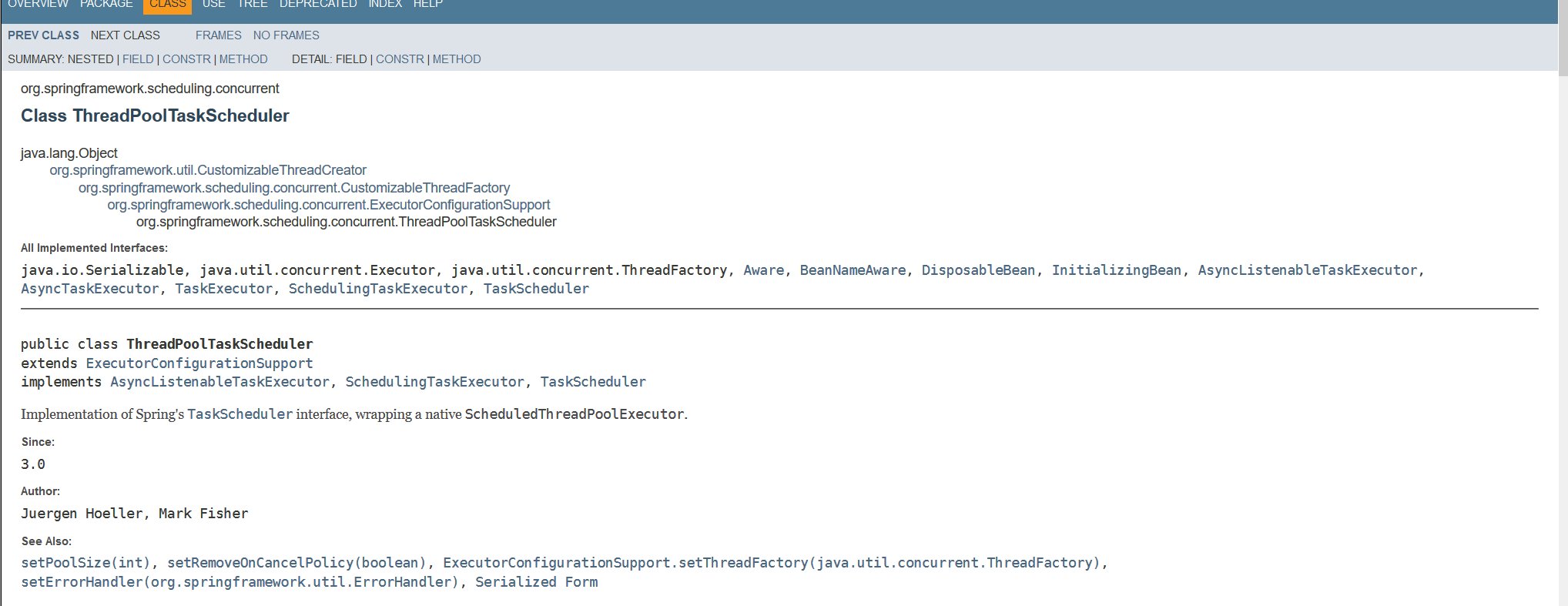
待验证:至于为什么会出现这样的问题,猜测可能是因为websocket也需要定时任务(心跳检测),定时任务其实也是依赖于一个新的线程,这些线程需要管理起来,需要线程池,websocket里面好像默认实现了一个ThreadPoolTaskScheduler,(ThreadPoolTaskScheduler实现了TaskScheduler接口),定时任务也需要线程池,可能这里面有什么冲突
后记:最主要的问题,还是基础太差
SpringBoot——定时任务+WebSocket(问题)的更多相关文章
- springboot集成websocket的两种实现方式
WebSocket跟常规的http协议的区别和优缺点这里大概描述一下 一.websocket与http http协议是用在应用层的协议,他是基于tcp协议的,http协议建立链接也必须要有三次握手才能 ...
- Springboot整合Websocket遇到的坑
Springboot整合Websocket遇到的坑 一.使用Springboot内嵌的tomcat启动websocket 1.添加ServerEndpointExporter配置bean @Confi ...
- springboot 定时任务部署至linux服务器上后会执行两次问题
springboot定时任务在本地运行时,正常执行且只执行一次,但是在maven打包成war包,部署至linux服务器上之后,定时任务奇怪的执行了两次. 由于未做负载均衡,所以可以先排除是因为多台服务 ...
- SpringBoot 整合 WebSocket
SpringBoot 整合 WebSocket(topic广播) 1.什么是WebSocket WebSocket为游览器和服务器提供了双工异步通信的功能,即游览器可以向服务器发送消息,服务器也可以向 ...
- SpringBoot集成WebSocket【基于纯H5】进行点对点[一对一]和广播[一对多]实时推送
代码全部复制,仅供自己学习用 1.环境搭建 因为在上一篇基于STOMP协议实现的WebSocket里已经有大概介绍过Web的基本情况了,所以在这篇就不多说了,我们直接进入正题吧,在SpringBoot ...
- SpringBoot基于websocket的网页聊天
一.入门简介正常聊天程序需要使用消息组件ActiveMQ或者Kafka等,这里是一个Websocket入门程序. 有人有疑问这个技术有什么作用,为什么要有它?其实我们虽然有http协议,但是它有一个缺 ...
- Spring boot(三) springboot 定时任务
这个不多说,springboot 定时任务非常简单就可以实现了. 30s运行一次 , @Scheduled(cron="0,30 * * * * ?") 通过这个控制定时时间 cr ...
- springboot定时任务之旅
springboot定时任务 假设场景:单体应用的定时任务,假设我们已经有了一个搭建好的springboot应用,但是需要添加一个定时执行的部分(比如笔者遇到的是定时去请求一个接口数据来更新某个表), ...
- springboot整合websocket原生版
目录 HTTP缺点 HTTP websocket区别 websocket原理 使用场景 springboot整合websocket 环境准备 客户端连接 加入战队 微信公众号 主题 HTTP请求用于我 ...
随机推荐
- POJ-1322 Chocolate(概率DP)
Chocolate Time Limit: 2000MS Memory Limit: 65536K Total Submissions: 9279 Accepted: 2417 Special Jud ...
- HOJ-2662Pieces Assignment(状态压缩,动态规划)
Pieces Assignment Source : zhouguyue Time limit : 1 sec Memory limit : 64 M Submitted : 415, Accepte ...
- 51nod 1126 - 求递推序列的第N项 - [找规律]
题目链接:https://cn.vjudge.net/problem/51Nod-1126 有一个序列是这样定义的:f(1) = 1, f(2) = 1, f(n) = (A * f(n - 1) + ...
- Oracle中的时间函数用法(to_date、to_char) (总结)
一.24小时的形式显示出来要用HH24 select to_char(sysdate,'yyyy-MM-dd HH24:mi:ss') from dual; select to_date('2005- ...
- Apple Pay的实现
首先是搜到的大神写的全套知识点:http://www.jianshu.com/p/8d7b86f1d142 http://www.cnblogs.com/dashunzi/archive/2016/0 ...
- WebFlux Spring Security配置
最小化可运行配置 package com.terwergreen.bugucms.config; import org.apache.commons.logging.Log; import org.a ...
- java cocurrent ConcurrentHashMap、读写锁、Condition、线程池、Barrier、CountDownLatch、Callable、BlockingQueue
Java并发学习笔记 - yang_net - 博客频道 - CSDN.NET Java并发学习笔记 - yang_net - 博客频道 - CSDN.NET 并发小结:高 ...
- paas容器云
- 洛谷P4139 上帝与集合的正确用法 拓欧
正解:拓展欧拉定理 解题报告: 首先放上拓欧公式? if ( b ≥ φ(p) ) ab ≡ ab%φ(p)+φ(p)(mod p)else ab≡ab mod φ(p) (mod p) 首先利用扩 ...
- sql执行顺序与性能优化小技巧(一)
关于sql条件匹配对执行效率影响测试 首先,创建一个标量函数create function ff_test() returns int as begin declare @i int=0 while( ...