
GitOps实践之kubernetes安装argocd
1. 什么是argocd
1.Argo CD是Kubernetes的一个声明性GitOps持续交付工具。
2.应用程序定义、配置和环境应该是声明性的和版本控制的。应用程序部署和生命周期管理应自动化、可审核且易于理解。
3.Argo CD 是以 Kubernetes 作为基础设施,遵循声明式 GitOps 理念的持续交付(continuous delivery, CD)工具,支持多种配置管理工具,包括 ksonnet/jsonnet、kustomize 和 Helm 等。它的配置和使用非常简单,并且自带一个简单易用的可视化界面。
4.按照官方定义,Argo CD 被实现为一个 Kubernetes 控制器,它会持续监控正在运行的应用,并将当前的实际状态与 Git 仓库中声明的期望状态进行比较,如果实际状态不符合期望状态,就会更新应用的实际状态以匹配期望状态。
5.Argo CD 会被部署在 Kubernetes 集群中,使用的是基于 Pull 的部署模式,它会周期性地监控应用的实际状态,也会周期性地拉取 Git 仓库中的配置清单,并将实际状态与期望状态进行比较,如果实际状态不符合期望状态,就会更新应用的实际状态以匹配期望状态。

官方文档: https://argo-cd.readthedocs.io/en/stable/
2. 安装argocd
2.1 部署yaml
kubectl create namespace argocd

kubectl apply -n argocd -f https://raw.githubusercontent.com/argoproj/argo-cd/stable/manifests/core-install.yaml

[root@kn-server-master01-13 argocd]# kubectl apply -n argocd -f  install.yaml

customresourcedefinition.apiextensions.k8s.io/applications.argoproj.io created

customresourcedefinition.apiextensions.k8s.io/applicationsets.argoproj.io created

customresourcedefinition.apiextensions.k8s.io/appprojects.argoproj.io created

serviceaccount/argocd-application-controller created

serviceaccount/argocd-applicationset-controller created

serviceaccount/argocd-dex-server created

serviceaccount/argocd-notifications-controller created

serviceaccount/argocd-redis created

serviceaccount/argocd-repo-server created

serviceaccount/argocd-server created

role.rbac.authorization.k8s.io/argocd-application-controller created

role.rbac.authorization.k8s.io/argocd-applicationset-controller created

role.rbac.authorization.k8s.io/argocd-dex-server created

role.rbac.authorization.k8s.io/argocd-notifications-controller created

role.rbac.authorization.k8s.io/argocd-server created

clusterrole.rbac.authorization.k8s.io/argocd-application-controller created

clusterrole.rbac.authorization.k8s.io/argocd-server created

rolebinding.rbac.authorization.k8s.io/argocd-application-controller created

rolebinding.rbac.authorization.k8s.io/argocd-applicationset-controller created

rolebinding.rbac.authorization.k8s.io/argocd-dex-server created

rolebinding.rbac.authorization.k8s.io/argocd-notifications-controller created

rolebinding.rbac.authorization.k8s.io/argocd-redis created

rolebinding.rbac.authorization.k8s.io/argocd-server created

clusterrolebinding.rbac.authorization.k8s.io/argocd-application-controller created

clusterrolebinding.rbac.authorization.k8s.io/argocd-server created

configmap/argocd-cm created

configmap/argocd-cmd-params-cm created

configmap/argocd-gpg-keys-cm created

configmap/argocd-notifications-cm created

configmap/argocd-rbac-cm created

configmap/argocd-ssh-known-hosts-cm created

configmap/argocd-tls-certs-cm created

secret/argocd-notifications-secret created

secret/argocd-secret created

service/argocd-applicationset-controller created

service/argocd-dex-server created

service/argocd-metrics created

service/argocd-notifications-controller-metrics created

service/argocd-redis created

service/argocd-repo-server created

service/argocd-server created

service/argocd-server-metrics created

deployment.apps/argocd-applicationset-controller created

deployment.apps/argocd-dex-server created

deployment.apps/argocd-notifications-controller created

deployment.apps/argocd-redis created

deployment.apps/argocd-repo-server created

deployment.apps/argocd-server created

statefulset.apps/argocd-application-controller created

networkpolicy.networking.k8s.io/argocd-application-controller-network-policy created

networkpolicy.networking.k8s.io/argocd-applicationset-controller-network-policy created

networkpolicy.networking.k8s.io/argocd-dex-server-network-policy created

networkpolicy.networking.k8s.io/argocd-notifications-controller-network-policy created

networkpolicy.networking.k8s.io/argocd-redis-network-policy created

networkpolicy.networking.k8s.io/argocd-repo-server-network-policy created

networkpolicy.networking.k8s.io/argocd-server-network-policy created
Pod都已经running
[root@kn-server-master01-13 argocd]# kubectl get pods -n argocd

NAME                                               READY   STATUS    RESTARTS   AGE

argocd-application-controller-0                    1/1     Running   0          8m11s

argocd-applicationset-controller-fb8d96cb5-l9kxc   1/1     Running   0          8m12s

argocd-dex-server-69f8bb9b-79wkz                   1/1     Running   0          8m12s

argocd-notifications-controller-85fdd8f7d9-5hfjt   1/1     Running   0          8m12s

argocd-redis-6d67ff987b-7rffz                      1/1     Running   0          8m11s

argocd-repo-server-67566f5fb4-tvkds                1/1     Running   0          8m11s

argocd-server-58dd4685bc-c8wlw                     1/1     Running   0          8m11s
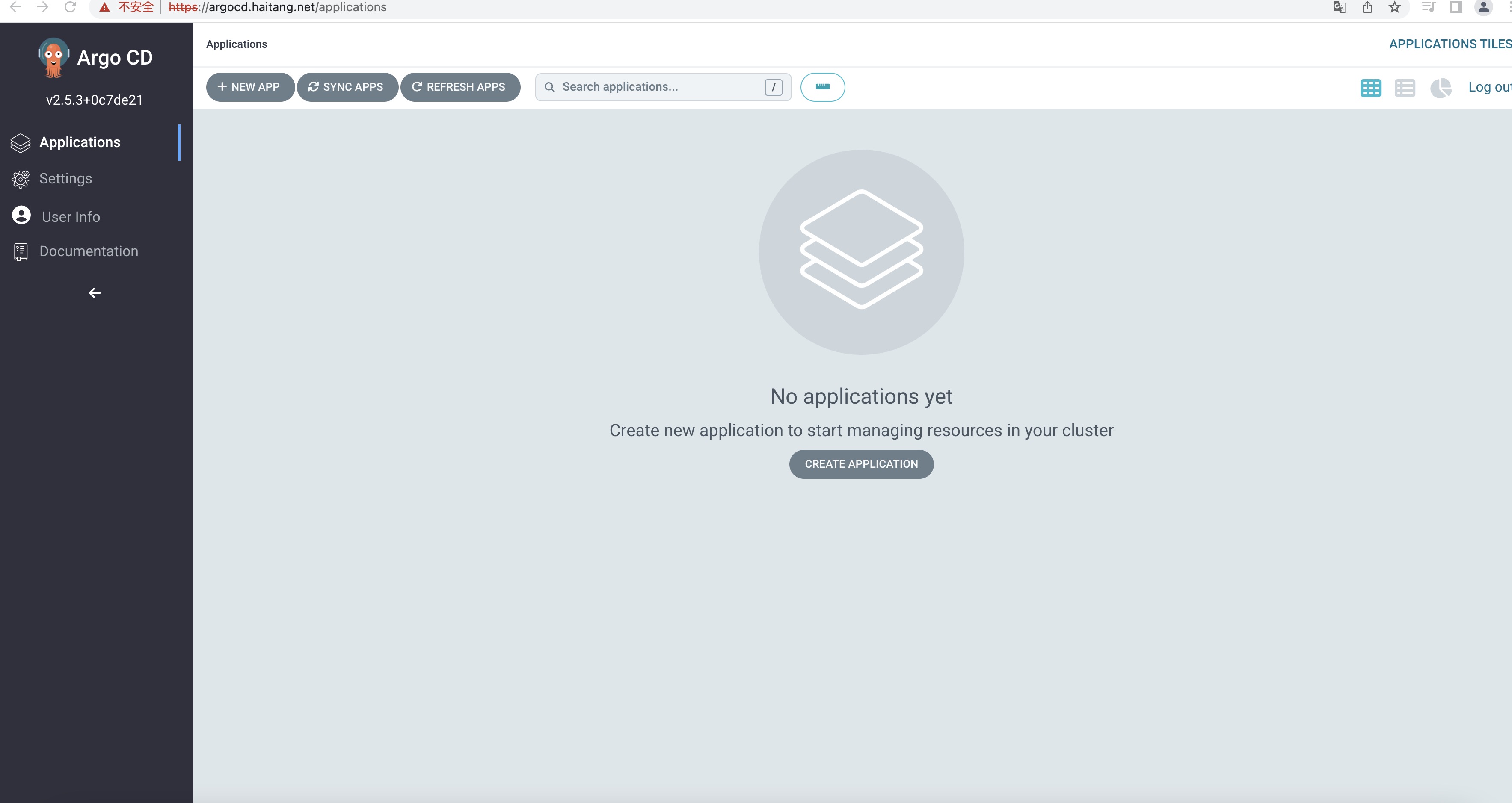
修改为Nodeport或者loadbalancer亦或者Ingress才可用访问Argocd WEBUI
[root@kn-server-master01-13 argocd]# kubectl get svc -n argocd

NAME                                      TYPE        CLUSTER-IP      EXTERNAL-IP   PORT(S)                      AGE

argocd-applicationset-controller          ClusterIP   10.96.233.34    <none>        7000/TCP,8080/TCP            8m35s

argocd-dex-server                         ClusterIP   10.96.15.14     <none>        5556/TCP,5557/TCP,5558/TCP   8m35s

argocd-metrics                            ClusterIP   10.96.99.245    <none>        8082/TCP                     8m35s

argocd-notifications-controller-metrics   ClusterIP   10.96.154.168   <none>        9001/TCP                     8m35s

argocd-redis                              ClusterIP   10.96.182.219   <none>        6379/TCP                     8m35s

argocd-repo-server                        ClusterIP   10.96.108.40    <none>        8081/TCP,8084/TCP            8m35s

argocd-server                             ClusterIP   10.96.164.184   <none>        80/TCP,443/TCP               8m35s

argocd-server-metrics                     ClusterIP   10.96.83.5      <none>        8083/TCP                     8m35s
3. 安装argocd CLI
3.1 下载客户端的安装包
[root@kn-server-master01-13 argocd]# wget  https://github.com/argoproj/argo-cd/releases/download/v2.5.3/argocd-linux-amd64

--2022-12-04 09:56:47--  https://github.com/argoproj/argo-cd/releases/download/v2.5.3/argocd-linux-amd64

正在解析主机 github.com (github.com)... 20.205.243.166

正在连接 github.com (github.com)|20.205.243.166|:443... 已连接。

已发出 HTTP 请求,正在等待回应... 302 Found

位置:https://objects.githubusercontent.com/github-production-release-asset-2e65be/120896210/dc4d761d-ef5d-4f4c-8dc3-a72e134313c1?X-Amz-Algorithm=AWS4-HMAC-SHA256&X-Amz-Credential=AKIAIWNJYAX4CSVEH53A%2F20221204%2Fus-east-1%2Fs3%2Faws4_request&X-Amz-Date=20221204T015648Z&X-Amz-Expires=300&X-Amz-Signature=ac9daeadb91a0f6b12cab84d5bc3b5d56abb78e960a93a62f68df9de904360bf&X-Amz-SignedHeaders=host&actor_id=0&key_id=0&repo_id=120896210&response-content-disposition=attachment%3B%20filename%3Dargocd-linux-amd64&response-content-type=application%2Foctet-stream [跟随至新的 URL]

--2022-12-04 09:56:48--  https://objects.githubusercontent.com/github-production-release-asset-2e65be/120896210/dc4d761d-ef5d-4f4c-8dc3-a72e134313c1?X-Amz-Algorithm=AWS4-HMAC-SHA256&X-Amz-Credential=AKIAIWNJYAX4CSVEH53A%2F20221204%2Fus-east-1%2Fs3%2Faws4_request&X-Amz-Date=20221204T015648Z&X-Amz-Expires=300&X-Amz-Signature=ac9daeadb91a0f6b12cab84d5bc3b5d56abb78e960a93a62f68df9de904360bf&X-Amz-SignedHeaders=host&actor_id=0&key_id=0&repo_id=120896210&response-content-disposition=attachment%3B%20filename%3Dargocd-linux-amd64&response-content-type=application%2Foctet-stream

正在解析主机 objects.githubusercontent.com (objects.githubusercontent.com)... 185.199.108.133, 185.199.109.133, 185.199.110.133, ...

正在连接 objects.githubusercontent.com (objects.githubusercontent.com)|185.199.108.133|:443... 已连接。

已发出 HTTP 请求,正在等待回应... 200 OK

长度:133625646 (127M) [application/octet-stream]

正在保存至: “argocd-linux-amd64”

100%[==========================================================================================================================================================>] 133,625,646  595KB/s 用时 4m 18s

2022-12-04 10:01:07 (506 KB/s) - 已保存 “argocd-linux-amd64” [133625646/133625646])
3.2 拷贝并赋权
[root@kn-server-master01-13 argocd]# cp argocd-linux-amd64  /usr/local/bin/argocd

[root@kn-server-master01-13 argocd]#  chmod +x /usr/local/bin/argocd
4. 使用argocd CLI
4.1 argocd命令帮助
[root@kn-server-master01-13 argocd]# argocd --help

argocd controls a Argo CD server

Usage:

  argocd [flags]

  argocd [command]

Available Commands:

  account     Manage account settings

  admin       Contains a set of commands useful for Argo CD administrators and requires direct Kubernetes access

  app         Manage applications

  appset      Manage ApplicationSets

  cert        Manage repository certificates and SSH known hosts entries

  cluster     Manage cluster credentials

  completion  output shell completion code for the specified shell (bash or zsh)

  context     Switch between contexts

  gpg         Manage GPG keys used for signature verification

  help        Help about any command

  login       Log in to Argo CD

  logout      Log out from Argo CD

  proj        Manage projects

  relogin     Refresh an expired authenticate token

  repo        Manage repository connection parameters

  repocreds   Manage repository connection parameters

  version     Print version information

Flags:

      --auth-token string               Authentication token

      --client-crt string               Client certificate file

      --client-crt-key string           Client certificate key file

      --config string                   Path to Argo CD config (default "/root/.config/argocd/config")

      --core                            If set to true then CLI talks directly to Kubernetes instead of talking to Argo CD API server

      --grpc-web                        Enables gRPC-web protocol. Useful if Argo CD server is behind proxy which does not support HTTP2.

      --grpc-web-root-path string       Enables gRPC-web protocol. Useful if Argo CD server is behind proxy which does not support HTTP2. Set web root.

  -H, --header strings                  Sets additional header to all requests made by Argo CD CLI. (Can be repeated multiple times to add multiple headers, also supports comma separated headers)

  -h, --help                            help for argocd

      --http-retry-max int              Maximum number of retries to establish http connection to Argo CD server

      --insecure                        Skip server certificate and domain verification

      --kube-context string             Directs the command to the given kube-context

      --logformat string                Set the logging format. One of: text|json (default "text")

      --loglevel string                 Set the logging level. One of: debug|info|warn|error (default "info")

      --plaintext                       Disable TLS

      --port-forward                    Connect to a random argocd-server port using port forwarding

      --port-forward-namespace string   Namespace name which should be used for port forwarding

      --server string                   Argo CD server address

      --server-crt string               Server certificate file

Use "argocd [command] --help" for more information about a command.
4.2 命令行登陆argocd
[root@kn-server-master01-13 argocd]# argocd login 10.0.0.14

WARNING: server certificate had error: x509: cannot validate certificate for 10.0.0.14 because it doesn't contain any IP SANs. Proceed insecurely (y/n)? yes

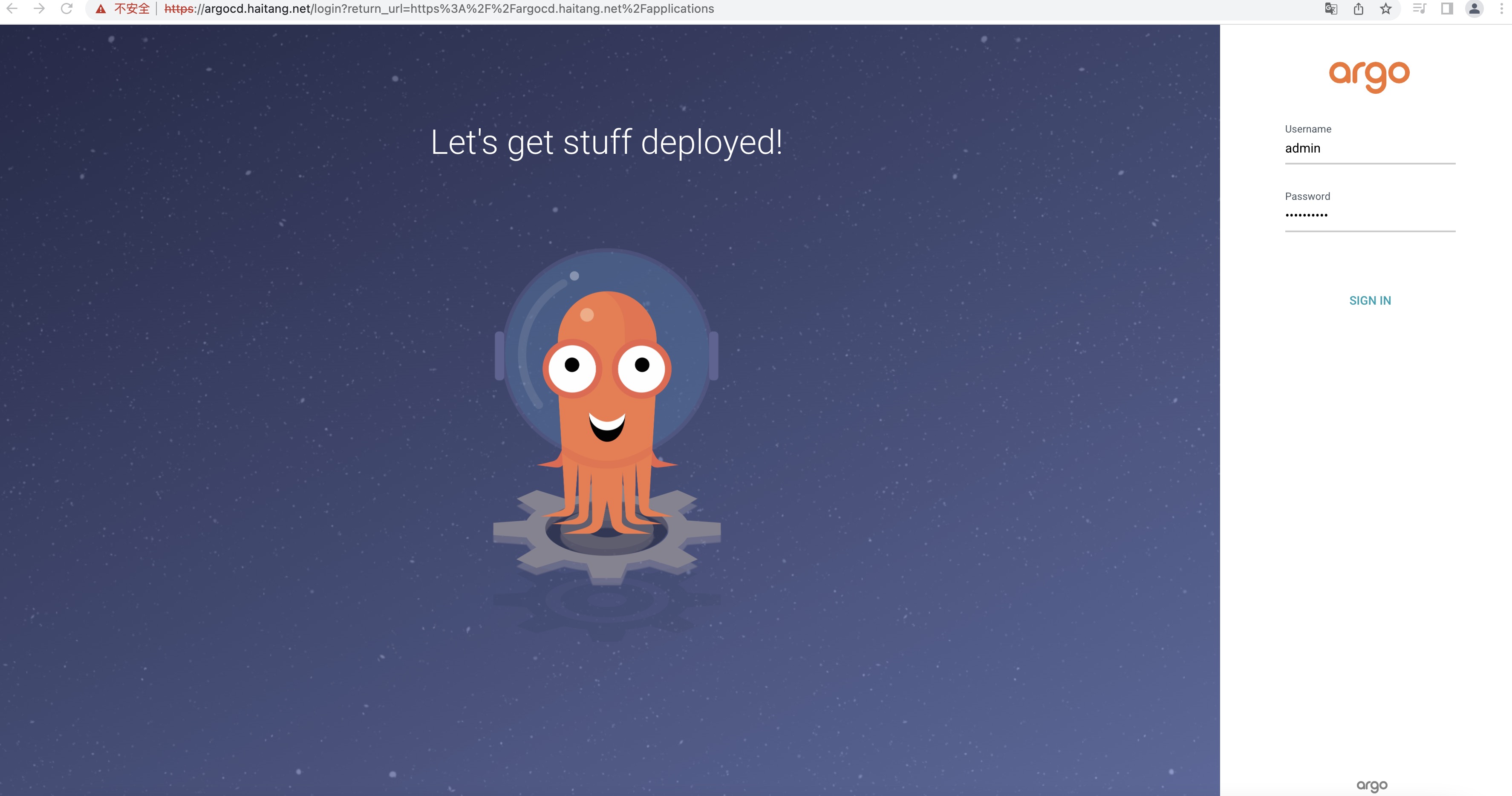
Username: admin

Password:

'admin:login' logged in successfully

Context '10.0.0.14' updated
4.3 命令行修改argocd密码
[root@kn-server-master01-13 argocd]# argocd account update-password

*** Enter password of currently logged in user (admin):

*** Enter new password for user admin:

*** Confirm new password for user admin:

Password updated

Context '10.0.0.14' updated
GitOps实践之kubernetes安装argocd的更多相关文章
- Kubernetes集群(RKE)安装ArgoCD排坑
Photo by Pixabay from Pexels Argo CD是一个声明式的,基于Kubernetes的GitOps持续交付工具.更多的细节参考 ArgoCD官网 的说明,这里记录了一些实践 ...
- Docker系列(九)Kubernetes安装
环境: A.B两天机器A机器IP:192.169.0.104,B机器IP:192.168.0.102,其中A为Master节点,B为Slave节点 操作系统:Centos7 Master与Slave节 ...
- 轻松加愉快的 Kubernetes 安装教程
轻松加愉快的 Kubernetes 安装教程 马哥Linux运维 2 days ago 作者:无聊的学习者 来源:见文末 在国内安装 K8S,一直是大家很头痛的问题,各种麻烦,关键是还不知道需要下载什 ...
- Kuboard Kubernetes安装
一.简介 Kubernetes 容器编排已越来越被大家关注,然而使用 Kubernetes 的门槛却依然很高,主要体现在这几个方面: 集群的安装复杂,出错概率大 Kubernetes相较于容器化,引入 ...
- kubernetes安装-kubeadm
系统信息 角色 系统 CPU Core memory master 18.04.1-Ubuntu 4 8G slave 18.04.1-Ubuntu 4 4G 安装前准备(主节点和从节点都需要执行) ...
- kubernetes安装-二进制
主要参考https://github.com/opsnull/follow-me-install-kubernetes-cluster,采用Flanel和docker 系统信息 角色 系统 CPU C ...
- 从零开始针对 .NET 应用的 DevOps 运营实践 - Jenkins & SonarQube 安装配置
一.Overview 继续 DevOps 实施的相关内容,在上一篇的博客中,完成了对于工具链中使用到的软件所需的运行环境的配置,在这一篇的博客中,将聚焦于我们使用到的两个主要的软件:Jenkins 与 ...
- 服务网格Istio入门-详细记录Kubernetes安装Istio并使用
我最新最全的文章都在南瓜慢说 www.pkslow.com,文章更新也只在官网,欢迎大家来喝茶~~ 1 服务网格Istio Istio是开源的Service Mesh实现,一般用于Kubernetes ...
- Nagios学习实践系列——基本安装篇
开篇介绍 最近由于工作需要,学习研究了一下Nagios的安装.配置.使用,关于Nagios的介绍,可以参考我上篇随笔Nagios学习实践系列——产品介绍篇 实验环境 操作系统:Red Hat Ente ...
- 图形化Cisco设备管理实践(附安装配置视频)
图形化Cisco设备管理实践 Ciscoworks 2000是Cisco公司推出的基于SNMP协议的网络管理系统,通过它网络管理人员可以方便快捷地完成设备的配置.管理.监控和故障分析等任务, Cisc ...
随机推荐
- SQL Server如何精准匹配字符中的字符,绝对匹配。
举例: 我现在是需要查询这字段里包含1的数据 我如果直接charindex,那么11,12也会被包含. 解决(1): SELECT * FROM ( SELECT '1,2,12,111' AS st ...
- centos 安装mysql 8.0
在home下新建一个mysql文件夹 cd /home mkdir mysql cd mysql 1.首先上传文件,把文件传到 /home/mysql下 链接:https://pan.baidu.co ...
- 痞子衡嵌入式:浅谈i.MXRT10xx系列MCU外接24MHz晶振的作用
大家好,我是痞子衡,是正经搞技术的痞子.今天痞子衡给大家介绍的是i.MXRT10xx系列MCU外接24MHz晶振的作用. 痞子衡之前写过一篇关于时钟引脚的文章 <i.MXRT1xxx系列MCU时 ...
- python的基本运用
python基础 Python语言是一种解释型.面向对象.动态数据类型的高级程序设计语言 开发者:Guido van Rossum(人称龟叔) 基本概念 1.变量 变量名必须是大小写英文字母.数字或下 ...
- Node.js躬行记(24)——低代码
低代码开发平台(LCDP)是无需编码(0代码)或通过少量代码就可以快速生成应用程序的开发平台.让具有不同经验水平的开发人员可以通过图形化的用户界面,通过拖拽组件和模型驱动的逻辑来创建网页和移动应用程序 ...
- HTTPS实现原理分析
概述 在上一节中介绍了两种加密方法 对称加密 非对称加密 其中对称加密性能高,但是有泄露密钥的风险,而非对称加密相反,加密性能较差,但是密钥不易泄露,那么能不能把他们进行一下结合呢? HTTPS采用混 ...
- Typora设置代码块Mac风格三个圆点
写作不停,美化不止! mac小圆点效果 原本代码块样式就挺....干净的,光秃秃的,太单调了: 是吧很丑,于是自己发挥改成了这样: 好吧还是太单调,也没好看到哪里去,于是隔了两天又重新改,DuangD ...
- 插入排序算法(Java代码实现)
其它经典排序算法:https://blog.csdn.net/weixin_43304253/article/details/121209905 插入排序算法: 思路:将数据分为已经排序好的数据和未排 ...
- 齐博x1服务器性能太差,调整系统升级每次校验的文件数
系统升级需要校验本地的文件是否被修改过,系统默认每次检验1千个文件,一般来说需要分四到五页来处理,如下图所示. 如果你的服务器性能太差的话,就需要手工把数值调小.把下面的代码复制出来.进入后台数据库管 ...
- 网页头部的声明应该是用 lang="zh" 还是 lang="zh-CN"?
网页头部的声明应该是用 lang="zh" 还是 lang="zh-CN"? 遇到问题 不知道大家有没有留意到一个问题,就是使用 VsCode 新建的 html ...