
Spring集成CXF发布WebService并在客户端调用
Spring集成CXF发布WebService
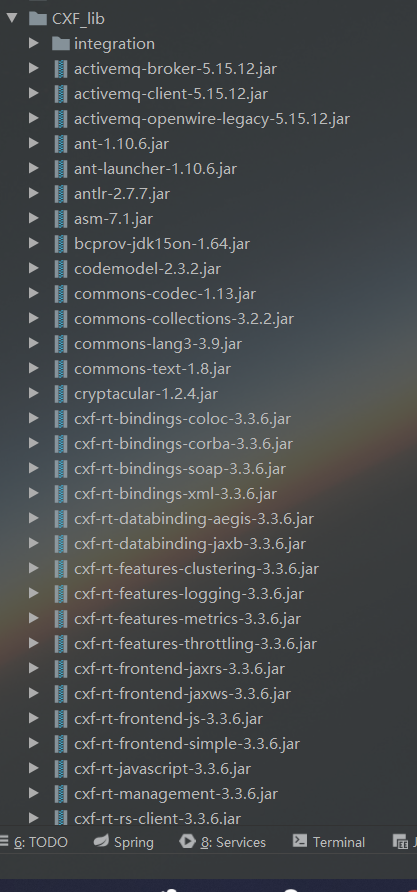
1.导入jar包
因为官方下载的包里面有其他版本的sprring包,全导入会产生版本冲突,所以去掉spring的部分,然后在项目根目录下新建了一个CXF_lib目录,保存jar包。
2.编写PianoInterface接口
新建一个PianoInterface接口定义方法,并添加注解@WebService
package com.CXF;

import javax.jws.WebService;

@WebService

public interface PianoInterface {

    //根据Brand查询价格

    public int getPriceByBrand(String brand);

}
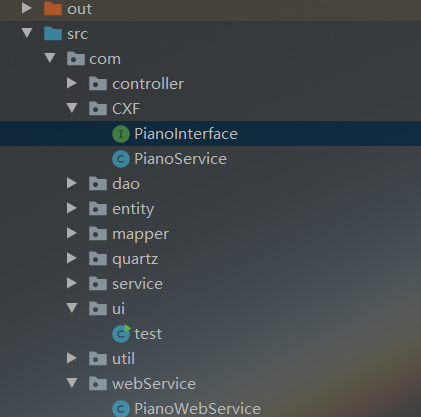
3.创建PianoService实现PianoInterface接口
package com.CXF;

import com.service.PianoServiceImpl;

import org.springframework.context.ApplicationContext;

import org.springframework.context.support.FileSystemXmlApplicationContext;

import javax.jws.WebService;

@WebService(endpointInterface = "com.CXF.PianoInterface")

public class PianoService implements PianoInterface {

    /**

     * @description 根据品牌查询价格

     * @param brand 品牌

     * @return int price 价格

     * @date 2020/4/2

     * @author Charlotte

     */

    @Override

    public int getPriceByBrand(String brand) {

        ApplicationContext ctx = new FileSystemXmlApplicationContext("src/applicationContext.xml");

        PianoServiceImpl pianoService = (PianoServiceImpl) ctx.getBean("pianoServiceImpl");

        return pianoService.getPriceByBrand(brand);

    }

}
4.修改spring配置文件
修改applicationContext.xml文件
添加
xmlns:jaxws="http://cxf.apache.org/jaxws"

http://cxf.apache.org/jaxws

http://cxf.apache.org/schemas/jaxws.xsd
添加
<!-- 配置发布webservice服务 -->

    <jaxws:server address="/PianoWs"

                  serviceClass="com.CXF.PianoService">

        <jaxws:serviceBean>

            <bean class="com.CXF.PianoService"></bean>

        </jaxws:serviceBean>

    </jaxws:server>
配置web.xml
<!--    CXF配置Servlet-->

    <servlet>

        <servlet-name>cxf</servlet-name> <servlet-class>org.apache.cxf.transport.servlet.CXFServlet</servlet-class>

        <!-- 初始化CXFServlet -->

<!--        <init-param>-->

<!--            <param-name>config-location</param-name>-->

<!--            <param-value>classpath:applicationContext.xml</param-value>-->

<!--        </init-param>-->

        <load-on-startup>1</load-on-startup>

    </servlet>

    <servlet-mapping>

        <servlet-name>cxf</servlet-name>

        <url-pattern>/ws/*</url-pattern>

    </servlet-mapping>
发布WebService
package com.ui;

import com.CXF.PianoInterface;

import com.CXF.PianoService;

import com.webService.PianoWebService;

import org.apache.cxf.jaxws.JaxWsServerFactoryBean;

import javax.xml.ws.Endpoint;

public class test {

    public static void main(String[] args) {

        //JAVA自带的WebService发布类

//        PianoWebService pianoWebService = new PianoWebService();

//        Endpoint.   publish("http://localhost:8080/pianowebservice",pianoWebService);

//        System.out.println("启动webservice");

        //使用CXF发布WebService

        JaxWsServerFactoryBean jsfb = new JaxWsServerFactoryBean();

        //1.服务提供者实现的接口

        jsfb.setServiceClass(PianoInterface.class);

        //2.指定访问路径

        jsfb.setAddress("http://localhost:8080/ws");

        //3.指定服务实现类

        jsfb.setServiceBean(new PianoService());

        //jsfb.getInInterceptors().add(new LoggingInInterceptor());

        //jsfb.getOutInterceptors().add(new LoggingOutInterceptor());

        //4.发布

        jsfb.create();

        System.out.println("发布成功...");

    }

}
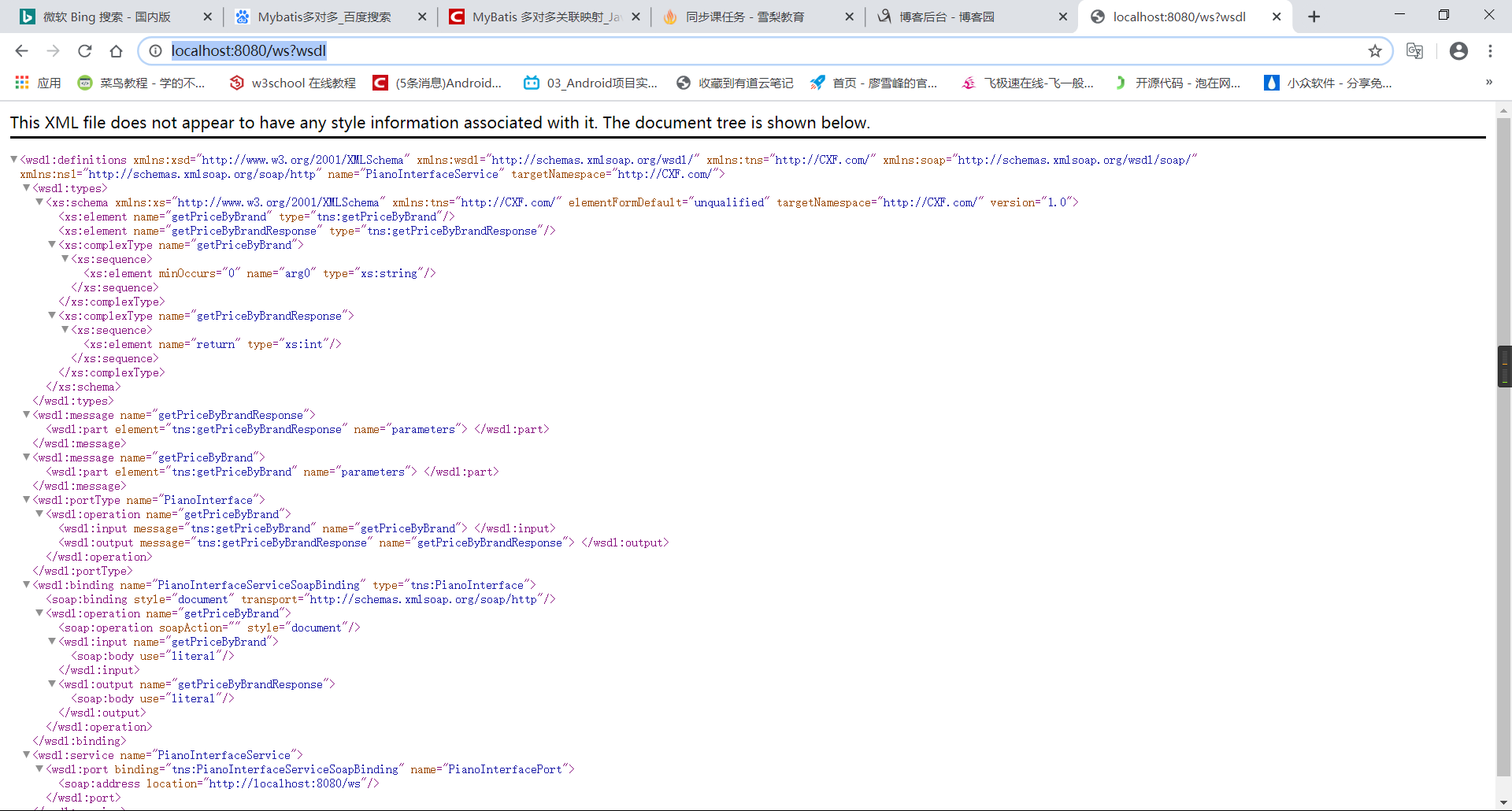
发布完成之后可以访问http://localhost:8080/ws?wsdl
客户端调用WebService
1.获取java文件
cmd进入jdk下的bin目录,然后输入以下代码
C:\Program Files\Java\jdk1.8.0_73\bin>wsimport -d F:\ -s F:\ -p com http://localhost:8080/pianowebservice?wsdl
在上面指定的文件里得到生成的文件,然后复制java文件到项目中

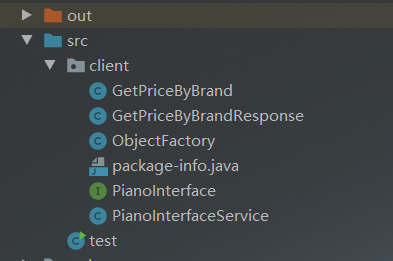
2.客户端导入CXF的所有jar包,如果冲突可以不导入spring相关的jar包
编写test类
import client.PianoInterface;

        import client.PianoInterfaceService;

        import org.apache.cxf.jaxws.JaxWsProxyFactoryBean;

public class test {

    public static void main(String[] args) {

        //JAVA原生

//        PianoInterfaceService pianoWebService = new PianoInterfaceService();

//        PianoInterface pianoService = pianoWebService.getPianoInterfacePort();

//        int price = pianoService.getPriceByBrand("IQOO");

//        System.out.println("获得价格:"+price);

        //CXF

        JaxWsProxyFactoryBean soapFactoryBean = new JaxWsProxyFactoryBean();

        soapFactoryBean.setAddress("http://localhost:8080/ws");

        soapFactoryBean.setServiceClass(PianoInterface.class);

        Object o = soapFactoryBean.create();

        PianoInterface service = (PianoInterface) o;

        int price = service.getPriceByBrand("IQOO");

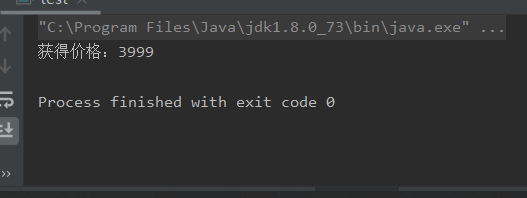
        System.out.println("获得价格:"+price);

    }

}
如果报
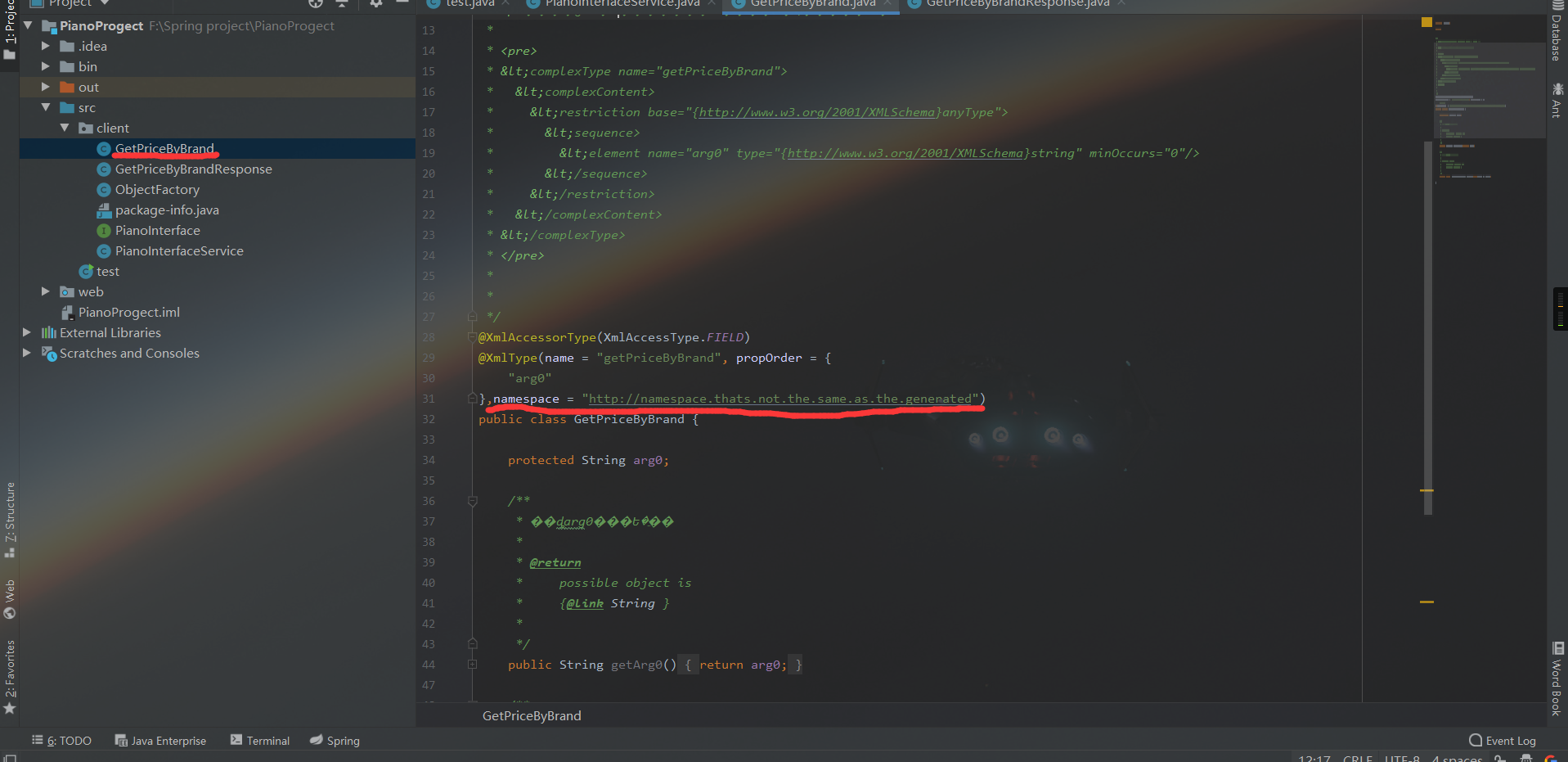
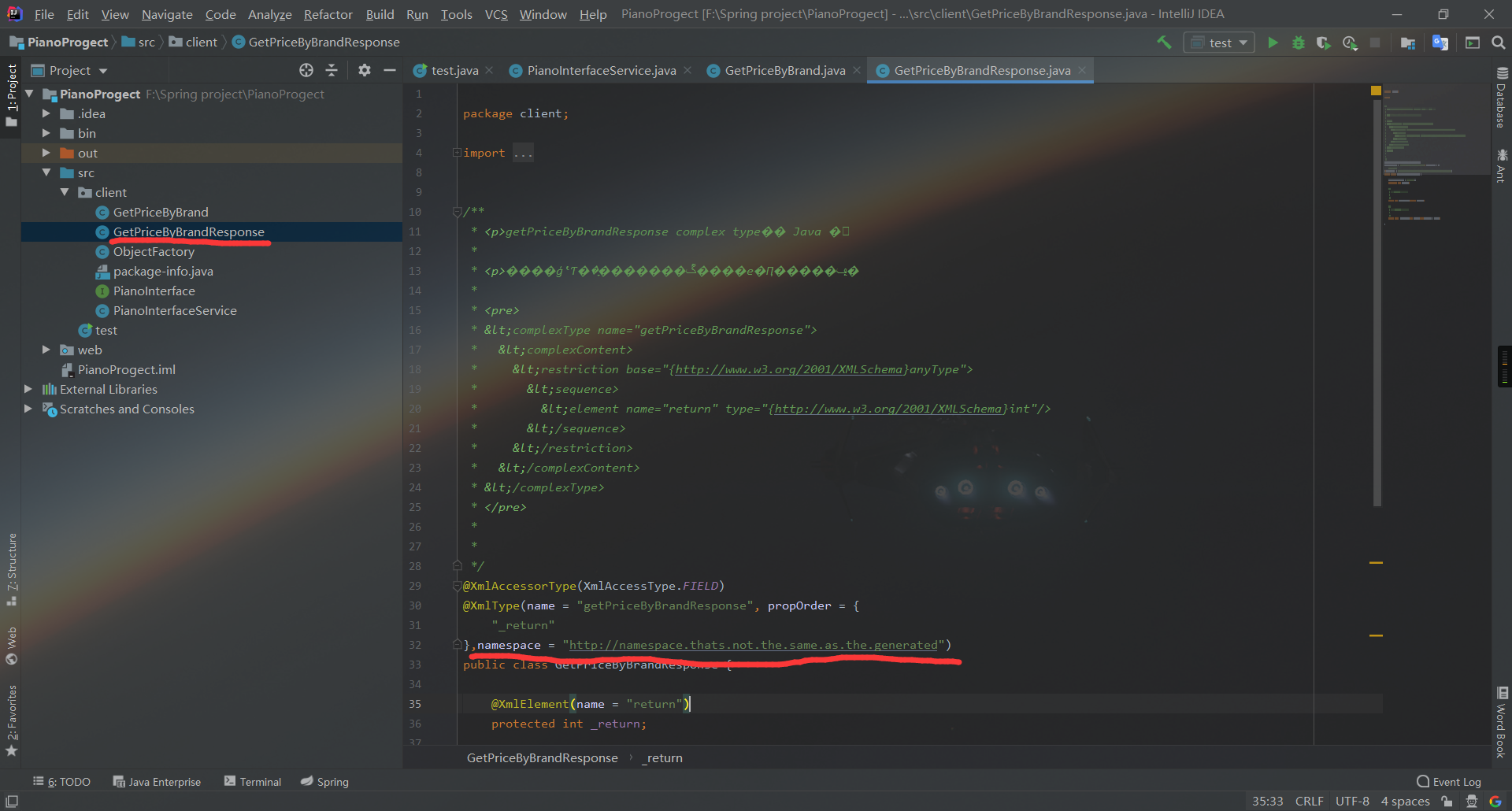
两个类具有相同的 XML 类型名称 "{http://webService.com/}getPriceResponse"。请使用 @XmlType.name 和 @XmlType.namespace 为类分配不同的名称
这个错可以在两个类里添加一个注解,namespace = "http://namespace.thats.not.the.same.as.the.generated"
3.运行
Spring集成CXF发布WebService并在客户端调用的更多相关文章
- CXF发布webService服务以及客户端调用
这篇随笔内容是CXF发布webService服务以及客户端调用的方法 CXF是什么? 开发工作之前需要下载CXF和安装 下载地址:http://cxf.apache.org 安装过程: <1&g ...
- spring集成cxf实现webservice接口功能
由于cxf的web项目已经集成了Spring,所以cxf的服务类都是在spring的配置文件中完成的.以下是步骤:第一步:建立一个web项目.第二步:准备所有jar包.将cxf_home\lib项目下 ...
- SSH集成cxf 发布restful webservice
首先讲一下什么是restful webservice ,这个问题网上一搜有很多博文去长篇大论的介绍它,但是最后你看完了也会觉得云里雾里的,所以我在这里简单的讲一下我理解的rest webservice ...
- 使用CXF与Spring集成实现RESTFul WebService
以下引用与网络中!!! 一种软件架构风格,设计风格而不是标准,只是提供了一组设计原则和约束条件.它主要用于客户端和服务器交互类的软件.基于这个风格设计的软件可以更简洁,更有层次,更易于实现缓存 ...
- Spring Boot+CXF搭建WebService(转)
概述 最近项目用到在Spring boot下搭建WebService服务,对Java语言下的WebService了解甚少,而今抽个时间查阅资料整理下Spring Boot结合CXF打架WebServi ...
- struts1+spring+myeclipse +cxf 开发webservice以及普通java应用调用webservice的实例
Cxf + Spring+ myeclipse+ cxf 进行 Webservice服务端开发 使用Cxf开发webservice的服务端项目结构 Spring配置文件applicationCont ...
- 使用CXF发布WebService服务简单实例
一.说明: 前面介绍了使用axis2来发布Webservice服务,现在介绍一种更popular,更高效的Webservice服务发布技术:CXF Apache CXF = Celtix + XFir ...
- SpringBoot整合cxf发布webService
1. 看看项目结构图 2. cxf的pom依赖 1 <dependency>2 <groupId>org.apache.cxf</groupId>3 <art ...
- SpringMVC4整合CXF发布WebService
SpringMVC4整合CXF发布WebService版本:SpringMVC 4.1.6,CXF 3.1.0项目管理:apache-maven-3.3.3 pom.xml <project x ...
随机推荐
- 《UNIX环境高级编程》(APUE) 笔记第四章 - 文件和目录
4 - 文件和目录 1. 函数 stat.fstat.fstatat 和 lstat #inlcude <sys/stat.h> int stat(const char *restrict ...
- numpy模块&pandas模块
目录 numpy模块 pandas模块 numpy模块 import pandas as pd import numpy as np df=pd.Series(np.array(['a','b'])) ...
- python案例远程执行命令
------类似于cmd的功能,client执行命令,server发命令结果发送到client -----------server.py------------------- import subpr ...
- redis 链接数满了
服务器上可以设置timeout参数,这样可以将限制的连接自动释放掉.
- C++ 半同步半异步的任务队列
代码已发布至 HAsyncTaskQueue
- JavaScript之原型模式
JavaScript中有这样的一个概念,对象. 有不少人觉得Java这么语言才是面向对象的语言,JavaScript哪里面向对象了. 其实说JavaScript面向对象还不如说JavaScript基于 ...
- Linux高并发网络编程开发——10-Linux系统编程-第10天(网络编程基础-socket)
在学习Linux高并发网络编程开发总结了笔记,并分享出来.有问题请及时联系博主:Alliswell_WP,转载请注明出处. 10-Linux系统编程-第10天(网络编程基础-socket) 在学习Li ...
- Linux系统 Centos7 环境基于Docker部署Rocketmq服务
消息队列 基本概述 MQ,Message Queue,基于TCP协议构建的简单协议,区别于具体的通信协议. 基于通信协议定义和抽象的更高层次的通信模型,一般都是生产者和消费者模型,又或者说服务端和客户 ...
- 万变不离其宗之UART要点总结
[导读] 单片机开发串口是应用最为广泛的通信接口,也是最为简单的通信接口之一,但是其中的一些要点你是否明了呢?来看看本人对串口的一些总结,当然这个总结并不能面面俱到,只是将个人认为具有共性以及相对比较 ...
- Windows Socket编程精华《TCP通信服务器》
1.网络中进程之间如何通信? 首要解决的问题是如何唯一标识一个进程,否则通信无从谈起!在本地可以通过进程PID来唯一标识一个进程,但是在网络中这是行不通的.其实TCP/IP协议族已经帮我们解决了这个问 ...