
Vue_(组件通讯)组件
Vue组件 传送门

组件Component,可扩展HTML元素,封装可重用的代码。通俗的来说,组件将可重用的HTML元素封装成为标签方便复用;
组件的使用:
使用全局方法Vue.extend创建构造器;
再使用全局方法Vue.component注册组件;
在Vue.component里需要指明组件的名称,组件名称不能使用内置标签名称,如body
推荐使用短横线命名规则。例:
my-component 正确 (推荐)
my-Component 错误
mycomponent 正确
Mycomponent 正确
myComponent 错误
MyComponent 错误
Learn
一、组件注册
二、全局组件与局部组件
三、this is component-a
目录结构
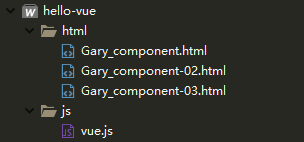
【每个demo下方都存有html源码】
一、组件注册 传送门
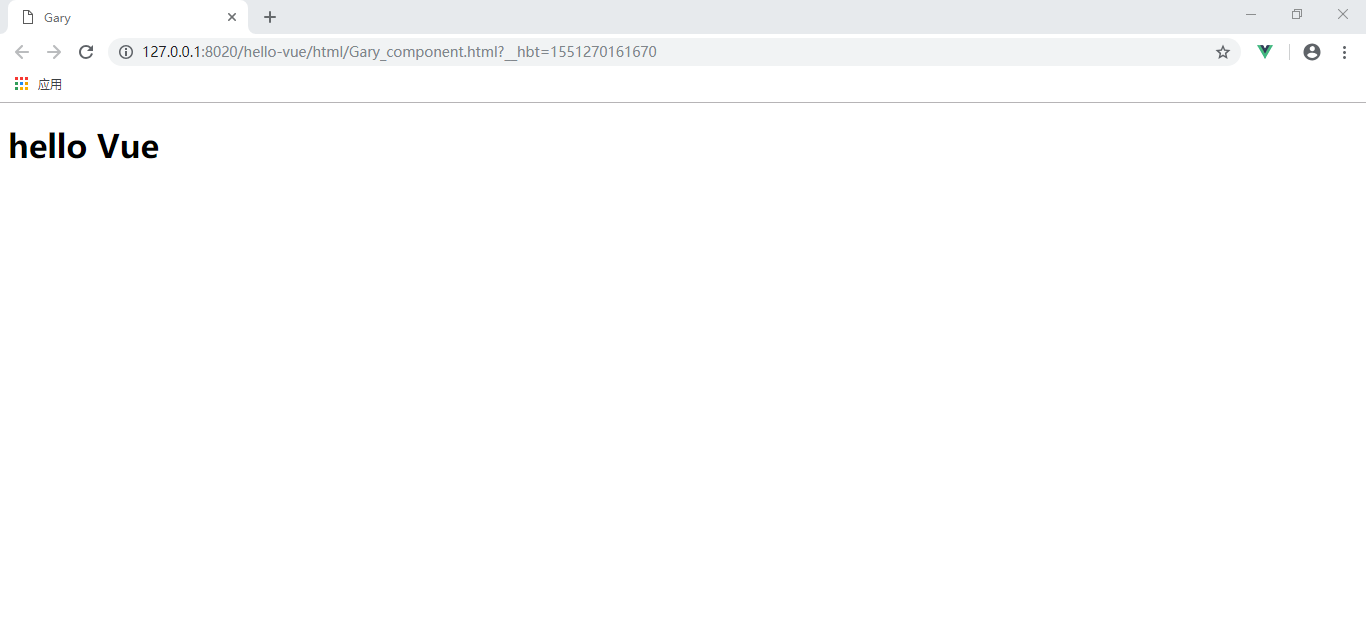
第一种方法:使用构造器注册组件
        <div id="GaryId">

            <!--<h1>hello Vue</h1>-->

            <my-component></my-component>

        </div>
            //创建构造器

            let myComponent =  Vue.extend({

                template:"<h1>hello Vue</h1>"

            })

            //注册组件

            Vue.component('my-component',myComponent);
第二种方法:组件的简写
        <div id="GaryId">

            <!--<h1>hello Vue</h1>-->

            <my-componenta></my-componenta>

        </div>
            //注册组件的简写

            Vue.component('my-componenta',{

                template:"<h2>hello Gary</h2>"

            })
<!DOCTYPE html>

<html>

    <head>

        <meta charset="UTF-8">

        <title>Gary</title>

    </head>

    <body>

        <div id="GaryId">

            <!--<h1>hello Vue</h1>-->

            <my-component></my-component>

            <my-componenta></my-componenta>

        </div>

    </body>

    <script type="text/javascript" src="../js/vue.js" ></script>

    <script type="text/javascript">

            //创建构造器

            let myComponent =  Vue.extend({

                template:"<h1>hello Vue</h1>"

            })

            //注册组件

            Vue.component('my-component',myComponent);

            //注册组件的简写

            Vue.component('my-componenta',{

                template:"<h2>hello Gary</h2>"

            })

            new Vue({

                data:{

                    msg:'Gary'

                }

            }).$mount("#GaryId");

    </script>

</html>
Gary_component.html
二、全局组件与局部组件 传送门
组件可分为全局组件与局部组件;
全局组件:
在全局API中的Vue.component注册
该项目中所有Vue实例内均可以使用
局部组件:
在Vue实例中的components选项中注册
只能在本实例中使用
全局组件和局部组件都可以存储数据,但是存储的方式与Vue实例中的data稍有不同;
组件里存储数据,data后需加上函数,数据写在函数体中
this is component-a作为局部属性使用
局部组件:只可以再div id="GaryId"中使用
        <div id="GaryId">

            <my-component-a></my-component-a>

        </div>
            new Vue({

                data:{

                    msg:'Gary'

                },

                components:{

                    "my-component-a":{

                        template:"<h2>this is component-a</h2>"

                    }

                }

            }).$mount("#GaryId");
<!DOCTYPE html>

<html>

    <head>

        <meta charset="UTF-8">

        <title>Gary</title>

    </head>

    <body>

        <div id="GaryId">

            <my-component-a></my-component-a>

        </div>

    </body>

    <script type="text/javascript" src="../js/vue.js" ></script>

    <script type="text/javascript">

            new Vue({

                data:{

                    msg:'Gary'

                },

                components:{

                    "my-component-a":{

                        template:"<h2>this is component-a</h2>"

                    }

                }

            }).$mount("#GaryId");

    </script>

</html>
Gary_component-02.html
全局属性:可以在任意div中调用
        <div id="GaryId">

            <my-component-a></my-component-a>

            <my-component-b></my-component-b>

        </div>
            //注册组件的简写(默认全局)

            Vue.component('my-component-b',{

                template:"<h2>{{name}}</h2>",

                data:function(){

                    return {

                        name:'this is component-b'

                    }

                }

            })
<!DOCTYPE html>

<html>

    <head>

        <meta charset="UTF-8">

        <title>Gary</title>

    </head>

    <body>

        <div id="GaryId">

            <my-component-a></my-component-a>

            <my-component-b></my-component-b>

        </div>

    </body>

    <script type="text/javascript" src="../js/vue.js" ></script>

    <script type="text/javascript">

            //注册组件的简写(默认全局)

            Vue.component('my-component-b',{

                template:"<h2>{{name}}</h2>",

                data:function(){

                    return {

                        name:'this is component-b'

                    }

                }

            })

            new Vue({

                data:{

                    msg:'Gary'

                },

                components:{

                    "my-component-a":{

                        template:"<h2>this is component-a</h2>"

                    }

                }

            }).$mount("#GaryId");

    </script>

</html>
Gary_component-02.html
三、this is component-a
在component的template中书写大量的HTML元素很麻烦
Vue提供了<template>标签,可以在里边书写HTML,然后通过ID指定到组建内的template属性上;
<body>标签中调用组件
        <div id="GaryId">

            <my-component-b></my-component-b>

        </div>
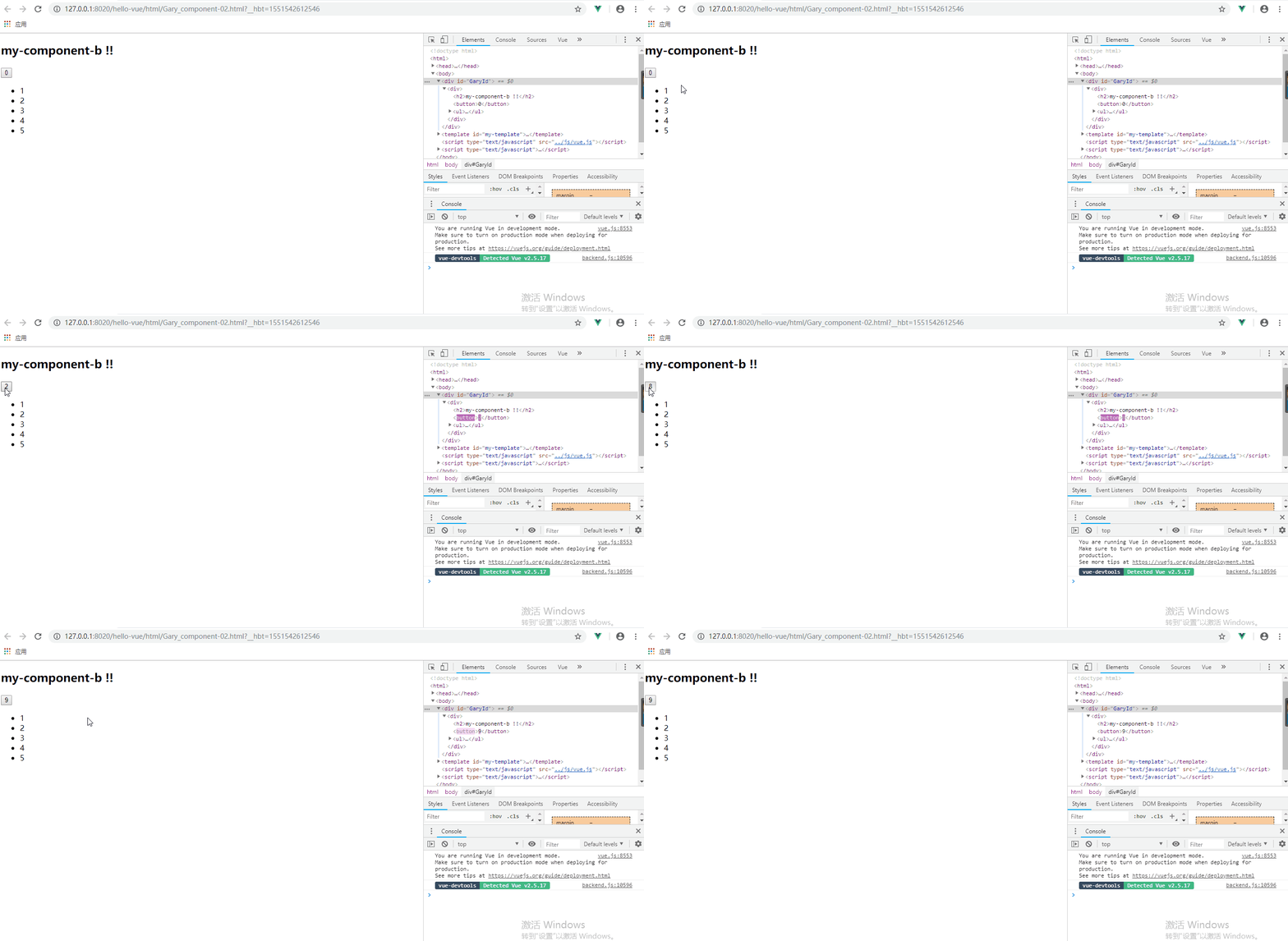
在<template>标签中通过id"my-template"添加组件
        <template id="my-template">

        <div>

            <h2>{{name}}</h2>

            <button @click="count++">{{count}}</button>

            <ul>

                <li v-for="item in numArray">{{item}}</li>

            </ul>

        </div>

    </template>
new Vue({

            data : {

                msg : '123'

            },

            components : {

                "my-component-b" : {

                    template :  "#my-template",

                    data(){

                        return {

                            name : "my-component-b !!",

                            numArray : [1, 2, 3, 4, 5],

                            count : 0

                        }

                    }

                }

            }

            }).$mount("#GaryId");
<!DOCTYPE html>

<html>

    <head>

        <meta charset="UTF-8">

        <title>Gary</title>

    </head>

    <body>

        <div id="GaryId">

            <my-component-b></my-component-b>

        </div>

    </body>

        <template id="my-template">

        <div>

            <h2>{{name}}</h2>

            <button @click="count++">{{count}}</button>

            <ul>

                <li v-for="item in numArray">{{item}}</li>

            </ul>

        </div>

    </template>

    <script type="text/javascript" src="../js/vue.js" ></script>

    <script type="text/javascript">

        new Vue({

            data : {

                msg : '123'

            },

            components : {

                "my-component-b" : {

                    template :  "#my-template",

                    data(){

                        return {

                            name : "my-component-b !!",

                            numArray : [1, 2, 3, 4, 5],

                            count : 0

                        }

                    }

                }

            }

            }).$mount("#GaryId");

    </script>

</html>
Gary_component-03.html
Vue_(组件通讯)组件的更多相关文章
- Vue中父子组件通讯——组件todolist
一.todolist功能开发 <div id="root"> <div> <input type="text" v-model=& ...
- Angular6 基础(数据绑定、生命周期、父子组件通讯、响应式编程)
Angular相比于vue来说,更像一个完整的框架,本身就集成了很多模块,如路由,HTTP,服务等,而vue是需要另外引入比如(vuex,axios等).Angular引入了依赖注入.单元测试.类等后 ...
- Vue组件通讯黑科技
Vue组件通讯 组件可谓是 Vue框架的最有特色之一, 可以将一大块拆分为小零件最后组装起来.这样的好处易于维护.扩展和复用等. 提到 Vue的组件, 相必大家对Vue组件之间的数据流并不陌生.最常规 ...
- 在WEB项目中调用QQ通讯组件打开QQ聊天界面
在很多WEB项目中,需要提供在线服务的功能,加上自己的联系方式,例如:QQ,不用添加QQ好友也可以交谈,那这到底是怎么实现的呢? 对于这个功能,需要提到一个组件,即“QQ通讯组件”.QQ通讯组件是一种 ...
- .Net Core开源通讯组件 SmartRoute(服务即集群)
SmartRoute是基于Dotnet Core设计的可运行在linux和windows下的服务通讯组件,其设计理念是去中心化和零配置即可实现服务通讯集群.SmartRoute是通过消息订阅的机制实现 ...
- 跨平台开源通讯组件elastic communication
elastic communication是基于c#开发支持.net和mono的通讯组件(简称EC),EC的主要目的简化mono和.net下的通讯开发难度,通过EC可以非常快速地开发基于mono和.n ...
- 突破自我,开源NetWorkSocket通讯组件
前言 在<化茧成蝶,开源NetWorkSocket通讯组件>发表之后,收到大家很多个star,在此感谢!更可贵的是,一些网友提出了许多好建议,经过一些时间的思考,决定将NetworkSoc ...
- Angular1.x组件通讯方式总结
Angular1开发模式 这里需要将Angular1分为Angular1.5之前和Angular1.5两个不同的阶段来讲,两者虽然同属Angular1,但是在开发模式上还是有较大区别的.在Angula ...
- 自己写的中间层..基于通讯组件 RTC
273265088 我用原生Listbox与你的组件组合...创造了奇迹..搞了一个非常复杂的 UI .. 每个item高度 包括里面的元素 以及事件都是动态的搞了好几个小时感觉UI 非常完美比客户要 ...
随机推荐
- UVA10603Fill题解--BFS
题目链接 https://cn.vjudge.net/problem/UVA-10603 分析 经典的倒水问题,直接BFS. 对于喜闻乐见的状态判重,一开始想来个哈希函数把一个三元组映射成一个数,后面 ...
- centos配置vsftpd服务2
ftp搭建 一.搭建前提a.ssh服务已经开启,b.防火墙关闭,c.连网1.查看ssh和防火墙的状态 service sshd status service iptables status 2.开启s ...
- Springboot Hikari Centos 首次连数据库很慢
前言: springboot项目默认使用了hikari作为数据库连接池,在开发机器上一切正常. 但是把程序部署到Centos7 x64上之后发现,每次首页登录的时候都要停顿几十秒. 于是,在程序启动后 ...
- 1 .net 用事物提交执行存储过程
public static void delModelReturn(string performanceId,DateTime? effectiveDate=null) { using (SqlCon ...
- element-ui Cascader 级联选择器 点击label选中
通过修改label的样式解决: 注意:el-cascader-panel 是直接挂载在body上的,所以需要全局设置 .el-cascader-panel .el-radio{ width: 100% ...
- hourglassnet网络解析
hourglassnet中文名称是沙漏网络,起初用于人体关键点检测,代码,https://github.com/bearpaw/pytorch-pose 后来被广泛的应用到其他领域,我知道的有双目深度 ...
- vue滚动+滑动删除标记(移动端)仿qq/微信
安装组件 "vue-touch": "^2.0.0-beta.4", main.js引入 import VueTouch from 'vue-touch' Vu ...
- nginx反向代理局域网访问外网
.配置内网hosts vim /etc/hosts 添加 host1(能连外网的服务器ip) central.maven.org 2.在host1 服务器上nginx配置 server { ...
- Selenium(3)
练习1:Ecshop 录制登录后退出业务 打开系统 存储页面的标题 a.点击"登录"按钮 b.输入用户名:testing 存储输入的用户名 c.输入密码:123456 d.点击&q ...
- unzip解压3G或者4G以上文件失败的解决方法
Linux下,使用unzip解压时,报错:End-of-central-directory signature not found. Either this file is nota zipfile ...