
IOS之UIImageView--小实例项目--带音效的拳皇动画
内容大纲:
1、初步工作

2、开始敲代码

3、注意

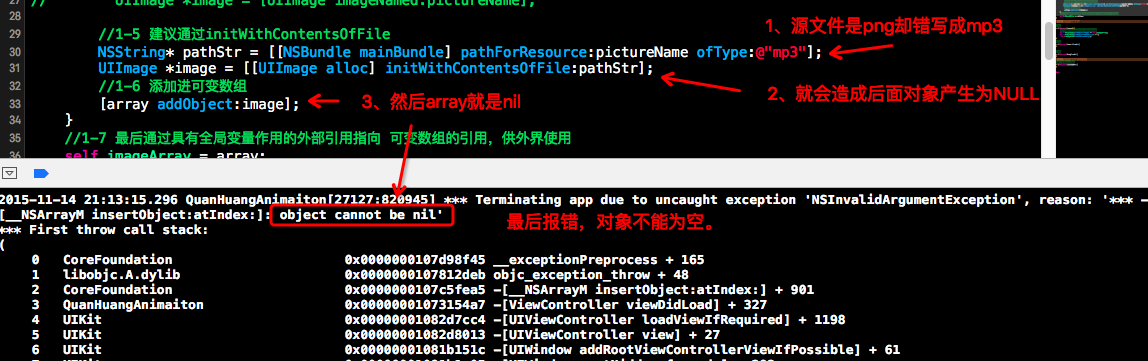
4、可能遇到的错误

5、设置音频速率在代码顺序上的注意点
带音效的拳皇动画实例项目
初步工作
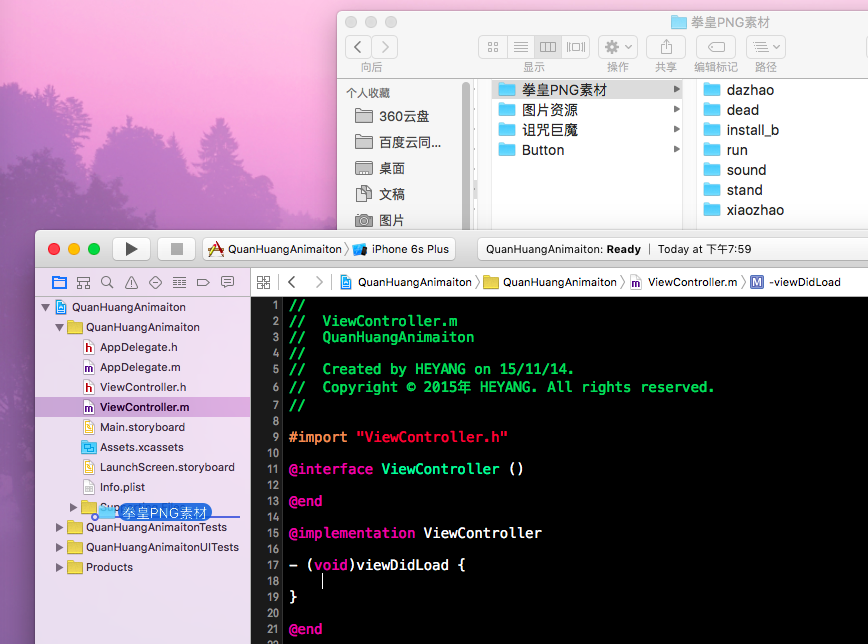
1、新建一Objective-C工程之后,将需要的拳皇动画实例的图片以及音效资源都拷贝进工程。
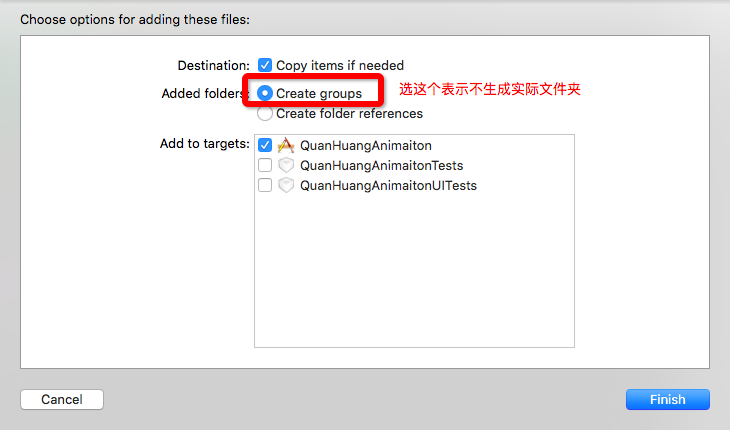
2、勾选,只勾选会产生项目的虚拟文件目录即可。
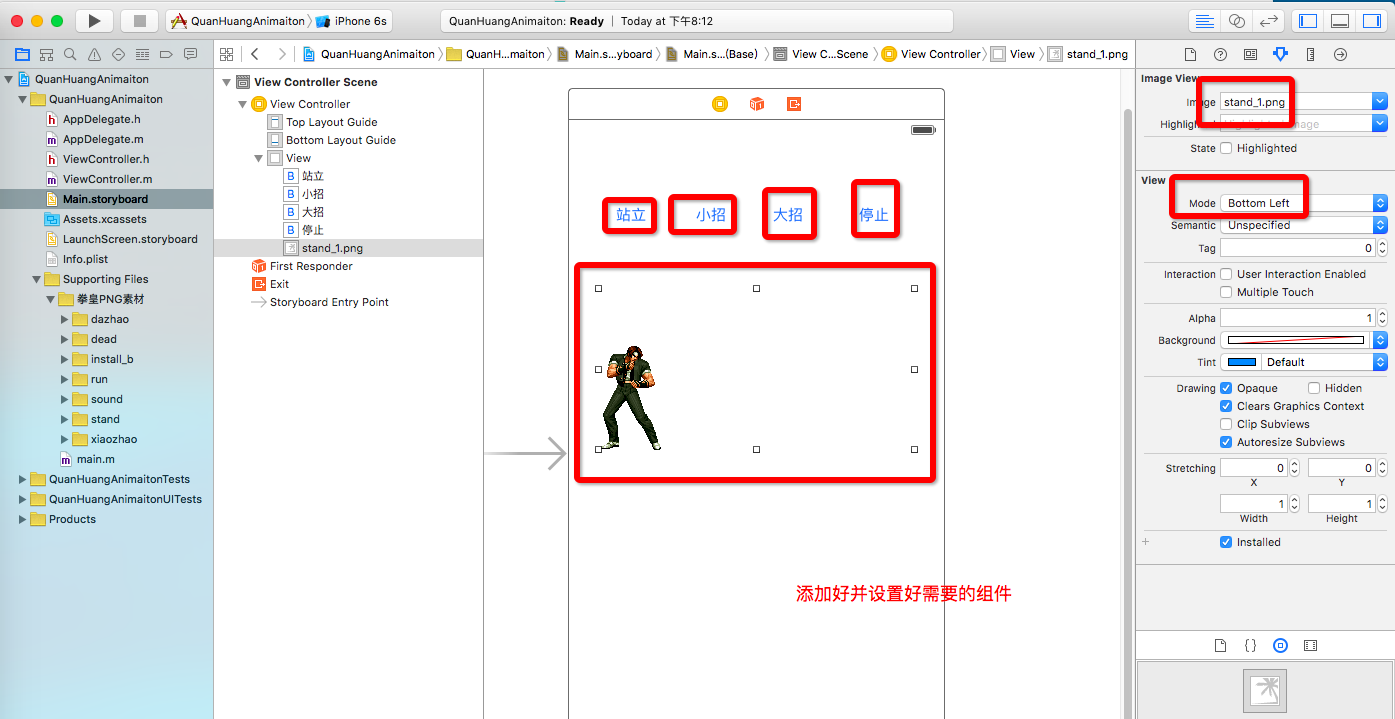
3、在storyboard上添加组件,这里由于时间缘故就添加四个按钮和一个ImageView。并设置好ImageView的显示Model
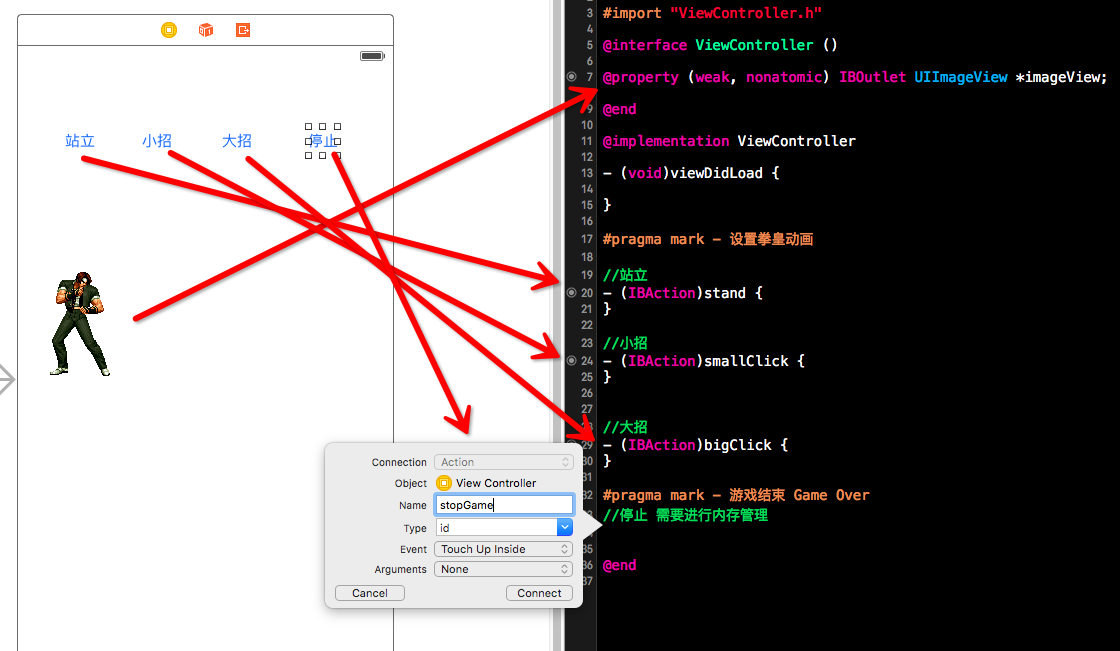
4、为组件连好线,
开始敲代码
1、第一步,敲出stand序列动画的实现
 1 #import "ViewController.h"

 2

 3 @interface ViewController ()

 4

 5 @property (weak, nonatomic) IBOutlet UIImageView *imageView;

 6

 7 //1-4 由于UIimageView

 8 @property (nonatomic,strong)NSArray<UIImage*> *imageArray;

 9 @end

10

11 @implementation ViewController

12

13 - (void)viewDidLoad {

14     //1 需要初始化好imageView指向的对象,先从站立动作开始

15

16     //1-4 由于UIimageView需要用数组添加序列动画,所以用可变数组

17     NSMutableArray *array = [NSMutableArray array];

18

19

20     //1-1 添加图片 因为站立的图片有10张

21     for (int i = 0; i<10; i++) {

22         //1-2 要获取资源图,就需要先获取资源图片的名称

23         NSString* pictureName = [NSString stringWithFormat:@"stand_%d",i+1];

24         //1-3 可以通过[UIImage imageNamed:pictureName]转为UIImage对象,但是不建议

25 //        UIImage *image = [UIImage imageNamed:pictureName];

26

27         //1-5 建议通过initWithContentsOfFile

28         NSString* pathStr = [[NSBundle mainBundle] pathForResource:pictureName ofType:@"png"];

29         UIImage *image = [[UIImage alloc] initWithContentsOfFile:pathStr];

30         //1-6 添加进可变数组

31         [array addObject:image];

32     }

33     //1-7 最后通过具有全局变量作用的外部引用指向 可变数组的引用,供外界使用

34     self.imageArray = array;

35 }

36

37 #pragma mark - 设置拳皇动画

38

39 //站立

40 - (IBAction)stand {

41     //2 以上图片资源加载完毕之后,就可以使用动画

42     self.imageView.animationImages = self.imageArray;

43     self.imageView.animationRepeatCount = 0;

44     [self.imageView startAnimating];

45 }

46

47 //小招

48 - (IBAction)smallClick {

49 }

50

51

52 //大招

53 - (IBAction)bigClick {

54 }

55

56 #pragma mark - 游戏结束 Game Over

57 //停止 需要进行内存管理

58 - (IBAction)stopGame {

59 }

60

61

62 @end
运行结果可以实现stand的站立备战状态:
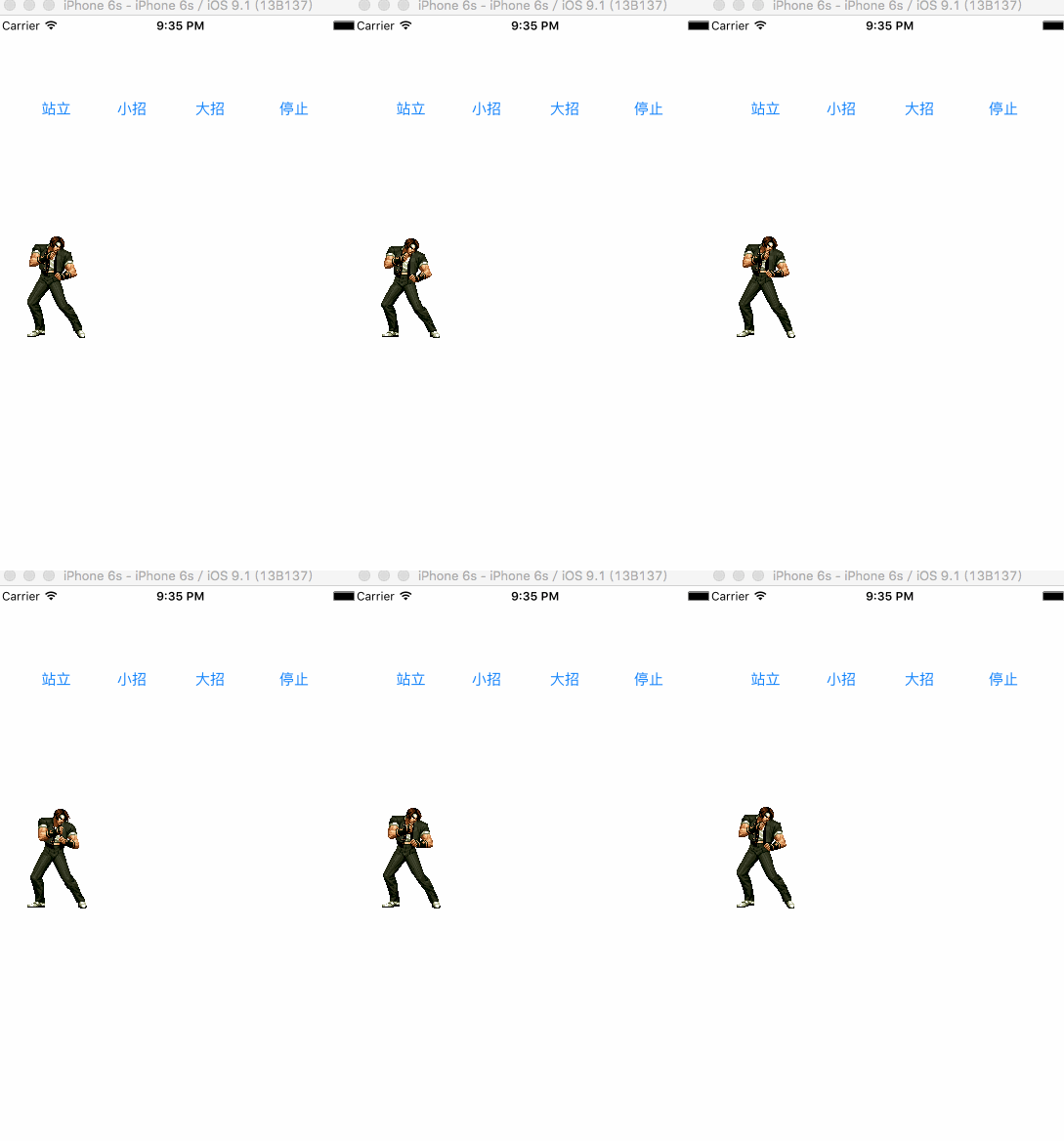
因为拳皇动画的三种状态(站立,小招,大招)加载图片各自需要一系列序列动画,也就是都需要执行以下共同的代码:
 1     //1-4 由于UIimageView需要用数组添加序列动画,所以用可变数组

 2     NSMutableArray *array = [NSMutableArray array];

 3

 4

 5     //1-1 添加图片 因为站立的图片有10张

 6     for (int i = 0; i<10; i++) {

 7         //1-2 要获取资源图,就需要先获取资源图片的名称

 8         NSString* pictureName = [NSString stringWithFormat:@"stand_%d",i+1];

 9         //1-3 可以通过[UIImage imageNamed:pictureName]转为UIImage对象,但是不建议

10 //        UIImage *image = [UIImage imageNamed:pictureName];

11

12         //1-5 建议通过initWithContentsOfFile

13         NSString* pathStr = [[NSBundle mainBundle] pathForResource:pictureName ofType:@"png"];

14         UIImage *image = [[UIImage alloc] initWithContentsOfFile:pathStr];

15         //1-6 添加进可变数组

16         [array addObject:image];

17     }

18     //1-7 最后通过具有全局变量作用的外部引用指向 可变数组的引用,供外界使用

19     self.imageArray = array;
那么我们可以将其抽取出来,模块化成一个方法:
 1 #pragma mark - 加载图片资源的方法

 2

 3 -(NSArray)loadResouceWithName:(NSString)name withCount:(int)count{

 4     NSMutableArray *array = [NSMutableArray array];

 5

 6     for (int i = 0; i<count; i++) {

 7         NSString* pictureName = [NSString stringWithFormat:@"%@_%d",name,i+1];

 8

 9         NSString* pathStr = [[NSBundle mainBundle]

10                                 pathForResource:pictureName ofType:@"png"];

11         UIImage *image = [[UIImage alloc] initWithContentsOfFile:pathStr];

12

13         [array addObject:image];

14 }

15

16 return array;

17

18 } ```
完整的代码:
完整的代码:点击左边的+号即可查看源码特别有必要提出的有关内存管理的代码:
 1 #pragma mark - 游戏结束 Game Over

 2 //停止 需要进行内存管理

 3 - (IBAction)stopGame {

 4     self.standImages = nil;

 5     self.smallClickImages = nil;

 6     self.bigClickImages = nil;

 7

 8     //为了能够是加载的图片也要释放掉

 9     self.imageView.animationImages = nil;

10     /*

11      *为什么这个也要释放呢,因为self.imageView.animationImages是数组

12      *集合类型add/insert在ARC模式下都会将 强指针 指向 添加的对象,所以这里需要nil进行内存处理。

13      */

14 }
到这里,可以实现序列动画效果了。
但是我们还需要在出完招式之后,就接着能够回到站立备战状态,总和考虑这里使用延时的方法最合适。这里就直接用了重构,将重复的代码抽取出成Click方法。
2、然后开始添加音效。
- 这里就先简单概括一下思路:
- 导入AVFoundation->创建AVPlay对象(包括指定好相关路径下的音频文件) ->并需要一个强引用指向它->最后记得销毁这个强引用(nil)。
- 在使用AVPlayer创建对象的时候,初始化最好用initWithPlayerItem:AVPlayerItem* ,这样在切换音频对象比较方便。
然后根据这简短的思路快速实现代码:
 1 #import "ViewController.h"

 2 #import <AVFoundation/AVFoundation.h>

 3

 4 @interface ViewController ()

 5

 6 @property (weak, nonatomic) IBOutlet UIImageView *imageView;

 7

 8 @property (nonatomic,strong)NSArray<UIImage*> *standImages;

 9 @property (nonatomic,strong)NSArray<UIImage*> *smallClickImages;

10 @property (nonatomic,strong)NSArray<UIImage*> *bigClickImages;

11

12 //需要指向AVPlay的强引用

13 @property (nonatomic,strong)AVPlayer *player;

14 @end

15

16 @implementation ViewController

17

18 - (void)viewDidLoad {

19

20     self.standImages = [self loadResouceWithName:@"stand" withCount:10];

21     self.smallClickImages = [self loadResouceWithName:@"xiaozhao1" withCount:21];

22     self.bigClickImages = [self loadResouceWithName:@"dazhao" withCount:87];

23

24 }

25

26 #pragma mark - 加载图片资源的方法

27 -(NSArray*)loadResouceWithName:(NSString*)name withCount:(int)count{

28     NSMutableArray *array = [NSMutableArray array];

29

30

31     for (int i = 0; i<count; i++) {

32         NSString* pictureName = [NSString stringWithFormat:@"%@_%d",name,i+1];

33

34         NSString* pathStr = [[NSBundle mainBundle] pathForResource:pictureName ofType:@"png"];

35         UIImage *image = [[UIImage alloc] initWithContentsOfFile:pathStr];

36

37         [array addObject:image];

38     }

39

40     return array;

41 }

42

43 #pragma mark - 设置拳皇动画

44

45 //站立

46 - (IBAction)stand {

47     self.imageView.animationImages = self.standImages;

48     self.imageView.animationRepeatCount = 0;

49     [self.imageView startAnimating];

50 }

51

52 //小招

53 - (IBAction)smallClick {

54     [self gameMusic:@"xiaozhao1"];

55     [self click:self.smallClickImages];

56

57 }

58

59

60 //大招

61 - (IBAction)bigClick {

62     [self gameMusic:@"dazhao"];

63     [self click:self.bigClickImages];

64 }

65 //产生音乐

66 -(void)gameMusic:(NSString*)musicName{

67     NSURL* url = [[NSBundle mainBundle] URLForResource:musicName withExtension:@"mp3"];

68     AVPlayerItem *item = [[AVPlayerItem alloc] initWithURL:url];

69     AVPlayer *smallPlayer = [[AVPlayer alloc] initWithPlayerItem:item];

70

71     self.player = smallPlayer;

72     [self.player play];

73 }

74 //出招

75 -(void)click:(NSArray*)imagesArray{

76     self.imageView.animationImages = imagesArray;

77     self.imageView.animationRepeatCount = 1;

78     [self.imageView startAnimating];

79

80     NSTimeInterval delayTime = 1/30.0 * imagesArray.count + 0.08;

81     [self performSelector:@selector(stand) withObject:nil afterDelay:delayTime];

82

83 }

84 #pragma mark - 游戏结束 Game Over

85 //停止 需要进行内存管理

86 - (IBAction)stopGame {

87     self.standImages = nil;

88     self.smallClickImages = nil;

89     self.bigClickImages = nil;

90     self.imageView.animationImages = nil;

91 }

92

93 @end
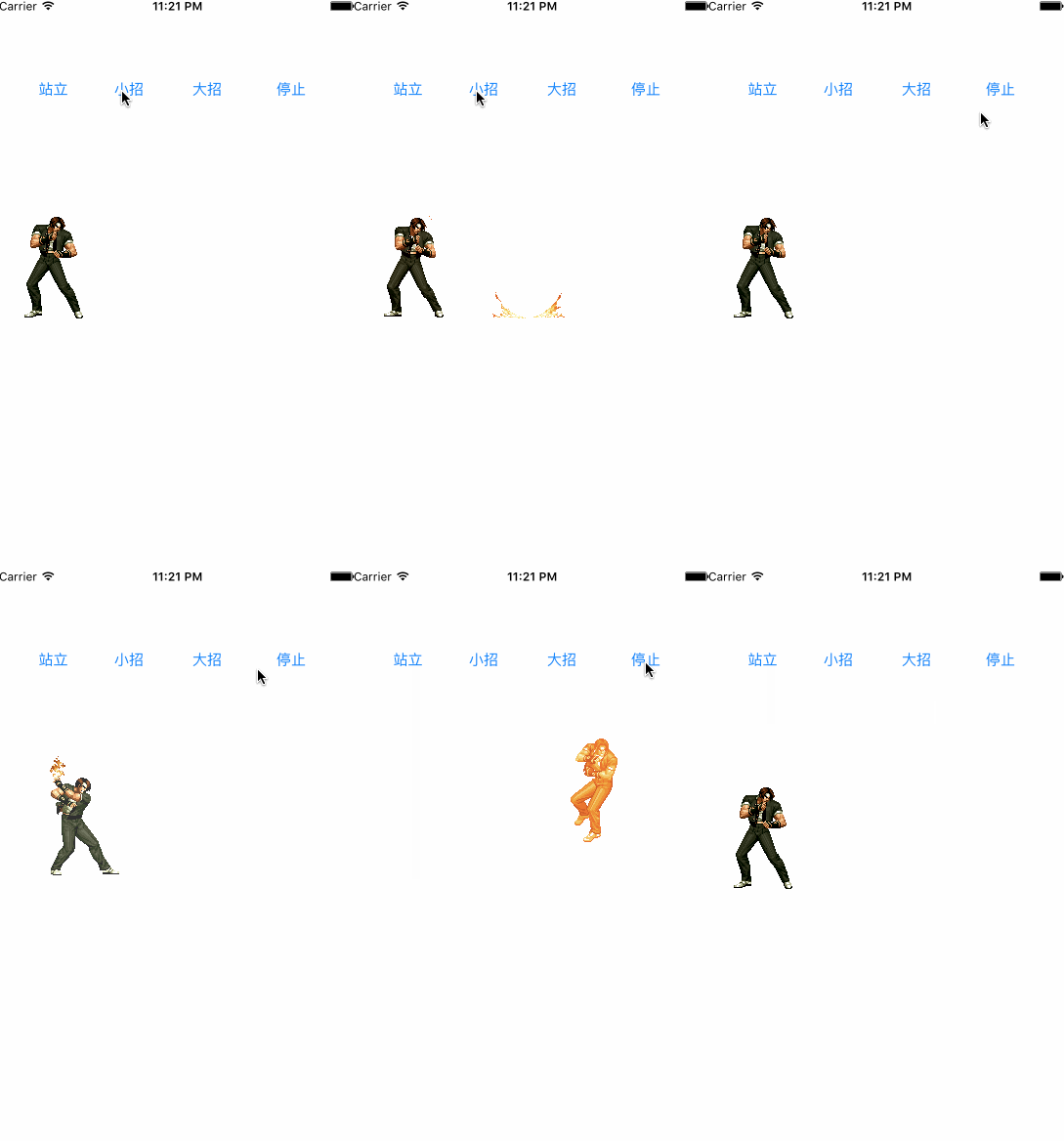
项目结果效果:
注意:
通过imageName:来加载的图片,指向它的强引用销毁时,图片不会随着一起销毁

UIImage *image = [UIImage imageNamed:imageName];
通过imageWithContentOfFile:加载的图片,指向它的强引用销毁时,图片会随着一起销毁
NSString *imagePath = [[NSBundle mainBundle] pathForResource:imageName ofType:@"png"];
UIImage *image = [UIImage imageWithContentsOfFile:imagePath]项目资源下载地址(两份压缩文件:项目资源文件,项目代码源文件):
百度云下载链接: http://pan.baidu.com/s/1c04sctM 密码: ryer

IOS之UIImageView--小实例项目--带音效的拳皇动画的更多相关文章
- IOS开发之小实例--创建一个简单的用于视频录制和回放的应用程序
前言:还是看了一下国外的入门IOS文章:<Create a Simple App for Video Recording and Playback>,主要涉及视频录制和回放的功能的基本实现 ...
- IOS开发之小实例--使用UIImagePickerController创建一个简单的相机应用程序
前言:本篇博文是本人阅读国外的IOS Programming Tutorial的一篇入门文章的学习过程总结,难度不大,因为是入门.主要是入门UIImagePickerController这个控制器,那 ...
- IOS之UI--小实例项目--添加商品和商品名(纯代码终结版)
前言:这个小实例项目是完完全全以MJ视频传授的优化方案一步一个思路从零开始敲出代码的,而且每一步都有思路,都有逻辑所以然.敲代码讲究思路,我个人不建议记忆太多东西,反正我记性很差的. 小贴士:文章末尾 ...
- IOS之UI--小实例项目--综合使用
前言: 本博文是基于前一个小实例项目:IOS之UI--小实例项目--添加商品和商品名 进行继续综合学习积累的. 内容大纲 01-综合使用01-plist的使用 02-综合使用02-模型取代字典的好处分 ...
- OC小实例关于init方法不小心的错误
*:first-child { margin-top: 0 !important; } body > *:last-child { margin-bottom: 0 !important; } ...
- OC小实例关于init 方法不小心的错误
OC小实例关于init 方法不小心的错误 正视遇到的每一个错误 在一个遥控器类操控小车玩具的小实例项目中,我采用组合的方式,将遥控器拥有小汽车对象(has a)关系,而不是继承(is a)关系. 想 ...
- iOS 模仿一个小项目,总结一下里边的模块
ManoBoo: 参考链接:http://www.jianshu.com/p/fd4c46c31508 这个小的项目是参考ManoBoo的简书的,链接在上方,自己在仿做的过程中,也离不开Man ...
- IOS之UI--小实例项目--添加商品和商品名
*:first-child { margin-top: 0 !important; } body > *:last-child { margin-bottom: 0 !important; } ...
- Entity Framework 的小实例:在项目中添加一个实体类,并做插入操作
Entity Framework 的小实例:在项目中添加一个实体类,并做插入操作 1>. 创建一个控制台程序2>. 添加一个 ADO.NET实体数据模型,选择对应的数据库与表(Studen ...
随机推荐
- 自动化基础普及之selenium是啥?
Selenium 并不像QTP那样让人一下子就明白是什么?它是编程人员的最爱,但它却对测试新手产生了很大的阻碍. Selenium 是啥? Selenium RC是啥? Webdriver 又是啥? ...
- MySQL忘记root密码的找回方法
(1)登录到数据库所在服务器,手工kill掉MySQL进程: kill ' cat /mysql-data-directory/hostname.pid' 其中,/mysql-data-dir ...
- asp.net url重写相关技术问题整理
1.IIS7配置URL重写需要注意系统是32位还是64位的 在IIS7配置URL重写的时候,需要添加“脚本映射”,如果是64位系统,会有两个地方存放.net framework分别是32位系统和64位 ...
- Angular系列----AngularJS入门教程05:双向绑定(转载)
在这一步你会增加一个让用户控制手机列表显示顺序的特性.动态排序可以这样实现,添加一个新的模型属性,把它和迭代器集成起来,然后让数据绑定完成剩下的事情. 请重置工作目录: git checkout -f ...
- 轻量级的移动 webapp 框架Jingle
一大早爬起来,发现这样的一个东东,国产,感觉实用性很强,试着用用. 1.28补记: 试着用jingle做了一个网站的移动版,感觉如果在布局上要求不高的话 - 目前支持的布局只有list,还是挺不错,做 ...
- [PE结构分析] 10.基址重定位
源代码如下: typedef struct _IMAGE_BASE_RELOCATION { DWORD VirtualAddress; DWORD SizeOfBlock; // WORD Type ...
- U-boot的环境变量值得注意的有两个: bootcmd 和bootargs
本文转载至:http://www.cnblogs.com/cornflower/archive/2010/03/27/1698279.html U-boot的环境变量值得注意的有两个: bootcmd ...
- 树的统计Count---树链剖分
NEFU专项训练十和十一——树链剖分 Description 一棵树上有n个节点,编号分别为1到n,每个节点都有一个权值w.我们将以下面的形式来要求你对这棵树完成一些操作: I. CHANGE u t ...
- 【Android】Android SDK Manager更新慢/失败的问题
前言:更新下载Intel x86 Atom_64 System Image的时候总是失败,速度只有几KB,我这是10M的网啊. 最后找到一篇日志,解决了这个问题.非常感谢!其参考地址:http://w ...
- 深入理解php中的ini配置(1)
这篇文章不会详细叙述某个ini配置项的用途,这些在手册上已经讲解的面面俱到.我只是想从某个特定的角度去挖掘php的实现机制,会涉及到一些php内核方面的知识:-) 使用php的同学都知道php.ini ...