
centos6.9 PHP的编译安装并连接nginx
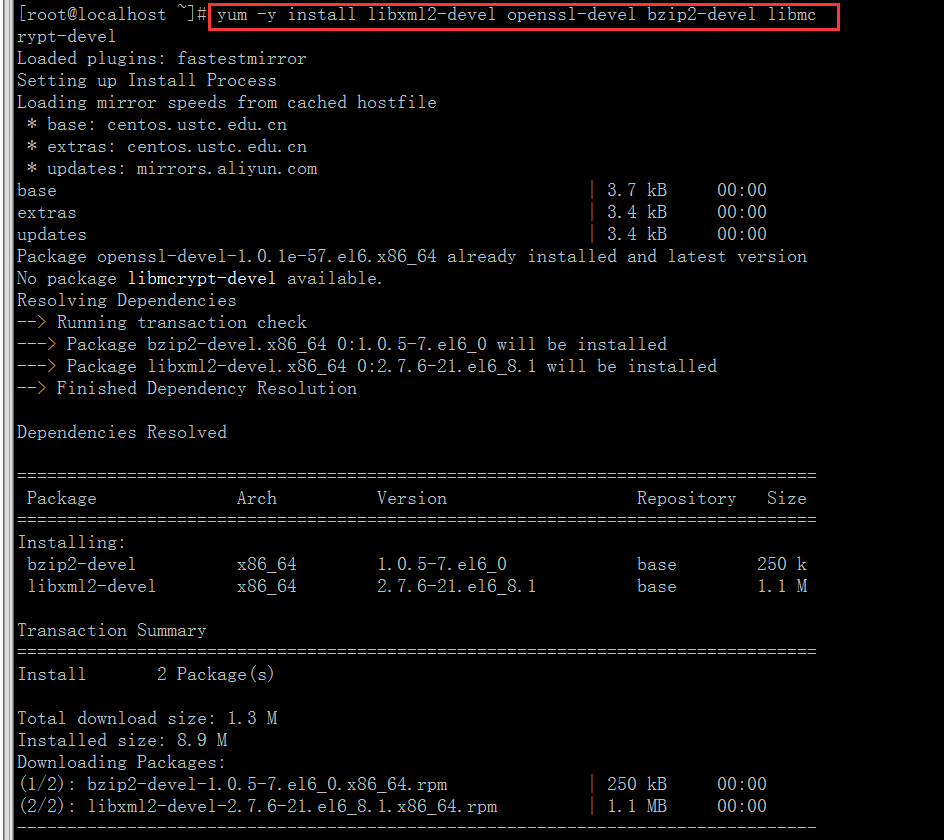
1.安装yum -y install libxml2-devel openssl-devel bzip2-devel libmcrypt-devel 解决php包的依赖关系,可能libmcrypt会报错,先执行yum install epel-release,再重新安装一下就可以了。
2.下载PHP安装包并且上传到服务器,解压,(或者可以用wget直接下载到服务器)。

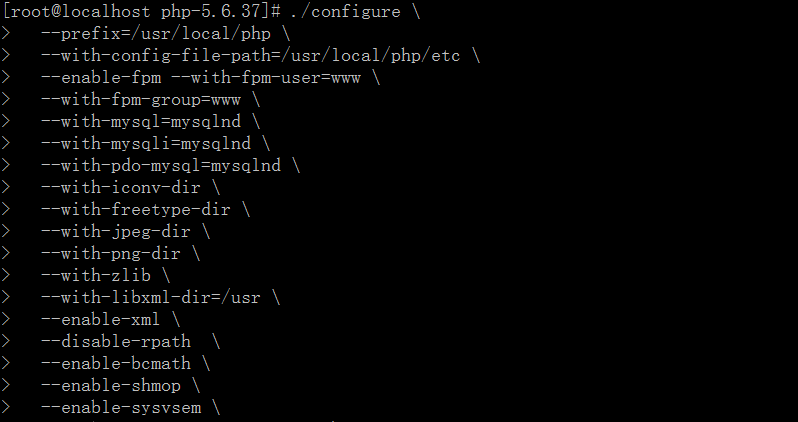
3.在PHP包的位置编译php:
./configure \
--prefix=/usr/local/php \
--with-config-file-path=/usr/local/php/etc \
--enable-fpm --with-fpm-user=www \
--with-fpm-group=www \
--with-mysql=mysqlnd \
--with-mysqli=mysqlnd \
--with-pdo-mysql=mysqlnd \
--with-iconv-dir \
--with-freetype-dir \
--with-jpeg-dir \
--with-png-dir \
--with-zlib \
--with-libxml-dir=/usr \
--enable-xml \
--disable-rpath \
--enable-bcmath \
--enable-shmop \
--enable-sysvsem \
--enable-inline-optimization \
--with-curl \
--enable-mbregex \
--enable-mbstring \
--with-mcrypt \
--enable-ftp \
--with-gd \
--enable-gd-native-ttf \
--with-openssl \
--with-mhash \
--enable-pcntl \
--enable-sockets \
--with-xmlrpc \
--enable-zip \
--enable-soap \
--without-pear \
--with-gettext \
--disable-fileinfo \
--enable-maintainer-zts
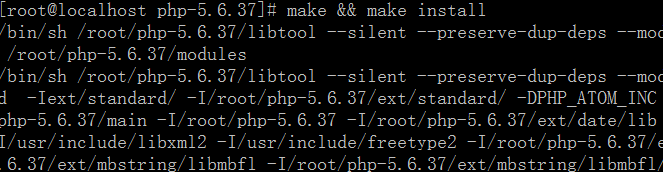
4.make && make install
5.复制相关配置文件到相关位置上:
cp php.ini-production /usr/local/php/etc/php.ini
cp /usr/local/php/etc/php-fpm.conf.default /usr/local/php/etc/php-fpm.conf
cp sapi/fpm/init.d.php-fpm /etc/init.d/php-fpm



6.加权限并设置开机启动php


7.开启php服务:
/usr/local/php/sbin/php-fpm或者 /etc/init.d/php-fpm start

8.查看php是否启动成功:
netstat -lnt |grep 9000

9.建一个存放nginx的网站根目录:
mkdir -p /tmp/www/zabbixserver.com


10.在nginx.cong配置文件中的http模块加上一条命令:
include /usr/local/nginx/conf/vhost/*.conf ;
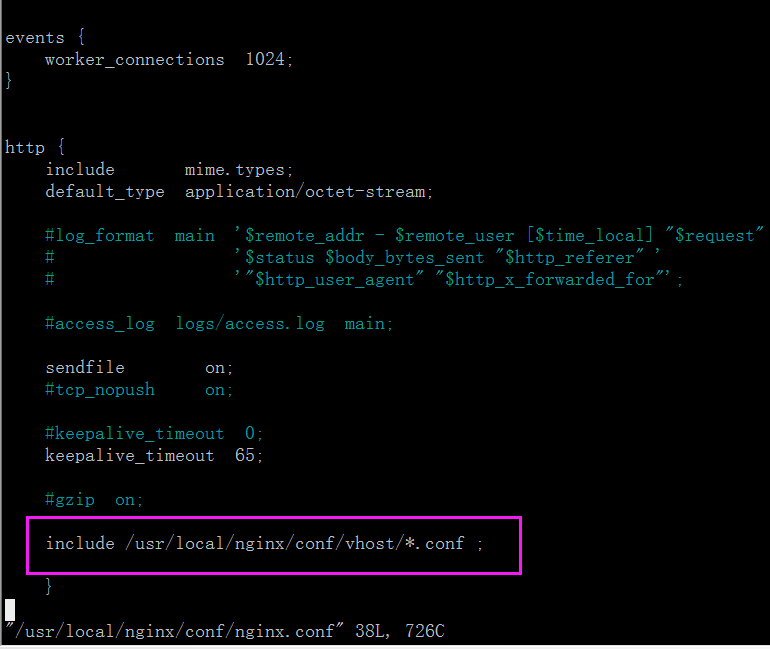
11.根据“ include /usr/local/nginx/conf/vhost/*.conf ”在相对应的位置添加文件


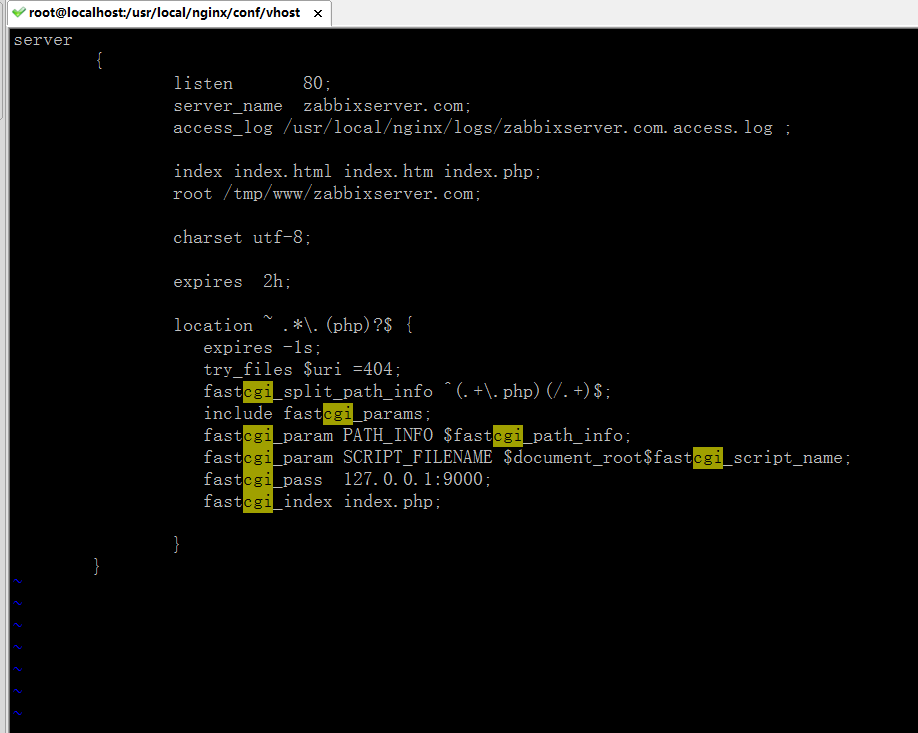
12.把相关配置贴进去:
server
{
listen 80; #(不要与nginx.conf的端口冲突了)
server_name zabbixserver.com;
access_log /usr/local/nginx/logs/zabbixserver.com.access.log ;
index index.html index.htm index.php;
root /tmp/www/zabbixserver.com;
charset utf-8;
expires 2h;
location ~ .*\.(php)?$ {
expires -1s;
try_files $uri =404;
fastcgi_split_path_info ^(.+\.php)(/.+)$;
include fastcgi_params;
fastcgi_param PATH_INFO $fastcgi_path_info;
fastcgi_param SCRIPT_FILENAME $document_root$fastcgi_script_name;
fastcgi_pass 127.0.0.1:9000;
fastcgi_index index.php;
}
}
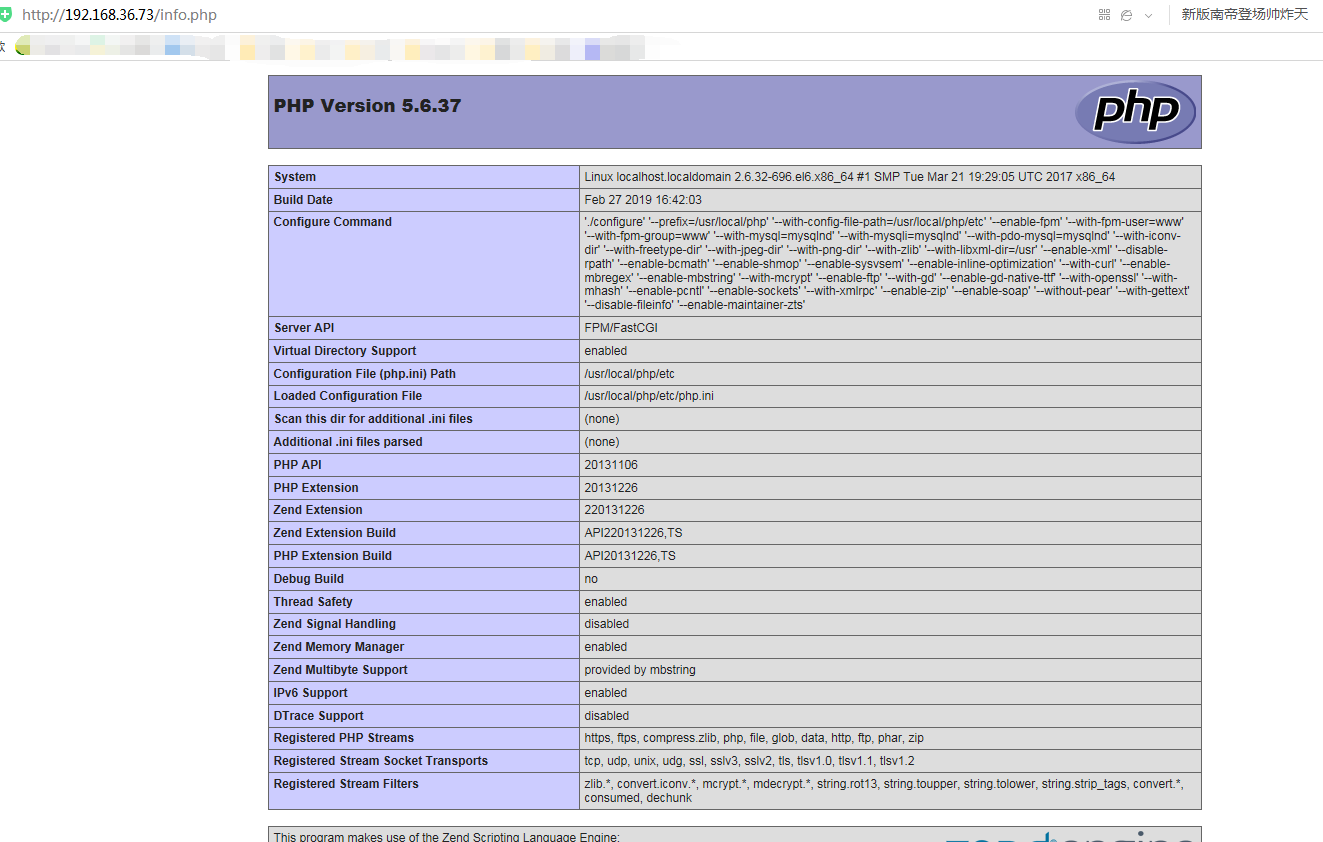
13.测试是否成功
cd /usr/local/nginx/sbin
./nginx -t

14.重启nginx服务
./nginx -s reload


centos6.9 PHP的编译安装并连接nginx的更多相关文章
- Centos6下Python3的编译安装
本文转载自 Centos6下Python3的编译安装 系统环境:CentOS 6.8-Minimal 安装Python依赖包: 1 [root@Python src]# yum install zli ...
- 在CentOS6.7操作系统上编译安装httpd2.4
功能描述: 在CentOS6.7操作系统上,编译安装apache服务,实现定制功能等 一.安装前提 1)安装编译httpd需要的软件包 [root@bqe6tewv41kx ~]# yum -y i ...
- Centos6.5 源码编译安装 Mysql5.7.11及配置
安装环境 Linux(CentOS6.5 版).boost_1_59_0.tar.gz.mysql-5.7.11.tar.gzMySQL 5.7主要特性: 更好的性能:对于多核CPU.固态硬盘. ...
- centos6.8服务器配置之编译安装PHP、配置nginx
php version 5.6.31.nginx version: nginx/1.10.2 1.下载: wget http://cn2.php.net/distributions/php-5.6.3 ...
- 在CentOS6.7操作系统上编译安装mysql-5.6.31
功能概述: 由于在centos 6.7下通过yum安装的mysql是5.1版本的,不满足需求,因此经常性需要编译安装mysql服务等. 一.安装mysql 1.安装前提 1)安装编译mysql代码所依 ...
- Centos6.5源码编译安装nginx
1.安装pcre下载地址:http://jaist.dl.sourceforge.net/project/pcre/pcre/8.38/pcre-8.38.tar.gz #tar -axvf pcre ...
- centos6.5生产环境编译安装nginx-1.11.3并增加第三方模块ngx_cache_purge、nginx_upstream_check、ngx_devel_kit、lua-nginx
1.安装依赖包 yum install -y gcc gcc-c++ pcre-devel openssl-devel geoip-devel 2.下载需要的安装包 LuaJIT-2.0.4.zip ...
- 编译安装php、nginx
以centos6.6为例 1.安装以及配置php 首先在官网下载源码包http://php.net/downloads.php 这里下载php-7.1.16 .tar.gzcd php-7.1.16 ...
- 如何源码编译安装并控制nginx
安装nginx 注意 Linux操作系统需要2.6及其以上的内核(支持epoll) 使用nginx的必备软件 gcc编辑器 yum -y install gcc gcc-c++ pcre库(支持正则表 ...
随机推荐
- css学习_css3伸缩布局 flex布局
1.flex布局 案例一: 案例二: 保证不至于缩放得太小或太大 案例三:flex的值不一定要写成几份,可以写成固定值 案例四: 竖着3等分(父容器按照高度3等分) !!案例 -----用fle ...
- jmeter数据库连接配置
一.实际试过的mysql配置 1.导入一个JDBC jar包(我是直接把jar包放在了jmeter的lib目录),包:mysql-connector-java-5.1.7-bin.jar 2.设置JD ...
- 4.29python
题目: 代码:(?) list = input().split()list1 = []list2 = []for i in range(len(list)): if (i+1)%3 != 0 and ...
- Unicode编码范围
- linux上创建svn服务器(centos7.3)
1.安装svn yum -y install subversion 2.创建svn版本仓库 mkdir /var/svn/svnrepos svnadmin create /var/svn/svnre ...
- 2. Scala变量
2.1 变量是程序的基本组成单位 举一个简单的例子 object boke_demo01 { def main(args: Array[String]): Unit = { var a: Int = ...
- 20175303 2018-2019-2 《Java程序设计》第7周学习总结
20175303 2018-2019-2 <Java程序设计>第7周学习总结 教材学习内容总结 1.String类: Java专门提供了用来处理字符序列的String类 构造String对 ...
- BPDU报文(传统STP)
BPDU字段包含的信息: Protocol ID 协议ID Version STP版本(三种) STP(802.1D)传统生成树 值为0 RSTP(.1W)快速生成树 值为2 MSTP(.1S)多生成 ...
- rpm和yum模拟安装
在更新安装包之前,我们可能会想做一个测试运行,换句话说,模拟而不是实际安装更新的包,以确定在安装之前是否有任何需要处理的问题. 以测试更新openssh2为例: yum update openssh2 ...
- ORACLE——将多行文本数据转换成一行
前几天项目中有个到处文件的功能,但是有一个字段存进的数据存在换行情况,导出来的数据会出现错乱的情况,所以需要把换行的数据转换成一行.当然也可以在java程序中实现. 数据库中的数据为: SQL'; A ...