
hive的排序,分組练习
hive的排序,分組练习
数据:
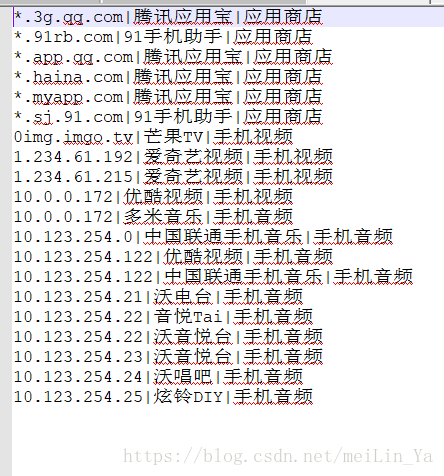
添加表和插入数据(数据在Linux本地中)
create table if not exists tab1(

  IP        string,

  SOURCE    string,

  TYPE      string

)

row format delimited fields terminated by '|'

stored as textfile;

load data local inpath '/home/data/data1.txt' into table tab1;
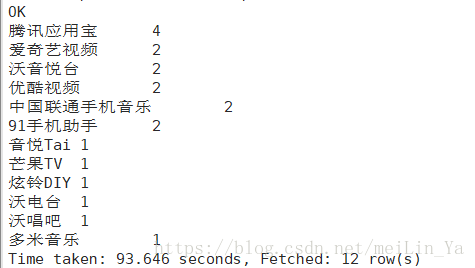
1.问题:(top10)按照来源排序,访问量高的排最上面
select source,count(*) num

from tab1

group by source

order by num desc;
select 查询在order by 前
2.问题:(推荐系统)给一个用户ip地址,得到用户经常访问的应用类型后,推荐用户同种类型的其他应用

数据二:
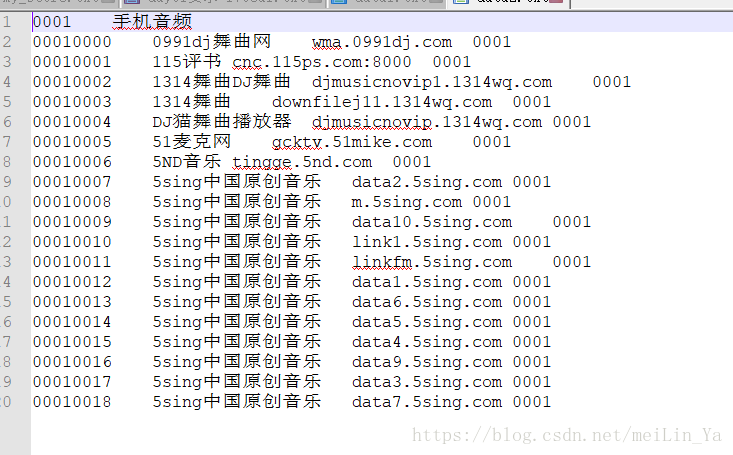
建表,填数据:
create table if not exists tab2(

  id      string,

  name    string,

  url     string,

  pid     string

)

row format delimited fields terminated by '\t'

stored as textfile;

load data local inpath '/home/data/data2.txt' into table tab2;
1.问题:(数据清洗)合并name与url,格式为 NAME:name|URL:url
select concat('NAME:',name,'|','URL:',url)

from tab2

where name is not null and  url is not null;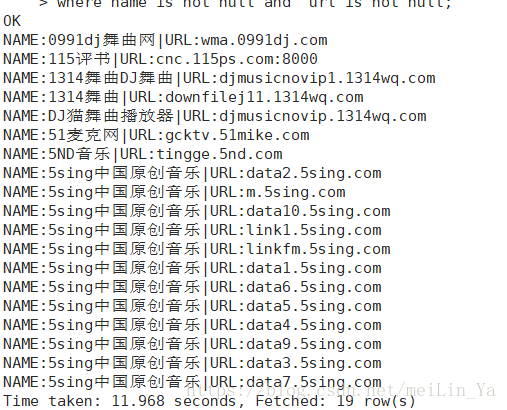
数据三:
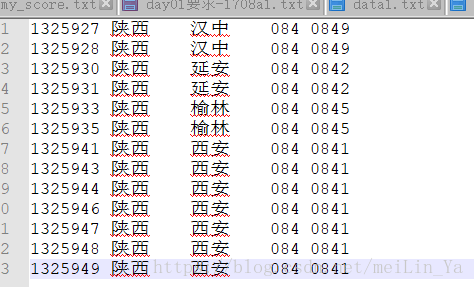
表的建立和数据插入
create table if not exists tab4(

  no        string,

  province  string,

  city      string,

  pid	    string,

  cid	    string

)

row format delimited fields terminated by '\t'

stored as textfile;

load data local inpath '/home/data/data4.txt' into table tab4;
1.问题:从源数据中筛出pid与省份、cid与城市,并且创建新表保存 去重 distinct
这里使用加行键的方法,实行唯一标识。
select pid,province

from tab4

group by pid,province

limit 1

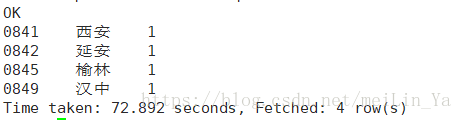
select t1.cid,t1.city,t1.rank

from(

select cid,city,row_number() over (partition by cid order city) rank

from tab4

group by cid,city) t1

where t1.rank=1;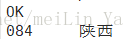
数据四:
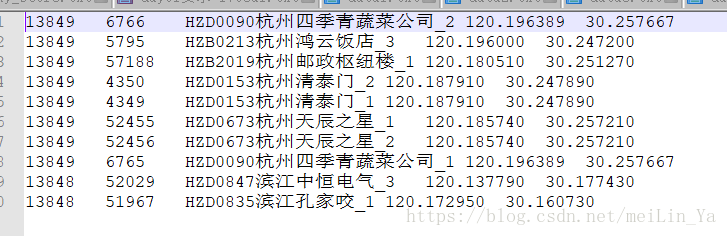
新建表以及添加数据
create table if not exists tab5(

  lac	 string,

  cellid	 string,

  cell_name	 string,

  longitude	 string,

  latitude	 string

)

row format delimited fields terminated by '\t'

stored as textfile;

load data local inpath '/home/data/data5.txt' into table tab5;
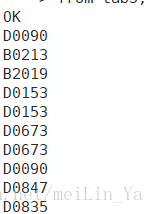
1.问题:从cell_name列中截取需要的部分,例如 HZD0090,截取D0090杭州四季青蔬菜公司,截取D0090
数据五:
建表+添加数据
create table if not exists tab6(

  id	 string,

  service	 string

)

row format delimited fields terminated by '\t'

stored as textfile;

load data local inpath '/home/data/data6.txt' into table tab6;
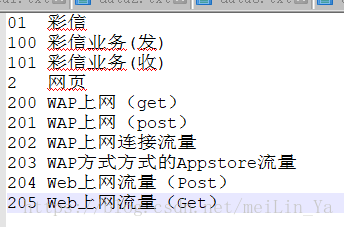
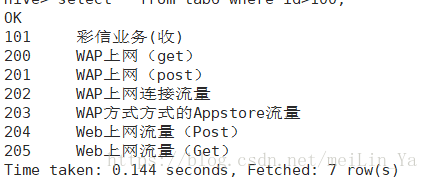
问题:去除所有父类服务,只要子类服务(id 是字符串类型)
select * from tab6 where id>100
数据六:
添加数据:
create table if not exists tab7(

  id	 string,

  type	 string,

  sagem	 string

)

row format delimited fields terminated by '\t'

stored as textfile;

load data local inpath '/home/data/data7.txt' into table tab7;
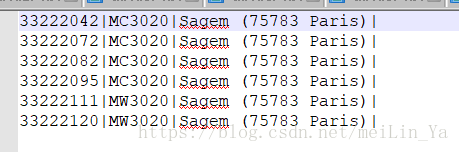
问题:按照设备类型,统计出现的频率
select type,count(*)

from tab7

group by type;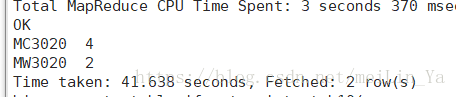
数据七:
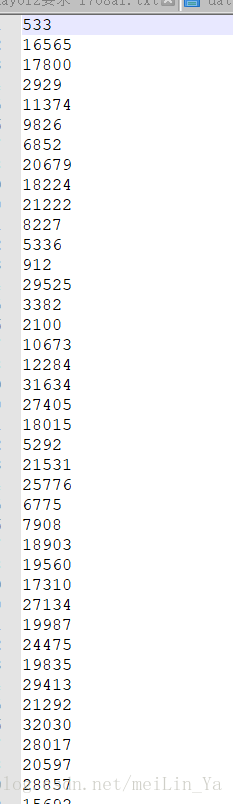
问题:去重后存入到新表中
select col,row_number() over (partition by col order by col) rank

from tab10

group by col;
hive的排序,分組练习的更多相关文章
- Hive为什么要分桶
对于每一个表(table)或者分区, Hive可以进一步组织成桶,也就是说桶是更为细粒度的数据范围划分.Hive也是针对某一列进行桶的组织.Hive采用对列值哈希,然后除以桶的个数求余的方式决定该条记 ...
- Hive学习笔记——Hive中的分桶
对于每一个表(table)或者分区, Hive可以进一步组织成桶,也就是说桶是更为细粒度的数据范围划分.Hive也是针对某一列进行桶的组织.Hive采用对列值哈希,然后除以桶的个数求余的方式决定该条记 ...
- Hive 学习之路(五)—— Hive 分区表和分桶表
一.分区表 1.1 概念 Hive中的表对应为HDFS上的指定目录,在查询数据时候,默认会对全表进行扫描,这样时间和性能的消耗都非常大. 分区为HDFS上表目录的子目录,数据按照分区存储在子目录中.如 ...
- Hive 系列(五)—— Hive 分区表和分桶表
一.分区表 1.1 概念 Hive 中的表对应为 HDFS 上的指定目录,在查询数据时候,默认会对全表进行扫描,这样时间和性能的消耗都非常大. 分区为 HDFS 上表目录的子目录,数据按照分区存储在子 ...
- 入门大数据---Hive分区表和分桶表
一.分区表 1.1 概念 Hive 中的表对应为 HDFS 上的指定目录,在查询数据时候,默认会对全表进行扫描,这样时间和性能的消耗都非常大. 分区为 HDFS 上表目录的子目录,数据按照分区存储在子 ...
- Crystal Report分組中的序號重新遞增
客戶要批次列印發票,也就是報表需要按照發票號碼(INV_NO)進行分組,每個發票里還有明細的item,之前因為直接抓RecordNumber,所以該欄位只能從1開始計數,遇到新的發票發號不會重新從1開 ...
- hive 分组排序,topN
hive 分组排序,topN 语法格式:row_number() OVER (partition by COL1 order by COL2 desc ) rankpartition by:类似hiv ...
- hive -- 分区,分桶(创建,修改,删除)
hive -- 分区,分桶(创建,修改,删除) 分区: 静态创建分区: 1. 数据: john doe 10000.0 mary smith 8000.0 todd jones 7000.0 boss ...
- laravel 路由分組
laravel 路由分組 Route::group(['prefix' => 'admin'], function () { $namespacePrefix="\\App\\Http ...
随机推荐
- ceph运维常用指令
一.集群 1.启动一个ceph 进程 启动mon进程 service ceph start mon.node1 启动msd进程 service ceph start mds.node1 启动osd进 ...
- python简单制作GIF
第一步安装工具:imageio (已安装好的页面) 第二步:打开python 插入代码,代码如下. import imageio savename = "C://Users//Thinkpa ...
- 论文笔记【三】A Deep Dive into Word Sense Disambiguation with LSTM
深入理解LSTM词义消歧 Minh Le,Marten Postma,Jacopo Urbani和Piek Vossen 阿姆斯特丹自由大学语言,文学和传播系 阿姆斯特丹自由大学计算机科学系 摘要 基 ...
- Jenkins 配置git
点击"新建任务"创建一个自用风格的项目 点击"源码管理",选择 git 系统管理 --> Global Tool Configuration<为访问 ...
- THINKPHP and or 模板语句书写
select * from xx where (a = 22 or b = 333) or (c=11 and d=22) $where_1['a'] = array('eq', '222'); $w ...
- jmeter的新增函数说明
本文算是对<零成本实现Web性能测试:基于Apache JMeter>中的<详解JMeter函数和变量>进行狗尾续貂哈,因为最近版本的jmeter增加了几个新函数,在原书中没有 ...
- 页面适配的小栗子 - github
我模拟了一个QQ音乐的radiostation页面,用了媒体查询以及流式布局,页面大部分内容是js根据json生成的,使用了less来编写css样式表. 下面是仓库地址,感兴趣的小伙伴可以打开看看,将 ...
- ajax的一些相关
1.AJAX = Asynchronous(异步的) JavaScript and XML AJAX是能不刷新整个网页的前提下,更新内容.通过少量的数据交换,达成局部页面刷新的效果. 而form表单提 ...
- loj#2020 「AHOI / HNOI2017」礼物 ntt
loj#2020 「AHOI / HNOI2017」礼物 链接 bzoj没\(letex\),差评 loj luogu 思路 最小化\(\sum\limits_1^n(a_i-b_i)^2\) 设改变 ...
- [java] 软工实践WordCount-Plus
整体思路 模块化 对于任何一个小模块,例如:输入.输出.计算都独立开来,降低耦合. 插件化 对于任何一个模块均作成插件,可拔插,可更换,而不会导致其他的插件出现故障. 事件驱动 使用观察者模式,用事件 ...