
Windows10内嵌Ubuntu子系统初始化设置
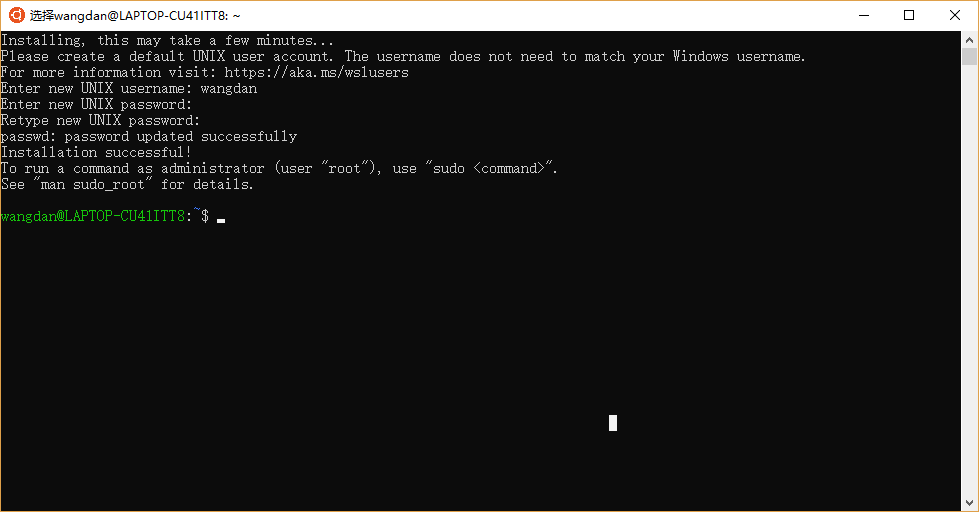
第一次启动
重启ubuntu
Since Windows 10 version 1803, closing all WSL terminal windows won't kill background processes by default, unless the file /var/run/reboot-required is present. This file will be automatically created by apt on Ubuntu when an update requires a reboot, but if you want to manually reboot the subsystem, you can create the file yourself:
sudo touch /var/run/reboot-required
然后关闭ubuntu的shell框就相当于关机。
I haven't tested this on other distributions available in the Microsoft Store. An alternative solution is to kill all processes yourself:
sudo killall -r '.*'
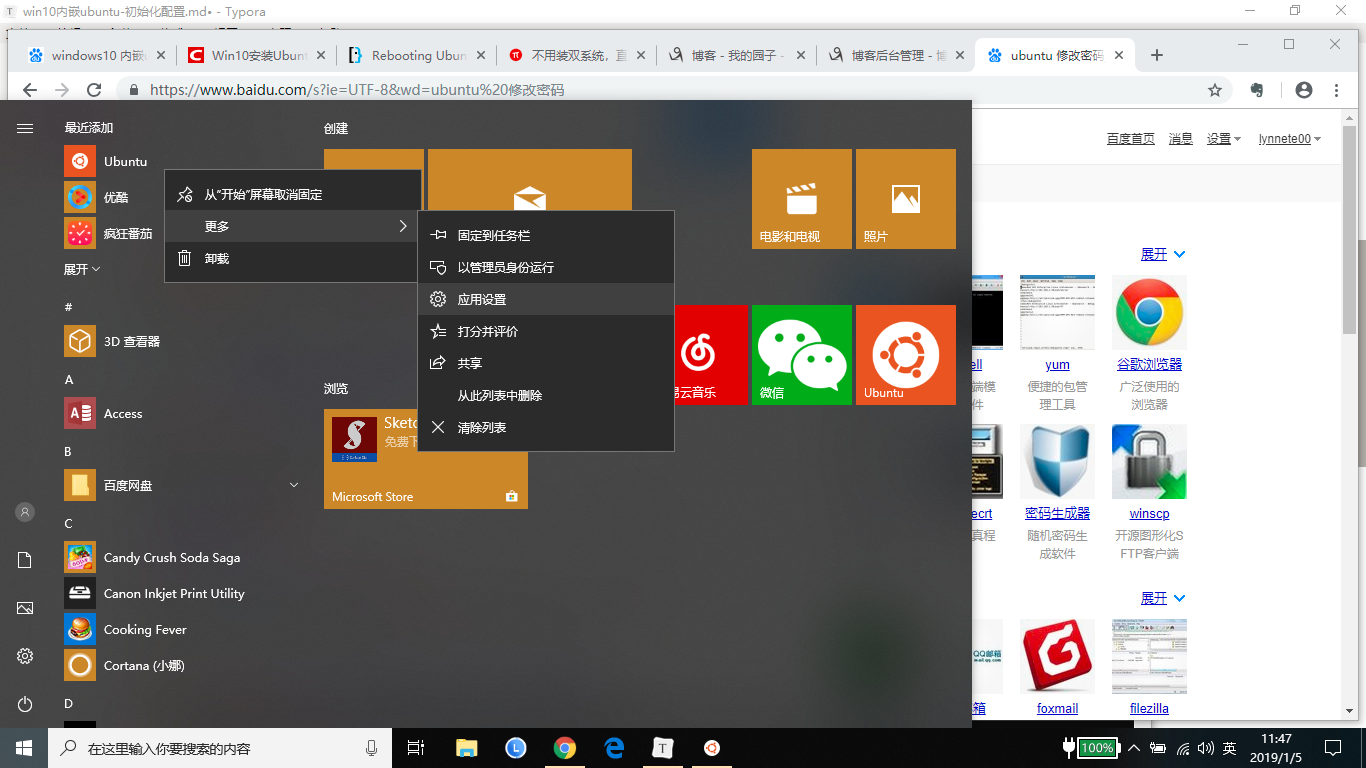
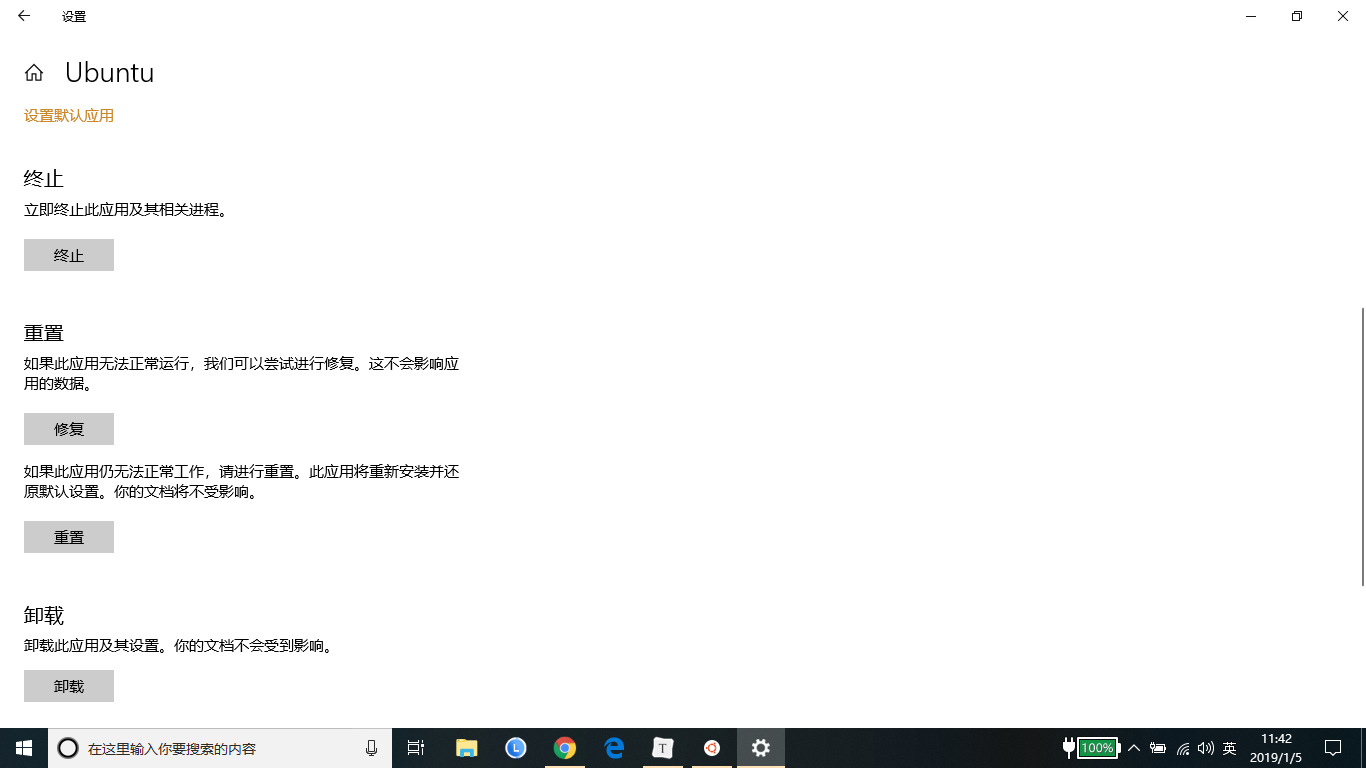
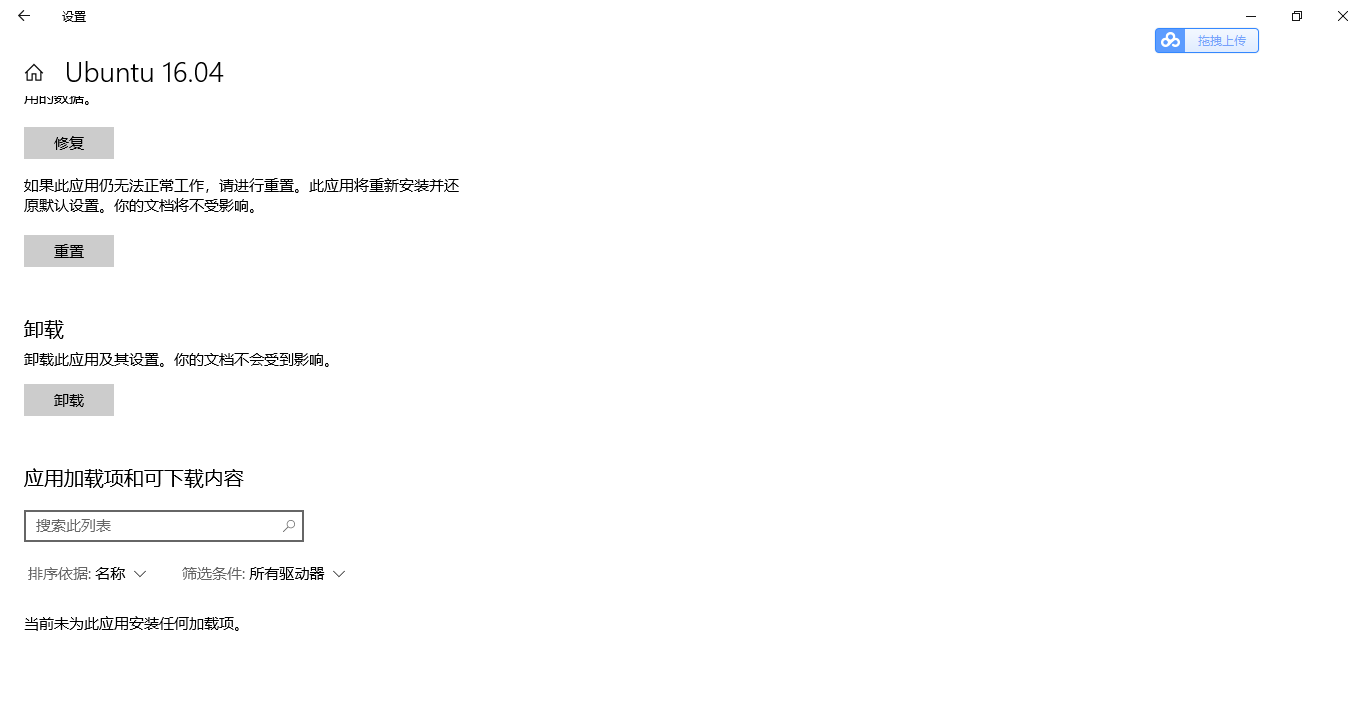
重置ubuntu,相当于重新安装
配置ubuntu镜像源
阿里源地址为:https://opsx.alibaba.com/mirror?lang=zh-CN,找到ubuntu镜像的帮助,根据提示修改/etc/apt/sources.list,然后执行sudo apt-get update。
deb http://mirrors.aliyun.com/ubuntu/ bionic main restricted universe multiverse

deb-src http://mirrors.aliyun.com/ubuntu/ bionic main restricted universe multiverse

deb http://mirrors.aliyun.com/ubuntu/ bionic-security main restricted universe multiverse

deb-src http://mirrors.aliyun.com/ubuntu/ bionic-security main restricted universe multiverse

deb http://mirrors.aliyun.com/ubuntu/ bionic-updates main restricted universe multiverse

deb-src http://mirrors.aliyun.com/ubuntu/ bionic-updates main restricted universe multiverse

deb http://mirrors.aliyun.com/ubuntu/ bionic-proposed main restricted universe multiverse

deb-src http://mirrors.aliyun.com/ubuntu/ bionic-proposed main restricted universe multiverse

deb http://mirrors.aliyun.com/ubuntu/ bionic-backports main restricted universe multiverse

deb-src http://mirrors.aliyun.com/ubuntu/ bionic-backports main restricted universe multiverse
图形化界面
更新
sudo apt-get update
开始安装图形化界面
sudo apt-get install xorg

sudo apt-get install xfce4

sudo apt-get install xrdp
配置远程端口为3390
sudo sed -i 's/port=3389/port=3390/g' /etc/xrdp/xrdp.ini
向xsession中写入xfce4-session
sudo echo xfce4-session >~/.xsession
重启xrdp服务
sudo service xrdp restart
如果有防火墙,允许就好了。
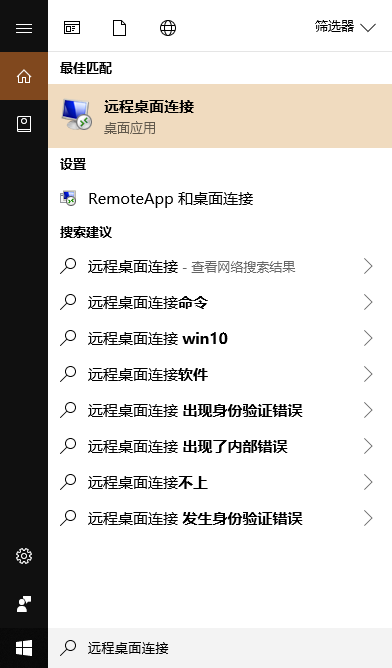
在Cortana中搜索远程桌面连接,点击进入,输入本机IP:端口,以及子系统用户名(在步骤2中,终端窗口@符号之前)
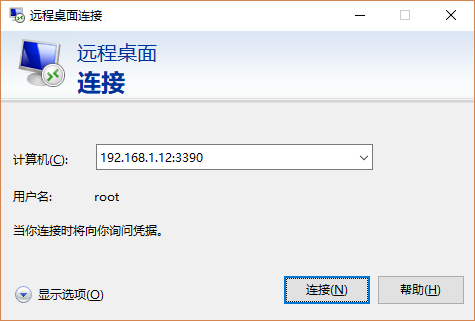
- 登陆成功,显示Ubuntu的图形界面。
踩过的坑:我的win10和ubuntu的用户名相同,都是我的姓名全拼。使用远程桌面登陆时,连接成功后闪退,后来改用root登陆就可以了。
安装docker
ubuntu版本为16.04
- 使用阿里云的镜像
- 使用阿里云的docker镜像
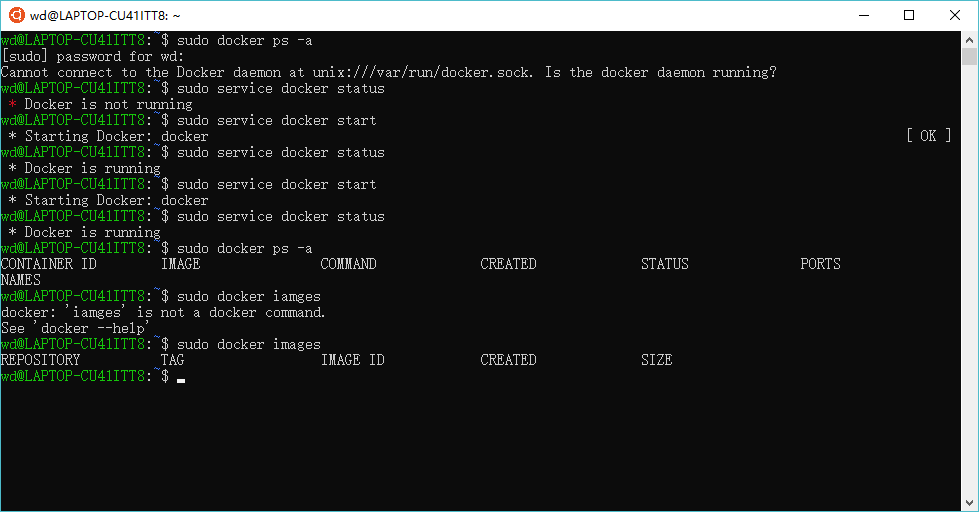
- 安装后,使用sudo service docker start启动docker服务失败了,重启之后有start了两次就可以了。
   # step 1: 安装必要的一些系统工具

   sudo apt-get update

   sudo apt-get -y install apt-transport-https ca-certificates curl software-properties-common

   # step 2: 安装GPG证书

   curl -fsSL http://mirrors.aliyun.com/docker-ce/linux/ubuntu/gpg | sudo apt-key add -

   # Step 3: 写入软件源信息

   sudo add-apt-repository "deb [arch=amd64] http://mirrors.aliyun.com/docker-ce/linux/ubuntu $(lsb_release -cs) stable"

   # Step 4: 更新并安装 Docker-CE

   sudo apt-get -y update

   sudo apt-get -y install docker-ce

   # 安装指定版本的Docker-CE:

   # Step 1: 查找Docker-CE的版本:

   # apt-cache madison docker-ce

   #   docker-ce | 17.03.1~ce-0~ubuntu-xenial | http://mirrors.aliyun.com/docker-ce/linux/ubuntu xenial/stable amd64 Packages

   #   docker-ce | 17.03.0~ce-0~ubuntu-xenial | http://mirrors.aliyun.com/docker-ce/linux/ubuntu xenial/stable amd64 Packages

   # Step 2: 安装指定版本的Docker-CE: (VERSION 例如上面的 17.03.1~ce-0~ubuntu-xenial)

   # sudo apt-get -y install docker-ce=[VERSION]
磁盘映射
在ubuntu内部,可以进入/mnt/c等目录,操作windows10的多个磁盘。
Windows10内嵌Ubuntu子系统初始化设置的更多相关文章
- Windows10内嵌Ubuntu子系统配置python开发环境
Windows10内嵌Ubuntu子系统配置python开发环境 安装pycharm. 到intellij idea网站下载Linux环境下载免费的pycharm,通过ubuntu子系统内部的/mnt ...
- Windows10内置ubuntu子系统安装后中文环境设置
原文:Windows10内置ubuntu子系统安装后中文环境设置 第一开启相关设置,使用小娜(Win键+c)直接查找关键字打开更快. ①设置→查找"针对开发人员"→开发人员模式 ...
- [转]Windows10内置Linux子系统初体验
Windows10内置Linux子系统初体验 https://www.jianshu.com/p/bc38ed12da1d
- spring-boot内嵌三大容器https设置
spring-boot内嵌三大容器https设置 spring-boot默认的内嵌容器为tomcat,除了tomcat之前还可以设置jetty和undertow. 1.设置https spring-b ...
- Windows10内置Linux子系统
WSL 前言 前段时间,机子上的win10又偷偷摸摸升级到了一周年正式版,比较无奈.不过之前听闻这个版本已经支持内置的linux子系统,于是就怀着好奇心试玩了一把.虽然期间遇到了很多问题,但总体来 ...
- Windows10内置Linux子系统初体验
http://www.jianshu.com/p/bc38ed12da1dhttp://www.jianshu.com/p/bc38ed12da1d WSL 前言 前段时间,机子上的win10又偷偷摸 ...
- windows10开启内置ubuntu系统,使用xshell连接
windows安装配置ubuntu系统内置子系统 官方文档:https://docs.microsoft.com/zh-cn/windows/wsl/about https://www.jianshu ...
- 系统 (一) Windows10安装Ubuntu子系统
前言 本文将基于 Windows10专业版 安装 Ubuntu子系统 1.控制面板 -> 程序 -> 选择启用或关闭Windows功能 -> 勾上 适用Linux的Windwos子系 ...
- Windows10 下运行Linux子系统
关于Windows10 下运行Linux子系统: Windows10内置Linux子系统初体验:http://www.jianshu.com/p/bc38ed12da1d Win10运行Ubuntu版 ...
随机推荐
- P1084 骑士的工作
题目描述 你作为一个村的村长,保卫村庄是理所当然的了.今天,村庄里来了一只恶龙,他有n个头,恶龙到处杀人放火.你着急了.不过天无绝人之路,现在来了一个骑士团.里面有m位成员,每个人都可以砍掉一个大小不 ...
- 2018-11-2-win10-uwp-通过-win2d-画出笔迹
title author date CreateTime categories win10 uwp 通过 win2d 画出笔迹 lindexi 2018-11-2 20:11:0 +0800 2018 ...
- 【39.87%】【BZOJ 1880】[Sdoi2009]Elaxia的路线
Time Limit: 4 Sec Memory Limit: 64 MB Submit: 1041 Solved: 415 [Submit][Status][Discuss] Descripti ...
- Linux 内核usb_bulk_msg 接口
usb_bulk_msg 创建一个 USB 块 urb 并且发送它到特定的设备, 接着在返回到调用者之 前等待完成. 它定义为: int usb_bulk_msg(struct usb_device ...
- 如何用python“优雅的”调用有道翻译?
前言 其实在以前就盯上有道翻译了的,但是由于时间问题一直没有研究(我的骚操作还在后面,记得关注),本文主要讲解如何用python调用有道翻译,讲解这个爬虫与有道翻译的js“斗争”的过程! 当然,本文仅 ...
- json文件生成
// import Translate from 'translate-components' /* * 匹配所有汉字RegExp: [\u4e00-\u9fa5] [\u4E00-\u9FA5]|[ ...
- scrf 原理及flask-wtf防护
了解什么是scrf? SCRF跨站点请求伪造Cross—Site Request Forgery) 指恶意用户通过个人用户的点击,然而盗用用户的账号信息,并发送邮件.虚拟货币的转账,以及一些重要的事务 ...
- 洛谷$P1712\ [NOI2016]$区间 线段树
正解:线段树 解题报告: 传送门$QwQ$ $umm$很久以前做的了来补个题解$QwQ$ 考虑给每个区间按权值($r-l$从大往小排序,依次加入,然后考虑如果有一个位置被覆盖次数等于$m$了就可以把权 ...
- 博帝飚速盘 16G
设备制造商: Patriot Memory当前协议 : USB2.0输入电流 : 300mA 芯片制造商: 群联(Phison)芯片型号 : PS2251-38闪存颗粒 : 美光( ...
- background,position,绝对定位中位置属性的定位规则,cursor
backgorund背景 background-color:red; 背景颜色 background-image:url(路径);背景图片 background-repeat:no-repeat;不重 ...