
Jade学习(二)之语法规则上
语法
⚠️实例均结合node
jade缩进代表层级
html                <html></html>

html                <html>

    head                <head>

        style                <style></style>

                    </head>

    body                <body>

        div                <div></div>

        div                <div></div>

                    </body>

                </html>
左边渲染完就是右边
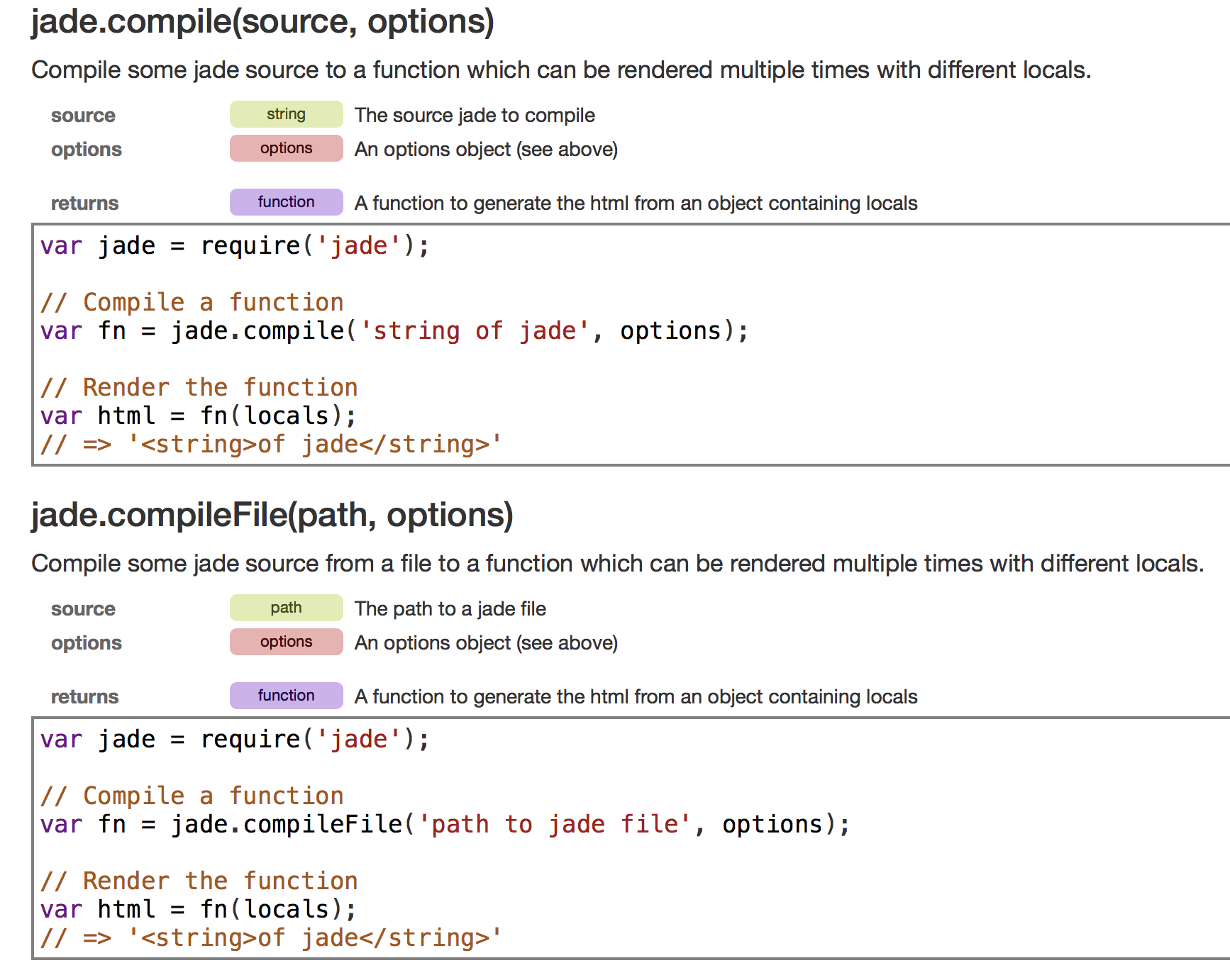
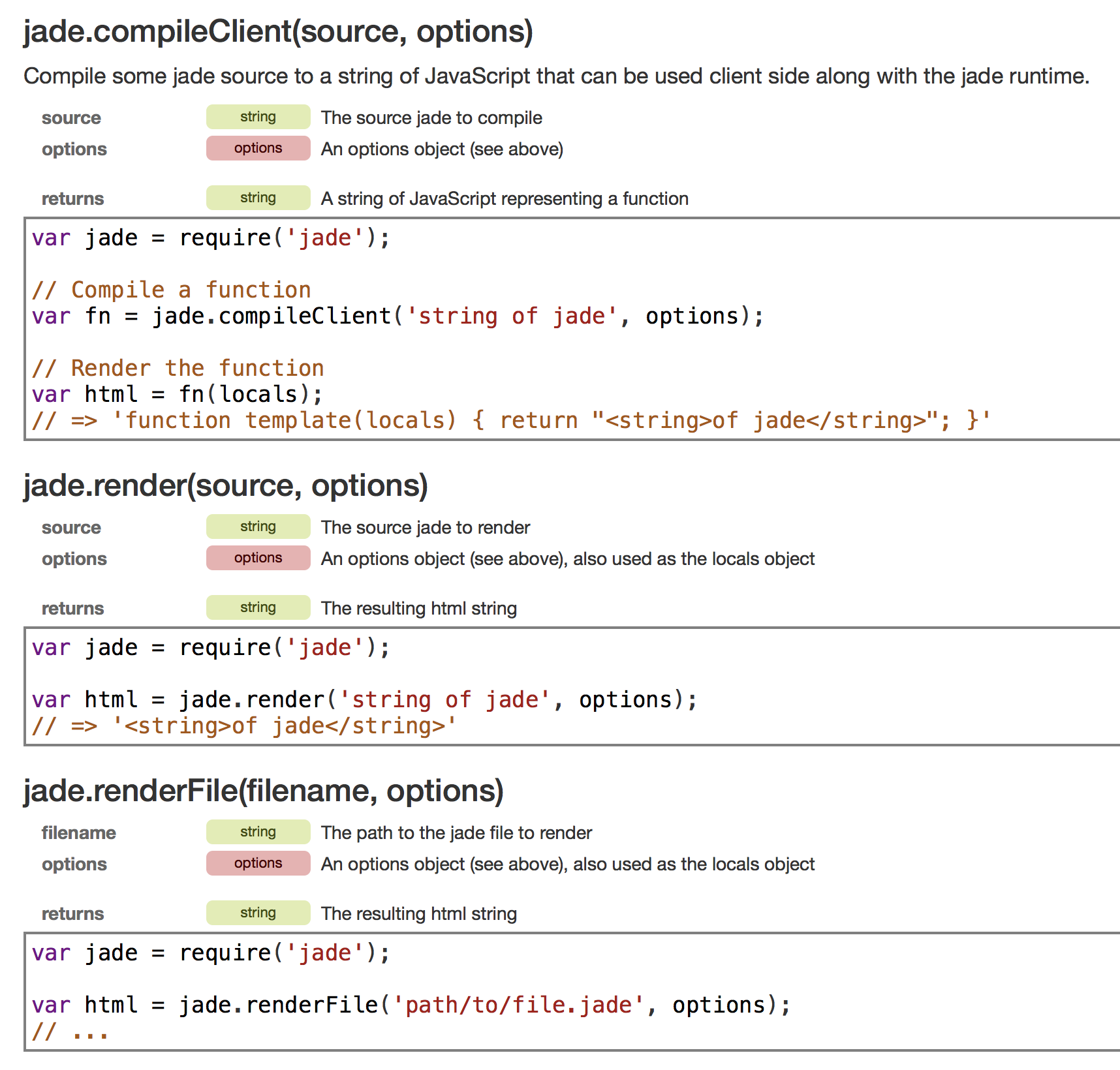
jade中render()表示渲染文本
const jade = require('jade');

var str = jade.render('html'); // render()表示渲染

console.log(str);

// 此时输出:<html></html>
jade中renderFile()表示渲染文件
// 1.jade内容:

html

    head

        script

        style

    body

        div

            ul

                li

                li

                li

// jade2.js内容:

const jade = require('jade');

var str = jade.renderFile('./work/view/1.jade'); // rendeFile()表示渲染文件

console.log(str);

// 此时输出:<html><head><script></script><style></style></head><body><div><ul><li></li><li></li><li></li></ul></div></body></html>
jade使用参数{pretty:true}美化
// jade2.js内容:美化

const jade = require('jade');

var str = jade.renderFile('./work/view/1.jade',{pretty:true}); // pretty:true对输出进行美化,只开发用,开发完实际使用时不需要

console.log(str);

// 此时输出:

<html>

  <head>

    <script></script>

    <style></style>

  </head>

  <body>

    <div>

      <ul>

        <li></li>

        <li></li>

        <li></li>

      </ul>

    </div>

  </body>

</html>
jade属性放在()里面,逗号分隔
// 2.jade内容:

html

    head

        script(src="a.js")

        style(type="text/css")

        link(type="text/css",rel="stylesheet")

    body

        div

            ul(id="box")

                li

                    input(type="text",id="txt1",value="")

                li

                    input(type="text",id="txt1",value="")

                li

                    input(type="text",id="txt1",value="")

// jade2.js内容:

const jade = require('jade');

var str = jade.renderFile('./work/lesson12/view/2.jade',{pretty:true}); // render()表示渲染

console.log(str);

// 此时输出:

<html>

  <head>

    <script src="a.js"></script>

    <style type="text/css"></style>

    <link type="text/css" rel="stylesheet"/>

  </head>

  <body>

    <div>

      <ul id="box">

        <li>

          <input type="text" id="txt1" value=""/>

        </li>

        <li>

          <input type="text" id="txt1" value=""/>

        </li>

        <li>

          <input type="text" id="txt1" value=""/>

        </li>

      </ul>

    </div>

  </body>

</html>
jade中style属性的两种写法:普通属性写法和json写法
html

    head

        script

        style(type="text/css")

        link(type="text/css",rel="stylesheet")

    body

        div(style="width:200px;height:200px;background:red") // 普通属性写法

        div(style={width:'200px', height:'200px', background:'red'}) // json写法

// 此时输出:

<html>

  <head>

    <script></script>

    <style type="text/css"></style>

    <link type="text/css" rel="stylesheet"/>

  </head>

  <body>

    <div style="width:200px;height:200px;background:red"></div>

    <div style="width:200px;height:200px;background:red"></div>

    <div title="[object Object]"></div>

  </body>

</html>
jade中Class属性的两种写法:普通属性写法和数组写法
html

    head

        script

        style(type="text/css")

        link(type="text/css",rel="stylesheet")

    body

        div(class="aaa bbb ccc")

        div(class=["aaa","bbb","ccc"])

        div(title=["aaa","bbb","ccc"])

// 此时输出:

<html>

  <head>

    <script></script>

    <style type="text/css"></style>

    <link type="text/css" rel="stylesheet"/>

  </head>

  <body>

    <div class="aaa bbb ccc"></div>

    <div class="aaa bbb ccc"></div>

    <div title="aaa,bbb,ccc"></div>

  </body>

</html>
jade中class和id的使用“.”和“#”简写
html

    head

        script

        style(type="text/css")

        link(type="text/css",rel="stylesheet")

    body

        div.aaa // 一个class

        div#box // 一个id

        div.aaa.bbb // 多个class

    div#box.aaa // id和class混用

// 此时输出:

<html>

  <head>

    <script></script>

    <style type="text/css"></style>

    <link type="text/css" rel="stylesheet"/>

  </head>

  <body>

    <div class="aaa"></div>

    <div id="box"></div>

    <div class="aaa bbb"></div>

  </body>

</html>
jade中class和id简写和非简写可混合使用
html

    head

        script

        style(type="text/css")

        link(type="text/css",rel="stylesheet")

    body

        div.aaa(title="bbb")

        div#box

        div.aaa.bbb

// 此时输出:

<html>

  <head>

    <script></script>

    <style type="text/css"></style>

    <link type="text/css" rel="stylesheet"/>

  </head>

  <body>

    <div title="bbb" class="aaa"></div>

    <div id="box"></div>

    <div class="aaa bbb"></div>

  </body>

</html>
jade中使用&attributes将非style属性写成json格式
html

    head

        script

        style(type="text/css")

        link(type="text/css",rel="stylesheet")

    body

        div&attributes({id:'box',class:'aaa'}) // 使用&attributes写成json格式

此时输出:

<html>

  <head>

    <script></script>

    <style type="text/css"></style>

    <link type="text/css" rel="stylesheet"/>

  </head>

  <body>

    <div id="box" class="aaa"></div>

  </body>
jade将生成的字符串放到html中
// Jade3.js内容:

const jade = require('jade');

const fs = require('fs');

var str = jade.renderFile('./work/lesson12/view/2.jade',{pretty:true});

fs.writeFile("./work/lesson12/build/a.html",str,function(err){

    if(err){

        console.log("失败");

    }else {

        console.log("成功");

    }

});

// 此时发现build文件夹下多了一个a.html

// 此时a.html内容:

<html>

  <head>

    <script src="a.js"></script>

    <style type="text/css"></style>

    <link type="text/css" rel="stylesheet"/>

  </head>

  <body>

    <div>

      <ul id="box">

        <li>

          <input type="text" id="txt1" value=""/>

        </li>

        <li>

          <input type="text" id="txt1" value=""/>

        </li>

        <li>

          <input type="text" id="txt1" value=""/>

        </li>

      </ul>

    </div>

  </body>

</html>
jade内容空个格,直接往后堆
// 3.jade内容:

html

    head

        script(src="a.js") alert("aaa")

        style(type="text/css") div{background:red;}

        link(type="text/css",rel="stylesheet")

    body

        div(id="box") hello word

            p hi

            a(href="http://www.baidu.com") 哈哈哈

            a(href="http://www.baidu.com") 嘿嘿嘿

// jade4.js内容:

const jade = require('jade');

const fs = require('fs');

var str = jade.renderFile('./work/lesson12/view/3.jade',{pretty:true}); // render()表示渲染

fs.writeFile("./work/lesson12/build/c.html",str,function(err){

    if(err){

        console.log("失败");

    }else {

        console.log("成功");

    }

});

// 此时生成c.html:

<html>

  <head>

    <script src="a.js">alert("aaa")</script>

    <style type="text/css">div{background:red;}</style>

    <link type="text/css" rel="stylesheet"/>

  </head>

  <body>

    <div id="box">hello word

      <p>hi</p><a href="http://www.baidu.com">哈哈哈</a><a href="http://www.baidu.com">嘿嘿嘿</a>

    </div>

  </body>

</html>
jade对于内容大段代码如何处理?
// 错误写法:

html

    head

        script(src="a.js") window.onload = function(){

            var oBtn = document.getElementById("div");

        }

        style(type="text/css") div{background:red;}

        link(type="text/css",rel="stylesheet")

    body
总结:
jade
1.根据缩进,规定层级
2.属性放在()里面,逗号分隔 script(src="a.js",type="text/script")
3.内容空个格,直接往后堆 a(href="http://www.zhinengshe.com/") 官网
Style属性的两种写法:
1.普通属性写法
({style="width:200px; height:200px; background:red"})
2.json写法(如果属性值是动态的,是传进来的,用json就很方便了)
(style={width:'200px', height:'200px', background:'red'})
Class属性的两种写法:
1.普通属性写法
({class="aaa bbb ccc"})
2.数组写法(如果属性值是动态的,是传进来的,用json就很方便了)
({class=["aaa","bbb","ccc"]})
class和id属性简写:
1.添加一个class
.类名
2.添加多个class
.类名.类名
3.添加一个id
#id名
属性的另一种写法:
使用&attributes:表明属性是json形式
jade.render('字符串');
jade.renderFile('模板文件名', 参数)
注:简写和非简写可混合使用
Jade学习(二)之语法规则上的更多相关文章
- JavaWeb学习 (二十八)————文件上传和下载
在Web应用系统开发中,文件上传和下载功能是非常常用的功能,今天来讲一下JavaWeb中的文件上传和下载功能的实现. 对于文件上传,浏览器在上传的过程中是将文件以流的形式提交到服务器端的,如果直接使用 ...
- EJS学习(二)之语法规则上
标签含义 <% %> :'脚本' 标签,用于流程控制,无输出即直接使用JavaScript语言. <%= %>:转义输出数据到模板(输出是转义 HTML 标签)即在后端定义的变 ...
- git入门学习(二):新建分支/上传代码/删除分支
一.git新建分支,上传代码到新的不同分支 我要实现的效果,即是多个内容的平行分支:这样做的主要目的是方便统一管理属于同一个内容的不同的项目,互不干扰.如图所示: 前提是我的github上已经有we ...
- QML学习(二)——<QML语法>
一.Qml类型 QML类型分为三类:基本类型.QML对象类型以及JavaScript类型 1 基本类型 我们可以再qt帮助文档中搜索基本类型查看 基本类型的概念是相对于QML对象类型而言的,QML 对 ...
- Spring基础学习(二)—详解Bean(上)
在Spring配置文件中,用户不但可以将String.int等字面值注入Bean中,还可以将集合.Map等类型注入Bean中,此外还可以注入配置文件中其他定义的Bean. 一.字面值 ...
- 学习h264 的语法规则,如何才能看懂H264 的官方文档
1. 今天想查h264 的帧率,查找资料如下: 首先要解析sps,得到两个关键的数值: num_units_in_tick, time_scale fps=time_scale/num_units_i ...
- php学习一:语法规则
1.书写规则 在html中嵌入php的时候,需要有结束语,即<?php ...?>,在靠近结束符号的最后一个语句可以不用写分号: 但是在单独的php中,最后可以不用以?>来结尾; 2 ...
- XPath 学习二: 语法
XPath 使用路径表达式来选取 XML 文档中的节点或节点集.节点是通过沿着路径 (path) 或者步 (steps) 来选取的. 下面列出了最有用的路径表达式: 表达式 描述 nodename 选 ...
- nginx配置文件结构及location块语法规则
一. nginx配置文件结构介绍 二. location语法规则: 用法示例: location [=|~|~*|^~] /uri/ { … } # 讲解如下: 1. = 开头表示精确匹配 2. ...
随机推荐
- Reduce pandas memory size
有关pandas存储的理论 简单又实用的pandas技巧:如何将内存占用降低90% 代码 Reducing DataFrame memory size by ~65% 上篇的改进 缓解pandas中D ...
- 分布式-信息方式-ActiveMQ的Destination高级特性2
使用filtered destinations,在xml配置如下: <destinationInterceptors> <virtualDestinationInterceptor& ...
- 分布式-信息方式-ActiveMQ构建应用
ActivemQ构建应用Broker:相当于一个 ActiveMQ服务器实例命令行启动参数示例如下:1 ...
- springboot 使用redis
安装redis教程:https://www.cnblogs.com/nongzihong/p/10190489.html 依赖: <!--配置redis--> <dependency ...
- 【转】Java压缩和解压文件工具类ZipUtil
特别提示:本人博客部分有参考网络其他博客,但均是本人亲手编写过并验证通过.如发现博客有错误,请及时提出以免误导其他人,谢谢!欢迎转载,但记得标明文章出处:http://www.cnblogs.com/ ...
- java自定义classloader引发的思考
引用 java类的热替换 classloader机制 如下图所示,java的classloader是双亲委派机制.会首先从父classloader加载指定的class,如果加载不到才会从子classl ...
- Raspbian 编译安装 PHP 7.2
原文地址:Raspbian 编译安装 PHP 7.2 0x00 配置 开发板: Raspberry Pi 3B 系统: Raspbian 2019-04-08 stretch 0x01 下载源码 20 ...
- ListView 中如何优化图片?
图片的优化策略比较多.1.处理图片的方式:如果 ListView 中自定义的 Item 中有涉及到大量图片的,一定要对图片进行细心的处理,因为图片占的内存是ListView 项中最头疼的,处理图片的方 ...
- C#连接Oracle数据库的四种方法
C#连接数据库的四种方法 在进行以下连接数据库之前,请先在本地安装好Oracle Client,同时本次测试System.Data的版本为:2.0.0.0. 在安装Oracle Client上请注意, ...
- 阶段3 2.Spring_05.基于XML的IOC的案例1_1 基于XML的IOC的案例-案例准备
导坐标 创建数据库表 create table account( id int primary key auto_increment, name varchar(40), money float )c ...