
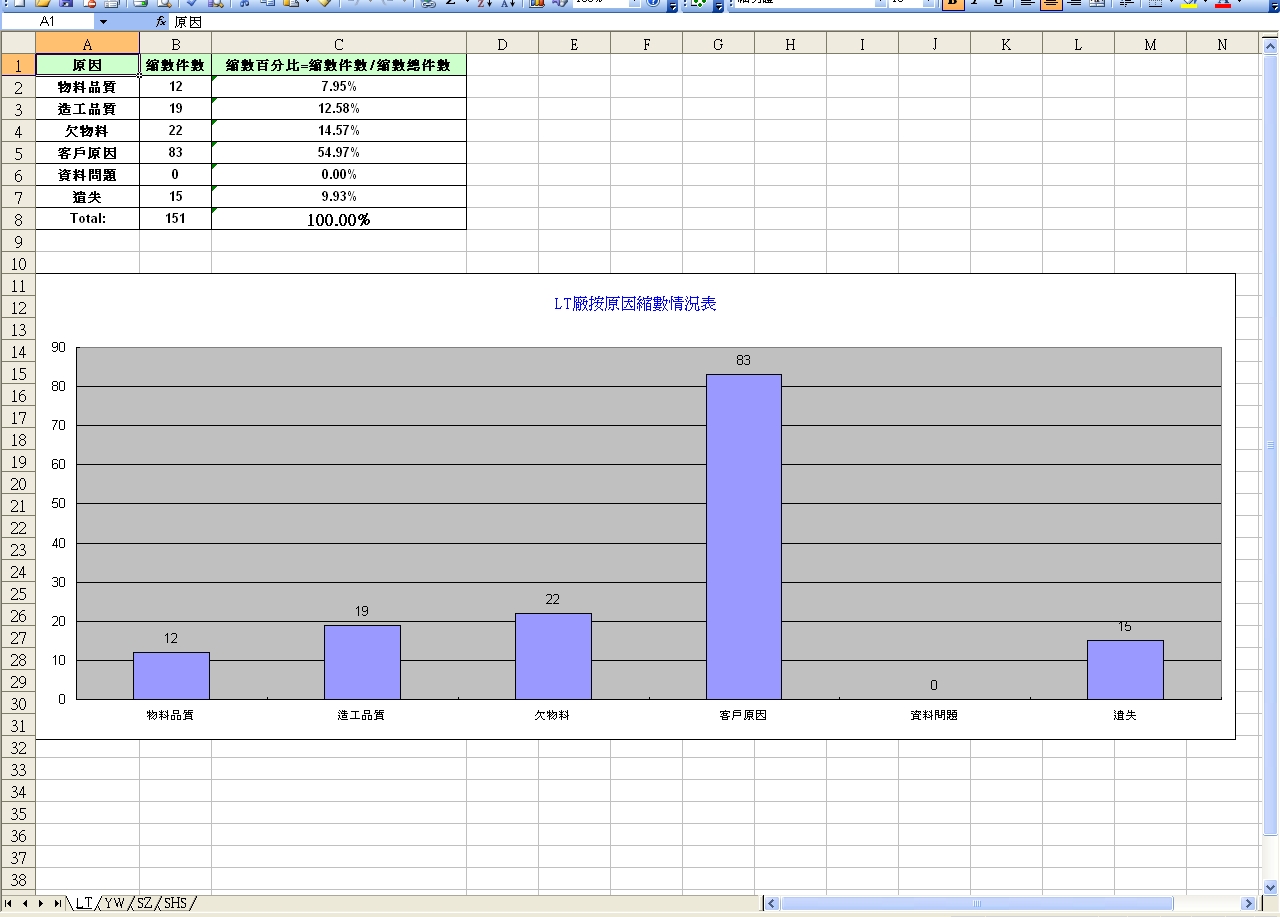
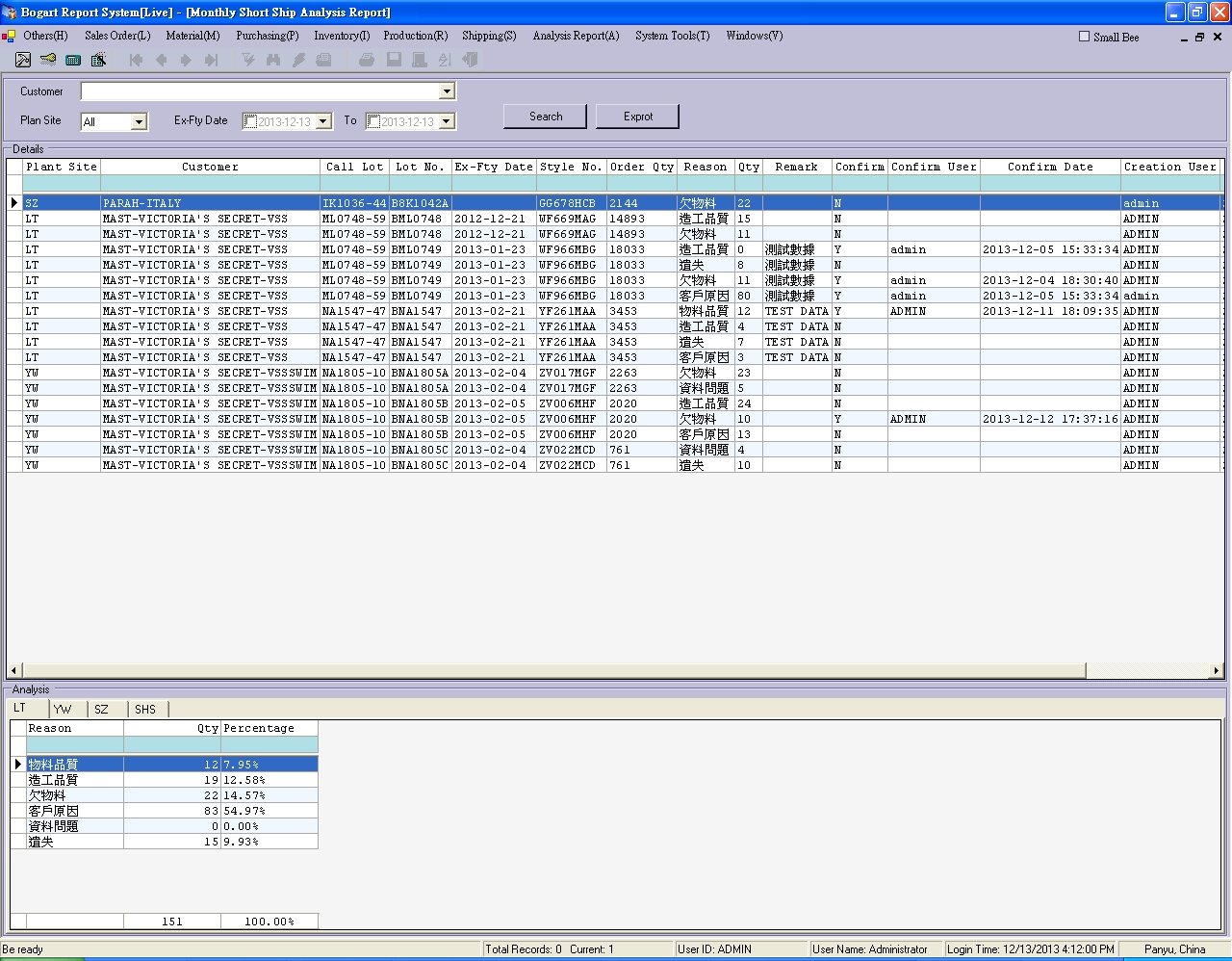
vb 导出excel生成图表统计
Private Sub btnExprot_Click(ByVal sender As System.Object, ByVal e As System.EventArgs) Handles btnExprot.Click

        If Not T Is Nothing Then

            If T.ThreadState = ThreadState.Running Then Exit Sub

        End If

        T = New Thread(AddressOf Export)

        T.Start()

    End Sub

    Private Sub Export()

        Dim xApp = New Excel.Application

        Dim xBook As Excel.Workbook

        Dim xSheet As New Excel.Worksheet

        Dim charts As Object

        Me.Cursor = Cursors.WaitCursor

        Try

            xBook = xApp.Workbooks.Add(Application.StartupPath & "\Templets\Monthly Short Ship Analysis Report.xlt")

            'one plant site one sheet

            For i As Integer =  To ds.Tables.Count -

                xSheet = xBook.Worksheets(i)

                xSheet.Name = ds.Tables(i).TableName

                xSheet.Activate()

                xSheet.Application.WindowState = Excel.XlWindowState.xlMaximized

                xSheet.Cells.NumberFormatLocal = "@" '數值型轉字符串,防止出現6.54655E+11

                xApp.DisplayAlerts = False

                'data

                '------------------------------------------------------------------------------------

                Dim data(ds.Tables(i).Rows.Count + , ) As Object

                Dim j As Integer

                Dim qty As Integer =

                For j =  To ds.Tables(i).Rows.Count -

                    xSheet.Range("A3").Resize(, ).Insert(Shift:=Excel.XlDirection.xlDown)

                    data(j, ) = ds.Tables(i).Rows(j).Item("reason")

                    data(j, ) = ds.Tables(i).Rows(j).Item("qty")

                    data(j, ) = ds.Tables(i).Rows(j).Item("percentage")

                    qty += ds.Tables(i).Rows(j).Item("qty")

                Next

                data(j, ) = "Total:"

                data(j, ) = qty

                data(j, ) = IIf(qty > , "100.00%", "0.00%")

                xSheet.Range("A3").Resize(, ).Delete()

                xSheet.Range("A2").Resize(ds.Tables(i).Rows.Count + , ).Value = data

                '------------------------------------------------------------------------------------

                'charts

                '------------------------------------------------------------------------------------

                Dim height As Integer = xSheet.Range("A1").Resize( + ds.Tables(i).Rows.Count, ).Height

                charts = xSheet.ChartObjects.Add(, height, , ).Chart

                charts.SetSourceData(Source:=xSheet.Range("A2").Resize(ds.Tables(i).Rows.Count, ))

                With charts

                    .HasTitle = True

                    .ChartTitle.Characters.Text = ds.Tables(i).TableName + "廠按原因縮數情況表"

                    With .ChartTitle.Font

                        .Name = "新細明體"

                        .Size =

                        .Strikethrough = False

                        .Superscript = False

                        .Subscript = False

                        .OutlineFont = False

                        .Shadow = False

                        .Underline = Excel.XlUnderlineStyle.xlUnderlineStyleNone

                        .ColorIndex =

                        .Background = Excel.Constants.xlAutomatic

                    End With

                    .Axes(Excel.XlAxisType.xlCategory, Excel.XlAxisGroup.xlPrimary).HasTitle = False

                    .Axes(Excel.XlAxisType.xlValue, Excel.XlAxisGroup.xlPrimary).HasTitle = False

                    .HasLegend = False

                    'show the data value

                    .ApplyDataLabels(AutoText:=True, LegendKey:=False, HasLeaderLines:=False, ShowSeriesName:=False, ShowCategoryName:=False, ShowValue:=True, ShowPercentage:=False, ShowBubbleSize:=False)

                    'X Coordinate

                    .Axes(Excel.XlAxisType.xlCategory).TickLabels.AutoScaleFont = True

                    With .Axes(Excel.XlAxisType.xlCategory).TickLabels.Font

                        .Name = "Arial"

                        .FontStyle = "標準"

                        .Size =

                        .Strikethrough = False

                        .Superscript = False

                        .Subscript = False

                        .OutlineFont = False

                        .Shadow = False

                        .Underline = Excel.XlUnderlineStyle.xlUnderlineStyleNone

                        .ColorIndex = Excel.Constants.xlAutomatic

                        .Background = Excel.Constants.xlAutomatic

                    End With

                End With

                '------------------------------------------------------------------------------------

            Next

            xApp.Range("A1").Select()

            xApp.Visible = True

            xApp.Caption = "Bogart Report"

            xApp.ActiveWindow.Caption = "Monthly Short Ship Analysis Report"

        Catch ex As Exception

            MessageBox.Show(ex.ToString)

        Finally

            xBook = Nothing

            xApp = Nothing

            Me.Cursor = Cursors.Default

        End Try

    End Sub
vb 导出excel生成图表统计的更多相关文章
- [转] C#操作EXCEL,生成图表的全面应用
gailzhao 原文 关于C#操作EXCEL,生成图表的全面应用 近来我在开发一个运用C#生成EXCEL文档的程序,其中要根据数据生成相应的图表,该图表对颜色和格式都有严格的要求,在百度和谷歌中搜索 ...
- js插件---在线类似excel生成图表插件解决方案
js插件---在线类似excel生成图表插件解决方案 一.总结 一句话总结:google比百度好用多了,多用google google js editable table jquery 双向绑定 这种 ...
- EasyOffice-.NetCore一行代码导入导出Excel,生成Word
简介 Excel和Word操作在开发过程中经常需要使用,这类工作不涉及到核心业务,但又往往不可缺少.以往的开发方式在业务代码中直接引入NPOI.Aspose或者其他第三方库,工作繁琐,耗时多,扩展性差 ...
- NPOI导出Excel生成多个sheet
using System; using System.Collections.Generic; using System.Linq; using System.Web; using System.We ...
- poi 导出excel 生成等比例图片
poi 导出的带等比例图片方法 /** * * <p>Description: 将一物一码列表导出到excel</p> * @param response * @param l ...
- 生成统计数据并导出Excel
需求:看如下表格的统计需求 生产调度中心部门需要从IT技术部门得到这些统计数据 步骤: (1)获取所有的子公司列表 (2)遍历所有的子公司,获取每个子公司的库存信息 (3)遍历所有的库存信息,并对库存 ...
- NPOI根据模板生成chart图表导出Excel
导入NPOI的全部dll. 因为NPOI的API里面还没有对于Chart图表方面的操作,所以只能根据提示做好的图表作为模板,修改数据源的方法来改变图表. 注意:NPOI要用2003版以下的excel才 ...
- BootStrap母版页布局.子页面布局.BootstrapTable.模态框.警告框.html导出tabl生成Excel.HTML生成柱图.饼图.时间控件中文版
如上就是很多后台管理系统的母版页布局. 左边一列模板.上面一列系统标识. 空白处充填子页面 以ASP.NET MVC为基础 引入bootstrap.js.bootstrap.css body: < ...
- 导出Excel之Epplus使用教程3(图表设置)
导出Excel之Epplus使用教程1(基本介绍) 导出Excel之Epplus使用教程2(样式设置) 导出Excel之Epplus使用教程3(图表设置) 导出Excel之Epplus使用教程4(其他 ...
随机推荐
- 原生js实现数据的双向绑定
原生js实现数据的双向绑定 需要了解的属性是原色js的Object.definePrototype(obj,pop,descript); obj:被构造的对象 pop:被构造的对象的属性,创建对象或修 ...
- PNotes – 目前最优秀的桌面便签软件 - imsoft.cnblogs
Pnotes: 下载链接: http://pan.baidu.com/s/1o6FK4SM 密码: n7il 便携版,包含中文语音包,包含十几种合适的皮肤. 更多信息:小众软件 http://www. ...
- c4 L3-001 找零钱 (简单01背包-输出最小字典序解(用vector保存当前最优解))
#include <iostream> #include <algorithm> #include <vector> #include <cstdio> ...
- 腾讯的模板引擎---artTemplate
主要方法如下5种,在此不详细说artTemplate的方法,主要记录三种使用artTemplate的方法. template(id, data) 根据 id 渲染模板.内部会根据document.ge ...
- JQuery输入框获取/失去焦点行为
//搜索框获取焦点清除内容 $(function() { $("input").focus(function() { //获取焦点,清空默认内容 $(this).css('colo ...
- gem install没有反应 解决办法
在虚拟机上执行gem install redis 没有反应: 百度方法如下: #移除官方镜像,增加淘宝镜像 gem sources --add https://ruby.taobao.org/ --r ...
- jdreact相关操作注意事项
1:sublime 安装 babel 插件可以 识别react代码,变色,使用javascipt(babel): 2:热更新:import React, {Component } from 'reac ...
- day32 多进程
一 multiprocessing模块介绍 python中的多线程无法利用多核优势,如果想要充分地使用多核CPU的资源(os.cpu_count()查看),在python中大部分情况需要使用多进程. ...
- MLCC Y5V 和 X7R 电容记录
MLCC Y5V 和 X7R 电容记录 Y5V 的 MLCC 很少见的,但还是要注意. 自己记录一下,一个 100NF Y5V 电容 ,当温度到达 100度时,容值 为 36NF. 但是 X7R 电容 ...
- 【转】RS232、RS485、TTL电平、CMOS电平
原文网址:http://blog.sina.com.cn/s/blog_63a0638101018grc.html RS232.RS485.TTL电平.CMOS电平 什么是TTL电平.CMOS电平.R ...