
行高 line-height
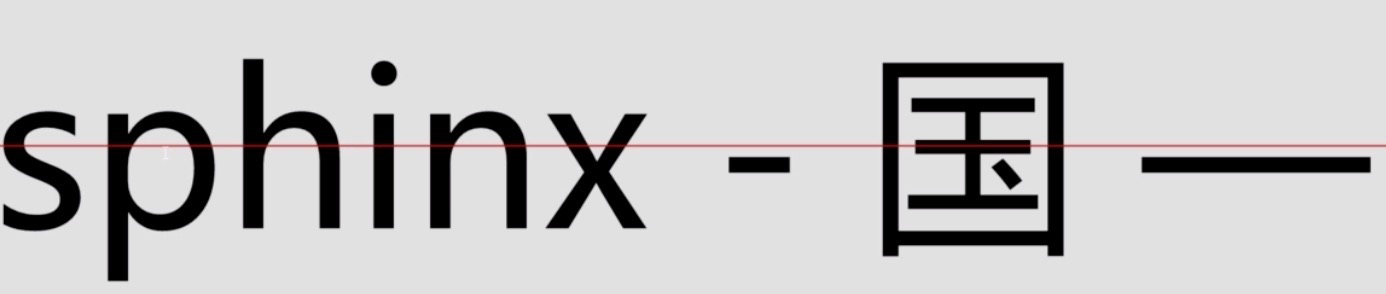
<p>这是一行普通的文字,这里有个<em>em</em>标签</p>
<body>

  <p>这是一行普通的文字,这里有个<em>em</em>标签。</p>

  <script>

    console.log(document.querySelector("p").clientHeight);

    // mac chrome:22 firefox:23

    // windows chrome:21 ie:19 firefox:22

  </script>

</body>
<style>

  .test1{

    font-size: 36px;

    line-height: 0;

    border: 1px solid #ccc;

    background: #eee;

    margin-top:50px;

  }

  .test2{

    font-size: 0;

    line-height: 36px;

    border: 1px solid #ccc;

    background: #eee;

    margin-top:50px;

  }

</style>

<body>

  <div class="test1">测试1</div>

  <div class="test2">测试2</div>

</body>
<body>

  <p>这是一行普通的文字,这里有个<em style="line-height: 80px;">em</em>标签</p>

  <script>

    console.log(document.querySelector('p').clientHeight);

  </script>

</body>
发现clientHeight正好是80px。如果是这个例子看,那句话是正确的。
<body>

  <p>这是一行普通的文字,这里有个<em style="line-height: 80px; vertical-align:40px;">em</em>标签</p>

  <script>

    console.log(document.querySelector('p').clientHeight);

  </script>

</body>
<body>

  <p>这是一行普通的文字,这里有个<em>em</em>标签。</p>

  <script>

    console.log(document.querySelector("p").clientHeight);

    // mac chrome:22 firefox:23

    // windows chrome:21 ie:19 firefox:22

  </script>

</body>
<body>

  <div style="font-family:雅黑">字体</div>

</body>
<body>

  <div style="line-height:1.5; width:500px;">

    <span style="font-size:60px;">我的font-size为60px</span>

  </div>

  <div style="line-height:150%; width:500px;">

    <span style="font-size:60px;">我的font-size为60px</span>

  </div>

</body>
<p style="background:#eee"><img src="imgs/text.png" alt="" style="width:200px;"></p>
<body>

  <p style="background:#eee; line-height: 60px">

  <img src="imgs/text.png" alt="" style="width:200px;">

    <span style="display:inline-block; background:#fff;">图片高度177px,字体14px</span>

  </p>

</body>
1、图片块状话-无基线对齐

img{ display: block; }

2、图片底线对齐

img{ vertical-align: bottom; }

3、行高足够小-基线位置上移

.box{ line-height:0; }
<style>

  .box{

    line-height: 300px;

    text-align: center;

    background: #eee;

  }

  .box > img {

    vertical-align: middle;

  }

</style>

<body>

  <div class="box">

    <img src="imgs/text.png" style="width:200px" alt="">

  </div>

</body>
<style>

  .box{

    line-height: 250px; text-align: center; background: #eee;

  }

  .box > .text{

    display: inline-block; line-height: normal; text-align: left; vertical-align: middle;

  }

</style>

<body>

  <div class="box">

    <div class="text">

      多行文字水平垂直居中实现的原理跟上一页图片的实现是一样的,区别在于要把多行文本所在的容器的display水平转换成

      和图片一样的,也就是inline-block,以及重置外部继承的 text-align 和 line-height属性值。

    </div>

  </div>

</body>
<style>

  span {

    background: red;

  }

  .c1 {

    line-height: 20px;

  }

  .c2 {

    line-height: 8px;

  }

  .c3 {

    line-height: 30px;

  }

  .c5 {

    line-height: 28px

  }

</style>

<body>

  <div>

    <span class="c1">inline box xfg中文</span>

    <span class="c2">inline box</span>

    <span class="c3">inline box</span>

    inline box

    <span class="c5">inline box</span>

  </div>

</body>
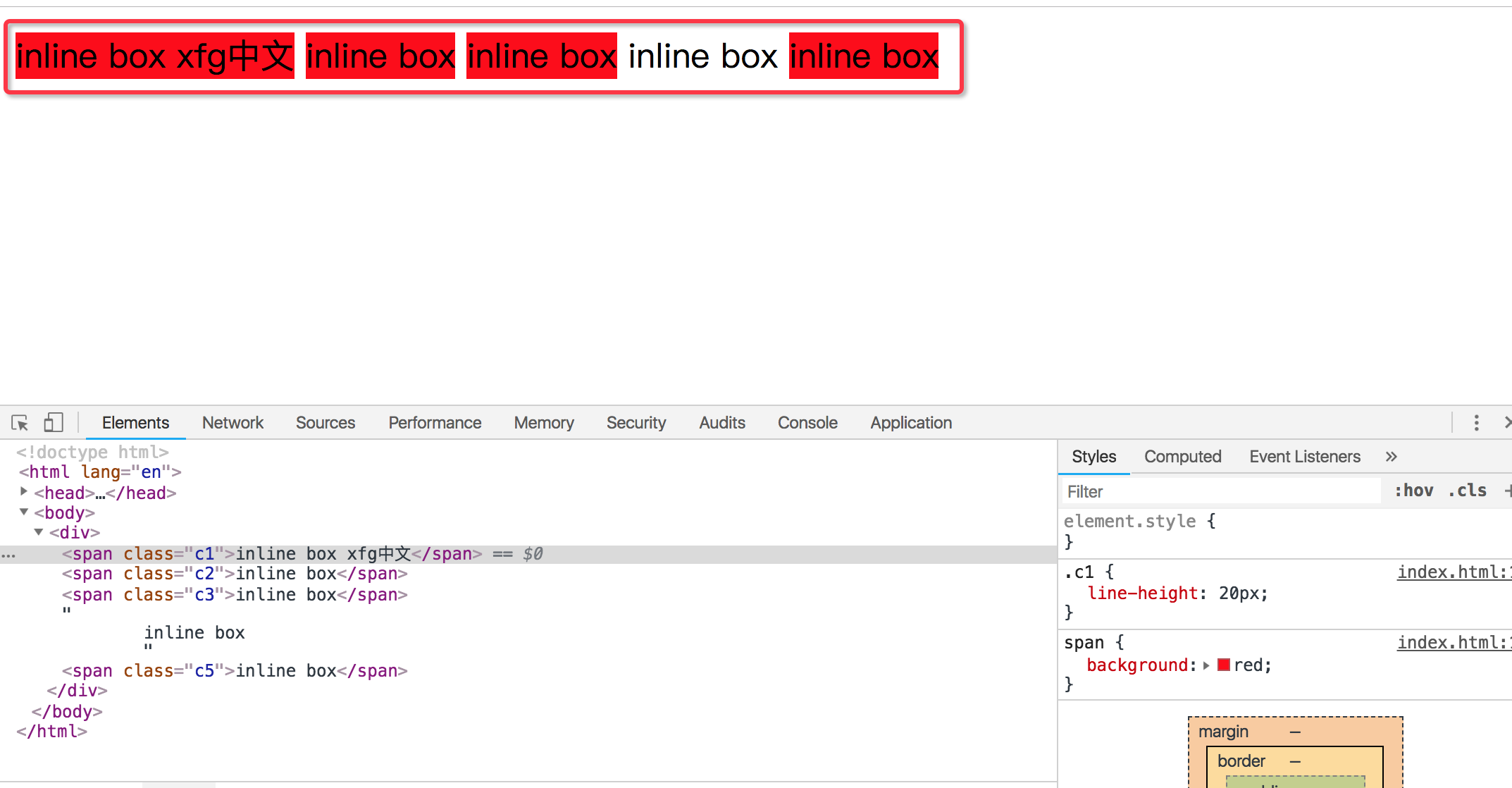
它们的行高不一样,但是为什么渲染的高度是一样的
<style>
.cc1 {
font-size: 12px;
}
.cc2 {
font-size: 18px;
}
.cc3 {
font-size: 24px;
}
</style>
<body>
<div style="border:1px solid red">
<span style="background:blue; color:#fff; font-size:20px; line-height:60px">
居中xfg             
</span>
</div>
<div>
<span class="cc1">第一段</span>
<span class="cc2">第二段</span>
<span class="cc3">第三段</span>
</div>
<div style="background:red">
<span>文字</span>
<img src="text.png" alt="">
</div>
<div>
<div style="float:left">
<span>第一段</span>
</div>
<div style="float:left">
<span>第二段</span>
</div>
</div>
</body>
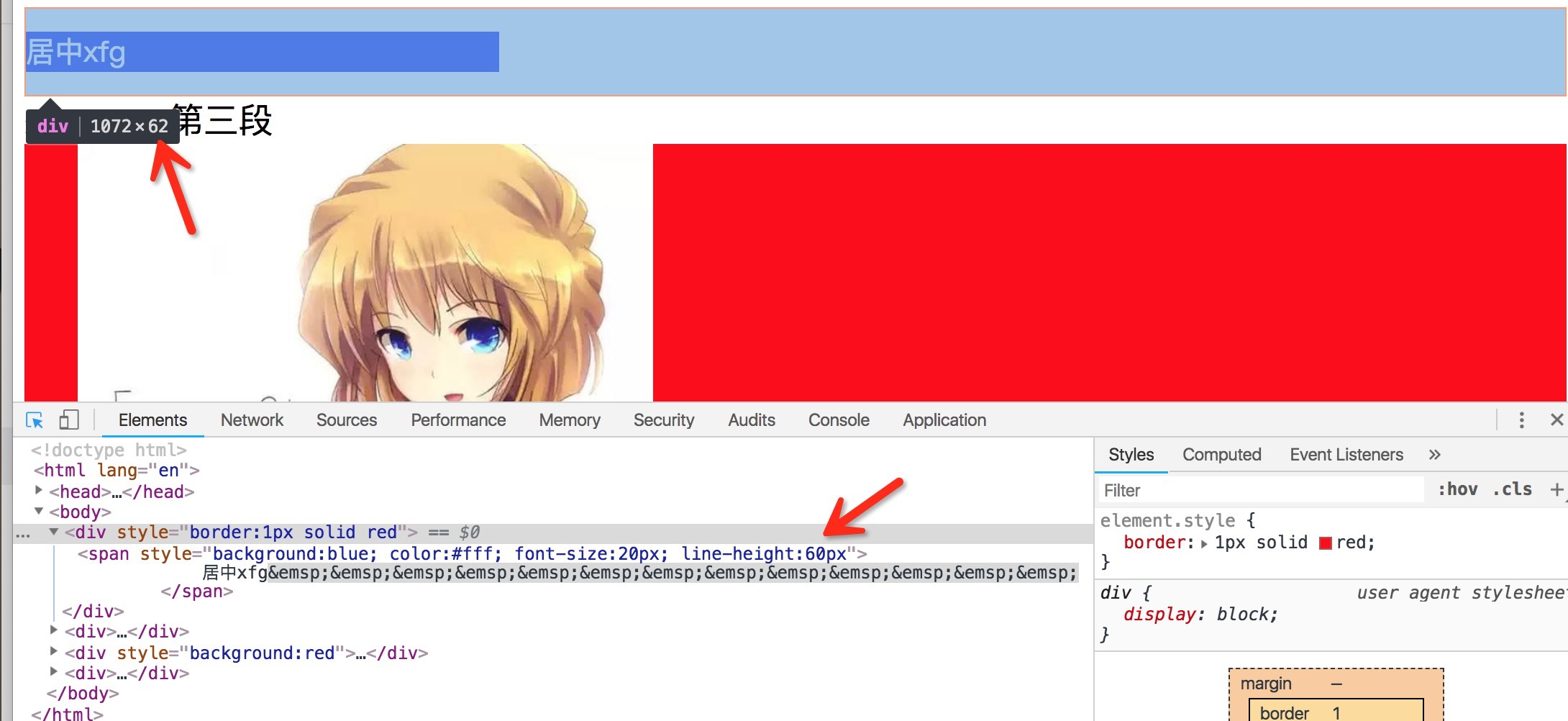
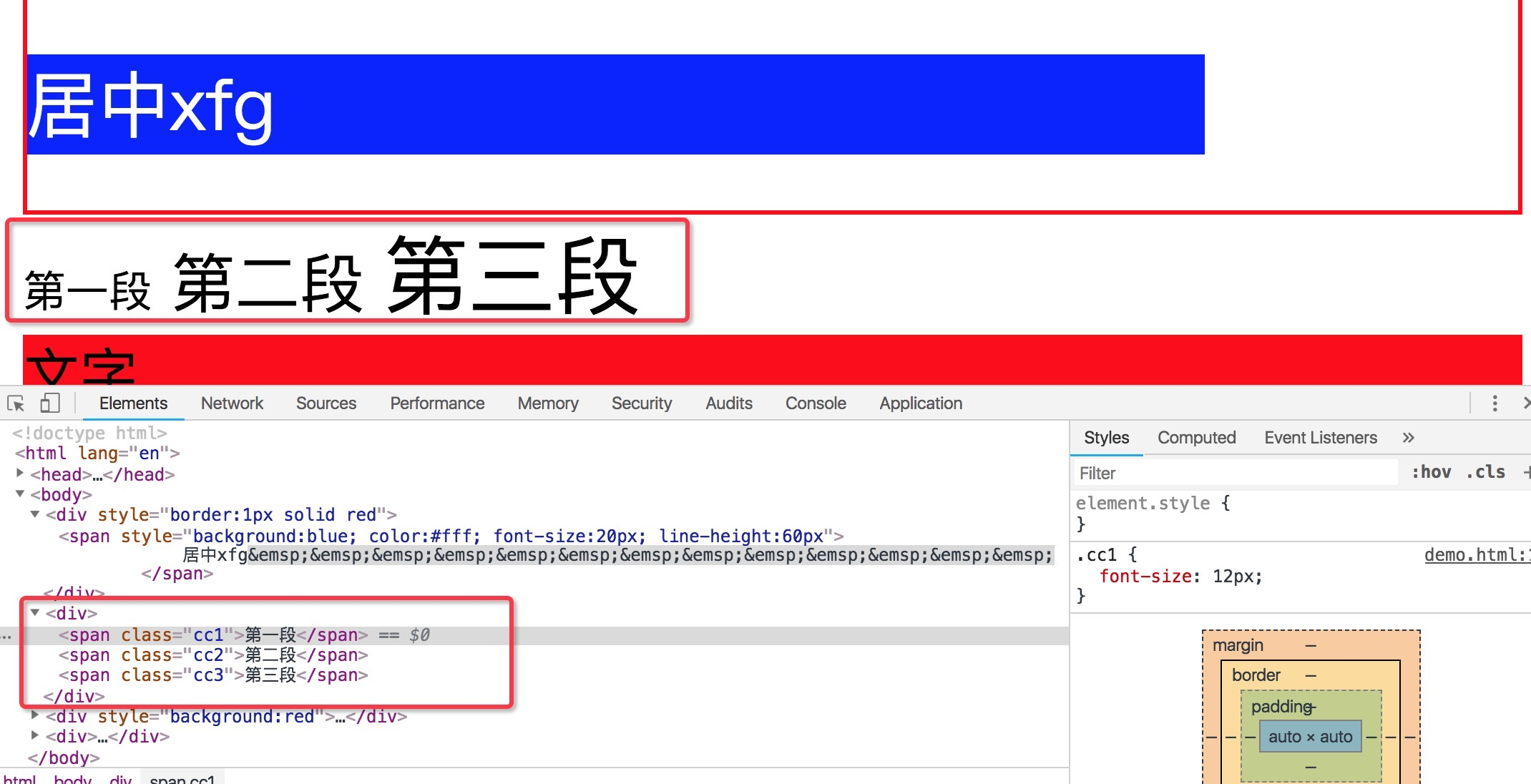
第二部分我们看到字体的大小是不一样的。字体大小不一样,那么按照什么对齐呢。默认情况呢,是按照base-line,基线对齐。对大部分中文来说,底部基本上是基线对位置。如果要居中对齐怎么办。
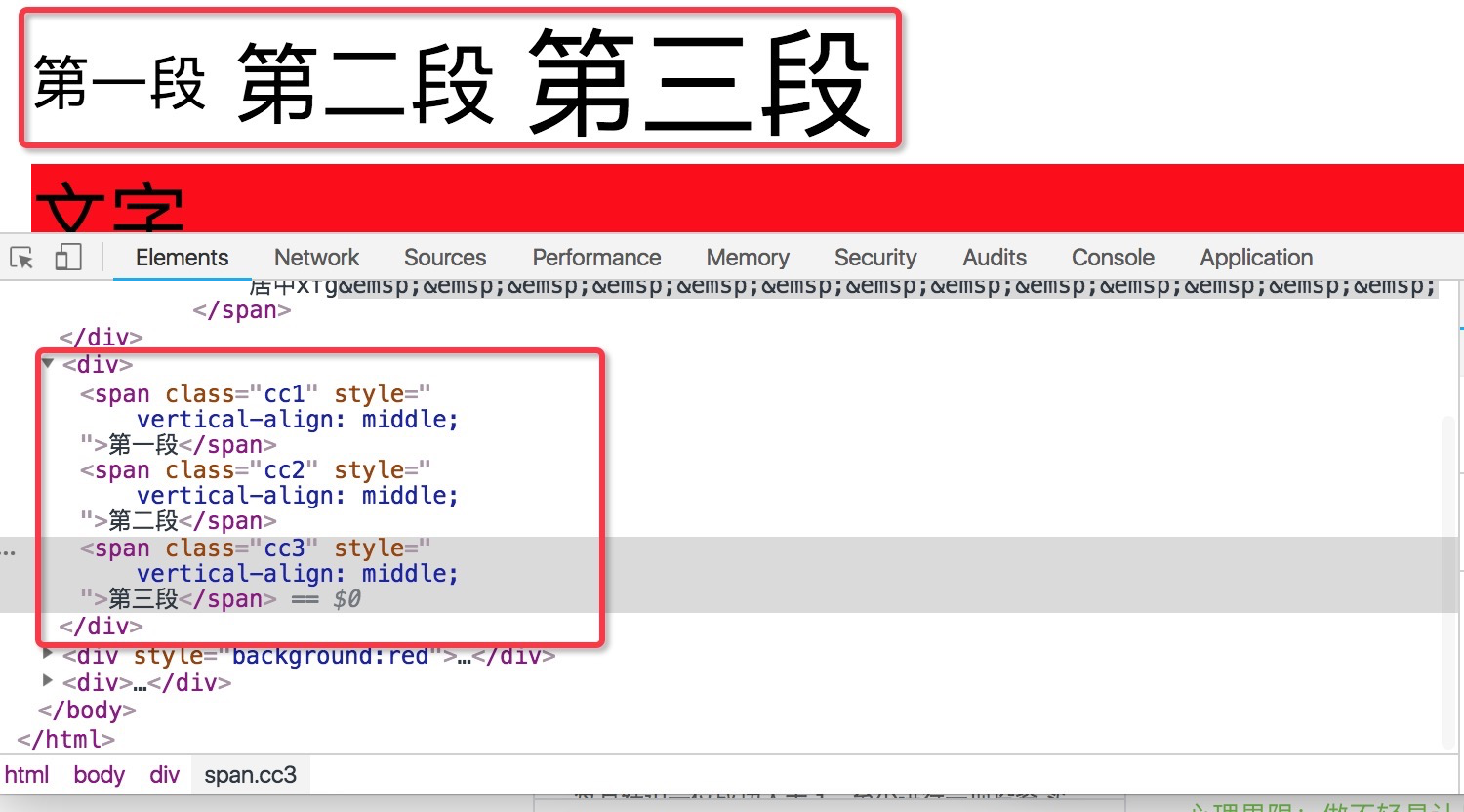
那我们就设置vertical-align:middle,居中对齐,三个部分都设置居中对齐。设置top就是根据顶线对齐。设置bottom就是根据底线对齐。这里根据顶线和底线对齐并不是根据文字都顶部和底部对齐。

第三部分有一个文本,有一个图片。然后会发现一个很奇怪的事情。这个图片下面有一段空白。有人说我是不想要这个空白的。那怎么办呢?首先他的原因是什么,原因是因为,img这个也相当于是一个inline的这样一个元素。inline的元素就要遵守行高的构成。他会按照base-line对齐。就是基线对齐。基线对齐的话,就意味着,基线到底线之间还是有一段空隙的。这是这个空隙产生的原因。那我们要去掉这个空隙怎么办?默认是按base-line对齐,base-line跟底线是有偏差的。这个偏差的大小视字体大小而定。如果是12px的大小,那么这个图片的空隙有可能就是3px左右。那么这就是经典的图片3px缝隙问题。这个问题怎么解决呢,很简单,默认是base-line。我们改成vertical-align:bottom,按底线对齐。这样缝隙就没有了
行高 line-height的更多相关文章
- 深入了解css的行高Line Height属性
什么是行间距? 古时候我们使用印刷机来出来文字.印刷出来的每个字,都位于独立的一个块中. 行间距,即传说中控制两行文字垂直距离的东东.在CSS中,line-height被用来控制行与行之间垂直距离. ...
- css - 行高
css - 行高 line-height行高 取值:px | em | rem | 百分比 | 纯数字 | normal | inherit 设置给:块.行内.行内块 应用给:文本 继承:块.行内.被 ...
- easyui datagird 解决行高不一致问题!
<style>.datagrid-btable .datagrid-cell {padding: 6px 4px;overflow: hidden;text-overflow: ellip ...
- wpf datagrid row height 行高自动计算使每行行高自适应文本
wpf 的datagrid的行高 要么是Auto,要么是定值:但会带来麻烦就是每行行高都一样. 当需要按内容(主要是wrap 换行的textbox或textblock)来动态调整行高的时候,需要用到d ...
- css中line-height行高的深入学习
之前对css中行高line-height的理解还是有些肤浅,深入后才发觉里面包罗万象.学习行高line-height,首先从基本原理开始 (标注该文章转载 http://www.cnblogs.com ...
- 第2月第24天 coretext 行高
1.NSMutableAttributedString 行高 NSMutableAttributedString *attributedString = [[NSMutableAttributedSt ...
- CSS行高——line-height
初入前端的时候觉得CSS知道display.position.float就可以在布局上游刃有余了,随着以后工作问题层出不穷,才逐渐了解到CSS并不是几个style属性那么简单,最近看了一些关于行高的知 ...
- CSS行高line-height的理解
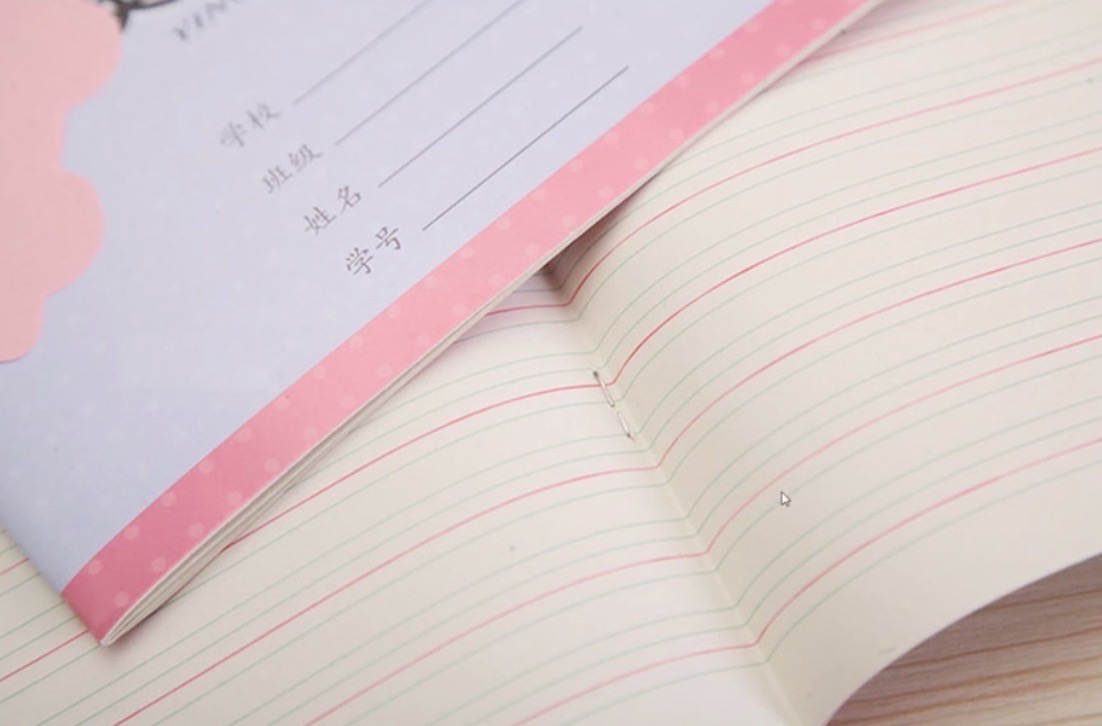
一.行高的字面意思 “行高“顾名思义指一行文子的高度.具体来说是指两行文子间基线间的距离. 基线是在英文字母中用到的一个概念,我们刚学英语的时候使用到的那个英语本子每行有4条线,其中底部第二条线就是基 ...
- 深入理解 CSS 中的行高与基线
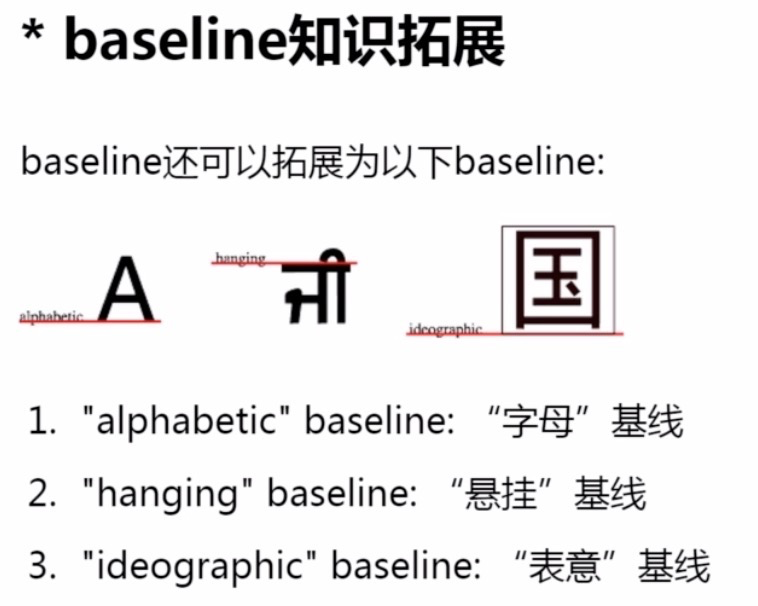
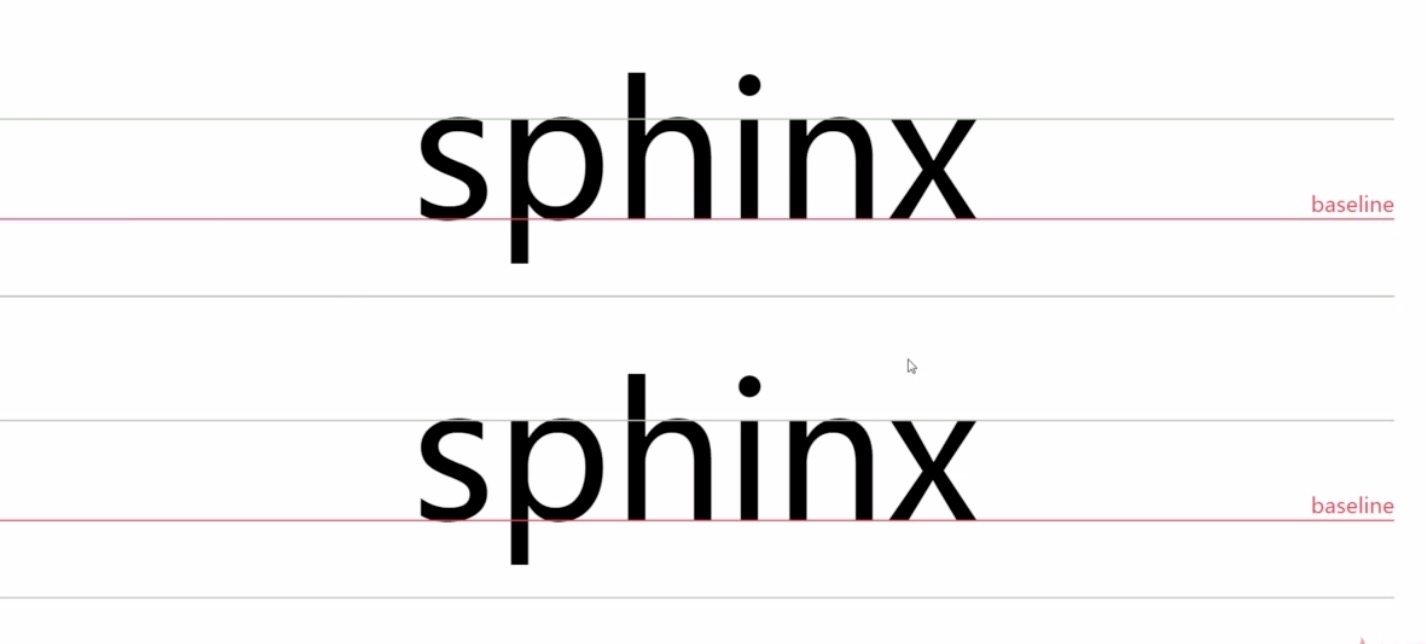
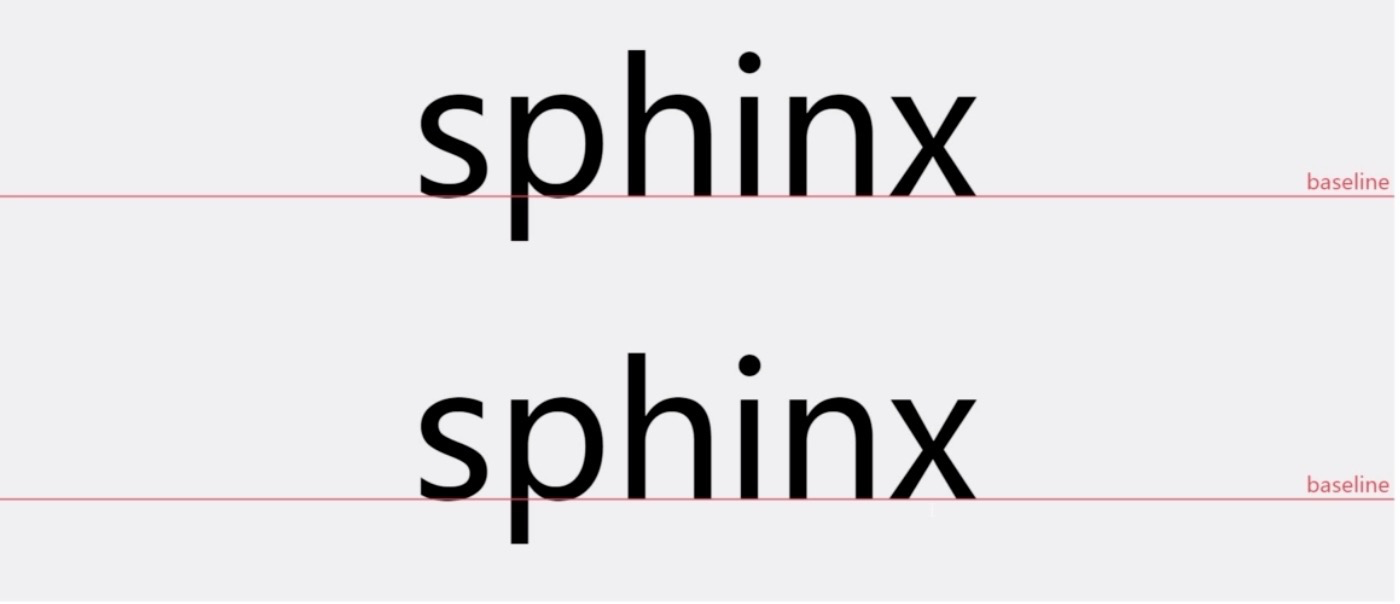
1.基本概念 1. 基线.底线.顶线.中线 注意:基线(base line)并不是汉字文字的下端沿,而是英文字母“x”的下端沿. 2. 内容区 内容区是指底线和顶线包裹的区域(行内元素display ...
- (转)CSS行高——line-height
原文地址:http://www.cnblogs.com/dolphinX/p/3236686.html 初入前端的时候觉得CSS知道display.position.float就可以在布局上游刃有余了 ...
随机推荐
- vue自定义指令clickoutside使用以及扩展用法
vue自定义指令clickoutside使用以及扩展用法 产品使用vue+element作为前端框架.在功能开发过程中,难免遇到使用element的组件没办法满足特殊的业务需要,需要对其进行定制,例如 ...
- Linux私房菜阅读笔记
在线man:http://www.linux.com/linux-man-pages 计算机硬件五大单元: 1.输入 2.输出 3.控制单元 4.算数逻辑单元 5.内存 CPU种类 1.RISC( ...
- Beam编程系列之Apache Beam WordCount Examples(MinimalWordCount example、WordCount example、Debugging WordCount example、WindowedWordCount example)(官网的推荐步骤)
不多说,直接上干货! https://beam.apache.org/get-started/wordcount-example/ 来自官网的: The WordCount examples demo ...
- 案例45-crm练习改写客户列表使用struts2&OGNL
1 修改CustomerAction代码 2 修改jsp/customer/list.jsp代码 <%@ page language="java" contentType=& ...
- 腾讯刘金明:腾讯云 EB 级对象存储架构深度剖析及实践
欢迎大家前往腾讯云+社区,获取更多腾讯海量技术实践干货哦~ 演讲者:刘金明 腾讯云存储业务中心副总监 背景:5月23-24日,以"焕启"为主题的腾讯"云+未来" ...
- win7远程登录
开始--附件--远程桌面连接 点击显示选项 填写信息,连接上了. 分配磁盘 计算机---右键----管理
- SpringBoot | 第三十五章:Mybatis的集成和使用
前言 最近收到公众号留言说,单纯的Mybatis的集成和使用.前面在第九章:Mybatis-plus的集成和使用介绍了基于mybatis-plus的集成和使用.后者也只是对mybatis进行了功能增强 ...
- SpringBoot | 第二十八章:监控管理之Spring Boot Admin使用
前言 上一章节,我们介绍了Actuator的使用,知道了可通过访问不同的端点路径,获取相应的监控信息.但使用后也能发现,返回的监控数据都是以JSON串的形式进行返回的,对于实施或者其他人员来说,不是很 ...
- 净推荐值(NPS):用户忠诚度测量的基本原理及方法
文章分享了一个衡量用户与产品或服务之间关系的指标:NPS,干货满满,希望对你有益. 初识NPS 作为互联网行业的用户体验从业者,我们都或多或少会接触一些衡量用户与产品或服务之间关系的指标,常见的指标如 ...
- jQuery前端数据通用验证库,解放你的双手
这个简易的验证库,应该能完成90%的基本验证,包括失去焦点时的验证,以及点击提交按钮时的验证.后端的那我就无能为办了,只能是谁用就谁自个儿去写了:). 先上一段调用的代码吧,JS代码说少也不少了,就不 ...