
Unity Shader 景深效果
效果
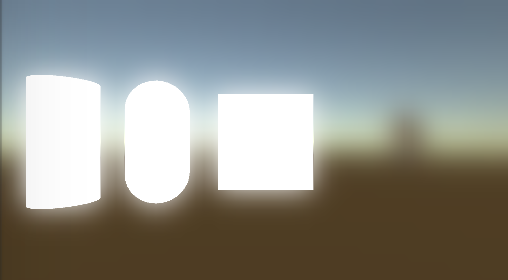
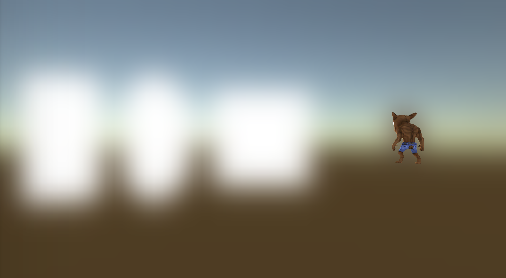
原理:
开启摄像机的深度模式,将深度保存到一张名为_CameraDepthTexture(Unity5.0之后才有)内置的纹理中.
如果深度在焦点范围内就用原图,否则就用模糊图。
Shader:
Shader "DepthOfFiled"

{

    Properties

    {

        _MainTex ("Texture", 2D) = "white" {}

        _BlurSize ("Blur Size", Float) = 0.1

    }

    CGINCLUDE

    #include "UnityCG.cginc"

    sampler2D _MainTex;

    sampler2D _BlurTex;

    sampler2D _CameraDepthTexture;

    uniform half4 _MainTex_TexelSize;

    uniform float _BlurSize;

    uniform float _FocusDistance;

    uniform float _FocusRange;

    static const half weight[] = {0.0205, 0.0855, 0.232, 0.324};

    static const half4 coordOffset = half4(.0h,.0h,-.0h,-.0h);

    struct v2f_blurSGX

    {

        float4 pos:SV_POSITION;

        half2 uv:TEXCOORD0;

        half4 uvoff[]:TEXCOORD1;

    };

    struct v2f_dof

    {

        float4 pos:SV_POSITION;

        half2 uv:TEXCOORD0;

    };

    v2f_blurSGX vert_BlurHorizontal(appdata_img v)

    {

        v2f_blurSGX o;

        o.pos = mul(UNITY_MATRIX_MVP,v.vertex);

        o.uv = v.texcoord.xy;

        half2 offs = _MainTex_TexelSize.xy*half2(,)*_BlurSize;

        o.uvoff[] = v.texcoord.xyxy+offs.xyxy*coordOffset*;

        o.uvoff[] = v.texcoord.xyxy+offs.xyxy*coordOffset*;

        o.uvoff[] = v.texcoord.xyxy+offs.xyxy*coordOffset;

        return o;

    }

    v2f_blurSGX vert_BlurVertical(appdata_img v)

    {

        v2f_blurSGX o;

        o.pos = mul(UNITY_MATRIX_MVP,v.vertex);

        o.uv = v.texcoord.xy;

        half2 offs = _MainTex_TexelSize.xy*half2(,)*_BlurSize;

        o.uvoff[] = v.texcoord.xyxy+offs.xyxy*coordOffset*;

        o.uvoff[] = v.texcoord.xyxy+offs.xyxy*coordOffset*;

        o.uvoff[] = v.texcoord.xyxy+offs.xyxy*coordOffset;

        return o;

    }

    fixed4 frag_Blur(v2f_blurSGX i):SV_Target

    {

        fixed4 c = tex2D(_MainTex,i.uv)*weight[];

        for(int idx=; idx<; idx++)

        {

            c+=tex2D(_MainTex,i.uvoff[idx].xy)*weight[idx];

            c+=tex2D(_MainTex,i.uvoff[idx].zw)*weight[idx];

        }

        return c;

    }

    v2f_dof vert_Dof(appdata_img v)

    {

        v2f_dof o;

        o.pos = mul(UNITY_MATRIX_MVP,v.vertex);

        o.uv = v.texcoord.xy;

        return o;

    }

    fixed4 frag_Dof(v2f_dof i):SV_Target

    {

        fixed4 c = tex2D(_MainTex,i.uv);

        fixed4 b = tex2D(_BlurTex,i.uv);

        float depth = SAMPLE_DEPTH_TEXTURE(_CameraDepthTexture, i.uv);

        //将深度值转化到01线性空间

        depth = Linear01Depth(depth);

        return lerp(c,b,saturate(sign(abs(depth-_FocusDistance)-_FocusRange)));

    }

    ENDCG

    SubShader

    {

        // No culling or depth

        //Cull Off ZWrite Off

        //Pass 0

        Pass

        {

            ZTest Always

            CGPROGRAM

            #pragma vertex vert_BlurHorizontal

            #pragma fragment frag_Blur

            ENDCG

        }

        //Pass 1

        Pass

        {

            ZTest Always

            CGPROGRAM

            #pragma vertex vert_BlurVertical

            #pragma fragment frag_Blur

            ENDCG

        }

        //Pass 2

        Pass

        {

            ZTest Off

            Cull Off

            ZWrite Off

            Fog{ Mode Off }

            ColorMask RGBA

            CGPROGRAM

            #pragma vertex vert_Dof

            #pragma fragment frag_Dof

            ENDCG

        }

    }

}
C#代码
using UnityEngine;

using System.Collections;

[ExecuteInEditMode]

[RequireComponent(typeof(Camera))]

public class DepthOfFieldPostEffect : MonoBehaviour {

    public Material Mat;public float BlurSize =;

    public int interator = ;

    [Range(,)]

    public float FocusDistance = 0.5f;

    [Range(,0.5f)]

    public float FocusRange=0.1f;

    void OnEnable()

    {

        GetComponent<Camera> ().depthTextureMode = DepthTextureMode.Depth;

    }

    void OnDisable()

    {

        GetComponent<Camera> ().depthTextureMode = ~DepthTextureMode.Depth;

    }

    // Use this for initialization

    void Start () {

    }

    // Update is called once per frame

    void Update () {

    }

    void OnRenderImage(RenderTexture src,RenderTexture dest)

    {

        var w = src.width / ;

        var h = src.height / ;

        var tmp1 = RenderTexture.GetTemporary (w, h);

        var tmp2 = RenderTexture.GetTemporary (w, h);

        Mat.SetFloat ("_BlurSize", BlurSize);

        Mat.SetFloat ("_FocusDistance", FocusDistance);

        Mat.SetFloat ("_FocusRange", FocusRange);

        Graphics.Blit (src, tmp1);

        for (int i = ; i < interator; i++) {

            Graphics.Blit (tmp1, tmp2, Mat,);

            Graphics.Blit (tmp2, tmp1, Mat,);

        }

        Mat.SetTexture ("_BlurTex", tmp1);

        Graphics.Blit (src, dest,Mat,);

        RenderTexture.ReleaseTemporary (tmp1);

        RenderTexture.ReleaseTemporary (tmp2);

    }

}
Unity Shader 景深效果的更多相关文章
- Unity Shader - 消融效果原理与变体
基本原理与实现 主要使用噪声和透明度测试,从噪声图中读取某个通道的值,然后使用该值进行透明度测试. 主要代码如下: fixed cutout = tex2D(_NoiseTex, i.uvNoiseT ...
- Unity Shader 玻璃效果
一个玻璃效果主要分为两个部分,一部分是折射效果的计算,另一部分则是反射.下面分类进行讨论: 折射: 1.利用Grass Pass对当前屏幕的渲染图像进行采样 2.得到法线贴图对折射的影响 3.对采集的 ...
- Unity Shader 广告牌效果
广告牌效果指的是,一个二维平面的法线方向始终与视线(摄像机的观察方向)相同.广泛运用于渲染烟雾,云朵,闪光等. 它的本质在于构建旋转矩阵,此时我们可以选择三个基向量来构建此矩阵. 指向→的方向(X轴) ...
- 小强学渲染之Unity Shader噪声应用
之前玩Tencent的仙剑4手游时,杀死boss会看到boss有“消融”的效果,就是身体上有多个洞洞然后往四周扩散直至尸体完全消失,但效果是没有关闭背面剔除的“穿帮”效果,可能也是考虑性能因素. em ...
- Unity Shader 屏幕后效果——景深
景深效果的原理是,在摄像机的近裁剪平面和远裁剪平面之间可以设置一个焦距,在这个距离所在的平面上的物体最为清晰,而这个距离之前或之后的物体成像是一种模糊状态(根据距离逐渐模糊,最终达到最为模糊的状态). ...
- Unity Shader入门精要学习笔记 - 第12章 屏幕后处理效果
建立一个基本的屏幕后处理脚本系统 屏幕后处理,顾名思义,通常指的是在渲染完整个场景得到屏幕图像后,再对这个图像进行一系列操作,实现各种屏幕特效.使用这种技术,可以为游戏画面添加更多艺术效果,例如景深. ...
- Unity3D学习(八):《Unity Shader入门精要》——透明效果
前言 在实时渲染中要实现透明效果,通常会在渲染模型时控制它的透明通道. Unity中通常使用两种方法来实现透明 :(1)透明度测试(AlphaTest)(2)透明度混合(AlphaBlend).前者往 ...
- Unity shader学习之屏幕后期处理效果之高斯模糊
高斯模糊,见 百度百科. 也使用卷积来实现,每个卷积元素的公式为: 其中б是标准方差,一般取值为1. x和y分别对应当前位置到卷积中心的整数距离. 由于需要对高斯核中的权重进行归一化,即使所有权重相加 ...
- 【Unity Shader】(五) ------ 透明效果之半透明效果的实现及原理
笔者使用的是 Unity 2018.2.0f2 + VS2017,建议读者使用与 Unity 2018 相近的版本,避免一些因为版本不一致而出现的问题 [Unity Shader学习笔记](三) -- ...
随机推荐
- 5款替代微软Visio的开源免费软件
提到流程图和图表设计,自然会想到微软出品的Office Visio,它是一款强大的流程图设计工具.Visio并不在Office标准套装中,需要额外付费购买,这可能会带来某些不便.一方面,并不是所有人都 ...
- 阿里开源项目 druid 相关资料汇总
项目发起人访谈:http://www.iteye.com/magazines/90 github主页:https://github.com/alibaba/druid druid 项目,我想我能用很短 ...
- “正在注册字体”问题解决
在win7下安装老软件,卡在"正在注册字体"了,检查发现是ocx注册有问题. 重写一个ocx注册的批处理就好了. 如: regsvr32 "C:\Program File ...
- ELK菜鸟手记 (二) - 高级配置之多应用索引过滤
我们在实际的场景中,经常是多个网站或者服务端在一台服务器上,但是如果这些应用全部 记录到一台logstash服务器,大家日志都混在一起不好区分. 有人说,我可以在日志中打项目名,但是这样并不方便. 其 ...
- SkinTK编译使用
简介 MFC这个东西已经落伍了,不建议使用.我就是吃饱了撑着,还在折腾这个. 平时写点带界面的小程序一般都用Qt来做,简单好用,也很容易做的比较漂亮.我觉得唯一一个算不得多大缺点的缺点就是Qt体积太大 ...
- What is `^M` and how do I get rid of it?
When I open the file in vim, I am seeing strange ^M characters. Unfortunately, the world's favorite ...
- LaTeX 中使两张表格并排
在使用 LaTeX写论文或者画海报的时候,希望两张较小的表格可以并排,(一般情况的LaTeX插入两张图片是上下布局的) 查找了一下,相关的例子如下: \begin{minipage}{\textwid ...
- RDLC 图形报表预览时 “本地报表处理期间错误”
在RDLC报表中有图形报表的导出和打印都正常,但预览时"本地报表处理期间错误",这是因为你设置的图形太宽已经超过默认的A4 纸的宽度,解决办法:报表页面的报表--->报表属性 ...
- python和shell变量互相传递
python -> shell: 1.环境变量 复制代码 代码如下: import os var=123或var='123'os.environ['var']=str(var) #envir ...
- QT-Qt获取当前时间并格式化输出及将积秒转换成时间
https://blog.csdn.net/u012199908/article/details/50731543 格式化输出当前时刻qDebug()<<"currentTime ...