
UINavigationController便于pop的category
UINavigationController便于pop的category

效果图:

这个category是为了方便UINavigationController用于跳转到指定的控制器当中,用于跳级,如果pop的控制器不存在,会直接提示:

category源码:
UINavigationController+POP.h 与 UINavigationController+POP.m
//

//  UINavigationController+POP.h

//  YouXianMing

//

//  Created by YouXianMing on 14-9-20.

//  Copyright (c) 2014年 YouXianMing. All rights reserved.

//

#import <UIKit/UIKit.h>

@interface UINavigationController (POP)

- (NSArray *)popToViewControllerClass:(Class)viewControllerClass animated:(BOOL)animated;

@end
//

//  UINavigationController+POP.m

//  YouXianMing

//

//  Created by YouXianMing on 14-9-20.

//  Copyright (c) 2014年 YouXianMing. All rights reserved.

//

#import "UINavigationController+POP.h"

@implementation UINavigationController (POP)

- (NSArray *)popToViewControllerClass:(Class)viewControllerClass animated:(BOOL)animated

{

    UIViewController *controller = nil;
for (UIViewController *oneController in self.viewControllers) {
if ([oneController isMemberOfClass:viewControllerClass]) {
controller = oneController;
break;
}
}
if (controller == nil) {

        NSLog(@"%s:%s:%d 要pop的控制器指针为空", __FILE__, __func__, __LINE__);

        return nil;

    }

    return [self popToViewController:controller

                            animated:animated];

}

@end
源码:
RootViewController.m
//

//  RootViewController.m

//  YouXianMing

//

//  Created by YouXianMing on 14-9-20.

//  Copyright (c) 2014年 YouXianMing. All rights reserved.

//

#import "RootViewController.h"

#import "SecondViewController.h"

@interface RootViewController ()

@end

@implementation RootViewController

- (void)viewDidLoad

{

    [super viewDidLoad];

    // 设置导航栏样式以及标题以及view的背景色

    [self titleTextAttributes:[self createTitleTextAttributes:[UIColor redColor]]];

    self.title = @"First ViewController";

    self.view.backgroundColor = [UIColor whiteColor];

    // 添加手势

    UITapGestureRecognizer *tap = [[UITapGestureRecognizer alloc] initWithTarget:self

                                                                          action:@selector(tapEvent)];

    [self.view addGestureRecognizer:tap];

}

- (void)tapEvent

{

    [self.navigationController pushViewController:[SecondViewController new]

                                         animated:YES];

}

- (NCTitleAttribute *)createTitleTextAttributes:(UIColor *)color

{

    NCTitleAttribute *titleAttribute = [NCTitleAttribute new];

    titleAttribute.titleFont         = [UIFont fontWithName:@"HelveticaNeue-Thin" size:.f];

    titleAttribute.titleColor        = color;

    return titleAttribute;

}

@end
SecondViewController.m
//

//  SecondViewController.m

//  YouXianMing

//

//  Created by YouXianMing on 14-9-20.

//  Copyright (c) 2014年 YouXianMing. All rights reserved.

//

#import "SecondViewController.h"

#import "ThirdViewController.h"

@interface SecondViewController ()

@end

@implementation SecondViewController

- (void)viewDidLoad

{

    [super viewDidLoad];

    // 设置导航栏样式以及标题

    [self titleTextAttributes:[self createTitleTextAttributes:[UIColor redColor]]];

    self.title = @"Second ViewController";

    self.view.backgroundColor = [UIColor redColor];

    // 添加手势

    UITapGestureRecognizer *tap = [[UITapGestureRecognizer alloc] initWithTarget:self

                                                                          action:@selector(tapEvent)];

    [self.view addGestureRecognizer:tap];

}

- (void)tapEvent

{

    [self.navigationController pushViewController:[ThirdViewController new]

                                         animated:YES];

}

- (NCTitleAttribute *)createTitleTextAttributes:(UIColor *)color

{

    NCTitleAttribute *titleAttribute = [NCTitleAttribute new];

    titleAttribute.titleFont         = [UIFont fontWithName:@"HelveticaNeue-Thin" size:.f];

    titleAttribute.titleColor        = color;

    return titleAttribute;

}

@end
ThirdViewController.m
//

//  ThirdViewController.m

//  YouXianMing

//

//  Created by YouXianMing on 14-9-20.

//  Copyright (c) 2014年 YouXianMing. All rights reserved.

//

#import "ThirdViewController.h"

#import "RootViewController.h"

@interface ThirdViewController ()

@end

@implementation ThirdViewController

- (void)viewDidLoad

{

    [super viewDidLoad];

    // 设置导航栏样式以及标题

    [self titleTextAttributes:[self createTitleTextAttributes:[UIColor redColor]]];

    self.title = @"Third ViewController";

    self.view.backgroundColor = [UIColor cyanColor];

    // 添加手势

    UITapGestureRecognizer *tap = [[UITapGestureRecognizer alloc] initWithTarget:self

                                                                          action:@selector(tapEvent)];

    [self.view addGestureRecognizer:tap];

}

- (void)tapEvent

{

    [self.navigationController popToViewControllerClass:[RootViewController class]

                                               animated:YES];

}

- (NCTitleAttribute *)createTitleTextAttributes:(UIColor *)color

{

    NCTitleAttribute *titleAttribute = [NCTitleAttribute new];

    titleAttribute.titleFont         = [UIFont fontWithName:@"HelveticaNeue-Thin" size:.f];

    titleAttribute.titleColor        = color;

    return titleAttribute;

}

@end
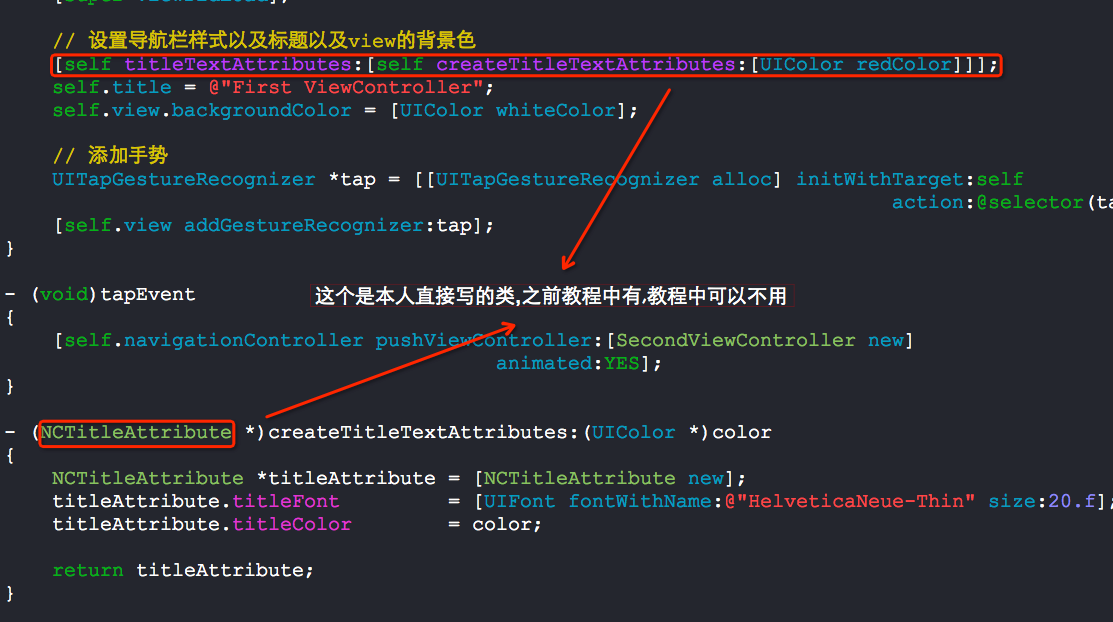
需要注意的一些地方:

UINavigationController便于pop的category的更多相关文章
- iOS 7中使用UINavigationController进行pop崩溃
最近在一个项目中遇到一种情况,push到一个界面,如果那个界面未请求到数据,则直接pop回去,然而使用 [self.navigationController popViewControllerAnim ...
- iOS 开发中遇到的问题
1. 关于纠结很久的KVO崩溃问题,其真正原因是,在删除roomItem的KVO之前,将这个对象已经赋值为nil,所以实际上并没有删除他的observer,因此而崩溃:长时间纠结的原因是受.cxx_d ...
- [New learn] 设计模式
本文翻译自:http://www.raywenderlich.com/46988/ios-design-patterns iOS设计模式 - 你可能听到过这个术语,但是你知道是什么意思吗?虽然大多数的 ...
- Log4cpp介绍及使用
Log4cpp是一个开源的C++类库,它提供了在C++程序中使用日志和跟踪调试的功能.使用log4cpp,可以很便利地将日志或者跟踪调试信息写入字符流.内存字符串队列.文件.回滚文件.调试器.Wind ...
- log4cpp基础测试
// log4cplus.cpp : 定义控制台应用程序的入口点.// #include "stdafx.h" #include <iostream>#include ...
- JVM Specification 9th Edition (4) Chapter 4. The class File Format
Chapter 4. The class File Format Table of Contents 4.1. The ClassFile Structure 4.2. Names 4.2.1. Bi ...
- 精准 iOS 内存泄露检测工具
MLeaksFinder:精准 iOS 内存泄露检测工具 发表于 2016-02-22 | zepo | 23 Comments 背景 平常我们都会用 Instrument 的 Lea ...
- iOS页面右滑返回的实现方法总结
1.边缘触发的系统方法 ①系统返回按钮 self.navigationController.interactivePopGestureRecognizer.enabled = YES; ②自定义返回 ...
- UINavigationController导航控制器初始化 导航控制器栈的push和pop跳转理解
(1)导航控制器初始化的时候一般都有一个根视图控制器,导航控制器相当于一个栈,里面装的是视图控制器,最先进去的在最下面,最后进去的在最上面.在最上面的那个视图控制器的视图就是这个导航控制器对外展示的界 ...
随机推荐
- java aop做一个接口耗时的计算
看代码: @Aspect @Component public class TimeCostAspect { private static Logger logger = LoggerFactory.g ...
- 2-nginx 安装
1, nginx简介: •Nginx("engine x") 是一个高性能的HTTP 和反向代理服务器,也是一个IMAP/POP3/SMTP 代理服务器.•第一个公开版本0.1.0 ...
- cgroups简单使用
Cgroups控制系统资源的分配(cpu.mem.io) 1.cgroups概述 CGroup是Linux内核提供的可以限制.隔离进程组 (process groups) 所使用的物理资源 (如 cp ...
- .Net Core使用 MiniProfiler 进行性能分析(转)
转自:http://www.cnblogs.com/ideacore/p/9505425.html 官方文档: https://miniprofiler.com/dotnet/AspDotNetCor ...
- 用imageMagick合成图片添加图片水印
用imageMagick合成图片的方式大致有三种, 使用convert命令加 +append或-append参数 使用convert命令加 -composite参数 直接使用composite命令来完 ...
- MYSQL安装时解决要输入current root password的解决方法
在装MYSQL的时候发现要输入current root password不记得以前在电脑里装过(你的系统曾经装过MYSQL在重装就会要求输入原来设定的密码,如果是第一次安装就不会出现),在网上苦苦搜寻 ...
- SQL——Sql_Server中如何判断表中某字段、判断表、判断存储过程以及判断函数是否存在
一.比如说要判断表A中的字段C是否存在两个方法: (1) 直接查表——有点笨,有点常规 IF EXISTS ( SELECT 1 FROM SYSOBJECTS T1 INNER JOIN SYSCO ...
- Eclipse下安装SVN插件以及连接SVN服务并发布项目
Eclipse安装SVN插件 Help->Eclipse MarketPlace 查找并安装Subclipse插件 按默认步骤完成SVNEclipse插件的安装(安装完成后需要重启Eclipse ...
- MyBatis 常用写法
MyBatis 常用写法 1.forEach 循环 forEach 元素的属性主要有 item, idnex, collection, open, separator, close. collec ...
- Java Swing实战(五)表格组件JTable(1)
dbPanel面板的配置告一段落. 接下来配置taskPanel 面板. /** * @author: lishuai * @date: 2018/11/26 13:51 */ public clas ...