
6 URL 实习文章链接跳转


需要解决的三个问题?
.
1.不够多的URL
(1)正则表达式
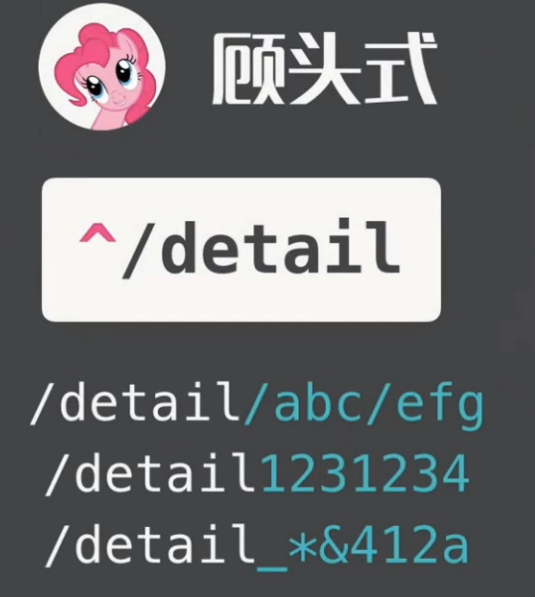

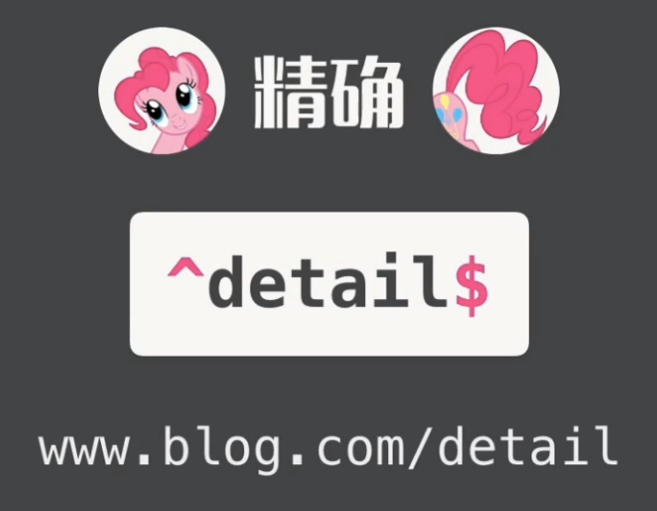
(2)\d 数字
/detail/123

/detail/(\d){3}  #限定3个数字

/detail/(\d+)   #限定多个数字

(3)修改url
url(r'^detail/(?P<page_num>\d+)$', detail,name='detail'),
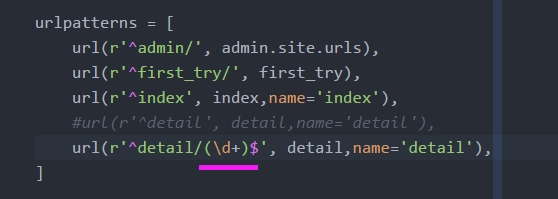
- 给数字起个名字: page_num
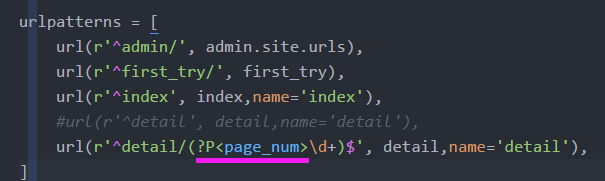
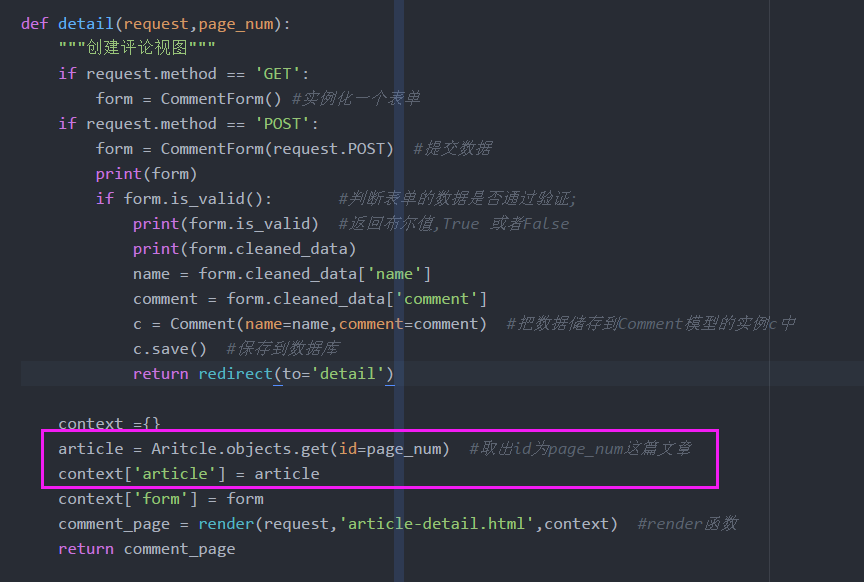
(4)修改view视图文件:#取出id为page_num这篇文章
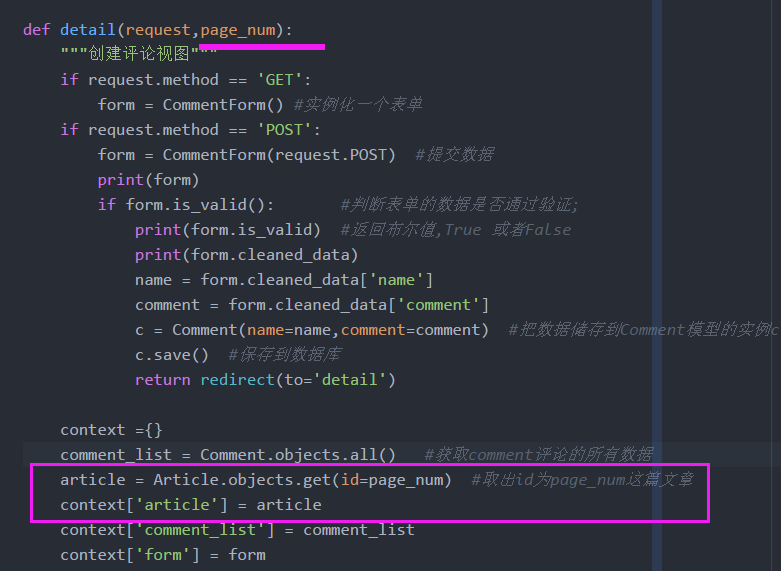
def detail(request,page_num):

    """创建评论视图"""

    if request.method == 'GET':

        form = CommentForm() #实例化一个表单

    if request.method == 'POST':

        form = CommentForm(request.POST)  #提交数据

        print(form)

        if form.is_valid():       #判断表单的数据是否通过验证;

            print(form.is_valid)  #返回布尔值,True 或者False

            print(form.cleaned_data)

            name = form.cleaned_data['name']

            comment = form.cleaned_data['comment']

            c = Comment(name=name,comment=comment)  #把数据储存到Comment模型的实例c中

            c.save()  #保存到数据库

            return redirect(to='detail')

    context ={}

    comment_list = Comment.objects.all()   #获取comment评论的所有数据

    article = Article.objects.get(id=page_num)  #取出id为page_num这篇文章

    context['article'] = article

    context['comment_list'] = comment_list

    context['form'] = form

    # print('11111')  for testing

    # print(form.errors)

    # print('2222')

    # print(form)

    comment_page = render(request,'article-detail.html',context)  #render函数

    return comment_page
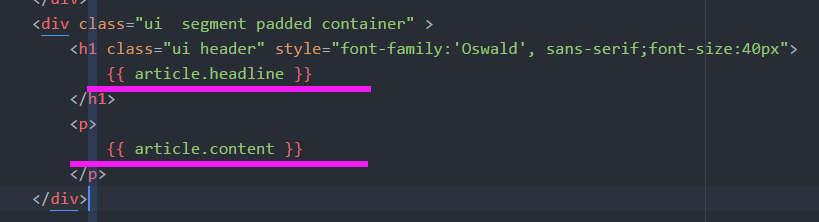
(5)详情页article-tail.html:替换数据库中捕获到的特定文章
        <div class="ui  segment padded container" >

            <h1 class="ui header" style="font-family:'Oswald', sans-serif;font-size:40px">

                {{ article.headline }}

            </h1>

            <p>

                {{ article.content }}

            </p>

        </div>
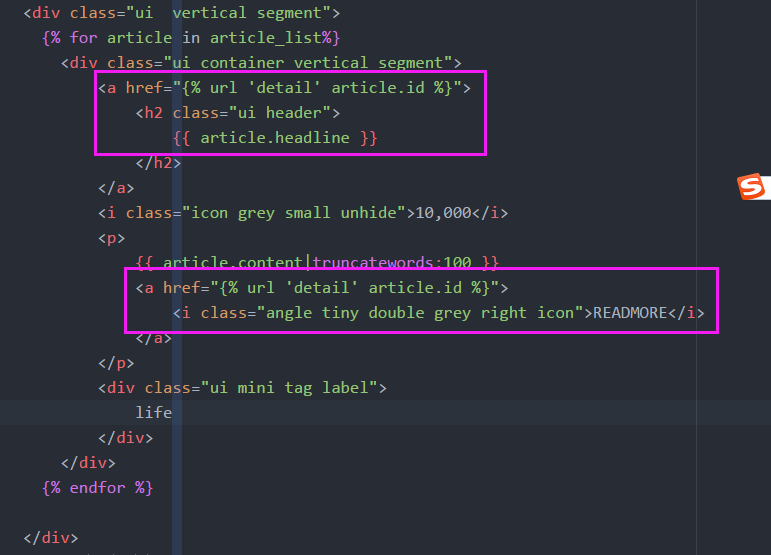
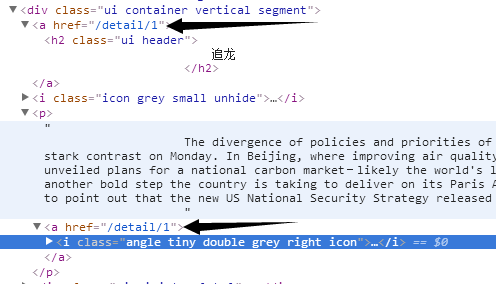
(6)如何跳转?修改fires_web.html的a标签
- 文章标题 设置跳转
- readmore 设置跳转
                <a href="{% url 'detail' article.id %}">

                    <h2 class="ui header">

                        {{ article.headline }}

                    </h2>

                </a>

                <a href="{% url 'detail' article.id %}">

                        <i class="angle tiny double grey right icon">READMORE</i>

                </a>
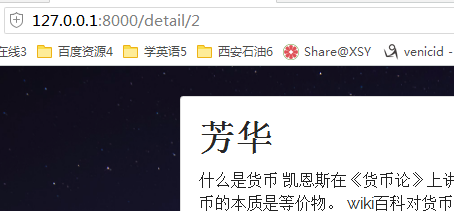
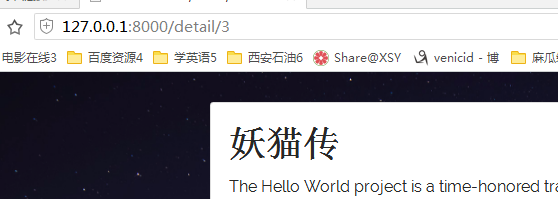
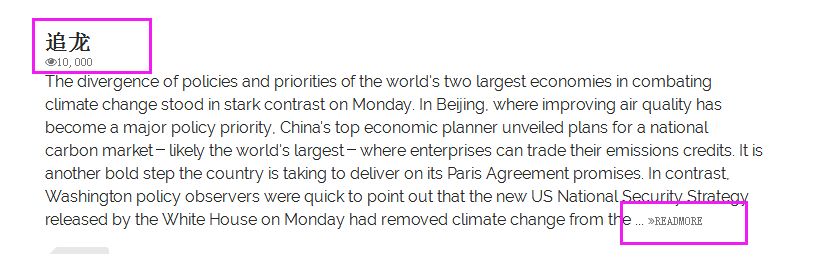
(7)查看效果

2.怎么让评论只属于一篇文章
(1)数据库对应关系


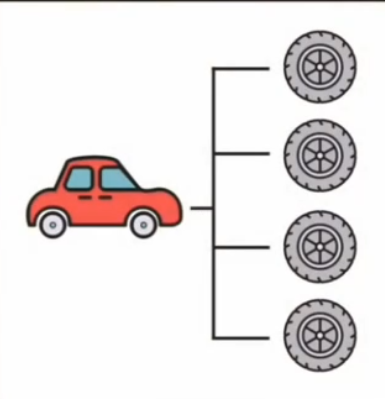
- 一对多:一辆车--4个轮子
- 多对一
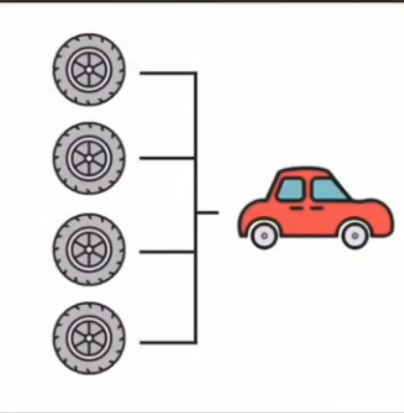
- 一对一:一辆车:一个引擎

- 多对多:一个人可以购买多辆车;一辆车可以被多个人驾驶
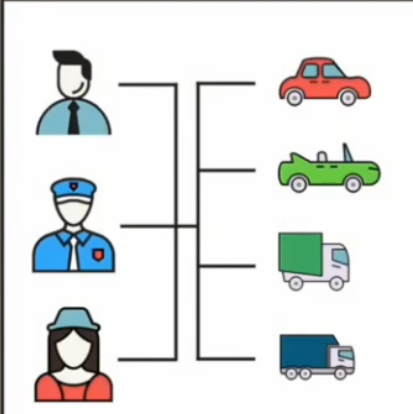
(2)文章,评论 :1对多关系
- django中只有一对一,多对一,多对多关系
- 实现一对多,可以反过来实现多对一
- 一篇博客可以对应多个评论
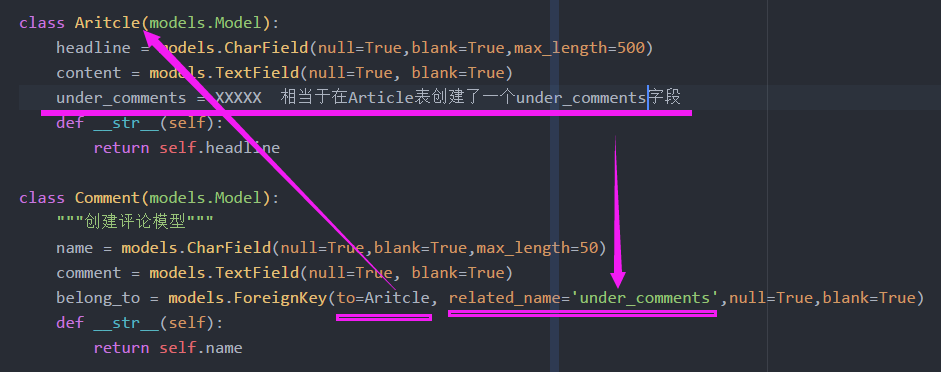
- 反过来在评论里实现
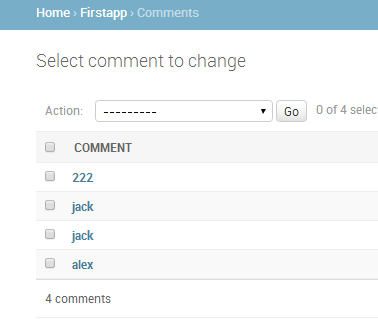
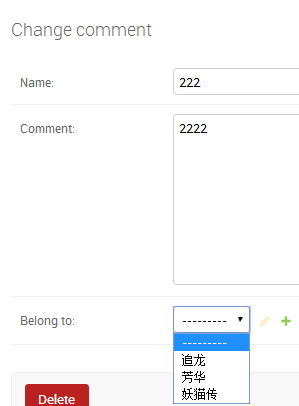
外键

belong_to = models.ForeignKey(to=Aritcle, related_name='under_comments',null=True,blank=True)
(3)查询数据,数据装载到context中
两个方法
- Article模型中查出我想要的数据:普通评论
- Comment模型中查出 :最佳评论
(4)第一种方法:普通评论查找; Article模型
- article-tail.html 通过传入的 article 查找数据


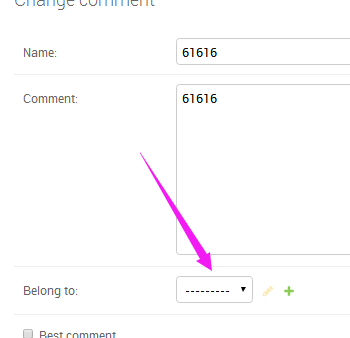
- 查看评论,admin后台修改评论的 belong to字段
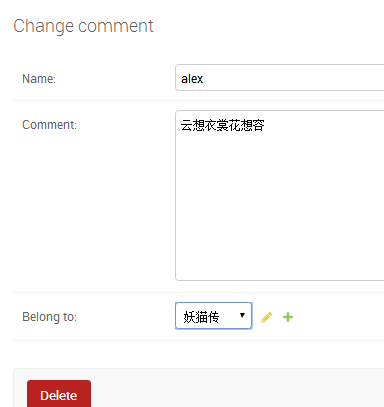
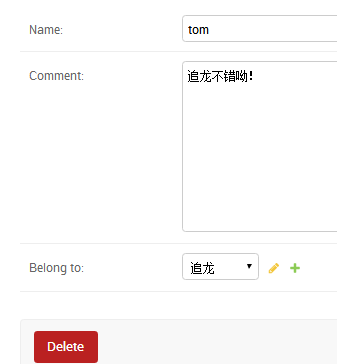
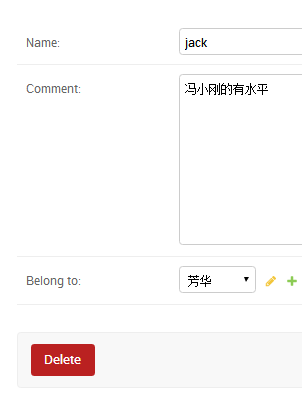

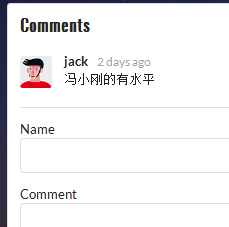
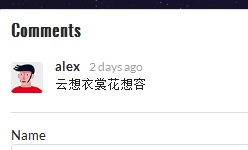
(6) 第二种:最优评论,comment模型中查找数据
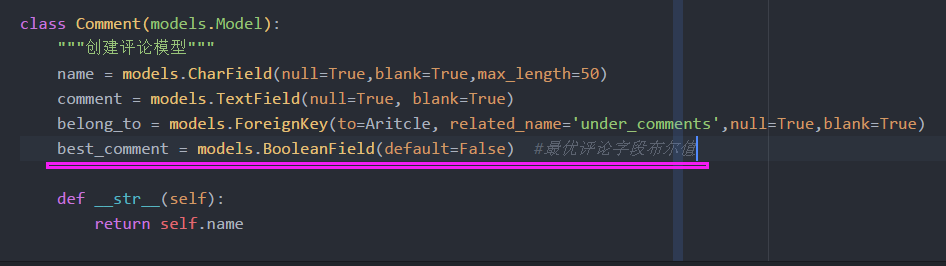
- Model层:添加最优评论字段,布尔值,默认false
best_comment = models.BooleanField(default=False) #最优评论字段布尔值
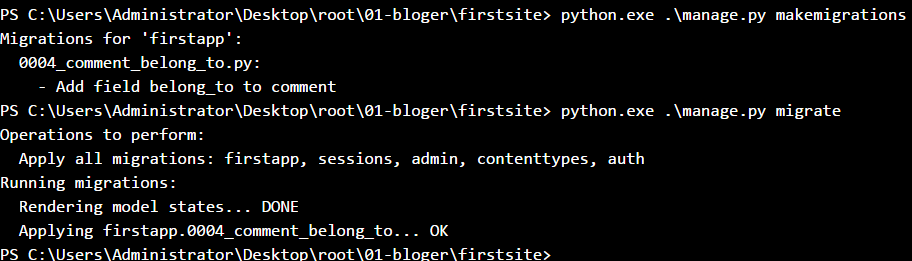
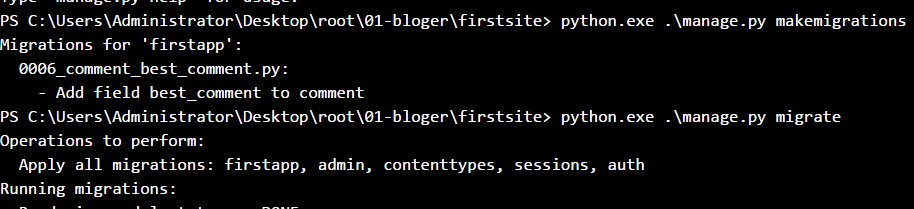
- 更新数据库,后台查看

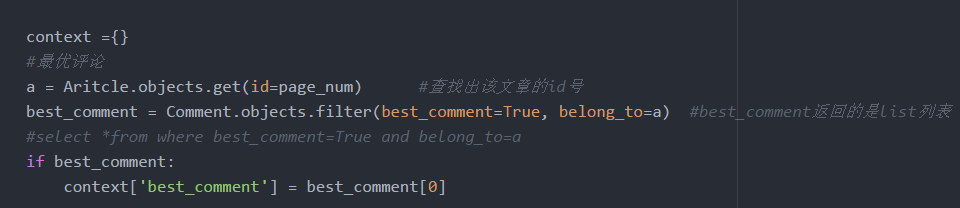
- view视图,查找最优评论;best_comment返回的是list列表

- 判断最优评论是否返回,取第一个评论
from django.shortcuts import render,HttpResponse,redirect

from firstapp.models import People,Aritcle,Comment

from django.template import Context,Template

from firstapp.form import CommentForm

def first_try(request):

    person = People(name='alxe',job='it')

    html_string = '''

                <!DOCTYPE html>

                <html>

                  <head>

                    <meta charset="utf-8">

                    <title>first_try</title>

                  </head>

                  <body>

                    <h1>Hello</h1>

                    <h3> {{ person.name }} </h3>

                  </body>

                </html>

    '''

    t = Template(html_string)

    c = Context({'person':person})

    web_page = t.render(c)

    return HttpResponse(web_page)

def index(request):

    print(request)

    print("==="*30)

    print(dir(request))

    print("==="*30)

    print(type(request))

    queryset = request.GET.get('tag')

    print(queryset)

    if queryset:

        article_list = Aritcle.objects.filter(tag=queryset)  #过滤器

    else:

        article_list = Aritcle.objects.all()  #获取Article数据库所有的数据

    context = {}

    context['article_list'] = article_list

    index_page = render(request,'firstweb.html',context)

    return index_page

def detail(request,page_num):

    """创建评论视图"""

    if request.method == 'GET':

        form = CommentForm() #实例化一个表单

    if request.method == 'POST':

        form = CommentForm(request.POST)  #提交数据

        print(form)

        if form.is_valid():       #判断表单的数据是否通过验证;

            print(form.is_valid)  #返回布尔值,True 或者False

            print(form.cleaned_data)

            name = form.cleaned_data['name']

            comment = form.cleaned_data['comment']

            c = Comment(name=name,comment=comment)  #把数据储存到Comment模型的实例c中

            c.save()  #保存到数据库

            return redirect(to='detail')

    context ={}

    #最优评论

    a = Aritcle.objects.get(id=page_num)      #查找出该文章的id号

    best_comment = Aritcle.objects.filter(best_comment=True, belong_to=a)  #best_comment返回的是list列表

    #select *from where best_comment=True and belong_to=a

    if best_comment:

        context['best_comment'] = best_comment[0]

    article = Aritcle.objects.get(id=page_num)  #取出id为page_num这篇文章

    context['article'] = article

    context['form'] = form

    comment_page = render(request,'article-detail.html',context)  #render函数

    return comment_page

    #comment_list = Comment.objects.all()   #获取comment评论的所有数据

    #context['comment_list'] = comment_list

    # print('11111')  for testing

    # print(form.errors)

    # print('2222')

    # print(form)
- Template层:
- 1.添加best_comment
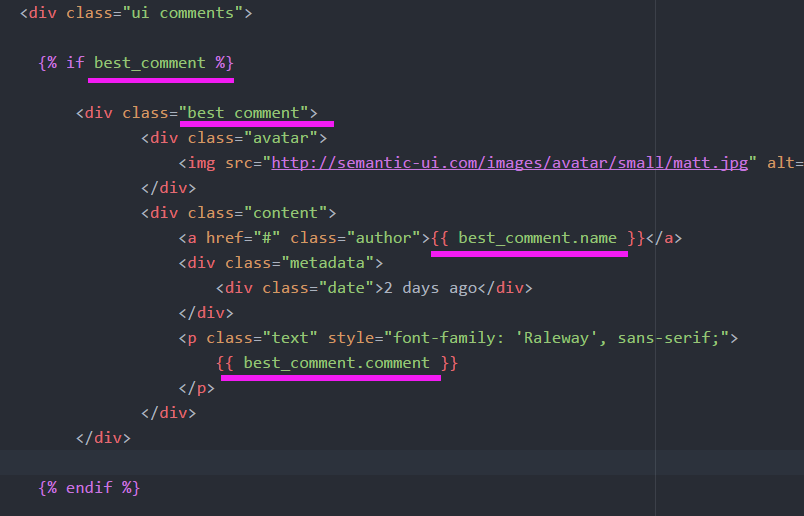
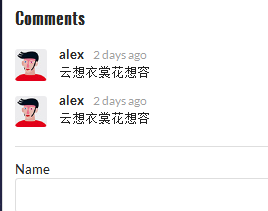
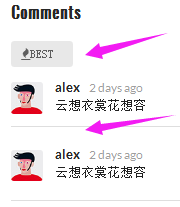
- 2.修饰
                  <div class="ui label">

                    <i class="icon fire">BEST</i>   #添加label标签

                  </div>
<div class="ui divider"></div> #添加隔离直线
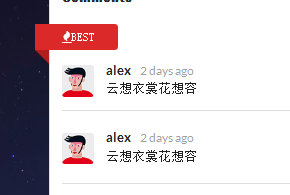
                  <div class="ui mini red left ribbon label">

                    <i class="icon fire">BEST</i>

                  </div>
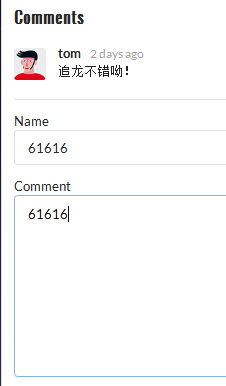
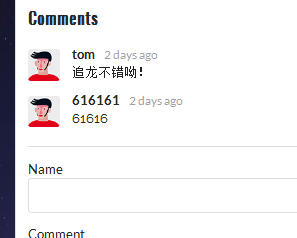
- 3.提交评论:错误
- 第一个错误:redirect 缺少参数 page_num
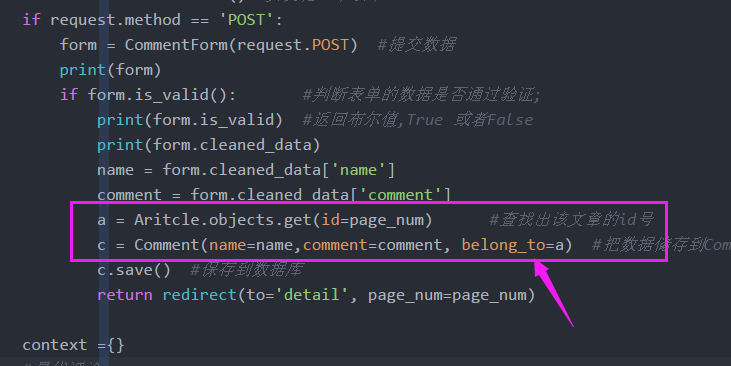
- 第二个错误:对应的article也要存储到comment


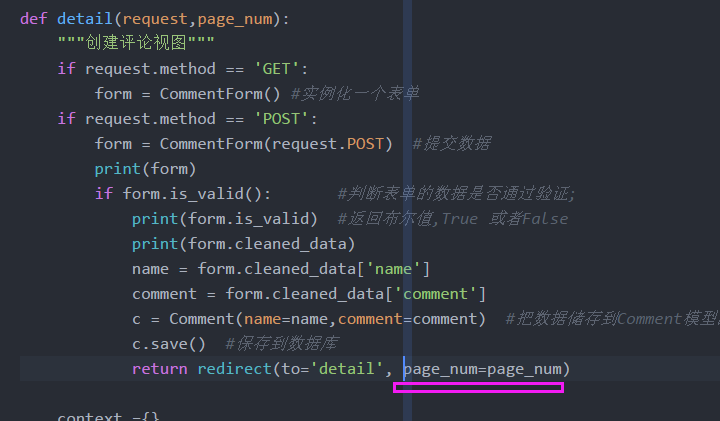
- 4.redirect添加参数
- 5,article的id存储到Comment中
def detail(request,page_num):

    """创建评论视图"""

    if request.method == 'GET':

        form = CommentForm() #实例化一个表单

    if request.method == 'POST':

        form = CommentForm(request.POST)  #提交数据

        print(form)

        if form.is_valid():       #判断表单的数据是否通过验证;

            print(form.is_valid)  #返回布尔值,True 或者False

            print(form.cleaned_data)

            name = form.cleaned_data['name']

            comment = form.cleaned_data['comment']

            a = Aritcle.objects.get(id=page_num)      #查找出该文章的id号

            c = Comment(name=name,comment=comment, belong_to=a)  #把数据储存到Comment模型的实例c中

            c.save()  #保存到数据库

            return redirect(to='detail', page_num=page_num)

    context ={}

    #最优评论

    a = Aritcle.objects.get(id=page_num)      #查找出该文章的id号

    best_comment = Comment.objects.filter(best_comment=True, belong_to=a)  #best_comment返回的是list列表

    #select *from where best_comment=True and belong_to=a

    if best_comment:

        context['best_comment'] = best_comment[0]

    article = Aritcle.objects.get(id=page_num)  #取出id为page_num这篇文章

    context['article'] = article

    context['form'] = form

    comment_page = render(request,'article-detail.html',context)  #render函数

    return comment_page
3.分离视图

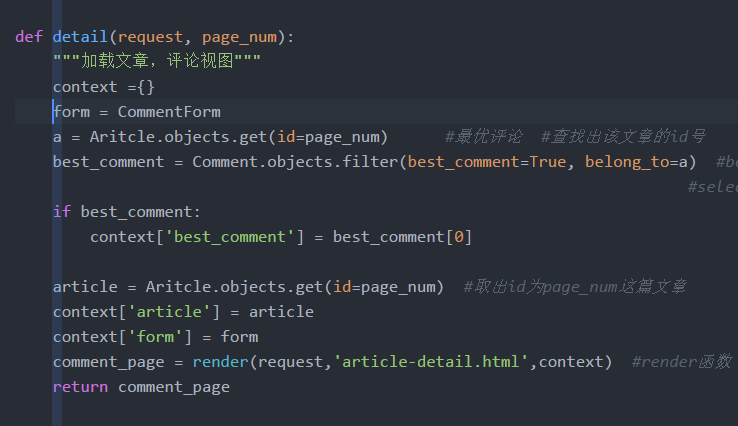
(1)分离视图,加载文章内容和评论
(2)分视图:post提交表单评论

def detail(request, page_num):

    """加载文章,评论视图"""

    context ={}

    form = CommentForm

    a = Aritcle.objects.get(id=page_num)      #最优评论  #查找出该文章的id号

    best_comment = Comment.objects.filter(best_comment=True, belong_to=a)  #best_comment返回的是list列表

                                                                        #select *from where best_comment=True and belong_to=a

    if best_comment:

        context['best_comment'] = best_comment[0]

    article = Aritcle.objects.get(id=page_num)  #取出id为page_num这篇文章

    context['article'] = article

    context['form'] = form

    comment_page = render(request,'article-detail.html',context)  #render函数

    return comment_page

def detail_comment(request, page_num):

    """post方法form表单提交"""

    form = CommentForm(request.POST)  #提交数据

    print(form)

    if form.is_valid():       #判断表单的数据是否通过验证;

                                            #print(form.is_valid)  #返回布尔值,True 或者False

                                            #print(form.cleaned_data)

        name = form.cleaned_data['name']

        comment = form.cleaned_data['comment']

        a = Aritcle.objects.get(id=page_num)      #查找出该文章的id号

        c = Comment(name=name,comment=comment, belong_to=a)  #把数据储存到Comment模型的实例c中

        c.save()  #保存到数据库

    return redirect(to='detail', page_num=page_num)
(3)添加url
url(r'^detail/(?P<page_num>\d+)/comment$',detail_comment,name='comment'),

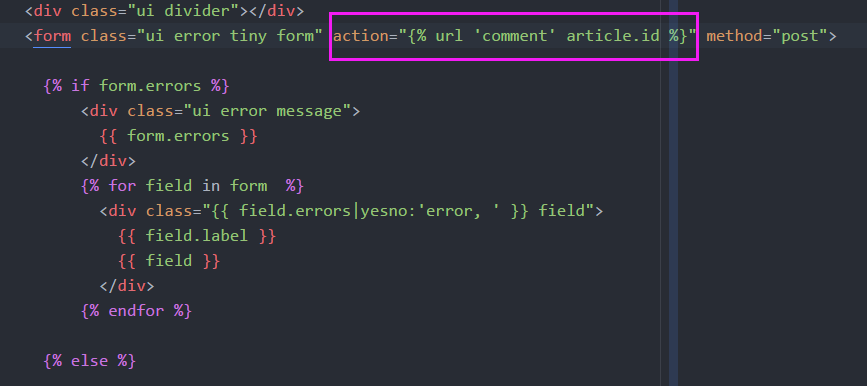
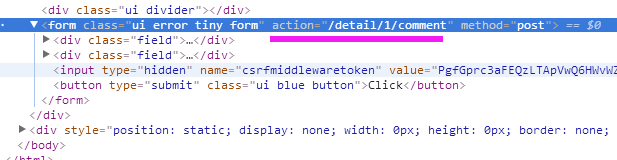
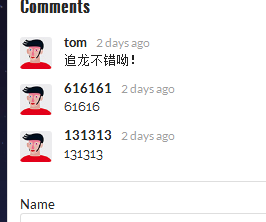
(4)Template层:添加action
此处的comment是name=comment
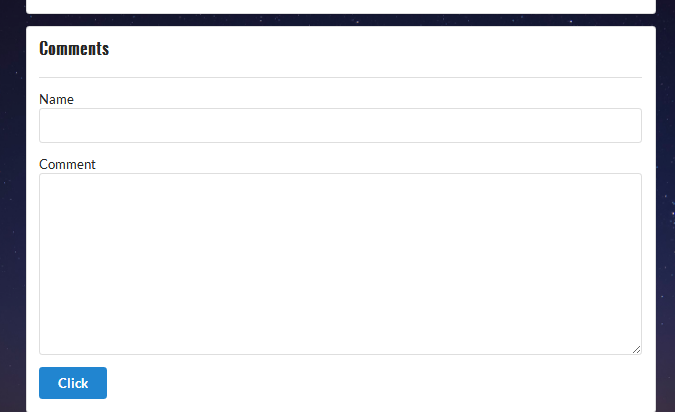
<form class="ui error tiny form" action="{% url 'comment' article.id %}" method="post">
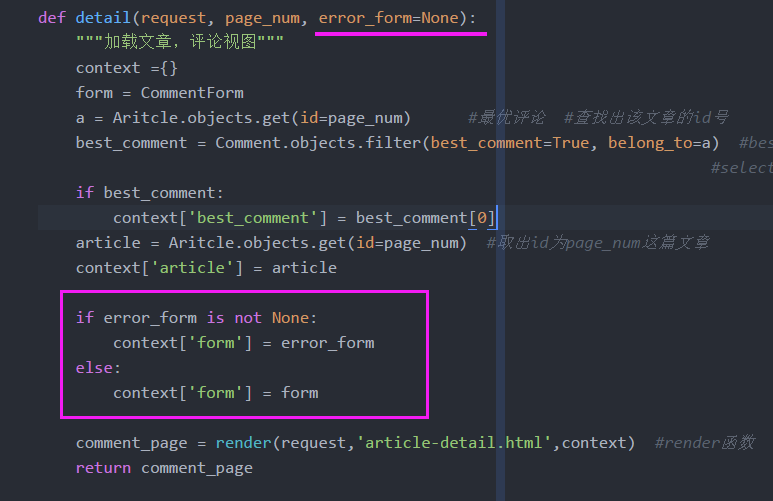
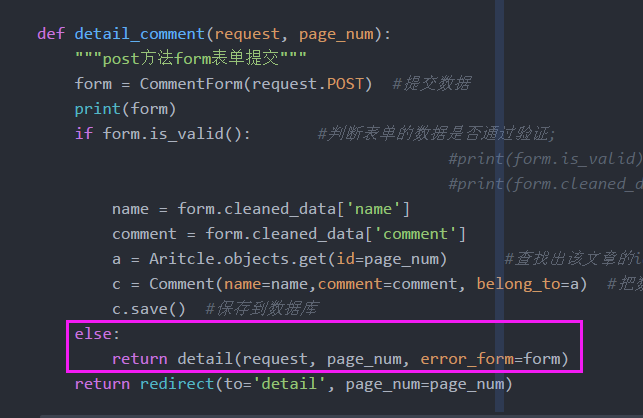
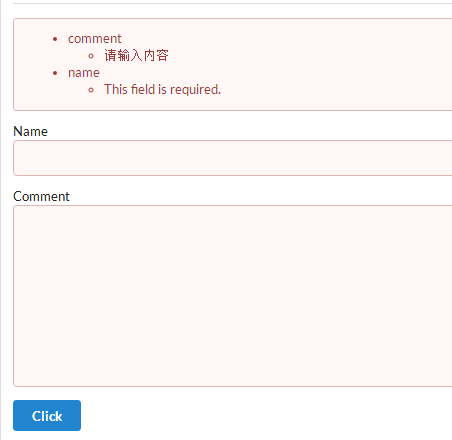
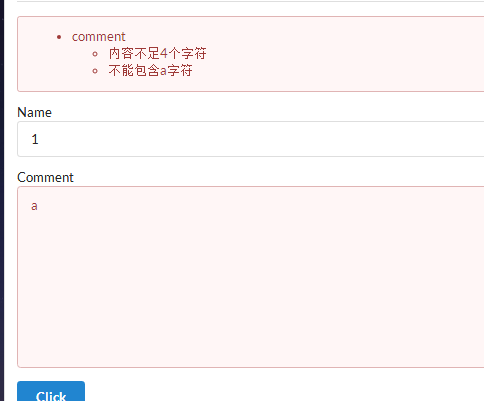
(5)错误信息没有打印
6 URL 实习文章链接跳转的更多相关文章
- 已经重写,源码和文章请跳转http://www.cnblogs.com/ymnets/p/5621706.html
文章由于写得比较仓促 已经重写,源码和文章请跳转 http://www.cnblogs.com/ymnets/p/5621706.html 系列目录 前言: 导入导出实在多例子,很多成熟的组建都分装了 ...
- phpcms 内容——>评论管理 中添加 打开文章链接的 功能
需要实现的功能:在后台管理系统中的 内容 下的——>评论管理 中添加 打开文章链接的 功能 1.数据库表是 v9_comment和v9_comment_data_1. v9_comment是被 ...
- WordPress 通过文章 URL 获取文章 ID
// 获取当前文章链接,注意,在文章类型页面的主循环外使用标签时,如果没有指定 Post ID 参数,该标签将返回循环中最后一篇文章的 URL,而不是当前页面的固定链接,或者直接不返回结果,所以一般需 ...
- IT学子成长指导类文章链接(十二)
链接:IT学子成长指导类文章链接(一)(二)(三) (四) (五)(六)(七)(八)(九)(十)(十一) "IT学子成长指导"类我收藏过的好文(十二期:至2014年6月17日) 程 ...
- 6)HTML中a链接跳转地址怎么写
(1)看 thinkphp5的 附录--->助手函数 --->url 利用url进行书写地址跳转: 比如,你想跳转到cate控制器下的lst方法: <a href=" ...
- Geotrellis系列文章链接
本文存放了我在博客园中撰写的Geotrellis系列文章链接,方便查阅! 一.geotrellis使用初探 二.geotrellis使用(二)geotrellis-chatta-demo以及geotr ...
- JS阻止链接跳转代码
刷新后focus在第一个标签 onload="$('#input_email').focus(); " $(document).ready(function(){ $(" ...
- Mock Server文章链接
Mock Server文章链接 2017-06-14 1 Dreamhead (Zheng Ye) Moco可以提供以下服务: HTTP APIs Socket APIs REST API GitHu ...
- wordpress文章链接怎么把默认的别名改成id形式和伪静态设置
别名默认是文章标题,打不开,改成英文形式可以打开,但这样很不方便,还有可能重复.怎么改成按文章id自动生成相应链接呢 找到设置---固定链接----把默认的日期和名称型改成自定义结构把末尾的%post ...
随机推荐
- 一、Dapper基本操作
参考资料:Cooper Liu 毒逆天 一.Dapper安装 添加引用-->NuGet管理-->搜索Dapper-->安装 二.新建表 --创建一个员工表 create table ...
- ajax请求传过来的json数据直接转成对应的实体类时出错:400 Bad Request 不进入controller
今天开发过程中,在SpringMVC中的Action中处理前台ajax请求传过来的json数据直接转成对应的实体类时出错:400 Bad Request,后台也不报错,400指的的是请求无效(请求有语 ...
- 【js基础修炼之路】--创建文档碎片document.createDocumentFragment()
讲这个方法之前,我们应该先了解下插入节点时浏览器会做什么. 在浏览器中,我们一旦把节点添加到document.body(或者其他节点)中,页面就会更新并反映出这个变化,对于 ...
- 新建一个controller并指定为默认的方法
在之前的项目中升级了MVC的DLL导致一开始程序运行时走的controller的有参构造方法变为走无参构造方法,但是该controller没有无参的构造方法,为了强制让程序走有参的构造方法,就在glo ...
- java 通过接口在后台管理器中生成数据
需求:测试人员在后台批量添加数据很麻烦,特别是针对一款商品配置了英语,还需要手动添加法语.俄语.阿拉伯语,很麻烦,但是因为没有项目组配合,做个小工具批量生成数据就只有自己去研究了 第一步:通过抓包工具 ...
- Uva 11401 数三角形
题目链接:https://uva.onlinejudge.org/external/114/11401.pdf 题意:1~n个数里面挑3个不同的数,组成一个三角形.求方案数. 分析: 令最长的边为X, ...
- 类似LCS,构成目标单词(POJ2192)
题目链接:http://poj.org/problem?id=2192 解题报告: 1.类似最长公共子序列,dp[i][j]表示用s1前i个字符和s2前j个字符来构成目标单词的一部分,是否成功 2.状 ...
- keyframes 放大缩小动画
本次项目中动画放大缩小代码小结 .fix .phone{ -moz-animation: myfirst 1s infinite; -webkit-animation: myfirst 1s infi ...
- 使用JavaScript动态的绑定、解绑 a 标签的onclick事件,防止重复点击
页面上的 a 标签如下: <a class="more" style="cursor: pointer;" id="commentMore&qu ...
- 1801: [Ahoi2009]chess 中国象棋
Time Limit: 10 Sec Memory Limit: 64 MBSubmit: 2520 Solved: 1524[Submit][Status][Discuss] Descripti ...