
RabbitMQ 09 主题模式
主题模式
主题模式结构图:

主题模式实际上就是一种模糊匹配的模式,可以将routingKey以模糊匹配的方式去进行转发。
可以使用*或#来表示:
*:任意的一个单词。#:0个或多个单词。
定义配置类。
import org.springframework.amqp.core.Binding;

import org.springframework.amqp.core.BindingBuilder;

import org.springframework.amqp.core.Exchange;

import org.springframework.amqp.core.ExchangeBuilder;

import org.springframework.amqp.core.Queue;

import org.springframework.beans.factory.annotation.Qualifier;

import org.springframework.context.annotation.Bean;

import org.springframework.context.annotation.Configuration;

/**

 * RabbitMQ配置类

 */

@Configuration

public class RabbitMqConfig {

    /**

     * 定义交换机,可以很多个

     * @return 交换机对象

     */

    @Bean

    public Exchange topicExchange(){

        return ExchangeBuilder.topicExchange("amq.topic").build();

    }

    /**

     * 定义消息队列

     * @return 消息队列对象

     */

    @Bean

    public Queue topicQueue(){

        return new Queue("topicQueue");

    }

    /**

     * 定义绑定关系

     * @return 绑定关系

     */

    @Bean

    public Binding binding(@Qualifier("topicExchange") Exchange exchange,

                           @Qualifier("topicQueue") Queue queue){

        // 将定义的交换机和队列进行绑定

        return BindingBuilder

                // 绑定队列

                .bind(queue)

                // 到交换机

                .to(exchange)

                // 使用自定义的routingKey

                .with("*.test.#")

                // 不设置参数

                .noargs();

    }

}
定义消费者。
import org.springframework.amqp.rabbit.annotation.Queue;

import org.springframework.amqp.rabbit.annotation.RabbitListener;

import org.springframework.stereotype.Component;

/**

 * 主题队列监听器

 */

@Component

public class TopicListener {

    /**

     * 监听主题队列消息

     */

    @RabbitListener(queuesToDeclare = {@Queue("topicQueue")})

    public void receiver(String message) {

        System.out.println("主题队列接收到消息:" + message);

    }

}
定义生产者。
import org.junit.jupiter.api.Test;

import org.springframework.amqp.rabbit.core.RabbitTemplate;

import org.springframework.beans.factory.annotation.Autowired;

import org.springframework.boot.test.context.SpringBootTest;

@SpringBootTest

class RabbitMqSpringBootTests {

    /**

     * RabbitTemplate封装了大量的RabbitMQ操作,已经由Starter提供,因此直接注入使用即可

     */

    @Autowired

    private RabbitTemplate rabbitTemplate;

    /**

     * 生产者

     */

    @Test

    void producer()  {

        rabbitTemplate.convertAndSend("amq.topic", "test.1", "Hello World 1");

        rabbitTemplate.convertAndSend("amq.topic", "1.test", "Hello World 2");

        rabbitTemplate.convertAndSend("amq.topic", "1.test.1", "Hello World 3");

    }

}
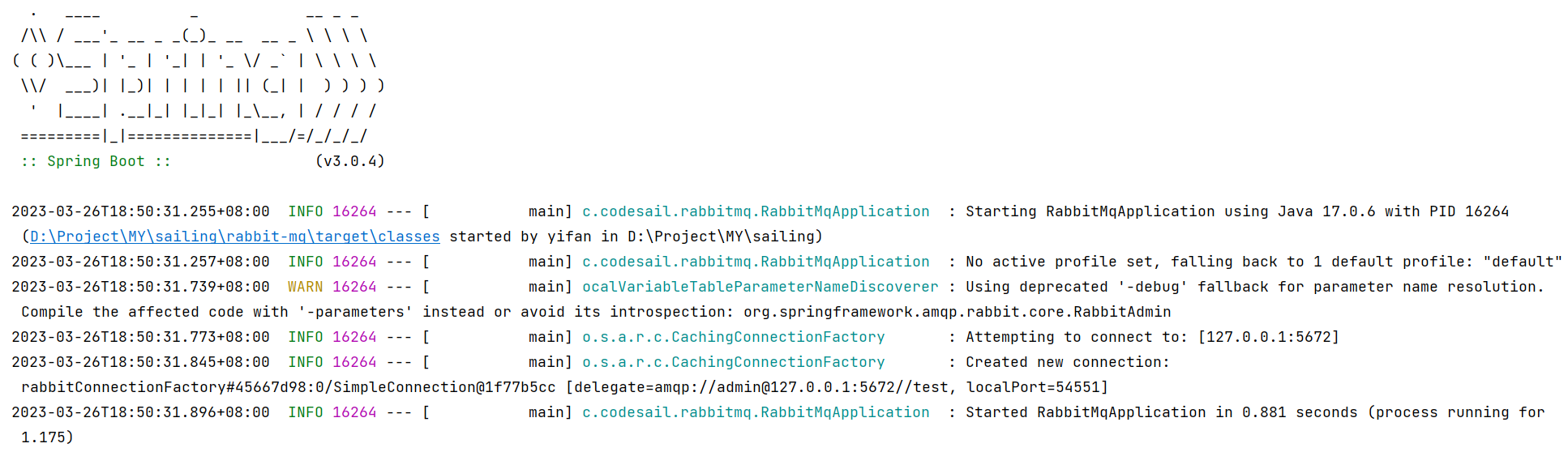
启动服务。
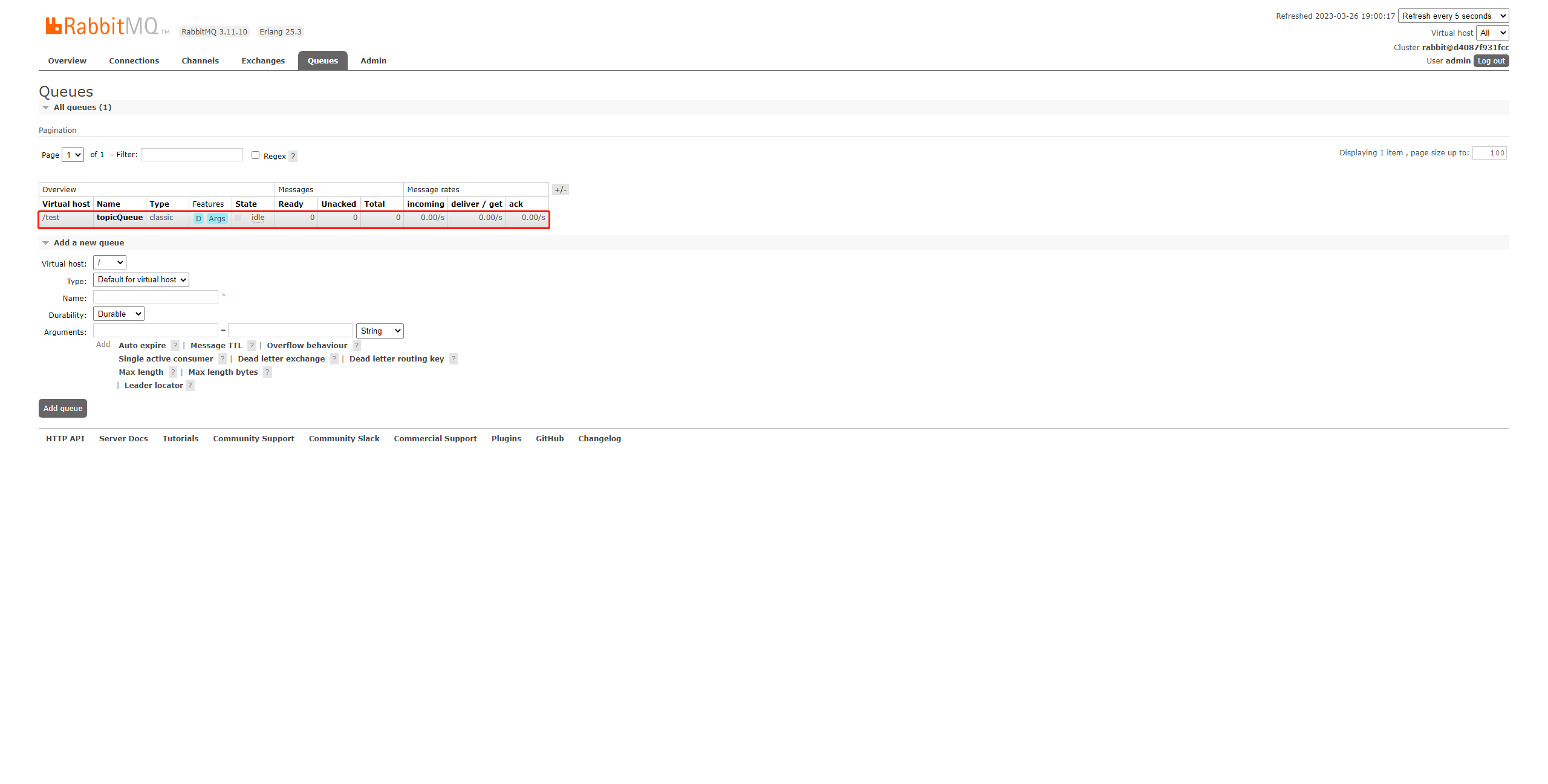
此时队列已创建。
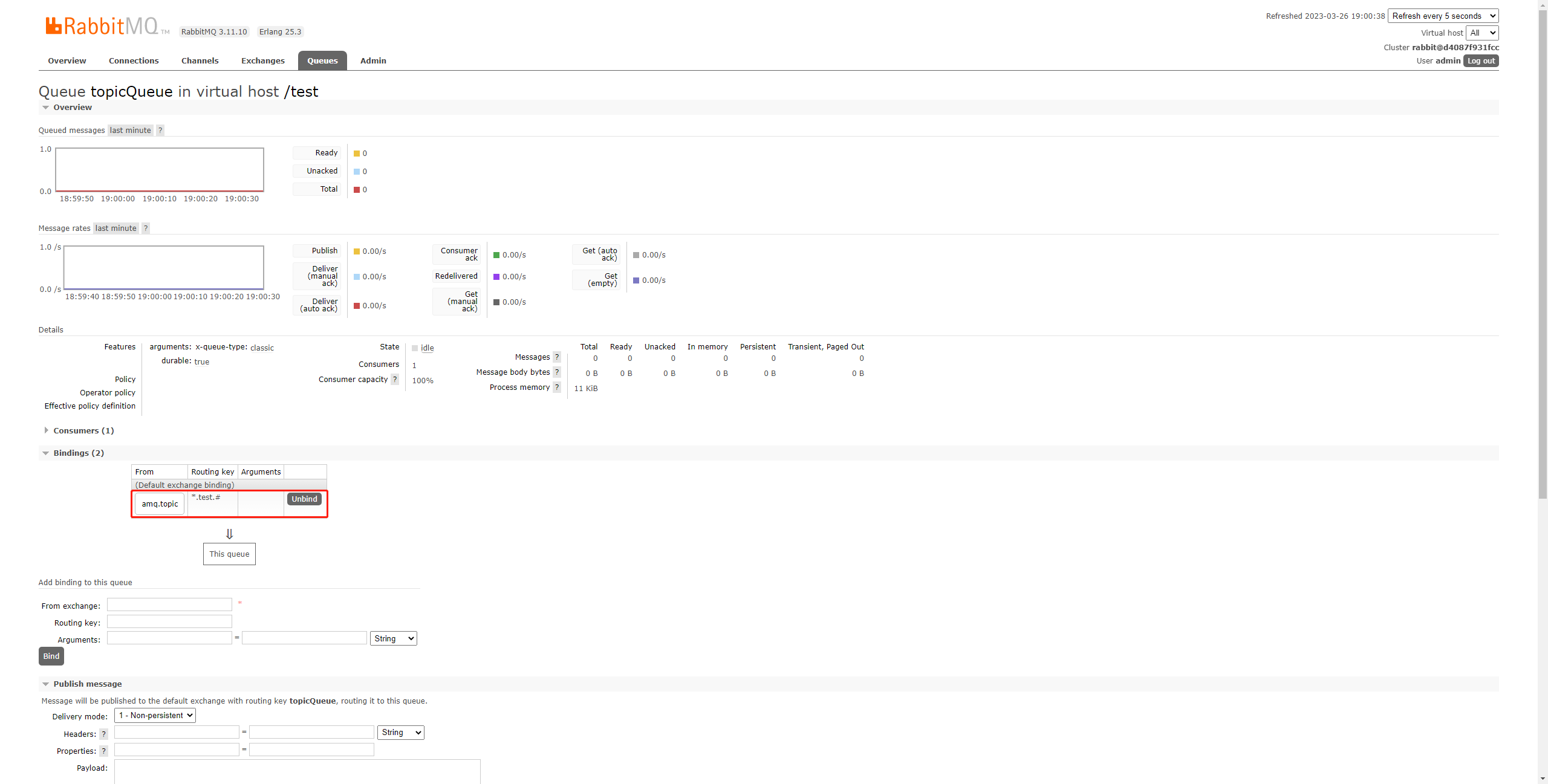
绑定关系已设置。
启动生产者,发送消息。
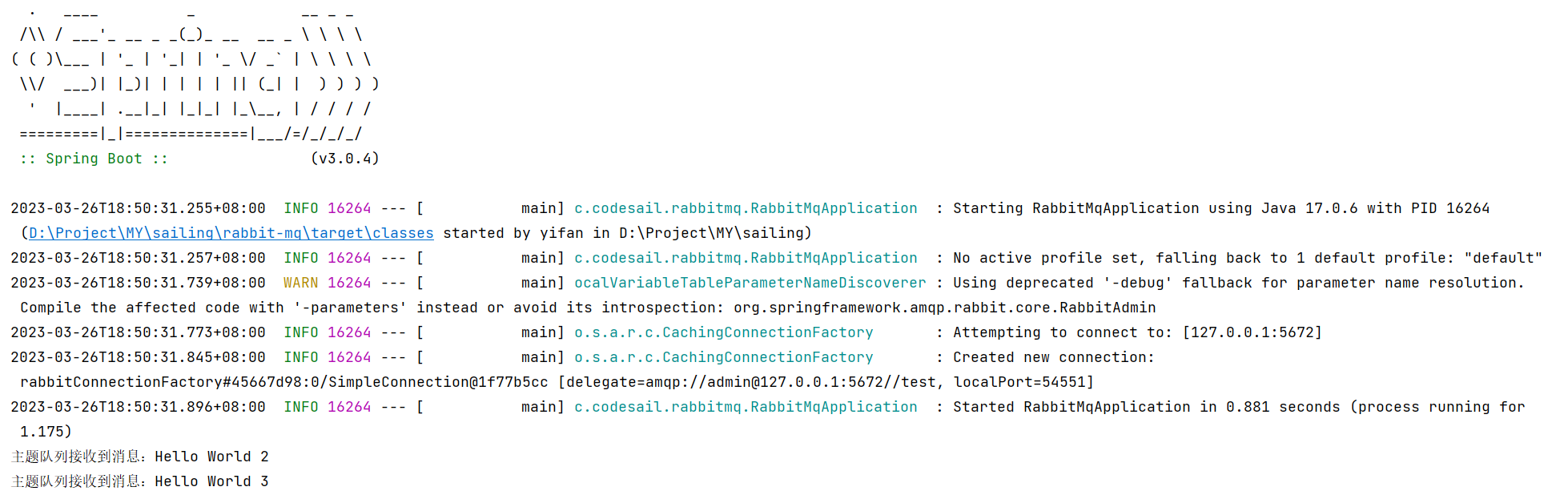
可以看到,第一条消息的routingKey(
test.1)由于不匹配*.test.#而没有被队列接收到。
除了这里使用的默认主题交换机之外,还有一个叫做amq.rabbitmq.trace的交换机:
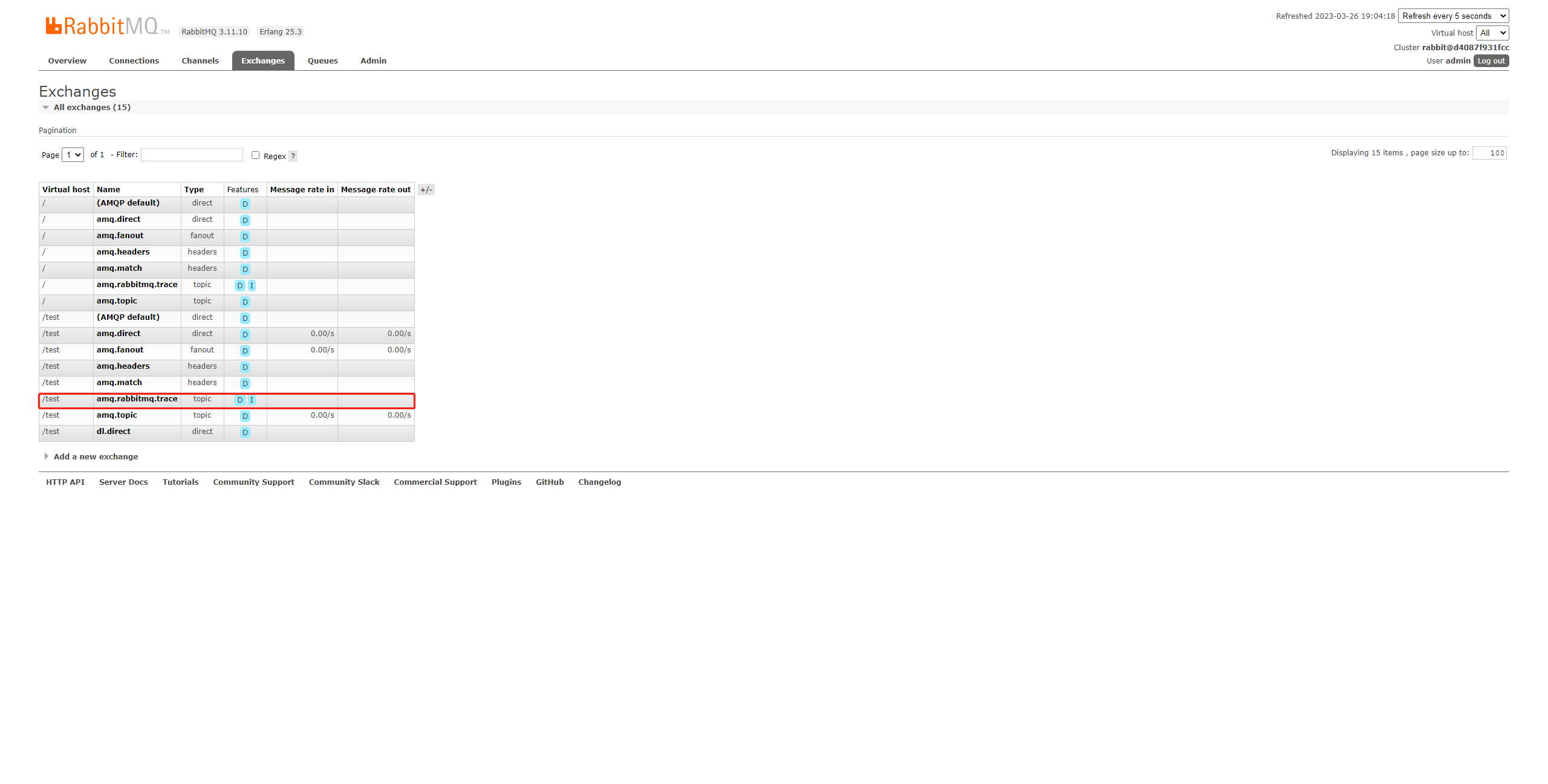
这是用于帮助记录和追踪生产者和消费者使用消息队列的交换机,它是一个内部的交换机,这里就不演示了。
- 环境
- JDK 17.0.6
- Maven 3.6.3
- SpringBoot 3.0.4
- spring-boot-starter-amqp 3.0.4
- 参考
RabbitMQ 09 主题模式的更多相关文章
- Rabbitmq(6) 主题模式
* 匹配1个 # 匹配所有 发送者: package com.aynu.bootamqp.service; import com.aynu.bootamqp.commons.utils.Amqp; i ...
- RabbitMQ消息队列(八)-通过Topic主题模式分发消息(.Net Core版)
前两章我们讲了RabbitMQ的direct模式和fanout模式,本章介绍topic主题模式的应用.如果对direct模式下通过routingkey来匹配消息的模式已经有一定了解那fanout也很好 ...
- RabbitMQ (七) 订阅者模式之主题模式 ( topic )
主题模式和路由模式很像 路由模式是精确匹配 主题模式是模糊匹配 依然先通过管理后台添加一个交换机. 生产者 public class Producer { private const string E ...
- (八)RabbitMQ消息队列-通过Topic主题模式分发消息
原文:(八)RabbitMQ消息队列-通过Topic主题模式分发消息 前两章我们讲了RabbitMQ的direct模式和fanout模式,本章介绍topic主题模式的应用.如果对direct模式下通过 ...
- RabbitMQ六种队列模式-主题模式
前言 RabbitMQ六种队列模式-简单队列RabbitMQ六种队列模式-工作队列RabbitMQ六种队列模式-发布订阅RabbitMQ六种队列模式-路由模式RabbitMQ六种队列模式-主题模式 [ ...
- 队列模式&主题模式
# RabbitMQ 消息中间件 **Advanced Message Queuing Protocol (高级消息队列协议** The Advanced Message Queuing Protoc ...
- 【RabbitMQ】工作模式介绍
一.前言 之前,笔者写过< CentOS 7.2 安装 RabbitMQ> 这篇文章,今天整理一下 RabbitMQ 相关的笔记便于以后复习. 二.模式介绍 在 RabbitMQ 官网上提 ...
- RabbitMQ六种队列模式-简单队列模式
前言 RabbitMQ六种队列模式-简单队列 [本文]RabbitMQ六种队列模式-工作队列RabbitMQ六种队列模式-发布订阅RabbitMQ六种队列模式-路由模式RabbitMQ六种队列模式-主 ...
- RabbitMQ六种队列模式-工作队列模式
前言 RabbitMQ六种队列模式-简单队列RabbitMQ六种队列模式-工作队列 [本文]RabbitMQ六种队列模式-发布订阅RabbitMQ六种队列模式-路由模式RabbitMQ六种队列模式-主 ...
- RabbitMQ六种队列模式-发布订阅模式
前言 RabbitMQ六种队列模式-简单队列RabbitMQ六种队列模式-工作队列RabbitMQ六种队列模式-发布订阅 [本文]RabbitMQ六种队列模式-路由模式RabbitMQ六种队列模式-主 ...
随机推荐
- DataGear 制作联动异步加载图表的数据可视化看板
通过DataGear的参数化数据集.图表事件处理和看板API功能,可以很方便地制作联动异步加载图表的数据可视化看板. 首先,新建一个参数化SQL数据集,如下所示: SELECT COL_NAME, - ...
- 【Azure 应用服务】Azure Function 不能被触发
问题描述 Azure Function 不能被Postman 触发,错误信息如下: Error: write EPROTO 4020778632:error:100000f7:SSL routines ...
- Langchain 介绍与入门
官方介绍 LangChain 是一个利用LLM开发应用程序的框架.它让应用程序具备: 上下文感知能力:将LLM连接到上下文源(提示说明.少量示例.用以形成其响应的内容等) 推理:依靠LLM进行推理(例 ...
- .NET周刊【3月第1期 2024-03-03】
国内文章 推荐10款C#开源好用的Windows软件 https://www.cnblogs.com/Can-daydayup/p/18035760 DevToys.Microsoft PowerTo ...
- 11、mysql的SQL执行顺序
编写顺序 SELECT DISTINCT <select list> FROM <left_table> <join_type> JOIN <right_ta ...
- Codeforces Round 734 (Div. 3)B2. Wonderful Coloring - 2(贪心构造实现)
思路: 分类讨论: 当一个数字出现的次数大于等于k,那么最多有k个能被染色, 当一个数字出现的次数小于k,南那么这些数字都可能被染色 还有一个条件就是需要满足每个颜色的数字个数一样多,这里记出现次数小 ...
- Zabbix“专家坐诊”第182期问答汇总
问题一: Q:像烽火.浪潮这种没有ilo的设备怎么监控他们的硬件状态呢? A:如果没有ilo,可以使用其他硬件监控软件,例如HP Insight Manager.IBM Director.Dell O ...
- Python笔记六之多进程
本文首发于公众号:Hunter后端 原文链接:Python笔记六之多进程 在 Python 里,我们使用 multiprocessing 这个模块来进行多进程的操作. multiprocessing ...
- [VueJsDev] 快速入门 - vscode 自动格式化
[VueJsDev] 目录列表 https://www.cnblogs.com/pengchenggang/p/17037320.html vscode 自动格式化(vue) ::: details ...
- nrm 安装报错 解决方案
想用 npm login 发现用的淘宝镜像,一看安装个nrm,结果运行还报错了.你看看. 改下,登录完再改回来. https://blog.csdn.net/mynewdays/article/det ...