
crm 一级菜单排序,二级菜单选中并且展开,非菜单权限的归属,权限粒度控制到按钮级别
排序
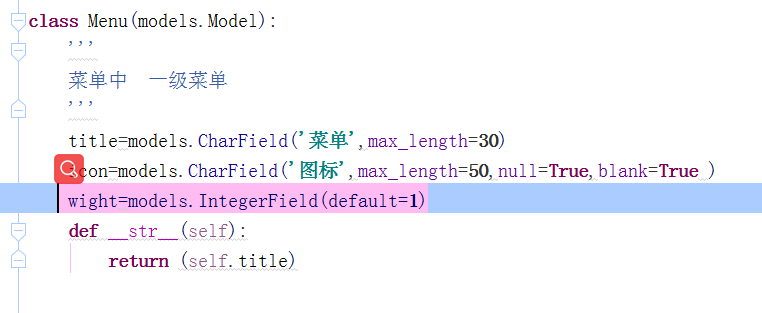
/rbac/templatetags/rbac.py
from django import template

from django.conf import settings

import re

from collections import  OrderedDict

register = template.Library()

@register.inclusion_tag('rbac/menu.html')

def menu(request):

    ordered_dict=OrderedDict()

    menu_dict = request.session[settings.MENU_SESSION_KEY]

    # print(menu_dict,'111')

    ret=sorted(menu_dict,key=lambda x:menu_dict[x]['wight'],reverse=True)

    #俺排好序的 进行写   然后按 有序字典 写

    for i in ret:

        ordered_dict[i]=menu_dict[i]

    return {'menu_list': ordered_dict.values()}#返回有序字典
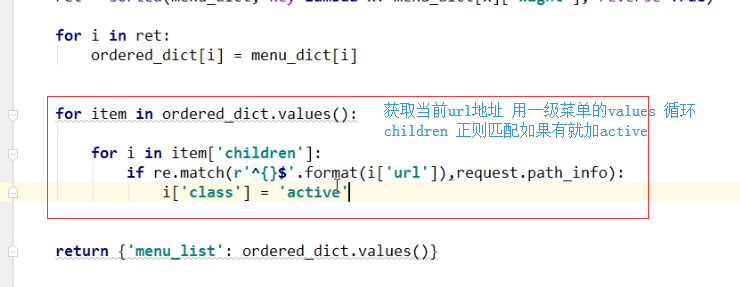
    for item in ordered_dict.values():

        for i in item['children']:

            if re.match(r'^{}$'.format(i['url']),request.path_info):

                i['class']='active'
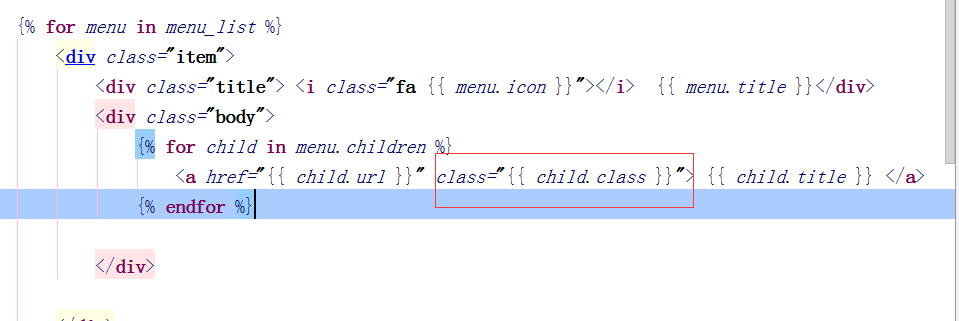
二级单选中展开
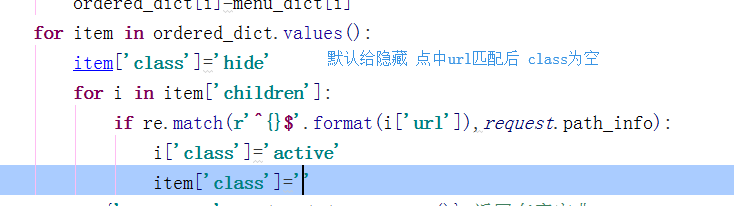
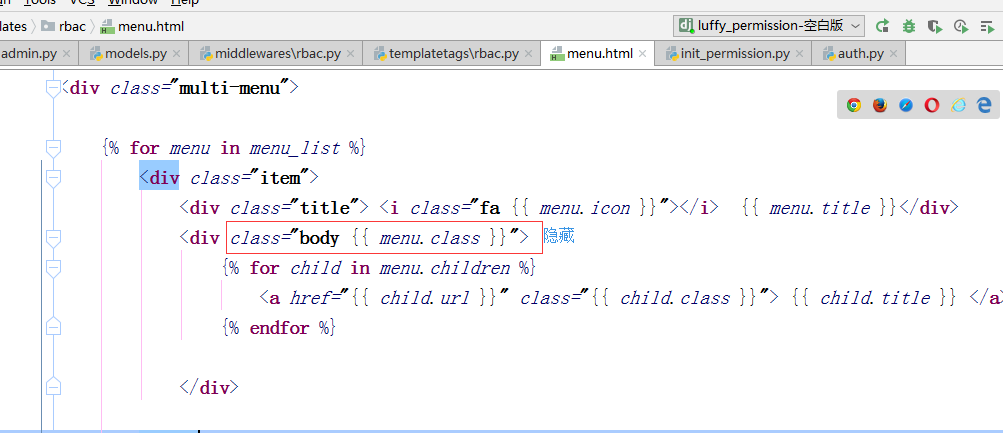
layout.html
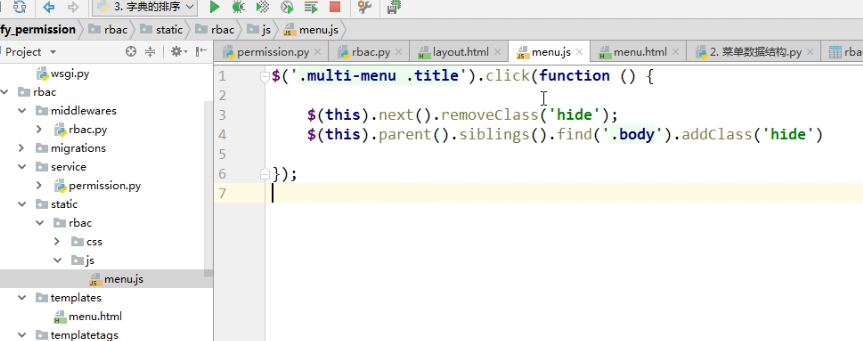
<script>

    $('.multi-menu .title').click(function () {

        $(this).next().removeClass('hide');

        $(this).parent().siblings().find('.body').addClass('hide')

    })

</script>
可以写入menu.js
###########


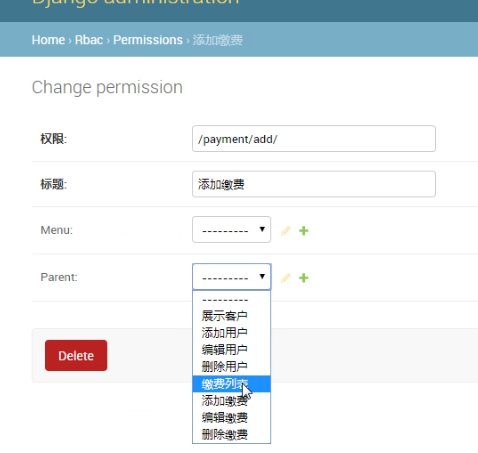
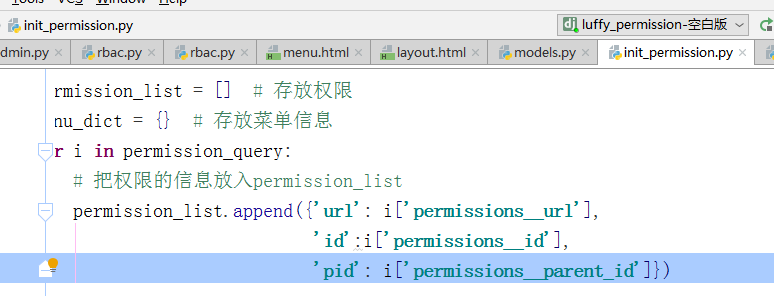
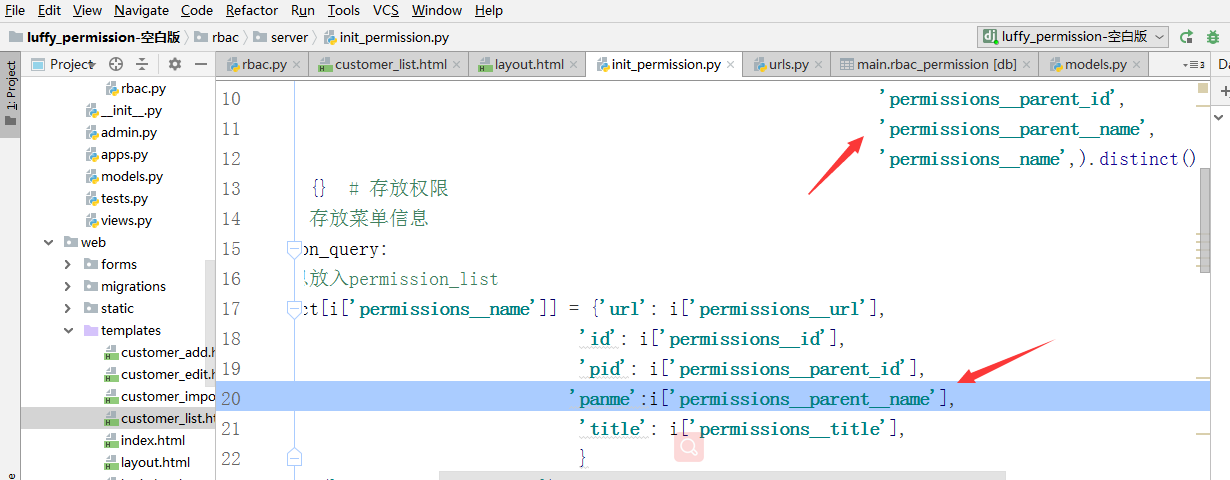
init_permission.py


存放ssion
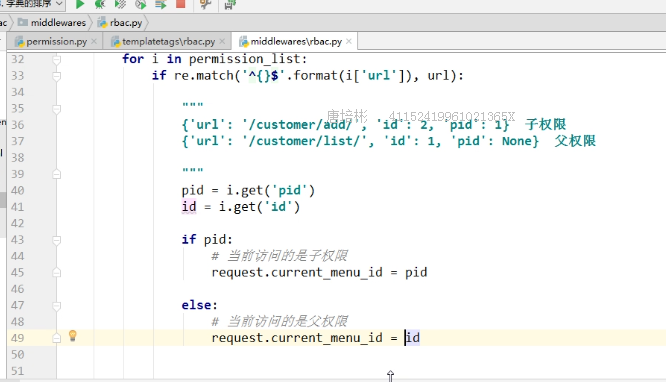
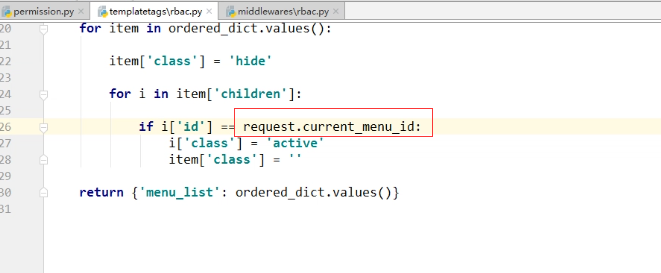
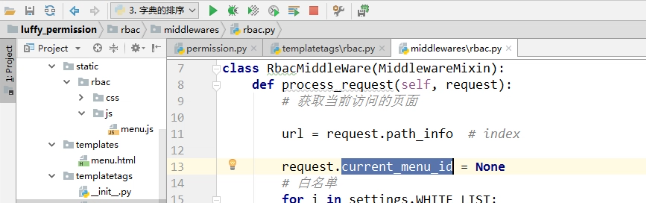
可以整合到一个for字典中
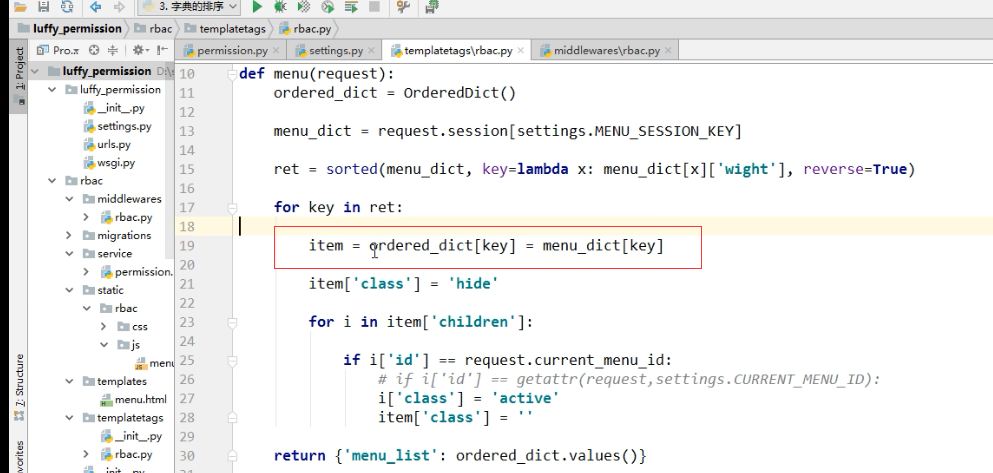
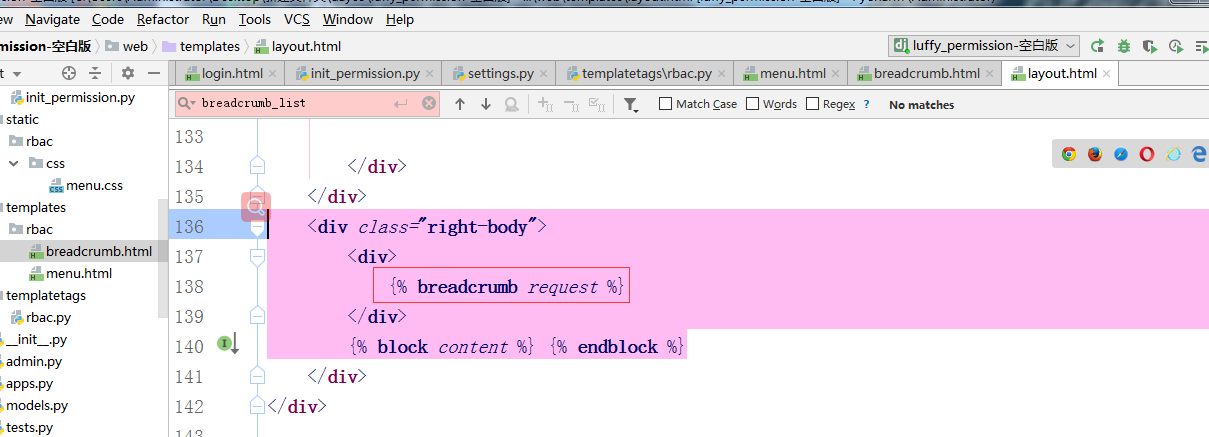
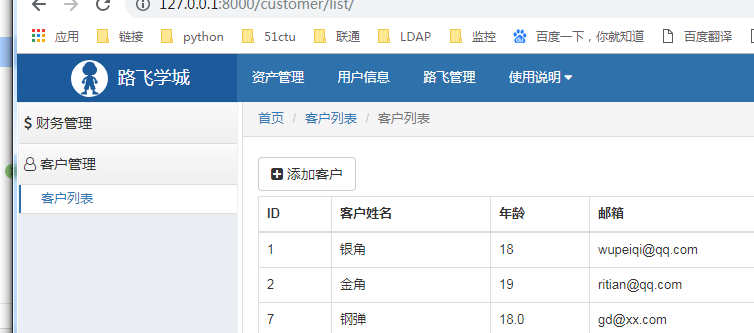
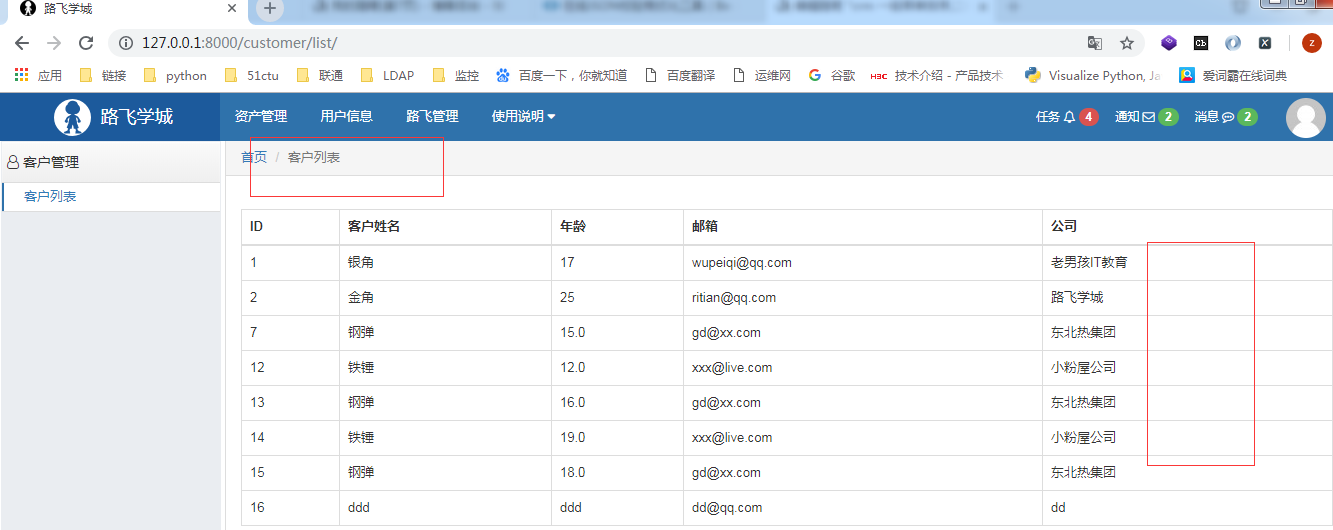
首页导航
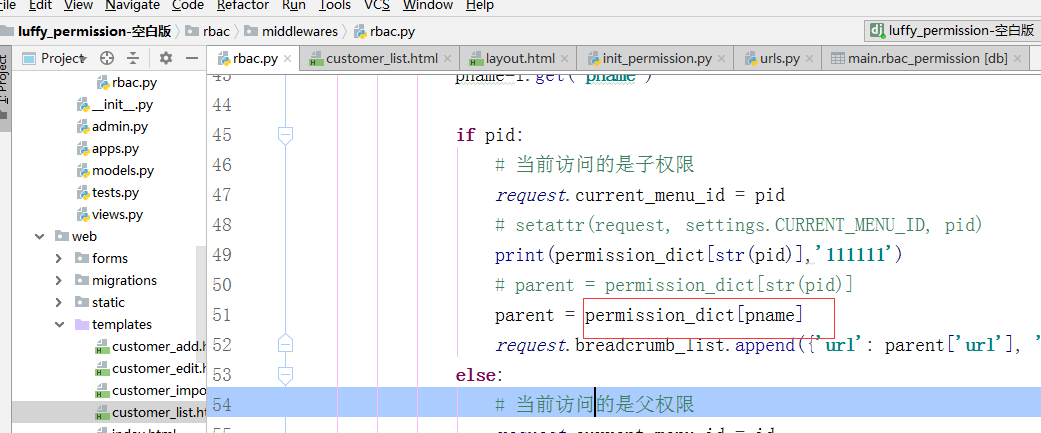
中间件中 写入
#路径导航列表

request.breadcumb_list=[{'title':'首页','url':'/index/'}]  这个只能针对首页

存入写title
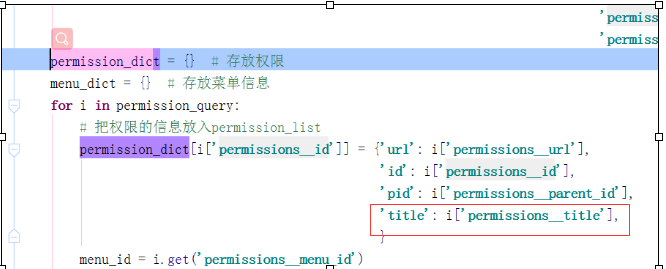
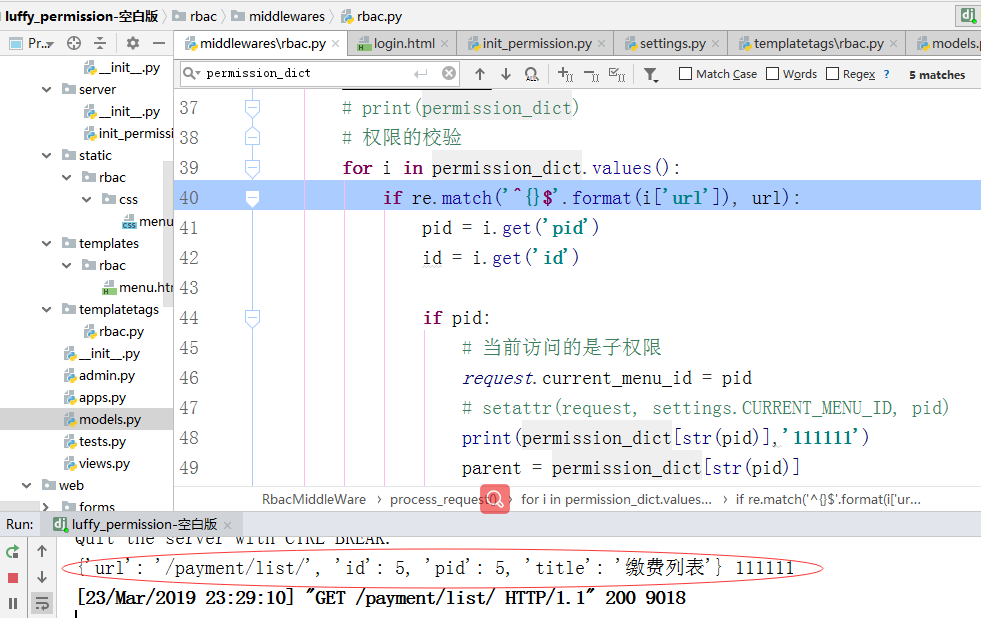
应用
rbac/templatetags/rbac.py
@register.inclusion_tag('rbac/breadcrumb.html')

def breadcrumb(request):

    return {'breadcrumb_list':request.breadcrumb_list}
breadcrumb.html
<ol class="breadcrumb no-radius no-margin" style="border-bottom: 1px solid #ddd;">

    {% for i in breadcrumb_list %}

        {% if forloop.last %}

            <li class="active">{{ i.title }}</li>

        {% else %}

            <li><a href="{{ i.url }}">{{ i.title }}</a></li>

        {% endif %}

    {% endfor %}

</ol>
权限控制到按钮级别
第一种写法
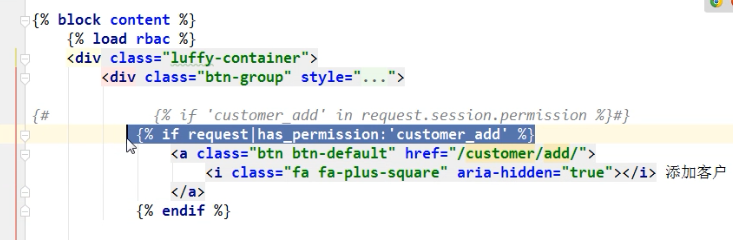
可以换成模版

在 web/templates/customer_list.html
{% extends 'layout.html' %}

{% block content %}

    {% load rbac %}

    <div class="luffy-container">

        <div class="btn-group" style="margin: 5px 0">

            {#            {% if 'customer_add' in request.session.permission %}#}

            {% if request|has_permission:'customer_add' %}

                <a class="btn btn-default" href="/customer/add/">

                    <i class="fa fa-plus-square" aria-hidden="true"></i> 添加客户

                </a>

            {% endif %}

        </div>

        <table class="table table-bordered table-hover">

            <thead>

            <tr>

                <th>ID</th>

                <th>客户姓名</th>

                <th>年龄</th>

                <th>邮箱</th>

                <th>公司</th>

                {% if request|has_permission:'customer_edit' or request|has_permission:'customer_del' %}

                    <th>选项</th>

                {% endif %}

            </tr>

            </thead>

            <tbody>

            {% for row in data_list %}

                <tr>

                    <td>{{ row.id }}</td>

                    <td>{{ row.name }}</td>

                    <td>{{ row.age }}</td>

                    <td>{{ row.email }}</td>

                    <td>{{ row.company }}</td>

                    {% if request|has_permission:'customer_edit' or request|has_permission:'customer_del' %}

                        <td>

                            {% if request|has_permission:'customer_edit' %}

                                <a style="color: #333333;" href="/customer/edit/{{ row.id }}/">

                                    <i class="fa fa-edit" aria-hidden="true"></i></a>

                            {% endif %}

                            {% if request|has_permission:'customer_del' %}

                                <a style="color: #d9534f;" href="/customer/del/{{ row.id }}/"><i

                                        class="fa fa-trash-o"></i></a>

                            {% endif %}

                        </td>

                    {% endif %}

                </tr>

            {% endfor %}

            </tbody>

        </table>

    </div>

{% endblock %}
crm 一级菜单排序,二级菜单选中并且展开,非菜单权限的归属,权限粒度控制到按钮级别的更多相关文章
- CRM【第一篇】: 权限组件之权限控制
1. 问:为什么程序需要权限控制? 答:生活中的权限限制,① 看灾难片电影<2012>中富人和权贵有权登上诺亚方舟,穷苦老百姓只有等着灾难的来临:② 屌丝们,有没有想过为什么那些长得漂亮身 ...
- Dwz下拉菜单的二级联动
在DWZ文档中对组合框combox的是这样描述的: 在传统的select 用class 定义:class=”combox”, html 扩展:保留原有属性name, 增加了属性:ref. ref 属 ...
- web标准(复习)--4 纵向导航菜单及二级弹出菜单
今天我们开始学习纵向导航菜单及二级弹出菜单,包含以下内容和知识点: 纵向列表 标签的默认样式 css派生选择器 css选择器的分组 纵向二级列表 相对定位和绝对定位 一.纵向列表纵向列表或称为纵向导航 ...
- Web标准:四、纵向导航菜单及二级弹出菜单
Web标准:四.纵向导航菜单及二级弹出菜单 知识点: 1.纵向列表 2.标签的默认样式 3.css派生选择器 4.css选择器的分组 5.纵向二级列表 6.相对定位和绝对定位 1)纵向列表 可以看 ...
- js屏蔽浏览器右键菜单,粘贴,复制,剪切,选中(转)
<!DOCTYPE html PUBLIC "-//W3C//DTD XHTML 1.0 Transitional//EN" "http://www.w3.org/ ...
- Django - 权限(5)- 非菜单权限对应的一级菜单展开、面包屑导航
一.非菜单权限对应的一级菜单展开 需求:客户列表和账单列表页面中都有添加按钮,当点击添加客户(或编辑客户.删除客户)时,客户列表所属的一级菜单展开,当点击添加账单(或编辑账单.删除账单)时,账单列表所 ...
- Web前端开发实战6:CSS实现导航菜单结合二级下拉式菜单的简单变换
前面几篇博文都在讲导航菜单和二级下拉式菜单,事实上有非常多方法都能够实现的.详细的情况还要视情况而定. 在后面学习到jQuery框架之后,会有更丰富的动画效果.因为在学习Ajax和jQuery的初步阶 ...
- vue项目简单菜单排序
功能:拖拉后,数据重组,然后返回数组给后台处理 代码如下: <template> <el-dialog title="菜单排序" :close-on-click- ...
- Android菜单详解(四)——使用上下文菜单ContextMenu
之前在<Android菜单详解(二)——创建并响应选项菜单>和<Android菜单详解(三)——SubMenu和IconMenu>中详细讲解了选项菜单,子菜单和图标菜单.今天接 ...
随机推荐
- EF6实现软删除
https://www.jianshu.com/p/c65fbfe16e1a
- csrf漏洞实战演练
定义: 修改密码操作:
- [FTP]通过FileZilla在阿里云主机上搭建ftp服务器
前一阵子租了一台服务器主机来玩,正好周末有时间研究了一下怎么搭建ftp server. 准备.首先要下载filezilla client和filezilla server, 下载地址: server: ...
- 吴军武志红万维刚薛兆丰何帆曾鸣李笑来罗永浩等得到APP专栏作者的书3
整理了一下最近两三年内看过的得到APP专栏与课程作者的得到精选文集和他们写过的书共本.新增吴军1本,武志红1本. 其中:武志红3本,熊太行1本,薛兆丰2本,吴军4本,何帆3本,曾鸣2本,万维刚1本,李 ...
- HashMap源码分析(一)
前言:相信不管在生产过程中还是面试过程中,HashMap出现的几率都非常的大,因此有必要对其源码进行分析,但要注意的是jdk1.8对HashMap进行了大量的优化,因此笔者会根据不同版本对HashMa ...
- VMware安装CentOS7.5
虚拟机配置: 选择安装方式: 第一行:安装CentOS 7: 第二行:测试这个媒体并安装CentOS 7: 第三行:故障排除: Tips:CentOS 7与CentOS 6网卡名称命名方式有所改变,如 ...
- Redis详解(五)------ redis的五大数据类型实现原理
前面两篇博客,第一篇介绍了五大数据类型的基本用法,第二篇介绍了Redis底层的六种数据结构.在Redis中,并没有直接使用这些数据结构来实现键值对数据库,而是基于这些数据结构创建了一个对象系统,这些对 ...
- 浅谈 Angular 项目实战
为什么使用 Angular 我不是 Angular 的布道者,但如今痴迷 Angular,使用 Angular 做项目让我有一种兴奋感.目前的三大主流前端框架都研究过,博客中也有三者的相关教程,最早接 ...
- linq中如何在join中指定多个条件
public ActionResult Edit(int id) { using (DataContext db = new DataContext(ConfigurationManager.Conn ...
- 菜鸟学IT之python词云初体验
作业来源:https://edu.cnblogs.com/campus/gzcc/GZCC-16SE1/homework/2822 1. 下载一长篇中文小说. 2. 从文件读取待分析文本. txt = ...