
【Unity】透明度渐变
写给美术大佬的脚本,还要继续改,github地址:TransEffect【github】
效果图如下:
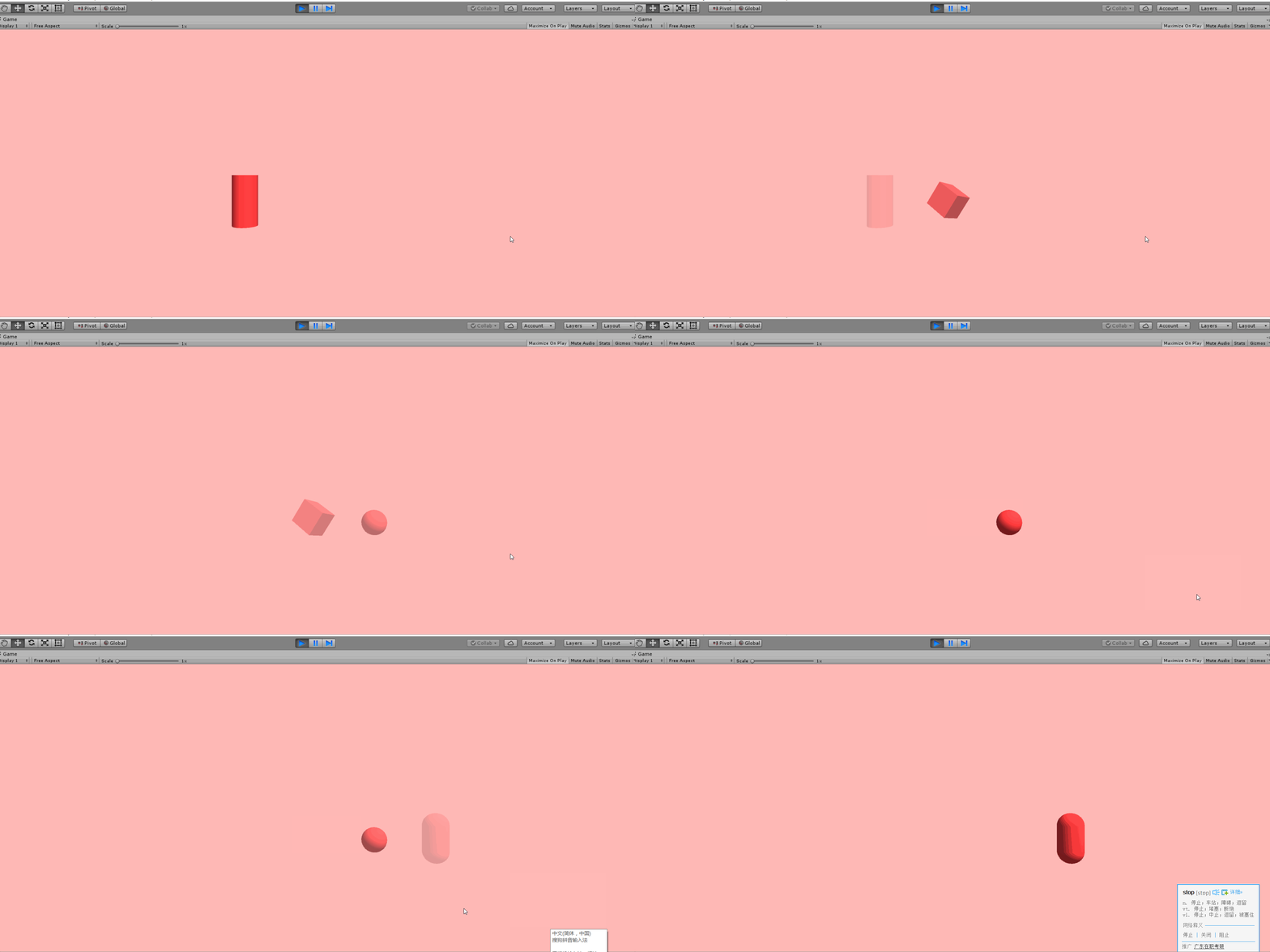
Ver.1源码,针对3d Object:
using System.Collections;

using System.Collections.Generic;

using UnityEngine;

public class TransEffect : MonoBehaviour

{

    public List<GoInfo> GoList;

    public float varifySpeed = 0.5f;

    public float aTime = 5f;//每个物体保持出现的时间

    public float dTime = 5f;

    private float minAlpha = 0.0f;

    private float maxAlpha = .9f;

    private float curAlpha = 1.0f;

    private float nextAlpha = 0.0f;

    private int i = ;

    public void OnEnable()

    {

        LoadGo();

    }

    // Use this for initialization

    void Start()

    {

        //初始化全List隐形

        foreach (GoInfo go in GoList)

        {

                Color c = go.rend.material.color;

                c.a = ;

                go.rend.material.color = c;

        }

    }

    // Update is called once per frame

    public void Update()

    {

        Trans();

    }

    void LoadGo()

    {

        GoList = new List<GoInfo>();

        GoList.Add(new GoInfo("Cylinder", , transform.Find("Cylinder").GetComponent<GameObject>(), transform.Find("Cylinder").GetComponent<MeshRenderer>()));

        GoList.Add(new GoInfo("Cube", , transform.Find("Cube").GetComponent<GameObject>(), transform.Find("Cube").GetComponent<MeshRenderer>()));

        GoList.Add(new GoInfo("Sphere", , transform.Find("Sphere").GetComponent<GameObject>(), transform.Find("Sphere").GetComponent<MeshRenderer>()));

        GoList.Add(new GoInfo("Capsule", , transform.Find("Capsule").GetComponent<GameObject>(), transform.Find("Capsule").GetComponent<MeshRenderer>()));

    }

private void Trans()

    {

        GoInfo go = GoList[i];

        GoInfo nextgo;

        Color c = go.rend.material.color;

        Color nextc = go.rend.material.color;

        if (i <= GoList.Count)

        {

            if (i == GoList.Count - )

            {

                nextgo = GoList[];

            }

            else

            {

                nextgo = GoList[i + ];

            }

            Debug.Log(nextAlpha);

            Debug.Log(curAlpha);

            if (Time.time < aTime)//当前物体保持显形

            {

                c.a = ;

                go.rend.material.color = c;

            }

            else if (Time.time >= aTime)

            {

                curAlpha += Time.deltaTime * varifySpeed * (-);//当前物体逐渐消失

                nextAlpha += Time.deltaTime * varifySpeed;//下一个物体逐渐现形

                if (curAlpha <= minAlpha)//当前物体渐变到不透明时

                {

                    c.a = ;//设置当前obj保持透明

                    go.rend.material.color = c;

                    i++;

                    //设置数据为下一物体做准备

                    curAlpha = ;

                    nextAlpha = ;

                }

                else//当前物体逐渐透明,下一物体逐渐现形

                {

                    curAlpha = Mathf.Clamp(curAlpha, minAlpha, maxAlpha);

                    nextAlpha = Mathf.Clamp(nextAlpha, minAlpha, maxAlpha);

                    c.a = curAlpha;

                    nextc.a = nextAlpha;

                    go.rend.material.color = c;

                    nextgo.rend.material.color = nextc;

                }

                if (curAlpha >= maxAlpha)//下一物体完全显形

                {

                    Debug.Log(nextAlpha);

                    Debug.Log(curAlpha);

                    aTime = Time.time + dTime; //设置新一轮时间限制

                    Debug.Log(aTime);

                }

            }

        }

        else

        {

            i = ;

        }

    }

}

[System.Serializable]

public class GoInfo

{

    public string ID;

    public int index;

    public MeshRenderer rend;

    public GameObject[] obj;

    public GameObject curObj;

    private Color co;

    public GoInfo(string id0, int index0, GameObject obj0, MeshRenderer rend0)

    {

        ID = id0;

        index = index0;

        curObj = obj0;

        rend = rend0;

    }

}
创建物体:

写完才发现是要用在UI Image上的...不过其实差别也不大,还略简单点。
Ver.2源码,针对UI Image:
using System.Collections;

using System.Collections.Generic;

using UnityEngine;

using UnityEngine.UI;

public class TransEffect : MonoBehaviour

{

    public Transform lib;

    public List<GoInfo> GoList;

    public float varifySpeed = 0.5f;

    public float aTime = 5f;//每个物体保持出现的时间

    public float dTime = 5f;//第一张图片第一轮循环时出现时间

    private float minAlpha = 0.0f;

    private float maxAlpha = .9f;

    private float curAlpha = 1.0f;

    private float nextAlpha = 0.0f;

    private int i = ;

    public void OnEnable()

    {

        LoadGo();

    }

    // Use this for initialization

    void Start()

    {

        //初始化全List隐形

        foreach (GoInfo go in GoList)

        {

                Color c = go.curImg.color;

                c.a = ;

                go.curImg.color = c;

        }

    }

    // Update is called once per frame

    public void Update()

    {

        Trans();

    }

    void LoadGo()

    {

        //添加图片列表

        GoList = new List<GoInfo>();

        for (int i = ; i < lib.childCount; i++) {

            GoList.Add(new GoInfo(lib.GetChild(i).name.ToString(),lib.transform.GetChild(i).GetComponent<Image>()));

        }

        Debug.Log(GoList.Count);

    }

private void Trans()

    {

        Debug.Log(i);

        GoInfo go;

        GoInfo nextgo;

        if (i >= GoList.Count - )

        {

            go = GoList[i];

            nextgo = GoList[];

        }

        else

        {

            go = GoList[i];

            nextgo = GoList[i + ];

        }

        Color c = go.curImg.color;

        Color nextc = go.curImg.color;

        if (Time.time < aTime)//当前物体保持显形

        {

            c.a = ;

            go.curImg.color = c;

        }

        else if (Time.time >= aTime)

        {

            curAlpha += Time.deltaTime * varifySpeed * (-);//当前物体逐渐消失

            nextAlpha += Time.deltaTime * varifySpeed;//下一个物体逐渐现形

            if (curAlpha <= minAlpha)//当前物体渐变到不透明时

            {

                c.a = ;//设置当前obj保持透明

                go.curImg.color = c;

                if (i == GoList.Count - )

                    i = -;

                i++;

                //设置数据为下一物体做准备

                curAlpha = ;

                nextAlpha = ;

            }

            else//当前物体逐渐透明,下一物体逐渐现形

            {

                curAlpha = Mathf.Clamp(curAlpha, minAlpha, maxAlpha);

                nextAlpha = Mathf.Clamp(nextAlpha, minAlpha, maxAlpha);

                c.a = curAlpha;

                nextc.a = nextAlpha;

                go.curImg.color = c;

                nextgo.curImg.color = nextc;

            }

            if (curAlpha >= maxAlpha)//下一物体完全显形

            {

                aTime = Time.time + dTime; //设置新一轮时间限制

            }

        }

    }

}

[System.Serializable]

public class GoInfo

{

    public string ID;

    public Image[] imgList;

    public Image curImg;

    private Color co;

    public GoInfo(string id0,Image img)

    {

        ID = id0;

        curImg = img;

    }

}
直接把存放图片子物体的父物体拖到Lib变量中,再调整所需渐变速度和显示时间即可。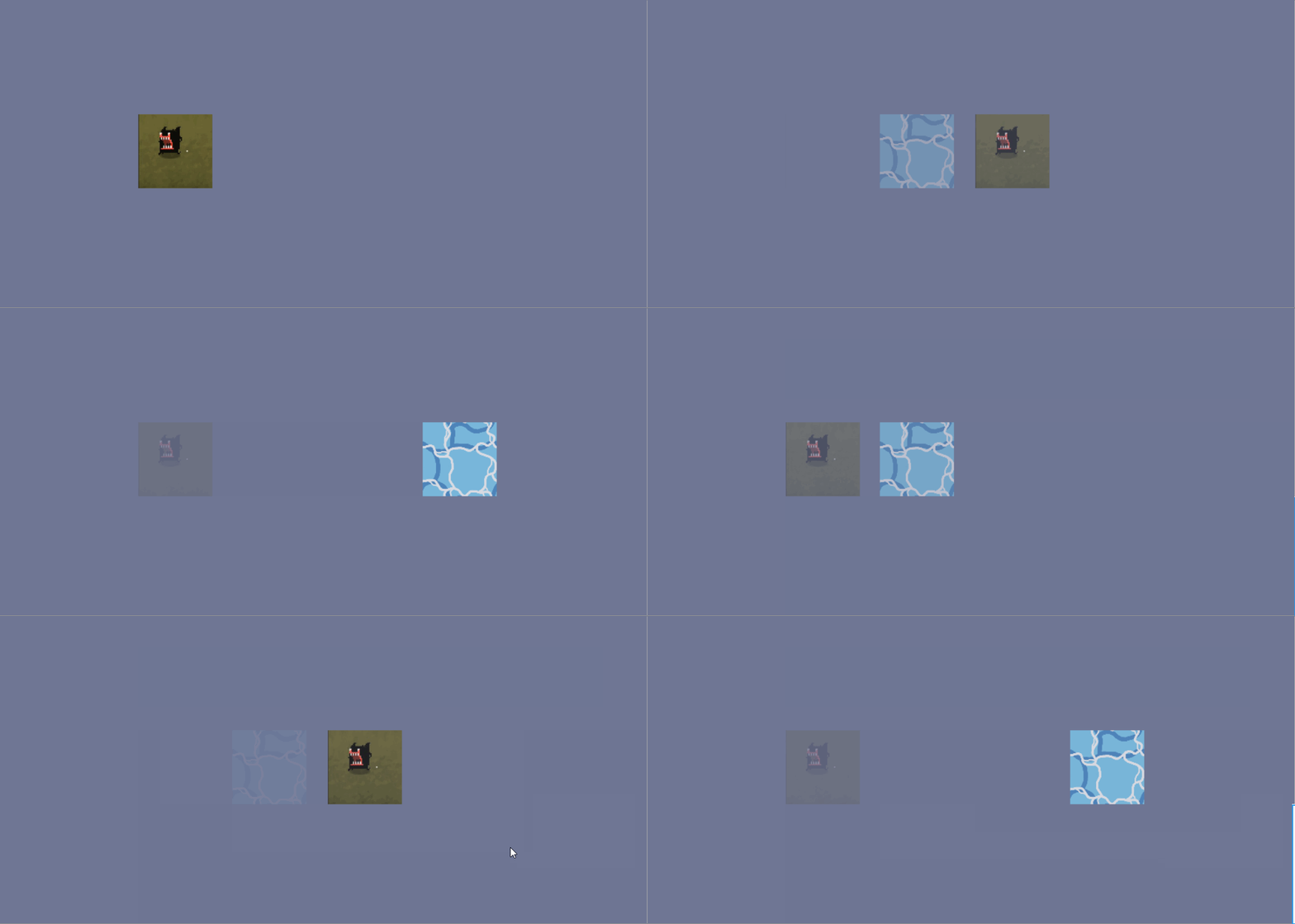
设置如下:

【over】
【Unity】透明度渐变的更多相关文章
- android 背景透明度渐变动画
button.setVisibility(View.VISIBLE); // 背景透明度渐变动画 ObjectAnimator alpha = ObjectAnimator.ofFloat(butto ...
- Android 旋转、平移、缩放和透明度渐变的补间动画
补间动画就是通过对场景里的对象不断进行图像变化来产生动画效果.在实现补间动画时,只需要定义开始和结束的“关键帧”,其他过渡帧由系统自动计算并补齐.在Android中,提供了以下4种补间动画. **1. ...
- view渐变色,透明度渐变
1 功能描述 开发中经常遇到这样的需求:view2显示在view1上面,透过view2可以渐渐的看到view1.效果如图1所示:view1是一个imageView,view2是一个普通view.vie ...
- Duilib 实现右下角弹出像QQ新闻窗口,3秒后窗口透明度渐变最后关闭,若在渐变过程中鼠标放到窗口上,窗口恢复最初状态(二)
效果: 1.定义两个个定时器ID #define ID_TIMER_DISPLAY_DELAY 30 #define ID_TIMER_DISPLAY_CLOSE 40 2.添加一个成员函数和成员变量 ...
- iOS中为控件设置颜色渐变和透明度渐变
项目中用到地图设置渐变色,查找资料找到两种方法:一种设置颜色,一种设置透明度: //为颜色设置渐变效果: UIView *view = [[UIView alloc] initWithFrame:CG ...
- css3颜色+透明度渐变
.linear { width: 630px; height: 120px; line-height: 150px; text-align: center; font-size: 26px; posi ...
- Android之绚丽的图片游览效果--有点像W7效果,透明的倒影,层叠的图片,渐变的颜色透明度
这里转载一个牛人的博客:http://www.cnblogs.com/tankaixiong/archive/2011/02/24/1964340.html 下面,是我参照他的博客实现的一个效果图.这 ...
- JS实现简单的图片透明度循环变化(渐变)
找了好多,都是由100到0就结束了,到头来自己魔改,以下就是源码. div中加入img,js添加函数,完事(调用),取名后面加个1是为了避免冲突 <!DOCTYPE HTML> <h ...
- Unity Shader 知识点总结(二)
紧接着上一篇文章的shader入门知识的总结,本文主要总结shader中的纹理贴图.透明度混合.顶点动画.后期特效处理等操作.如果有什么地方有错,请指出更正,谢谢.本文的代码主要来自开源书:unity ...
随机推荐
- http面试准备
从http的角度深入分析一次web请求: 1.在浏览器输入一个url地址如www.baidu.com 2.请求DNS把这个域名解析成对应的IP地址(DNS域名解析过程看上篇博客) 3.根据这个IP地址 ...
- 基本MVVM 和 ICommand用法举例(转)
引言 在本贴中,我们将学习WPF Commands. Commands 可以很好地与 MVVM 模式 (Model- View-ViewModel)结合在一起.我们也将看到,视图(view)实际上是怎 ...
- Map根据value值进行倒序排列
public List<Map.Entry<Integer,BigDecimal>> sortByMapValue(HashMap<Integer, BigDecimal ...
- 好程序员web前端分享如何理解JS的单线程
好程序员web前端分享如何理解JS单线程,JS本质是单线程的.也就是说,它并不能像JAVA语言那样,两个线程并发执行. 但我们平时看到的JS,分明是可以同时运作很多任务的,这又是怎么回事呢? 首先,J ...
- 关于使用tradingview插件的一些心得
1.禁用自带的一些功能 disabled_features: [ // 开启图表功能的字符串文字 允许将用户设置保存到本地存储 'header_symbol_search', // 头部搜索 &quo ...
- 使用 JS 输出螺旋矩阵
关于螺旋矩阵 这是我曾经遇到过的面试题,在 LeetCode 上找到了题目的原型,难度中等.题目描述如下: 给定一个包含 m x n 个元素的矩阵(m 行, n 列),请按照顺时针螺旋顺序,返回矩阵中 ...
- openstack第六章:dashboard
第六篇horizon— Web管理界面 一.horizon 介绍: 理解 horizon Horizon 为 Openstack 提供一个 WEB 前端的管理界面 (UI 服务 )通过 ...
- scala的多种集合的使用(7)之集Set的操作方法
1.给集添加元素 1)用+=.++=和add给可变集添加元素. scala> var set = scala.collection.mutable.Set[Int]() set: scala.c ...
- C#技巧记录——持续更新
作为一名非主修C#的程序员,在此记录下学习与工作中C#的有用内容,持续更新 对类型进行约束,class指定了类型必须是引用类型,new()指定了类型必须具有一个无参的构造函数 where T : cl ...
- Promise async-await 异步解决方案
1.简介: async和await在干什么,async用于申明一个function是异步的,而await可以认为是async wait的简写,等待一个异步方法执行完成. 2.基本语法 在C ...