
操作系统实验 windows编程多线程 生产者消费者问题 画圆画方(内置bug版)
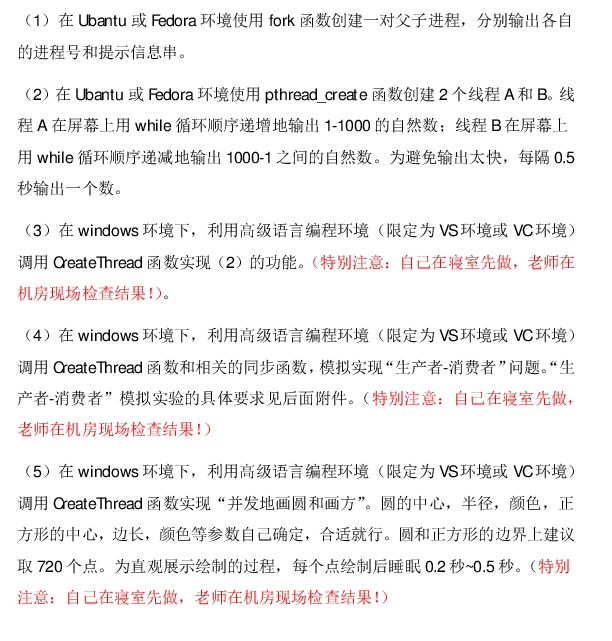
实验3:随便写的
 #include <windows.h>

 #include <string>

 #include <stdio.h>

 #pragma warning(disable:4996)

 CRITICAL_SECTION cs;

 int cnt;

 DWORD WINAPI Thread( LPVOID lpParam )

 {

     int n = (int)lpParam;

     if ( n ==  )

         for ( int i = ; i <= ; i++ )

         {

             EnterCriticalSection(&cs);

             printf( "第%d个线程输出%d\n", n, i );

             LeaveCriticalSection(&cs);

             Sleep();

         }

     if ( n ==  )

         for ( int i = ; i >= ; i-- )

         {

             EnterCriticalSection(&cs);

             printf( "第%d个线程输出%d\n", n, i );

             LeaveCriticalSection(&cs);

             Sleep();

         }

     return ;

 }

 int main()

 {

     cnt = ;

     DWORD ThreadID;

     HANDLE hThread[];

     InitializeCriticalSection(&cs);

     for ( int i = ; i < ; i++ )

     {

         hThread[i] = CreateThread( NULL, , Thread, (LPVOID)(i+), , &ThreadID );

         printf( "Thread %d has been created\n", i );

     }

     WaitForMultipleObjects( , hThread, TRUE, INFINITE );

     DeleteCriticalSection(&cs);

     return ;

 }
实验4:https://blog.csdn.net/morewindows/article/details/7577591
修改了部分代码并添加了注释
 #include <stdio.h>

 #include <process.h>

 #include <windows.h>

 const int THREADNUM = ;

 const int END_PRODUCE_NUMBER = ;    //要生产的产品个数

 const int BUFFER_SIZE = ;          //缓冲区个数

 int g_Buffer[BUFFER_SIZE];          //缓冲池

 int g_i, g_j;                        //信号量与关键段

 CRITICAL_SECTION g_cs;

 HANDLE g_hSemaphoreBufferEmpty, g_hSemaphoreBufferFull;

 int data=;

 //生产者线程函数

 unsigned int __stdcall ProducerThreadFun(PVOID pM)

 {

     while( data < END_PRODUCE_NUMBER )

     {

         //等待有空的缓冲区出现

         WaitForSingleObject( g_hSemaphoreBufferEmpty, INFINITE );

         //互斥的访问缓冲区

         EnterCriticalSection(&g_cs);

         //如果投放了足够多的数据,就直接离开临界区

         if( data == END_PRODUCE_NUMBER )

         {

             LeaveCriticalSection(&g_cs);

             break;

         }

         //否则投放数据

         data++;

         g_Buffer[g_i] = data;

         printf("%d号生产者在缓冲池中第%d个缓冲区中投放数据%d\n\n", GetCurrentThreadId(), g_i, g_Buffer[g_i]);

         //循环投放数据

         g_i = ( g_i +  ) % BUFFER_SIZE;

         LeaveCriticalSection(&g_cs);

         Sleep();

         //将Full信号量+1,表示生产了一个数据可以取了

         ReleaseSemaphore(g_hSemaphoreBufferFull, , NULL);

     }

     printf("生产者完成任务,线程结束运行\n\n");

     return ;

 }

 //消费者线程函数

 unsigned int __stdcall ConsumerThreadFun(PVOID pM)

 {

     while (true)

     {

         //等待非空的缓冲区出现

         WaitForSingleObject( g_hSemaphoreBufferFull, INFINITE );

         //互斥的访问缓冲区

         EnterCriticalSection(&g_cs);

         printf("%d号消费者从缓冲池第%d个缓冲区取出数据%d\n\n",GetCurrentThreadId(), g_j, g_Buffer[g_j]);

         if ( g_Buffer[g_j] == END_PRODUCE_NUMBER )

         {

             LeaveCriticalSection(&g_cs);

             break;

         }

         g_j = ( g_j +  ) % BUFFER_SIZE;

         LeaveCriticalSection(&g_cs);

         Sleep();

         //释放一个数据使empty信号量+1,表示多了一个空位可以生产了

         ReleaseSemaphore(g_hSemaphoreBufferEmpty, , NULL);

     }

     printf("%d号消费者收到通知,线程结束运行\n\n", GetCurrentThreadId());

     return ;

 }

 int main()

 {

     printf("    生产者消费者问题   3生产者 1消费者 4缓冲区\n\n");

     //初始化临界区

     InitializeCriticalSection(&g_cs);

     //初始化信号量,一个记录有产品的缓冲区个数,另一个记录空缓冲区个数.

     g_hSemaphoreBufferEmpty = CreateSemaphore(NULL, , , NULL);    //开始信号量为4个,代表可以生产4个数据

     g_hSemaphoreBufferFull  = CreateSemaphore(NULL, , , NULL);    //开始信号量为0个,代表可以取走0个数据

     g_i = ;

     g_j = ;

     memset( g_Buffer, , sizeof(g_Buffer) );

     HANDLE hThread[THREADNUM];

     //生产者线程 3个

     hThread[] = (HANDLE)_beginthreadex(NULL, , ProducerThreadFun, NULL, , NULL);

     hThread[] = (HANDLE)_beginthreadex(NULL, , ProducerThreadFun, NULL, , NULL);

     hThread[] = (HANDLE)_beginthreadex(NULL, , ProducerThreadFun, NULL, , NULL);

     //消费者线程 1个

     hThread[] = (HANDLE)_beginthreadex(NULL, , ConsumerThreadFun, NULL, , NULL);

     //等待线程全部结束后关闭信号量

     WaitForMultipleObjects(THREADNUM, hThread, TRUE, INFINITE);

     for (int i = ; i < THREADNUM; i++)

         CloseHandle(hThread[i]);

     //销毁信号量和关键段

     CloseHandle(g_hSemaphoreBufferEmpty);

     CloseHandle(g_hSemaphoreBufferFull);

     DeleteCriticalSection(&g_cs);

     return ;

 }
实验5:写的崩溃,内置一神秘bug,绘制点数如果太多比如超过500绘制一段时间就会未响应,而且绘制期间鼠标变成小圆圈
猜测是消息循环的问题,因为这是综合了多家代码并进行大量经验主义的修修补补才写成的(实际上完全不懂自己写的是什么)求大神解答为什么会有这种bug
 #include <windows.h>

 #include <math.h>

 #define PI 3.14159265

 #define POINTNUM 400

 CRITICAL_SECTION cs;

 static TCHAR szAppName[] = TEXT("画圆画方bug版");

 static LRESULT CALLBACK WndProc (HWND, UINT, WPARAM, LPARAM);

 int WINAPI WinMain(HINSTANCE hInstance, HINSTANCE hPrevInstance, PSTR szCmdLine, int iCmdShow)

 {

     HWND     hWnd;

     MSG      msg;

     WNDCLASS wndclass;

     wndclass.style         = CS_HREDRAW | CS_VREDRAW;

     wndclass.lpfnWndProc   = WndProc;

     wndclass.cbClsExtra    = ;

     wndclass.cbWndExtra    = ;

     wndclass.hInstance     = hInstance;

     wndclass.hIcon         = LoadIcon(NULL, IDI_APPLICATION);

     wndclass.hCursor       = LoadCursor(NULL, IDC_ARROW);

     wndclass.hbrBackground = (HBRUSH) GetStockObject(WHITE_BRUSH);

     wndclass.lpszMenuName  = NULL;

     wndclass.lpszClassName = szAppName;

     if (!RegisterClass(&wndclass))

     {

         MessageBox (NULL, TEXT("This program requires Windows NT!"), szAppName, MB_ICONERROR);

         return ;

     }

     hWnd = CreateWindow(szAppName,            // window class name

         szAppName,           // window caption

         WS_OVERLAPPEDWINDOW, // window style

         CW_USEDEFAULT,       // initial x position

         CW_USEDEFAULT,       // initial y position

         ,                 // initial x size

         ,                 // initial y size

         NULL,                // parent window handle

         NULL,                // window menu handle

         hInstance,           // program instance handle

         NULL);               // creation parameters

     ShowWindow(hWnd, iCmdShow);

     UpdateWindow(hWnd);

     while (GetMessage(&msg, NULL, , ))

     {

         TranslateMessage(&msg);

         DispatchMessage(&msg);

     }

     return msg.wParam;

 }

 DWORD WINAPI DrawCircle( LPVOID lpParama )

 {

     HDC hDC = HDC(lpParama);

     int x = , y = , r = ;

     COLORREF color = RGB(,,);

     int xr, yr;

     for (int i=; i <= POINTNUM; i++)

     {

         EnterCriticalSection(&cs);

         double rec = ((double)i/POINTNUM*)*PI/;

         xr = r*cos(rec);

         yr = r*sin(rec);

         SetPixel( hDC, x+xr, y+yr, color );

         LeaveCriticalSection(&cs);

         Sleep();

     }

     return ;

 }

 DWORD WINAPI DrawRect( LPVOID lpParama )

 {

     HDC hDC = HDC(lpParama);

     int halfl = , halfh =;

     int x = , y = ;

     COLORREF color = RGB(,,);

     int average = POINTNUM/;

     int xr, yr;

     int adx, ady;

     xr = x - halfl; yr = y - halfh;

     ady = ;

     for ( int i = ; i <= average; i++ )

     {

         EnterCriticalSection(&cs);

         adx = (*halfl)*i/average;

         SetPixel( hDC, x+xr+adx, y+yr+ady, color );

         LeaveCriticalSection(&cs);

         Sleep();

     }

     Sleep();

     xr = x + halfl; yr = y - halfh;

     adx = ;

     for ( int i = ; i <= average; i++ )

     {

         EnterCriticalSection(&cs);

         ady = (*halfh)*i/average;

         SetPixel( hDC, x+xr+adx, y+yr+ady, color );

         LeaveCriticalSection(&cs);

         Sleep();

     }

     Sleep();

     xr = x + halfl; yr = y + halfh;

     ady = ;

     for ( int i = ; i <= average; i++ )

     {

         EnterCriticalSection(&cs);

         adx = -(*halfl)*i/average;

         SetPixel( hDC, x+xr+adx, y+yr+ady, color );

         LeaveCriticalSection(&cs);

         Sleep();

     }

     Sleep();

     xr = x -halfl; yr = y + halfh;

     adx = ;

     for ( int i = ; i <= average; i++ )

     {

         EnterCriticalSection(&cs);

         ady = -(*halfh)*i/average;

         SetPixel( hDC, x+xr+adx, y+yr+ady, color );

         LeaveCriticalSection(&cs);

         Sleep();

     }

     return ;

 }

 static LRESULT CALLBACK WndProc(HWND hWnd, UINT message, WPARAM wParam, LPARAM lParam)

 {

     HDC         hDC;

     PAINTSTRUCT ps;

     switch (message)

     {

     case WM_CREATE:

         return ;

     case WM_PAINT:

     {

         hDC = BeginPaint(hWnd, &ps);

         DWORD ThreadID;

         HANDLE hThread[];

         InitializeCriticalSection(&cs);

         hThread[] = CreateThread( NULL, , DrawCircle, (LPVOID)(hDC), , &ThreadID );

         hThread[] = CreateThread( NULL, , DrawRect, (LPVOID)(hDC), , &ThreadID );

         WaitForMultipleObjects( , hThread, TRUE, INFINITE );

         DeleteCriticalSection(&cs);

         TextOut(hDC, , , TEXT("绘制完毕!"), );

     }

     EndPaint(hWnd, &ps);

     return ;

     case WM_DESTROY:

         PostQuitMessage();

         return  ;

     }

     return DefWindowProc (hWnd, message, wParam, lParam);

 }
操作系统实验 windows编程多线程 生产者消费者问题 画圆画方(内置bug版)的更多相关文章
- 操作系统实验——PV操作实现生产者消费者模型
操作系统PV操作之--生产者消费者模型 个人博客主页 参考资料: Java实现PV操作 | 生产者与消费者 浙大公开课 在操作系统的多进程.多线程操作中经常会有因为同步.互斥等等问题引发出的一系列问题 ...
- 操作系统,windows编程,网络,socket
首发:个人博客,更新&纠错&回复 之前关于c/s的一篇博文只记了思路没记代码,而且表达不清晰,事后看不知所云,这个习惯要改. 这十几天学了点关于操作系统.windows编程和网络,主要 ...
- java+反射+多线程+生产者消费者模式+读取xml(SAX)入数据库mysql-【费元星Q9715234】
java+反射+多线程+生产者消费者模式+读取xml(SAX)入数据库mysql-[费元星Q9715234] 说明如下,不懂的问题直接我[费元星Q9715234] 1.反射的意义在于不将xml tag ...
- Linux线程编程之生产者消费者问题
前言 本文基于顺序循环队列,给出Linux生产者/消费者问题的多线程示例,并讨论编程时需要注意的事项.文中涉及的代码运行环境如下: 本文假定读者已具备线程同步的基础知识. 一 顺序表循环队列 1.1 ...
- Linux线程编程之生产者消费者问题【转】
转自:http://www.cnblogs.com/clover-toeic/p/4029269.html 前言 本文基于顺序循环队列,给出Linux生产者/消费者问题的多线程示例,并讨论编程时需要注 ...
- [多线程] 生产者消费者模型的BOOST实现
说明 如果 使用过程中有BUG 一定要告诉我:在下面留言或者给我邮件(sawpara at 126 dot com) 使用boost::thread库来实现生产者消费者模型中的缓冲区! 仓库内最多可以 ...
- Python多线程-生产者消费者模型
用多线程和队列来实现生产者消费者模型 # -*- coding:utf-8 -*- __author__ = "MuT6 Sch01aR" import threading imp ...
- Java实现多线程生产者消费者模式的两种方法
生产者消费者模式:生产者和消费者在同一时间段内共用同一存储空间,生产者向空间里生产数据,而消费者取走数据.生产者生产一个,消费者消费一个,不断循环. 第一种实现方法,用BlockingQueue阻塞队 ...
- 多线程-生产者消费者(synchronized同步)
正解博客:https://blog.csdn.net/u011863767/article/details/59731447 永远在循环(loop)里调用 wait 和 notify,不是在 If 语 ...
随机推荐
- 【CF900D】Unusual Sequences
题目 智力下降严重 显然要反演了呀 首先必须满足\(x|y\),否则答案是\(0\) 我们枚举这个数列的\(gcd\)是\(d\)或者\(d\)的倍数 于是答案就是 \[\sum_{x|d}[d|y] ...
- P1020 导弹拦截 /// DP Dilworth定理 LIS、LDS优化
题目大意: https://www.luogu.org/problemnew/show/P1020 Dliworth有两个互相对偶的定理:U的链划分使用的最少集合数,等于它的最大反链长度.(1)U的反 ...
- 使用CEfSharp之旅(6)拦截网络请求 截取response返回
原文:使用CEfSharp之旅(6)拦截网络请求 截取response返回 版权声明:本文为博主原创文章,未经博主允许不得转载.可点击关注博主 ,不明白的进群191065815 我的群里问 https ...
- 【默默努力】vue-pc-app
最近在github上面看到了一个团队的项目,真的非常赞.他们进行vue-cli的二次开发,将项目用自己的方式打包. 今天的这个开源项目地址为:https://github.com/tffe-team/ ...
- Android开发 MediaRecorder使用Camera2配合录制视频(暂时有异常抛出,无法使用)
前言 这个博客本来是用来详细介绍MediaRecorder与Camera2,但是出乎预料之外,在获取mMediaRecorder.getSurface();的时候无论如何都是报错的,报错为Surfac ...
- 图论最短路径算法——SPFA
为了不要让太多人被害,我还是说一下这种算法,它实际上很简单,但被人讲着讲着绕晕了. 主要思想 有人说,SPFA是Bellman-Ford的队列优化.这个算法我也懂了,但是还没试过.我不管是什么算法的优 ...
- 一个事件一定时间内只允许点击执行一次 与 vue阻止滚动穿透
可能我的方法很笨,简单实现来的就是给两个状态,一个状态点击时就发生改变,另外一个给一个定时器延迟改变 篮圈部分,给了两种状态,一个isDisable,一个comeTime 点击事件以后comeTime ...
- Office宏的基本利用
前言 Office宏,译自英文单词Macro.宏是Office自带的一种高级脚本特性,通过VBA代码,可以在Office中去完成某项特定的任务,而不必再重复相同的动作,目的是让用户文档中的一些任务自动 ...
- 深入浅出 Java Concurrency (24): 并发容器 part 9 双向队列集合 Deque[转]
有一段时间没有更新了.接着上节继续吧. Queue除了前面介绍的实现外,还有一种双向的Queue实现Deque.这种队列允许在队列头和尾部进行入队出队操作,因此在功能上比Queue显然要更复杂.下图描 ...
- codeforces 1195D2-Submarine in the Rybinsk Sea
传送门:QAQQAQ 题意:自己看 思路:就是一个类似于数位DP的东西... 统计a[i]数位分解的数在每一位出现的个数,即分两种讨论: 1.位数小于当前j,则j会出现在q+i,而且计算顺序互换会计算 ...