
Gitlab库已损坏前端显示500错误解决方法
1.问题起因
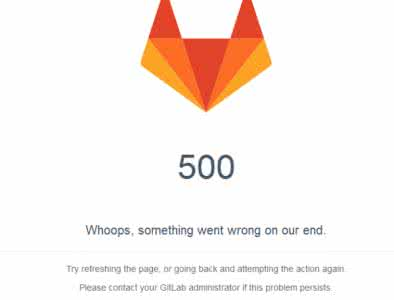
办公网机房意外断掉,导致gitlab库文件损坏。开发打开gitlab显示500
2.查看日志
命令查看:gitlab-ctl tail
或者手动查看:/var/log/gitlab/gitlab-rails/production.log日志文件
gitlab Rugged::OdbError (Failed to inflate loose object.)
提示库文件损坏

3.处理方法
参考链接:
执行以下步骤后,库恢复正常
. # cd gitlab/repositories/<namespace>/<reponame>.git

. # git fsck

If any error like below

error: object file objects//fbf0dfb1a54283e84044b5e99230efbafd77d8 is empty

error: object file objects//fbf0dfb1a54283e84044b5e99230efbafd77d8 is empty

fatal: loose object 11fbf0dfb1a54283e84044b5e99230efbafd77d8 (stored in objects//fbf0dfb1a54283e84044b5e99230efbafd77d8) is corrupt

.  # find . –size  –delete

This will delete all files which has  byte size and corrupt

.  # git fsck

Checking object directories: % (/), done.

Checking objects: % (/), done.

error: HEAD: not a commit

error: refs/heads/master: not a commit

dangling commit de516dd3d99d13147b6e2f946fe5b8c0660e4eed

.   Try to push code from local without add and commit

# git push origin <branch>

If got below error

remote: error: Could not read 5329f756010fad47026f112dc7126bdaa2f9ad7f

remote: fatal: Failed to traverse parents of commit  8eecd866caa916a3b2e8550153f0bb5a54a28919

remote: aborting due to possible repository corruption on the remote side.

fatal: protocol error: bad pack header

.  Go to cd gitlab/repositories/<namespace>/<reponame>.git

# rm –fr ref/head/<branchname>

# git fsck

notice: HEAD points to an unborn branch (master)

Checking object directories: % (/), done.

notice: No default references

dangling commit eb84ebc9010ea3d3d5646b4eab1bacd358178fbd

.  Try to push code from local without add and commit

# git push origin <branch>

Done your code updated successfully !!!
Gitlab库已损坏前端显示500错误解决方法的更多相关文章
- 【Linux】Gitlab库已损坏前端显示500错误解决方法
背景: 在进行gitlab数据迁移之后,所有页面正常访问,唯独在访问项目repo地址时,报500错误 1 查看日志: 命令查看: gitlab-ctl tail 或者手动查看:/var/log/git ...
- WORDPRESS 后台500错误解决方法集合
引自: http://www.guuglc.com/565.html 这篇文章本质上我是不可能会写到,就因为7号那天晚上,我准备搬家的时候,发现前台完好,进入后台却500错误. 这时我就得急的,毕竟明 ...
- Axure RP chrome插件显示已损坏或者无法安装的解决方法
http://www.cnplugins.com/zhuanti/arux-rp-bug.html 1.Axure RP chrome插件无法安装的解决方法. 首先Axure RP chrome插件的 ...
- C#报Lc.exe已退出 代码为-1 错误解决方法
解决方法一:用记事本打开*.licx,里面写的全是第三方插件的指定DLL,删除错误信息,保存,关闭,重新生成解决方案. 解决方法二:把项目文件夹下Properties文件夹下的licenses.lic ...
- IIS前端页面不显示详细错误解决方法
要想解决这个问题,有三种方法可以考虑: 1.Internet信息服务(IIS)管理器 2.Web.config文件 3. 命令行 在IIS的"错误页"右边的"编辑功能设置 ...
- APACHE服务器500错误解决方法
1.APACHE没开启rewrite模块. 解决办法:编辑apache的http.conf文件,找到#LoadModule rewrite_module modules/mod_rewrite.so, ...
- idea运行Tomcat的servlet程序时报500错误解决方法
今天在测试使用Tomcat运行servlet小程序时,在传递参数时,出现了如上错误. 开始我以为是配置出了问题,就把项目删除了又建立了一遍,结果亦然. 经过仔细排查,发现问题,先说明问题原因:idea ...
- copy "xxxxx\xx.dll xxxxxxx\ ” 已退出,代码为1 错误解决方法
右键=>属性=>生成事件里面,查看预先生成事件命令行和后期生成事件命令行,查看复制的Dll是否存在已经路径是否正确
- ASP 500错误解决方法
最有效的解决方法: 经 c:\windows\temp 目录增加everyone写权限. 环境: windows2008
随机推荐
- springSession框架来实现sso单点登陆
介绍一下springsession这个框架,其实springsession框架默认的是使用redis来实现单点登陆的,但是不支持redis集群,这个框架的特点是无侵入的实现单点登陆,就是说我们之前获取 ...
- Said
呃~~生活中的每天都会经历很多事儿,而影响结果的无非就是人对事物的处理方式和对事物的处理态度~~ 在上学期间,有时考试不理想,我都会进行反思,对不该错的题巩固在三,对不会做的题查缺补漏……因为不能不思 ...
- vue.js初始学习笔记&vue-cli
笔记一下: vue.js 安装,参考: http://www.cnblogs.com/wisewrong/p/6255817.html (vue-cli) http://www.cnblogs.com ...
- 使用fastreport以代码方式创建报表
Report report = new Report();// register the "Products" tablereport.RegisterData(dataSet1. ...
- WEB 服务器 加速缓存比较
Nginx 相对 Apache httpd 的优点: - 轻量级,同样起web 服务,比apache 占用更少的内存及资源 - 抗并发,nginx 处理请求是异步非阻塞的,而apache 则是阻塞型的 ...
- 个人经验~mysql故障处理思路
一 简介:个人经验总结 二 思路: 从整体上再进行梳理 三 linux角度 1 硬件是否有问题 常见主板 raid卡 和raid磁盘组 2 综合指标 负载 uptime : 1min 5min ...
- Database学习 - mysql 数据库 数据操作
mysql数据操作 查询语法 select * | field1,field1 ... from 表名 where 条件 group by 字段 having 筛选 order by 字段 limit ...
- JavaScript学习 - 基础(二) - 基础类型/类型转换
基础类型 - 数字类型(Number) 1.最基本的数据类型 2.不区分整型数值和浮点型数值 3.所有数字采用64位浮点格式存储,相当于Java和C语言中double格式 4.能表示的最大值 +- 1 ...
- Mysql 插入中文错误:Incorrect string value: '\xE7\xA8\x8B\xE5\xBA\x8F...' for column 'course' at row 1
create table my_user ( id tinyint(4) not null auto_increment, account varchar(255) default nul ...
- CSS在项目中常用的属性总结
1.媒体查询 2.如何快速生成适配各种浏览器的属性. 3.全面进军移动app开发.