
Java 系列之spring学习--依赖注入(二)
一、依赖注入的三种方式
接口注入,set注入,构造函数注入
二、构造函数注入
2.1、测试类
package test;

public class test01 {

	public String msg=null;

	public test01(String msg)

	{

		System.out.println(msg);

	}

	public void prints()

	{

		System.out.println("prints");

	}

}
2.2、编辑applicationContext.xml
<?xml version="1.0" encoding="UTF-8"?>

<beans xmlns="http://www.springframework.org/schema/beans"

    xmlns:xsi="http://www.w3.org/2001/XMLSchema-instance" xmlns:context="http://www.springframework.org/schema/context"

    xsi:schemaLocation="http://www.springframework.org/schema/beans

       http://www.springframework.org/schema/beans/spring-beans.xsd

       http://www.springframework.org/schema/mvc

       http://www.springframework.org/schema/mvc/spring-mvc.xsd

       http://www.springframework.org/schema/context

       http://www.springframework.org/schema/context/spring-context.xsd

       http://www.springframework.org/schema/aop

       http://www.springframework.org/schema/aop/spring-aop.xsd

       http://www.springframework.org/schema/tx

       http://www.springframework.org/schema/tx/spring-tx.xsd

       ">

   <!-- 构造函数注入 -->

    <bean id="test01" class="test.test01">

    <constructor-arg index="0">

   			<value>dirk</value>

    </constructor-arg>

     <constructor-arg index="1">

   			<value>dirk2</value>

    </constructor-arg>

    </bean>

</beans>
2.3、测试
package test;

public class test01 {

	public String msg=null;

	public String msg1=null;

	public test01(String msg,String msg1)

	{

		System.out.println(msg+msg1);

	}

	public void prints()

	{

		System.out.println("prints");

	}

}
package test;

import java.io.IOException;

import java.io.PrintWriter;

import javax.servlet.ServletException;

import javax.servlet.http.HttpServlet;

import javax.servlet.http.HttpServletRequest;

import javax.servlet.http.HttpServletResponse;

import org.springframework.context.ApplicationContext;

import org.springframework.context.support.ClassPathXmlApplicationContext;

public class aservlet extends HttpServlet {

	public void doGet(HttpServletRequest request, HttpServletResponse response)

			throws ServletException, IOException {

		ApplicationContext context=new ClassPathXmlApplicationContext("applicationContext.xml");

		test02 test01=(test02)context.getBean("test02");

		test01.getMsg();

	}

}

三、set注入
3.1测试类
package test;

public class test02 {

	public String msg;

	public String getMsg() {

		return msg;

	}

	public void setMsg(String msg) {

		this.msg = msg;

	}

}
3.2、配置文件修改
<?xml version="1.0" encoding="UTF-8"?>

<beans xmlns="http://www.springframework.org/schema/beans"

    xmlns:xsi="http://www.w3.org/2001/XMLSchema-instance" xmlns:context="http://www.springframework.org/schema/context"

    xsi:schemaLocation="http://www.springframework.org/schema/beans

       http://www.springframework.org/schema/beans/spring-beans.xsd

       http://www.springframework.org/schema/mvc

       http://www.springframework.org/schema/mvc/spring-mvc.xsd

       http://www.springframework.org/schema/context

       http://www.springframework.org/schema/context/spring-context.xsd

       http://www.springframework.org/schema/aop

       http://www.springframework.org/schema/aop/spring-aop.xsd

       http://www.springframework.org/schema/tx

       http://www.springframework.org/schema/tx/spring-tx.xsd

       ">

    <bean id="test02" class="test.test02">

    	<property name="msg">

    		<value>drik.wang</value>

    	</property>

    </bean>

</beans>
package test;

import java.io.IOException;

import java.io.PrintWriter;

import javax.servlet.ServletException;

import javax.servlet.http.HttpServlet;

import javax.servlet.http.HttpServletRequest;

import javax.servlet.http.HttpServletResponse;

import org.springframework.context.ApplicationContext;

import org.springframework.context.support.ClassPathXmlApplicationContext;

public class aservlet extends HttpServlet {

	public void doGet(HttpServletRequest request, HttpServletResponse response)

			throws ServletException, IOException {

		ApplicationContext context=new ClassPathXmlApplicationContext("applicationContext.xml");

		test02 test01=(test02)context.getBean("test02");

		test01.getMsg();

	}

}

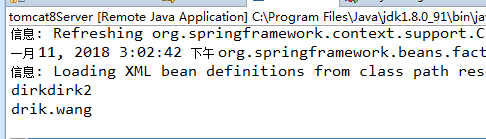
3.3、测试
package test;

import java.io.IOException;

import java.io.PrintWriter;

import javax.servlet.ServletException;

import javax.servlet.http.HttpServlet;

import javax.servlet.http.HttpServletRequest;

import javax.servlet.http.HttpServletResponse;

import org.springframework.context.ApplicationContext;

import org.springframework.context.support.ClassPathXmlApplicationContext;

public class aservlet extends HttpServlet {

	public void doGet(HttpServletRequest request, HttpServletResponse response)

			throws ServletException, IOException {

		ApplicationContext context=new ClassPathXmlApplicationContext("applicationContext.xml");

		test02 test02=(test02)context.getBean("test02");

		System.out.println(test02.getMsg());

	}

}
四、实例
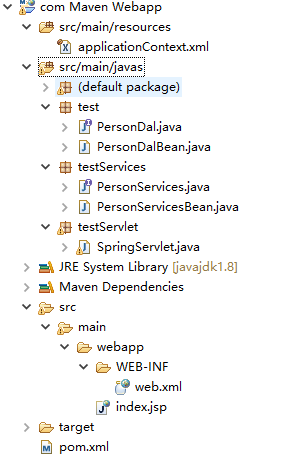
4.1、项目结构
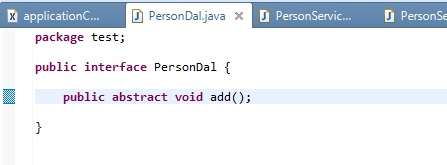
4.2、数据层接口
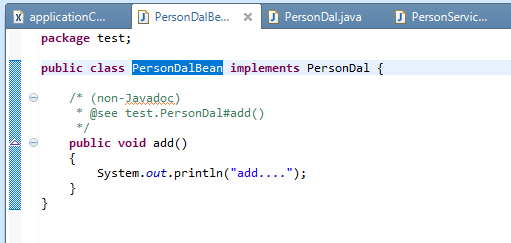
4.2、数据层是实现类
4.4、业务层接口
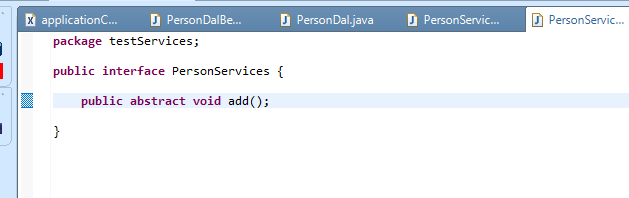
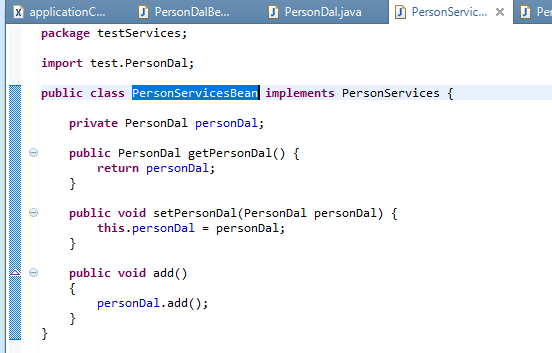
4.5、业务层实现类
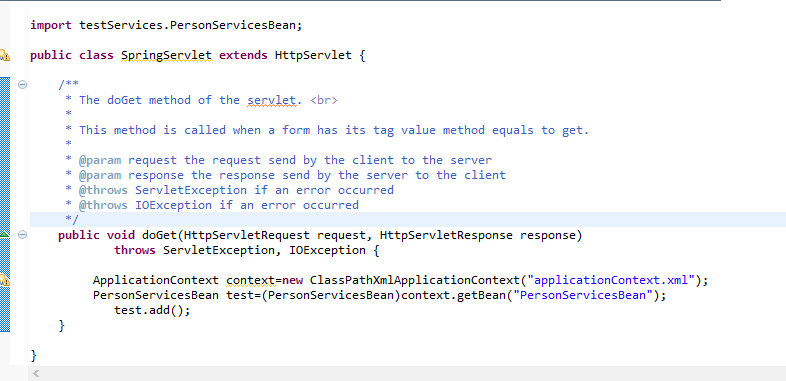
4.5、调用业务层
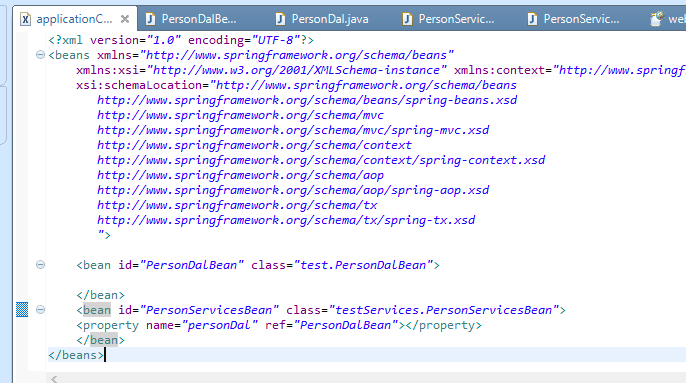
4.6、配置文件
4.7、结果
Java 系列之spring学习--依赖注入(二)的更多相关文章
- SpringBoot系列: 理解 Spring 的依赖注入(二)
==============================Spring 容器中 Bean 的名称==============================声明 bean 有两个方式, 一个是 @B ...
- SpringBoot系列: 理解 Spring 的依赖注入(一)
==============================Spring 的依赖注入==============================对于 Spring 程序, Spring 框架为我们提供 ...
- java框架篇---spring IOC依赖注入
spring依赖注入的方式有4种 构造方法注入 属性注入 工厂注入 注解注入 下面通过一个实例统一讲解: User.java package com.bjsxt.model; public class ...
- Spring学习-依赖注入
Spring是基于IOC与AOP的框架,而其中的IOC(Inversion of Control)即反转控制是Spring的基础. 在以前学过的知识中,一个新的对象全部为自己手动new出来的,而在Sp ...
- Spring学习--依赖注入的方式
Spring 依赖注入: 属性注入(最常使用) 构造函数注入 工厂方法注入(很少使用,不推荐) 属性注入:通过 setter 方法注入 Bean 的属性值或依赖的对象 , 使用<property ...
- Java 系列之spring学习--spring搭建(一)
一.新建maven项目 二.引入spring jar包 <project xmlns="http://maven.apache.org/POM/4.0.0" xmlns:xs ...
- Java 系列之spring学习--注解(三)
一.注解 使用注解之前要开启自动扫描功能 <?xml version="1.0" encoding="UTF-8"?> <beans xmln ...
- Java 系列之spring学习--springmvc搭建(四)
一.建立java web 项目 二.添加jar包 spring jar包下载地址http://repo.spring.io/release/org/springframework/spring/ 2. ...
- Java 系列之spring学习--springmvc注解方式(五)
一.springmvc注解方式 注解方式使用的更多,更加灵活.在上一篇的博客的基础上修改springmvc-servlet.xml配置文件. <?xml version="1.0&qu ...
随机推荐
- EKF优化:协方差coff计算公式、意义、Code优化
复习!复习! 原文链接:http://blog.csdn.net/goodshot/article/details/8611178 1.代码: Matlab相关系数的意义: Eigen::Matrix ...
- Spring AOP之动态代理
软件151 李飞瑶 一.Spring 动态代理中的基本概念 1.关注点(concern) 一个关注点可以是一个特定的问题,概念.或者应用程序的兴趣点.总而言之,应用程序必须达到一个目标 ...
- Visual Studio Code 插件推荐
Path Intellisense - 路径补全 HTML Snippets - HTML 标记增强 Markdown+Math - Markdown 增强(数学表达式) vscode-icons - ...
- HDU_2149_基础博弈sg函数
Public Sale Time Limit: 1000/1000 MS (Java/Others) Memory Limit: 32768/32768 K (Java/Others)Total ...
- Git创建本地分支并关联远程分支(二)
创建本地分支git branch 分支名 例如:git branch dev,这条命令是基于当前分支创建的本地分支,假设当前分支是master(远程分支),则是基于master分支创建的本地分支dev ...
- Python实现ATM+购物商城
需求: 模拟实现一个ATM + 购物商城程序 额度 15000或自定义 实现购物商城,买东西加入 购物车,调用信用卡接口结账 可以提现,手续费5% 每月22号出账单,每月10号为还款日,过期未还,按欠 ...
- [luogu2679] 子串 (多维dp)
传送门 Description 有两个仅包含小写英文字母的字符串 A 和 B . 现在要从字符串 A 中取出 k 个互不重叠的非空子串,然后把这 k 个子串按照其在字符串 A 中出现的顺序依次连接起来 ...
- [bzoj1860 ZJOI2006] 超级麻将 (线性dp)
传送门 Description Input 第一行一个整数N(N<=100),表示玩了N次超级麻将. 接下来N行,每行100个数a1..a100,描述每次玩牌手中各种牌的数量.ai表示数字为i的 ...
- uva 交叉染色法10004
鉴于网上讲交叉染色的资料比较少,于是我把我自己的心得与方法贴出来,方便与大家共同进步. 二分图: 百度百科传送门 wiki百科传送门 判断一个图是否为二分图可以用交叉染色的方法来判断,可以用BFS,也 ...
- redis-不常用的命令
在不重启redis服务器的情况下,动态的修改Redis的配置 redis> config set loglevel warning