
18_andriod常用布局&内容回顾

线性布局:
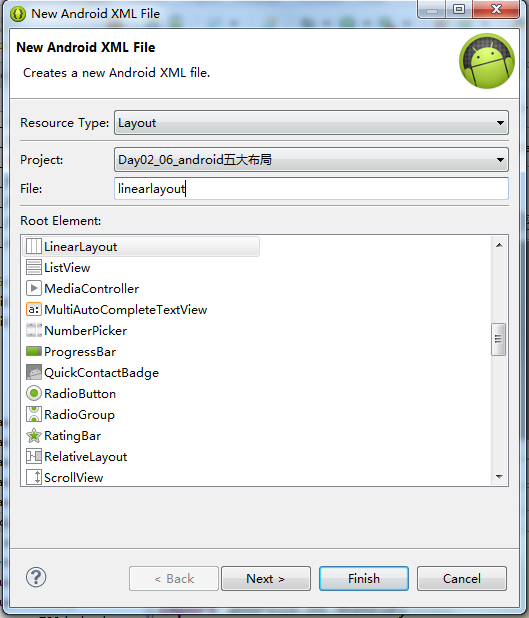


<?xml version="1.0" encoding="utf-8"?>

<LinearLayout xmlns:android="http://schemas.android.com/apk/res/android"

    android:layout_width="match_parent"

    android:layout_height="match_parent"

    android:orientation="horizontal" ><!-- 垂直 vertical-->

    <TextView

        android:layout_width="wrap_content"

        android:layout_height="wrap_content"

        android:text="第一个textView" />

<TextView android:layout_width="wrap_content" android:layout_height="wrap_content" android:text="第一个textView"/>

<TextView

    android:layout_width="wrap_content"

    android:layout_height="wrap_content"

    android:text="第一个textView" />

<TextView android:layout_width="wrap_content" android:layout_height="wrap_content" android:text="第一个textView"/>

<TextView android:layout_width="wrap_content" android:layout_height="wrap_content" android:text="第一个textView"/>

</LinearLayout>

<?xml version="1.0" encoding="utf-8"?>

<LinearLayout xmlns:android="http://schemas.android.com/apk/res/android"

    android:layout_width="match_parent"

    android:layout_height="match_parent"

    android:orientation="vertical" ><!-- 垂直 vertical-->

    <TextView

        android:layout_width="wrap_content"

        android:layout_height="wrap_content"

        android:text="第一个textView" />

<TextView android:layout_width="wrap_content" android:layout_height="wrap_content" android:text="第一个textView"/>

<TextView

    android:layout_width="wrap_content"

    android:layout_height="wrap_content"

    android:text="第一个textView" />

<TextView android:layout_width="wrap_content" android:layout_height="wrap_content" android:text="第一个textView"/>

<TextView android:layout_width="wrap_content" android:layout_height="wrap_content" android:text="第一个textView"/>

</LinearLayout>
相对布局:所有的控件默认都是从左上角开始画的。安卓默认的布局就是相对布局。
<RelativeLayout xmlns:android="http://schemas.android.com/apk/res/android"

    xmlns:tools="http://schemas.android.com/tools"

    android:layout_width="match_parent"

    android:layout_height="match_parent"

    android:paddingBottom="@dimen/activity_vertical_margin"

    android:paddingLeft="@dimen/activity_horizontal_margin"

    android:paddingRight="@dimen/activity_horizontal_margin"

    android:paddingTop="@dimen/activity_vertical_margin"

    tools:context=".MainActivity" >

    <TextView

        android:layout_width="wrap_content"

        android:layout_height="wrap_content"

        android:text="@string/hello_world" />

    <TextView

        android:layout_width="wrap_content"

        android:layout_height="wrap_content"

        android:text="@string/hello_world" />

    <TextView

        android:layout_width="wrap_content"

        android:layout_height="wrap_content"

        android:text="@string/hello_world" />

    <TextView

        android:layout_width="wrap_content"

        android:layout_height="wrap_content"

        android:text="@string/hello_world" />

</RelativeLayout>

相对布局它可以通过id来指定相互的位置。
<RelativeLayout xmlns:android="http://schemas.android.com/apk/res/android"

    xmlns:tools="http://schemas.android.com/tools"

    android:layout_width="match_parent"

    android:layout_height="match_parent"

    android:paddingBottom="@dimen/activity_vertical_margin"

    android:paddingLeft="@dimen/activity_horizontal_margin"

    android:paddingRight="@dimen/activity_horizontal_margin"

    android:paddingTop="@dimen/activity_vertical_margin"

    tools:context=".MainActivity" >

    <TextView

        android:id="@+id/textview1"

        android:layout_width="wrap_content"

        android:layout_height="wrap_content"

        android:text="@string/hello_world" />

    <TextView

        android:id="@+id/textview2"

        android:layout_below="@id/textview1"

        android:layout_width="wrap_content"

        android:layout_height="wrap_content"

        android:text="@string/hello_world" />

    <TextView

        android:id="@+id/textview3"

        android:layout_width="wrap_content"

        android:layout_height="wrap_content"

        android:text="@string/hello_world" />

    <TextView

        android:id="@+id/textview4"

        android:layout_width="wrap_content"

        android:layout_height="wrap_content"

        android:text="@string/hello_world" />

</RelativeLayout>

<RelativeLayout xmlns:android="http://schemas.android.com/apk/res/android"

    xmlns:tools="http://schemas.android.com/tools"

    android:layout_width="match_parent"

    android:layout_height="match_parent"

    android:paddingBottom="@dimen/activity_vertical_margin"

    android:paddingLeft="@dimen/activity_horizontal_margin"

    android:paddingRight="@dimen/activity_horizontal_margin"

    android:paddingTop="@dimen/activity_vertical_margin"

    tools:context=".MainActivity" >

    <TextView

        android:id="@+id/textview1"

        android:layout_width="wrap_content"

        android:layout_height="wrap_content"

        android:text="@string/hello_world" />

    <TextView

        android:id="@+id/textview2"

        android:layout_below="@id/textview1"

        android:layout_width="wrap_content"

        android:layout_height="wrap_content"

        android:text="textview2" />

    <TextView

        android:id="@+id/textview3"

        android:layout_toRightOf="@id/textview2"

        android:layout_alignBottom="@id/textview2"

        android:layout_width="wrap_content"

        android:layout_height="wrap_content"

        android:text="@string/hello_world" />

    <TextView

        android:id="@+id/textview4"

        android:layout_width="wrap_content"

        android:layout_height="wrap_content"

        android:text="@string/hello_world" />

</RelativeLayout>
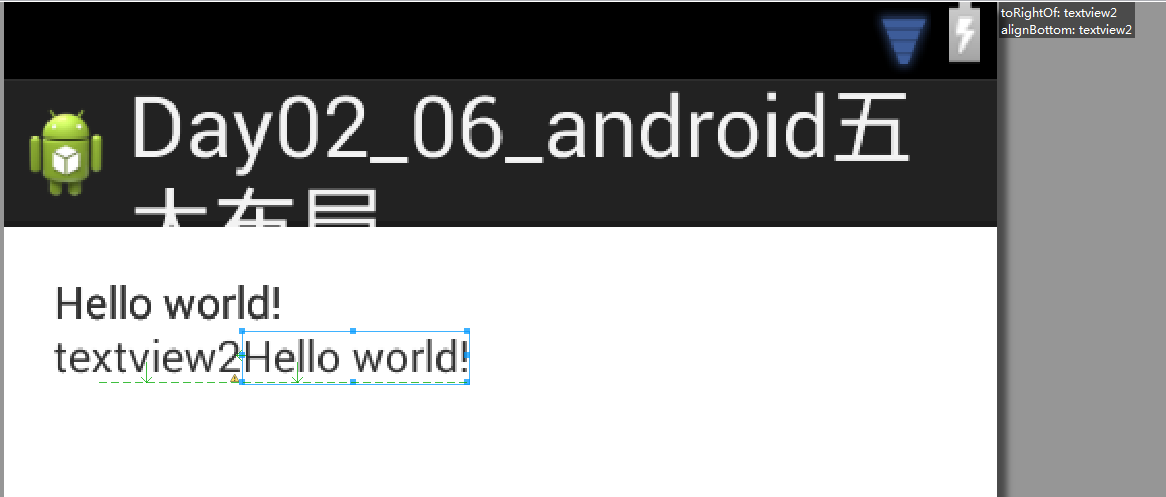
相对布局不仅可以指定控件之间相对的位置,咱们还可以针对父容器去挪一个位置。配置它在父容器的正中间。
    <TextView

        android:id="@+id/textview4"

        android:layout_width="wrap_content"

        android:layout_height="wrap_content"

        android:layout_centerInParent="true"

        android:layout_centerHorizontal="true"

        android:layout_alignParentBottom="true"

        android:text="@string/hello_world" />
所以相对来说相对布局它摆放控件的位置会更灵活。不但可以让它在每个控件之间指定相对的位置。可以写一个控件然后依照这个控件在它的前后左右上下去摆控件。也可以让它针对父容器放在父容器的上边下边左边右边中间,可以指定相互的这些位置。这个就是相对布局。
<RelativeLayout xmlns:android="http://schemas.android.com/apk/res/android"

    xmlns:tools="http://schemas.android.com/tools"

    android:layout_width="match_parent"

    android:layout_height="match_parent"

    android:paddingBottom="@dimen/activity_vertical_margin"

    android:paddingLeft="@dimen/activity_horizontal_margin"

    android:paddingRight="@dimen/activity_horizontal_margin"

    android:paddingTop="@dimen/activity_vertical_margin"

    tools:context=".MainActivity" >

    <TextView

        android:id="@+id/textview1"

        android:layout_width="wrap_content"

        android:layout_height="wrap_content"

        android:text="@string/hello_world" />

    <TextView

        android:id="@+id/textview2"

        android:layout_below="@id/textview1"

        android:layout_width="wrap_content"

        android:layout_height="wrap_content"

        android:text="textview2" />

    <TextView

        android:id="@+id/textview3"

        android:layout_toRightOf="@id/textview2"

        android:layout_alignBottom="@id/textview2"

        android:layout_width="wrap_content"

        android:layout_height="wrap_content"

        android:text="@string/hello_world" />

    <TextView

        android:id="@+id/textview4"

        android:layout_width="wrap_content"

        android:layout_height="wrap_content"

        android:layout_centerHorizontal="true"

        android:layout_alignParentBottom="true"

        android:text="@string/hello_world" />

</RelativeLayout>

帧布局/框架布局 也是从屏幕的左上角开始画。

android:layout_margin="10dp"可以指定外边距。
    <TextView

        android:id="@+id/textView1"

        android:layout_width="wrap_content"

        android:layout_height="wrap_content"

        android:layout_gravity="center_vertical|right"

        android:layout_margin="100dp"

        android:text="TextView" />
    <TextView

        android:id="@+id/textView1"

        android:layout_width="wrap_content"

        android:layout_height="wrap_content"

        android:layout_gravity="center_vertical|right"

        android:layout_marginRight="100dp"

        android:text="TextView" />
所以在framework框架布局里面除了用外边距和内边距的方式能够挪位置之外没有别的方法。只能通过android:layout_gravity在框架布局framework layout里面最终能够放的就是9个位置。最上面、中间、最下面的左中右。
开发当中用的比较多的是线性布局和相对布局,然后就是framework layout。
剩下两个不太常用。
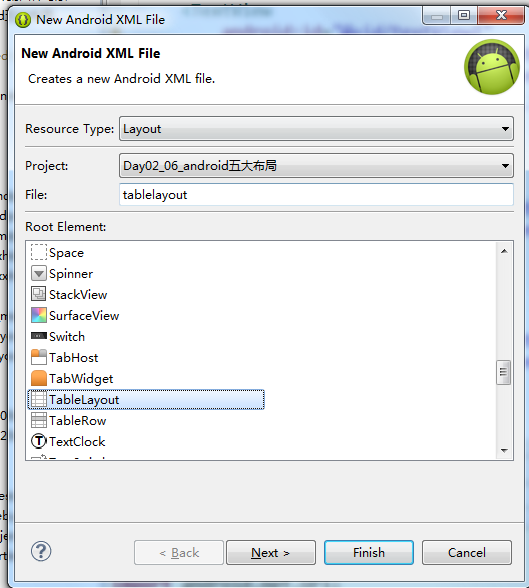
table layout就类似于竖直方向的线性布局。


不指定<TableRow>默认占据着一整行.<TableRow>就是水平方向的线性布局.不指定<TableRow>就是竖直方向的线性布局.

最后一个是绝对布局。
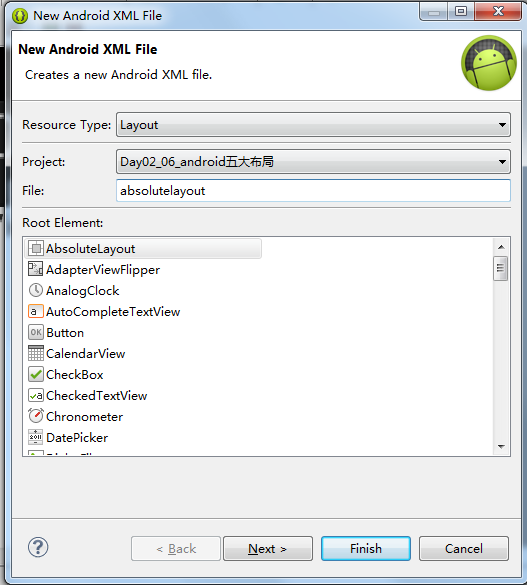
AbsoluteLayout is deprecated
绝对布局是过时的了.绝对布局通过一个具体的坐标来确定控件的位置。随着安卓的设备发展的越来越快发展的越来越多,设备的尺寸千差万别。在这个设备上看的挺好换一个设备就跑偏了.换一个大的屏幕可能就偏的更厉害。所以绝对布局就被放弃掉了.
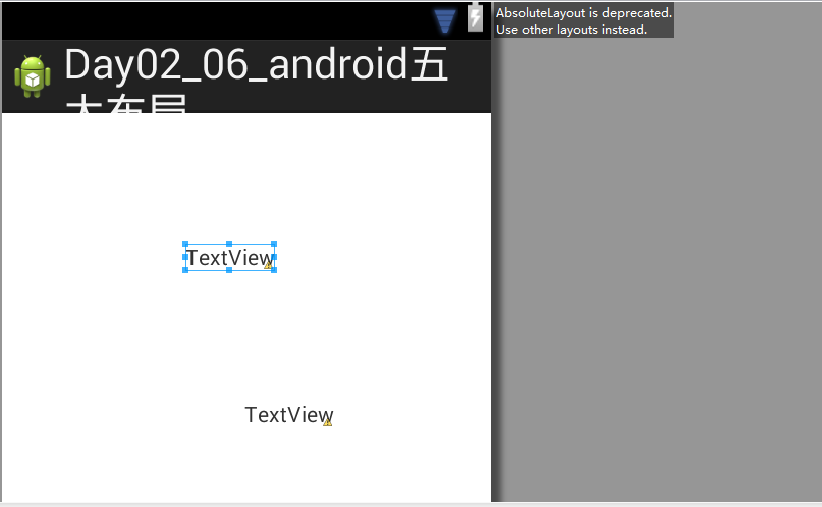
相对布局是用的最多的.接下来是线性布局.框架布局.表格布局.绝对布局已经不用了.


18_andriod常用布局&内容回顾的更多相关文章
- rem自适应布局的回顾总结
使用rem实现自适应布局,应该算是当前移动前端的一大趋势,有些人对此还有点迷惑,搞不懂rem是如何实现自适应布局,如何根据设计稿来调整rem的值?rem布局如何用雪碧背景图片?rem一定要加载JS吗? ...
- python:页面布局 后台管理页面之常用布局
<!DOCTYPE HTML PUBLIC "-//W3C//DTD HTML 4.01 Transitional//EN" "http://www.w3.org/ ...
- WPF中的常用布局
一 写在开头1.1 写在开头评价一门技术的好坏得看具体的需求,没有哪门技术是面面俱到地好. 1.2 本文内容本文主要内容为WPF中的常用布局,大部分内容转载至https://blog.csdn.net ...
- Android开发工程师文集-Fragment,适配器,轮播图,ScrollView,Gallery 图片浏览器,Android常用布局样式
Android开发工程师文集-Fragment,适配器,轮播图,ScrollView,Gallery 图片浏览器,Android常用布局样式 Fragment FragmentManager frag ...
- ExtJs常用布局--layout详解(含实例)
序言: 笔者用的ExtJs版本:ext-3.2.0 ExtJs常见的布局方式有:border.form.absolute.column.accordion.table.fit.card.anchor ...
- WPF中的常用布局 栈的实现 一个关于素数的神奇性质 C# defualt关键字默认值用法 接口通俗理解 C# Json序列化和反序列化 ASP.NET CORE系列【五】webapi整理以及RESTful风格化
WPF中的常用布局 一 写在开头1.1 写在开头微软是一家伟大的公司.评价一门技术的好坏得看具体的需求,没有哪门技术是面面俱到地好,应该抛弃对微软和微软的技术的偏见. 1.2 本文内容本文主要内容 ...
- Android常用布局和控件
一.Android常用布局属性 1. LinearLayout的特有属性 android:orientation:设置布局排列方式 android:layout_weight:设置所占布局的权重 ...
- 基本数据类型-集合(set)_上周内容回顾(字符串_数字_列表_元组_字典_集合)
上周内容回顾 1.字符串 2.数字 除了布尔类型外,int.long.float和complex都可以使用的运算为:加.减.乘.除.整除.幂运算和取余 3.列表和元组 列表的内容可变,可以包含任意对象 ...
- 常用布局,div竖直居中
常用两列布局,多列布局和div竖直居中 body { margin:; padding:; } .w200 { width: 200px; } .mar-left200 { margin-left: ...
随机推荐
- MVC ViewBag不能使用在工程文件中添加引用
在工程文件中 <ItemGroup> // ... </ItemGroup> 添加引用 <Reference Include="Microsoft.CSharp ...
- 【转】kalman滤波
Kalman Filter是一个高效的递归滤波器,它可以实现从一系列的噪声测量中,估 计动态系统的状态.广泛应用于包含Radar.计算机视觉在内的等工程应用领域,在控制理论和控制系统工程中也是一个非常 ...
- GetWindowRect和GetClientRect比较学习
一:关于坐标 MFC中绘图时经常涉及到坐标计算,GetWindowRect和GetClientRect这两个函数,是获取逻辑坐标系中窗口或控件(其实也是窗口)大小和坐标的常用函数了,有什么不一样的? ...
- java入门了解07
1.集合: 1.1相比数组的优势: a.可以存储任意类型的对象数据,数组只能存储一种类型的变量 b.集合的长度会发生变化,数组不会 1.2集合概述 ----|Collection: 单列集合 ---- ...
- Linux离线同步时间
Linux离线同步时间 思路:以其中一台时间为准 脚本 #!/bin/shcurrent=`date '+%H:%M:%S'` for i in bigdata1 bigdata2 bigdata3 ...
- Spring- 通过Xml的方式完成Bean的实例化
传统应用程序可以通过反射方式进行实例化Bean,而Spring Ioc 容器则需要根据Bean定义的配置元数据使用反射机制来创建Bean.在Spring Ioc 容器中主要有以下几种创建Bean实例的 ...
- 源码分享-纯CSS3实现齿轮加载动画
纯CSS3实现齿轮加载动画是一款可以用来做Loading动画的CSS3特效代码. 有兴趣的朋友可以下载下来试试:http://www.huiyi8.com/sc/8398.html
- jQuery学习(3)
可以在select中设置size属性的属性值,从而让下拉列表中的选项都显示出来. <!DOCTYPE html> <html> <head> <title&g ...
- Hibernate学习---第十一节:Hibernate之数据抓取策略&批量抓取
1.hibernate 也可以通过标准的 SQL 进行查询 (1).将SQL查询写在 java 代码中 /** * 查询所有 */ @Test public void testQuery(){ // ...
- shingling算法——提取特征,m个hash函数做指纹计算,针对特征hash后变成m维向量,最后利用union-find算法计算相似性
shingling算法用于计算两个文档的相似度,例如,用于网页去重.维基百科对w-shingling的定义如下: In natural language processing a w-shinglin ...