
Python-1-Day
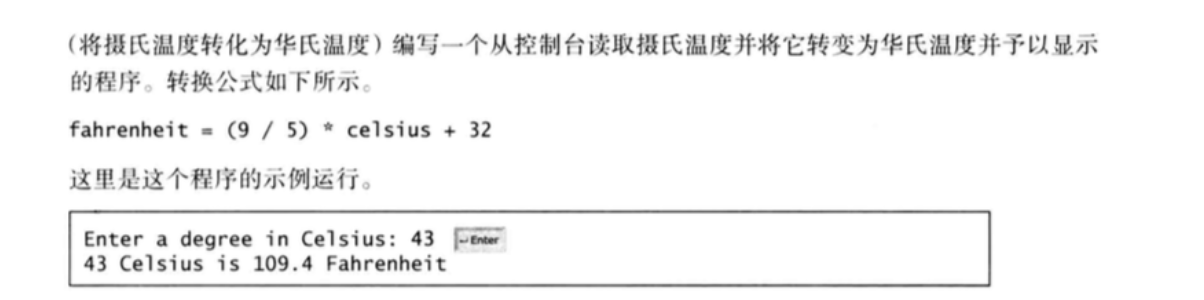
C = float(input("Enter a degree in Celsius:"))
F = (9/5) * C + 32
print("{0} Celsius is {1} Fahrenheit".format(C,F))
Enter a degree in Celsius:43

43.0 Celsius is 109.4 Fahrenheit

import math
R,H = eval(input("Enter the radius and length of a cylinder: "))
area = R * R * math.pi
volume = area * H
print('The area is {0}'.format("%.4f"%area))
print('The volume is {0}'.format("%.1f"%volume))
Enter the radius and length of a cylinder:5.5,12

The area is 95.0332

The volume is 1140.4

feet = float(input("Enter a value for feet: "))
meters = feet * 0.305
print('{0} feet is {1} meters'.format(feet,meters) )
Enter a value for feet:16.5

16.5 feet is 5.0325 meters

water = float(input("Enter a value for feet: "))
initial = float(input("Enter the initial temperature: "))
final = float(input("Enter the final temperature: "))
energy = water * (final - initial) * 4184
print('The energy needed is {0}'.format(energy))
Enter a value for feet: 55.5

Enter the initial temperature: 3.5

Enter the final temperature: 10.5

The energy needed is 1625484.0

balance,interestrate = eval(input("Enter balance and interest rate (e.g., 3 for 3 %):"))
interest = balance * (interestrate/1200)
print('The interest is {0}'.format("%.5f"%interest))
Enter balance and interest rate (e.g., 3 for 3 %):1000,3.5

The interest is 2.91667
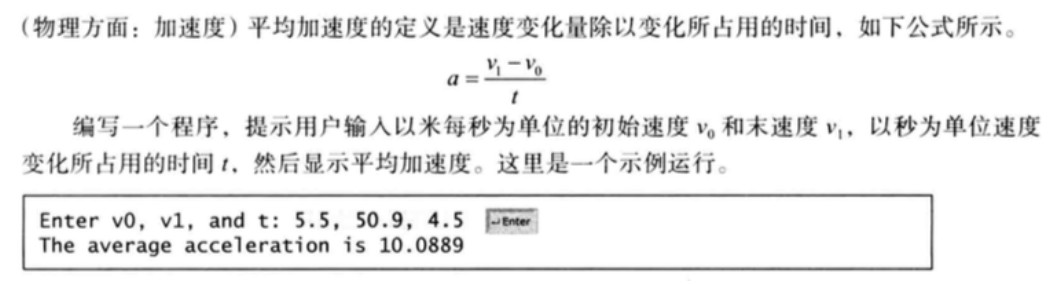
v0,v1,t = eval(input("Enter v0,v1,and t:"))
a=(v1-v0)/t
print('The averager acceletion {0}'.format("%.4f"%a))
Enter v0,v1,and t:5.5,50.9,4.5

The averager acceletion 10.0889
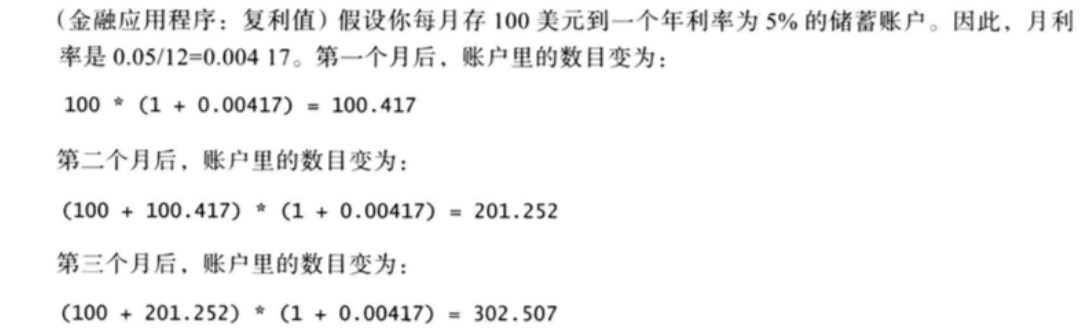
from _pydecimal import Decimal
amount = Decimal(input("Enter the monthly saving amount : "))
amount1 = Decimal(0)
for i in range(6):
amount1 = (amount+amount1) * Decimal(1 +0.00417)
print('After the sixth month,the account value is {0}'.format("%.2f"%amount1))
Enter the monthly saving amount : 100

After the sixth month,the account value is 608.82

number = float(input("Enter a number between 0 and 1000 : "))
ge = int(number % 10)
shi = int(number // 10 % 10)
qian = int(number // 100)
digits = ge + shi + qian
print('The sum of the digits is {0}'.format(digits))
Enter a number between 0 and 1000 : 999

The sum of the digits is 27
Python-1-Day的更多相关文章
- Python中的多进程与多线程(一)
一.背景 最近在Azkaban的测试工作中,需要在测试环境下模拟线上的调度场景进行稳定性测试.故而重操python旧业,通过python编写脚本来构造类似线上的调度场景.在脚本编写过程中,碰到这样一个 ...
- Python高手之路【六】python基础之字符串格式化
Python的字符串格式化有两种方式: 百分号方式.format方式 百分号的方式相对来说比较老,而format方式则是比较先进的方式,企图替换古老的方式,目前两者并存.[PEP-3101] This ...
- Python 小而美的函数
python提供了一些有趣且实用的函数,如any all zip,这些函数能够大幅简化我们得代码,可以更优雅的处理可迭代的对象,同时使用的时候也得注意一些情况 any any(iterable) ...
- JavaScript之父Brendan Eich,Clojure 创建者Rich Hickey,Python创建者Van Rossum等编程大牛对程序员的职业建议
软件开发是现时很火的职业.据美国劳动局发布的一项统计数据显示,从2014年至2024年,美国就业市场对开发人员的需求量将增长17%,而这个增长率比起所有职业的平均需求量高出了7%.很多人年轻人会选择编 ...
- 可爱的豆子——使用Beans思想让Python代码更易维护
title: 可爱的豆子--使用Beans思想让Python代码更易维护 toc: false comments: true date: 2016-06-19 21:43:33 tags: [Pyth ...
- 使用Python保存屏幕截图(不使用PIL)
起因 在极客学院讲授<使用Python编写远程控制程序>的课程中,涉及到查看被控制电脑屏幕截图的功能. 如果使用PIL,这个需求只需要三行代码: from PIL import Image ...
- Python编码记录
字节流和字符串 当使用Python定义一个字符串时,实际会存储一个字节串: "abc"--[97][98][99] python2.x默认会把所有的字符串当做ASCII码来对待,但 ...
- Apache执行Python脚本
由于经常需要到服务器上执行些命令,有些命令懒得敲,就准备写点脚本直接浏览器调用就好了,比如这样: 因为线上有现成的Apache,就直接放它里面了,当然访问安全要设置,我似乎别的随笔里写了安全问题,这里 ...
- python开发编译器
引言 最近刚刚用python写完了一个解析protobuf文件的简单编译器,深感ply实现词法分析和语法分析的简洁方便.乘着余热未过,头脑清醒,记下一点总结和心得,方便各位pythoner参考使用. ...
- 关于解决python线上问题的几种有效技术
工作后好久没上博客园了,虽然不是很忙,但也没学生时代闲了.今天上博客园,发现好多的文章都是年终总结,想想是不是自己也应该总结下,不过现在还没想好,等想好了再写吧.今天写写自己在工作后用到的技术干货,争 ...
随机推荐
- Selenium 与自动化测试 —— 《Selenium 2 自动化测试实战》读书笔记
背景 最近在弄 appium,然后顺便发现了 Selenium 框架和这本书,恰好这本书也介绍了一些软件测试&自动化测试的理论知识,遂拿过来学习学习.所以本文几乎没有实践内容,大多都是概念和工 ...
- 从零开始的vue学习笔记(一)
前言 项目要用vue.js,今天开始自学vue.js官方教程,记录下自己的学习摘要,方便后面查阅(此笔记按照学习天数,每天一篇) Vue.js是什么 Vue是一套用于构建用户界面的渐进式框架,Vue ...
- golang协程同步的几种方法
目录 golang协程同步的几种方法 协程概念简要理解 为什么要做同步 协程的几种同步方法 Mutex channel WaitGroup golang协程同步的几种方法 本文简要介绍下go中协程的几 ...
- C++中的try throw catch 异常处理
今天在开发过程中调用一个库函数结果库函数有throw操作,当前代码没有对throw进行捕获操作,导致进程在main 函数中捕获到异常导致进程crash.所以借此记录下c++关于try,throw,ca ...
- Linux tree
tree命令,是大小写敏感的.常用的是:1.tree -C 颜色显示 2.tree -f 显示文件全路径ls -R也可以显示树结构,但没上面 清晰 3.tree -L n n 是数字,表示显示几层 4 ...
- DBUtils的使用之查询的操作
1.1 查询的代码实现1.1.1.1 查询一条记录 l 创建一个对象:Account l 查询代码实现 1.1.1.2 查询多条记录
- Centos8_本地Yum源配置
一.先将iso镜像文件挂载 mount /dev/cdrom /mnt 将cdrom挂载到/mnt下 二.编辑挂载文件 cp -a /mnt/media.repo /etc/yum.repos.d/ ...
- 使用navicat连接只开放内网ip连接的数据库
无法通过Navicat来连接MySQL,比较常见的两种问题? 服务器上自己安装的MySQL数据库,且未开通外网登录账号 直接购买服务商的MySQL数据库不创建公网访问,只有内网访问 背景: 公司数 ...
- [阅读笔记]EfficientDet
EfficientDet 文章阅读 Google的网络结构不错,总是会考虑计算性能的问题,从mobilenet v1到mobile net v2.这篇文章主要对近来的FPN结构进行了改进,实现了一种效 ...
- MVC(实战一)
一.创建MVC项目 二.界面分布 Content:是存放css文件等,暂时先不考虑. Controllers:重要, 控制层,控制界面显示和界面逻辑的,其实真正业务逻辑层,建议分层出去. Models ...