
sublime安装配置
https://packagecontrol.io/installation
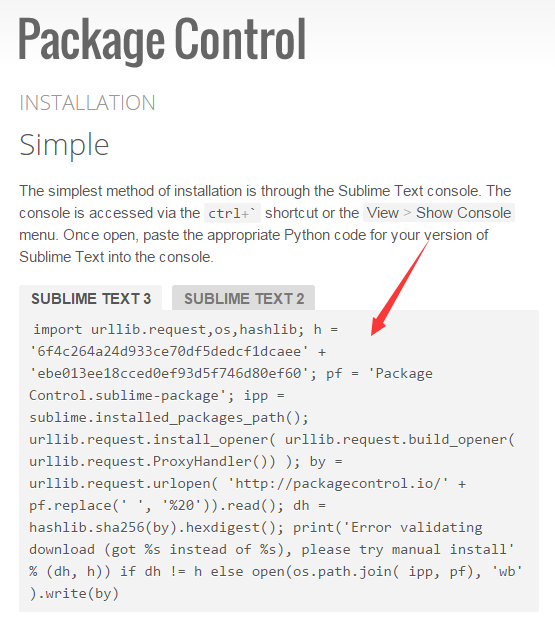
import urllib.request,os,hashlib; h = '6f4c264a24d933ce70df5dedcf1dcaee' + 'ebe013ee18cced0ef93d5f746d80ef60'; pf = 'Package Control.sublime-package'; ipp = sublime.installed_packages_path(); urllib.request.install_opener( urllib.request.build_opener( urllib.request.ProxyHandler()) ); by = urllib.request.urlopen( 'http://packagecontrol.io/' + pf.replace(' ', '%20')).read(); dh = hashlib.sha256(by).hexdigest(); print('Error validating download (got %s instead of %s), please try manual install' % (dh, h)) if dh != h else open(os.path.join( ipp, pf), 'wb' ).write(by)
打华东师范大学校赛的时候,学长谈论到这个编辑器。自定义背景多行多光标同时编辑酷炫爆了。感觉这是一个万能的文本编辑器。通过配置可以写多种语言,支持vim模式,而且只有不到10M。
安装首先安装package control安装,ctrl+`(tab上面键) 粘贴安装选项。然后ctrl+shift+p安装。然后可定制包

1,首先要配置能打acm的环境。自带编译环境修改为dos环境。
配置编译环境变量。
tool –> Build System –> New Build System
重命名,然后改代码,记得设置bin环境变量
{

    "encoding": "utf-8",

    "working_dir": "$file_path",

    "file_regex": "^(..[^:]*):([0-9]+):?([0-9]+)?:? (.*)$",

    "selector": "source.c, source.c++",

    "cmd": "g++ -g -Wall -std=c++11 -O2 -o \"${file_path}/${file_base_name}\" \"${file_path}/${file_name}\"",

    "variants":

    [

        {

            "name": "build-with-std=c++11-O2 and run in cmd",

            "shell_cmd": "g++ -g -Wall -std=c++11 -O2 -o \"${file_path}/${file_base_name}\" \"${file_path}/${file_name}\" && start cmd /c \"\"${file_path}/${file_base_name}\" & pause\"",

        },

        {

            "name": "build-with-std=c++11 and run in cmd",

            "shell_cmd": "g++ -g -Wall -std=c++11 -o \"${file_path}/${file_base_name}\" \"${file_path}/${file_name}\" && start cmd /c \"\"${file_path}/${file_base_name}\" & pause\"",

        },

    ]

}
2,装package control包,view->show console 敲入代码
import urllib2,os;pf='Package Control.sublime-package';ipp=sublime.installed_packages_path();os.makedirs(ipp) if not os.path.exists(ipp) else None;open(os.path.join(ipp,pf),'wb').write(urllib2.urlopen('http://sublime.wbond.net/'+pf.replace(' ','%20')).read())
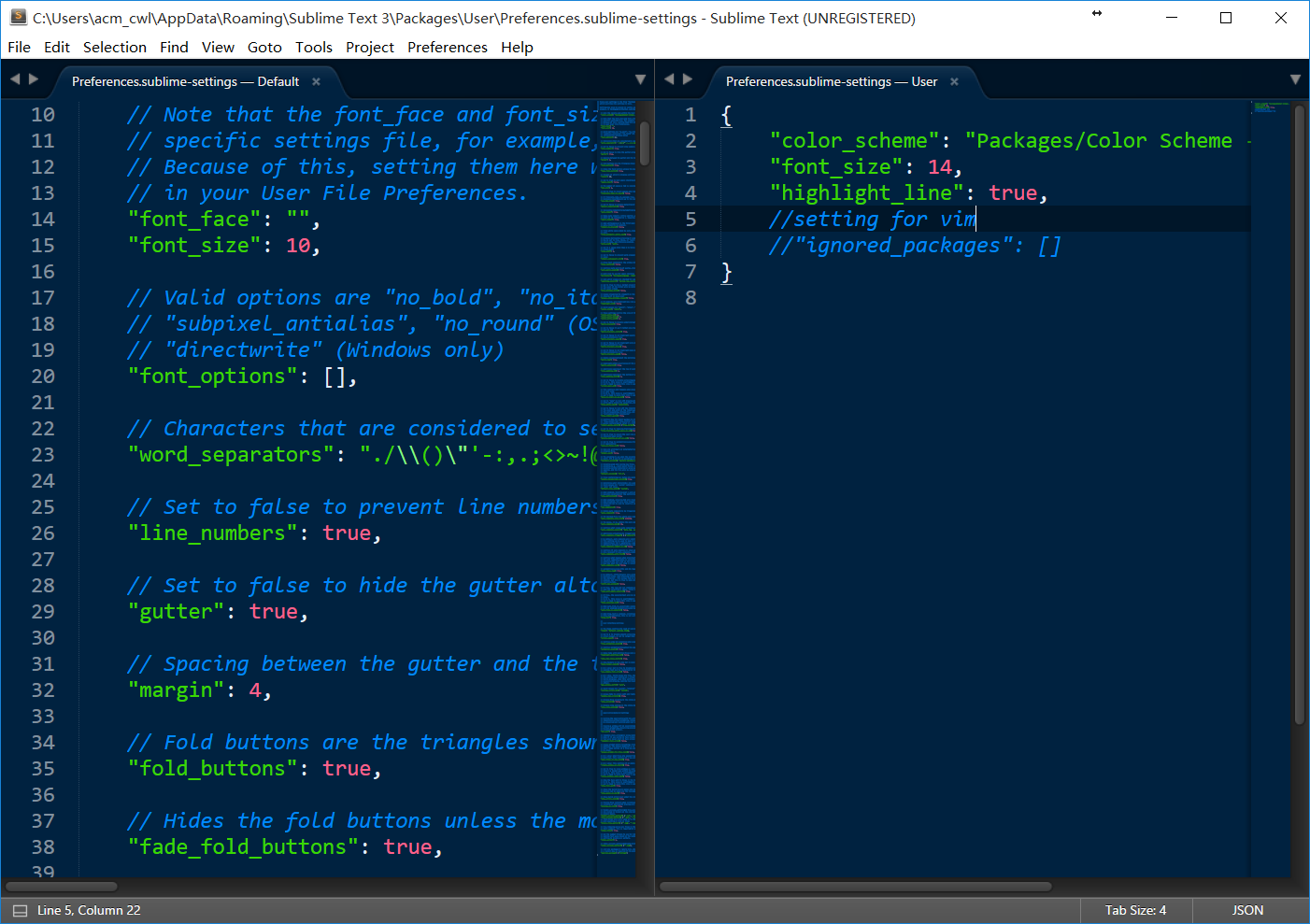
在linux 下,官方下载安装包,是deb的 到下载目录dpkg -i <***> 搞定
装插件管理
import urllib.request,os; pf = 'Package Control.sublime-package'; ipp = sublime.installed_packages_path(); urllib.request.install_opener( urllib.request.build_opener( urllib.request.ProxyHandler()) ); open(os.path.join(ipp, pf),'wb').write(urllib.request.urlopen( 'http://sublime.wbond.net/' + pf.replace(' ','%20')).read())
一个c++可用的编译设置
{

   "cmd": ["g++", "-std=c++11", "${file}", "-o", "${file_path}/${file_base_name}"], // For GCC On Windows and Linux

     //"cmd": ["CL", "/Fo${file_base_name}", "/O2", "${file}"],  // For CL on Windows Only

     "file_regex": "^(..[^:]*):([0-9]+):?([0-9]+)?:? (.*)$",

     "working_dir": "${file_path}",

     "selector": "source.c, source.c++",

     "variants":

     [

          {

               "name": "Run",

               "cmd": ["bash", "-c", "g++ -std=c++11 -pthread '${file}' -o '${file_path}/${file_base_name}' && '${file_path}/${file_base_name}'"]  // Linux Only

               // "cmd": ["CMD", "/U", "/C", "g++ -std=c++11 ${file} -o ${file_base_name} && ${file_base_name}"]  // For GCC On Windows Only

               //"cmd": ["CMD", "/U", "/C", "CL /Fo${file_base_name} /O2 ${file} && ${file_base_name}"]   // For CL On Windows Only

          }

     ]

}
拼了老命找到的linux编译c++并用bash运行的代码。还魔改啦一下。
{

    "shell_cmd": "g++ -std=c++11 \"${file}\" -o \"${file_path}/${file_base_name}\"",

    "file_regex": "^(..[^:]*):([0-9]+):?([0-9]+)?:? (.*)$",

    "working_dir": "${file_path}",

    "selector": "source.cpp",

    "variants":

    [

        {

            "name": "Run",

            "shell_cmd": "gnome-terminal -x bash -c \"if [ -f '${file_path}/${file_base_name}' ]; then rm '${file_path}/${file_base_name}'; fi; g++ -std=c++11 '${file}' -o '${file_path}'/'${file_base_name}'; '${file_path}'/'${file_base_name}'; read -p 'Process Exit, Press any key to quit...'\""

        }

    ]

}
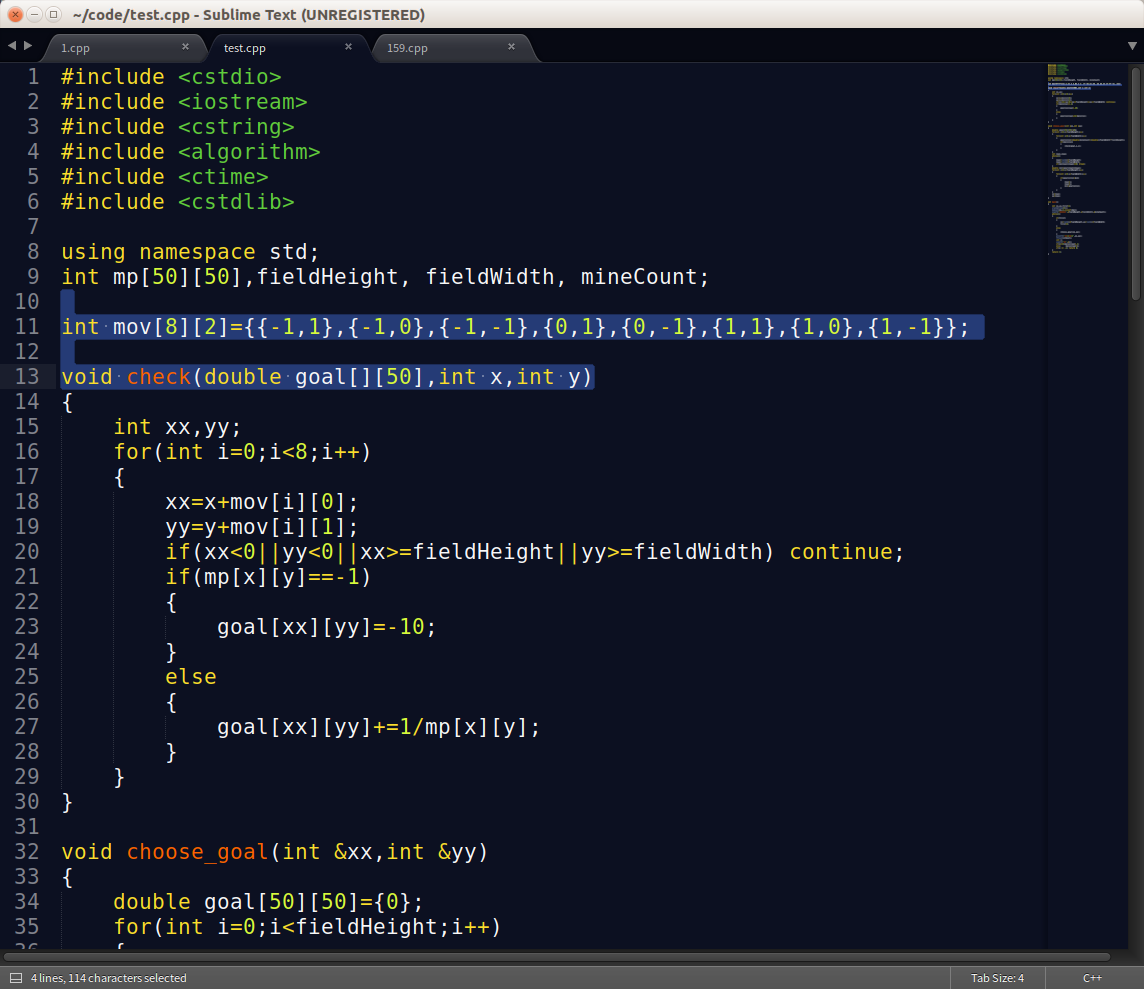
最后效果图,热身赛的某扫雷的开头
sublime安装配置的更多相关文章
- Go环境IDE安装配置
终于配好了自己的Go环境,每天可以来一点积累了. MAC安装配置过程参考了如下几个博文~谢谢 Intellij安装配置: http://blog.csdn.net/fenglailea/article ...
- Sublime Text3 & MinGW & LLVM CLang 安装配置C-C++编译环境
Sublime Text是一款强大的跨平台代码编辑器,小巧而且丰富实用的功能是Visual Studio不能比拟的,但是编译运行是一个软肋,本文通过在sublime中配置g++编译器实现程序的编译功能 ...
- Sublime Text 2 安装配置插件
最近学习python,看网上推荐用sublime text2挺方便,就学习了一下对sublime text2 安装插件,先放在这里,以备以后查找 根据晚上资料修改,原文请看这里 Python的自动补全 ...
- sublime txet 3 python 开发环境安装配置
下载python 下载地址:https://www.python.org/downloads/windows/ 下载sublime text 3 下载地址:https://www.sublimetex ...
- 2018超详细sublime text3+python3.x安装配置教程(附常用插件安装教程)
导读 本文是关于2018年7月最新版sublime text3+pythin3.x下载及安装配置教程,sublime text3版本为3176,python版本为3.7,安装环境是基于windows1 ...
- sublime text3安装配置c++环境(windows+ubuntu)
1.下载sublime text3 官网地址:http://www.sublimetext.com/3 ubuntu直接在Ubuntu Software中搜索sublime安装 2.配置环境变量(wi ...
- 在win10系统环境下,安装配置sublime 3,构建python和vue.js开发环境(插件)
原文转载自「刘悦的技术博客」https://v3u.cn/a_id_131 疫情当下,最近一直在用mac下的虚拟机运行win10系统,由于在线人数过多,直播授课的时候使用vscode的时候内存暴涨,于 ...
- NodeJS 学习总结 01 安装配置
1 安装NodeJS 具体参考已发布的文章Ubuntu学习总结-07 Nodejs和npm的安装 2 使用淘宝 NPM 镜像 国内直接使用 npm 的官方镜像是非常慢的,这里推荐使用淘宝 NPM 镜像 ...
- 2016 正确 sublime安装PHPcs PHPcodesniffer代码规范提示插件,修正网上部分不详细描述
对你有助请点赞,请顶,不好请踩------送人玫瑰,手留余香!-------------------14:37 2016/3/212016 正确 sublime安装PHPcs PHPcodesniff ...
随机推荐
- java设计模式—— 工厂模式
菜鸡互啄... 工厂模式通过定义一个创建对象的接口,让其子类决定实例化哪个工厂类.因此我们要解决接口选择的问题,实现不同的计划创建不同的对象. 首先我们定义一个轿车接口 public interfac ...
- 排序技巧——双关键字排序(快速排序,sort)
一个萌新的成长之路 Background 在做题过程中,我们常会遇到对双关键字排序的情况,如:当分数相等时,序号小的在前. 这时我们可以通过定义cmp函数作为sort的参数进行排序. Solution ...
- python--Selectors模块/队列
Selectors模块/队列 一 Selectors模块 IO多路复用实现机制 Win: select Linux:select(效率低) poll epoll(最好)默认选择epoll sele ...
- tornada模板学习笔记
import tornado.web import tornado.httpserver import tornado.ioloop import tornado.options import os. ...
- Tensorflow模型加载与保存、Tensorboard简单使用
先上代码: from __future__ import absolute_import from __future__ import division from __future__ import ...
- MIT许可证
MIT许可证(The MIT License)是许多软件授权条款中,被广泛使用的其中一种.与其他常见的软件授权条款(如GPL.LGPL.BSD)相比,MIT是相对宽松的软件授权条款. MIT 许可证几 ...
- jacascript 偏移量offset、客户区client
前言:这是笔者学习之后自己的理解与整理.如果有错误或者疑问的地方,请大家指正,我会持续更新! 偏移量 偏移量(offset dimension)是 javascript 中的一个重要的概念.涉及到偏移 ...
- [LeetCode] Find Anagram Mappings 寻找异构映射
Given two lists A and B, and B is an anagram of A. B is an anagram of A means B is made by randomizi ...
- Shell的基本命令(第一天),根据w3c学习得
Shell是一种应用程序,提供一个界面访问操作系统内核的服务. 1:编写shell脚本 vi test.sh #!/bin/bash #指定这个脚本需要什么解释器来执行 echo "Hell ...
- [Luogu 2817]宋荣子的城堡
Description saruka有一座大大的城堡!城堡里面有n个房间,每个房间上面都写着一个数字p[i].有一天,saruka邀请他的小伙伴LYL和 MagHSK来城堡里玩耍(为什么没有妹子),他 ...