
3.Java和hadoop的安装
先创建目录
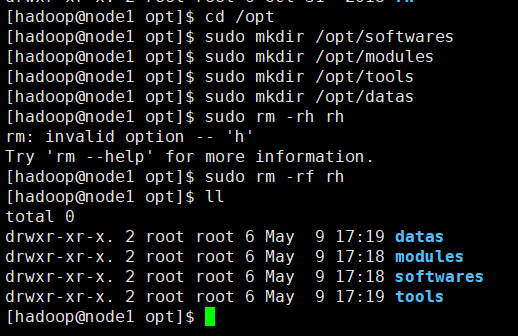
[hadoop@node1 opt]$ cd /opt

[hadoop@node1 opt]$ sudo mkdir /opt/softwares

[hadoop@node1 opt]$ sudo mkdir /opt/modules

[hadoop@node1 opt]$ sudo mkdir /opt/tools

[hadoop@node1 opt]$ sudo mkdir /opt/datas

[hadoop@node1 opt]$ sudo rm -rh rh

rm: invalid option -- 'h'

Try 'rm --help' for more information.

[hadoop@node1 opt]$ sudo rm -rf rh

[hadoop@node1 opt]$ ll

total

drwxr-xr-x.  root root  May   : datas

drwxr-xr-x.  root root  May   : modules

drwxr-xr-x.  root root  May   : softwares

drwxr-xr-x.  root root  May   : tool
给目录赋予权限
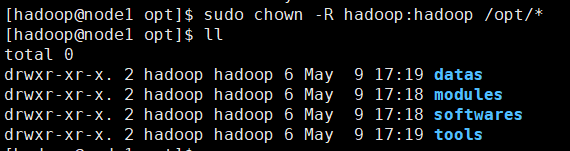
[hadoop@node1 opt]$ sudo chown -R hadoop:hadoop /opt/*

[hadoop@node1 opt]$ ll

total 0

drwxr-xr-x. 2 hadoop hadoop 6 May  9 17:19 datas

drwxr-xr-x. 2 hadoop hadoop 6 May  9 17:18 modules

drwxr-xr-x. 2 hadoop hadoop 6 May  9 17:18 softwares

drwxr-xr-x. 2 hadoop hadoop 6 May  9 17:19 tools
其他3台机器也是一样的操作!!
上传java安装包和hadoop安装包

解压jdk

配置jdk环境变量

#java

export JAVA_HOME=/opt/modules/jdk1..0_65

export CLASSPATH=.:$JAVA_HOME/jre/lib/rt.jar:$JAVA_HOME/lib/dt.jar:$JAVA_HOME/lib/tools.jar

export PATH=$PATH:$JAVA_HOME/bin
使环境变量生效
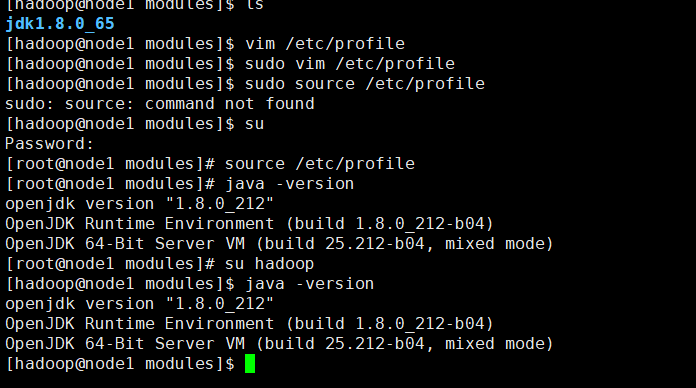
接下来配置给每台机器配置免密码登录

添加以下语句。
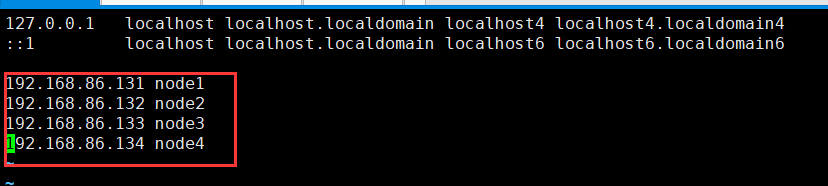
另外三台机器也这样操作!!!!
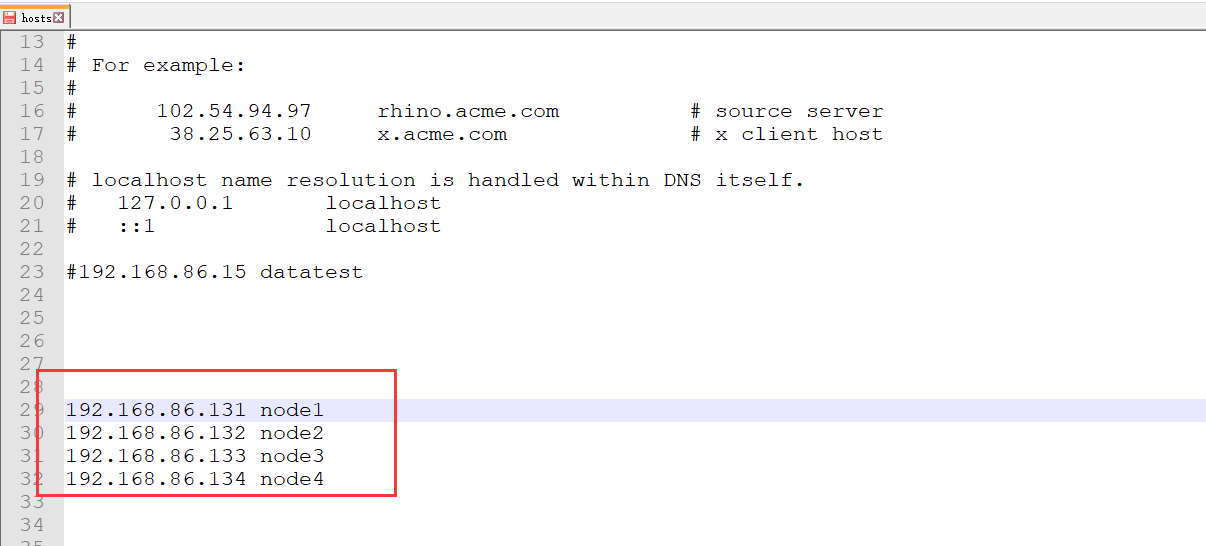
同时配置虚拟机与本地电脑的地址映射关系

添加以下语句
每台机器的各自本身的无密码访问
node1

[hadoop@node1 ~]$ cd

[hadoop@node1 ~]$ cd .ssh

-bash: cd: .ssh: No such file or directory

[hadoop@node1 ~]$ mkdir .ssh

[hadoop@node1 ~]$ cd .ssh

[hadoop@node1 .ssh]$ ssh-keygen -t rsa

Generating public/private rsa key pair.

Enter file in which to save the key (/home/hadoop/.ssh/id_rsa):

Enter passphrase (empty for no passphrase):

Enter same passphrase again:

Your identification has been saved in /home/hadoop/.ssh/id_rsa.

Your public key has been saved in /home/hadoop/.ssh/id_rsa.pub.

The key fingerprint is:

SHA256:Q2csL/LvcBf6qs29dZyjW0ZVKnqkqx+4DK4QHRJUEHo hadoop@node1

The key's randomart image is:

+---[RSA ]----+

| .=+.           .|

| . .     .     ..|

|. E .   o + o . .|

| . o . . = + .  .|

|  . . . S + o  . |

|   .   o + + ....|

|  .   . + = . .=o|

|   . . o O = .+..|

|    ... =+B.++.  |

+----[SHA256]-----+

[hadoop@node1 .ssh]$


[hadoop@node1 .ssh]$ ls

id_rsa  id_rsa.pub

[hadoop@node1 .ssh]$ cat id_rsa.pub >> authorized_keys

[hadoop@node1 .ssh]$ ls

authorized_keys  id_rsa  id_rsa.pub

[hadoop@node1 .ssh]$ cd ..

[hadoop@node1 ~]$  chmod  .ssh

[hadoop@node1 ~]$ chmod  .ssh/*

[hadoop@node1 ~]$ ssh node1

The authenticity of host 'node1 (fe80::eb1a:bdfe:4746:d86e%ens33)' can't be established.

ECDSA key fingerprint is SHA256:MgPYAE+6wpwD4f0o7rxojIbSEO1/6CWDDwebvR+m/NA.

ECDSA key fingerprint is MD5:9d:2a:c6:e4:c4:a1:73:42:92:47:a5:f1:9a:eb:2c:58.

Are you sure you want to continue connecting (yes/no)? yes

Warning: Permanently added 'node1,fe80::eb1a:bdfe:4746:d86e%ens33' (ECDSA) to the list of known hosts.

Last login: Fri May 10 17:40:50 2019 from 192.168.86.1

[hadoop@node1 ~]$ sudo yum -y install openssh-clients

Loaded plugins: fastestmirror, langpacks

Repository base is listed more than once in the configuration

Repository updates is listed more than once in the configuration

Repository extras is listed more than once in the configuration

Repository centosplus is listed more than once in the configuration

Loading mirror speeds from cached hostfile

 * base: mirrors.cn99.com

 * extras: mirrors.cn99.com

 * updates: mirrors.njupt.edu.cn

base                                                                                                                  | 3.6 kB  00:00:00

extras                                                                                                                | 3.4 kB  00:00:00

updates                                                                                                               | 3.4 kB  00:00:00

updates/7/x86_64/primary_db                                                                                           | 4.2 MB  00:00:05

Package openssh-clients-7.4p1-16.el7.x86_64 already installed and latest version

Nothing to do

[hadoop@node1 ~]$ ssh node1

Last login: Fri May 10 17:51:08 2019 from fe80::eb1a:bdfe:4746:d86e%ens33

[hadoop@node1 ~]$ exit

logout

Connection to node1 closed.

[hadoop@node1 ~]$
node2

[hadoop@node2 ~]$ mkdir .ssh

[hadoop@node2 ~]$ cd .ssh

[hadoop@node2 .ssh]$ ls

[hadoop@node2 .ssh]$ cd ..

[hadoop@node2 ~]$ cd .ssh

[hadoop@node2 .ssh]$ ssh-keygen -t rsa

Generating public/private rsa key pair.

Enter file in which to save the key (/home/hadoop/.ssh/id_rsa):

Enter passphrase (empty for no passphrase):

Enter same passphrase again:

Your identification has been saved in /home/hadoop/.ssh/id_rsa.

Your public key has been saved in /home/hadoop/.ssh/id_rsa.pub.

The key fingerprint is:

SHA256:ldG4RCbi5P1vf6McCO6XHm0OMW4ncKdQBrJn53uzyFw hadoop@node2

The key's randomart image is:

+---[RSA ]----+

|      o..o+o     |

|     + ooo+o.    |

|      o..+o=     |

|        oo*      |

|        S+.= .   |

|        . *.O    |

|         . X+E   |

|        . ++%.+..|

|         .o= =o..|

+----[SHA256]-----+

[hadoop@node2 .ssh]$ ls

id_rsa  id_rsa.pub

[hadoop@node2 .ssh]$


[hadoop@node2 .ssh]$ cat id_rsa.pub >> authorized_keys

[hadoop@node2 .ssh]$ ls

authorized_keys  id_rsa  id_rsa.pub

[hadoop@node2 .ssh]$ cd ..

[hadoop@node2 ~]$ chmod  .ssh

[hadoop@node2 ~]$ chmod  .ssh/*

[hadoop@node2 ~]$ sudo yum -y install openssh-clients

Loaded plugins: fastestmirror, langpacks

base                                                                                                                  | 3.6 kB  00:00:00

extras                                                                                                                | 3.4 kB  00:00:00

updates                                                                                                               | 3.4 kB  00:00:00

Loading mirror speeds from cached hostfile

 * base: mirrors.aliyun.com

 * extras: mirrors.aliyun.com

 * updates: mirrors.aliyun.com

Resolving Dependencies

--> Running transaction check

---> Package openssh-clients.x86_64 0:7.4p1-11.el7 will be updated

---> Package openssh-clients.x86_64 0:7.4p1-16.el7 will be an update

--> Processing Dependency: openssh = 7.4p1-16.el7 for package: openssh-clients-7.4p1-16.el7.x86_64

--> Running transaction check

---> Package openssh.x86_64 0:7.4p1-11.el7 will be updated

--> Processing Dependency: openssh = 7.4p1-11.el7 for package: openssh-server-7.4p1-11.el7.x86_64

---> Package openssh.x86_64 0:7.4p1-16.el7 will be an update

--> Running transaction check

---> Package openssh-server.x86_64 0:7.4p1-11.el7 will be updated

---> Package openssh-server.x86_64 0:7.4p1-16.el7 will be an update

--> Finished Dependency Resolution

Dependencies Resolved

=============================================================================================================================================

 Package                                Arch                          Version                              Repository                   Size

=============================================================================================================================================

Updating:

 openssh-clients                        x86_64                        7.4p1-16.el7                         base                        655 k

Updating for dependencies:

 openssh                                x86_64                        7.4p1-16.el7                         base                        510 k

 openssh-server                         x86_64                        7.4p1-16.el7                         base                        458 k

Transaction Summary

=============================================================================================================================================

Upgrade  1 Package (+2 Dependent packages)

Total download size: 1.6 M

Downloading packages:

No Presto metadata available for base

(1/3): openssh-clients-7.4p1-16.el7.x86_64.rpm                                                                        | 655 kB  00:00:00

(2/3): openssh-server-7.4p1-16.el7.x86_64.rpm                                                                         | 458 kB  00:00:00

(3/3): openssh-7.4p1-16.el7.x86_64.rpm                                                                                | 510 kB  00:00:00

---------------------------------------------------------------------------------------------------------------------------------------------

Total                                                                                                        2.2 MB/s | 1.6 MB  00:00:00

Running transaction check

Running transaction test

Transaction test succeeded

Running transaction

  Updating   : openssh-7.4p1-16.el7.x86_64                                                                                               1/6

  Updating   : openssh-clients-7.4p1-16.el7.x86_64                                                                                       2/6

  Updating   : openssh-server-7.4p1-16.el7.x86_64                                                                                        3/6

  Cleanup    : openssh-server-7.4p1-11.el7.x86_64                                                                                        4/6

  Cleanup    : openssh-clients-7.4p1-11.el7.x86_64                                                                                       5/6

  Cleanup    : openssh-7.4p1-11.el7.x86_64                                                                                               6/6

  Verifying  : openssh-7.4p1-16.el7.x86_64                                                                                               1/6

  Verifying  : openssh-clients-7.4p1-16.el7.x86_64                                                                                       2/6

  Verifying  : openssh-server-7.4p1-16.el7.x86_64                                                                                        3/6

  Verifying  : openssh-clients-7.4p1-11.el7.x86_64                                                                                       4/6

  Verifying  : openssh-7.4p1-11.el7.x86_64                                                                                               5/6

  Verifying  : openssh-server-7.4p1-11.el7.x86_64                                                                                        6/6

Updated:

  openssh-clients.x86_64 0:7.4p1-16.el7

Dependency Updated:

  openssh.x86_64 0:7.4p1-16.el7                                     openssh-server.x86_64 0:7.4p1-16.el7

Complete!

[hadoop@node2 ~]$ ssh node2

The authenticity of host 'node2 (fe80::2b74:214b:f03a:9f89%ens33)' can't be established.

ECDSA key fingerprint is SHA256:6mgGUMwozj0Cl6LzCNi250qZGSruWJA7bAktWIEAkDo.

ECDSA key fingerprint is MD5:cc:17:8e:2c:8f:9d:6f:1d:1a:da:ef:20:05:da:1f:2a.

Are you sure you want to continue connecting (yes/no)? yes

Warning: Permanently added 'node2,fe80::2b74:214b:f03a:9f89%ens33' (ECDSA) to the list of known hosts.

Last login: Fri May 10 17:40:59 2019 from 192.168.86.1

[hadoop@node2 ~]$ exit

logout

Connection to node2 closed.

[hadoop@node2 ~]$
node3

[hadoop@node3 ~]$  mkdir .ssh

[hadoop@node3 ~]$ ssh-keygen -t rsa

Generating public/private rsa key pair.

Enter file in which to save the key (/home/hadoop/.ssh/id_rsa):

Enter passphrase (empty for no passphrase):

Enter same passphrase again:

Your identification has been saved in /home/hadoop/.ssh/id_rsa.

Your public key has been saved in /home/hadoop/.ssh/id_rsa.pub.

The key fingerprint is:

SHA256:0aMi9W78aCoXPqtkQ6Jv6HnKec9BqyKjdbaY6tcFEmQ hadoop@node3

The key's randomart image is:

+---[RSA ]----+

|  .E             |

|  ..     .       |

|    . . . o      |

|   . o . o .     |

|  . +.o S        |

| . o..o=         |

|... B+..+        |

|=++@++=..o       |

|B@X.+*o=. .      |

+----[SHA256]-----+

[hadoop@node3 ~]$
[hadoop@node3 .ssh]$ cat id_rsa.pub >> authorized_keys

[hadoop@node3 .ssh]$ ls

authorized_keys  id_rsa  id_rsa.pub

[hadoop@node3 .ssh]$ cd ..

[hadoop@node3 ~]$ chmod  .ssh

[hadoop@node3 ~]$  chmod  .ssh/*

[hadoop@node3 ~]$ sudo yum -y install openssh-clients

Loaded plugins: fastestmirror, langpacks

Repository base is listed more than once in the configuration

Repository updates is listed more than once in the configuration

Repository extras is listed more than once in the configuration

Repository centosplus is listed more than once in the configuration

base                                                                                                                  | 3.6 kB  00:00:00

extras                                                                                                                | 3.4 kB  00:00:00

updates                                                                                                               | 3.4 kB  00:00:00

updates/7/x86_64/primary_db                                                                                           | 4.2 MB  00:00:01

Loading mirror speeds from cached hostfile

 * base: centos.ustc.edu.cn

 * extras: mirrors.nju.edu.cn

 * updates: centos.ustc.edu.cn

Resolving Dependencies

--> Running transaction check

---> Package openssh-clients.x86_64 0:7.4p1-11.el7 will be updated

---> Package openssh-clients.x86_64 0:7.4p1-16.el7 will be an update

--> Processing Dependency: openssh = 7.4p1-16.el7 for package: openssh-clients-7.4p1-16.el7.x86_64

--> Running transaction check

---> Package openssh.x86_64 0:7.4p1-11.el7 will be updated

--> Processing Dependency: openssh = 7.4p1-11.el7 for package: openssh-server-7.4p1-11.el7.x86_64

---> Package openssh.x86_64 0:7.4p1-16.el7 will be an update

--> Running transaction check

---> Package openssh-server.x86_64 0:7.4p1-11.el7 will be updated

---> Package openssh-server.x86_64 0:7.4p1-16.el7 will be an update

--> Finished Dependency Resolution

Dependencies Resolved

=============================================================================================================================================

 Package                                Arch                          Version                              Repository                   Size

=============================================================================================================================================

Updating:

 openssh-clients                        x86_64                        7.4p1-16.el7                         base                        655 k

Updating for dependencies:

 openssh                                x86_64                        7.4p1-16.el7                         base                        510 k

 openssh-server                         x86_64                        7.4p1-16.el7                         base                        458 k

Transaction Summary

=============================================================================================================================================

Upgrade  1 Package (+2 Dependent packages)

Total download size: 1.6 M

Downloading packages:

No Presto metadata available for base

warning: /var/cache/yum/x86_64/7/base/packages/openssh-7.4p1-16.el7.x86_64.rpm: Header V3 RSA/SHA256 Signature, key ID f4a80eb5: NOKEY-- ETA

Public key for openssh-7.4p1-16.el7.x86_64.rpm is not installed

(1/3): openssh-7.4p1-16.el7.x86_64.rpm                                                                                | 510 kB  00:00:00

(2/3): openssh-clients-7.4p1-16.el7.x86_64.rpm                                                                        | 655 kB  00:00:00

(3/3): openssh-server-7.4p1-16.el7.x86_64.rpm                                                                         | 458 kB  00:00:01

---------------------------------------------------------------------------------------------------------------------------------------------

Total                                                                                                        935 kB/s | 1.6 MB  00:00:01

Retrieving key from file:///etc/pki/rpm-gpg/RPM-GPG-KEY-CentOS-7

Importing GPG key 0xF4A80EB5:

 Userid     : "CentOS-7 Key (CentOS 7 Official Signing Key) <security@centos.org>"

 Fingerprint: 6341 ab27 53d7 8a78 a7c2 7bb1 24c6 a8a7 f4a8 0eb5

 Package    : centos-release-7-4.1708.el7.centos.x86_64 (@anaconda)

 From       : /etc/pki/rpm-gpg/RPM-GPG-KEY-CentOS-7

Running transaction check

Running transaction test

Transaction test succeeded

Running transaction

  Updating   : openssh-7.4p1-16.el7.x86_64                                                                                               1/6

  Updating   : openssh-clients-7.4p1-16.el7.x86_64                                                                                       2/6

  Updating   : openssh-server-7.4p1-16.el7.x86_64                                                                                        3/6

  Cleanup    : openssh-server-7.4p1-11.el7.x86_64                                                                                        4/6

  Cleanup    : openssh-clients-7.4p1-11.el7.x86_64                                                                                       5/6

  Cleanup    : openssh-7.4p1-11.el7.x86_64                                                                                               6/6

  Verifying  : openssh-7.4p1-16.el7.x86_64                                                                                               1/6

  Verifying  : openssh-clients-7.4p1-16.el7.x86_64                                                                                       2/6

  Verifying  : openssh-server-7.4p1-16.el7.x86_64                                                                                        3/6

  Verifying  : openssh-clients-7.4p1-11.el7.x86_64                                                                                       4/6

  Verifying  : openssh-7.4p1-11.el7.x86_64                                                                                               5/6

  Verifying  : openssh-server-7.4p1-11.el7.x86_64                                                                                        6/6

Updated:

  openssh-clients.x86_64 0:7.4p1-16.el7

Dependency Updated:

  openssh.x86_64 0:7.4p1-16.el7                                     openssh-server.x86_64 0:7.4p1-16.el7

Complete!

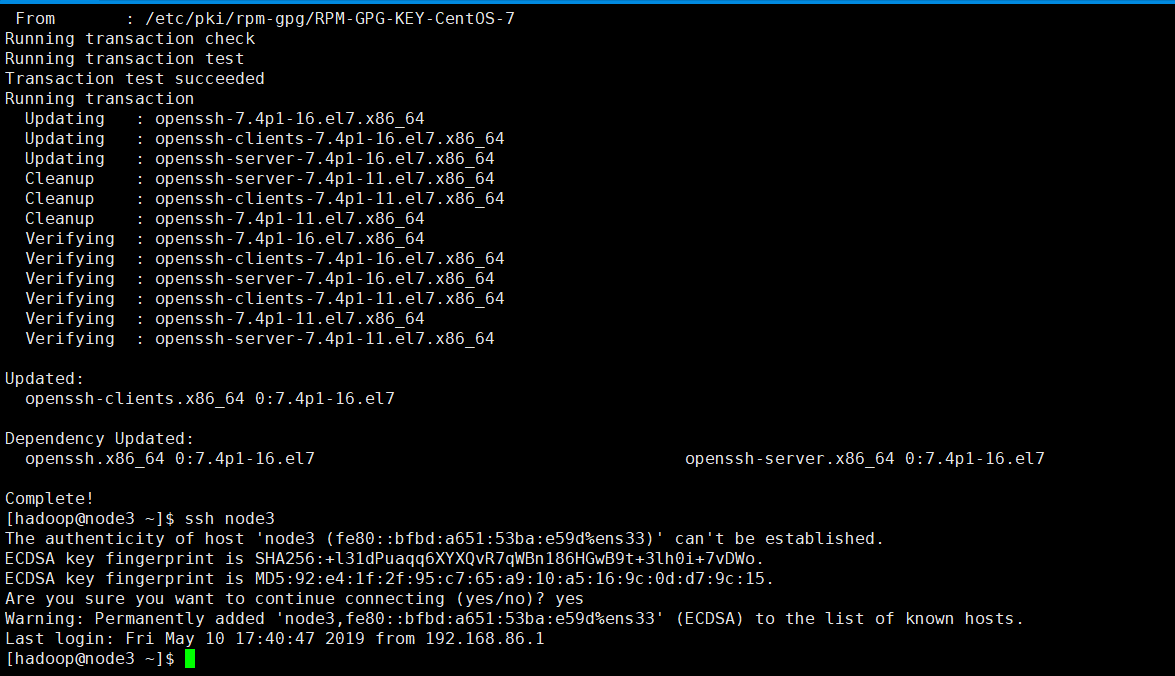
[hadoop@node3 ~]$ ssh node3

The authenticity of host 'node3 (fe80::bfbd:a651:53ba:e59d%ens33)' can't be established.

ECDSA key fingerprint is SHA256:+l31dPuaqq6XYXQvR7qWBn186HGwB9t+3lh0i+7vDWo.

ECDSA key fingerprint is MD5:92:e4:1f:2f:95:c7:65:a9:10:a5:16:9c:0d:d7:9c:15.

Are you sure you want to continue connecting (yes/no)? yes

Warning: Permanently added 'node3,fe80::bfbd:a651:53ba:e59d%ens33' (ECDSA) to the list of known hosts.

Last login: Fri May 10 17:40:47 2019 from 192.168.86.1

[hadoop@node3 ~]$
node4
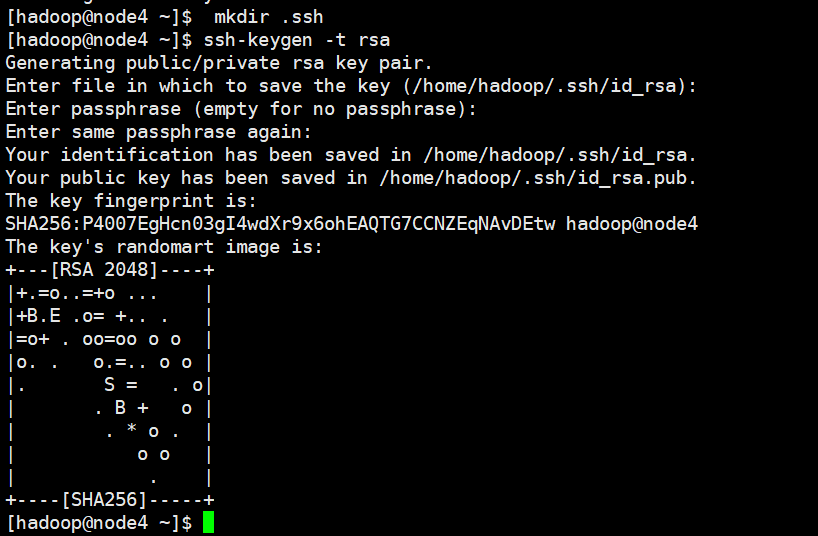
[hadoop@node4 ~]$  mkdir .ssh

[hadoop@node4 ~]$ ssh-keygen -t rsa

Generating public/private rsa key pair.

Enter file in which to save the key (/home/hadoop/.ssh/id_rsa):

Enter passphrase (empty for no passphrase):

Enter same passphrase again:

Your identification has been saved in /home/hadoop/.ssh/id_rsa.

Your public key has been saved in /home/hadoop/.ssh/id_rsa.pub.

The key fingerprint is:

SHA256:P4007EgHcn03gI4wdXr9x6ohEAQTG7CCNZEqNAvDEtw hadoop@node4

The key's randomart image is:

+---[RSA ]----+

|+.=o..=+o ...    |

|+B.E .o= +.. .   |

|=o+ . oo=oo o o  |

|o. .   o.=.. o o |

|.       S =   . o|

|       . B +   o |

|        . * o .  |

|           o o   |

|            .    |

+----[SHA256]-----+

[hadoop@node4 ~]$

[hadoop@node4 .ssh]$ cat id_rsa.pub >> authorized_keys

[hadoop@node4 .ssh]$ ls

authorized_keys  id_rsa  id_rsa.pub

[hadoop@node4 .ssh]$ cd ..

[hadoop@node4 ~]$ chmod  .ssh

[hadoop@node4 ~]$  chmod  .ssh/*

[hadoop@node4 ~]$ sudo yum -y install openssh-clients

Loaded plugins: fastestmirror, langpacks

Repository base is listed more than once in the configuration

Repository updates is listed more than once in the configuration

Repository extras is listed more than once in the configuration

Repository centosplus is listed more than once in the configuration

base                                                                                                     | 3.6 kB  00:00:00

extras                                                                                                   | 3.4 kB  00:00:00

updates                                                                                                  | 3.4 kB  00:00:00

updates/7/x86_64/primary_db                                                                              | 4.2 MB  00:00:01

Loading mirror speeds from cached hostfile

 * base: mirrors.aliyun.com

 * extras: centos.ustc.edu.cn

 * updates: centos.ustc.edu.cn

Resolving Dependencies

--> Running transaction check

---> Package openssh-clients.x86_64 0:7.4p1-11.el7 will be updated

---> Package openssh-clients.x86_64 0:7.4p1-16.el7 will be an update

--> Processing Dependency: openssh = 7.4p1-16.el7 for package: openssh-clients-7.4p1-16.el7.x86_64

--> Running transaction check

---> Package openssh.x86_64 0:7.4p1-11.el7 will be updated

--> Processing Dependency: openssh = 7.4p1-11.el7 for package: openssh-server-7.4p1-11.el7.x86_64

---> Package openssh.x86_64 0:7.4p1-16.el7 will be an update

--> Running transaction check

---> Package openssh-server.x86_64 0:7.4p1-11.el7 will be updated

---> Package openssh-server.x86_64 0:7.4p1-16.el7 will be an update

--> Finished Dependency Resolution

Dependencies Resolved

================================================================================================================================

 Package                             Arch                       Version                          Repository                Size

================================================================================================================================

Updating:

 openssh-clients                     x86_64                     7.4p1-16.el7                     base                     655 k

Updating for dependencies:

 openssh                             x86_64                     7.4p1-16.el7                     base                     510 k

 openssh-server                      x86_64                     7.4p1-16.el7                     base                     458 k

Transaction Summary

================================================================================================================================

Upgrade  1 Package (+2 Dependent packages)

Total size: 1.6 M

Downloading packages:

warning: /var/cache/yum/x86_64/7/base/packages/openssh-7.4p1-16.el7.x86_64.rpm: Header V3 RSA/SHA256 Signature, key ID f4a80eb5: NOKEY

Retrieving key from file:///etc/pki/rpm-gpg/RPM-GPG-KEY-CentOS-7

Importing GPG key 0xF4A80EB5:

 Userid     : "CentOS-7 Key (CentOS 7 Official Signing Key) <security@centos.org>"

 Fingerprint: 6341 ab27 53d7 8a78 a7c2 7bb1 24c6 a8a7 f4a8 0eb5

 Package    : centos-release-7-4.1708.el7.centos.x86_64 (@anaconda)

 From       : /etc/pki/rpm-gpg/RPM-GPG-KEY-CentOS-7

Running transaction check

Running transaction test

Transaction test succeeded

Running transaction

  Updating   : openssh-7.4p1-16.el7.x86_64                                                                                  1/6

  Updating   : openssh-clients-7.4p1-16.el7.x86_64                                                                          2/6

  Updating   : openssh-server-7.4p1-16.el7.x86_64                                                                           3/6

  Cleanup    : openssh-server-7.4p1-11.el7.x86_64                                                                           4/6

  Cleanup    : openssh-clients-7.4p1-11.el7.x86_64                                                                          5/6

  Cleanup    : openssh-7.4p1-11.el7.x86_64                                                                                  6/6

  Verifying  : openssh-7.4p1-16.el7.x86_64                                                                                  1/6

  Verifying  : openssh-clients-7.4p1-16.el7.x86_64                                                                          2/6

  Verifying  : openssh-server-7.4p1-16.el7.x86_64                                                                           3/6

  Verifying  : openssh-clients-7.4p1-11.el7.x86_64                                                                          4/6

  Verifying  : openssh-7.4p1-11.el7.x86_64                                                                                  5/6

  Verifying  : openssh-server-7.4p1-11.el7.x86_64                                                                           6/6

Updated:

  openssh-clients.x86_64 0:7.4p1-16.el7

Dependency Updated:

  openssh.x86_64 0:7.4p1-16.el7                               openssh-server.x86_64 0:7.4p1-16.el7

Complete!

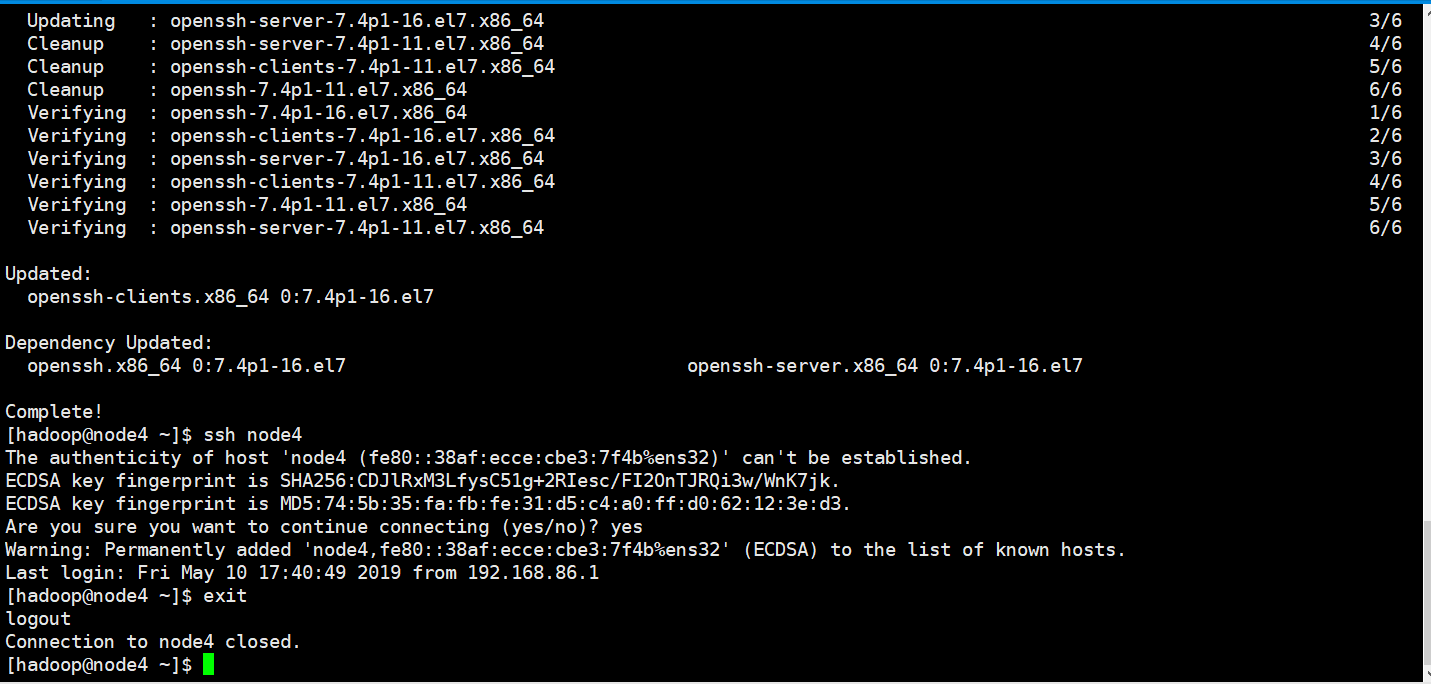
[hadoop@node4 ~]$ ssh node4

The authenticity of host 'node4 (fe80::38af:ecce:cbe3:7f4b%ens32)' can't be established.

ECDSA key fingerprint is SHA256:CDJlRxM3LfysC51g+2RIesc/FI2OnTJRQi3w/WnK7jk.

ECDSA key fingerprint is MD5:74:5b:35:fa:fb:fe:31:d5:c4:a0:ff:d0:62:12:3e:d3.

Are you sure you want to continue connecting (yes/no)? yes

Warning: Permanently added 'node4,fe80::38af:ecce:cbe3:7f4b%ens32' (ECDSA) to the list of known hosts.

Last login: Fri May 10 17:40:49 2019 from 192.168.86.1

[hadoop@node4 ~]$ exit

logout

Connection to node4 closed.

[hadoop@node4 ~]$
到此为止每台机器的各自本身的无密码访问已经成功设置好了。
每台机器之间的无密码访问的设置
完成node2与node1

[hadoop@node2 ~]$ cat ~/.ssh/id_rsa.pub | ssh hadoop@node1 'cat >> ~/.ssh/authorized_keys'

The authenticity of host 'node1 (192.168.86.131)' can't be established.

ECDSA key fingerprint is SHA256:MgPYAE+6wpwD4f0o7rxojIbSEO1/6CWDDwebvR+m/NA.

ECDSA key fingerprint is MD5:9d:2a:c6:e4:c4:a1:::::a5:f1:9a:eb:2c:.

Are you sure you want to continue connecting (yes/no)? yes

Warning: Permanently added 'node1,192.168.86.131' (ECDSA) to the list of known hosts.

hadoop@node1's password:

[hadoop@node2 ~]$
完成node3与node1

[hadoop@node3 ~]$ cat ~/.ssh/id_rsa.pub | ssh hadoop@node1 'cat >> ~/.ssh/authorized_keys'

The authenticity of host 'node1 (192.168.86.131)' can't be established.

ECDSA key fingerprint is SHA256:MgPYAE+6wpwD4f0o7rxojIbSEO1/6CWDDwebvR+m/NA.

ECDSA key fingerprint is MD5:9d:2a:c6:e4:c4:a1:::::a5:f1:9a:eb:2c:.

Are you sure you want to continue connecting (yes/no)? yes

Warning: Permanently added 'node1,192.168.86.131' (ECDSA) to the list of known hosts.

hadoop@node1's password:

[hadoop@node3 ~]$
完成node4与node1

[hadoop@node4 ~]$ cat ~/.ssh/id_rsa.pub | ssh hadoop@node1 'cat >> ~/.ssh/authorized_keys'

The authenticity of host 'node1 (192.168.86.131)' can't be established.

ECDSA key fingerprint is SHA256:MgPYAE+6wpwD4f0o7rxojIbSEO1/6CWDDwebvR+m/NA.

ECDSA key fingerprint is MD5:9d:2a:c6:e4:c4:a1:::::a5:f1:9a:eb:2c:.

Are you sure you want to continue connecting (yes/no)? yes

Warning: Permanently added 'node1,192.168.86.131' (ECDSA) to the list of known hosts.

hadoop@node1's password:

[hadoop@node4 ~]$
将node1的authorized_keys分发给node2 node3 node4
[hadoop@node1 ~]$ cd .ssh

[hadoop@node1 .ssh]$ scp -r authorized_keys hadoop@node2:~/.ssh/

The authenticity of host 'node2 (192.168.86.132)' can't be established.

ECDSA key fingerprint is SHA256:6mgGUMwozj0Cl6LzCNi250qZGSruWJA7bAktWIEAkDo.

ECDSA key fingerprint is MD5:cc::8e:2c:8f:9d:6f:1d:1a:da:ef:::da:1f:2a.

Are you sure you want to continue connecting (yes/no)? yes

Warning: Permanently added 'node2,192.168.86.132' (ECDSA) to the list of known hosts.

hadoop@node2's password:

authorized_keys                                                                                            %      .5MB/s   :

[hadoop@node1 .ssh]$ scp -r authorized_keys hadoop@node3:~/.ssh/

The authenticity of host 'node3 (192.168.86.133)' can't be established.

ECDSA key fingerprint is SHA256:+l31dPuaqq6XYXQvR7qWBn186HGwB9t+3lh0i+7vDWo.

ECDSA key fingerprint is MD5::e4:1f:2f::c7::a9::a5::9c:0d:d7:9c:.

Are you sure you want to continue connecting (yes/no)? yes

Warning: Permanently added 'node3,192.168.86.133' (ECDSA) to the list of known hosts.

hadoop@node3's password:

authorized_keys                                                                                            %      .6MB/s   :

[hadoop@node1 .ssh]$ scp -r authorized_keys hadoop@node4:~/.ssh/

The authenticity of host 'node4 (192.168.86.134)' can't be established.

ECDSA key fingerprint is SHA256:CDJlRxM3LfysC51g+2RIesc/FI2OnTJRQi3w/WnK7jk.

ECDSA key fingerprint is MD5::5b::fa:fb:fe::d5:c4:a0:ff:d0:::3e:d3.

Are you sure you want to continue connecting (yes/no)? yes

Warning: Permanently added 'node4,192.168.86.134' (ECDSA) to the list of known hosts.

hadoop@node4's password:

authorized_keys
因为我们配置了4台机器之间的免密码登录了,因此我们可以将node1安装好的jdk分发给其他3台机器



分别给3台机器配置环境变量(操作都一样)

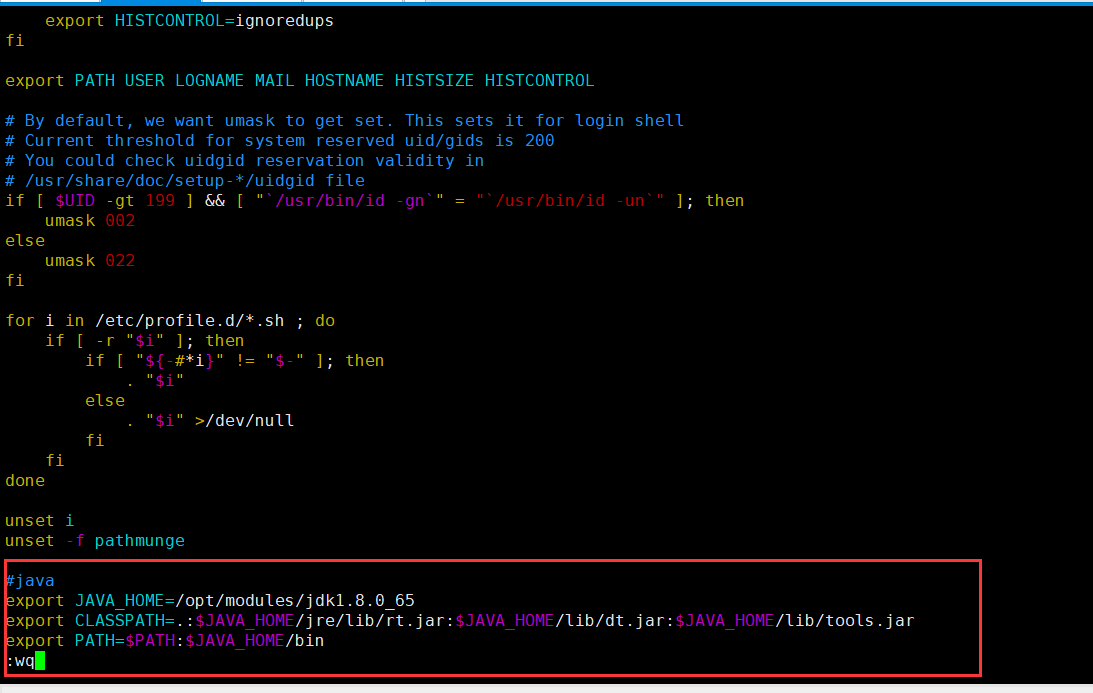
#java

export JAVA_HOME=/opt/modules/jdk1..0_65

export CLASSPATH=.:$JAVA_HOME/jre/lib/rt.jar:$JAVA_HOME/lib/dt.jar:$JAVA_HOME/lib/tools.jar

export PATH=$PATH:$JAVA_HOME/bin
使环境变量生效

3台操作都一样所以就不赘述了!!!
hadoop的安装
解压hadoop

[hadoop@node1 softwares]$ tar -zxf hadoop-3.1..tar.gz -C /opt/modules/

[hadoop@node1 softwares]$ ls

hadoop-2.7..tar.gz  hadoop-3.1..tar.gz  jdk-8u65-linux-x64.tar.gz

[hadoop@node1 softwares]$ cd ../modules/

[hadoop@node1 modules]$ ls

hadoop-3.1.  jdk1..0_65

[hadoop@node1 modules]$
给hadoop配置环境变量

#hadoop

export HADOOP_HOME=/opt/modules/hadoop-3.1.

export PATH=$PATH:$HADOOP_HOME/bin:$HADOOP_HOME/sbin
使其环境变量生效

[root@node1 hadoop-3.1.]# source /etc/profile

[root@node1 hadoop-3.1.]# hadoop version

Hadoop 3.1.

Source code repository https://github.com/apache/hadoop.git -r 1019dde65bcf12e05ef48ac71e84550d589e5d9a

Compiled by sunilg on --29T01:39Z

Compiled with protoc 2.5.

From source with checksum 64b8bdd4ca6e77cce75a93eb09ab2a9

This command was run using /opt/modules/hadoop-3.1./share/hadoop/common/hadoop-common-3.1..jar

[root@node1 hadoop-3.1.]#
3.Java和hadoop的安装的更多相关文章
- 2.2、CDH 搭建Hadoop在安装(安装Java Development Kit)
第2步:安装Java Development Kit 要安装Oracle JDK,您可以使用Cloudera Manager安装Cloudera提供的版本,也可以直接安装Oracle的其他版本. 继续 ...
- 【从零开始学习Hadoop】--1.Hadoop的安装
第1章 Hadoop的安装1. 操作系统2. Hadoop的版本3. 下载Hadoop4. 安装Java JDK5. 安装hadoop6. 安装rsync和ssh7. 启动hadoop8. 测试had ...
- hadoop环境安装及简单Map-Reduce示例
说明:这篇博客来自我的csdn博客,http://blog.csdn.net/lxxgreat/article/details/7753511 一.参考书:<hadoop权威指南--第二版(中文 ...
- hadoop群集安装中碰到的问题
在hadoop群集安装结束后,进行格式测试出现问题如下 格式化 cd /data/hadoop/bin ./hdfs namenode -format 15/01/21 05:21:17 WARN f ...
- 从零开始学习Hadoop--第1章 Hadoop的安装
Hadoop的安装比较繁琐,有如下几个原因:其一,Hadoop有非常多的版本:其二,官方文档不尽详细,有时候更新脱节,Hadoop发展的太快了:其三,网上流传的各种文档,或者是根据某些需求定制,或者加 ...
- Hadoop学习---安装部署
hadoop框架 Hadoop使用主/从(Master/Slave)架构,主要角色有NameNode,DataNode,secondary NameNode,JobTracker,TaskTracke ...
- hadoop分布式安装教程(转)
from:http://www.cnblogs.com/xia520pi/archive/2012/05/16/2503949.html 1.集群部署介绍 1.1 Hadoop简介 Hadoop是Ap ...
- Hadoop的安装与配置说明
安装hadoop是一件非常容易的事情,读者可以在官网上下载到最近的几个hadoop版本.网址为http://apache.etoak.com//hadoop/core/. 目前,hadoop可以运 ...
- hadoop生态圈安装详解(hadoop+zookeeper+hbase+pig+hive)
-------------------------------------------------------------------* 目录 * I hadoop分布式安装 * II zoo ...
随机推荐
- React事件,修改this.state的值
1.React中绑定事件 React中绑定事件格式: onClick = { function } React中绑定事件的标准用法: import React from 'react' export ...
- jquery unload方法 语法
jquery unload方法 语法 作用:当用户离开页面时,会发生 unload 事件.具体来说,当发生以下情况时,会发出 unload 事件:点击某个离开页面的链接在地址栏中键入了新的 URL使用 ...
- VirtualbBox:UEFI环境下安装VirtualBox
造冰箱的大熊猫@cnblogs 2018/12/18 1.问题 在一台新计算机上安装VirtualBox,启动虚拟机时出现“Kernel driver not installed (rc=-1908) ...
- Object.keys 返回由一个给定对象的自身可枚举属性组成的数组
在实际开发中,我们有时需要知道对象的所有属性, 原生js给我们提供了一个很好的方法:Object.keys(),该方法返回一个数组 http://blog.csdn.net/u014035151/ar ...
- TTTTTTTTTTTTTTTT hdu 5510 Bazinga 字符串+哈希
Bazinga Time Limit: 2000/1000 MS (Java/Others) Memory Limit: 65536/65536 K (Java/Others)Total Sub ...
- 实现同时将一批.bmp文件转换成.mat格式
%% 功能:实现同时对一批.bmp文件的转换成.mat格式PicFormat = {'*.bmp','Bitmap image (*.bmp)';... '*.jpg','JPEG image (*. ...
- Xargs用法详解(自创)
简介之所以能用到这个命令,关键是由于很多命令不支持|管道来传递参数,而日常工作中有有这个必要,所以就有了xargs命令,例如: 这个命令是错误的find /sbin -perm +700 |ls -l ...
- Linux 变量 $$ $! $? $- $# $* $@ $0 $n
[参考文章]:linux中shell变量$#,$@,$0,$1,$2的含义解释 1. 变量说明 1.1 $$ Shell本身的PID(ProcessID) 1.2 $! Shell最后运行的后台Pro ...
- [论文理解] FoveaBox: Beyond Anchor-based Object Detector
FoveaBox: Beyond Anchor-based Object Detector Intro 本文是一篇one-stage anchor free的目标检测文章,大体检测思路为,网络分两路, ...
- Scope 'request' is not active for the current thread
Unable to instantiate Action, getUserAction, defined for 'getUser' in namespace '/'Error creating be ...