
实现UILabel渐变色效果
实现UILabel渐变色效果
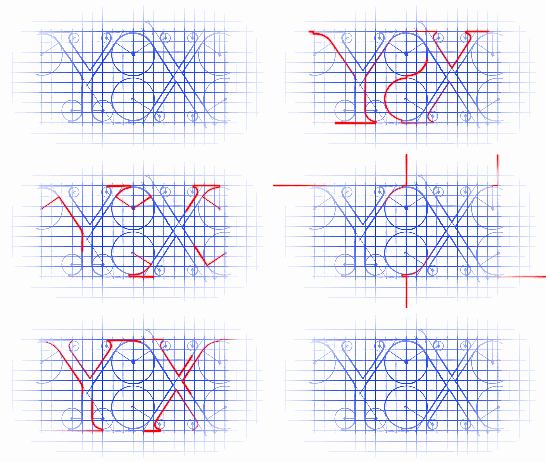
效果如下图:
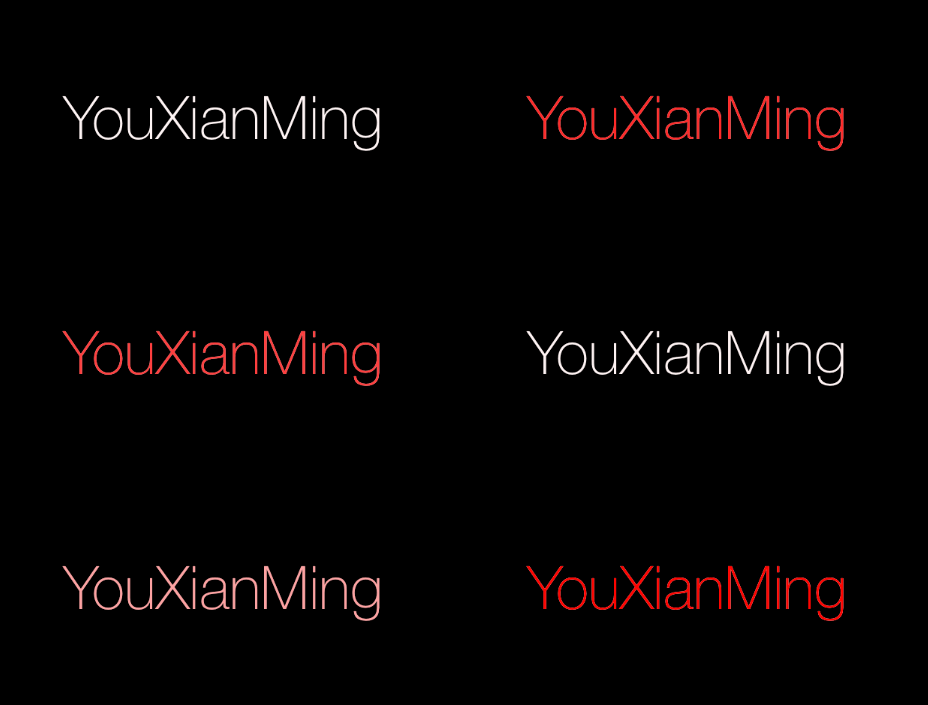
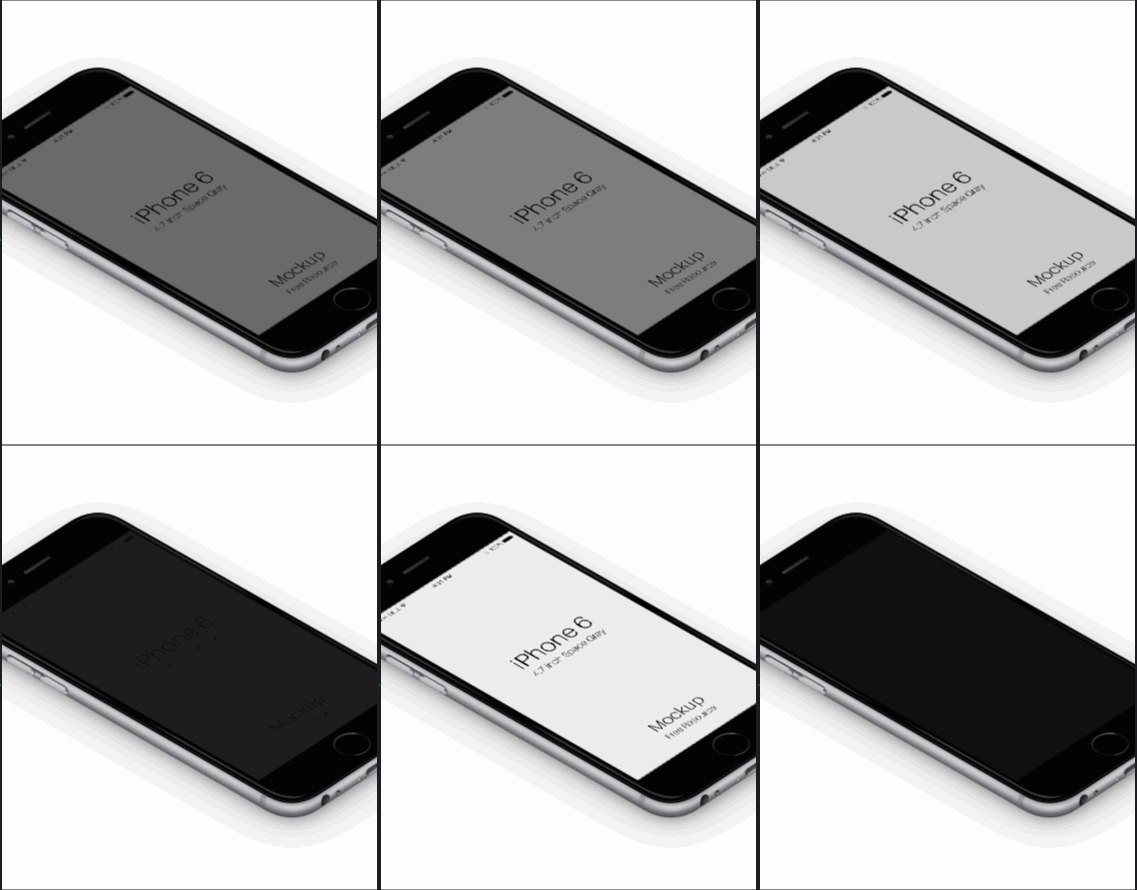
源码:
//

//  CombinationView.h

//  ChangeColorLabel

//

//  Created by YouXianMing on 14/11/15.

//  Copyright (c) 2014年 YouXianMing. All rights reserved.

//

#import <UIKit/UIKit.h>

@interface CombinationView : UIView

/**

 *  上面的view与下面的view

 */

@property (nonatomic, strong) UIView  *bottomView;

@property (nonatomic, strong) UIView  *aboveView;

/**

 *  上面view的透明度

 */

@property (nonatomic, assign) CGFloat  aboveViewAlpha;

@end
//

//  CombinationView.m

//  ChangeColorLabel

//

//  Created by YouXianMing on 14/11/15.

//  Copyright (c) 2014年 YouXianMing. All rights reserved.

//

#import "CombinationView.h"

typedef enum : NSUInteger {

    Above_View = 0x11,

    Bottom_View,

} ENUM_VIEW;

@implementation CombinationView

#pragma mark - 上面的view与下面的view

@synthesize bottomView     = _bottomView;

@synthesize aboveView      = _aboveView;

@synthesize aboveViewAlpha = _aboveViewAlpha;

- (void)setBottomView:(UIView *)bottomView {

    self.bounds      = bottomView.bounds;

    bottomView.frame = bottomView.bounds;

    _bottomView      = bottomView;

    _aboveView.tag  = Above_View;

    _bottomView.tag = Bottom_View;

    [self addSubview:bottomView];

    [self bringSubviewToFront:[self viewWithTag:Above_View]];

}

- (UIView *)bottomView {

    return _bottomView;

}

- (void)setAboveView:(UIView *)aboveView {

    self.bounds     = aboveView.bounds;

    aboveView.frame = aboveView.bounds;

    _aboveView      = aboveView;

    _aboveView.tag  = Above_View;

    _bottomView.tag = Bottom_View;

    [self addSubview:aboveView];

    [self bringSubviewToFront:[self viewWithTag:Above_View]];

}

- (UIView *)aboveView {

    return _aboveView;

}

- (void)setAboveViewAlpha:(CGFloat)aboveViewAlpha {

    _aboveView.alpha = aboveViewAlpha;

}

- (CGFloat)aboveViewAlpha {

    return _aboveView.alpha;

}

@end
显示时候的源码:
//

//  ViewController.m

//  ChangeColorLabel

//

//  Created by YouXianMing on 14/11/15.

//  Copyright (c) 2014年 YouXianMing. All rights reserved.

//

#import "ViewController.h"

#import "CombinationView.h"

@interface ViewController ()

@property (nonatomic, strong) NSTimer         *timer;

@property (nonatomic, strong) CombinationView *tmpView;

@end

@implementation ViewController

- (void)viewDidLoad {

    [super viewDidLoad];

    self.view.backgroundColor = [UIColor blackColor];

    // 普通label

    UILabel *label      = [[UILabel alloc] initWithFrame:CGRectMake(, , , )];

    label.center        = self.view.center;

    label.textAlignment = NSTextAlignmentCenter;

    label.font          = [UIFont fontWithName:@"HelveticaNeue-Thin" size:];

    label.text          = @"YouXianMing";

    label.textColor     = [UIColor whiteColor];

    // 截图

    UIView *snapShot = [label snapshotViewAfterScreenUpdates:YES];

    // 更新的label

    label.textColor = [UIColor redColor];

    // 组合器

    self.tmpView             = [CombinationView new];

    self.tmpView.aboveView   = label;

    self.tmpView.bottomView  = snapShot;

    self.tmpView.center      = self.view.center;

    // 添加view

    [self.view addSubview:self.tmpView];

    // 定时器

    _timer = [NSTimer scheduledTimerWithTimeInterval:3.5f

                                              target:self

                                            selector:@selector(doAnimation)

                                            userInfo:nil

                                             repeats:YES];

}

- (void)doAnimation {

    // 做动画测试

    [UIView animateWithDuration:1.5 animations:^{

        self.tmpView.aboveViewAlpha = .f;

    } completion:^(BOOL finished) {

        [UIView animateWithDuration:1.5 animations:^{

            self.tmpView.aboveViewAlpha = .f;

        } completion:^(BOOL finished) {

        }];

    }];

}

@end
手机图片源码:
//

//  ViewController.m

//  ChangeColorLabel

//

//  Created by YouXianMing on 14/11/15.

//  Copyright (c) 2014年 YouXianMing. All rights reserved.

//

#import "ViewController.h"

#import "CombinationView.h"

@interface ViewController ()

@property (nonatomic, strong) NSTimer         *timer;

@property (nonatomic, strong) CombinationView *tmpView;

@end

@implementation ViewController

- (void)viewDidLoad {

    [super viewDidLoad];

    self.view.backgroundColor = [UIColor blackColor];

    UIImageView *imageView1 = [[UIImageView alloc] initWithImage:[UIImage imageNamed:@"iPhone"]];

    UIImageView *imageView2 = [[UIImageView alloc] initWithImage:[UIImage imageNamed:@"iPhoneOne"]];

    // 组合器

    self.tmpView             = [CombinationView new];

    self.tmpView.aboveView   = imageView1;

    self.tmpView.bottomView  = imageView2;

    self.tmpView.center      = self.view.center;

    // 添加view

    [self.view addSubview:self.tmpView];

    // 定时器

    _timer = [NSTimer scheduledTimerWithTimeInterval:3.5f

                                              target:self

                                            selector:@selector(doAnimation)

                                            userInfo:nil

                                             repeats:YES];

}

- (void)doAnimation {

    // 做动画测试

    [UIView animateWithDuration:1.5 animations:^{

        self.tmpView.aboveViewAlpha = .f;

    } completion:^(BOOL finished) {

        [UIView animateWithDuration:1.5 animations:^{

            self.tmpView.aboveViewAlpha = .f;

        } completion:^(BOOL finished) {

        }];

    }];

}

@end
实现UILabel渐变色效果的更多相关文章
- 通过CAGradientLayer制作渐变色效果(转)
转载自:http://blog.it985.com/7986.html 看了极客学院的视频之后写的一篇博客,觉得不错,还是作为笔记使用. 简单介绍一下CAGradientLayer吧. Gradien ...
- iOS高仿微信项目、阴影圆角渐变色效果、卡片动画、波浪动画、路由框架等源码
iOS精选源码 iOS高仿微信完整项目源码 Khala: Swift 编写的iOS/macOS 路由框架 微信左滑删除效果的实现与TableViewCell的常用样式介绍 实现阴影圆角并存,渐变色背景 ...
- Android背景渐变色效果
Android设置背景色可以通过在res/drawable里定义一个xml,如下: [代码]xml代码: 1 <?xml version="1.0" encoding=&qu ...
- css实现背景渐变色效果
webkit内核的浏览器,例如(chrome,safari等) background:-webkit-gradient(linear,0 0,0 100%,from(#000000),to(#ffff ...
- 兼容主流浏览器的css渐变色
网页中的渐变色区域,渐变色背景,一般都是通过ps图片方法来实现,但是图片放得多了会影响网页的打开速度,本文介绍的就是用纯 CSS 实现 IE .Firefox.Chrome 和 和Safari都支持的 ...
- iOS - AutoLayout
前言 NS_CLASS_AVAILABLE_IOS(6_0) @interface NSLayoutConstraint : NSObject @available(iOS 6.0, *) publi ...
- asp.net 创建文字特效
相信word 中的 艺术字 功能大家都不陌生.今天, 我们就利用C#来制作几款自己的艺术字, 可能会对我们了解字体图像的制作原理有一些帮助. 至于有没有使用价值我保持沉默. 一. 投影效果 程序运行效 ...
- C#制作艺术字
相信 Word 中的 艺术字 功能大家都不陌生, 前面这个 "Word" 单词就是它所为. 今天, 我们就利用C#来制作几款自己的艺术字, 可能会对我们了解字体图像的制作原理有一 ...
- iOS中常用技术链接
1.弹幕技术 http://www.jianshu.com/p/f39b8abc8008 2.通过CAGradientLayer制作渐变色效果 http://blog.it985.com/7986.h ...
随机推荐
- ubuntu 16 .04常见指令整理
删除类指令 sudo rm -rf 文件名 //该指令为直接删除指令 -------------------------------------------------------------- ...
- 如何为 Vue 项目写单元测试
https://www.w3ctech.com/topic/2052 如何为 Vue 项目写单元测试 前端工程 明非 2017-07-18 4685 访问 1 分享 微信分享 译者:明非 链接:htt ...
- Session.Abandon和Session.Clear有何不同 (转)
Session.Clear()就是把Session对象中的所有项目都删除了, Session对象里面啥都没有.但是Session对象还保留.Session.Abandon()就是把当前Session对 ...
- selenium+Python(表单、多窗口切换)
1.多表单切换 在Web应用中经常会遇到frame/iframe表单嵌套页面的应用,WebDriver只能在一个页面上对元素识别与定位,对于frame/iframe表单内嵌页面上的元素无法直接定位.这 ...
- 关于JS闭包
今天在敲代码的时候,发现很多JQ插件在写闭包的时候都会用到下面的写法: (function ($) { ... })(jQuery); 一时的好奇心驱使,我研究起了这一写法来.大家都知道,在 $ 没有 ...
- SQL 工具系列二
1.RedGate 工具 SQL Prompt 脚步智能提示工具 脚步提示工具,轻松写入,编辑和探索SQL: SQL Prompt能根据数据库的对象名称,语法和用户编写的代码片段自动进行检索,智能的为 ...
- 系统对象的使用——Cookie,ViewState,Session,Application
Normal 0 7.8 磅 0 2 false false false EN-US ZH-CN X-NONE /* Style Definitions */ table.MsoNormalTable ...
- [javaEE] 开源数据库连接池
一些开源组织提供了数据源的独立实现: DBCP数据库连接池 C3P0数据库连接池 Apache Tomcat内置的连接池 DBCP连接池 apache提供的连接池实现,需要导入common-dbcp. ...
- Git版本控制工具(1)
学习Git的最佳资料网站: https://www.liaoxuefeng.com/wiki/0013739516305929606dd18361248578c67b8067c8c017b000/ 这 ...
- Maven打包时,不包含jar包
在给Maven项目打war包时,如果不想把依赖中的jar包也包含进去,可以在plugins中加入 <span style="white-space:pre"> < ...