
SpringBoot系列——ElasticSearch
前言
本文记录安装配置ES环境,在SpringBoot项目中使用SpringData-ElasticSearch对ES进行增删改查通用操作
ElasticSearch官网:https://www.elastic.co/cn/products/elasticsearch
SpringData-ElasticSearch官网:https://spring.io/projects/spring-data-elasticsearch
安装配置ES环境
过程参考这篇文章:https://blog.csdn.net/chen_2890/article/details/83757022
下载ES
链接:https://www.elastic.co/cn/downloads/elasticsearch
选择最新版下载即可,Elasticsearch无需安装,解压即用,直接双击 elasticsearch.bat 运行
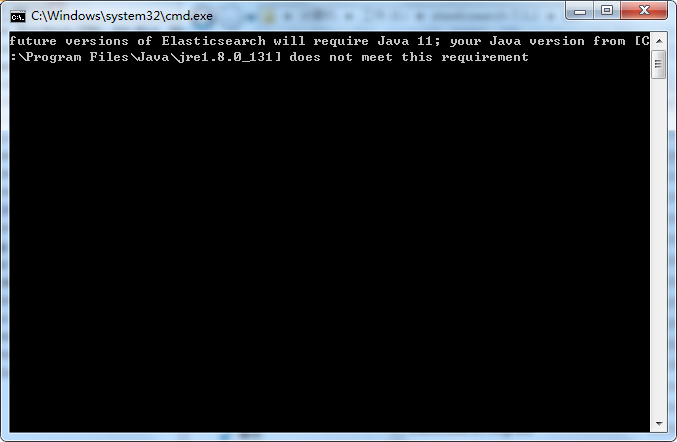
PS:下载下来后发现,最新版需要java jdk11,我的是jdk1.8,所有还是下载回6.X版本吧....
安装Head插件
下载地址:https://github.com/mobz/elasticsearch-head
PS:个人觉得,这个插件就类似PLSQL、Navicat工具,作用差不多
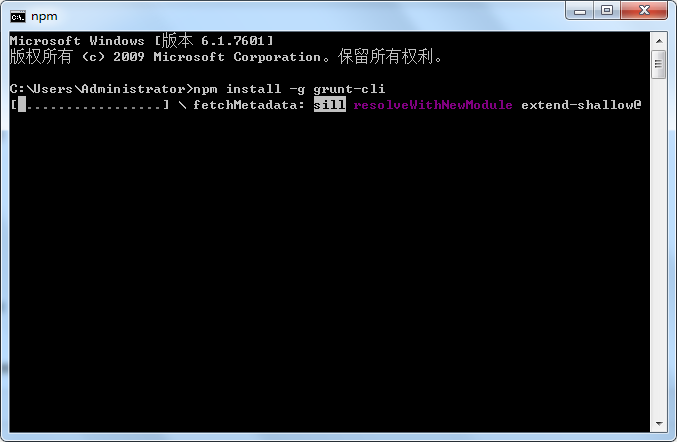
注意:es5以上版本安装head需要安装node和grunt,执行 npm install -g grunt-cli 安装grunt
第一步:进入Elasticsearch安装目录下的config目录,修改elasticsearch.yml文件.在文件的末尾加入以下代码
http.cors.enabled: true

http.cors.allow-origin: "*"

node.master: true

node.data: true
然后去掉network.host: 192.168.0.1的注释并改为network.host: 0.0.0.0,去掉cluster.name;node.name;http.port的注释(也就是去掉#)忽略所有注释,最终的配置是
cluster.name: springboot-es

node.name: node-1

network.host: 0.0.0.0

http.port: 9200

http.cors.enabled: true

http.cors.allow-origin: "*"

node.master: true

node.data: true
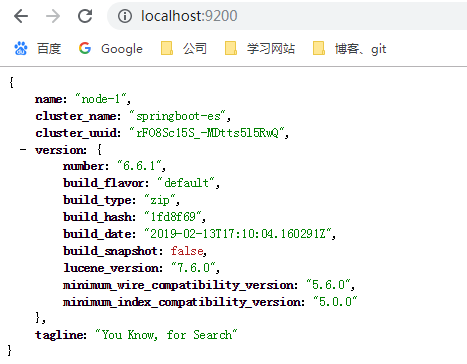
第二步:双击elasticsearch.bat启动Elasticsearch,浏览器访问9200端口
第三步:在https://github.com/mobz/elasticsearch-head中下载head插件,选择下载zip
第四步:解压到指定文件夹下,修改Gruntfile.js 在对应的位置加上 hostname:'*'


第五步:打开cmd命令行窗口 ,在解压目录下执行npm install 安装,完成后执行grunt server 或者 npm run start 运行head插件,如果运行不成功建议重新安装grunt


打开浏览器访问9100端口

配置IK分词器
注意:你的Elasticsearch和IK分词器必须版本统一
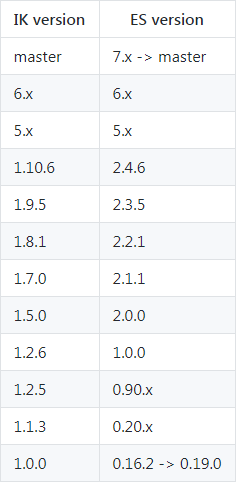
GitHub地址:https://github.com/medcl/elasticsearch-analysis-ik
下载地址:https://github.com/medcl/elasticsearch-analysis-ik/releases
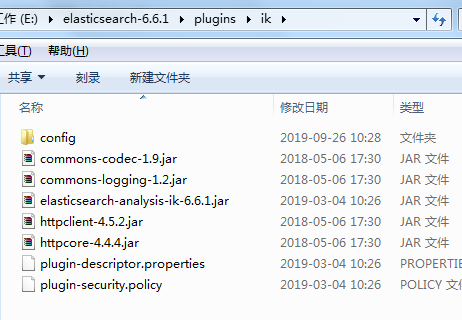
解压后把文件夹复制到ES的的plugins目录下面,然后重启ES
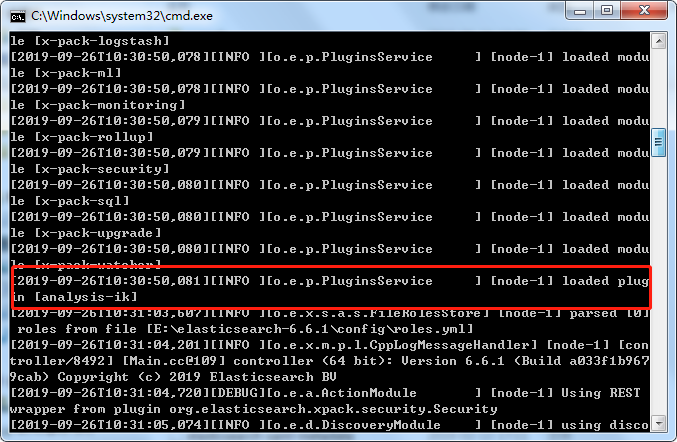
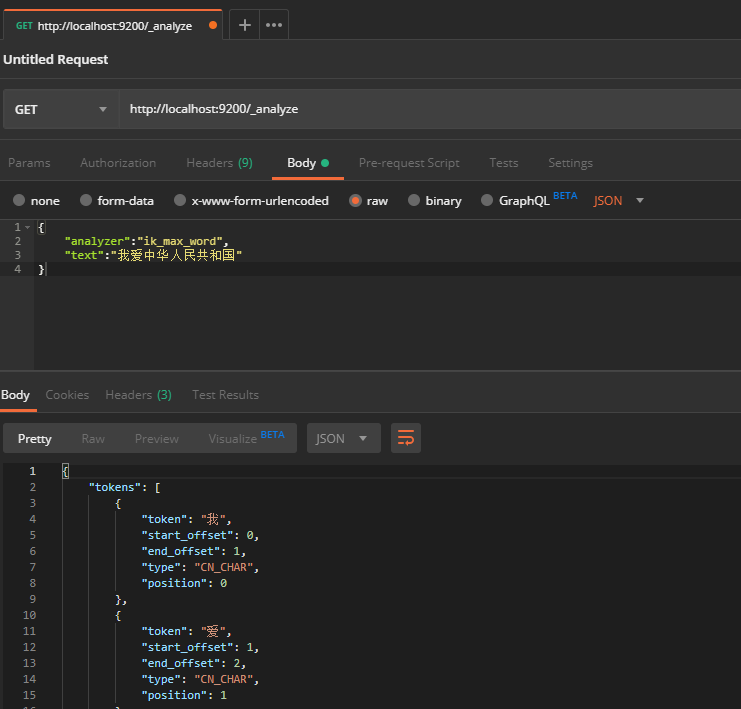
使用postman测试分词效果
如果是ik分词插件是6.x版本的,只能用postman测试,而且查询条件要放在body体内,如果直接在url加上查询条件会报错
http://localhost:9200/_analyze?analyzer=ik_max_word&text=我爱中华人民共和国
{

    "tokens": [

        {

            "token": "我",

            "start_offset": 0,

            "end_offset": 1,

            "type": "CN_CHAR",

            "position": 0

        },

        {

            "token": "爱",

            "start_offset": 1,

            "end_offset": 2,

            "type": "CN_CHAR",

            "position": 1

        },

        {

            "token": "中华人民共和国",

            "start_offset": 2,

            "end_offset": 9,

            "type": "CN_WORD",

            "position": 2

        },

        {

            "token": "中华人民",

            "start_offset": 2,

            "end_offset": 6,

            "type": "CN_WORD",

            "position": 3

        },

        {

            "token": "中华",

            "start_offset": 2,

            "end_offset": 4,

            "type": "CN_WORD",

            "position": 4

        },

        {

            "token": "华人",

            "start_offset": 3,

            "end_offset": 5,

            "type": "CN_WORD",

            "position": 5

        },

        {

            "token": "人民共和国",

            "start_offset": 4,

            "end_offset": 9,

            "type": "CN_WORD",

            "position": 6

        },

        {

            "token": "人民",

            "start_offset": 4,

            "end_offset": 6,

            "type": "CN_WORD",

            "position": 7

        },

        {

            "token": "共和国",

            "start_offset": 6,

            "end_offset": 9,

            "type": "CN_WORD",

            "position": 8

        },

        {

            "token": "共和",

            "start_offset": 6,

            "end_offset": 8,

            "type": "CN_WORD",

            "position": 9

        },

        {

            "token": "国",

            "start_offset": 8,

            "end_offset": 9,

            "type": "CN_CHAR",

            "position": 10

        }

    ]

}
到这里,ES环境算是搭建成功了
正常情况下,直接启动ES就可以跑项目了,如果想要直观的看到数据,就启动head插件
整合通用代码
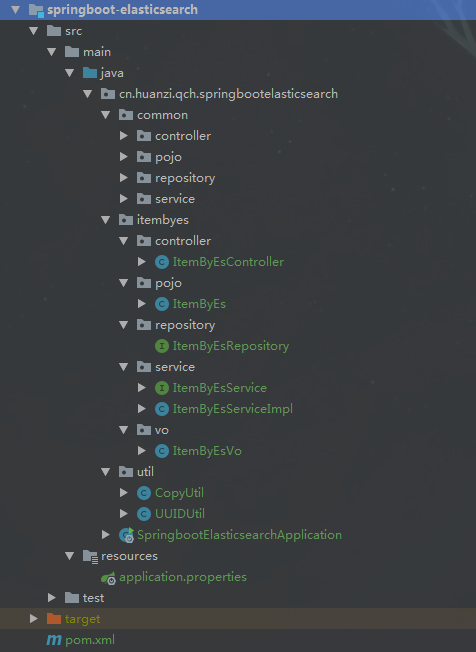
工程结构
与我们之前的通用JPA差不多,风格统一,也是直接单表基础通用增删改查,一人挖井,全村喝水
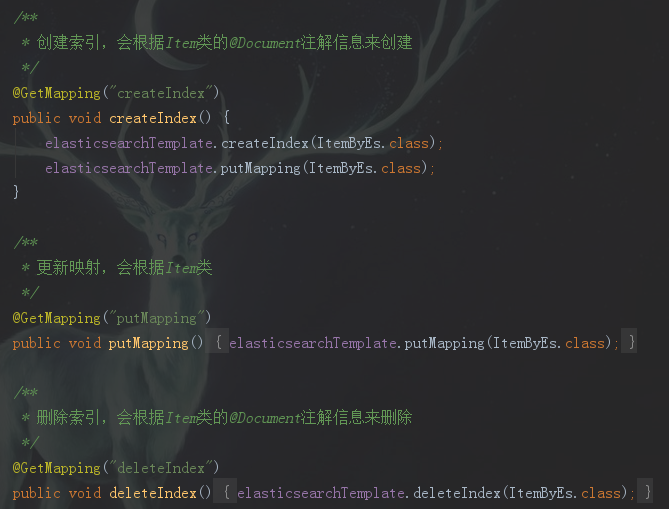
创建索引、映射
相当于数据库、数据表
save接口
无id,新增

有id,更新,可局部更新

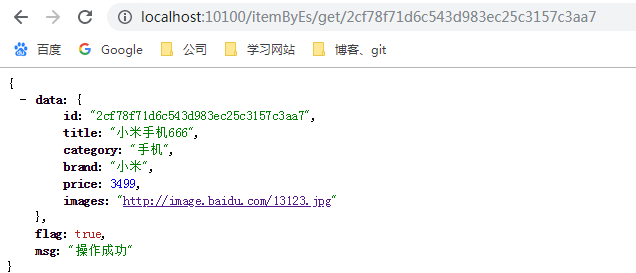
get接口
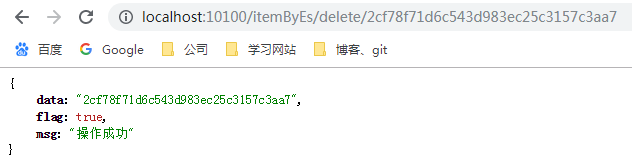
delete接口
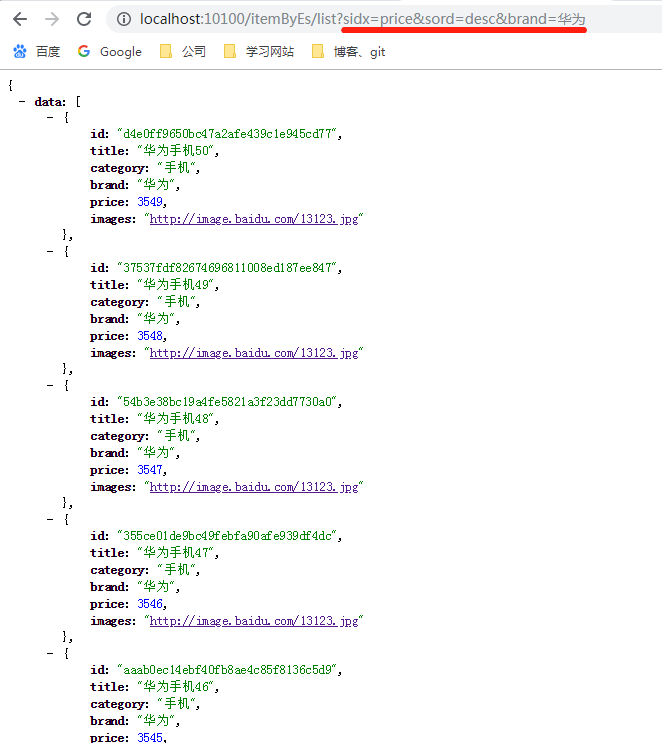
list接口
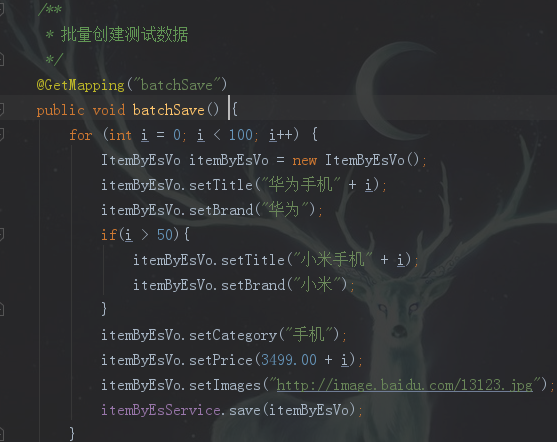
测试list、page接口前,先调用batchSave生成测试数据
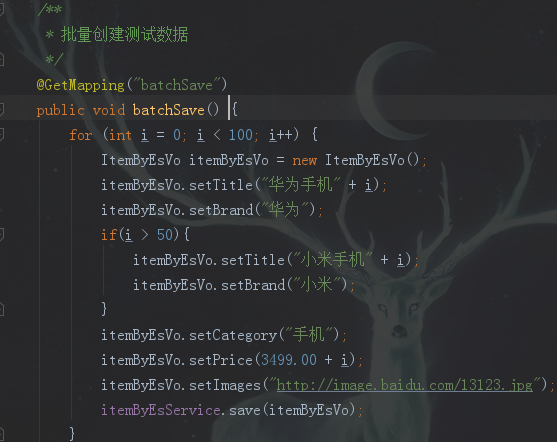
可支持排序跟多条件等值查询

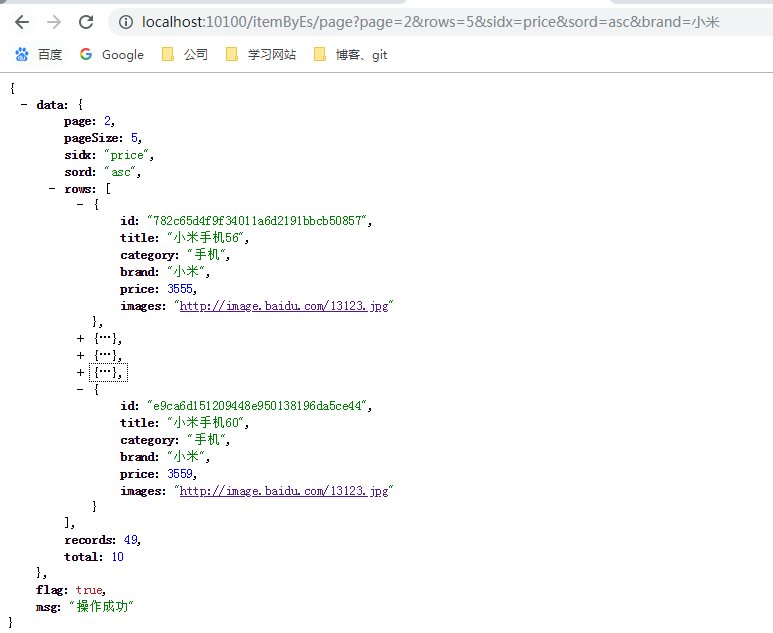
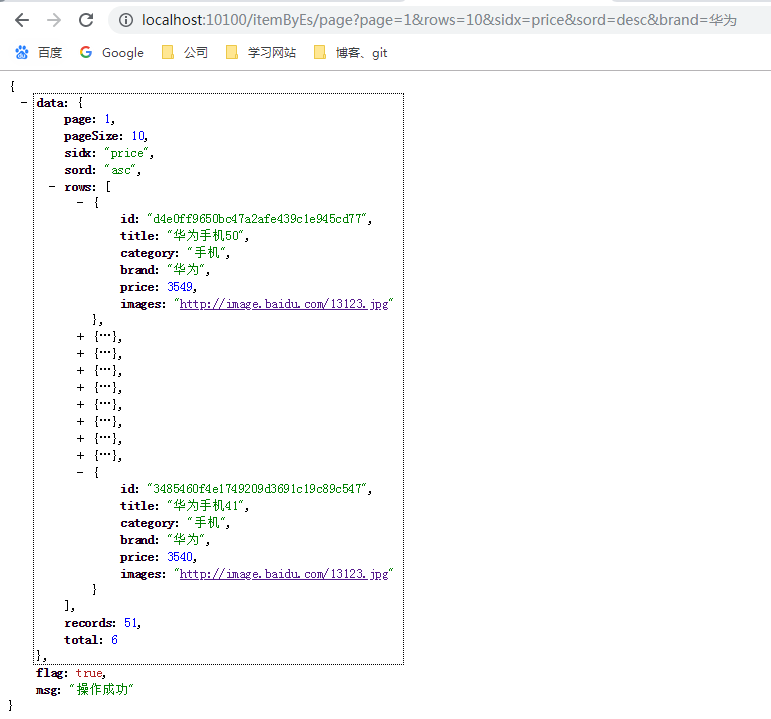
page接口
测试list、page接口前,先调用batchSave生成测试数据
page与list相似,但多了分页条件
bug记录
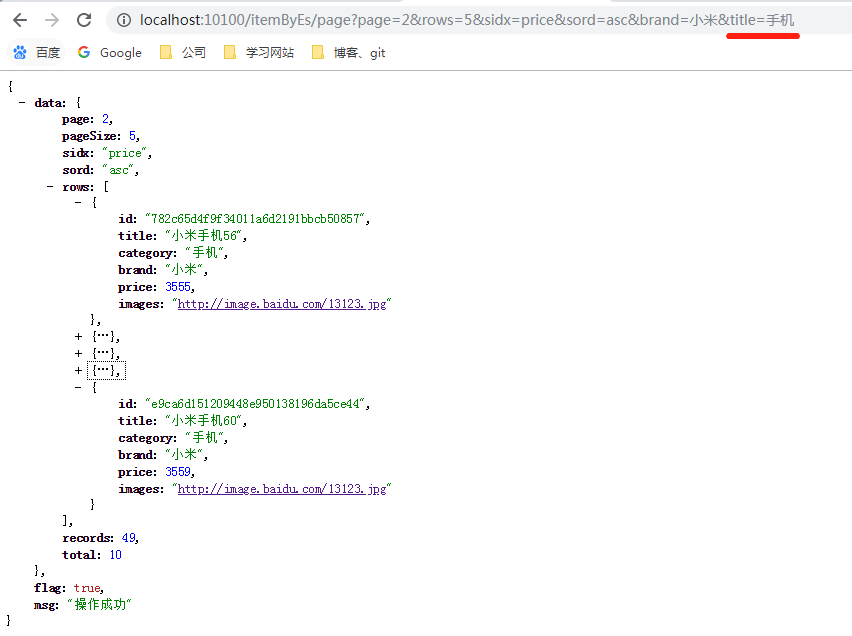
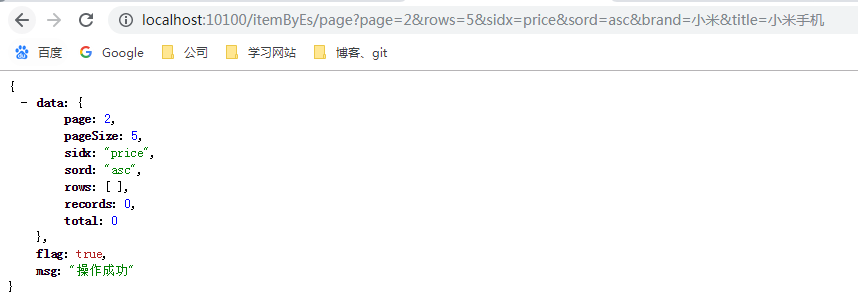
ik分词我发现了一个bug,不知道是不是我没设置对的原因,用title分词去查询的时候,小米、手机单独查是没问题,小米手机查就查不到数据

后记
springboot整合springdata-es就到这里,还差一个高亮显示设置了没见有效果,后面再查一下资料,实在不行就查询回来后收到设置高亮算了,这些后面再补充吧
代码开源
代码已经开源、托管到我的GitHub、码云:
GitHub:https://github.com/huanzi-qch/springBoot
码云:https://gitee.com/huanzi-qch/springBoot
SpringBoot系列——ElasticSearch的更多相关文章
- SpringBoot系列之从入门到精通系列教程
对应SpringBoot系列博客专栏,例子代码,本博客不定时更新 Spring框架:作为JavaEE框架领域的一款重要的开源框架,在企业应用开发中有着很重要的作用,同时Spring框架及其子框架很多, ...
- springBoot系列教程07:异常捕获
发生异常是很正常的事,异常种类也是千奇百怪,发生异常并不可怕,只要正确的处理,并正确的返回错误信息并无大碍,如果不进行捕获或者处理,分分钟服务器宕机是很正常的事 所以处理异常时,最基本的要求就是发生异 ...
- SpringBoot整合ElasticSearch实现多版本的兼容
前言 在上一篇学习SpringBoot中,整合了Mybatis.Druid和PageHelper并实现了多数据源的操作.本篇主要是介绍和使用目前最火的搜索引擎ElastiSearch,并和Spring ...
- SpringBoot系列——利用系统环境变量与配置文件的分支选择实现“智能部署”
前言 通过之前的博客:SpringBoot系列——jar包与war包的部署,我们已经知道了如果实现项目的简单部署,但项目部署的时候最烦的是什么?修改成发布环境对应的配置!数据库连接地址.Eureka注 ...
- Springboot 系列(十二)使用 Mybatis 集成 pagehelper 分页插件和 mapper 插件
前言 在 Springboot 系列文章第十一篇里(使用 Mybatis(自动生成插件) 访问数据库),实验了 Springboot 结合 Mybatis 以及 Mybatis-generator 生 ...
- Springboot 系列(九)使用 Spring JDBC 和 Druid 数据源监控
前言 作为一名 Java 开发者,相信对 JDBC(Java Data Base Connectivity)是不会陌生的,JDBC作为 Java 基础内容,它提供了一种基准,据此可以构建更高级的工具和 ...
- SpringBoot系列——Spring-Data-JPA(究极进化版) 自动生成单表基础增、删、改、查接口
前言 我们在之前的实现了springboot与data-jpa的增.删.改.查简单使用(请戳:SpringBoot系列——Spring-Data-JPA),并实现了升级版(请戳:SpringBoot系 ...
- springboot集成elasticsearch
在基础阶段学习ES一般是首先是 安装ES后借助 Kibana 来进行CURD 了解ES的使用: 在进阶阶段可以需要学习ES的底层原理,如何通过Version来实现乐观锁保证ES不出问题等核心原理: 第 ...
- ElasticSearch(2)---SpringBoot整合ElasticSearch
SpringBoot整合ElasticSearch 一.基于spring-boot-starter-data-elasticsearch整合 开发环境:springboot版本:2.0.1,elast ...
随机推荐
- Springboot源码分析之TargetSource
摘要: 其实我第一次看见这个东西的时候也是不解,代理目标源不就是一个class嘛还需要封装干嘛... 其实proxy代理的不是target,而是TargetSource,这点非常重要,一定要分清楚!! ...
- java web基础 js、JSP、servlet之间的传递
@ JS 与 JSP :JSP无法直接获取JS的值,只能通过隐藏表单或者dom节点设置. JSP中设置隐藏表单input,或者设置任意一个隐藏或者不隐藏的节点比如div, 而JS就通过document ...
- SpringBoot第二十四篇:应用监控之Admin
作者:追梦1819 原文:https://www.cnblogs.com/yanfei1819/p/11457867.html 版权声明:本文为博主原创文章,转载请附上博文链接! 引言 前一章(S ...
- odoo12从零开始:一、安装odoo运行环境(mac)
写在前面: 接触odoo已经两年多了,在大学做课程设计的时候,无意间了解到odoo这个erp框架,当时的odoo在国内还默默无闻,我也不曾想过自己毕业后会从事到odoo框架的相关开发工作中来.两年多的 ...
- iOS8 新特性
iOS8新特性主要体现在4方面 1.UIAlertController 对alert&actionSheet的封装 UIAlertController.h 提示框按钮的选择 typedef N ...
- HDU-6229 ICPC-沈阳M- Wandering Robots 概率
HDU - 6229 题意: 在一个n*n的地图中,有一个初始在(0,0)位子的机器人,每次等概率的向相邻的格子移动或者留在原地.问最后留在格子(x,y)(x+y>=n-1)的地方的概率. 思路 ...
- hdu 1890 Robotic SortI(splay区间旋转操作)
题目链接:http://acm.hdu.edu.cn/showproblem.php?pid=1890 题解:splay又一高级的功能,区间旋转这个是用线段树这些实现不了的,这题可以学习splay的旋 ...
- 模板汇总——AC自动机
AC自动机 模板题 HDU-2222 Keywords Search #include<bits/stdc++.h> using namespace std; #define LL lon ...
- CF940B Our Tanya is Crying Out Loud
Our Tanya is Crying Out Loud time limit per test 1 second memory limit per test 256 megabytes input ...
- Shell脚本分析服务器性能
概述 我们原先在服务器上想分析性能指标,需要执行一系列的linux命令.对于linux命令不熟悉的人来说,比较困难 现在有一套集成的shell脚本,把常用的linux命令都包含在里面,一键式分析性能瓶 ...