
【node】mongoose的基本使用
1、安装mongoose
npm install mongoose
2、启动数据库
mongod --dbpath d:\data\db
3、引入mongoose模块并连接数据库

const mongoose = require("mongoose");

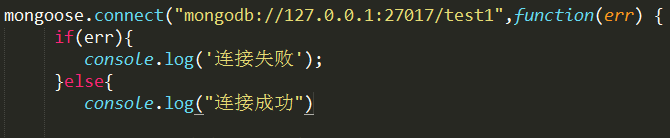
mongoose.connect("mongodb://127.0.0.1:27017/test1",function(err) {

     if(err){

         console.log('连接失败');

     }else{

         console.log("连接成功")

     }

});
4、创建表以及字段类型
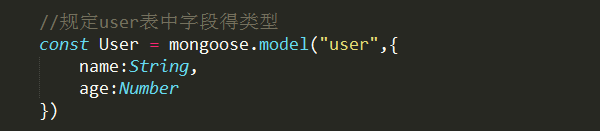
const User = mongoose.model("user",{

    name:String,

    age:Number

})
5、增
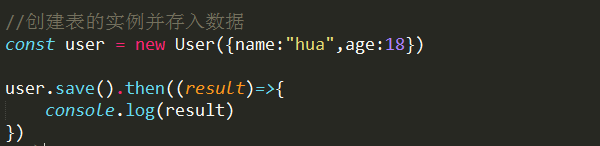
const user = new User({

    name:"张三",

    age:19

})

user.save().then((result)=>{

    console.log("成功的回调")

},()=>{

    console.log("失败的回调")

})
6、删
1、删除指定数据

User.remove({name:"zhao"}).then((result)=>{

    console.log(result)

})

result:是一个对象 返回值是受影响条数


2、删除所有数据

User.remove({}).then((result)=>{

             console.log(result)

})

//删除指定ID
3、User.findByIdAndRemove(id值).then((result)=>{

})

7、改
User.update({name:"ya"},{$set:{name:"hua"}},{multi:true}).then((result)=>{

             console.log(result)

})

multi:true  表示修改多条数据

User.findByIdAndUpdate(id值,{$set:{需要修改的内容}}.then((result)=>{})

8、查
001查询符合条件的所有数据
User.find({name:ya}).then((result)=>{

    console.log(result)

})

result是查到的数据

002、查询所有数据
User.find().then((result)=>{

             console.log(result)

})

003、查询单条数据
User.findOne({name:"zhao"}).then((result)=>{

             console.log(result);

 })

004、条件查询:
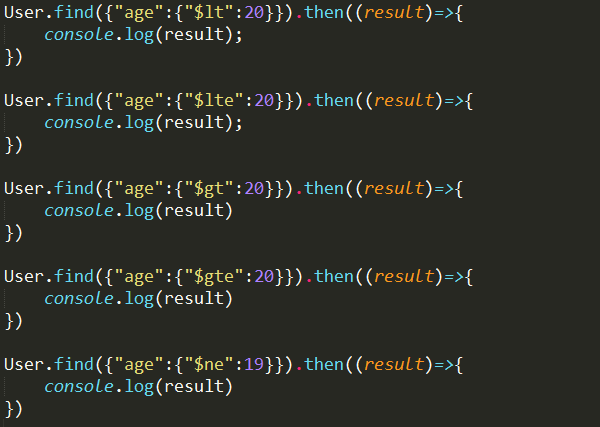
$lt(小于) $lte(小于等于) $gt(大于) $gte(大于等于) $ne(不等于);

User.find({"age":{"$lt":20}}).then((result)=>{

             console.log(result);

 })

User.find({"age":{"$lte":20}}).then((result)=>{

             console.log(result);

 })

 User.find({"age":{"$gt":20}}).then((result)=>{

             console.log(result)

})

User.find({"age":{"$gte":20}}).then((result)=>{

             console.log(result)

})

User.find({"age":{"$ne":19}}).then((result)=>{

             console.log(result)

})
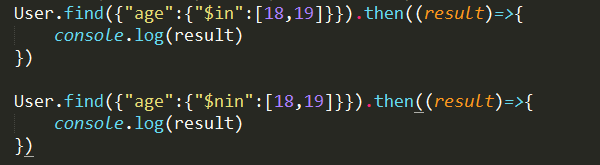
005、$in(包含 等于) $nin(不包含 不等于)
User.find({"age":{"$in":[18,19]}}).then((result)=>{

             console.log(result)

 })

User.find({"age":{"$nin":[18,19]}}).then((result)=>{

             console.log(result)

})
006、$or(或)
User.find({"$or":[{name:"zhao"},{age:20}]}).then((result)=>{

             console.log(result)

})

007、$exists (判断当前关键字是否存在)
User.find({name:{"$exists":true}}).then((result)=>{

             console.log(result);

})

008、查询指定列 如果不想要id值 只需要设置_id:0
User.find({},{name:1,age:1,_id:0}).then((result)=>{

             console.log(result);

})

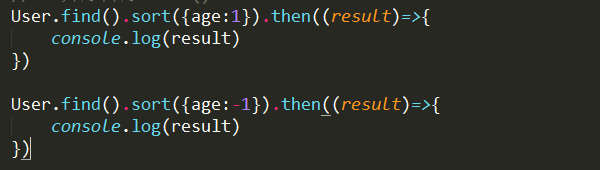
009、升序降序 sort()
User.find().sort({age:1}).then((result)=>{

             console.log(result)

})
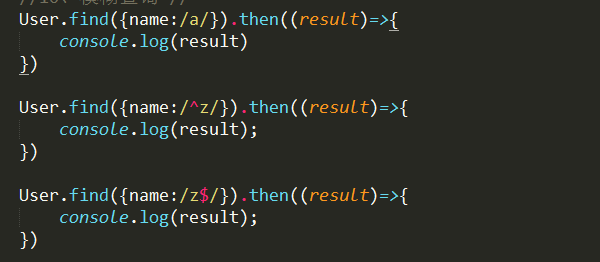
010、模糊查询 //
User.find({name:/a/}).then((result)=>{

             console.log(result)

})

User.find({name:/^z/}).then((result)=>{

             console.log(result);

})

User.find({name:/z$/}).then((result)=>{

             console.log(result);

})
011、skip(n):查询n条以后的数据
User.find().skip(3).then((result)=>{

             console.log(result);

})

012、显示n-m之间的数据 skip:跳过n条 limit 显示m-n条
User.find().skip(3).limit(2).then((result)=>{

             console.log(result)

})

【node】mongoose的基本使用的更多相关文章
- Node.mongoose
简介 mongodb是一款面向文档的数据库,不是关系型数据库,新手熟悉mysql.sqlserver等数据库的人可能入手稍微困难些,需要转换一下思想,可以不需要有固定的存储模式,以文档模型为存储内容相 ...
- vue+node+mongoose踩过的坑
1.当你在cmd中输入npm run dev的时候,出现这种错误 很有可能是目前的端口被占用了,可以把所有可能用到这个端口号的应用关闭或者你直接改一个新的端口号 修改端口的方法:新打开一个cmd,然后 ...
- node+mongoose使用例子
https://github.com/Aquarius1993/nodeNotes 功能 1. 注册 2. 登录 3. 修改密码 4. 修改头像 5. 获取用户笔记 6. 添加,删除,更新笔记 安装部 ...
- node+mongoose+vue
app.js 入门 let express = require('express'); let app = express(); let allowCrossDomain = function (re ...
- mongoose的promise(转发)
Switching out callbacks with promises in Mongoose Published on July 28, 2015 mongo node mongoose pro ...
- node.js学习的资源整理
node中文社区 Node.js专业中文社区:https://cnodejs.org/ node文档 node.js 中文api :http://nodeapi.ucdok.com/ node.js入 ...
- [Mongo] 解决mongoose不支持条件操作符 $gt$gte:$lte$ne $in $all $not
reference : http://blog.sina.com.cn/s/blog_4df23d840100u25x.html 找到mongoose的安装目录 /usr/local/lib/node ...
- MongoDB 驱动以及分布式集群读取优先级设置
本文主要介绍使用MongoDB C驱动读取分布式MongoDB集群时遇到的坑,主要在读取优先级和匹配tag上:同时简单介绍Python驱动.Node.js驱动.Mongoose驱动如何使用读取优先级和 ...
- nodejs mongodb 查询要看的文章
http://www.cnblogs.com/refactor/archive/2012/07/30/2591344.html 数组很大多数情况下可以这样理解:每一个元素都是整个键的值. db.use ...
- vue的项目初始化
1.创建文件 blog 2.下载安装node mongoose 3.(1)vue创建后端项目文件 vue create admin (2)vue创建前端项目文件 vue create web (3)新 ...
随机推荐
- OHDSI——数据标准化
Home › Data Standardization Data Standardization Data standardization is the critical process of bri ...
- Redis简单示例
1.Redis是一个开源的使用ANSI C语言编写.支持网络.可基于内存亦可持久化的日志型.Key-Value数据库,并提供多种语言的API. 从2010年3月15日起,Redis的开发工作由VMwa ...
- JAVA获取程序(打成jar或classpath)所在目录
一.简述 JAVA获取程序(打成jar或classpath)所在目录. 二.代码 package dearcloud.utils.context; import dearcloud.utils.Str ...
- 获取当前网页的绝对URL地址
通过创建一个虚拟的<a></a>元素,将它的href指定为相对URL,再读取它的href就会得到绝对URL. var getAbsoluteUrl = (function() ...
- 转:关于S参数的一些理解
关于S参数的一些理解 http://rf.eefocus.com/module/forum/thread-596241-1-1.html 台湾工程师图文独特讲解:S参数http://rf.eefocu ...
- Windows Server 2008 IIS安装FTP及端口配置
添加角色IIS,选择上FTP服务 打开IIS,右击网站,添加FTP站点 允许访问的指定用户,必须是Windows系统真实存在的用户,为了安全起见,此用户只赋予user组即可,不能赋予远程桌面权限 如果 ...
- 【iCore1S 双核心板_FPGA】例程十七:基于双口RAM的ARM+FPGA数据存取实验
实验现象: 核心代码: module DUAL_PORT_RAM( input CLK_12M, inout WR, input RD, input CS0, :]A, :]DB, output FP ...
- RabbitMQ内存爆出
RabbitMQ升级到3.6.1版本后,随着业务和系统功能的增加,出现RabbitMQ内存陡增直至服务宕掉的情况.内存增加时,在management管理控制台上可以见到如下警告: The manage ...
- Android WebRTC开发入门
在学习 WebRTC 的过程中,学习的一个基本步骤是先通过 JS 学习 WebRTC的整体流程,在熟悉了整体流程之后,再学习其它端如何使用 WebRTC 进行互联互通. 申请权限 Camera 权限 ...
- Beautiful Soup模块
Beautiful Soup 是一个可以从HTML或XML文件中提取数据的Python库,它能够通过你喜欢的转换器实现惯用的文档导航,查找,修改文档的方式.Beautiful Soup会帮你节省数小时 ...