
潭州课堂25班:Ph201805201 WEB 之 CSS 第二课 (课堂笔记)
CSS 的引入方法:
第一种 :
<!--直接在标签仙设置-->
<p style="color: yellow">CSS的第一种引入方法</p>

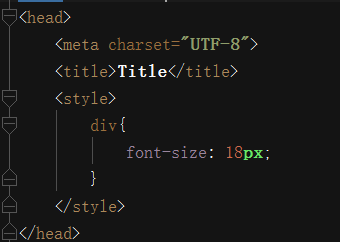
第二种方法,在 head 标签中设置
<style>
    div{
        font-size: 18px;
    }
</style>
第三种方法:
建一 CSS 文件,将设置写入该文件中,
a{
    text-decoration: none;
    /*去除下划线*/
}
在 head 标签中用 link 标签引入
<!DOCTYPE html>
<html lang="en">
<head>
    <meta charset="UTF-8">
    <title>Title</title>
    <style>
        div{
            font-size: 18px;
        }
    </style>
    <link href="1.css" type="text/css" rel="stylesheet">
</head>
<body>

    <a href="javascript:void(0) ">CSS的第一种引入方法3</a>

</body>
</html>

当三种方法对同一标签进行操作时,就近原则

选择器:
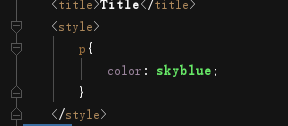
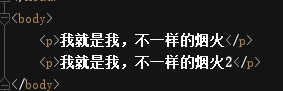
  基本选择器: 标签,id,class
标签
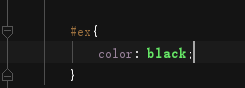
id

class
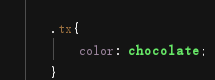

其中,级别排序: id,class ,标签,
复合选择器:
子选择器,后代选择器,相邻选择器,兄弟选择器
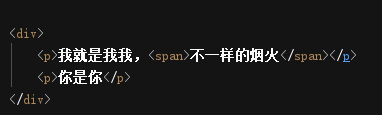
子代选择器:
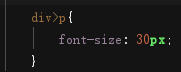
后代选择器:
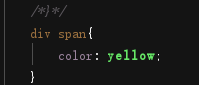
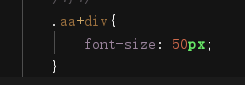
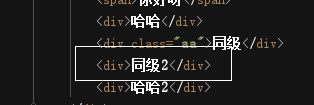
相邻选择器:
只对相邻的其下方有效
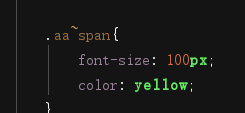
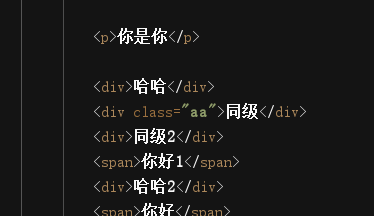
兄弟选择器
对其下方,同级有效,
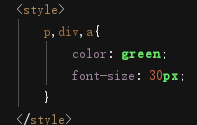
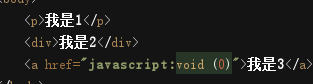
分组选择器:
  当各个标签的样式是一样的要求,我们可以用该选择器, 统一设置,
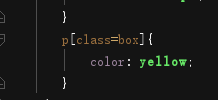
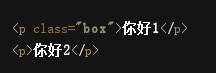
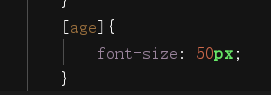
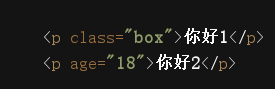
属性选择器
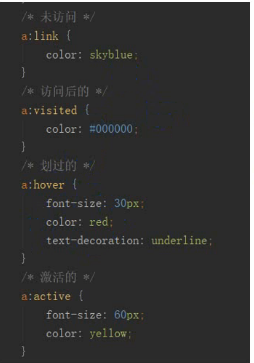
hover 的使用{鼠标在其上的效果}
<!DOCTYPE html>

<html lang="en">

<head>

    <meta charset="UTF-8">

    <title>Title</title>

    <style>

        a:hover{

            color: red;

            font-size: 20px;

        }

        div{

            height: 200px;      /*高*/

            width: 200px;       /*宽*/

            background: skyblue;    /*北景色*/

        }

        div:hover{

            background: red;

        }

    </style>

</head>

<body>

    <a href="http://www.baidu.com">点我去百度</a>

    <div>我是我</div>

</body>

</html>
操作元素
字体
    <style>

        p{

            font-family: 方正兰亭超细黑简体;

            font-size: 2em;                         /*2倍原字符宽*/

            font-style: oblique;                    /*斜体*/

            font-weight: bold;                      /*字体粗细*/

            /*color: #272822;*/

            color: rgba(200,100,150,1);             /* rgb 三色和透明度 a 的聚会范围0-1*/

        }

    </style>
文本
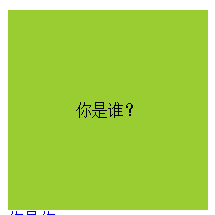
居中
        div{

            height: 200px;

            width: 200px;

            background: yellowgreen;           /*背景包*/

            line-height: 200px;                 /*行高与外框高,实现上下居中*/

            text-align: center;                /*左右居中*/

        }
在a标签中去下划线
  a{

            text-decoration: none;          /*去下划线*/

        }
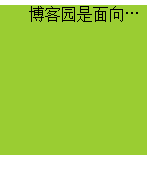
超过框框范围,用 ...表示
       p{

            height: 150px;

            width: 150px;

            background: yellowgreen;

            /*white-space: normal;*/            /*默认换行*/

            white-space:nowrap;                 /*不换行*/

            overflow: hidden;                   /*超出部分隐藏*/

            text-overflow: ellipsis;            /*用 ... 表示 */

        }
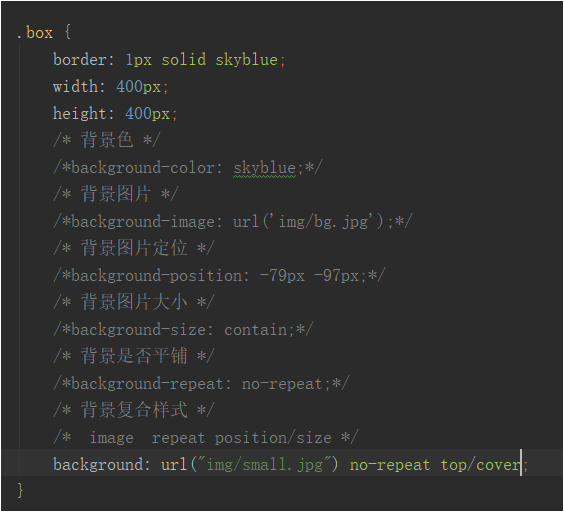
背景色,背景图
    <style>

        div{

            height: 500px;

            width: 500px;

            /*background: black;              !*背景色*!*/

            background-image: url("1.png");     /*背景图*/

            background-repeat: no-repeat;       /*是否平铺*/

            /*background-size: 100px 100px;       !*设置图片尺寸*!*/

            /*background-size:cover;                !*自动调整最外边*!*/

            background-size:contain;                /*自动调整,最里边*/

            background-position: 50px 50px;         /*图片偏移,X,Y*/

            /*    background 颜色 url('图片地址') no-repeat position/contain  */

            /*   */

            border: 5px solid yellow;       /*边框*/

        }

    </style>

作业
<!DOCTYPE html>

<html lang="en">

<head>

    <meta charset="UTF-8">

    <title>Title</title>

    <style>

        * {

            margin: 0;

            padding: 0;

        }

        a{

            text-decoration: none;

        }

        .top{

            height: 60px;

            width: 100%;

            background: black;

        }

        .mid{

            height: 800px;

            width: 100%;

            background: yellowgreen;

        }

        .bot1{

            height: 120px;

            width: 100%;

            background: gray;

        }

        .bot2{

            height: 30px;

            width: 100%;

            background: black;

        }

        .con{

            height: 600px;

            width: 500px;

            background: white;

            margin: 35px auto;

        }

        .con_top{

            height: 40px;

            width: 480px;

            border-bottom: 1px solid gold;        /*盒子下边线*/

            margin-left: 10px;

            line-height: 40px;                      /*上下居中,设成与高度一样,*/

        }

        .con_top h3{

            float: left;

            font-weight: 300;

            border-bottom: 3px solid green;

        }

        .con_top a{

            float: right;

            font-size: 20px;

            color: darkslategrey;

        }

        .con_reg{

            margin-left: 20px;

        }

        .con_reg a{

            border: 1px solid dimgrey;

            border-radius: 5px;                        /*圆角*/

            display:inline-block;                   /*在块级标签中没有行高,所以要加这句,让其有块级的属性和行内的,*/

            height: 40px;

            width: 130px;

            margin-left: 20px;

            line-height: 40px;                      /*行高和高度一样高*/

            text-align: center;                     /*左右居中*/

        }

        .con_reg input{

            height: 40px;

            width: 460px;

            margin-top: 20px;

            text-indent: 1em;                   /*缩进1个字符*/

        }

        .con_reg .tok{

            width: 300px;

        }

        .con_reg .bat{

            /*border: 1px red;*/

            background: blueviolet;

        }

    </style>

</head>

<body>

    <div class="top"></div>

    <div class="mid">

        <div class="con">

            <div class="con_top">

                <h3>请注册</h3>

                <a href="#">立即登录></a>

            </div>

            <div class="con_reg">

                <form action="" method="post">

                    <br><input type="text" name="phone" placeholder="请输入手机号"><br>

                    <input class="tok" type="text" name="tok" placeholder="请输入短信验证码"><a href="#">获取验证码</a><br>

                    <input type="text" name="user" placeholder="请输入用户名"><br><br>

                    <input type="password" name="paw" placeholder="请输入密码"><br>

                    <input type="password" name="pwd2" placeholder="请再次输入密码"><br>

                    <input class="tok" type="text" name="con2" placeholder="请输入验证码"><a href="#">图片验证码</a><br>

                    <input class="bat" type="submit" value="立即注册">

                </form>

            </div>

        </div>

    </div>

    <div class="bot1"></div>

    <div class="bot2"></div>

</body>

</html>

潭州课堂25班:Ph201805201 WEB 之 CSS 第二课 (课堂笔记)的更多相关文章
- 潭州课堂25班:Ph201805201 WEB 之 HTML 第一课 (课堂笔记)
什么是HTML 超文本标记语言(HyperText Markup Language,简称 HTML) HTML 是一门标记语言,标记语言由一套标记标签组成, 学习 HTML,其实就是学习标签 HTML ...
- 潭州课堂25班:Ph201805201 WEB 之 页面编写 第四课 登录注册 (课堂笔记)
index.html 首页 <!DOCTYPE html> <html lang="en"> <head> <meta charset=& ...
- 潭州课堂25班:Ph201805201 WEB 之 页面编写 第三课 (课堂笔记)
index.html <!DOCTYPE html> <html lang="en"> <head> <meta charset=&quo ...
- 潭州课堂25班:Ph201805201 WEB 之 页面编写 第二课 (课堂笔记)
index.html <!DOCTYPE html> <html lang="en"> <head> <meta charset=&quo ...
- 潭州课堂25班:Ph201805201 WEB 之 页面编写 第一课 (课堂笔记)
index.html <!DOCTYPE html> <html lang="en"> <head> <meta charset=&quo ...
- 潭州课堂25班:Ph201805201 第十课 类的定义,属性和方法 (课堂笔记)
类的定义 共同属性,特征,方法者,可分为一类,并以名命之 class Abc: # class 定义类, 后面接类名 ( 规则 首字母大写 ) cls_name = '这个类的名字是Abc' # 在类 ...
- 潭州课堂25班:Ph201805201 WEB 之 Ajax第八课 (课堂笔记)
js <——>jq <!DOCTYPE html> <html lang="en"> <head> <meta charset ...
- 潭州课堂25班:Ph201805201 WEB 之 jQuery 第七课 (课堂笔记)
jq 的导入 <body> <script src="https://cdn.bootcss.com/jquery/3.3.1/jquery.js">< ...
- 潭州课堂25班:Ph201805201 WEB 之 JS 第六课 (课堂笔记)
上节补充方法 <!DOCTYPE html> <html lang="en"> <head> <meta charset="UT ...
随机推荐
- 泰克TDS1000B示波器使用说明
1.前言 本文主要根据泰克官方网站TDS1000B/TDS2000B使用教程视频进行整理. 2.认识你的示波器 TDS1000B带宽从40MHZ到200MHZ,采样率高达2Gbps
- 【sky第二期--PID算法】--【智能车论坛】
[sky第二期--PID算法] 想学PID的可以来[智能车论坛]这里有我发布的资料http://bbs.tekbots.eefocus.com/forum.php?mod=viewthread& ...
- 字符串cookies转字典 scrapy使用。
配置文件 DOWNLOADER_MIDDLEWARES = { 'weibo.middlewares.CookiesMiddleware': 543, } 中间件内容 class CookiesMid ...
- 利用mysqltuner工具对mysql数据库进行优化
mysqltuner工具使用,本工具建议定期运行,发现目前MYSQL数据库存在的问题及修改相关的参数 工具的下载及部署 解决环境依赖,因为工具是perl脚本开发的,需要perl脚本环境 # yun i ...
- 初识numpy
from numpy import * 导入numpy包 random可以生成随机数组 通过mat函数,将数组转换成矩阵,可以对矩阵进行求逆计算等.其中.I操作实现了矩阵求逆计算操作. 执行矩阵乘 ...
- 用Kotlin破解Android版微信小游戏-跳一跳
前言 微信又更新了,从更新日志上来看,似乎只是一次不痛不痒的小更新.不过,很快就有人发现,原来微信这次搞了个大动作——在小程序里加入了小游戏.今天也是朋友圈被刷爆的缘故. 看到网上 有人弄了一个破解版 ...
- css 中两个class之间没有空格与有空格有什么区别
第一个匹配: <div class="ul item"></div>:无法匹配:<div class="ul"></d ...
- UVA101 【The Blocks Problem】
一个大模拟!!! 总的来说就是碰到move就要把a上面的全部放回原处. 如果碰到onto就要把b上面的全部放到原处. 因为move是只移动a一个,所以a上面的要归位,而pile是移一堆,所以不用. o ...
- redis介绍以及安装
一.redis介绍 redis是一个key-value存储系统.和Memcached类似,它支持存储的values类型相对更多,包括字符串.列表.哈希散列表.集合,有序集合. 这些数据类型都支持pus ...
- LeetCode(63):不同路径 II
Medium! 题目描述: 一个机器人位于一个 m x n 网格的左上角 (起始点在下图中标记为“Start” ). 机器人每次只能向下或者向右移动一步.机器人试图达到网格的右下角(在下图中标记为“F ...