
ubuntu安装Nginx
什么都不说了 直接干
一、安装Nginx
首先从Nginx的官网下载最新的稳定版本1.14.0:nginx
1.解压安装包
1.root@ubuntu:tar -zxf nginx-1.14.0.tar.gz
2.root@ubuntu:cd nginx-1.14.0/
3.root@ubuntu:./configure
 ......
./configure: error: the HTTP rewrite module requires the PCRE library.
You can either disable the module by using --without-http_rewrite_module option,
or install the PCRE library into the system,
or build the PCRE library statically from the source with nginx by using --with-pcre=<path> option.
如果出现以上错误 提示HTTP的rewrite模块需要PCRE库,如果需要使用HTTP的rewrite功能,需要首先安装PCRE库
PCRE库的下载地址:https://sourceforge.net/projects/pcre/files/pcre/8.42/pcre-8.42.tar.gz/download
root@ubuntu:~$ tar -xzf pcre-8.42.tar.gz

root@ubuntu:~$ cd pcre-8.42/

root@ubuntu:~/pcre-8.42$ sudo ./configure

root@ubuntu:~/pcre-8.42$ sudo make

root@ubuntu:~/pcre-8.42$ sudo make install
PCRE安装完成之后继续Nginx的安装
root@ubuntu:~/pcre-8.42$ cd ../nginx-1.14./

root@ubuntu:~/nginx-1.14.$ sudo ./configure

    ......

./configure: error: the HTTP gzip module requires the zlib library.

You can either disable the module by using --without-http_gzip_module

option, or install the zlib library into the system, or build the zlib library

statically from the source with nginx by using --with-zlib=<path> option.
HTTP的gzip模块需要zlib库的支持,下载zlib库的最新版本:http://www.zlib.net/
root@ubuntu:~$ tar -xzf zlib-1.2..tar.gz

root@ubuntu:~$ cd zlib-1.2./

root@ubuntu:~/zlib-1.2.$ sudo ./configure

root@ubuntu:~/zlib-1.2.$ sudo make

root@ubuntu:~/zlib-1.2.$ sudo make install
安装完zlib库之后再次安装Nginx
root@ubuntu:~/zlib-1.2.$ cd ../nginx-1.14./

root@ubuntu:~/nginx-1.14.$ sudo ./configure

root@ubuntu:~/nginx-1.14.$ sudo make

root@ubuntu:~/nginx-1.14.$ sudo make instal
进入/usr/local/nginx/sbin 目录下 启动nginx
root@ubuntu:/usr/local/nginx/sbin$ ./nginx
查看nginx进程 ps -ef|grep nginx
root@ubuntu:/home/ubuntu/Nginx# ps -ef |grep nginx

root             : ?        :: nginx: master process ./nginx

nobody       : ?        :: nginx: worker process

root         : pts/    :: grep --color=auto nginx

root@ubuntu:/home/ubuntu/Nginx#
然后浏览器输入IP地址 默认80端口
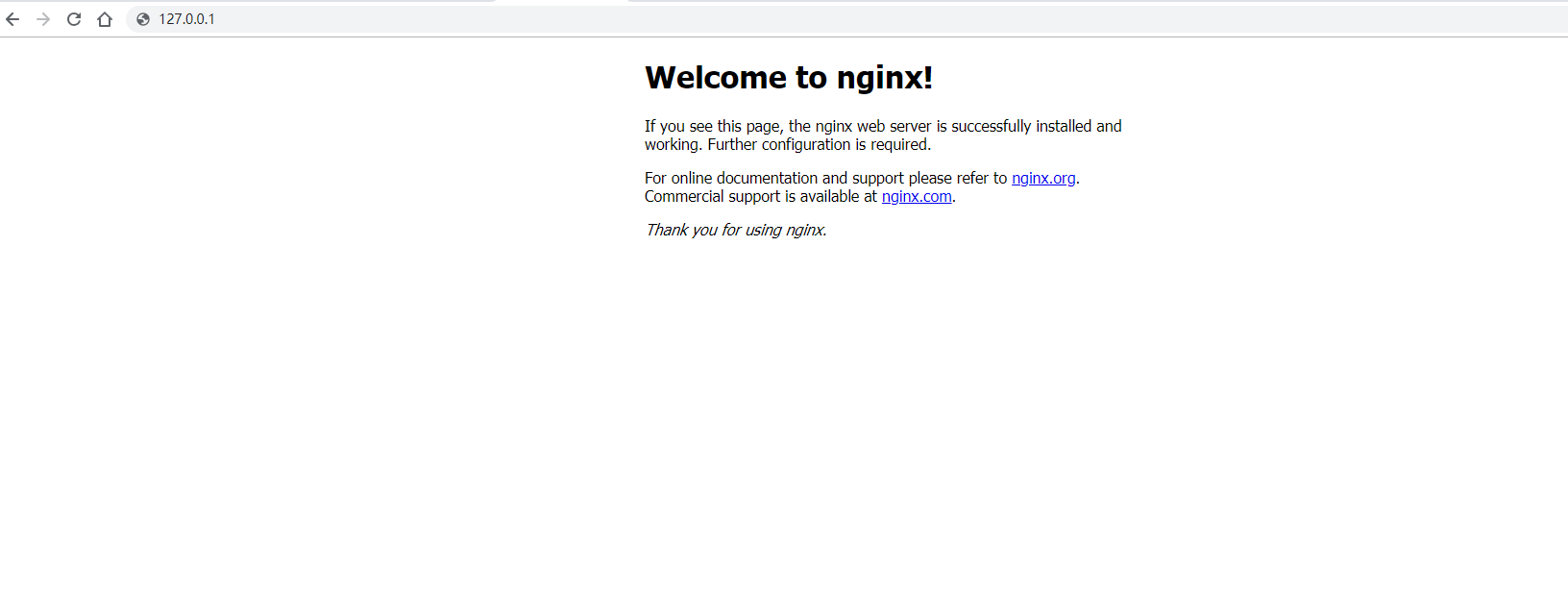
到这里就完成了Nginx的安装
如果出现此报错
./nginx: error while loading shared libraries: libpcre.so.1: cannot open shared object file: No such file or directory
在/usr/local/nginx/sbin 目录下执行以下命令 创建目录
root@ubuntu:/usr/local/nginx/sbin$ sudo ln -s /usr/local/lib/libpcre.so. /lib
技术QQ群:216868740
ubuntu安装Nginx的更多相关文章
- ubuntu安装nginx踩坑
ubuntu安装nginx 安装nginx tar -zxvf nginx-1.15.5.tar.gz -C /usr/local/src 解压 cd /usr/local/src/nginx-1.1 ...
- ubuntu安装nginx时提示error: the HTTP rewrite module requires the PCRE library
ubuntu安装nginx时提示error: the HTTP rewrite module requires the PCRE library 须要安装pcre包. sudo apt-get upd ...
- Ubuntu安装Nginx+PHP7.0.4+MySQL5.6
安装Nginx 1.首先添加nginx_signing.key(必须,否则出错) $ wget http://nginx.org/keys/nginx_signing.key $ sudo apt-k ...
- Ubuntu 安装 Nginx 实现反向代理
安装Nginx依赖库(ubuntu平台) 最近域名通过了备案, 想着应用总不能带着端口号访问吧, 于是在网上踩了很多坑, 终于找到了一步直达的方法,起码这一次很顺利的实现了 安装gcc g++的依赖库 ...
- ubuntu安装nginx和设置网站https访问
安装nginx 在控制台 输入 sudo apt-get install nginx 等待安装成功之后.可以打开浏览器.输入你的域名或者ip地址会出现"Welcome to nginx!&q ...
- ubuntu安装nginx pagespeed
一.自动安装 使用最新稳定版本的ngx_pagespeed自动安装依赖项并构建最新的主线版nginx,请运行: $ sudo bash <(curl -f -L -sS https://ngxp ...
- ubuntu 安装nginx, 出现 Unable to locate package
今天在初始化一台新的ubuntu 服务器时,敲上了 sudo apt-get install nginx 来安装nginx, 却发现提示: Reading package lists... Done ...
- ubuntu安装nginx及其默认目录结构
一. 安装包安装 1.1 安装Nginx $sudo apt-get install nginx Ubuntu安装之后的文件结构大致为: 所有的配置文件都在/etc/nginx下,并且每个虚拟主机已经 ...
- Ubuntu 安装nginx
https://www.nginx.com/resources/admin-guide/load-balancer/ https://github.com/gplessis/dotdeb-nginx/ ...
随机推荐
- goldengate同源一目标+多表和同源多目标+多表
小结一下,永记心中!几经修改,看见完美曾经遇到的问题或值得注意的地方,就此记录一下,以免再犯开始...******************同源一目标+多表******************针对部分表 ...
- Cocos Creator—如何给资源打MD5版本号
Cocos Creator 是Cocos最新一代的游戏开发者工具,基于 Cocos2d-x,组件化,脚本化,数据驱动,跨平台发布.Cocos Creator的开发思路已经逐步跟Unity 3D靠拢,写 ...
- Linux 桌面玩家指南:18. 使用 Docker 隔离自己的开发环境和部署环境
特别说明:要在我的随笔后写评论的小伙伴们请注意了,我的博客开启了 MathJax 数学公式支持,MathJax 使用$标记数学公式的开始和结束.如果某条评论中出现了两个$,MathJax 会将两个$之 ...
- 在java中怎样实现多线程?线程的4种状态
一.在java中怎样实现多线程? extends Thread implement Runnable 方法一:继承 Thread 类,覆盖方法 run(),我们在创建的 Thread 类的子类中重写 ...
- java.lang.ClassNotFoundException: org.I0Itec.zkclient.IZkStateListener异常解决
在启动Dubbo项目时,出现该异常 java.lang.ClassNotFoundException: org.I0Itec.zkclient.IZkStateListener 解决,引入 <d ...
- 多线程工具类:CountDownLatch、CyclicBarrier、Semaphore、LockSupport
◆CountDownLatch◆ 假如有一个任务想要往下执行,但必须要等到其他的任务执行完毕后才可以.比如你想要买套房子,但是呢你现在手上没有钱.你得等这个月工资发了.然后年终奖发了.然后朋友借你得钱 ...
- [Inside HotSpot] hotspot的启动流程与main方法调用
hotspot的启动流程与main方法调用 虚拟机的使命就是执行public static void main(String[])方法,从虚拟机创建到main方法执行会经过一系列流程.这篇文章详细讨论 ...
- Ubuntu16.04 部署安装Docker容器 & 注意事项
一.部署安装Docker容器 1.1 Ubuntu下安装 crul sudo apt install curl curl是利用URL语法在命令行方式下工作的开源文件传输工具.它被广泛应用在Unix.多 ...
- HttpUtil 【判断网络连接的封装类】
版权声明:本文为HaiyuKing原创文章,转载请注明出处! 前言 该封装类主要包括以下功能: 判断是否有网络连接.判断是否有可用的网络连接: 判断是否是3G网络.判断mobile网络是否可用: 判断 ...
- Unity资源打包学习笔记(二)、如何实现高效的unity AssetBundle热更新
转载请标明出处:http://www.cnblogs.com/zblade/ 0x01 目的 在实际的游戏开发中,对于游戏都需要进行打补丁的操作,毕竟,测试是有限的,而bug是无法预估的.那么在手游中 ...