
python3+tkinter实现的黑白棋,代码完整 100%能运行
今天分享给大家的是采用Python3+tkinter制作而成的小项目——黑白棋
tkinter是Python内置的图形化模块,简单易用,一般的小型UI程序可以快速用它实现,具体的tkinter相关知识王老师会在以后开辟专栏单独讲解
我们先来看看这个黑白棋项目吧
一、项目演示
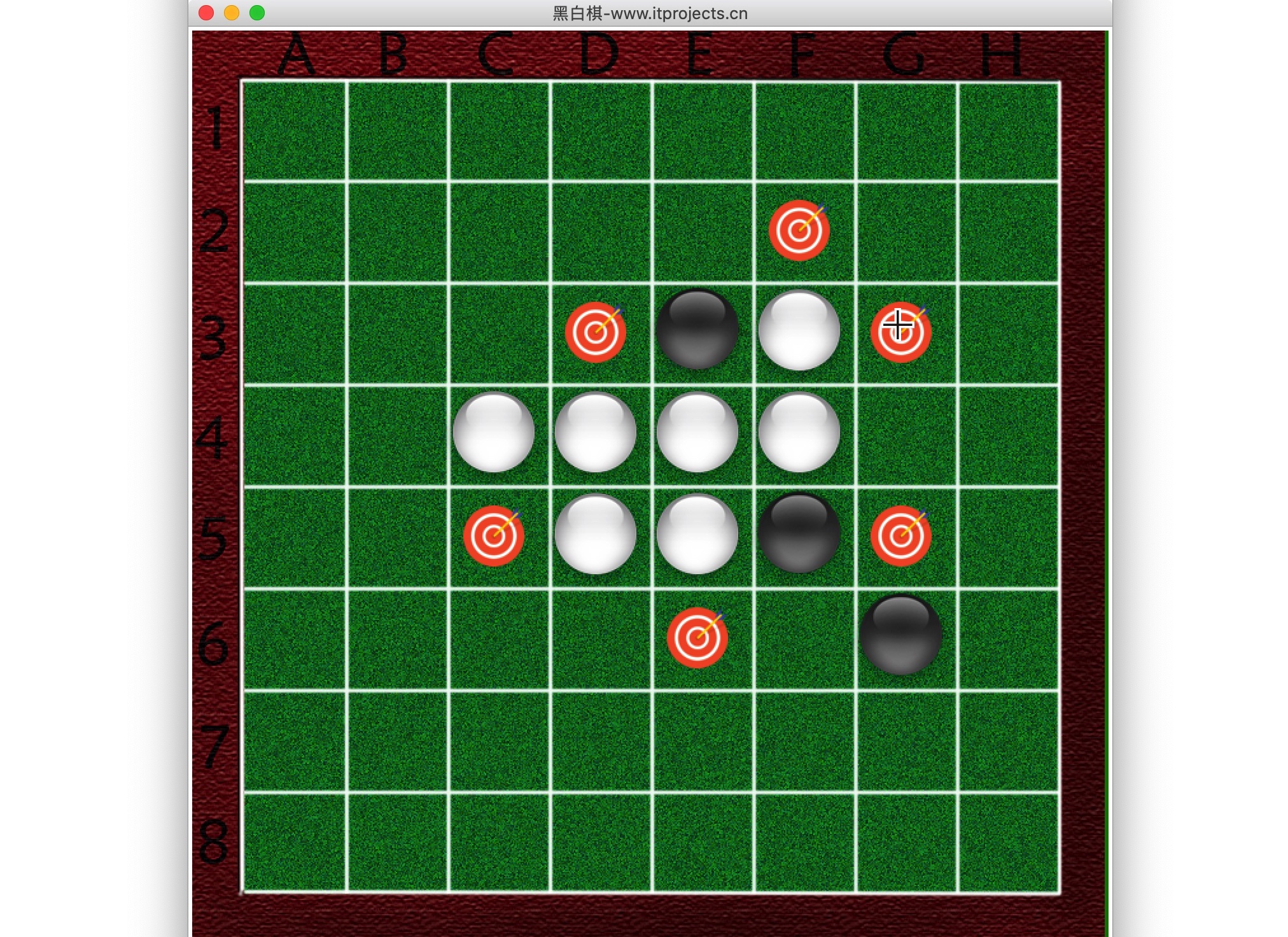
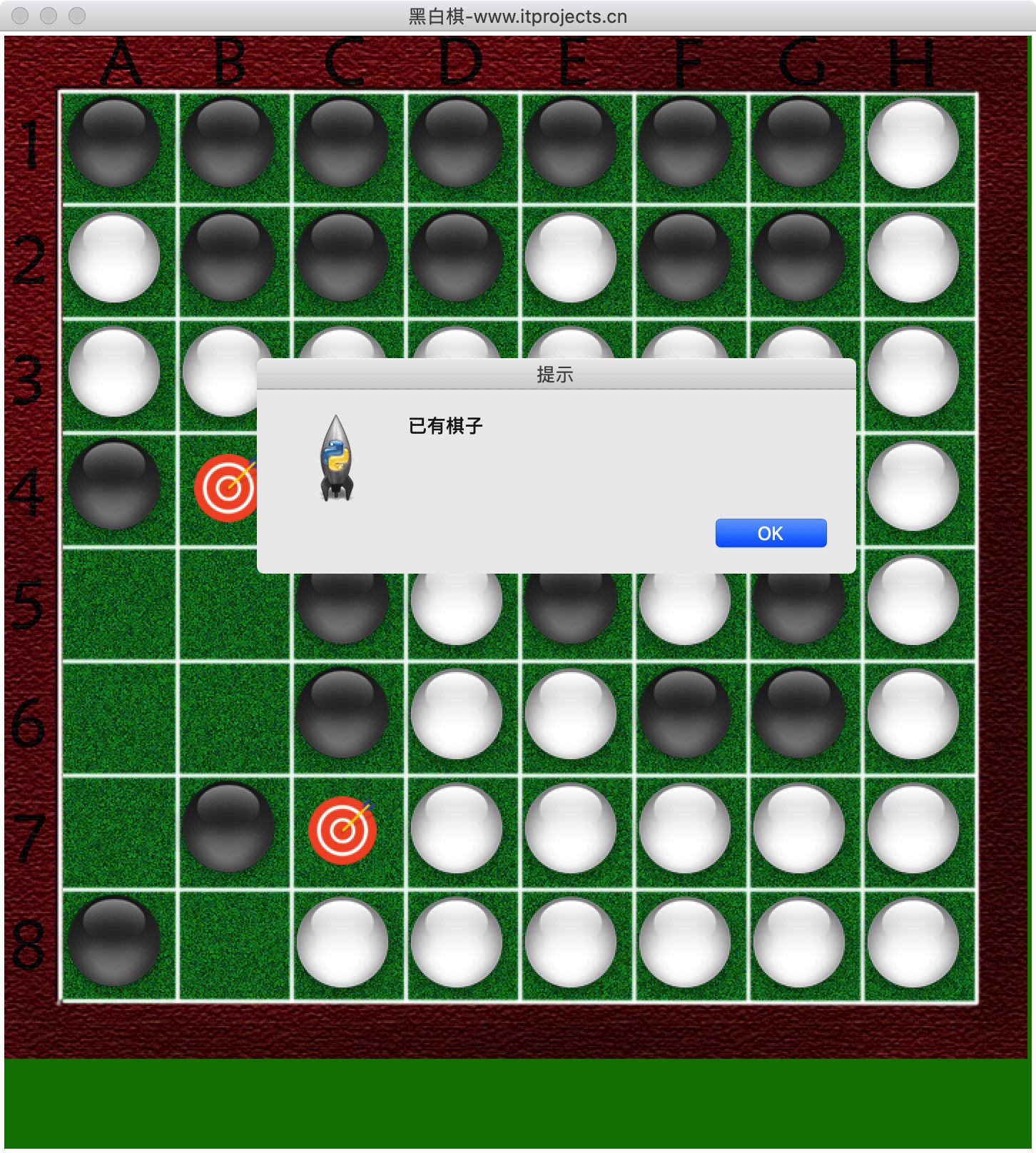
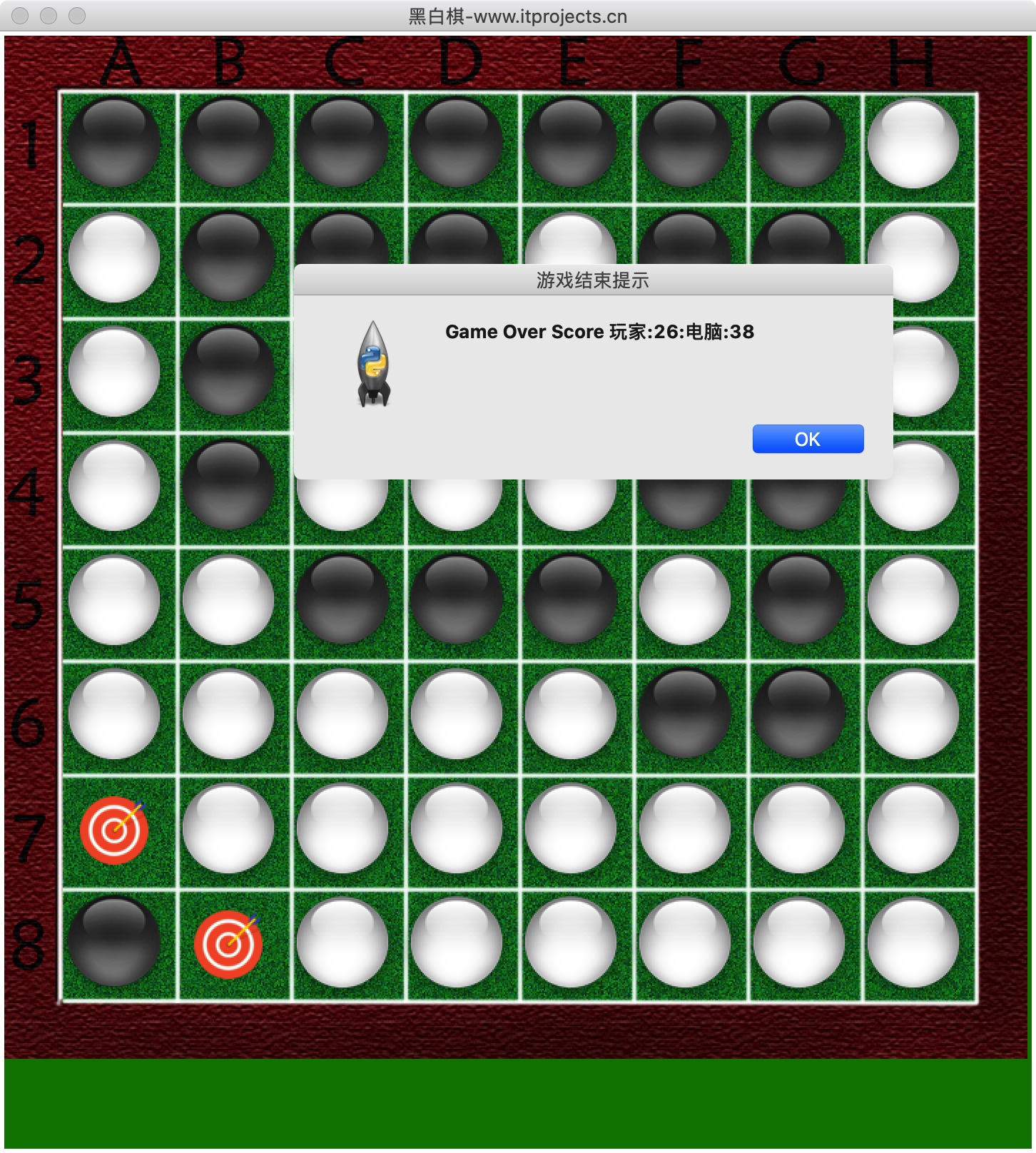
二、代码
完整代码如下,用到的素材(图片等)下载地址为:https://www.itprojects.cn/detail.html?example_id=f00fd7f9722b363f9dc15cf08d80e212
  1 from tkinter import *

  2 from tkinter.messagebox import *

  3 import random

  4

  5 root = Tk('黑白棋')

  6 root.title("黑白棋(更多项目实例请访问www.itprojects.cn)")

  7 # 加载图片

  8 imgs = [PhotoImage(file='black.png'), PhotoImage(file='white.png'), PhotoImage(file='board.png'), PhotoImage(file='info2.png')]

  9

 10

 11 def resetBoard(board):

 12     """重置棋盘"""

 13     for x in range(8):

 14         for y in range(8):

 15             board[x][y] = 'none'

 16     # Starting pieces:

 17     board[3][3] = 'black'

 18     board[3][4] = 'white'

 19     board[4][3] = 'white'

 20     board[4][4] = 'black'

 21

 22

 23 def getNewBoard():

 24     """开局时建立新棋盘"""

 25     board = []

 26     for i in range(8):

 27         board.append(['none'] * 8)

 28     return board

 29

 30

 31 def isValidMove(board, tile, xstart, ystart):

 32     """是否是合法走法,如果合法返回需要翻转的棋子列表"""

 33     # 如果该位置已经有棋子或者出界了,返回False

 34     if not isOnBoard(xstart, ystart) or board[xstart][ystart] != 'none':

 35         return False

 36     # 临时将tile 放到指定的位置

 37     board[xstart][ystart] = tile

 38     if tile == 'black':

 39         otherTile = 'white'

 40     else:

 41         otherTile = 'black'

 42     # 要被翻转的棋子

 43     tilesToFlip = []

 44     for xdirection, ydirection in [[0, 1], [1, 1], [1, 0], [1, -1], [0, -1], [-1, -1], [-1, 0], [-1, 1]]:

 45         x, y = xstart, ystart

 46         x += xdirection

 47         y += ydirection

 48         if isOnBoard(x, y) and board[x][y] == otherTile:

 49             x += xdirection

 50             y += ydirection

 51             if not isOnBoard(x, y):

 52                 continue

 53             # 一直走到出界或不是对方棋子的位置

 54             while board[x][y] == otherTile:

 55                 x += xdirection

 56                 y += ydirection

 57                 if not isOnBoard(x, y):

 58                     break

 59             # 出界了,则没有棋子要翻转OXXXXX

 60             if not isOnBoard(x, y):

 61                 continue

 62             # 是自己的棋子OXXXXXXO

 63             if board[x][y] == tile:

 64                 while True:

 65                     x -= xdirection

 66                     y -= ydirection

 67                     # 回到了起点则结束

 68                     if x == xstart and y == ystart:

 69                         break

 70                     # 需要翻转的棋子

 71                     tilesToFlip.append([x, y])

 72     # 将前面临时放上的棋子去掉,即还原棋盘

 73     board[xstart][ystart] = 'none'  # restore the empty space

 74     # 没有要被翻转的棋子,则走法非法。翻转棋的规则。

 75     if len(tilesToFlip) == 0:  # If no tiles were flipped, this is not a valid move.

 76         return False

 77     return tilesToFlip

 78

 79

 80 def isOnBoard(x, y):

 81     """是否出界"""

 82     return x >= 0 and x <= 7 and y >= 0 and y <= 7

 83

 84

 85 def getValidMoves(board, tile):

 86     """获取可落子的位置"""

 87     validMoves = []

 88     for x in range(8):

 89         for y in range(8):

 90             if isValidMove(board, tile, x, y) != False:

 91                 validMoves.append([x, y])

 92     return validMoves

 93

 94

 95 def getScoreOfBoard(board):

 96     """获取棋盘上黑白双方的棋子数"""

 97     xscore = 0

 98     oscore = 0

 99     for x in range(8):

100         for y in range(8):

101             if board[x][y] == 'black':

102                 xscore += 1

103             if board[x][y] == 'white':

104                 oscore += 1

105     return {'black': xscore, 'white': oscore}

106

107

108 def whoGoesFirst():

109     """决定谁先走"""

110     if random.randint(0, 1) == 0:

111         return 'computer'

112     else:

113         return 'player'

114

115

116 def makeMove(board, tile, xstart, ystart):

117     """将一个tile棋子放到(xstart, ystart)"""

118     tilesToFlip = isValidMove(board, tile, xstart, ystart)

119     if tilesToFlip == False:

120         return False

121     board[xstart][ystart] = tile

122     for x, y in tilesToFlip:  # tilesToFlip是需要翻转的棋子列表

123         board[x][y] = tile  # 翻转棋子

124     return True

125

126

127 def getBoardCopy(board):

128     """复制棋盘"""

129     dupeBoard = getNewBoard()

130     for x in range(8):

131         for y in range(8):

132             dupeBoard[x][y] = board[x][y]

133     return dupeBoard

134

135

136 def isOnCorner(x, y):

137     """是否在角上"""

138     return (x == 0 and y == 0) or (x == 7 and y == 0) or (x == 0 and y == 7) or (x == 7 and y == 7)

139

140

141 def getComputerMove(board, computerTile):

142     """电脑走法,AI"""

143     # 获取所以合法走法

144     possibleMoves = getValidMoves(board, computerTile)

145     if not possibleMoves:  # 如果没有合法走法

146         print("电脑没有合法走法")

147         return None

148

149     # 打乱所有合法走法

150     random.shuffle(possibleMoves)

151     # [x, y]在角上,则优先走,因为角上的不会被再次翻转

152     for x, y in possibleMoves:

153         if isOnCorner(x, y):

154             return [x, y]

155     bestScore = -1

156     for x, y in possibleMoves:

157         dupeBoard = getBoardCopy(board)

158         makeMove(dupeBoard, computerTile, x, y)

159         # 按照分数选择走法,优先选择翻转后分数最多的走法

160         score = getScoreOfBoard(dupeBoard)[computerTile]

161         if score > bestScore:

162             bestMove = [x, y]

163             bestScore = score

164     return bestMove

165

166

167 def isGameOver(board):

168     """是否游戏结束"""

169     for x in range(8):

170         for y in range(8):

171             if board[x][y] == 'none':

172                 return False

173     return True

174

175

176 def drawQiPan():

177     """画棋盘"""

178     img1 = imgs[2]

179     cv.create_image((360, 360), image=img1)

180     cv.pack()

181

182

183 def callback(event):

184     """走棋"""

185     global turn

186     # print ("clicked at", event.x, event.y,turn)

187     # x=(event.x)//40  #换算棋盘坐标

188     # y=(event.y)//40

189     if (gameOver == False and turn == 'computer'):  # 没轮到玩家走棋

190         return

191     col = int((event.x - 40) / 80)  # 换算棋盘坐标

192     row = int((event.y - 40) / 80)

193     if mainBoard[col][row] != "none":

194         showinfo(title="提示", message="已有棋子")

195     if makeMove(mainBoard, playerTile, col, row) == True:  # 将一个玩家棋子放到(col, row)

196         if getValidMoves(mainBoard, computerTile) != []:

197             turn = 'computer'

198     # 电脑走棋

199     if getComputerMove(mainBoard, computerTile) == None:

200         turn = 'player'

201         showinfo(title="玩家继续", message="玩家继续")

202     else:

203         computerGo()

204         # 重画所有的棋子和棋盘

205     drawAll()

206     drawCanGo()

207     if isGameOver(mainBoard):  # 游戏结束,显示双方棋子数量

208         scorePlayer = getScoreOfBoard(mainBoard)[playerTile]

209         scoreComputer = getScoreOfBoard(mainBoard)[computerTile]

210         outputStr = gameoverStr + "玩家:" + str(scorePlayer) + ":" + "电脑:" + str(scoreComputer)

211         showinfo(title="游戏结束提示", message=outputStr)

212

213

214 def computerGo():

215     """电脑走棋"""

216     global turn

217     if (gameOver == False and turn == 'computer'):

218         x, y = getComputerMove(mainBoard, computerTile)  # 电脑AI走法

219         makeMove(mainBoard, computerTile, x, y)

220         savex, savey = x, y

221         # 玩家没有可行的走法了,则电脑继续,否则切换到玩家走

222         if getValidMoves(mainBoard, playerTile) != []:

223             turn = 'player'

224         else:

225             if getValidMoves(mainBoard, computerTile) != []:

226                 showinfo(title="电脑继续", message="电脑继续")

227                 computerGo()

228

229

230 def drawAll():

231     """重画所有的棋子和棋盘"""

232     drawQiPan()

233     for x in range(8):

234         for y in range(8):

235             if mainBoard[x][y] == 'black':

236                 cv.create_image((x * 80 + 80, y * 80 + 80), image=imgs[0])

237                 cv.pack()

238             elif mainBoard[x][y] == 'white':

239                 cv.create_image((x * 80 + 80, y * 80 + 80), image=imgs[1])

240                 cv.pack()

241

242

243 def drawCanGo():

244     """画提示位置"""

245     list1 = getValidMoves(mainBoard, playerTile)

246     for m in list1:

247         x = m[0]

248         y = m[1]

249         cv.create_image((x * 80 + 80, y * 80 + 80), image=imgs[3])

250         cv.pack()

251

252

253 if __name__ == '__main__':

254     # 初始化

255     gameOver = False

256     gameoverStr = 'Game Over Score '

257     mainBoard = getNewBoard()

258     resetBoard(mainBoard)

259     turn = whoGoesFirst()

260     showinfo(title="游戏开始提示", message=turn + "先走!")

261     print(turn, "先走!")

262     if turn == 'player':

263         playerTile = 'black'

264         computerTile = 'white'

265     else:

266         playerTile = 'white'

267         computerTile = 'black'

268         computerGo()

269

270     # 设置窗口

271     cv = Canvas(root, bg='green', width=720, height=780)

272     # 重画所有的棋子和棋盘

273     drawAll()

274     drawCanGo()

275     cv.bind("<Button-1>", callback)

276     cv.pack()

277     root.mainloop()
python3+tkinter实现的黑白棋,代码完整 100%能运行的更多相关文章
- 用Dart写的黑白棋游戏
2013年11月,Dart语言1.0稳定版SDK发布,普天同庆.从此,网页编程不再纠结了. 在我看来,Dart语法简直就是C#的升级版,太像了.之所以喜欢Ruby的一个重要理由是支持mixin功能,而 ...
- [CareerCup] 8.8 Othello Game 黑白棋游戏
8.8 Othello is played as follows: Each Othello piece is white on one side and black on the other. Wh ...
- 黑白棋游戏 (codevs 2743)题解
[问题描述] 黑白棋游戏的棋盘由4×4方格阵列构成.棋盘的每一方格中放有1枚棋子,共有8枚白棋子和8枚黑棋子.这16枚棋子的每一种放置方案都构成一个游戏状态.在棋盘上拥有1条公共边的2个方格称为相邻方 ...
- bzoj 2281 [Sdoi2011]黑白棋(博弈+组合计数)
黑白棋(game) [问题描述] 小A和小B又想到了一个新的游戏. 这个游戏是在一个1*n的棋盘上进行的,棋盘上有k个棋子,一半是黑色,一半是白色. 最左边是白色棋子,最右边是黑色棋子,相邻的棋子颜色 ...
- 【BZOJ2281】【博弈论+DP】 [Sdoi2011]黑白棋
Description 黑白棋(game) [问题描述] 小A和小B又想到了一个新的游戏. 这个游戏是在一个1*n的棋盘上进行的,棋盘上有k个棋子,一半是黑色,一半是白色. 最左边是白色棋子,最右边是 ...
- 从0开始 Java实习 黑白棋
黑白棋的设计 代码如下: import java.util.*; public class Chess{ char[][] chess = new char[16][16]; public stati ...
- 51nod 1368:黑白棋 二分图最大匹配
1368 黑白棋 题目来源: TopCoder 基准时间限制:1 秒 空间限制:131072 KB 分值: 160 难度:6级算法题 收藏 取消关注 有一个N*M的棋盘(1<=N,M< ...
- P2490 [SDOI2011]黑白棋
P2490 [SDOI2011]黑白棋 题意 一个 \(1*n\) 的棋盘上,A 可以移动白色棋子,B 可以移动黑色的棋子,其中白色不能往左,黑色不能往右.他们每次操作可以移动 1 到 \(d\) 个 ...
- Python3中的新特性(3)——代码迁移与2to3
1.将代码移植到Python2.6 建议任何要将代码移植到Python3的用户首先将代码移植到Python2.6.Python2.6不仅与Python2.5向后兼容,而且支持Python3中的部分新特 ...
随机推荐
- Codeforces #624 div3 C
You want to perform the combo on your opponent in one popular fighting game. The combo is the string ...
- Power Strings POJ - 2406 后缀数组
Given two strings a and b we define a*b to be their concatenation. For example, if a = "abc&quo ...
- Python 闭包及装饰器
闭包是指延伸了作用域的函数. 自由变量(free variable) 指未在本地作用域中绑定的变量 函数装饰器用于在源码中标记函数, 以某种方式增强函数的行为. 装饰器实质,把被装饰的函数替换为新函数 ...
- Python——Django框架——Model数据库模型
一.设置 1.Django的setting中配置数据库(MySQL配置) DATABASES = { 'default': { 'ENGINE': 'django.db.backends.mysql' ...
- python函数传参
之前一直没有注意过该问题,在leetcode144中写递归发现该问题,不知道递归函数传参是指针还是引用. 参考:http://c.biancheng.net/view/2258.html 如果是不可变 ...
- codeforces 6D
D. Lizards and Basements 2 time limit per test 2 seconds memory limit per test 64 megabytes input st ...
- K8s(一)----容器编排工具基础概念
kubernetes(k8s)容器编排工具基础概念 Kubernetes (K8s): 中文社区:https://www.kubernetes.org.cn/replication-controlle ...
- self-publishing ebook guide all in one
self-publishing ebook guide all in one 自助出版电子书指南 第1课:让我们自己出版一本书! 与您会想到的很多人相反,自我出版并不容易. 您不仅必须写书,而且还必须 ...
- 使用 js 实现一个中文自动转换成拼音的工具库
使用 js 实现一个中文自动转换成拼音的工具库 中文 => zhong-wen 应用场景 SEO 友好, URL 自动转换 blogs 发布文章,自动化部署,自动生成 url 的 path (时 ...
- Enums & JavasScript & TypeScript
Enums & JavasScript & TypeScript ES6 & TS https://www.typescriptlang.org/docs/handbook/e ...