
C# html生成图片保存下载
最近有个需求,需要把内容生成图片,我找到一些资料可以将html页面生成图片并保存下载
下面是简单的实现
1.html页面
@{

    Layout = null;

}

<!DOCTYPE html>

<html>

<head>

    <meta name="viewport" content="width=device-width" />

    <title>Index</title>

</head>

<body>

    <div>

        @if (ViewBag.type == )

        {

            <input type="button" value="保存" id="btnD" onclick="down()" />

        }

        <table>

            <tr>

                <th>Id</th>

                <th>姓名</th>

                <th>年龄</th>

            </tr>

            @foreach (var item in ViewBag.list)

            {

                <tr>

                    <td>@item.Id</td>

                    <td>@item.Name</td>

                    <td>@item.Age</td>

                </tr>

            }

        </table>

    </div>

    <script src="~/Scripts/jquery-3.3.1.js"></script>

    <script>

        function down() {

            $.ajax({

                url: "/test/GetfileName",

                type: "get",

                success: function (json) {

                    window.location.href = '/test/DownImg?fileName=' + json;

                }

            })

        }

    </script>

</body>

</html>
2.控制器
using System;

using System.Collections.Generic;

using System.Drawing;

using System.Linq;

using System.Web;

using System.Web.Mvc;

using WebApplication2.Content;

using System.IO;

namespace WebApplication2.Controllers

{

    public class TestController : Controller

    {

        // GET: Test

        public ActionResult Index(int type=)

        {

            List<Student> list = new List<Student>();

            for (int i = ; i < ; i++)

            {

                Student stu = new Student();

                stu.Id =  + ;

                stu.Name = "张三"+i.ToString();

                stu.Age =  + i;

                list.Add(stu);

            }

            ViewBag.list = list;

            ViewBag.type = type;

            return View();

        }

        public string GetfileName()

        {
        //调用

            Bitmap m_Bitmap = WebSnapshotsHelper.GetWebSiteThumbnail("http://localhost:64806/Test/Index?type=1", 800, 1200, 800, 1200); //宽高根据要获取快照的网页决定

            var path = Server.MapPath("/Content/img/");

            if (!Directory.Exists(path))

                Directory.CreateDirectory(path);

            var fileName =Guid.NewGuid()+ ".jpeg";

            m_Bitmap.Save(path + fileName, System.Drawing.Imaging.ImageFormat.Jpeg); //图片格式可以自由控制

            return fileName;

        }

        public ActionResult DownImg(string fileName)

        {

            var path = Server.MapPath("/Content/img/")+ fileName;

            return File(path, "image/jpeg", fileName);

        }

    }

    public class Student

    {

        public int Id { get; set; }

        public string Name { get; set; }

        public int Age { get; set; }

    }

}
3.新建类 WebSnapshotsHelper 我是b/s做的,所以需要引用 System.Windows.Forms
using System;

using System.Collections.Generic;

using System.Drawing;

using System.Linq;

using System.Threading;

using System.Web;

using System.Windows.Forms;

namespace WebApplication2.Content

{

    public class WebSnapshotsHelper

    {

        Bitmap m_Bitmap;

        string m_Url;

        int m_BrowserWidth, m_BrowserHeight, m_ThumbnailWidth, m_ThumbnailHeight;

        public WebSnapshotsHelper(string Url, int BrowserWidth, int BrowserHeight, int ThumbnailWidth, int ThumbnailHeight)

        {

            m_Url = Url;

            m_BrowserHeight = BrowserHeight;

            m_BrowserWidth = BrowserWidth;

            m_ThumbnailWidth = ThumbnailWidth;

            m_ThumbnailHeight = ThumbnailHeight;

        }

        public static Bitmap GetWebSiteThumbnail(string Url, int BrowserWidth, int BrowserHeight, int ThumbnailWidth, int ThumbnailHeight)

        {

            WebSnapshotsHelper thumbnailGenerator = new WebSnapshotsHelper(Url, BrowserWidth, BrowserHeight, ThumbnailWidth, ThumbnailHeight);

            return thumbnailGenerator.GenerateWebSiteThumbnailImage();

        }

        public Bitmap GenerateWebSiteThumbnailImage()

        {

            Thread m_thread = new Thread(new ThreadStart(_GenerateWebSiteThumbnailImage));

            m_thread.SetApartmentState(ApartmentState.STA);

            m_thread.Start();

            m_thread.Join();

            return m_Bitmap;

        }

        private void _GenerateWebSiteThumbnailImage()

        {

            WebBrowser m_WebBrowser = new WebBrowser();

            //## 这边把脚本错误的压制设置为true.

            m_WebBrowser.ScriptErrorsSuppressed = true;

            m_WebBrowser.ScrollBarsEnabled = false;

            m_WebBrowser.Navigate(m_Url);

            m_WebBrowser.DocumentCompleted += new WebBrowserDocumentCompletedEventHandler(WebBrowser_DocumentCompleted);

            while (m_WebBrowser.ReadyState != WebBrowserReadyState.Complete)

                Application.DoEvents();

            m_WebBrowser.Dispose();

        }

        private void WebBrowser_DocumentCompleted(object sender, WebBrowserDocumentCompletedEventArgs e)

        {

            WebBrowser m_WebBrowser = (WebBrowser)sender;

            m_WebBrowser.ClientSize = new Size(this.m_BrowserWidth, this.m_BrowserHeight);

            m_WebBrowser.ScrollBarsEnabled = false;

            m_Bitmap = new Bitmap(m_WebBrowser.Bounds.Width, m_WebBrowser.Bounds.Height);

            m_WebBrowser.BringToFront();

            m_WebBrowser.DrawToBitmap(m_Bitmap, m_WebBrowser.Bounds);

            m_Bitmap = (Bitmap)m_Bitmap.GetThumbnailImage(m_ThumbnailWidth, m_ThumbnailHeight, null, IntPtr.Zero);

            // 设置文档窗口错误的处理。

            m_WebBrowser.Document.Window.Error += OnWebBrowserDocumentWindowError;

        }

        /// <summary>

        /// 对WEB浏览器处理错误的处理

        /// </summary>

        /// <param name="sender"></param>

        /// <param name="e"></param>

        private void OnWebBrowserDocumentWindowError(object sender, HtmlElementErrorEventArgs e)

        {

            e.Handled = true;

        }

    }

}
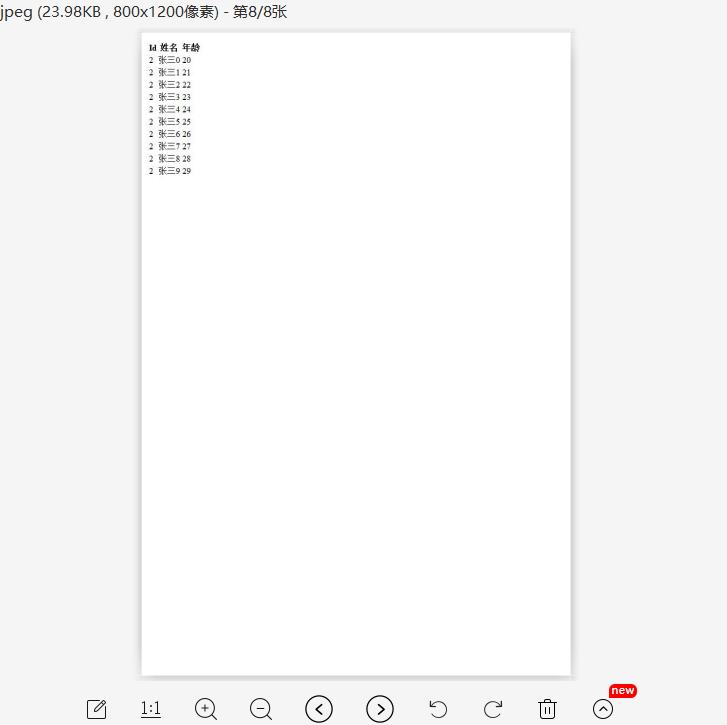
生成结果

C# html生成图片保存下载的更多相关文章
- 微信小程序导出当前画布指定区域的内容并生成图片保存到本地相册(canvas)
最近在学小程序,在把当前画布指定区域的内容导出并生成图片保存到本地这个知识点上踩坑了. 这里用到的方法是: wx.canvasToTempFilePath(),该方法作用是把当前画布指定区域的内容导出 ...
- yum 保存下载的rpm 包
yum 保存下载的rpm 包 1 [root@bogon pluginconf.d]# vim /etc/yum.conf [main]cachedir=/var/cache/yum/$basearc ...
- MVC 生成图片,下载文件(图片不存在本地,在网上下载)
/// <summary> /// 生成图片 /// </summary> /// <param name="collection"></ ...
- 移动端js模拟截屏生成图片并下载功能的实现方案
一.根据PM需求如下: 移动端wap 实现将二维码生成图片下载至用户手机相册保存 二.根据现有思路: 1.使用第三方工具html2canvas,将页面中指定范围的dom转换为canvas 2.随后使用 ...
- vue 页面生成图片保存
需求:将页面中的元素转成图片,支持保存或下载.要求下载的图片包含页面背景,头像,用户名,文本为"我的邀请码"和个人二维码. 实现:将页面绘制到canvas中,生成base64图片链 ...
- MVC 生成图片,下载文件
/// <summary> /// 生成图片 /// </summary> /// <param name="collection"></ ...
- 如何模拟一个http请求并把response的内容保存下载下来,导出到excel中(结尾福利)
def doExport(self): # 模拟一个http请求 url = u'%s?dumptype=investigation&dumpid=%s&timezone=8' % ( ...
- C# ASP.NET 手写板并生成图片保存
前端: @{ Layout = null; } <!DOCTYPE html> <html lang="zh-CN"> <head> <t ...
- 通过JS将BSAE64生成图片并下载
HTML:<div style="display:block;margin:0 auto;width:638px;height:795px;"><div id=& ...
随机推荐
- 【codeforces 766D】Mahmoud and a Dictionary
time limit per test4 seconds memory limit per test256 megabytes inputstandard input outputstandard o ...
- SpringBoot: 浅谈文件上传和访问的坑 (MultiPartFile)
本次的项目环境为 SpringBoot 2.0.4, JDK8.0. 服务器环境为CentOS7.0, Nginx的忘了版本. 前言 SpringBoot使用MultiPartFile接收来自表单的f ...
- 高并发WEB服务的演变
一.越来越多的并发连接数 现在的Web系统面对的并发连接数在近几年呈现指数增长,高并发成为了一种常态,给Web系统带来不小的挑战.以最简单粗暴的方式解决,就是增加 Web系统的机器和升级硬件配置.虽然 ...
- 2018-8-10-win10-uwp-MVVM-语义耦合
title author date CreateTime categories win10 uwp MVVM 语义耦合 lindexi 2018-08-10 19:16:53 +0800 2018-2 ...
- 2018-6-29-PTA-6-2-多项式求值
title author date CreateTime categories PTA 6-2 多项式求值 lindexi 2018-06-29 15:24:28 +0800 2018-6-14 22 ...
- dotnet 使用 Environment.FailFast 结束程序
在运行到一些诡异的代码,这时的程序已经无法继续运行,需要退出,那么如何在记完日志之后在退出程序记录更多信息?可以通过 Environment.FailFast 里面添加字符串告诉用户当前的进程无法继续 ...
- Linux网络文件共享服务之FTP
一.FTP介绍 ftp(File Transfer Protocol)是早期的三个应用级协议之一,基于C/S结构,双通道协议,数据和命令连接,数据传输格式默认是二进制,当然也支持文件方式传输.默认情况 ...
- Canal常用配置
Canal 是mysql数据库binlog的增量订阅&消费组件. 基于日志增量订阅&消费支持的业务: 数据库镜像 数据库实时备份 多级索引 (卖家和买家各自分库索引) search b ...
- HDU 2068 RPG错排 [错排公式]
1.题意:1到N的序列的排列中,元素位置与元素值相对应的情况(值为i的元素在某个排列中正好排在第i个位置)大于等于序列规模一半的情况,有多少个? 2.输入输出:每组数据一个数,N,规定输入以0结尾: ...
- 第二阶段:4.商业需求文档MRD:1.PRD-产品功能列表
这就是对功能清单的梳理已经优先级筛选