
.Net Core 认证组件之Cookie认证组件解析源码
接着上文.Net Core 认证系统源码解析,Cookie认证算是常用的认证模式,但是目前主流都是前后端分离,有点鸡肋但是,不考虑移动端的站点或者纯管理后台网站可以使用这种认证方式.注意:基于浏览器且不是前后端分离的架构(页面端具有服务端处理能力).移动端就不要考虑了,太麻烦.支持前后端分离前给移动端提供认证Api的一般采用JwtBearer认证,可以和IdentityServer4的password模式结合.很适用,但是id4的password模式各客户端必须绝对信任,因为要暴露用户名密码.适合做企业级下所有产品的认证.不支持除企业外的第三方调用.当然id4提供了其他模式.这是题外话.但是场景得介绍清楚.以免误导大家!
1、Cookie认证流程

引入核心认证组件之后,通过扩展的方式引入Cookie认证,微软采用链式编程,很优雅.Net Core的一大特点.
注入Cookie认证方案,指定Cookie认证参数,并指定Cookie认证处理器,先不介绍参数,看看处理器干了什么.
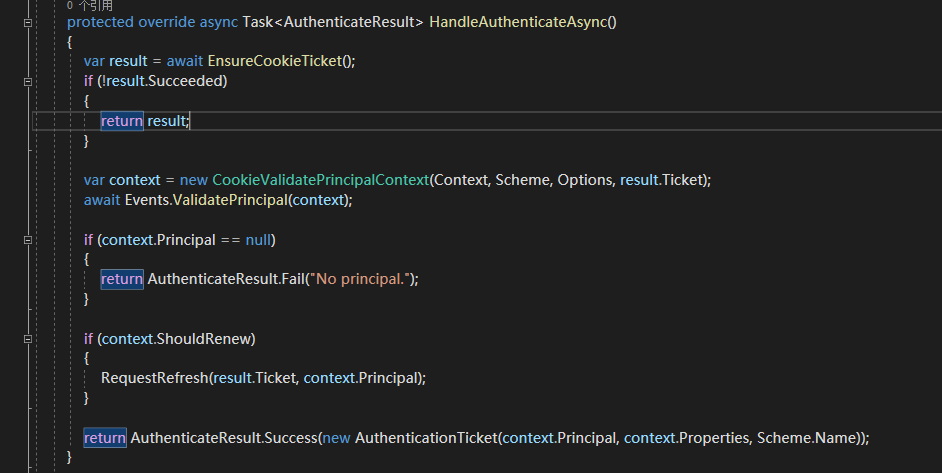
Cookie的核心认证方法,第一步如下:

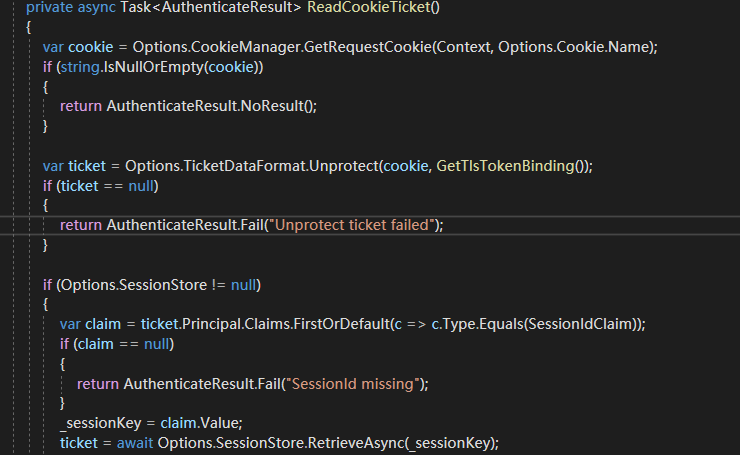
一些必须的防重复执行操作,没截图,也不介绍了,安全工作,只贴核心代码.第一步,就是去读取客户端存在的cookie信息.

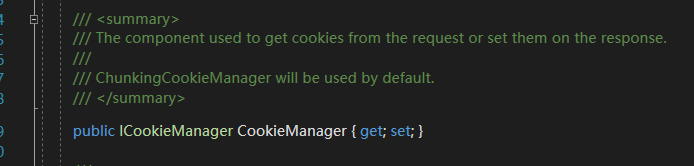
微软在Cookie认证参数中提供了接口,意味者你可以自定义读取Cookie内容的实现,他会把上下文和Cookie的名称传给你,这样就能定制获取Cookie内容的实现.接着解密Cookie内容

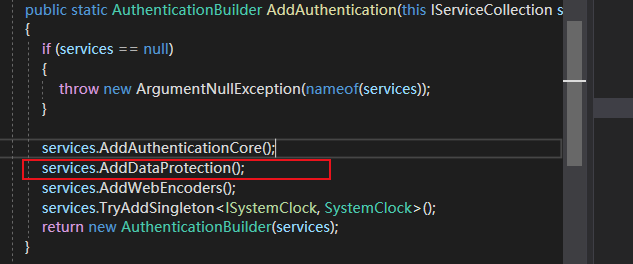
微软注入了Core的核心加密组件,大家自行百度,却采用微软默认的实现.所以客户端的cookie内容一般都以加密内容显示.
接着
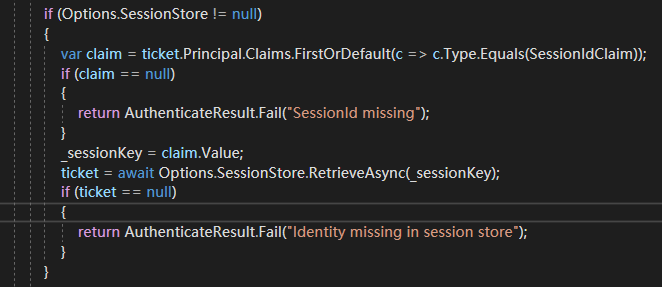
拿到seesionId的cliam,关于claim不多说,自行百度.core新的身份模型.必须了解的内容.
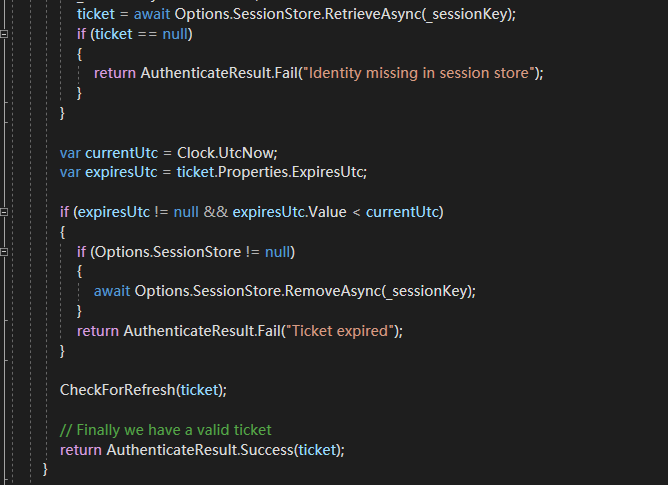
cookie认证参数中你可以配置SessionStore,意味者你的session可以进行持久化管理,数据库还是redis还是分布式环境自行选择.应用场景是cookie过长,客户端无法存储,那么就可以通过配置这个SessionStore来实现.即分布式会话.微软也提供了扩展.
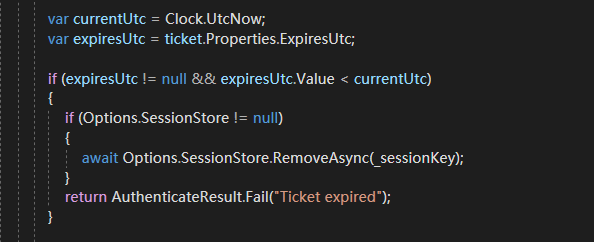
接着,cookie过期检测.
接着

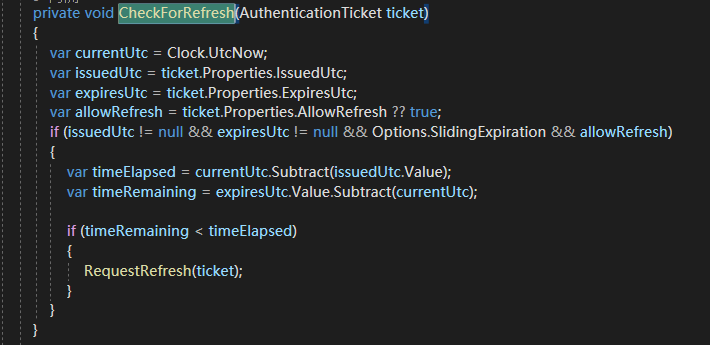
上面的代码意味着cookie可以自动刷新.通过以下两个参数

如果读取到的客户端的cookie支持过期刷新,那么重新写入到客户端.
ok,如果没有在客户端读取到cookie内容,意味者cookie被清除,或者用户是第一次登陆,直接返回认证失败,如果成功,执行认证cookie校验认证上下文的方法

Events可以在AuthenticationSchemeOptions参数中配置

但是Cookie认证参数提供了默认实现


意味者你可以在注入Cookie认证服务的时候,自定义验证cookie结果的验证实现.
通过CookieAuthenticationOptions的Events属性进行注入.验证完毕,

判断上下文中的ShouldRenew参数,这个你可以根据业务需要执行刷新cookie的实现,最后返回认证结果.
整个流程到这里结束.
2、应用
构建登陆页面和首页,直接网上找了,代码如下:
using Microsoft.AspNetCore.Authentication;

using Microsoft.AspNetCore.Authentication.Cookies;

using Microsoft.AspNetCore.Builder;

using Microsoft.AspNetCore.Hosting;

using Microsoft.AspNetCore.Http;

using Microsoft.Extensions.Configuration;

using Microsoft.Extensions.DependencyInjection;

using Microsoft.Extensions.Hosting;

using System;

using System.Collections.Generic;

using System.Linq;

using System.Security.Claims;

using System.Text.Encodings.Web;

using System.Threading.Tasks;

namespace Core.Authentication.Test

{

    public class Startup

    {

        public Startup(IConfiguration configuration)

        {

            Configuration = configuration;

        }

        public IConfiguration Configuration { get; }

        public void ConfigureServices(IServiceCollection services)

        {

            services.AddControllers();

            //注入核心认证组件和cookie认证组件

            services.AddAuthentication(options =>

            {

                options.DefaultAuthenticateScheme = CookieAuthenticationDefaults.AuthenticationScheme;

                options.DefaultChallengeScheme = CookieAuthenticationDefaults.AuthenticationScheme;

            }).AddCookie();

        }

        public void Configure(IApplicationBuilder app, IWebHostEnvironment env)

        {

            app.UseAuthentication();

            app.UseAuthorize();

            app.AddLoginHtml();

            app.AddUserInfoHtml();

        }

    }

    public static class CustomMiddleware

    {

        /// <summary>

        /// 登陆页面跳过认证组件

        /// </summary>

        /// <param name="app"></param>

        /// <returns></returns>

        public static IApplicationBuilder UseAuthorize(this IApplicationBuilder app)

        {

            return app.Use(async (context, next) =>

            {

                if (context.Request.Path == "/Account/Login")

                {

                    await next();

                }

                else

                {

                    var user = context.User;

                    if (user?.Identity?.IsAuthenticated ?? false)

                    {

                        await next();

                    }

                    else

                    {

                        await context.ChallengeAsync();

                    }

                }

            });

        }

        /// <summary>

        /// 注入登陆页面

        /// </summary>

        /// <param name="app"></param>

        /// <returns></returns>

        public static IApplicationBuilder AddLoginHtml(this IApplicationBuilder app)

        {

            return app.Map("/Account/Login", builder => builder.Run(async context =>

            {

                if (context.Request.Method == "GET")

                {

                    await context.Response.WriteHtmlAsync(async res =>

                    {

                        await res.WriteAsync($"<form method=\"post\">");

                        await res.WriteAsync($"<input type=\"hidden\" name=\"returnUrl\" value=\"{HttpResponseExtensions.HtmlEncode(context.Request.Query["ReturnUrl"])}\"/>");

                        await res.WriteAsync($"<div class=\"form-group\"><label>用户名:<input type=\"text\" name=\"userName\" class=\"form-control\"></label></div>");

                        await res.WriteAsync($"<div class=\"form-group\"><label>密码:<input type=\"password\" name=\"password\" class=\"form-control\"></label></div>");

                        await res.WriteAsync($"<button type=\"submit\" class=\"btn btn-default\">登录</button>");

                        await res.WriteAsync($"</form>");

                    });

                }

                else

                {

                    var userName = context.Request.Form["userName"];

                    var userPassword = context.Request.Form["password"];

                    if (!(userName == "admin" && userPassword == "admin"))

                    {

                        await context.Response.WriteHtmlAsync(async res =>

                        {

                            await res.WriteAsync($"<h1>用户名或密码错误。</h1>");

                            await res.WriteAsync("<a class=\"btn btn-default\" href=\"/Account/Login\">返回</a>");

                        });

                    }

                    else

                    {

                        //写入Cookie

                        var claimIdentity = new ClaimsIdentity("Cookie");

                        claimIdentity.AddClaim(new Claim(ClaimTypes.NameIdentifier,""));

                        claimIdentity.AddClaim(new Claim(ClaimTypes.Name, userName));

                        claimIdentity.AddClaim(new Claim(ClaimTypes.Email, "1@qq.com"));

                        var claimsPrincipal = new ClaimsPrincipal(claimIdentity);

                        await context.SignInAsync(CookieAuthenticationDefaults.AuthenticationScheme, claimsPrincipal);

                        if (string.IsNullOrEmpty(context.Request.Form["ReturnUrl"])) context.Response.Redirect("/");

                        else context.Response.Redirect(context.Request.Form["ReturnUrl"]);

                    }

                }

            }));

        }

        /// <summary>

        /// 注入用户信息页面

        /// </summary>

        /// <returns></returns>`

        public static IApplicationBuilder AddUserInfoHtml(this IApplicationBuilder app)

        {

            return app.Map("/profile", builder => builder.Run(async context =>

            {

                await context.Response.WriteHtmlAsync(async res =>

                {

                    await res.WriteAsync($"<h1>你好,当前登录用户: {HttpResponseExtensions.HtmlEncode(context.User.Identity.Name)}</h1>");

                    await res.WriteAsync("<a class=\"btn btn-default\" href=\"/Account/Logout\">退出</a>");

                    await res.WriteAsync($"<h2>AuthenticationType:{context.User.Identity.AuthenticationType}</h2>");

                    await res.WriteAsync("<h2>Claims:</h2>");

                    await res.WriteTableHeader(new string[] { "Claim Type", "Value" },

                        context.User.Claims.Select(c => new string[] { c.Type, c.Value }));

                });

            }));

        }

    }

    public static class HttpResponseExtensions

    {

        public static async Task WriteHtmlAsync(this HttpResponse response, Func<HttpResponse, Task> writeContent)

        {

            var bootstrap = "<link rel=\"stylesheet\" href=\"https://cdn.bootcss.com/bootstrap/3.3.7/css/bootstrap.min.css\" integrity=\"sha384-BVYiiSIFeK1dGmJRAkycuHAHRg32OmUcww7on3RYdg4Va+PmSTsz/K68vbdEjh4u\" crossorigin=\"anonymous\">";

            response.ContentType = "text/html";

            await response.WriteAsync($"<!DOCTYPE html><html lang=\"zh-CN\"><head><meta charset=\"UTF-8\">{bootstrap}</head><body><div class=\"container\">");

            await writeContent(response);

            await response.WriteAsync("</div></body></html>");

        }

        public static async Task WriteTableHeader(this HttpResponse response, IEnumerable<string> columns, IEnumerable<IEnumerable<string>> data)

        {

            await response.WriteAsync("<table class=\"table table-condensed\">");

            await response.WriteAsync("<tr>");

            foreach (var column in columns)

            {

                await response.WriteAsync($"<th>{HtmlEncode(column)}</th>");

            }

            await response.WriteAsync("</tr>");

            foreach (var row in data)

            {

                await response.WriteAsync("<tr>");

                foreach (var column in row)

                {

                    await response.WriteAsync($"<td>{HtmlEncode(column)}</td>");

                }

                await response.WriteAsync("</tr>");

            }

            await response.WriteAsync("</table>");

        }

        public static string HtmlEncode(string content) =>

            string.IsNullOrEmpty(content) ? string.Empty : HtmlEncoder.Default.Encode(content);

    }

}
ok,开始分析代码,第一步:
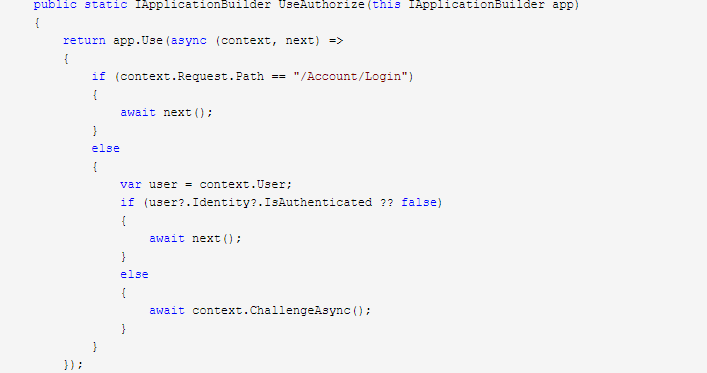
中间件放行登陆接口,接着构建页面.页面构建完毕。看登陆方法都干了什么
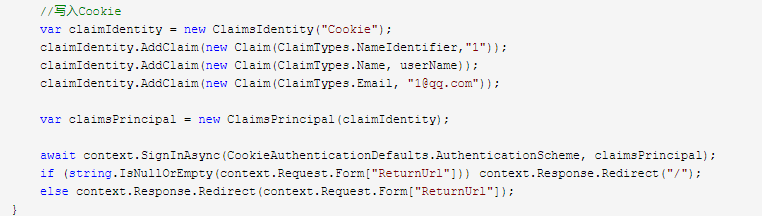
用户校验通过后,生成ClaimsPrincipal身份证集合,微软关于身份认证的模型都是基于Claim的,所以包括id4、identity登陆组件、等等里面大量使用到了ClaimsPrincipal
接着

向浏览器端写入cookie,刚刚写的完整的流程,清了下cookie,全都没了,醉了.吐槽一下博客园的保存机制,放redis也好的,清下cookie就没了.花了这个多时间.不想在重写一遍了.这个方法,我就大致介绍下核心点.
这个方案最终会调到,完成cookie的写入
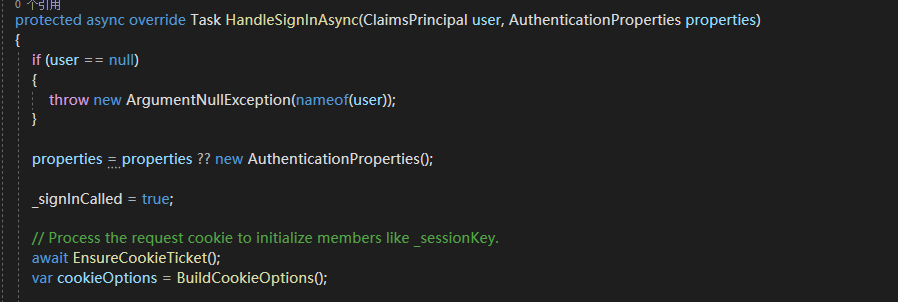
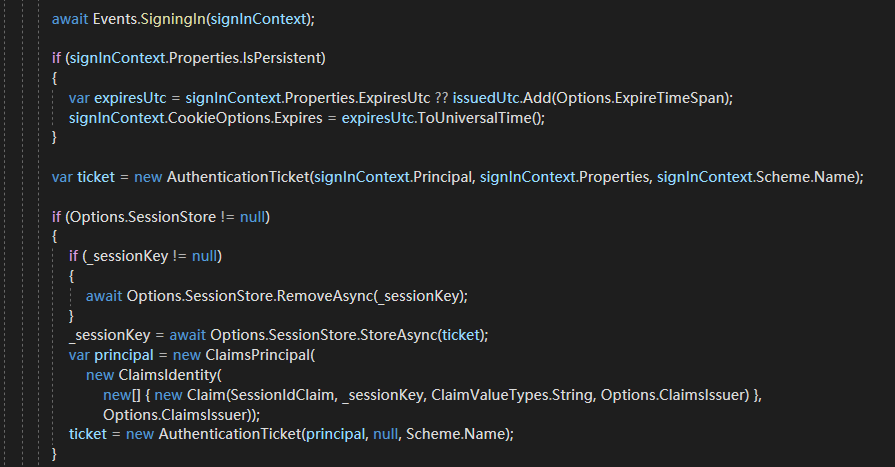
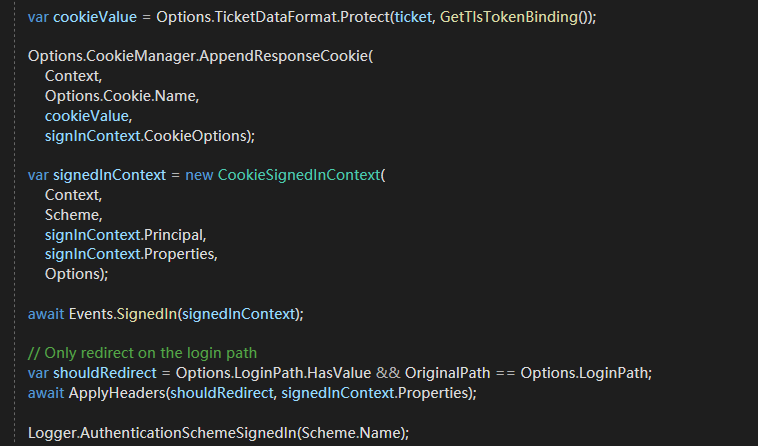
第一步

这个过程,可能存在重复登陆的情况.

这里CookieAuthenticationOptions通过Cookie属性,你可以自定义Cookie配置参数,默认实现如下:
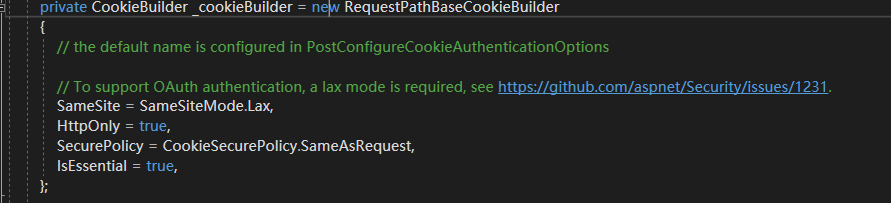
微软通过Builder生成器模式实现.不明白,请移步我的设计模式板块,很简单.
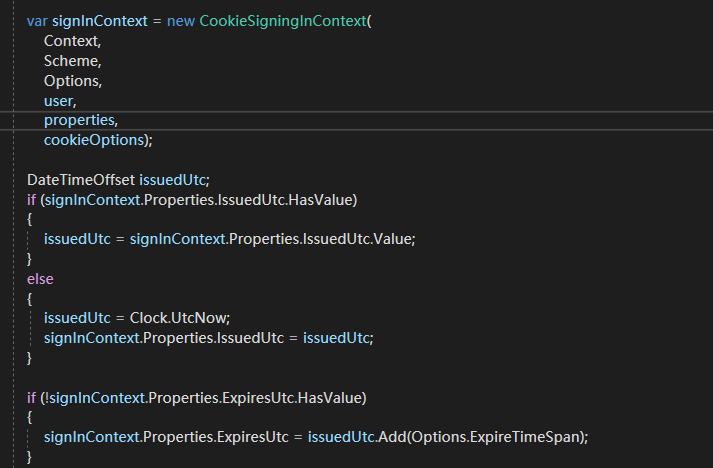
接着构建预登陆上下文
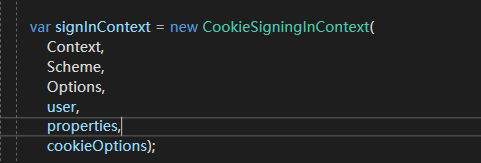

这里CookieAuthenticationOptions通过配置Events属性,你可以做一些持久化操作.或者修改参数,兼容你的业务
接着
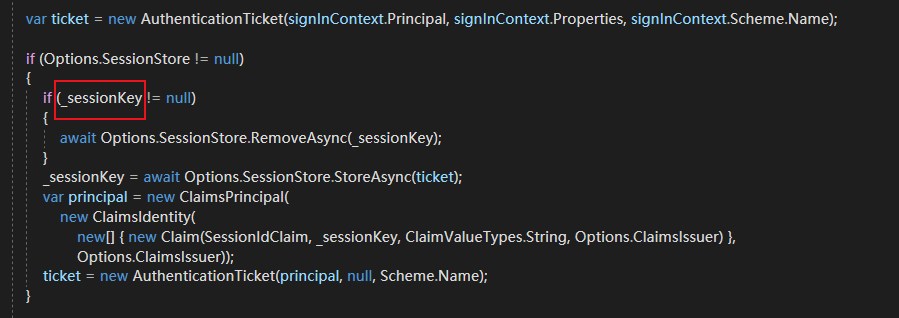
_sessionKey可能存在已登陆的情况,那就先清除,接着通过配置CookieAuthenticationOptions的SessionStore属性,你可以实现会话持久化,或者分布式会话.自行选择.
接着
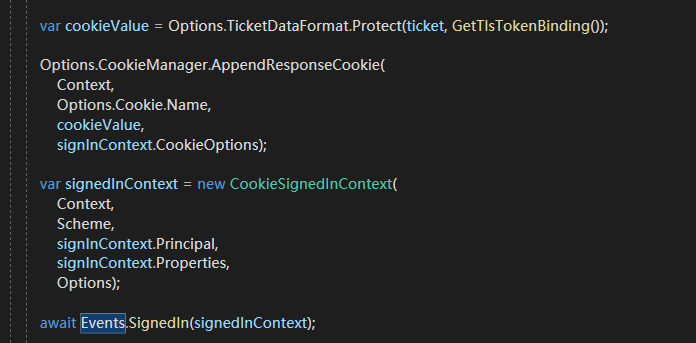
向浏览器写入cookie

不多说,一样.你也可以进行持久化操作,或者修改参数
最后

写http头,没啥东西.并进行日志记录操作.
ok,登陆的核心流程到这里介绍,跑下demo
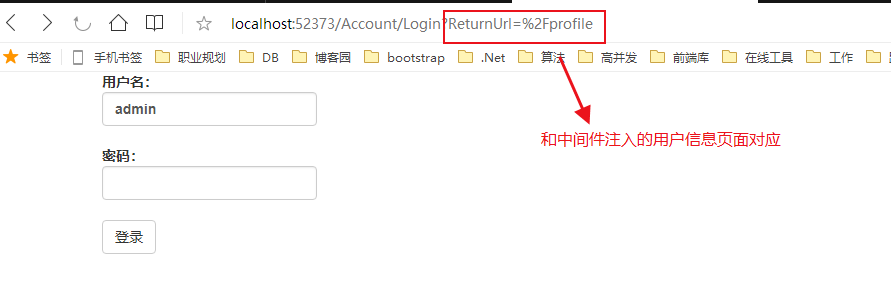
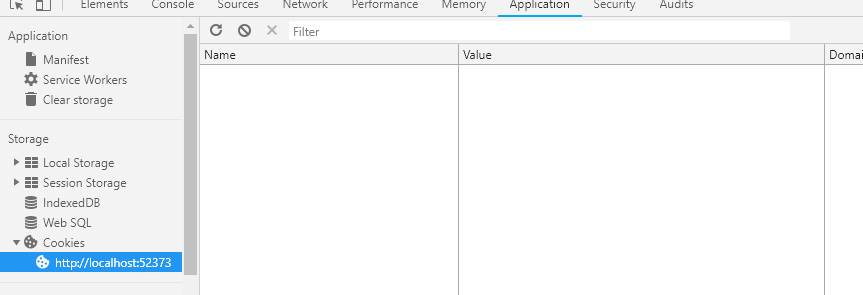
此时没有cookie,输入 admin admin登陆.
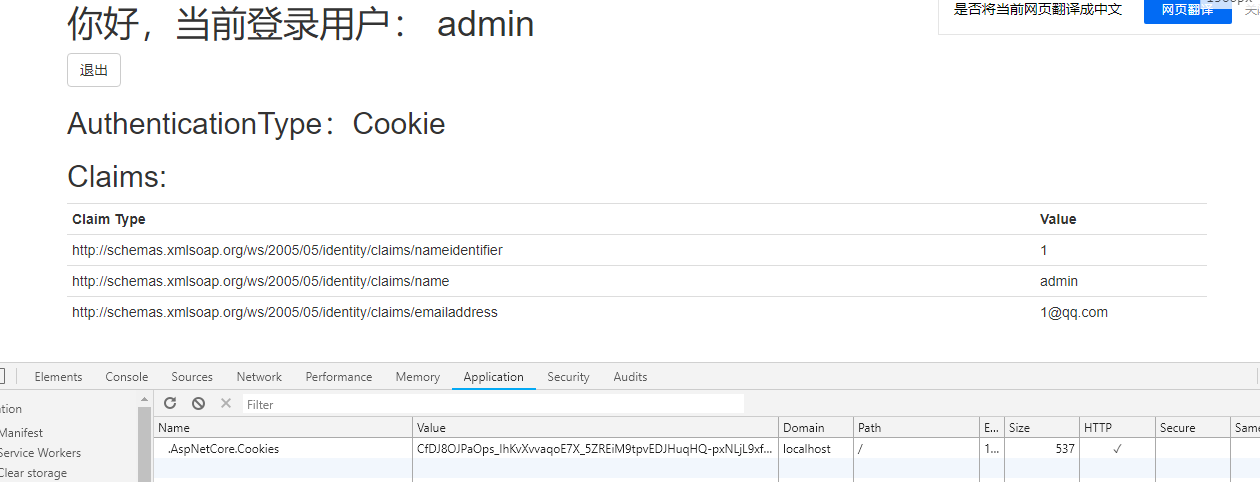
ok,登陆成功,cookie写入完毕.清除cookie,跳转到登陆界面.整个流程结束.纯属个人理解,能力有限,有问题,请指正,谢谢.
除远程登陆外,其余登陆流程(Cookie、Jwt)等都大同小异,所以接下去有时间,会分析远程登陆的源码,但是不想浪费太多时间,下一张会分析微软的
授权组件,看看他是如何和认证组件协同工作的.包括如何集成id4、identity、jwtbear完成一整套前端分离架构(且对移动端友好)的认证中心的构建.
.Net Core 认证组件之Cookie认证组件解析源码的更多相关文章
- .Net Core 认证系统之Cookie认证源码解析
接着上文.Net Core 认证系统源码解析,Cookie认证算是常用的认证模式,但是目前主流都是前后端分离,有点鸡肋但是,不考虑移动端的站点或者纯管理后台网站可以使用这种认证方式.注意:基于浏览器且 ...
- NET Core 2.0使用Cookie认证实现SSO单点登录
NET Core 2.0使用Cookie认证实现SSO单点登录 之前写了一个使用ASP.NET MVC实现SSO登录的Demo,https://github.com/bidianqing/SSO.Sa ...
- Django drf:认证及组件、token、局部钩子源码分析
一.drf认证功能 二.token讲解 三.局部钩子源码分析 一.drf认证功能 1.认证简介: 只有认证通过的用户才能访问指定的url地址,比如:查询课程信息,需要登录之后才能查看,没有登录则不能查 ...
- REST Framework组件的解析源码
首先我们要知道解析器的作用 解析器就是对你请求体中的数据进行反序列化.封装 把你的所有的请求数据都封装在request.data中 以后就在request.data中获取数据 我们先导入rest_fr ...
- Node 进阶:express 默认日志组件 morgan 从入门使用到源码剖析
本文摘录自个人总结<Nodejs学习笔记>,更多章节及更新,请访问 github主页地址.欢迎加群交流,群号 197339705. 章节概览 morgan是express默认的日志中间件, ...
- 性能秒杀log4net的NLogger日志组件(附测试代码与NLogger源码)
NLogger特性: 一:不依赖于第三方插件和支持.net2.0 二:支持多线程高并发 三:读写双缓冲对列 四:自定义日志缓冲大小 五:支持即时触发刷盘机制 六:先按日期再按文件大小滚动Rolling ...
- Spring Security(1):认证和授权的核心组件介绍及源码分析
Spring Security是一个能够为基于Spring的企业应用系统提供声明式的安全访问控制解决方式的安全框架.它包括认证(Authentication)和授权(Authorization)两个部 ...
- 如何快速为团队打造自己的组件库(上)—— Element 源码架构
文章已收录到 github,欢迎 Watch 和 Star. 简介 详细讲解了 ElementUI 的源码架构,为下一步基于 ElementUI 打造团队自己的组件库打好坚实的基础. 如何快速为团队打 ...
- ASP.NET Core 2.0使用Cookie认证实现SSO单点登录
之前写了一个使用ASP.NET MVC实现SSO登录的Demo,https://github.com/bidianqing/SSO.Sample,这个Demo是基于.NET Framework,.NE ...
随机推荐
- 二分-C - Pie
C - Pie My birthday is coming up and traditionally I'm serving pie. Not just one pie, no, I have a n ...
- Java生鲜电商平台-生鲜电商订单结算系统的深入解析与反思总结
Java生鲜电商平台-生鲜电商订单结算系统的深入解析与反思总结 说明:最近疫情影响,生鲜电商这个行业被彻底的激活了,全中国人民都知道用小程序或者APP可以进行买菜了,但是可惜的是,我的生鲜电商在去年经 ...
- SpringBoot整合WEB开发--(五)自定义错误页
目的与原理: 处理异常时,若我们想根据实际情况返回不同的页面,@ControllerAdvice与@ExceptionHandler,一般用于处理应用级别的异常,一些容器级别的错误就处理不了,例如Fi ...
- HTML表格显示的笔记
有时需要显示的复杂表头 如图所示 <table id="" cellpadding="0" cellspacing="0" bord ...
- 0007 settings.py配置文件详解
01 DEBUG调试配置 开发期设置为True,发布时设置为False 02 INSTALLED_APPS已安装的APP配置 INSTALLED_APPS = [ 'django.contrib.ad ...
- 在MyEclipse中修改文件名出现问题
问题描述:An exception has been caught while processing the refactoring 'Rename Compilation Unit'. 问题原因:项 ...
- 微信小程序前台的用户数据入库(后台Laravel)
首先 我们可以看到微信小程序官方 文档 wx.login api-login.jpg 通过此图 我们知道 前台要传 一个 code给后台,后台拿到code 并结合appid和appsecret请求 ...
- adb 连接手机
adb kill-server adb start-server 可能会遇到问题华为手机: 有应用遮挡了权限请求界面,设置应用无法验证你的回应 系统导航关闭悬浮球 然后重启adb server ad ...
- python:函数中的*args与**kwargs
首先定义一个包含*args和**kwargs的函数,这个函数唯一的功能就是输出自己的两个参数,以此来理解*args和**kwargs def myFunc(*args, **kwargs): prin ...
- js splice()
//arrayObject.splice(index,howmany,item1,.....,itemX) 语法 //测试代码let array;array = ['George','John','T ...